What Is WebRTC and How Does It Affect Browser Privacy: A Comprehensive Guide
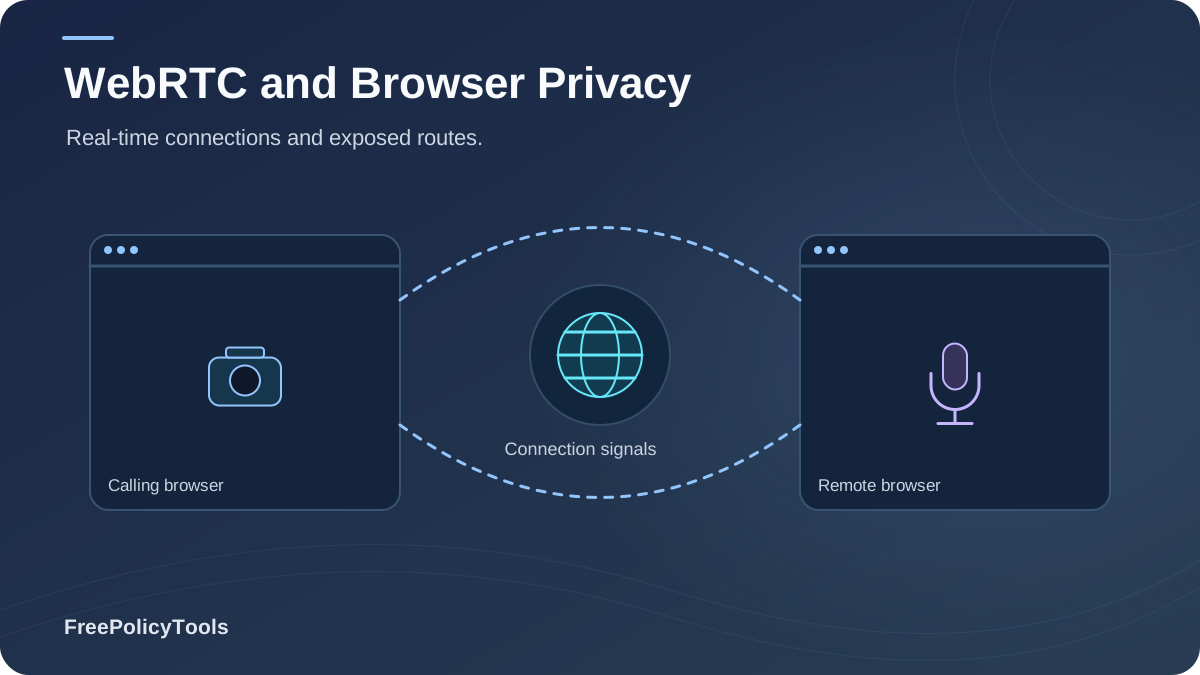
WebRTC (Web Real-Time Communication) is an open-source project and now an official W3C/IETF standard that lets browsers and apps exchange audio, video, and data directly, peer-to-peer, without plugins. It powers Google Meet, Discord, WhatsApp Web, and browser-based file sharing. But the same peer-connection machinery that enables crystal-clear video calls also allows any website to discover your real public and local IP address — even while you are connected to a VPN — a flaw first documented in January 2015 by security researcher Daniel Roesler and still relevant today.
Research published by Article 19 found that websites invoke WebRTC for IP address gathering 15 times more often than for its intended real-time communication purpose. Meanwhile, independent testing has shown that roughly 20% of popular VPN services still leak customer IP addresses via the WebRTC bug. In this guide you will learn exactly how WebRTC leaks work, how they combine with browser fingerprinting, and how to test and fix them — whether you are an everyday user or you manage dozens of accounts with tools like Incogniton anti-detect browser.
Quick Answer (TL;DR)
WebRTC is a browser technology for real-time peer-to-peer communication. It affects browser privacy because establishing a peer connection requires exchanging IP addresses via STUN servers — and any website can trigger this exchange with a few lines of JavaScript, without your permission or any prompt. The result: your true public IP and private LAN IP (e.g., 192.168.x.x) can be exposed to trackers even when a VPN is active. The fix: use a VPN or browser with built-in WebRTC leak protection, disable WebRTC where you don't need it, or use an anti-detect browser that spoofs or isolates WebRTC per profile.
- Risk: Real IP exposure bypasses VPN tunnels and deanonymizes users.
- Scope: Enabled by default in Chrome, Firefox, Safari, Edge and Opera.
- Fix: Leak-test your browser, then block, spoof, or isolate WebRTC.
What Is WebRTC: A Technical Explanation
WebRTC (Web Real-Time Communication) is a collection of open-source APIs and standardized protocols — primarily getUserMedia, RTCPeerConnection, and RTCDataChannel — that enable browsers and mobile apps to stream media and exchange data directly between two "peers" with no intermediate server and no plugins. First open-sourced by Google in 2010 and standardized as a W3C Recommendation and IETF standard in January 2021, WebRTC is now enabled by default in every major browser: Chrome, Firefox, Safari, Edge, and Opera.
WebRTC at a Glance
A minimal peer connection takes only a few lines of JavaScript — and notice that no user permission is requested to exchange network candidates (camera/microphone access requires permission, but IP discovery does not):
Example: minimal RTCPeerConnection
const pc = new RTCPeerConnection({
iceServers: [{ urls: 'stun:stun.l.google.com:19302' }]
});
pc.createDataChannel('probe');
pc.onicecandidate = (e) => console.log(e.candidate);
// Output includes: typ host 192.168.1.24 (local IP)
// Output includes: typ srflx 203.0.113.45 (public IP)
Media Streaming
Audio/video calls in Meet, Discord, WhatsApp Web
P2P Data Channels
Serverless file sharing, gaming, screen sharing
IoT & Broadcast
Smart devices, live streaming, telehealth, education
Why WebRTC Exists — and Why It Grew So Fast
Before WebRTC, real-time communication required proprietary plugins like Flash. WebRTC removed that friction, which is why adoption exploded: the global WebRTC market is valued at roughly USD 12.6 billion in 2026 and is projected to reach USD 89.1 billion by 2033 (32.2% CAGR, Persistence Market Research), while Technavio estimates the market will expand by USD 247.7 billion between 2025 and 2029. The more real-time features the web ships, the more browsers expose the WebRTC attack surface — which is why understanding it is a core part of browser privacy versus browser security.
Key Stat: WebRTC is already enabled for more than 1 billion users through Chrome and Firefox alone (High Performance Browser Networks), and it is supported by Apple, Google, Microsoft, Mozilla, and Opera across desktop, mobile, and IoT devices.
How WebRTC Works: STUN, TURN & ICE Explained
To connect two peers directly, WebRTC must solve a hard networking problem: most devices sit behind routers and firewalls with private addresses. It does this with a protocol stack called ICE (Interactive Connectivity Establishment), which gathers "candidates" — every possible address a peer might be reachable at — using two kinds of helper servers: MDN’s WebRTC documentation explains the browser APIs used for real-time audio, video, and data communication.
STUN (Session Traversal Utilities for NAT)
- Your browser asks a public STUN server: "What address do you see me coming from?"
- The server replies with your real public IP and port (an "srflx" candidate).
- Your browser also lists its private LAN IP (a "host" candidate, e.g. 192.168.1.24).
- These candidates are exchanged with the remote peer — or readable by JavaScript on the page.
TURN (Traversal Using Relays around NAT)
- When direct connection fails, traffic is relayed through a TURN server.
- Relayed ("relay") candidates hide your IP from the other peer — but the TURN provider still sees it.
- TURN is the "fallback" of the ICE process; STUN always runs first.
- The privacy danger lives in the STUN/ICE gathering phase, not in the media itself.
Example ICE Candidate (What a Tracker Reads)
candidate:842163049 1 udp 1686052607 203.0.113.45 51472 typ srflx
raddr 192.168.1.24 rport 51472 generation 0
A single candidate line hands a script two identifiers: your public IP (srflx) and your internal router IP (raddr/host). The internal IP is especially valuable for fingerprinting, because it is stable across sessions and unique per household or office network.
This is also why WebRTC sits at the center of modern tracking ecosystems alongside cookies and canvas or audio fingerprinting: it is one of the few browser APIs that reveals network-level truth. You can see how these techniques combine in our guide on how websites track you.
The WebRTC Privacy Problem: IP Leaks
A WebRTC leak occurs when a website uses the RTCPeerConnection API to harvest the IP candidates described above — without ever placing a call. The vulnerability was first publicly documented in January 2015 by security researcher Daniel Roesler, whose proof-of-concept showed that even users behind a VPN could have their real addresses exposed by ordinary page JavaScript.
What a WebRTC Leak Exposes
- Your real public IP: Your true identity on the internet — your approximate geolocation, ISP, and household — even while a VPN shows a different IP.
- Your private LAN IP: A stable internal address (192.168.x.x, 10.x.x.x) that persists across visits and can link your "different" online identities together.
- VPN/proxy usage itself: Seeing two different public IPs (tunnel + STUN) tells trackers you are using an anonymizing service.
- Network topology hints: raddr/rport values reveal NAT behavior, useful for device fingerprinting.
How Big Is the Problem? The Numbers
| Finding | Result | Source |
|---|---|---|
| WebRTC used for IP harvesting vs. intended purpose | 15× more for tracking | Article 19 privacy research |
| Popular VPN providers leaking IPs via WebRTC bug | ~20% | CircleID / Comparitech audit, 2018 |
| Tested VPNs leaking IP, DNS or WebRTC data | 15 of 74 (20.3%) | TheBestVPN leak-test study |
| Android VPN apps lacking DNS privacy controls | 66% | Ikram et al., academic audit |
| WebRTC leak exploit publicly known since | January 2015 | Daniel Roesler disclosure |
Privacy reality check: If WebRTC can hand over your real IP, then tools you may already trust — like private browsing — offer no protection here. Our tests confirm that incognito mode does not stop WebRTC: the API remains fully active in private windows. This is one of the reasons experts conclude that, without countermeasures, truly anonymous browsing is difficult on a default browser.
Anatomy of a WebRTC Leak: Step by Step
Unlike your camera or microphone, WebRTC's network discovery requires no permission prompt — a crucial asymmetry most users never learn (see our browser permissions explainer). A tracking script typically follows this sequence:
- Script loads: First-party code or a third-party ad/analytics tag creates an
RTCPeerConnectionwith a public STUN server. - Data channel opens: A dummy
createDataChannel('')call forces ICE candidate gathering — no media, no prompt. - Offer is set:
createOffer()+setLocalDescription()trigger STUN binding requests from your machine. - Candidates fire:
onicecandidateevents stream back host (LAN) and srflx (public) candidates. - IPs exfiltrated: The script parses the candidate strings and sends the addresses to a tracking server, correlating them with your cookies, storage IDs, and fingerprint.
The mDNS Mitigation (and Its Limits)
Since 2018–2020, Chrome and Firefox have replaced local "host" candidates with mDNS obfuscated addresses (e.g., 4b2f-...c9.local instead of 192.168.1.24), which reduces LAN IP exposure in many cases. However, this does not eliminate the threat: srflx candidates can still reveal your true public IP when STUN traffic bypasses the VPN tunnel (split tunneling, kill-switch gaps, IPv6 routes), and misconfigured or free VPN clients remain widespread — roughly one in five tested services still leaks something. Defense in depth remains essential.
WebRTC vs. VPNs: Why a VPN Alone Isn't Enough
A VPN encrypts and tunnels your traffic, but WebRTC operates inside the browser, before or beside the tunnel, depending on client configuration. If the browser's STUN requests escape the tunnel — or the VPN app fails to re-bind interfaces after connecting — the leak reveals exactly what you paid to hide. This is why changing your IP does not change your browser fingerprint, and why a tunnel alone is an incomplete privacy strategy.
When VPNs Fail Against WebRTC
- Split tunneling routes STUN outside the tunnel
- IPv6 traffic bypasses IPv4-only VPN tunnels
- Browser extensions or apps query STUN before VPN handshake
- Free VPNs monetize data and ship weak leak protection
What a Proper Setup Looks Like
- VPN with explicit WebRTC leak blocking + kill switch
- Browser-level WebRTC control (Brave, Firefox flags)
- IPv6 leak protection and DNS over HTTPS enabled
- Routine leak testing after every client or OS update
For a deeper comparison of tunneling approaches, see VPN vs. proxy vs. anti-detect browser and anti-detect browser vs. VPN vs. proxy. And if you want to know whether your tunnel changes your identifying surface at all, read does a VPN change your browser fingerprint?
WebRTC & Browser Fingerprinting: A Dangerous Pairing
Browser fingerprinting identifies you by combining dozens of signals — screen size, fonts, canvas output, timezone, and network attributes. WebRTC contributes some of the most stable signals in that bundle: your LAN IP, NAT behavior, and the very presence or absence of WebRTC candidates. Because your internal IP rarely changes at home or work, it becomes a high-entropy identifier that survives cookie deletion and IP rotation.
WebRTC Signals Used in Fingerprints
Modern anti-detect browsers address this by spoofing or isolating WebRTC candidates per profile, so each digital identity presents a coherent, unique network story — something a global "disable WebRTC" toggle cannot do without breaking video-call sites and raising suspicion. Learn how accurate these identifiers are in how accurate is browser fingerprinting, and whether the cat-and-mouse game can be won in can browser fingerprinting be prevented.
Important: If you operate multiple accounts (advertising, e-commerce, QA testing), a single leaked LAN IP can link every profile you own and trigger mass bans. Browser profile isolation with per-profile WebRTC handling is the professional-grade fix — this is exactly the problem Incogniton was built to solve.
How to Check for WebRTC Leaks
Testing takes under a minute and should be repeated whenever you change VPN providers, browsers, extensions, or operating systems. The same habit applies to fingerprinting — our guide on how to check your browser fingerprint pairs perfectly with the steps below.
Step-by-Step Leak Test
- Note your real IP: With your VPN disconnected, search "what is my IP" and write down the address.
- Connect your protection: Enable your VPN, extension, or anti-detect browser profile.
- Run a WebRTC leak test: Visit a reputable leak-test site (e.g., browserleaks.com/webrtc) in the same browser.
- Compare results: If the test shows your real public IP or your LAN IP (192.168.x.x / 10.x.x.x), you are leaking.
- Check the candidate list: "srflx" entries containing your real IP = public leak; "host" entries with private ranges = local leak.
- Re-test after updates: Browser and VPN updates can silently reset leak-protection settings.
Pro tip: A clean result on one site is not proof. Run at least two independent testers, in both normal and private windows, with IPv6 enabled. Trackers use multiple STUN fleets — your defense should be tested against more than one.
How to Prevent & Fix WebRTC Leaks
There is no single "correct" fix — the right control depends on whether you need WebRTC for daily calls or must eliminate every leak for professional multi-accounting. Compare the options below, and remember that extensions themselves can be a risk: audit anything you install against our malicious browser extensions checklist.
| Method | How It Works | Pros / Cons | Best For |
|---|---|---|---|
| Firefox flag (media.peerconnection.enabled = false) | Disables the entire WebRTC stack at browser level | Total block, free / Breaks Meet, Discord, some sites | Privacy-first Firefox users |
| WebRTC blocker extension (Chrome/Edge) | Intercepts or mangles ICE candidate generation | One-click, granular modes / Another extension with deep API access | Chrome users who need occasional calls |
| Privacy browser with built-in control (Brave, Firefox) | Native setting to disable or spoof WebRTC per site | No extension risk, maintained by vendor / Limited per-profile flexibility | Everyday privacy-conscious browsing |
| VPN with WebRTC leak protection | Forces STUN through tunnel + blocks leaky bindings | Protects all apps, not just browser / ~1 in 5 VPNs still leaks in tests | Users who want whole-device coverage |
| Anti-detect browser (Incogniton) | Spoofed or proxied WebRTC candidates per isolated profile | Unique network identity per profile, no broken sites / Paid tool, learning curve | Multi-account marketers, affiliates, QA teams |
Defense-in-Depth Checklist
- Disable or control WebRTC in the browser you use for sensitive activity.
- Pair with DNS over HTTPS so DNS queries can't leak alongside WebRTC.
- Disable IPv6 or use a VPN with full IPv6 leak protection.
- Keep browsers updated — browser updates matter for security and privacy mitigations like mDNS.
- For account farms: give every profile its own proxy and its own WebRTC behavior via an anti-detect browser.
Protection Solutions Compared: VPN vs. Extension vs. Tor vs. Anti-Detect
The radar chart below summarizes our 2026 benchmark of the four main approaches across six dimensions. No single tool wins everywhere: Tor excels at anonymity but breaks most real-time apps; extensions are cheap but add attack surface; VPNs cover the whole device but leak too often; and anti-detect browsers like Incogniton dominate on WebRTC spoofing, fingerprint control, and multi-accounting — at the cost of everyday convenience. See the full rankings in best anti-detect browsers and what anti-detect browsers can hide.
Benchmark Notes
Scores reflect aggregated leak-test results (TheBestVPN 74-VPN study, CircleID audit) and our in-house exposure scoring. "VPN Only" scores worst among protected setups because WebRTC operates at browser level — above the tunnel. Anti-detect browsers score highest because they treat WebRTC candidates as part of the fingerprint to be spoofed, not merely blocked, keeping video-call sites functional while presenting a fake-but-consistent network identity.
Best Practices by User Type
Everyday Users
- Use a privacy-focused browser or enable its WebRTC control.
- Keep WebRTC enabled only where needed (Meet, Discord).
- Combine with solid browser security hygiene.
- Understand what cookies add to the tracking picture.
VPN Users
- Choose providers that publish WebRTC leak-test results.
- Enable kill switch + IPv6 + DNS leak protection.
- Re-run leak tests after every app or OS update.
- Don't assume tunnel = anonymity; verify, don't trust.
Multi-Account Professionals
- Isolate every account in its own browser profile.
- Spoof WebRTC per profile instead of blocking globally.
- Pair unique proxies with unique fingerprints.
- Start with Incogniton or compare tools in our roundup.
Journalists & High-Risk Users
- Prefer Tor Browser for sensitive research (WebRTC disabled by default).
- Never log into personal accounts on the same device.
- Separate identities with profiles vs. browsers vs. VMs.
- Assume adversaries test you for leaks — test yourself first.
The Future of WebRTC & Privacy
- mDNS host-candidate obfuscation is becoming baseline across engines.
- W3C/IETF continue refining "privacy considerations" for RTC APIs.
- Anti-fingerprinting and anti-detect tooling now treats network candidates as first-class fingerprint signals.
- As third-party cookies die, network-level identifiers like WebRTC become more attractive to trackers — expect the arms race to intensify.
Frequently Asked Questions
Does WebRTC always leak my IP address?
No. A leak requires a page to run JavaScript that creates a peer connection and reads ICE candidates. Modern browsers also obfuscate local IPs with mDNS. However, because WebRTC is enabled by default in all major browsers and misconfigured VPNs are common, the risk is real enough to test — especially if you rely on a VPN for privacy.
Does incognito or private browsing mode stop WebRTC leaks?
No. Private windows isolate cookies and history, but the WebRTC stack remains fully functional. A site can harvest your IP candidates in incognito exactly as in a normal window. See our analysis of what incognito mode actually does for the full picture.
Should I disable WebRTC completely?
If you never use browser-based calls, screen sharing, or P2P features, disabling it (e.g., Firefox's media.peerconnection.enabled flag) is a safe, strong move. If you rely on Meet, Discord, or WhatsApp Web, prefer spoofing/leak-protection over a global kill switch — total blocking both breaks features and creates a detectable fingerprint trait.
Does a VPN protect me from WebRTC leaks?
Only if the VPN explicitly handles them. Independent tests found roughly 20% of VPN services still leak IP, DNS, or WebRTC data. Look for providers advertising WebRTC leak protection, IPv6 handling, and a kill switch — and verify with your own leak test after connecting.
Can websites tell if I have blocked WebRTC?
Yes — the absence of RTCPeerConnection or of ICE candidates is itself a signal that can be added to your fingerprint. This is why anti-detect browsers like Incogniton spoof plausible candidates per profile rather than simply removing the API: consistency matters more than absence.
Do mobile browsers leak WebRTC IPs too?
Yes. Android and iOS browsers that support WebRTC (Chrome, Firefox, Safari, Opera) perform the same ICE gathering. Mobile apps with embedded WebRTC views can leak as well, and academic audits found weak privacy controls in a majority of tested Android VPN apps.
Related Resources
Conclusion
WebRTC is one of the web's most valuable inventions — and one of its most effective tracking vectors. The same STUN/ICE machinery that powers plugin-free video calls lets any website harvest your real public and private IP addresses with silent JavaScript, bypassing VPNs, proxies, and private browsing modes. With the technology's market projected to grow from $12.6 billion to $89.1 billion by 2033, the exposure surface is expanding, not shrinking.
The good news: WebRTC leaks are testable and fixable. Run a leak test today, choose the right control for your use case — a browser flag, a leak-proof VPN, or per-profile spoofing in an anti-detect browser — and re-test after every change. Privacy is a process, not a product.
Key Takeaways
- • WebRTC leak flaw publicly known since January 2015 (Daniel Roesler)
- • ~20% of tested VPNs still leak IP/DNS/WebRTC data
- • WebRTC is queried 15× more for tracking than for calls
- • Incognito mode does NOT stop WebRTC leaks
- • Per-profile spoofing beats global blocking for multi-accounting
Next Steps
- • Run a WebRTC leak test in every browser you own
- • Enable WebRTC controls or a leak-proof VPN
- • Audit extensions and enable DNS over HTTPS
- • For multi-accounting: isolate profiles & spoof WebRTC
- • Re-test quarterly and after every browser update
Ready to close your biggest leak?
Incogniton anti-detect browser gives every profile its own spoofed WebRTC identity, fingerprint, and proxy — so your real IP never ties your accounts together. Try Incogniton today.