Types of Browser Fingerprinting: Canvas, WebGL, Audio, Fonts, Screen Size and More — The Complete Guide
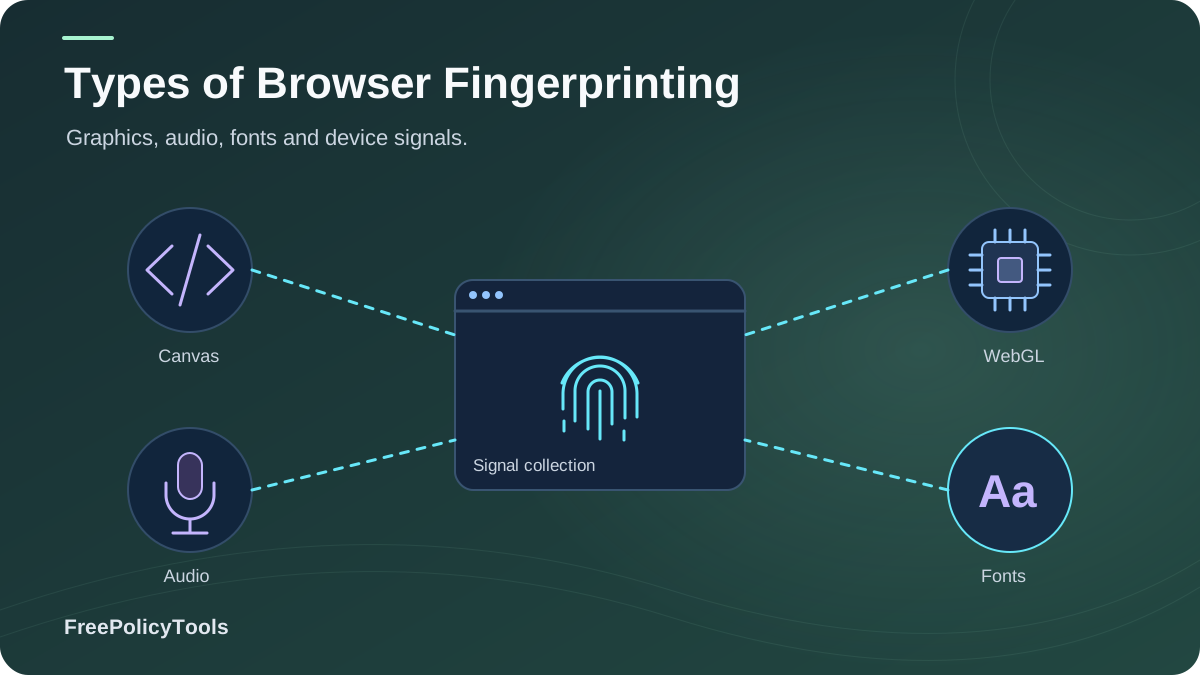
When people hear browser fingerprinting, they usually picture one single technique. In reality, fingerprinting is a family of more than ten distinct tracking techniques — canvas, WebGL, audio, font enumeration, screen-size probing, TLS handshake analysis, WebRTC leaks and more — each harvesting a different slice of your device's identity. If you're new to the concept, start with our primer on what browser fingerprinting is and what websites can see, then come back for the full technical breakdown. W3C’s browser fingerprinting guidance explains how browser characteristics can make users identifiable even when other tracking methods are restricted.
In this guide we dissect every major type of browser fingerprinting: how it works under the hood, how much identifying power (entropy) it adds, how common it is in the wild, and which countermeasures actually work against it — with data from the EFF, academic measurement studies, and public fingerprint datasets.
Quick Answer (TL;DR)
- The main fingerprinting types are canvas, WebGL, audio (AudioContext), font, screen/display, hardware, timezone, HTTP-header, TLS/JA3, cache, WebRTC, extension and behavioral fingerprinting.
- Font (~9.4 bits) and WebGL (~8.9 bits) are among the most identifying single signals; canvas (~5.7 bits) is the most famous and most deployed.
- No single technique is decisive — trackers combine them: 6+ combined signals make ~99% of browsers unique.
- Privacy-hardened browsers (Tor, Firefox RFP) neutralize most active techniques; anti-detect browsers like Incogniton give each profile its own coherent set of fingerprints.
Distinct fingerprinting techniques in use today
Avg. combined entropy (EFF Panopticlick)
Browsers sharing your combined fingerprint
Of fingerprinting scripts deploy canvas (wild measurements)
Quick Recap: How a Fingerprint Is Built
A browser fingerprint is created when a site collects dozens of small attributes your browser exposes — via JavaScript APIs, HTTP headers, and even the network handshake — and hashes them into a compact, semi-unique ID. Unlike cookies, nothing is stored on your device, so there is nothing to delete. See the full pipeline in our guide on how websites track you and the storage comparison in cookies vs local storage vs browser fingerprinting.
Why So Many Techniques?
Each technique captures a different "dimension" of your device:
- Rendering APIs (canvas, WebGL, audio) expose hardware + driver quirks.
- Configuration probes (fonts, screen, timezone) expose your personal setup.
- Network-level signals (TLS/JA3, headers, WebRTC) expose your client and connection.
- Behavioral signals (typing, mouse dynamics) expose you, not just your machine.
Combined, they produce the ~18.1 bits of entropy the EFF measured — enough to single out 1 browser in 286,771.
Illustrative share of signal categories collected by modern fingerprinting stacks (FingerprintJS-style vendors, 2025).
The 4-Stage Pipeline
- Collection: Scripts (or the network layer) query each technique below.
- Hashing: Values are concatenated and hashed into a fingerprint ID.
- Matching: The ID is compared server-side across visits and sites.
- Profiling: The stable ID feeds analytics, ad targeting, or fraud systems — see how advertising networks track browsers.
Active vs Passive Fingerprinting
All fingerprinting types fall into two families. The distinction matters for defense: active techniques can be blocked or noised by the browser; passive techniques are observed on the wire and are far harder to influence.
Active Fingerprinting
Runs JavaScript on your device to probe APIs and measure responses: canvas, WebGL, AudioContext, font enumeration, screen queries, hardware APIs, extension probing, behavioral analysis.
- Requires script execution — can be mitigated by privacy browsers.
- Highest entropy per technique (rendering quirks are unique per hardware).
- Dominates ad-tech and fraud-detection deployments.
Passive Fingerprinting
Observed without running code on your device: HTTP headers, User-Agent, TLS/JA3 handshake structure, IP address, and timing side-channels.
- Works even with JavaScript disabled.
- Hard to spoof — the network stack, not the page, reveals the values.
- Popular in bot detection and security tooling. Harden your transport layer with HTTPS, secure DNS and DNS-over-HTTPS.
Key Insight: A VPN changes only the passive IP signal — your active fingerprints (canvas, fonts, WebGL…) are untouched. That's exactly why changing your IP doesn't change your browser fingerprint and why a VPN alone doesn't change your fingerprint.
The 5 Major Types of Browser Fingerprinting
1. Canvas Fingerprinting
The most famous technique. A script draws hidden text or shapes onto an HTML5 <canvas> element and reads back the rendered pixels. Because GPUs, drivers, OS font renderers and anti-aliasing differ subtly between machines, the resulting image hash becomes a stable device signature.
How it looks in code:
const ctx = canvas.getContext('2d');
ctx.textBaseline = 'top'; ctx.font = '14px Arial';
ctx.fillText('Fingerprint 🔒', 2, 2);
const hash = canvas.toDataURL(); // unique per device
2. WebGL Fingerprinting
WebGL goes further than canvas: scripts query the UNMASKED_VENDOR_WEBGL and UNMASKED_RENDERER_WEBGL parameters (exposing your exact GPU model and driver), then render a 3D scene whose pixel output captures even finer hardware differences. It is currently one of the highest-entropy active signals.
3. Audio (AudioContext) Fingerprinting
The script pushes an audio tone through the Web Audio API (oscillator → dynamics compressor → gain) and hashes the resulting sample buffer. Sound processing differs by hardware codec, driver and OS audio stack, producing a remarkably stable signature — one of the most consistent fingerprints over time, though with moderate entropy.
4. Font Fingerprinting
Scripts render the same string in hundreds of candidate fonts and measure pixel widths; fonts that change the width are installed on your system. Because installed font sets are highly personal (designers, developers, office suites, languages), font lists are among the most identifying single attributes — especially on desktops.
5. Screen Size & Display Fingerprinting
The simplest type: scripts read screen.width/height, available screen area, color depth, device pixel ratio, orientation and window dimensions. Alone it only narrows the crowd (4.5 bits), but combined with other signals it eliminates huge swaths of users — and unusual resolutions or zoom levels make you more unique.
More Types of Browser Fingerprinting You Should Know
Beyond the big five, trackers and security systems draw on a long tail of secondary techniques:
TLS / JA3 Fingerprinting
Passive: your TLS handshake (cipher suites, extensions, order) forms a client signature. Works with JavaScript disabled; widely used in bot detection.
HTTP Header Fingerprinting
Passive: User-Agent, Accept-Language, Accept-Encoding and header ordering differ per browser/OS build and add ~3–6 bits of entropy.
WebRTC Fingerprinting / IP Leakage
Active: WebRTC can expose local and public IPs even behind a VPN. Learn what WebRTC is, how it affects browser privacy, and what a WebRTC leak looks like.
Hardware Fingerprinting
CPU core count, device memory, hardware concurrency, battery status and touch points — small signals that stack up quickly.
Timezone & Locale Fingerprinting
Timezone, UTC offset, DST rules and language (~5.4 bits) place you geographically and linguistically — a classic entropy booster.
Cache Fingerprinting
Timing how fast cached resources load reveals your browsing history state; HSTS supercookies and cache probing persist across sessions.
Extension Fingerprinting
Injected DOM objects and resource probes reveal your extension list. Some add-ons are also trackers themselves — audit for malicious browser extensions.
Behavioral Fingerprinting
Keystroke dynamics, mouse movement and touch gestures identify the human, not just the machine — mostly used in banking fraud detection.
Which Type Is the Most Identifying?
Entropy (measured in bits) quantifies how much a signal shrinks the crowd of possible users. The chart below aggregates estimates from Eckersley (EFF, 2010), Laperdrix et al.'s Browser Fingerprinting: A Survey (ACM Computing Surveys, 2020), and the Am I Unique? public dataset. For real-world numbers, see how accurate is browser fingerprinting.
Sources: Estimated entropy adapted from Eckersley (EFF Panopticlick, 2010), Laperdrix et al. (2020), and Am I Unique? measurements.
Qualitative comparison (/100) based on published measurement literature and tracker-deployment analyses.
Key Stat: Fonts and WebGL dominate single-signal entropy (~9.4 and ~8.9 bits), while canvas wins on deployment: it appears in roughly 78% of fingerprinting scripts detected in the wild (web tracking measurement studies, 2016–2025).
How Trackers Combine Types (and How Common Each Is)
The real power of fingerprinting is combinatorial. A canvas hash alone identifies ~34% of browsers; add fonts, WebGL, screen and timezone and uniqueness rockets past 96%. This is why blocking one technique rarely helps — and why advertising networks and fraud vendors collect everything at once.
Illustrative uniqueness curve based on Am I Unique? dataset analysis (Laperdrix et al.), 2024–2025.
Technique prevalence among fingerprinting scripts — aggregated from tracking measurement studies (Englehardt & Narayanan 2016 baseline; follow-up crawls of the top 1M sites through 2025).
Why "Partial" Protection Fails
Blocking canvas while leaving fonts, WebGL and screen untouched still leaves a highly unique fingerprint — and inconsistent spoofing (e.g., a macOS User-Agent with an NVIDIA Windows renderer string) is itself a detection signal used by anti-fraud systems. Consistency across all types is what matters.
Full Comparison Table of All Fingerprinting Types
| Type | Active / Passive | Est. Entropy | Stability | Primary Use |
|---|---|---|---|---|
| Canvas | Active | ~5.7 bits | High | Ad tracking, fraud detection |
| WebGL | Active | ~8.9 bits | High | Device identification |
| Audio (AudioContext) | Active | ~4.6 bits | Very high | Stable secondary identifier |
| Fonts | Active | ~9.4 bits | Medium | Core cross-site identifier |
| Screen / Display | Active | ~4.5 bits | Medium | Baseline attribute |
| Hardware (CPU/RAM) | Active | ~2.9 bits | High | Attribute stacking |
| Timezone / Locale | Active | ~5.4 bits | High | Geo-language profiling |
| HTTP Headers | Passive | ~3–6 bits | Medium | Baseline attribute |
| TLS / JA3 | Passive | ~7 bits | High | Bot detection, security |
| WebRTC (IP leak) | Active | Variable | Low | De-anonymizing VPN users |
| Cache / HSTS | Active | Variable | High | History & session linking |
| Extensions | Active | ~3.8 bits | Low | Secondary identifier |
| Behavioral | Active | Variable | Low | Banking fraud, bot detection |
Privacy vs security note: many of these types (TLS/JA3, behavioral) exist primarily to protect you from fraud — fingerprinting isn't inherently malicious. Our explainer on browser privacy vs browser security covers the nuance.
How to Defend Against Each Type
No single tool defeats every technique. Use the matrix below, then layer: privacy-hardened browser for daily life, and managed anti-detect profiles when you need multiple identities. Start by learning how to check your browser fingerprint and whether it can be prevented at all.
| Type | Best Countermeasure | Practical Limit |
|---|---|---|
| Canvas | Tor / Firefox RFP canvas noise | Noise patterns can be detectable; some site features break |
| WebGL | RFP renderer spoofing or disable WebGL | Breaks maps, games, 3D viewers |
| Audio | Tor / RFP audio noise | Rarely breaks sites |
| Fonts | RFP standardized font list | Minor layout shifts |
| Screen | Common resolution, 100% zoom, Tor standardization | Hardware changes impractical |
| TLS / JA3 | Use mainstream browsers (Tor = uniform handshake) | Custom clients stand out |
| WebRTC | Disable WebRTC + VPN with leak protection | May affect web calls |
| Cache / HSTS | Partitioned caches (modern browsers), Tor | Legacy techniques mostly mitigated today |
| Extensions | Remove unused extensions | Fewer conveniences |
| Behavioral | Largely limited to banking contexts; little to do | Used for security, not ads |
The Layered Defense Playbook
- Daily browsing: Tor Browser (maximum uniformity) or Firefox RFP / Brave — neutralizes canvas, WebGL, audio, fonts.
- Hygiene: keep the browser updated (why browser updates matter), trim extensions, audit permissions, and harden DNS with DoH.
- Multi-account work: an anti-detect browser gives every browser profile a coherent canvas/WebGL/audio/font signature — see profile isolation and profiles vs separate browsers vs VMs.
- Reality check: Incognito doesn't stop fingerprinting, and true anonymity requires discipline. Compare stacks via anti-detect vs incognito, anti-detect vs VPN vs proxy, and VPN vs proxy vs anti-detect.
Recommended Tool: Incogniton
Incogniton builds each profile with a consistent, realistic set of canvas, WebGL, audio, font and screen signatures — so every identity passes fingerprint checks without internal contradictions. Learn what anti-detect browsers can hide, whether sites can detect them, if they really work, and whether they're safe and legal. Compare the best and cheapest anti-detect browsers, or how profiles become digital identities.
Get Incogniton Free →Also useful: How to secure your web browser — a checklist that complements every defense above.
Frequently Asked Questions
Which type of browser fingerprinting is the most accurate?
Font and WebGL fingerprinting carry the highest single-signal entropy (~9.4 and ~8.9 bits), while canvas is the most widely deployed. In practice, accuracy comes from combination: 6+ techniques make roughly 99% of browsers unique.
Is canvas fingerprinting still used in 2026?
Yes. Canvas remains in the majority of fingerprinting stacks because it is cheap to run and hard to fully neutralize. Privacy browsers now add noise to canvas output, which is why vendors combine it with WebGL, audio and fonts for stability.
Can websites fingerprint me with JavaScript disabled?
Partially. Passive techniques — HTTP headers, TLS/JA3 handshake, IP address — still work without JavaScript. You lose protection from canvas/WebGL/audio/fonts, but your client remains distinguishable at the network level.
Does blocking one type of fingerprinting protect me?
No. Blocking canvas while leaving fonts and WebGL intact still yields a unique fingerprint, and inconsistent values can themselves flag your browser. Defense must be coherent across all types — which is exactly what Tor, RFP browsers, and anti-detect profiles engineer.
Is fingerprinting the same on mobile and desktop?
The techniques are the same, but mobile fingerprints tend to be less unique on the font dimension (standardized font sets) and more unique on screen/hardware dimensions (huge device variety). Behavioral signals also differ between touch and mouse input.
Are these techniques legal?
In the EU/UK, non-essential fingerprinting requires consent under GDPR and ePrivacy rules; regulators like the CNIL and ICO explicitly classify device fingerprints as personal data. Fraud-prevention uses are generally permitted as strictly necessary. In California, the CPRA grants opt-out rights over such identifiers.
Related Resources
Conclusion
Browser fingerprinting is not one trick but an arsenal: canvas, WebGL, audio, fonts and screen probes on the active side; TLS, headers and IP analysis on the passive side; plus cache, extension and behavioral techniques filling the gaps. Individually each type reveals a small fact; combined, they produce an identifier so unique that only 1 in 286,771 browsers shares it.
The defensive takeaway is consistency. Partial blocking creates contradictions that advanced systems detect, which is why uniformity-focused browsers (Tor, RFP) win for anonymity — and why multi-account professionals rely on anti-detect browsers that keep every signal coherent per profile.
Key Takeaways
- • Fonts (~9.4 bits) and WebGL (~8.9 bits) are the strongest single signals
- • Canvas is the most deployed technique (~78% of scripts)
- • Passive types (TLS/JA3, headers) work even without JavaScript
- • Uniqueness is combinatorial: 6+ types ≈ 99% unique browsers
- • Coherent defense beats partial blocking every time
Next Steps
- • Test your fingerprint with a checking tool
- • Adopt Tor / RFP for sensitive browsing
- • Disable WebRTC and trim extensions
- • Use anti-detect profiles for multi-accounting
- • Re-test after OS, browser or hardware changes
Need multiple identities that pass every fingerprint type?
Incogniton generates isolated profiles with consistent canvas, WebGL, audio, font and screen signatures — each one a clean, separate digital identity. Try Incogniton for free.