What Is an Anti-Detect Browser? How It Works and What It Is Used For — The Complete Guide
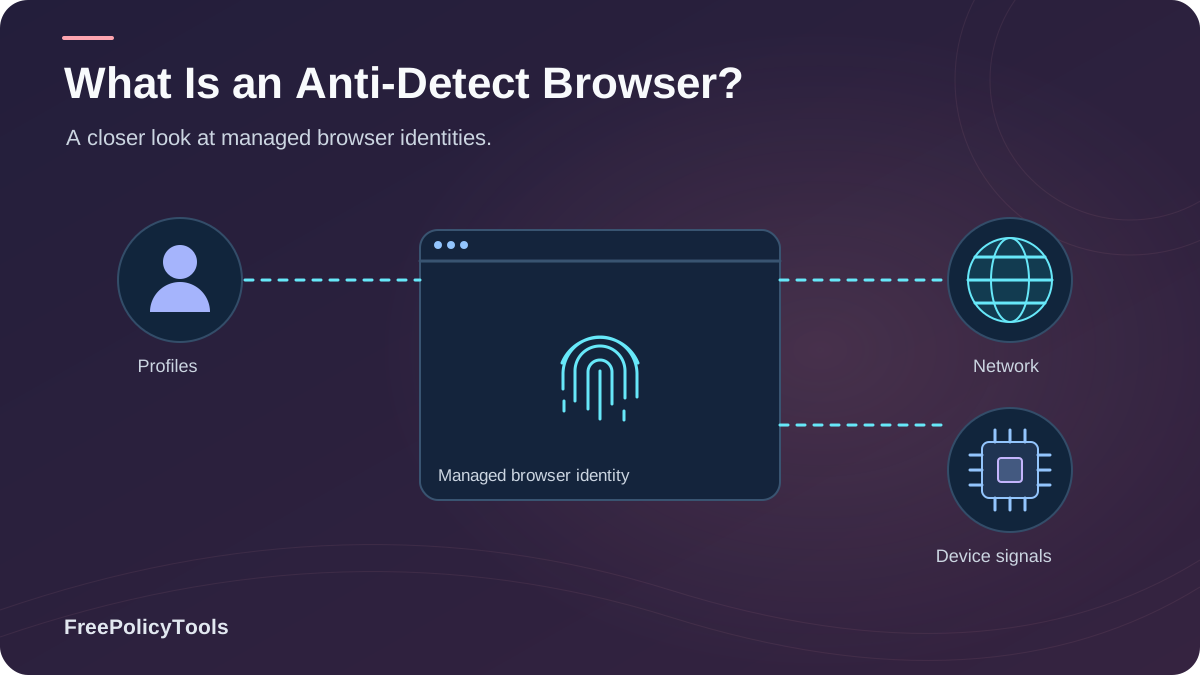
Websites you have never "logged into" still recognize you when you return. They do it with browser fingerprinting — a composite ID built from your screen, fonts, canvas rendering, timezone, and dozens of other signals, unique among as many as 286,771 browsers according to EFF research. An anti-detect browser is the tool built to defeat exactly that: a browser engineered so that every profile presents a different, consistent, believable digital identity to the web.
Once a niche instrument for affiliate marketers and scrapers, anti-detect browsers have become a near-$1 billion market used by privacy-conscious professionals, QA teams, and multi-account operators worldwide. This guide explains what an anti-detect browser is, how it works at the technical level, what it is legitimately used for, and where its limits are — so you can decide whether you need one, and how to use it correctly.
TL;DR — Anti-Detect Browsers in 30 Seconds
- An anti-detect browser is a browser that lets you run many isolated profiles, each with its own spoofed fingerprint, cookies, and proxy.
- Unlike VPNs (which hide your IP) or incognito (which only forgets locally), it controls the fingerprint layer — the identifier cookies and VPNs miss.
- Main uses: multi-account management, affiliate marketing, web scraping, ad verification, QA testing, and privacy separation.
- They are legal in most jurisdictions; legality depends on the activity, not the tool.
- They are not magic: sloppy behavior (logins, patterns) still links identities — discipline matters.
What Is an Anti-Detect Browser? The Simple Definition
An anti-detect browser (also called a multi-login, multi-accounting, or fingerprint browser) is a specialized web browser that replaces your real, single digital identity with many managed, separate ones. Built on modified Chromium or Firefox engines, it lets you create dozens or hundreds of browser profiles, where each profile carries its own fingerprint, cookie jar, local storage, and — typically — its own proxy or network route. To a website, each profile looks like a different real person on a different real device. W3C’s browser fingerprinting guidance explains how browser characteristics can make users identifiable even when other tracking methods are restricted.
Fingerprint Control
Replaces canvas, WebGL, font, screen, audio, and hardware signals with a unique, consistent synthetic set per profile.
Profile Isolation
Each profile has sealed cookies, storage, cache, and history — true browser profile isolation at scale.
Network Binding
Profiles bind to individual proxies, so IP, geolocation, and fingerprint always tell the same consistent story.
The Core Idea: Consistency, Not Just Hiding
Naive privacy tools block fingerprint signals — which makes you stand out, because a browser with no canvas, no fonts, and no screen size is obviously disguised. Anti-detect browsers instead substitute a complete, internally consistent fingerprint per profile. The goal is not to look like "no one" but to look like a plausible, unique, stable "someone" — a concept explored in depth in anti-detect browser profiles and digital identities.
How Anti-Detect Browsers Work Under the Hood
To understand the mechanism, you need to see what websites measure. Fingerprinting stacks weigh signals differently — rendering-based signals (canvas, WebGL) and network leaks (real IP via WebRTC) carry the most identification power, as shown below. An anti-detect browser intervenes at each layer:
The Five Technical Layers
- Engine modification: The browser patches low-level APIs (canvas, WebGL, AudioContext, font enumeration) so they return per-profile synthetic values instead of your hardware's real outputs.
- Storage isolation: Cookies, localStorage, IndexedDB, and cache are sealed per profile — the same separation described in cookies vs local storage vs fingerprinting, enforced by default.
- Network binding: Each profile routes through its own proxy; WebRTC leaks are disabled or bound to the proxy IP, and DNS can be routed through DNS over HTTPS.
- Environment consistency: Timezone, language, geolocation, and UA are auto-matched to the proxy's location, so every signal tells one coherent story.
- Automation & sync: Profiles integrate with Selenium/Puppeteer and team-sync features, enabling scaled, repeatable workflows without cross-contamination.
Critically, this addresses the gap that defeats ordinary tools: changing your IP does not change your browser fingerprint, and a VPN does not change your fingerprint either. Only fingerprint-layer control closes that hole — which is exactly what anti-detect browsers can hide that nothing else can.
Can Websites Detect Anti-Detect Browsers?
The honest answer: good ones, used well, generally no; cheap ones, used carelessly, sometimes yes. Detection attempts look for inconsistencies — a canvas fingerprint that contradicts the claimed GPU, a timezone that mismatches geolocation, or headless-automation artifacts. Our dedicated analysis of whether websites can detect anti-detect browsers and of whether anti-detect browsers really work covers the cat-and-mouse in detail, including how fingerprinting accuracy and fingerprinting types shape the battle.
What Makes One Undetectable
- Real engine code paths (not JS injection) for spoofed values
- Internally consistent fingerprints (GPU ↔ canvas ↔ UA)
- Stable fingerprints across sessions (no random reshuffling)
- Matched proxy geolocation, timezone, and language
What Gets Users Caught
- Randomizing fingerprints on every visit (humans don't change hardware hourly)
- Datacenter proxies on "residential-looking" profiles
- Logging into the same personal account across profiles
- Bot-like behavior patterns that advertising networks flag
Key insight: Detection is usually a behavior and consistency problem, not a technology problem. The browser can make you look like a real device; only your habits can make you look like a real person. Understanding how websites track you — including behavioral analysis — is half the discipline.
What Are Anti-Detect Browsers Used For?
The market tells the story: the anti-detect / anti-tracking browser segment reached $819 million in 2023 and is projected to approach $2 billion by 2030, driven by demand from performance marketing, e-commerce, and privacy users. That growth rides on broader trends — bots and automation now generate roughly half of all web traffic (Imperva), and affiliate marketing alone is an $18.5–20 billion global industry where multi-account workflows are routine.
Multi-Account Management
Social media managers, marketplace sellers, and agencies run dozens of accounts without platform fraud systems linking them — each profile is one clean identity.
Affiliate & Performance Marketing
Affiliates test campaigns, landing pages, and ad accounts across geos; isolated profiles prevent ad networks from merging their test traffic.
Web Scraping & Data Collection
Rotating fingerprints and proxies let researchers and price-monitoring services collect public data without mass IP bans.
Ad Verification & QA Testing
Brands verify how their ads render in different regions and whether partners commit ad fraud — seeing the web as a local user would.
Privacy & Research
Journalists, researchers, and privacy-focused users separate identities and reduce profiling — a practical step toward the limits explored in can you really browse anonymously.
Security & Fraud Teams
Security professionals reproduce fraudster environments and test their own platforms' defenses against fingerprint-based abuse.
Anti-Detect vs VPN vs Proxy vs Incognito
The most common confusion is treating all anonymity tools as substitutes. They operate on different layers: a VPN masks the network, a proxy reroutes requests, incognito limits local memory (see what incognito mode actually does), and an anti-detect browser controls the identity layer — fingerprint plus storage. The comparison charts and our head-to-head guides (anti-detect vs VPN vs proxy, VPN vs proxy vs anti-detect, anti-detect vs incognito) make the division of labor clear.
| Capability | Incognito | Proxy | VPN | Anti-Detect |
|---|---|---|---|---|
| Hides IP address | No | Partial | Yes | Yes (per profile) |
| Changes fingerprint | No | No | No | Yes |
| Isolates cookies/storage | Temporary | No | No | Yes |
| Runs many identities at once | No | Manual | No | Yes |
| Protects from local snooping | Yes | No | Yes | Per profile |
Professional consensus: These tools are complements, not competitors. The standard professional stack is anti-detect browser for identity + a VPN or quality proxy per profile for the network layer — exactly why comparisons like profiles vs separate browsers vs virtual machines matter when scaling separation.
Are Anti-Detect Browsers Safe and Legal?
Yes — in most of the world, using an anti-detect browser is legal, just as VPNs and Tor are legal. The law targets activities (fraud, credential abuse, terms-violating automation on specific platforms), not the privacy tooling itself. Journalists, QA engineers, and privacy advocates use these browsers daily for legitimate work. Our full breakdown in are anti-detect browsers safe and legal covers jurisdictional nuances and platform-terms considerations.
Legitimate Uses
- Privacy separation and anti-profiling
- Ad verification, QA, and localization testing
- Managing legitimately owned business accounts
- Research, journalism, and security testing
Risky or Prohibited Uses
- Fraud, fake reviews, or payment abuse
- Evading platform bans tied to abuse
- Scraping that violates laws or causes damage
- Anything that would be illegal without the browser
Safety note: "Safe" also means software supply-chain safety. Choose vendors with transparent update channels, audit bundled extensions against malicious browser extensions, and keep the engine patched per why browser updates matter for security — an anti-detect browser is still a browser, and its security basics still apply, as covered in browser privacy vs browser security.
How to Choose an Anti-Detect Browser
The market now spans enterprise suites and budget tools — compare the landscape in our best anti-detect browsers roundup and the cheapest anti-detect browsers guide. Evaluate any candidate on five criteria:
The 5-Point Evaluation Checklist
- Fingerprint quality: Does it spoof at the engine level, and stay consistent per profile? Test with a fingerprint scan.
- Proxy integration: Native per-profile proxy binding (HTTP/S, SOCKS5, residential) with leak protection.
- Profile management: Bulk creation, team sync, import/export, and clean deletion.
- Automation support: Selenium/Puppeteer/API access if you scale workflows.
- Price-to-scale: Free tiers for testing, predictable pricing as profiles grow.
Recommended: Incogniton
Incogniton checks the boxes above: engine-level fingerprint substitution, isolated cookie/storage per profile, per-profile proxy binding, sync and automation — with a free tier that lets you verify its fingerprint quality yourself before paying anything.
- Consistent synthetic fingerprint per profile
- Sealed cookies, cache & local storage
- Proxy binding & WebRTC leak control
- Free tier + budget-friendly scaling
Best Practices: Staying Unlinked and Staying Safe
ANTI-DETECT OPERATING RULES
----------------------------
[ ] 1. One profile = one identity = one purpose (never mix)
[ ] 2. Bind a quality proxy per profile; match geo/timezone/language
[ ] 3. Keep fingerprints STABLE per profile; never randomize per visit
[ ] 4. Never log into a personal account inside a "clean" profile
[ ] 5. Verify with a fingerprint scan + WebRTC leak test before use
[ ] 6. Warm up profiles like humans (browse before acting)
[ ] 7. Respect platform terms and local law at all times
[ ] 8. Keep the engine updated; audit extensions quarterly
[ ] 9. Use least-privilege permissions inside every profile
[ ] 10. Retire and fully delete profiles you no longer need
Verification is part of the workflow: before trusting a profile, run a fingerprint check, confirm leak protection per WebRTC and browser privacy, and review the mitigation landscape in can browser fingerprinting be prevented. Harden the surrounding machine with how to secure your web browser and browser permissions explained, and keep cookie hygiene per browser cookies explained.
Why the Discipline Pays
With the average news homepage loading 41 trackers and fingerprint uniqueness at 1 in 286,771, the default web experience is total identifiability. A well-run anti-detect stack flips that: each identity becomes unlinkable from the others — the closest practical answer to can you really browse anonymously for professionals who need more than one self online.
Frequently Asked Questions
Is an anti-detect browser the same as a private browser like Tor or Brave?
No. Tor and privacy browsers normalize or reduce fingerprinting to make you blend into a crowd of identical users. Anti-detect browsers do the opposite: they make each profile a distinct, consistent, believable identity. Tor aims for one anonymous look for everyone; anti-detect aims for many different looks for you.
Do I still need a VPN if I use an anti-detect browser?
Usually yes, or at least a proxy per profile. The anti-detect layer controls fingerprint and storage; the network layer (VPN/proxy) controls IP and geolocation. Professional setups bind one quality proxy per profile so both layers tell the same story.
Can anti-detect browsers be used on mobile?
Most anti-detect browsers are desktop-first (Windows/macOS/Linux), because fingerprint control requires deep engine modification. Some offer cloud profiles or mobile companions, but full-featured mobile anti-detect browsing remains limited compared to desktop.
Will using one get my accounts banned?
The browser itself rarely causes bans; inconsistency and behavior do. Datacenter proxies on "residential" profiles, randomized fingerprints, and bot-like activity trigger fraud systems. Used with consistent identities and human-like behavior, anti-detect browsers are specifically designed to avoid association-based bans.
How is this different from just using many regular browser profiles?
Regular profiles isolate cookies and history but share one fingerprint and one network identity — so sophisticated trackers link them instantly. Anti-detect browsers add per-profile fingerprints, environment consistency, and proxy binding, which standard profiles cannot provide.
Related Resources
Conclusion
An anti-detect browser is the identity layer of modern online privacy and multi-accounting: a modified browser engine that turns every profile into a separate, consistent digital identity with its own fingerprint, storage, and network route. It exists because the web's tracking stack — 41 trackers on an average news page, fingerprints unique among hundreds of thousands of browsers — identifies you through signals that cookies, VPNs, and incognito mode simply do not touch.
The technology is legitimate, legal in most of the world, and now a near-$1 billion market growing toward $2 billion by 2030. Its limits are equally clear: it controls what your browser reports, not what you do — logins, behavior, and carelessness still link identities. Used with discipline, it is the closest practical tool to true unlinkability; used carelessly, it is expensive theater.
Key Takeaways
- • Anti-detect = many isolated profiles, each with a synthetic fingerprint
- • Controls the fingerprint layer VPNs/proxies/incognito miss
- • Market: $819M (2023) → ~$1.95B by 2030
- • Top uses: multi-accounting, affiliate marketing, scraping, QA
- • Consistency + behavior, not just tech, keep you unlinked
Next Steps
- • Check your current fingerprint to see the problem
- • Test a free-tier anti-detect profile (e.g., Incogniton)
- • Verify with scan + WebRTC leak test before real use
- • Bind one quality proxy per profile
- • Follow the 10 operating rules above
Ready to run truly separate digital identities?
Start with Incogniton's free tier — engine-level fingerprints, isolated storage, and per-profile proxies.