What Is Browser Fingerprinting? How It Works and What Websites Can See: A Comprehensive Guide
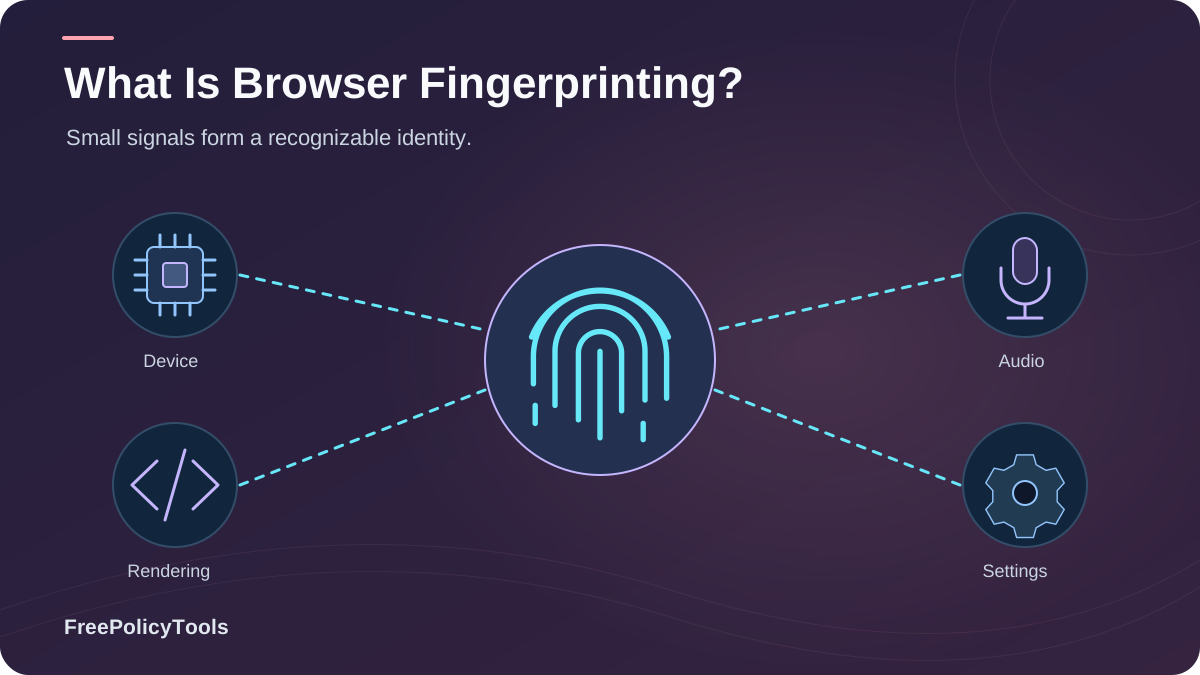
Browser fingerprinting (also called device fingerprinting) is a tracking technique that identifies you not by a file stored on your device, but by the unique combination of details your browser voluntarily reveals — your browser type, operating system, screen resolution, installed fonts, timezone, graphics hardware, and even how your device renders graphics.
Unlike cookies, there is nothing to delete and no prompt to dismiss, which is why fingerprinting is often called invisible tracking. To understand the full picture, see our guide on how websites track you. W3C’s browser fingerprinting guidance explains how browser characteristics can make users identifiable even when other tracking methods are restricted.
In this guide you'll learn exactly how fingerprinting works, the 40+ data points websites can see, how unique your fingerprint really is, whether it's legal under GDPR and CCPA, and the privacy tools that actually reduce it — backed by measurement studies from the EFF, academic research, and real-world tracking datasets.
Quick Answer (TL;DR)
- Browser fingerprinting identifies your device by collecting dozens of hardware and software signals — no cookies required.
- The EFF's Panopticlick project found an average fingerprint carries ~18.1 bits of entropy — meaning only 1 in 286,771 browsers share yours.
- Incognito mode and VPNs do not stop fingerprinting; privacy-hardened browsers (Tor, RFP) and managed anti-detect profiles do.
- Under GDPR/ePrivacy, fingerprints are personal data — consent is required in the EU for non-essential uses.
Avg. fingerprint entropy (EFF Panopticlick)
Browsers sharing your fingerprint
Browsers unique in "Am I Unique?" dataset
Data points a fingerprint script can query
What Is Browser Fingerprinting? A Technical Definition
Browser fingerprinting is the practice of collecting a set of attributes exposed by your browser and device — via JavaScript, HTTP headers, and rendering APIs — and combining them into a semi-unique identifier called a fingerprint. Because nearly every device differs in some small way (a unique combination of fonts, GPU, screen size, language, and rendering quirks), the combined fingerprint can single you out across sites and sessions, even after you clear cookies or switch to private browsing.
Why It's Different From Cookies
A cookie is something a website stores on your device. A fingerprint is something your device announces about itself. That distinction matters, because:
- There is no file to inspect, block, or delete.
- It survives cookie clearing, incognito mode, and even device resets in some cases.
- It works statelessly — the identifier is recomputed on every visit.
- Most users never see a consent prompt for it, even where one is legally required.
For a deeper comparison of storage-based tracking, read cookies vs local storage vs browser fingerprinting and browser cookies explained.
A Brief History of Fingerprinting
Fingerprinting moved from academic curiosity to mainstream tracking in the 2010s. The EFF's Panopticlick project (2010) first demonstrated mass uniqueness at scale; canvas fingerprinting was documented in the wild by 2012; and Englehardt & Narayanan's 2016 measurement of the top 1 million websites found fingerprinting scripts on 5.5% of them. As third-party cookies are deprecated, fingerprinting and other "cookieless" identifiers have only grown in importance — our analysis of how advertising networks track browsers shows the same trend.
How Browser Fingerprinting Works (Step by Step)
Fingerprinting follows a four-stage pipeline. Understanding it makes the rest of this guide — and our companion article on types of browser fingerprinting — much easier to follow.
1. Collection
Scripts query browser APIs: navigator, screen, canvas, WebGL, AudioContext, fonts, timezone, WebRTC, and HTTP headers.
2. Hashing
The collected values are concatenated and passed through a hash function (e.g., SHA-256) to produce a compact fingerprint ID.
3. Storage & Matching
The hash is stored server-side and matched against previous visits — no state is kept on your device at all.
4. Tracking & Profiling
The stable ID links your activity across sites and sessions, feeding analytics, ad profiles, or fraud-detection systems.
Example: What a Fingerprint Script "Sees"
Sample fingerprint payload collected on page load:
{
"userAgent": "Mozilla/5.0 (Windows NT 10.0; Win64; x64) Chrome/126.0",
"platform": "Win32",
"language": "en-US",
"timezone": "America/New_York (UTC-4)",
"screen": "1920x1080 @ 24-bit",
"cpuCores": 8, "deviceMemory": 8,
"canvasHash": "9f86d081884c7d65…",
"webglRenderer": "ANGLE (NVIDIA, GeForce RTX 3060)",
"fontsDetected": 214,
"audioHash": "4c9a5b21d3f0…",
"webrtcLocalIp": "192.168.1.24 ⚠ leaked"
}
Individually these values look harmless. Combined and hashed, they become an identifier that is effectively unique to you. Learn how to inspect your own with our guide on how to check your browser fingerprint.
What Websites Can See: The Complete Data Inventory
Below is the full menu of signals a fingerprinting script can query. Entropy estimates are adapted from Laperdrix et al., Browser Fingerprinting: A Survey (ACM Computing Surveys, 2020) and EFF Panopticlick measurements — higher bits mean more identifying power.
| Category | Examples of Data Collected | Est. Entropy |
|---|---|---|
| HTTP & Browser Headers | User-Agent string, Accept-Language, Accept-Encoding, connection headers | ~10–13 bits |
| Rendering (Canvas / WebGL) | GPU model, driver version, anti-aliasing quirks, pixel-level rendering output | ~6–9 bits |
| Fonts & Typography | Installed font list, glyph metrics, emoji rendering differences | ~9 bits |
| System & Hardware | OS, CPU cores, device memory, battery API, touch points, hardware concurrency | ~3–5 bits |
| Screen & Display | Resolution, color depth, device pixel ratio, orientation | ~4–5 bits |
| Time & Locale | Timezone, UTC offset, DST rules, locale, language | ~5–6 bits |
| Audio & Media | AudioContext stack output, media devices, codec support | ~4 bits |
| Network Signals | IP address, WebRTC local IPs, TLS/JA3 fingerprint, DNS behavior | Variable |
Source: Estimated attribute entropy adapted from Laperdrix et al., "Browser Fingerprinting: A Survey" (2020) & EFF Panopticlick.
Illustrative share of signal categories collected by modern fingerprinting stacks (e.g., FingerprintJS-style).
WebRTC: The IP Leak You Never Noticed
Even behind a VPN, the WebRTC API can expose your real local and public IP addresses to any site. Understand what WebRTC is and how it affects browser privacy and how a WebRTC leak can undo your VPN's protection.
Permissions Are Part of Your Fingerprint
Which permissions you've granted (camera, location, notifications) are queryable and add identifying signal. See browser permissions explained to audit yours.
Types of Browser Fingerprinting
Fingerprinting isn't one technique but a family of them. The most common active techniques are canvas, WebGL, and audio fingerprinting; passive techniques (TLS/JA3, HTTP headers) require no JavaScript at all. Our dedicated guide covers all types of browser fingerprinting in depth; here's the overview:
Canvas Fingerprinting
Draws hidden text/graphics; tiny rendering differences between GPUs produce a unique hash.
WebGL Fingerprinting
Queries GPU vendor, renderer, and 3D rendering parameters — one of the highest-entropy signals.
AudioContext Fingerprinting
Processes an audio tone; hardware + driver differences create a unique acoustic signature.
Font Fingerprinting
Probes which fonts are installed and how glyphs measure — highly unique on desktop systems.
TLS / JA3 Fingerprinting
Passively identifies your client from the TLS handshake itself — works even with JavaScript disabled.
Screen & Hardware Fingerprinting
Resolution, DPR, color depth, CPU cores, memory — low entropy alone, powerful combined.
How Accurate and Unique Is Your Fingerprint?
Multiple large-scale measurement studies agree: most browsers are effectively unique. The EFF found the average visitor's fingerprint had ~18.1 bits of entropy (1 in 286,771). The community-driven Am I Unique? project (Laperdrix et al.) reported that roughly 83% of browsers in its dataset had a unique fingerprint, and uniqueness rises above 99% when extensions and rare font sets are included. See how accurate is browser fingerprinting for the full breakdown.
Source: Englehardt & Narayanan, "Online Tracking: A 1-million-site Measurement and Analysis" (2016 baseline), with estimated growth from follow-up measurement studies through 2025.
Key Stat: Fingerprinting scripts now load on an estimated 1 in 5 top websites (2025 measurement estimates), up from 5.5% in 2016 — driven by cookie deprecation and demand for fraud-detection identifiers (Web Tracking Measurement Studies, 2016–2025).
Who Uses Browser Fingerprinting and Why
Advertisers & Data Brokers
Ad networks use fingerprints to stitch cross-site behavior into profiles for targeting and attribution, especially as third-party cookies disappear. See how advertising networks track browsers.
Banks & Fraud Prevention
Financial institutions fingerprint devices to recognize "your" laptop during login and flag account takeovers — one of the most legitimate uses of the technology (vendors like FingerprintJS serve this market).
Security & Bot Mitigation
Anti-bot systems fingerprint clients to detect scripted traffic, credential stuffing, and multi-account abuse — the same reason multi-account professionals use managed profiles from tools like anti-detect browsers.
Analytics & Personalization
Some analytics platforms use fingerprints for cookieless visitor counting and language/locale personalization — convenient, but it still counts as personal data under EU law.
Is Browser Fingerprinting Legal?
Fingerprinting is not outright illegal — but it is heavily regulated. GDPR Recital 30 explicitly classifies online identifiers, including device fingerprints, as personal data. Combined with the ePrivacy Directive, this means prior consent is required in the EU/UK for any non-essential fingerprinting. In California, the CCPA/CPRA treats fingerprinting data as personal information and as a "cross-context behavioral advertising" identifier subject to opt-out rights.
Regulatory Positions on Fingerprinting
- CNIL (France, 2020): Device fingerprinting is a tracking technique requiring prior consent, with only narrow exemptions.
- ICO (UK): Fingerprinting falls under PECR consent rules equivalent to cookies.
- EDPB (EU): Fingerprints are personal data; uniqueness makes them identifiable by definition.
- CPPA (California): Probabilistic identifiers (fingerprints) cannot be used to re-identify opted-out consumers.
Violations carry the same GDPR penalty ceiling as cookie breaches: up to €20 million or 4% of global turnover. Website operators should also maintain a compliant cookie disclosure that mentions fingerprinting technologies.
When Is It Allowed Without Consent?
Only for strictly necessary purposes — e.g., security and fraud prevention directly requested by the user (login protection, rate-limiting bots). Marketing, analytics, and ad attribution do not qualify.
Fingerprinting Myths: What Doesn't Protect You
Myth: "Incognito mode hides my fingerprint."
False. Private windows change almost none of the underlying signals — canvas, fonts, GPU, and screen data remain identical. See what incognito mode actually does.
What does incognito mode actually do?Myth: "A VPN stops fingerprinting."
False. A VPN masks your IP but leaves 40+ device signals untouched — and WebRTC can still leak your real IP.
Does a VPN change your browser fingerprint?Myth: "Clearing cookies resets my fingerprint."
False. Nothing is stored on your device, so there is nothing to clear. The same fingerprint is recomputed on every visit.
Cookies vs local storage vs fingerprintingMyth: "Privacy extensions always help."
Risky. Randomizing values per site can make you MORE unique, and some extensions are themselves trackers. Audit extensions carefully.
Malicious browser extensionsIllustrative estimates aggregated from public fingerprint test datasets (EFF Cover Your Tracks, Am I Unique?), 2024–2025. Tor's low rate reflects its design: all users share near-identical browser characteristics.
How to Reduce Your Browser Fingerprint
Complete prevention is difficult — but you can dramatically shrink your fingerprint surface. Our guides on whether browser fingerprinting can be prevented and how to secure your web browser cover this in depth; here is the prioritized playbook:
The Privacy Playbook
- Use a privacy-hardened browser: Tor Browser (maximum uniformity) or Firefox with Resist Fingerprinting / Brave's shields.
- Standardize your setup: Common OS, default fonts, common screen resolution — boring is anonymous.
- Minimize permissions & extensions: Every granted permission and add-on adds entropy. Review browser permissions and remove risky add-ons flagged in our malicious extensions guide.
- Block WebRTC & upgrade transport privacy: Prevent IP leaks and use HTTPS, secure DNS and DNS-over-HTTPS.
- Keep your browser updated: Updates patch tracking-relevant leaks — see why browser updates matter for security.
- Test yourself regularly: Run checks with our fingerprint check guide and ask can you really browse anonymously?
For Multi-Account Work: Anti-Detect Browsers
If you manage multiple ad accounts, e-commerce stores, or scraping sessions, uniformity is the wrong goal — you need distinct, consistent digital identities. That's exactly what an anti-detect browser provides: isolated browser profiles, each with its own coherent fingerprint, cookies, and proxy. Learn how anti-detect profiles create digital identities, how they compare with incognito mode and VPNs/proxies, what they can hide, whether sites can detect them, whether they really work, and if they're safe and legal. Compare setups in browser profile isolation, profiles vs separate browsers vs VMs, and VPN vs proxy vs anti-detect browser, or browse the best and cheapest anti-detect browsers.
Recommended Tool: Incogniton
Incogniton lets you generate unlimited isolated browser profiles with unique, consistent fingerprints — synced proxies, bulk profile management, and a free tier to get started. It's the practical choice for marketers, affiliate teams, and QA testers who need separation that incognito and VPNs simply can't provide.
Get Incogniton Free →Privacy vs security note: reducing your fingerprint is a privacy measure, not a security one — don't confuse the two. Our explainer on browser privacy vs browser security shows why you need both.
Frequently Asked Questions
Is browser fingerprinting illegal?
Not inherently. In the EU/UK, using it for marketing or analytics without consent violates GDPR and the ePrivacy rules; in California it is regulated as personal information with opt-out rights. Fraud prevention and security uses are generally permitted as "strictly necessary."
Can I see my own browser fingerprint?
Yes. Tools like the EFF's Cover Your Tracks and Am I Unique? show which signals your browser exposes and how unique they are. Follow our step-by-step guide on how to check your browser fingerprint.
Does incognito mode stop fingerprinting?
No. Incognito prevents local history and cookie storage, but your canvas, WebGL, font, screen, and hardware signals remain the same — your fingerprint follows you into private windows.
Does a VPN protect me from fingerprinting?
A VPN only replaces your IP address. Your device signals stay identical, so your fingerprint remains linkable. Pair a VPN with a privacy-hardened browser (or an anti-detect profile) for real separation.
Is fingerprinting worse than cookies for privacy?
In key ways, yes: there is nothing to delete, no visible prompt, and it survives most user countermeasures. Cookies at least give users a control point — which is exactly why regulators now treat fingerprinting as high-risk.
Can browser fingerprinting be prevented completely?
Not 100% on a standard browser. Tor Browser comes closest by making all users look identical. For multi-account work, anti-detect browsers like Incogniton don't erase fingerprints — they give each profile its own clean, consistent one, which is what actually prevents account linking.
Related Resources
Conclusion
Browser fingerprinting is the most persistent form of web tracking in 2026: it needs no cookie, survives private browsing, and can single out roughly 1 in 286,771 browsers. Whether it's used to stop fraud or to fuel ad profiles, the technology turns the ordinary details of your device into a durable identity.
The good news: you now know what websites can see, and you have a real defense playbook — privacy-hardened browsers for anonymity, disciplined permissions and updates for hygiene, and anti-detect browsers like Incogniton when you need multiple, unlinkable identities instead of one hidden one.
Key Takeaways
- • Fingerprints combine 40+ device signals into a near-unique ID (~18.1 bits of entropy)
- • ~83% of browsers are unique in public measurement datasets
- • Fingerprinting scripts load on an estimated ~21% of top sites (2025)
- • Incognito and VPNs do NOT stop fingerprinting; Tor and RFP browsers reduce it most
- • GDPR/ePrivacy require consent for non-essential fingerprinting in the EU
Next Steps
- • Check your fingerprint with a testing tool
- • Switch to a privacy-hardened browser for daily browsing
- • Disable WebRTC and audit extensions/permissions
- • Use anti-detect profiles for multi-account work
- • Re-test after every major browser or hardware change
Need multiple clean, unlinked browser identities?
Incogniton gives every profile its own consistent fingerprint, cookies, and proxy — so accounts stay separated where incognito and VPNs fail. Try Incogniton for free.