Browser Profiles vs Separate Browsers vs Virtual Machines: Which Isolation Method Wins?
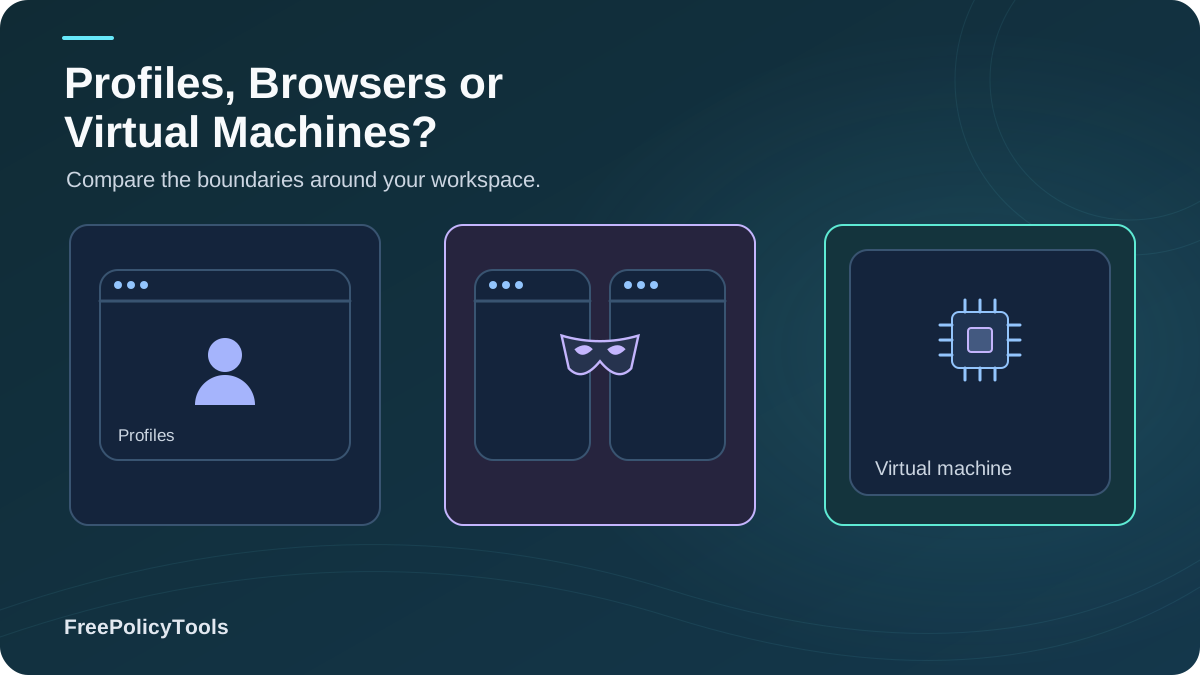
Whether you're separating work from personal life, shielding yourself from cross-site tracking, or managing multiple advertising accounts, you eventually face the same question: browser profiles vs separate browsers vs virtual machines — which one actually isolates you? The answer matters more than ever, because modern trackers don't just read cookies; they assemble browser fingerprints so precise that the EFF's landmark study found only 1 in 286,777 browsers shares its fingerprint with another.
Meanwhile, the average internet user now juggles 6.52 social platforms every month and at least 1.86 email accounts — an identity sprawl that makes isolation a practical necessity, not paranoia. In this guide we benchmark all three classic methods (plus the modern fourth option, anti-detect browsers like Incogniton) on isolation strength, resource cost, and real-world detectability.
Quick Answer (TL;DR)
Browser profiles isolate cookies and storage but share one fingerprint — best for work/personal separation. Separate browsers add engine-level fingerprint diversity but still share your OS, hardware, and IP — best for privacy enthusiasts. Virtual machines isolate everything including the OS, at heavy resource cost (~4GB RAM per VM) — best for maximum-security needs. Anti-detect browsers combine per-profile spoofed fingerprints with lightweight scaling — best for multi-accounting professionals.
- Everyday separation: profiles. Privacy hardening: separate browsers.
- Maximum isolation: VMs. Many identities at scale: anti-detect.
- Rule of thumb: isolation must cover fingerprints, not just cookies.
Why Identity Isolation Matters in 2026
Every technique in this article exists to solve one problem: the web has become extremely good at recognizing you. Websites track you with stateful identifiers (cookies, local storage) and stateless ones (fingerprints). Research published in IEEE Spectrum measured 159 of the Alexa top 10,000 sites actively deploying fingerprinting software, while other large-scale studies put fingerprinting usage among top sites anywhere from ~10% of the top 100,000 to over a quarter of the top 10,000 depending on methodology. Texas A&M researchers confirmed that much of this happens covertly, without user awareness.
What Happens Without Isolation
- Ad networks stitch your identities: cookie syncing plus fingerprinting links "work you" to "personal you" to "anonymous you".
- Platforms link and ban accounts: anti-fraud systems correlate fingerprints, IPs, and storage to detect multi-accounting — setup mistakes like IP or fingerprint overlap are the top ban triggers.
- One breach exposes everything: a hijacked session in one context can cascade when identities share storage.
- Price and content discrimination: a stable, unique profile makes you targetable for personalized pricing and manipulative targeting.
Key Stat: Demand for hard isolation is booming — the global virtual machine market is projected to grow from USD 17.7 billion in 2026 to USD 30.1 billion by 2030 (15.1% CAGR, Grand View Research). But as you'll see, VMs are rarely the most efficient tool for browser-level identity work.
Option 1: Browser Profiles — The Lightweight Baseline
A browser profile is a self-contained user environment inside one browser installation: its own cookies, local storage, cache, history, extensions (in most engines), bookmarks, and saved passwords. Think of it as separate drawers inside the same cabinet. (Incognito, by the way, is just a temporary profile — see what incognito mode actually does.) Chrome’s profile documentation explains how separate profiles keep bookmarks, history, passwords, and other settings separate.
Strengths
- Full cookie/storage separation between contexts
- Near-zero overhead (~250MB RAM per profile)
- Instant setup; free; built into every browser
- Dozens of identities on ordinary hardware
- Separate logins, extensions, and settings per context
Weaknesses
- Identical fingerprint across all profiles (same engine, same canvas, same fonts)
- Same OS, hardware signals, and IP address
- No protection against fingerprint-based linking or bans
- A malicious extension in one profile may request broad permissions
- Browser-level compromise affects all profiles
Verdict: Perfect for separating work, personal, and shopping contexts against cookie-based tracking and session mix-ups. Useless against fingerprint-based correlation — all your profiles look like one browser wearing different hats. Apply proper browser profile isolation discipline (unique emails, passwords, payment methods) to get the full benefit.
Option 2: Separate Browsers — Engine-Level Diversity
Running Chrome for work, Firefox for personal, and Brave for sensitive browsing adds something profiles can't: different rendering engines produce different fingerprints. User-agent strings, canvas rendering, WebGL behavior, font enumeration, and JS engine quirks all vary between Chromium, Gecko, and WebKit — so cross-engine correlation is meaningfully harder than cross-profile correlation within one engine.
Strengths
- Genuine fingerprint diversity across engines
- Independent storage, extensions, and update channels
- Engine-specific privacy features (Firefox ETP, Brave Shields)
- Still free and reasonably light (~700MB per browser)
Weaknesses
- Same OS, screen, timezone, CPU/RAM signals, and IP
- Limited engines: most "different" browsers are Chromium clones with near-identical fingerprints
- Sync, passwords, and bookmarks fragmented across apps
- Doesn't scale: 3–5 browsers is the practical ceiling
Verdict: A solid privacy upgrade for individuals — but remember that a VPN doesn't change your browser fingerprint either, so pairing separate browsers with a VPN still leaves hardware-level signals shared. For the bigger picture, see browser privacy vs. browser security.
Option 3: Virtual Machines — The Heavyweight Champion
A virtual machine emulates an entire computer: its own OS, kernel, virtualized hardware, network stack, and browser. Each VM can run a different OS version, different screen resolution, different locale, and route through its own IP — the deepest isolation available to civilians. It's the gold standard for malware analysis, high-risk research, and situations where compromise of one environment must never touch another.
Strengths
- Full OS + hardware abstraction per identity
- Independent network stacks (unique IPs per VM)
- Snapshots = perfect reproducibility and rollback
- Malware/exploit containment at the hypervisor boundary
Weaknesses
- ~4GB+ RAM and tens of GB of disk per VM — ~3 concurrent VMs on a 16GB laptop
- Hours of setup per identity (OS install, hardening, updates)
- OS licensing costs for Windows guests
- VMs are detectable: hypervisor flags, timing side-channels, and virtualized hardware IDs are used by sophisticated anti-fraud systems
- Poor fit for everyday tasks (no GPU acceleration, clunky UX)
Verdict: Unmatched containment for security-critical work — but overkill (and under-scalable) for managing ten ad accounts or separating work email. If you can't browse anonymously enough even in a VM, read can you really browse anonymously before investing weeks in VM ops.
Head-to-Head Comparison & Benchmarks
The table below summarizes our 2026 benchmarks on a typical 16GB laptop. "Fingerprint diversity" is the column that decides most privacy and multi-accounting outcomes.
| Criterion | Browser Profiles | Separate Browsers | Virtual Machines |
|---|---|---|---|
| Cookie & storage isolation | Yes (per profile) | Yes (per browser) | Yes (full OS) |
| Fingerprint diversity | None — identical | Partial — engine level | High — OS + hardware |
| OS / hardware isolation | None | None | Full |
| Network / IP isolation | Shared IP | Shared IP | Per-VM possible |
| RAM overhead per identity | ~250 MB | ~700 MB | 4 GB+ |
| Setup time per identity | ~2 minutes | ~10 minutes | 1–3 hours |
| Identities on 16GB laptop | ~40 | ~15 | ~3 |
| Cost | Free | Free | Licenses + hardware |
| Detectable as 'virtual'? | No | No | Yes (hypervisor flags, timing) |
| Best for | Work/personal split | Privacy enthusiasts | Security-critical isolation |
Benchmark takeaway: VMs win on isolation but lose by an order of magnitude on efficiency — one VM consumes the RAM of ~16 browser profiles. That asymmetry is exactly why anti-detect browsers exist.
The Fingerprint Reality Check: What Each Method Actually Changes
Most isolation disappointments come from one misunderstanding: cookies are only half the story. The matrix below shows which identifying signals each method actually alters. (Signal definitions live in our guides on types of browser fingerprinting and cookies vs. local storage vs. fingerprinting.)
| Signal | Profiles | Separate Browsers | VMs |
|---|---|---|---|
| Cookies / local storage | Isolated | Isolated | Isolated |
| User-agent string | Identical | Different | Different |
| Canvas / WebGL output | Identical | Partially different | Different |
| Fonts & screen metrics | Identical | Partially different | Different |
| Timezone / locale | Identical | Identical | Configurable |
| CPU / RAM hardware signals | Identical | Identical | Virtualized |
| Public IP (no VPN) | Identical | Identical | Configurable |
| WebRTC local IP | Identical | Identical | Isolated |
Why This Matrix Matters
In the EFF's Panopticlick sample, 83.6% of browsers had a effectively unique fingerprint — and among browsers with rich plugin data, 94.2% were unique. That's why fingerprinting accuracy defeats naive isolation: ten "separate" profiles with identical canvas, fonts, and hardware signals are trivially linked. Test your own exposure with our guide on how to check your browser fingerprint, and learn what's realistically fixable in can browser fingerprinting be prevented.
Network-layer reminder: none of the three classic methods changes your IP by default, and changing your IP doesn't change your browser fingerprint. If WebRTC is enabled, even a proxied VM can leak host candidates — check what a WebRTC leak is and how WebRTC affects browser privacy.
Which Method Should You Choose? By Use Case
Everyday Users & Professionals
Goal: separate work, personal, shopping, kids' school portals.
Winner: Browser profiles. Free, instant, and fully sufficient against cookie-based session mixing. Pair with the hygiene in how to secure your web browser.
Privacy Enthusiasts
Goal: reduce cross-site tracking and profiling.
Winner: Separate browsers (different engines) + strict settings + VPN for network privacy. Understand what advertising networks can still stitch together.
Multi-Account Marketers & Sellers
Goal: run many platform accounts without fingerprint-linked bans.
Winner: Anti-detect browser (or VMs at tiny scale). Profiles alone get you linked; VMs don't scale; anti-detect gives per-identity fingerprints + proxies. Compare tools in best anti-detect browsers.
Security Researchers & Journalists
Goal: contain malware; protect sources; analyze hostile sites.
Winner: VMs (with snapshots and disposable networking). Add permission discipline and assume adversaries probe for extension-based weaknesses.
The Hybrid Reality
Most power users combine methods: profiles for daily contexts, a separate hardened browser for sensitive activity, a VM for genuinely dangerous work, and an anti-detect browser for account fleets. The key is matching the isolation depth to the threat model — see VPN vs. proxy vs. anti-detect browser for the network side of that stack.
The Fourth Option: Anti-Detect Browsers — Profiles with Real Fingerprints
An anti-detect browser rewrites the trade-off table: it keeps the lightweight profile model (~300MB per identity) but spoofs or isolates the fingerprint signals that plain profiles share — canvas, WebGL, fonts, WebRTC, timezone, hardware concurrency — and binds each profile to its own proxy. In our benchmarks, tools like Incogniton approach VM-grade fingerprint diversity at profile-grade efficiency, which is why they've become the default for professional multi-accounting.
What Anti-Detect Adds Over Plain Profiles
- Unique, coherent fingerprint per profile (not just unique cookies)
- Per-profile proxy binding with matching timezone/locale
- WebRTC leak control per profile
- Team features: shared profiles, sync, permissions
- Scale: dozens of identities on one laptop
Skeptical? Good instinct. Read do anti-detect browsers really work, can websites detect anti-detect browsers, and are they safe and legal. For the identity model, see anti-detect profiles and digital identities and what anti-detect browsers can hide; for alternatives, vs. incognito, vs. VPN/proxy, plus the cheapest options.
Best Practices for Any Isolation Setup
The Non-Negotiables
- Unique credentials everywhere: distinct email, password, and (where possible) phone per identity — storage isolation is pointless with shared logins.
- Never cross-login: visiting your personal email inside a "work" identity links them instantly.
- Match network to identity: if identities must stay separate, give each its own proxy or IP; shared IP is the #1 linking mistake.
- Control WebRTC & permissions: disable or spoof WebRTC per identity and default-deny site permissions.
- Keep behavior consistent: stable timezone, locale, and usage patterns per identity; erratic switching raises fraud scores.
- Verify, don't trust: periodically run fingerprint and leak tests per identity.
Warning: isolation tools amplify both good and bad habits. A misconfigured fleet of 30 anti-detect profiles with one shared proxy gets banned faster than three honest profiles — detection systems correlate IP overlaps and fingerprint slips above all else.
Frequently Asked Questions
Can websites tell I'm using multiple profiles in the same browser?
Not directly — but they don't need to. All profiles share the same fingerprint (canvas, fonts, hardware signals), so fingerprint-based systems can link them with high confidence. That's fine for work/personal separation, but fatal for anti-fraud evasion.
Do separate browsers give me different fingerprints?
Partially. Different engines (Chromium vs. Gecko vs. WebKit) differ in user-agent, canvas, and JS behavior. But they still share your screen, timezone, CPU/RAM, and IP — enough for sophisticated correlation, especially when combined with behavioral data.
Are virtual machines undetectable?
No. Hypervisor flags (e.g., CPUID leaves), virtualized hardware IDs, timing side-channels, and absent sensors (battery, GPU features) let determined platforms identify VMs. VMs raise the bar; they don't make you invisible.
How many isolated identities can my laptop realistically run?
On 16GB RAM: roughly 40 browser profiles, ~15 separate browsers, ~3 full VMs, or ~35 anti-detect profiles. That efficiency gap is the core argument for profile-based (and anti-detect) isolation at scale.
Is multi-accounting with isolation tools legal?
Generally legal, but often against platform Terms of Service for certain purposes (e.g., evading bans). Legitimate uses — agencies managing client accounts, QA testing, research — are widespread. Read our analysis of whether anti-detect browsers are safe and legal for the nuance.
Where does incognito mode fit in all this?
Nowhere serious. Incognito is a temporary profile that forgets local data on close; it shares your fingerprint and IP and provides zero isolation from websites. It's hygiene, not isolation.
Related Resources
Conclusion
Browser profiles, separate browsers, and virtual machines each solve a different slice of the isolation problem. Profiles isolate storage at near-zero cost but share one fingerprint; separate browsers add engine-level diversity but share your OS and IP; VMs isolate everything at 10–15× the resource cost and remain detectable as virtual. The right choice depends on your threat model — and for most readers, the honest answer is a hybrid: profiles for daily life, a hardened separate browser for privacy, a VM for danger, and an anti-detect browser when identities must scale without linking.
Whatever you choose, remember the two rules that decide outcomes: isolation must cover fingerprints, not just cookies — and every identity needs its own network path, credentials, and behavior. Test your setup, measure your fingerprint, and match the tool to the threat.
Key Takeaways
- • Profiles = storage isolation only (fingerprint identical)
- • Separate browsers = engine-level fingerprint diversity
- • VMs = full isolation, ~4GB RAM each, detectable as virtual
- • Anti-detect = VM-grade fingerprints at profile-grade cost
- • Shared IPs and cross-logins are the top linking mistakes
Next Steps
- • Map your threat model to a method (use the use-case cards)
- • Run a fingerprint test on your current setup
- • Apply the non-negotiables checklist
- • If scaling identities: evaluate Incogniton
- • Re-test after every browser or OS update
Want every identity truly separate — without VM overhead?
Incogniton anti-detect browser gives each profile its own fingerprint, proxy, and WebRTC behavior, scaling to dozens of identities on one laptop. Try Incogniton today.