How Websites Track You: Cookies, Fingerprinting, IP Addresses and More - The Complete Guide
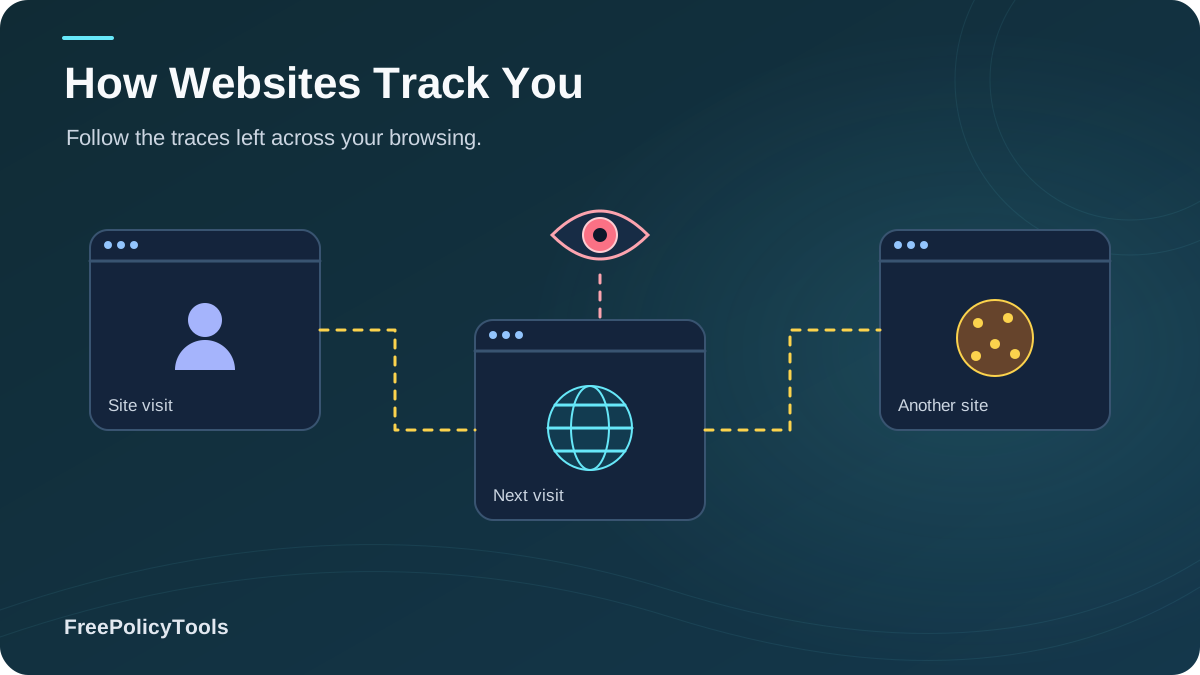
Every time you browse the web, you leave behind a digital trail. From the websites you visit to the products you view, online tracking has become an invisible yet pervasive part of the internet experience. In 2026, the average website employs over 15 different tracking methods to monitor your behavior, build profiles, and serve targeted content.
Understanding how websites track you is the first step toward protecting your online privacy. This comprehensive guide reveals the sophisticated techniques companies use to monitor your digital footprint—from familiar cookies to advanced browser fingerprinting—and provides actionable strategies to reclaim your anonymity online. W3C’s browser fingerprinting guidance explains how browser characteristics can make users identifiable even when other tracking methods are restricted.
The State of Online Tracking in 2026
Modern web tracking has evolved far beyond simple cookies. Today's tracking ecosystem is a sophisticated network of technologies that work together to create detailed profiles of your online behavior, preferences, and even personal identity.
Key Tracking Statistics
Research from the Electronic Frontier Foundation shows that the average website loads resources from over 20 third-party domains, each with the potential to track your activity. This interconnected tracking network creates a comprehensive picture of your digital life that extends far beyond what most users realize.
Browser Fingerprinting: The Invisible Tracker
Browser fingerprinting is one of the most sophisticated and concerning tracking methods because it operates without storing anything on your device.
What Makes Your Browser Unique?
Fingerprinting collects dozens of data points including:
When combined, these seemingly innocuous details create a unique identifier that's 99.2% accurate in distinguishing individual browsers. Unlike cookies, fingerprints persist even when you clear your browser data, use private browsing, or switch to a different network.
Why Fingerprinting is Dangerous
- Cannot be deleted like cookies
- Works in private/incognito mode
- Survives VPN and proxy usage
- No user consent required
- Extremely difficult to detect
Learn more about different types of fingerprinting and how accurate these techniques really are.
IP Address & Network Tracking
Your IP address is one of the most basic yet powerful identifiers transmitted with every web request. It reveals your approximate location, internet service provider, and can be used to correlate your activity across different websites.
What Your IP Address Reveals
- Geographic location: City, region, and sometimes neighborhood-level accuracy
- ISP information: Your internet service provider and connection type
- Device correlation: Linking multiple devices on the same network
- Behavioral patterns: Usage times and frequency
WebRTC Leaks: The Hidden Danger
Even when using a VPN, WebRTC can expose your real IP address through a vulnerability known as a WebRTC leak. This browser feature, designed for peer-to-peer communication, can bypass VPN protections and reveal your true network identity.
Did you know? Studies show that changing your IP address doesn't change your browser fingerprint. This means even with a VPN, you can still be tracked through fingerprinting techniques. Understanding why IP changes don't affect fingerprints is crucial for comprehensive privacy protection.
Advanced Tracking Techniques
Beyond cookies and fingerprinting, websites employ increasingly sophisticated methods to monitor your activity.
Local Storage & Supercookies
HTML5 localStorage, IndexedDB, and other browser storage mechanisms can store significantly more data than cookies and are often overlooked when users clear their browsing data.
- • Storage capacity: 5-10MB per domain
- • Persists across browser sessions
- • Not automatically cleared with cookies
ETag & Cache Tracking
Entity Tags (ETags) are HTTP headers that can be abused to create persistent identifiers stored in your browser cache, surviving even cookie deletion.
Canvas & WebGL Fingerprinting
By rendering hidden graphics and measuring how your GPU processes them, websites can extract unique hardware characteristics that form part of your fingerprint.
Audio Context Fingerprinting
Subtle differences in how your device processes audio signals create another unique identifier that can be harvested without your knowledge.
Why Do Websites Track You?
Understanding the motivations behind tracking helps you make informed decisions about your privacy.
Legitimate Uses
- Website analytics and performance optimization
- Personalized user experience
- Security and fraud prevention
- Remembering user preferences
- Shopping cart persistence
Concerning Uses
- Behavioral profiling for advertising
- Price discrimination based on browsing history
- Selling data to third parties
- Cross-site tracking without consent
- Creating permanent digital profiles
The Reality: While some tracking improves user experience, the vast majority serves advertising and data monetization purposes. According to recent studies, the average user's data is worth approximately $80-$150 annually to data brokers and advertising networks.
How to Protect Yourself from Tracking
While complete anonymity online is challenging, you can significantly reduce your digital footprint with the right strategies and tools. If a VPN is part of your plan, understand its privacy limitations before relying on it to prevent account or browser tracking.
Basic Protection Measures
Browser Settings
- Enable "Do Not Track" signals
- Block third-party cookies
- Disable WebRTC or use extensions to block leaks
- Clear browsing data regularly
- Use privacy-focused search engines
Privacy Extensions
- uBlock Origin (ad blocking)
- Privacy Badger (tracker blocking)
- HTTPS Everywhere (encrypted connections)
- CanvasBlocker (anti-fingerprinting)
- Cookie AutoDelete
Advanced Protection Strategies
Use Anti-Detect Browsers
Anti-detect browsers like Incogniton create isolated browser environments with unique fingerprints, making it extremely difficult for websites to track or correlate your activities. Learn more about browser profiles and how they work.
VPN + Tor Combination
Layering a VPN with Tor provides multiple levels of anonymity. However, understand that VPNs don't change your fingerprint, so additional measures are necessary.
Browser Profile Isolation
Use separate browser profiles for different activities. Understanding profile isolation helps you maintain distinct digital identities for work, personal browsing, and sensitive activities.
Privacy Tools & Technologies Compared
Choosing the right privacy tools depends on your specific needs and threat model. Here's how different solutions compare.
| Method | Hides IP | Prevents Fingerprinting | Ease of Use | Best For |
|---|---|---|---|---|
| VPN | Yes | No | Easy | General privacy, geo-spoofing |
| Tor Browser | Yes | Partial | Medium | Maximum anonymity, activists |
| Anti-Detect Browser | No* | Yes | Medium | Multi-accounting, privacy |
| VPN + Anti-Detect | Yes | Yes | Medium-Hard | Comprehensive protection |
| Private/Incognito Mode | No | No | Very Easy | Local privacy only |
*Anti-detect browsers don't hide your IP by themselves but work best when combined with VPNs or proxies. Learn more about the differences between these tools.
Can You Really Browse Anonymously?
While perfect anonymity is difficult, you can achieve strong privacy by:
- Combining multiple privacy tools
- Understanding the limitations of each method
- Regularly updating your privacy practices
- Being aware of what anti-detect browsers can and cannot hide
Frequently Asked Questions
Can websites track me if I use incognito mode?
Yes. Incognito mode only prevents your browser from storing history, cookies, and form data locally. Websites can still track you through your IP address, browser fingerprinting, and other methods. Learn more about what incognito mode actually does.
Does using a VPN prevent all tracking?
No. While a VPN hides your IP address and encrypts your traffic, it doesn't prevent browser fingerprinting, cookie tracking, or other client-side tracking methods. For comprehensive protection, combine a VPN with anti-fingerprinting tools.
How accurate is browser fingerprinting?
Browser fingerprinting is approximately 99.2% accurate in uniquely identifying individual browsers. This makes it one of the most reliable tracking methods available to websites.
Can I completely prevent browser fingerprinting?
Complete prevention is challenging, but you can significantly reduce fingerprinting accuracy using anti-detect browsers, privacy extensions like CanvasBlocker, and by standardizing your browser configuration. Check out our guide on preventing browser fingerprinting.
Are anti-detect browsers legal?
Yes, anti-detect browsers are legal tools. They're commonly used for legitimate purposes like multi-account management, privacy protection, and security testing. However, using them for fraudulent activities remains illegal.
How do I check my browser fingerprint?
You can use online tools like amiunique.org or browserleaks.com to see what information websites can collect about your browser. These tools show you how unique your fingerprint is compared to other users.
Related Resources
Conclusion: Taking Control of Your Digital Privacy
Website tracking has become an inescapable reality of modern internet usage. From basic cookies to sophisticated fingerprinting techniques, companies employ multiple methods to monitor your online behavior, often without your explicit knowledge or consent.
However, you're not powerless. By understanding how tracking works and implementing the right combination of tools and practices, you can significantly reduce your digital footprint and reclaim your privacy. Whether you choose simple browser extensions, VPNs, or advanced solutions like Incogniton anti-detect browser, the key is taking proactive steps to protect yourself.
Remember that privacy is not just about hiding something—it's about maintaining control over your personal information and how it's used. In an era where data is the new currency, protecting your digital identity is more important than ever.
Key Takeaways
- • 92% of websites use cookies for tracking
- • Browser fingerprinting is 99.2% accurate
- • Average user tracked by 100+ companies daily
- • VPNs don't prevent fingerprinting
- • Layered protection is most effective
Next Steps
- • Audit your current browser privacy settings
- • Install privacy-focused extensions
- • Check your browser fingerprint
- • Consider anti-detect browsers for sensitive activities
- • Stay informed about new tracking techniques
Ready to take control of your online privacy?
Start with Incogniton's free plan and experience next-level browser privacy protection today.