Browser Profile Isolation: How Separate Profiles Keep Sessions Apart — The Complete Guide
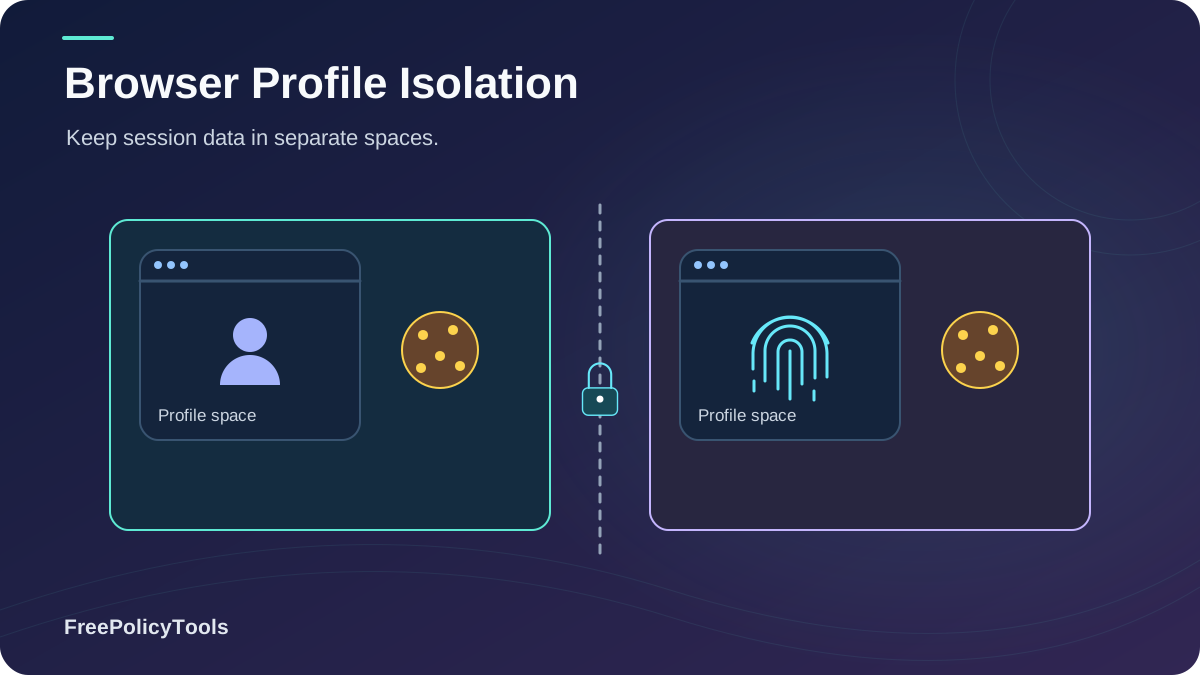
Browser profile isolation is the practice of strictly separating the data, configurations, and digital fingerprints of different browsing sessions so they cannot be linked together. If you manage multiple ad accounts, run e-commerce stores, or conduct competitive research, you likely rely on separate browser profiles.
But standard profiles in Chrome or Edge share the underlying operating system, GPU, and rendering engine — meaning websites can still link your "separate" identities. To understand the baseline, start with our guide on what a browser profile is. Chrome’s profile documentation explains how separate profiles keep bookmarks, history, passwords, and other settings separate.
In this guide, we break down exactly how profile isolation works, the hidden leaks that destroy standard isolation, and why professionals are moving toward dedicated anti-detect browsers to maintain truly separate digital identities.
Quick Answer (TL;DR)
- Standard browser profiles (Chrome/Edge) isolate cookies but share 100% of your hardware fingerprint (Canvas, WebGL, AudioContext).
- True isolation requires separating not just storage, but the browser's rendering engine, network stack, and device signals.
- Virtual Machines (VMs) offer strong isolation but are resource-heavy and hard to scale.
- Anti-detect browsers like Incogniton provide the best balance: per-profile fingerprint spoofing, isolated storage, and proxy integration without the overhead of VMs.
Fingerprint overlap between standard Chrome profiles
Of multi-account bans are caused by profile linking
Distinct isolation levels (from containers to VMs)
Account survival rate with true anti-detect isolation
What Is Browser Profile Isolation?
Browser profile isolation is the architectural boundary that prevents data from one browsing session from bleeding into another. In a perfectly isolated environment, Profile A and Profile B would appear to the internet as two completely different users on two completely different machines.
The 4 Pillars of True Isolation
- Storage Isolation: Cookies, LocalStorage, IndexedDB, and cache are completely separated and never shared.
- Network Isolation: Each profile routes traffic through a distinct IP address (via proxies) and maintains separate DNS caches.
- Fingerprint Isolation: Hardware signals (Canvas, WebGL, Audio, Fonts) are spoofed or randomized per profile.
- State Isolation: Service workers, HSTS supercookies, and browser permissions do not leak across boundaries.
Understanding the difference between browser privacy vs browser security is crucial here. Isolation is primarily a privacy and anti-linking measure, though it also provides security benefits by containing malicious extensions or compromised sessions.
The Illusion of Standard Browser Profiles
When you create a new profile in Chrome or Edge, the browser creates a new directory for your cookies and history. However, it does not create a new browser engine. All profiles share the same underlying Chromium binary, the same access to your OS fonts, the same GPU drivers, and the same screen resolution.
Data overlap analysis based on Chromium architecture and fingerprinting test results (EFF Cover Your Tracks, 2024).
Because the rendering engine is shared, a website can execute a Canvas or WebGL script and generate the exact same hash across all your profiles. This is why understanding cookies vs local storage vs browser fingerprinting is essential: clearing cookies does nothing to stop fingerprint-based linking.
How Websites Link Your "Separate" Profiles
Ad networks, fraud detection systems, and social media platforms use sophisticated methods to track how websites track you across profiles. If you use standard browser profiles, you are vulnerable to:
Fingerprint Collision
Since Canvas, WebGL, and AudioContext hashes are identical across profiles, trackers instantly link them.
WebRTC IP Leaks
Even if you use different proxies, a WebRTC leak can expose your real local IP, linking all profiles to your home network.
HSTS Supercookies
HTTP Strict Transport Security states can be abused to create persistent identifiers that survive profile deletion.
Shared Permissions
If you grant camera or location access to a site in Profile A, the underlying OS permission might be queried in Profile B.
Prevalence of linking vectors in modern tracking scripts (aggregated from academic web tracking measurements, 2023–2025).
To see exactly how these techniques work, explore our deep dives into types of browser fingerprinting, what a WebRTC leak is, and how WebRTC affects browser privacy.
The Spectrum of Isolation Methods
Not all isolation is created equal. We compare the five main approaches in our detailed guide on browser profiles vs separate browsers vs virtual machines. Here is how they stack up:
| Method | Storage Isolation | Fingerprint Isolation | Scalability |
|---|---|---|---|
| Standard Profiles (Chrome) | Good | None | High |
| Firefox Containers | Excellent | None | Medium |
| Separate Browsers | Excellent | Low | Low |
| Virtual Machines (VMs) | Perfect | Medium | Very Low |
| Anti-Detect Browsers | Perfect | Perfect | Very High |
Who Needs True Profile Isolation?
True isolation isn't just for privacy enthusiasts; it's a business requirement for many professionals. See how anti-detect browser profiles create digital identities for these use cases:
Affiliate Marketers
Managing hundreds of ad accounts across Facebook, Google, and TikTok without triggering "suspicious activity" bans.
E-commerce & Dropshippers
Running multiple storefronts on Shopify or Amazon without getting flagged for "related account" violations.
Sports Bettors & Arbitrage
Maintaining multiple accounts on betting platforms to exploit odds differences without being limited or banned.
Social Media Managers
Managing dozens of client accounts on Instagram, X, and LinkedIn from a single machine safely.
QA Testers & Developers
Testing web applications across different user states, geolocations, and device profiles simultaneously.
Ad Verification & Brand Safety
Checking how ads render in different regions and for different user demographics without polluting the data.
Illustrative 30-day account survival rates in strict ad networks based on industry reports and user aggregations (2024–2025).
The Anti-Detect Advantage
An anti-detect browser solves the isolation problem by virtualizing the browser environment at the application level. Instead of relying on the host OS for hardware signals, it intercepts JavaScript API calls and feeds them spoofed, consistent data per profile.
Recommended Tool: Incogniton
Incogniton provides military-grade profile isolation. Each profile gets its own isolated cookie jar, LocalStorage, Canvas hash, WebGL renderer, WebRTC policy, and timezone. It integrates seamlessly with proxies, allowing you to manage hundreds of distinct digital identities from one dashboard.
Get Incogniton Free →Estimated time savings based on workflow analysis for teams managing 50+ identities.
When evaluating tools, read our comparisons of the best anti-detect browsers and the cheapest anti-detect browsers. You should also verify if anti-detect browsers really work against modern bot detection, and understand how websites try to detect them. For legal and safety context, see are anti-detect browsers safe and legal.
Common Isolation Myths
Myth: "Incognito mode isolates my profiles."
False. Incognito only prevents local history saving. It shares the exact same fingerprint and network stack as your main profile. Read what incognito mode actually does and compare anti-detect vs incognito mode.
Myth: "Using a VPN isolates my profiles."
False. A VPN changes your IP but not your device fingerprint. If you use the same browser profile with a VPN, trackers still link you via Canvas/WebGL. See does a VPN change your browser fingerprint and compare VPN vs proxy vs anti-detect browser.
Myth: "Firefox Multi-Account Containers are enough."
Partially true. Containers isolate cookies and storage perfectly, but they do NOT isolate fingerprints. All containers share the same Canvas and WebGL hash.
Myth: "Extensions can isolate profiles."
Risky. While some extensions block trackers, they cannot spoof hardware APIs like WebGL or AudioContext at the browser engine level. Plus, some extensions are malicious themselves.
Frequently Asked Questions
Can websites detect if I am using multiple profiles?
Yes, if the profiles share the same underlying hardware fingerprint. Even if you use different IPs, identical Canvas, WebGL, and font hashes will flag you as the same user. True isolation requires spoofing these hardware signals per profile.
Is browser profile isolation the same as using a VPN?
No. A VPN masks your network location (IP address), while profile isolation masks your device identity and separates local storage. They are complementary: you need a proxy/VPN for network isolation AND an anti-detect browser for device isolation.
Do I need a separate computer for each account?
No. While using separate physical machines provides perfect isolation, it is prohibitively expensive and hard to manage. Anti-detect browsers virtualize the hardware environment, giving you the isolation of separate machines on a single device.
How accurate is browser fingerprinting in linking profiles?
Extremely accurate. Studies show that combining Canvas, WebGL, and AudioContext fingerprints can uniquely identify over 99% of devices. If your profiles share these hashes, they will be linked almost instantly by sophisticated trackers.
Can I use Firefox containers instead of an anti-detect browser?
Firefox Multi-Account Containers are excellent for isolating cookies and logins (e.g., keeping work and personal Gmail separate). However, they do not isolate fingerprints. For multi-accounting on strict platforms like Facebook Ads or Amazon, containers are not sufficient.
Related Resources
Conclusion
Browser profile isolation is the foundation of multi-account management and advanced privacy. While standard browser profiles offer basic cookie separation, they fail completely at isolating the hardware fingerprints and network states that modern trackers use to link identities.
For casual users, Firefox Containers or separate browsers might suffice. But for professionals managing ad accounts, e-commerce stores, or sensitive research, true isolation requires an anti-detect browser that virtualizes the entire device environment per profile.
Key Takeaways
- • Standard profiles share 100% of hardware fingerprints
- • WebRTC and HSTS leaks bypass standard isolation
- • VMs offer perfect isolation but poor scalability
- • Anti-detect browsers provide the best balance of isolation and efficiency
- • Always pair isolated profiles with dedicated proxies
Next Steps
- • Audit your current profile setup for fingerprint leaks
- • Test your WebRTC and DNS leak status
- • Evaluate anti-detect browsers for your workflow
- • Implement a proxy strategy for network isolation
- • Keep your browser and OS updated to patch leaks
Ready to stop getting banned for "suspicious activity"?
Incogniton gives you perfect profile isolation with per-profile fingerprint spoofing and proxy integration. Try Incogniton for free.