HTTPS, Secure DNS and DNS over HTTPS Explained: The Complete Guide
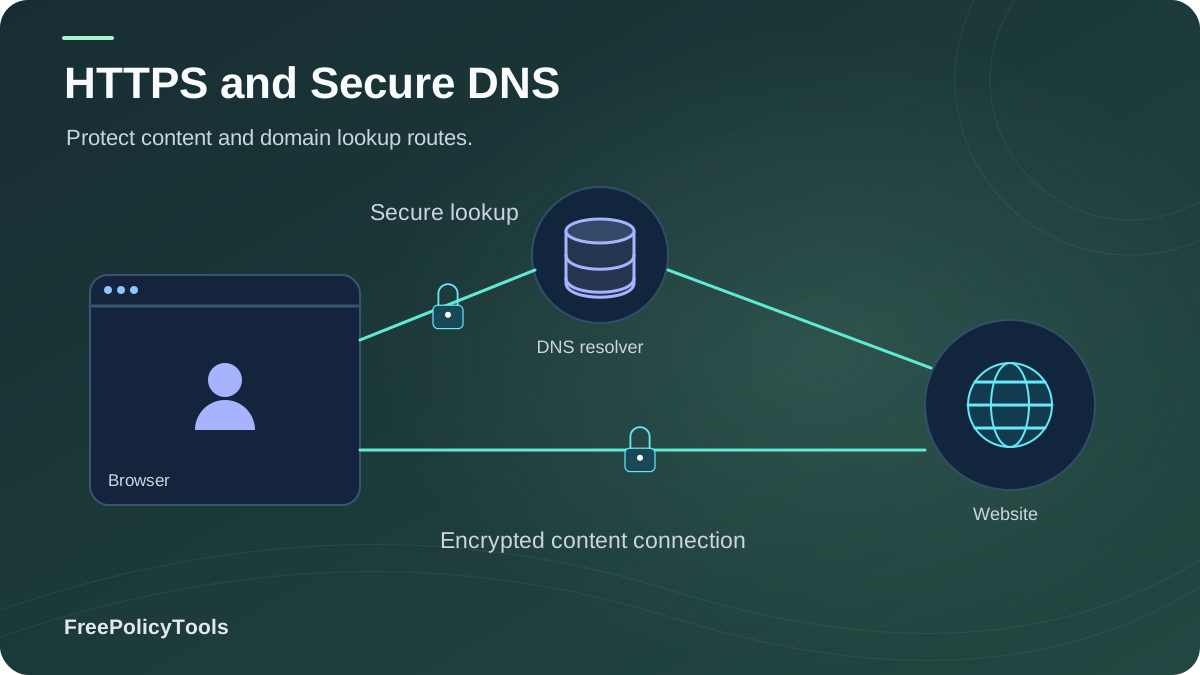
You see the padlock, so you assume you're hidden. But here's the uncomfortable truth: HTTPS encrypts what you do on a site — not which sites you visit. Every time you type a web address, your device asks a DNS server to translate the name into an IP address, and for most of internet history that question has been asked in plain text, for your ISP, your network admin, and anyone on the path to read.
HTTPS fixed the content; DNS over HTTPS (DoH) was built to fix the question. The IETF’s DNS over HTTPS specification specifies how DNS queries and responses are carried over HTTPS in RFC 8484.
The shift is already massive: over 80–90% of page loads now happen over HTTPS (Google Transparency Report, Mozilla, Let's Encrypt), and roughly 13.7% of global DNS traffic now travels over DoH (APNIC) — and climbing. This guide explains, layer by layer, what HTTPS, secure DNS, and DoH actually do, what they still leak, and how to configure them correctly as part of a complete privacy stack — the same stack mindset we apply in browser privacy vs browser security.
TL;DR — The Three-Layer Picture
- HTTPS encrypts the conversation between your browser and the site: content, forms, cookies in transit. It does not hide the domain you visit.
- DNS is the phonebook lookup that happens first — traditionally unencrypted, fully visible to your ISP and logged by default.
- DoH / DoT wrap that lookup in encryption (via HTTPS on port 443, or TLS on port 853), hiding your queries from the network.
- Neither hides your IP, fingerprint, or behavior — you still need a VPN layer and identity-level tools for those.
- Enable DoH in your browser + pick a privacy-respecting resolver = one of the highest-value, zero-cost privacy upgrades available.
What HTTPS Actually Encrypts (and What It Doesn't)
HTTPS is HTTP wrapped in TLS (Transport Layer Security). When you connect, your browser and the server perform a cryptographic handshake: the server proves its identity with a certificate, and both sides derive encryption keys. From then on, everything in transit — page content, form inputs, cookies, tokens — is encrypted and integrity-protected. The adoption story is one of the internet's biggest wins: from under 30% of page loads in 2015 to over 80% globally by 2024–2025, with Chrome reporting 94–99% depending on platform and US traffic above 95%.
Confidentiality
Eavesdroppers see encrypted bytes, not your passwords, messages, or page content.
Authentication
Certificates prove you reached the real site, not an impostor — defeating most impersonation.
Integrity
Attackers on the path cannot silently modify pages or inject malware into the stream.
The Padlock Misconception
HTTPS hides the path inside a site, not the address of the site. Before the encrypted connection even begins, your device must (1) ask a DNS server for the site's IP, and (2) often reveal the domain name during the TLS handshake via SNI (Server Name Indication). Your ISP therefore still learns which domains you visit and when — a complete map of your browsing, even though it can't read the pages. That gap is exactly what secure DNS closes.
The DNS Problem: The Last Plaintext Leak
The Domain Name System is the internet's phonebook: it maps human names (example.com) to machine addresses (93.184.216.34). Classic DNS queries travel as unencrypted UDP packets. That single design fact creates three problems:
Surveillance
Your ISP (and anyone on the path — Wi-Fi admin, national taps) sees and typically logs every domain you look up. DNS logs are a browsing diary, and they feed tracking and data-broker pipelines.
Hijacking & Tampering
Unauthenticated responses can be forged or redirected. Studies found 72–90% of organizations experience DNS attacks, with 47% hit by hijacking; ~70,000 domains were found already hijacked in one measurement.
Censorship & Blocking
Plaintext DNS makes domain-level blocking trivial for networks and regimes — and makes circumvention detectable.
Why this matters for tracking: DNS is one of the observation layers in the full tracking stack we map in how websites track you. Even users who block cookies and trackers still broadcast their domain history through plaintext DNS unless they encrypt it — which is why secure DNS belongs in every serious privacy setup.
DNS over HTTPS (DoH), DoT and DoQ Explained
The fix is conceptually simple: put the DNS query inside an encrypted tunnel. Three standards do this, differing mainly in transport:
| Protocol | Transport / Port | How It Behaves | Best For |
|---|---|---|---|
| DoH (DNS over HTTPS) | HTTPS, port 443 | Queries ride inside ordinary HTTPS traffic — indistinguishable from web browsing, hard to block | Browsers, censorship resistance |
| DoT (DNS over TLS) | Dedicated TLS, port 853 | A separate encrypted DNS channel; easy to identify and allow/block at network level | System-wide OS configuration |
| DoQ (DNS over QUIC) | QUIC/UDP, port 8853 | Newer, faster (0-RTT, no head-of-line blocking), still maturing | Mobile & performance-focused setups |
| Classic DNS | Plaintext UDP/TCP, port 53 | Visible and modifiable by anyone on the path | Nothing — legacy default |
Adoption Is Real, and Accelerating
APNIC measurements put DoH at roughly 13.7% of global DNS traffic and growing, driven by default enablement in Firefox (US rollout from 2020), Chrome's gradual deployment, Android's private DNS (DoT), and iCloud Private Relay's architecture. The browser vendors effectively decided that the phonebook question deserves the same encryption as the conversation.
How HTTPS + DoH + VPN Work Together
The three technologies are complementary layers, not alternatives. HTTPS protects content; DoH protects the lookup; a VPN protects the endpoint identity (your IP) and encrypts everything else to the VPN server. The chart below shows what remains visible to a network observer as you add each layer — and why professionals stack all three, then add identity-level tools on top.
The Layer Map
- HTTPS: hides page content and credentials from everyone; sites and your IP remain visible to each other.
- + DoH/DoT: hides your queries from the ISP and on-path observers; the resolver you choose now sees them instead (pick wisely).
- + VPN: hides your real IP from sites and your traffic from the local network; the VPN provider becomes the trusted hop.
- + Identity layer: none of the above changes your browser fingerprint — that requires anti-detect tooling, as covered in does a VPN change your browser fingerprint.
Why It Matters: DNS Attacks & Surveillance in Numbers
Encrypted DNS is not just a privacy feature — it is a security control. DNS hijacking campaigns have redirected entire national infrastructures; one measurement found ~800,000 domains vulnerable and ~70,000 already hijacked, and industry studies report that 88–90% of organizations now experience DNS attacks annually, averaging seven or more per year. Authenticated, encrypted transports (DoH/DoT with verified resolvers) remove the easiest tampering paths.
Attacks Encrypted DNS Defeats
- On-path eavesdropping of your query history
- Casual response forgery and redirection
- ISP-level domain blocking visibility (in many cases)
- Public Wi-Fi DNS snooping and hijacking
Attacks It Does NOT Defeat
- A malicious or logging resolver (you moved the trust, not removed it)
- Phishing sites with valid HTTPS certificates
- Endpoint malware that rewrites hosts or proxies locally
- Traffic-analysis and IP-level observation
Choosing a Resolver Is a Privacy Decision
With DoH, your query history moves from your ISP to your chosen resolver. Non-profit, no-PII resolvers like Quad9, configurable filtering services like NextDNS, and minimal-retention operators like Cloudflare 1.1.1.1 score highest on privacy; ad-monetized ISP defaults score lowest. Read the retention policy before you trust any of them — that policy is now your de facto browsing diary's custody arrangement.
How to Enable Secure DNS in Every Browser
Google Chrome
- Settings → Privacy and security → Security
- Scroll to "Use secure DNS"
- Enable and choose "With" a custom provider
- Pick Cloudflare, Quad9, NextDNS, etc.
Mozilla Firefox
- Settings → General → Network Settings
- Enable "Enable DNS over HTTPS"
- Choose provider or custom DoH URL
- Firefox defaults to HTTPS-Only mode separately — enable it
Microsoft Edge
- Settings → Privacy, search, and services
- Security section → "Use secure DNS"
- Enable and select a provider
- Optionally enforce via policy for fleets
Safari / Apple Devices
Safari uses the system resolver; install a DoH/DoT configuration profile (e.g., NextDNS, Quad9 apps) or enable iCloud Private Relay for system-wide encrypted resolution.
SECURE DNS QUICK-START
------------------------
[ ] 1. Enable HTTPS-Only Mode in your browser
[ ] 2. Turn on DoH (browser) or DoT (OS: Android "Private DNS",
        Windows/ macOS via resolver apps or profiles)
[ ] 3. Pick a privacy-respecting resolver (Quad9 / NextDNS / 1.1.1.1)
[ ] 4. Verify at a DoH test page (e.g., cloudflare.com or dnsleak test)
[ ] 5. Add a VPN for IP-level protection on untrusted networks
[ ] 6. Patch WebRTC leaks so the VPN/DoH stack isn't bypassed
[ ] 7. Re-verify quarterly and after OS/browser changes
Verification matters: after configuring, confirm with a DNS-leak test that your queries resolve through the chosen resolver, and check for WebRTC leaks that could still expose your real IP — the classic hole described in WebRTC and browser privacy.
What Encrypted DNS Still Doesn't Hide
Honesty is the core of good privacy advice: HTTPS + DoH remove two large leaks, but the identification stack has more layers. Your IP address still reaches the site (absent a VPN/Tor); your fingerprint is untouched by any transport encryption — and changing your IP doesn't change your browser fingerprint; your behavior and logins still attach names to sessions. For the full picture see can you really browse anonymously and harden the rest with how to secure your web browser.
Complete the Stack: Incogniton
Encrypted DNS hides your questions; Incogniton hides your identity. Its anti-detect profiles give each persona its own consistent fingerprint, sealed cookies, and proxy binding — the layer HTTPS and DoH were never designed to cover.
- Per-profile synthetic fingerprints
- Isolated cookies & storage
- Per-profile proxy binding
- Free tier to verify before paying
Frequently Asked Questions
Does DNS over HTTPS make me anonymous?
No. DoH hides your DNS queries from your ISP and on-path observers, but the resolver you choose still sees them, websites still see your IP, and your fingerprint is unchanged. DoH is a privacy layer, not an anonymity tool — pair it with a VPN and identity-level tools for stronger protection.
DoH vs DoT — which should I use?
Functionally they provide the same core protection (encrypted, authenticated resolution). DoH (port 443) blends into normal HTTPS traffic, which helps against blocking and is what browsers implement. DoT (port 853) is simpler for OS-wide configuration (Android Private DNS uses DoT). Use whichever your platform supports best; the resolver choice matters more than the transport.
Does encrypted DNS slow down my browsing?
Measurements show a mixed, usually negligible impact: one study found a median overhead of ~65ms per query on some connections, while connection reuse, caching, and HTTP/3-based DoQ often make it imperceptible. In practice, users rarely notice a difference, and the privacy/security gain far outweighs small latency variance.
Is it safe to trust Cloudflare or Google with my DNS instead of my ISP?
You are relocating trust, so compare policies: Quad9 and NextDNS publish strong no-PII stances; Cloudflare retains minimal ephemeral data; Google logs for security purposes; many ISPs monetize DNS data. For maximum control, use a configurable resolver (NextDNS) or self-hosted DoH where feasible.
If HTTPS is everywhere, why do I still need DoH?
Because HTTPS begins after the lookup. The DNS question ("which site are you visiting?") precedes the encrypted conversation and was historically plaintext. DoH encrypts exactly that remaining leak — the domain-level map of your browsing that ISPs otherwise log by default.
Related Resources
Conclusion
HTTPS, secure DNS, and DNS over HTTPS are the three transport-layer pillars of a private, tamper-resistant browsing experience. HTTPS — now protecting 80–95%+ of page loads depending on platform — encrypts the conversation; DoH/DoT encrypt the phonebook question that used to leak your entire domain history to your ISP; and together with a VPN they collapse what a network observer can see to almost nothing.
But the identification stack runs deeper than the transport layer: IP addresses, fingerprints, and logged-in behavior survive every one of these encryptions. The mature approach is layered — HTTPS-Only mode, encrypted DNS with a trustworthy resolver, a VPN on untrusted networks, and identity-level separation for anything sensitive. Configure the first three today; they are free, built into your browser, and among the highest-value privacy upgrades available.
Key Takeaways
- • HTTPS hides content, not destinations; DNS leaks the destinations
- • 80–95%+ of page loads now encrypted (Google/Mozilla/Let's Encrypt)
- • ~13.7% of global DNS traffic is DoH and rising (APNIC)
- • 72–90% of orgs face DNS attacks; hijacking is real and measured
- • Resolver choice = privacy choice; verify with leak tests
Next Steps
- • Enable HTTPS-Only mode today
- • Turn on DoH/DoT with Quad9, NextDNS, or 1.1.1.1
- • Run a DNS-leak and WebRTC-leak test
- • Add a VPN for untrusted networks
- • Layer identity separation (anti-detect) for sensitive work
Ready to close the identity layer too?
Pair encrypted DNS with Incogniton's isolated anti-detect profiles — free tier included.