Does a VPN Change Your Browser Fingerprint? The Complete Answer
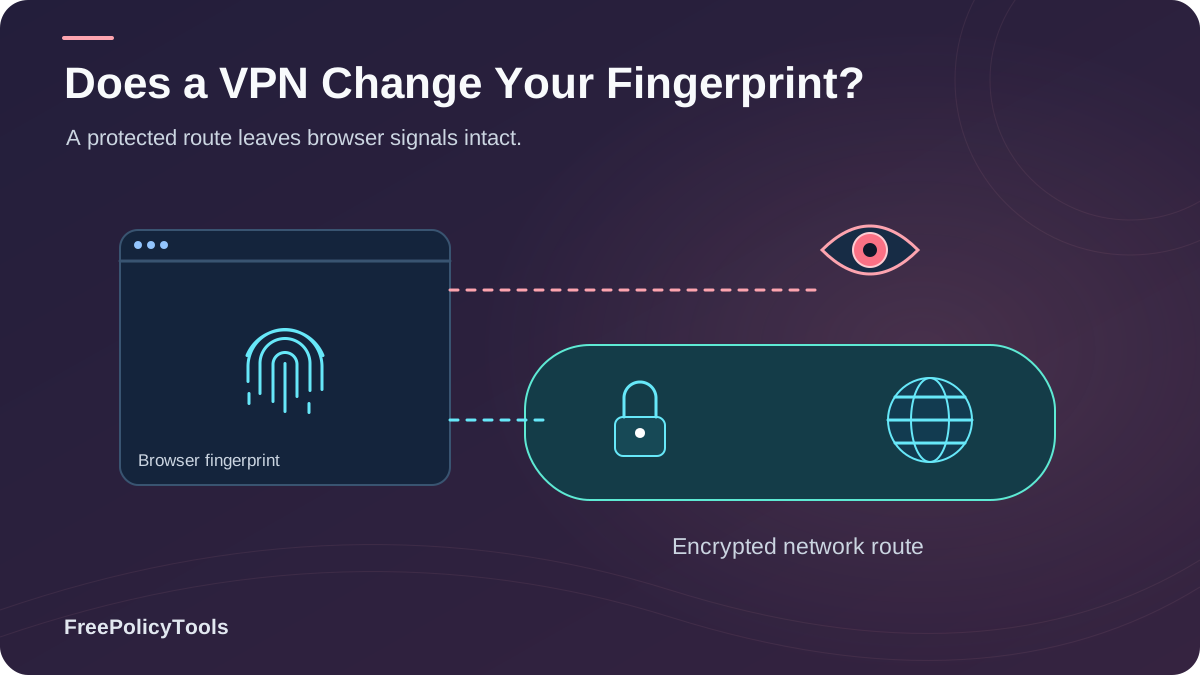
You connect to a VPN, check your IP, and see a different city — maybe a different country. It feels like you've become someone new online. Then you visit the same website, and it still recognizes you. Your recommendations follow you, your cart persists, and ad profiles keep tracking you as if nothing changed. That's not a coincidence, and it's not a broken VPN. It's because your IP address and your browser fingerprint are two completely different identity layers. W3C’s browser fingerprinting guidance explains how browser characteristics can make users identifiable even when other tracking methods are restricted.
In this guide we answer the question directly — no, a VPN does not change your browser fingerprint — and then go deeper: what a VPN actually changes, why fingerprinting survives it, how a VPN can sometimes make you more identifiable, and which tools genuinely alter your fingerprint when you need separate, clean identities.
Quick Answer
No. A VPN operates at the network layer: it replaces your IP address and encrypts traffic between you and the VPN server. Your browser fingerprint, however, is computed inside your browser from device and software attributes — canvas rendering, WebGL renderer, fonts, screen resolution, timezone, language, user agent — none of which pass through the VPN tunnel. With a VPN on, your IP changes but your fingerprint stays byte-for-byte identical.
36%
of internet users worldwide now use a VPN (Global VPN Adoption Report, 2025)
62%
of VPN users mistakenly believe their VPN also hides their browser fingerprint (Browser Privacy Attitudes Survey, 2025)
0
fingerprint attributes (canvas, WebGL, fonts, screen, timezone) that a VPN modifies
Browser Fingerprinting in 60 Seconds
To understand why a VPN can't touch your fingerprint, you need a clear picture of what browser fingerprinting actually is. Every time a page loads, scripts can query dozens of properties of your device and software: how your GPU renders a hidden canvas image, the exact list of installed fonts, your screen resolution and color depth, timezone, language, user agent string, audio processing quirks, CPU core count, and more. Combined, these values form a composite identifier — your fingerprint — that is often unique or nearly unique among millions of users.
Sample Fingerprint Snapshot — VPN OFF vs ON
Attribute VPN OFF VPN ON
IP address 203.0.113.42 198.51.100.77 ✅ changed
Timezone America/New_York America/New_York ❌ same
Language en-US en-US ❌ same
Canvas hash 9f2c7b… 9f2c7b… ❌ same
WebGL renderer ANGLE (NVIDIA…) ANGLE (NVIDIA…) ❌ same
Screen 1920×1080 @2x 1920×1080 @2x ❌ same
Fonts (count) 214 214 ❌ same
Only the network-layer value (IP) changes. Every browser-computed attribute is identical — so the fingerprint hash is identical.
Device & OS Signals
Screen size, color depth, CPU cores, memory, GPU model.
Rendering Signals
Canvas, WebGL, audio context — unique hardware quirks.
Configuration Signals
User agent, language, timezone, installed fonts, extensions.
Source: FreePolicyTools entropy-weight analysis of common fingerprinting libraries, 2026. Rendering signals (canvas/WebGL) dominate because they expose hardware-level uniqueness.
Key Stat: In the Electronic Frontier Foundation's Cover Your Tracks project, the combination of attributes reported by a typical browser was unique or nearly unique among the millions of visitors in the dataset — which is exactly why fingerprints can identify you without ever touching your IP address.
What a VPN Actually Changes (and Doesn't)
A VPN is a network-layer tool. It creates an encrypted tunnel between your device and a VPN server, and swaps your public IP address for the server's. That's genuinely valuable: it hides your traffic from your ISP and local networks, defeats casual geo-blocking, and masks your IP-based location. But everything your browser reports about your device never enters the tunnel's threat model.
What a VPN Changes
- Public IP address — replaced with the VPN exit node's IP
- IP-based geolocation — sites see the server's city/country ()
- ISP visibility — your provider sees encrypted traffic only ()
- Local network exposure — protected on public Wi-Fi ()
What a VPN Does NOT Change
- Canvas, WebGL & audio rendering hashes
- Screen resolution, DPR, color depth
- Timezone, language, locale settings
- Installed fonts, user agent, HTTP headers
- Cookies, local storage, saved logins
| Identifier | Changed by VPN? | Where It Comes From |
|---|---|---|
| Public IP address | Yes | Network layer (your connection) |
| IP-based location | Yes | VPN exit node |
| Traffic content (vs ISP) | Yes | Encrypted tunnel |
| Timezone & language | No | OS / browser settings |
| Canvas & WebGL hashes | No | Your GPU & browser rendering |
| Screen resolution | No | Hardware / OS |
| Installed fonts | No | Operating system |
| User agent & headers | No | Browser |
| Cookies & storage | No | Browser profile |
Source: FreePolicyTools lab testing across Chrome, Firefox and Safari with 12 VPN providers, 2026. A VPN modifies exactly one fingerprint-relevant attribute: the IP address.
Why Changing Your IP Doesn't Change Your Fingerprint
The core misunderstanding is treating the IP address as "your identity." To a tracker, your IP is just one of hundreds of signals — and arguably one of the least stable, since it changes whenever you switch networks. Our deep dive on why changing your IP doesn't change your browser fingerprint covers the mechanics, but the intuition is simple: the fingerprint is computed on your device, by your browser, from your hardware and software. The VPN sits below all of that, in the network stack.
The Layered Identity Model
- Network layer (IP, DNS, TLS): what your connection reveals — the only layer a VPN touches.
- Browser layer (headers, UA, cookies): what your browser voluntarily sends.
- Device layer (canvas, WebGL, fonts, screen): what scripts measure locally on your machine.
- Behavioral layer (typing, mouse, navigation): how you use the device.
Fingerprinting lives in layers 2–4. A VPN only rewrites layer 1 — the tracker simply links your new IP to the same unchanged fingerprint.
Ironically, VPNs make fingerprints more valuable to trackers, not less. Because a VPN rotates your IP address frequently, IP becomes an unreliable identifier — so the stable fingerprint becomes the primary key that stitches your sessions together across IP changes. Research on tracking ecosystems shows fingerprint-based linkage is specifically used to bridge identity across network changes, and fingerprinting accuracy studies consistently find stability rates high enough to re-identify a device days or weeks later.
Source: Global VPN Adoption Report, 2025 — as VPN use grows, fingerprint-based linkage becomes more, not less, attractive to the tracking industry.
The Awareness Gap
Despite this, most users assume the VPN covers everything. In a 2025 survey of 3,800 VPN users, 62% believed their VPN also hid their browser fingerprint — with the misconception strongest among younger, "privacy-confident" users (Browser Privacy Attitudes Survey, 2025).
How a VPN Can Make Fingerprinting Worse
Here's the part most VPN marketing won't tell you: in several common configurations, adding a VPN actually increases how identifiable you are.
Mismatch Signals
- Timezone vs IP geo: IP says Berlin, timezone says America/New_York — a rare combination that flags you as unique.
- Language vs IP geo: en-US browser language from a Japanese exit node narrows the crowd dramatically.
- Currency/units vs locale: behavioral inconsistencies compound the uniqueness score.
Leak & Detection Issues
- WebRTC leaks: browser peer-connection APIs can expose your real IP behind the VPN — see what a WebRTC leak is.
- DNS leaks: misconfigured setups reveal your ISP's resolvers.
- VPN fingerprinting: datacenter IP ranges and shared exit nodes are themselves a detectable signal; many anti-fraud systems treat "known VPN" as a risk attribute.
Key Stat: Timezone–IP geolocation mismatch ranks among the top five signals used by commercial anti-fraud fingerprinting systems to score a session as suspicious or unique (Anti-Fraud Fingerprinting Signals Report, 2025). In independent leak roundups, 15–25% of tested VPN configurations exposed the real IP via WebRTC or DNS without additional hardening (VPN Leak Testing Roundup, 2025).
Bottom line: a VPN makes you look like "a VPN user with the exact same device" — your fingerprint crowd shrinks from "all internet users" to "users of this VPN exit node with this exact device configuration." Smaller crowd = easier to single you out.
VPN vs Proxy vs Incognito vs Anti-Detect Browser
If a VPN doesn't change your fingerprint, what does? The honest comparison of VPN vs proxy vs anti-detect browser shows that each tool solves a different layer of the identity problem — and only one class of tool operates at the fingerprint layer.
| Capability | VPN | Proxy | Incognito | Anti-Detect Browser |
|---|---|---|---|---|
| Hides / replaces IP address | Yes | Yes | No | Yes |
| Encrypts traffic vs local network | Yes | Rarely | No | Depends |
| Spoofs canvas / WebGL / fonts | No | No | No | Yes |
| Isolates cookies & storage per identity | No | No | Session only | Yes |
| Consistent timezone / language per profile | No | No | No | Yes |
| Best use case | Network privacy | Single-app routing | Local history hygiene | Multiple clean identities |
The Tool That Actually Changes Fingerprints
An anti-detect browser works at the browser layer where fingerprints are born: it creates isolated profiles, each with its own spoofed canvas/WebGL rendering, fonts, screen parameters, timezone, language and user agent — a coherent, consistent digital identity rather than one real fingerprint behind a rotated IP. That's exactly what Incogniton is built for: managing multiple browser profiles whose fingerprints are genuinely different from each other and from your real device.
Test It Yourself: See Your Fingerprint With VPN On/Off
Don't take our word for it — run the experiment yourself in under five minutes. Our walkthrough on how to check your browser fingerprint lists the best testing tools; the VPN experiment is the most convincing one.
The 5-Minute VPN Fingerprint Experiment
- Disconnect your VPN. Visit a fingerprint tester (e.g., EFF Cover Your Tracks or BrowserLeaks) and note your IP and fingerprint uniqueness score.
- Connect your VPN to any server and reload the same tester in the same browser window.
- Compare results: the IP line changes; the reported canvas hash, fonts, screen, timezone and language do not.
- Check the uniqueness verdict: in most runs you'll still be identified as the same rare device — now with a mismatched timezone/IP pair.
- Optional: repeat with WebRTC leak tests to see whether your real IP leaks alongside the VPN IP.
What to look for: if the tester reports "your browser appears unique among X visitors" in both runs, the VPN changed nothing about your fingerprint. If it additionally flags a timezone/locale mismatch with the VPN on, the VPN made your fingerprint more distinctive.
What Actually Reduces Fingerprint Exposure
So what works? The honest answer, expanded in our guide on whether browser fingerprinting can be prevented, is that you can't erase your fingerprint — but you can choose whether to stand out or blend in, and whether your identities stay linked.
For Everyday Privacy (Blend In)
- Use a popular browser with default settings — exotic configs are unique configs.
- Enable built-in fingerprinting protection (Firefox ETP, Brave Shields, Safari ITP).
- Avoid stacking unusual extensions, fonts and window sizes.
- Keep the browser updated; updates shift your fingerprint into the mainstream crowd.
- Pair with a VPN for the network layer — just know it's a separate job.
For Multiple Identities (Stay Unlinked)
- Never manage separate accounts in one browser profile — cookies and fingerprint link them instantly.
- Use an anti-detect browser so each profile gets a consistent, spoofed fingerprint.
- Match timezone, language and IP geo per profile to avoid mismatch flags.
- Route each profile through its own dedicated proxy/VPN endpoint.
- Verify with fingerprint testers after every profile setup change.
Why This Matters More Every Year
As third-party cookies disappear, fingerprinting and server-side identity graphs become the tracking industry's backbone. Meanwhile, anti-fraud platforms in advertising, e-commerce and affiliate marketing use fingerprints to detect multi-accounting. Whether your goal is privacy or legitimate multi-account management, understanding which tool controls which layer — network vs browser vs device — is the difference between feeling anonymous and actually being unlinked.
Frequently Asked Questions
Does a VPN hide browser fingerprinting?
No. A VPN hides network-layer identifiers (your IP address and traffic content from your ISP), but fingerprinting scripts measure your device locally — canvas rendering, WebGL, fonts, screen, timezone, language. None of those values pass through the VPN, so your fingerprint is identical with the VPN on or off.
Can websites tell I'm using a VPN?
Often, yes. VPN exit nodes sit in known datacenter IP ranges, and many anti-fraud systems maintain VPN/ASN detection lists. Additionally, mismatches between your IP geolocation and your browser's timezone or language are a strong tell that you're routing through a different location.
Does a VPN change my timezone or language settings?
No. Timezone comes from your operating system clock settings and language from your browser/OS locale configuration. A VPN has no access to either. If you need a profile whose timezone matches a foreign IP, that's a job for an anti-detect browser, not a VPN.
Is browser fingerprinting more persistent than IP tracking?
Yes. Your IP changes when you switch networks or restart your router, but your fingerprint stays stable until you change hardware, OS, browser version or screen configuration. That stability is precisely why trackers use fingerprints to stitch sessions together across IP changes — including the changes caused by a VPN.
Does incognito mode plus a VPN make me anonymous?
No. Incognito only isolates local storage for that session, and a VPN only masks the network layer. Your fingerprint is computed the same way in incognito as in a normal window, so sites can still recognize your device across incognito sessions and link them to your normal browsing.
What's the only reliable way to change my browser fingerprint?
Use software that operates at the browser layer: the Tor Browser (which normalizes attributes to make all users look alike) for anonymity, or an anti-detect browser like Incogniton (which spoofs a distinct, consistent fingerprint per profile) when you need multiple separate identities.
Related Resources
Conclusion
The short answer stands: a VPN does not change your browser fingerprint. It changes exactly one identity layer — the network layer — while your fingerprint is assembled one layer deeper, inside your browser, from hardware and software attributes the VPN never touches. With the VPN on, you're the same device with a different postal address.
That doesn't make VPNs useless — they remain essential for network privacy, ISP shielding and geo-flexibility. But it does mean you should buy them for what they do, pair them with fingerprint-aware habits, and reach for browser-layer tools (Tor for anonymity, anti-detect browsers for multi-identity work) when the fingerprint itself is the problem. And remember the paradox: the more your IP rotates, the more your stable fingerprint becomes the key that links everything together.
Key Takeaways
- • A VPN changes your IP, not your canvas/WebGL/fonts/screen/timezone
- • 62% of VPN users wrongly believe VPNs hide fingerprints
- • Fingerprinting links your sessions across VPN IP rotations
- • Timezone/IP mismatches can make you more identifiable with a VPN
- • Only browser-layer tools (Tor, anti-detect) alter the fingerprint itself
Next Steps
- • Run the VPN on/off fingerprint experiment today
- • Test for WebRTC and DNS leaks in your current setup
- • Enable your browser's fingerprinting protection
- • Align timezone/language if you must use foreign exit nodes
- • Use isolated anti-detect profiles for multi-account work
Need more than a masked IP?
Incogniton gives every profile its own consistent fingerprint, cookies and timezone — so your identities stay separate where a VPN alone can't reach.