Why Changing Your IP Address Doesn't Change Your Browser Fingerprint
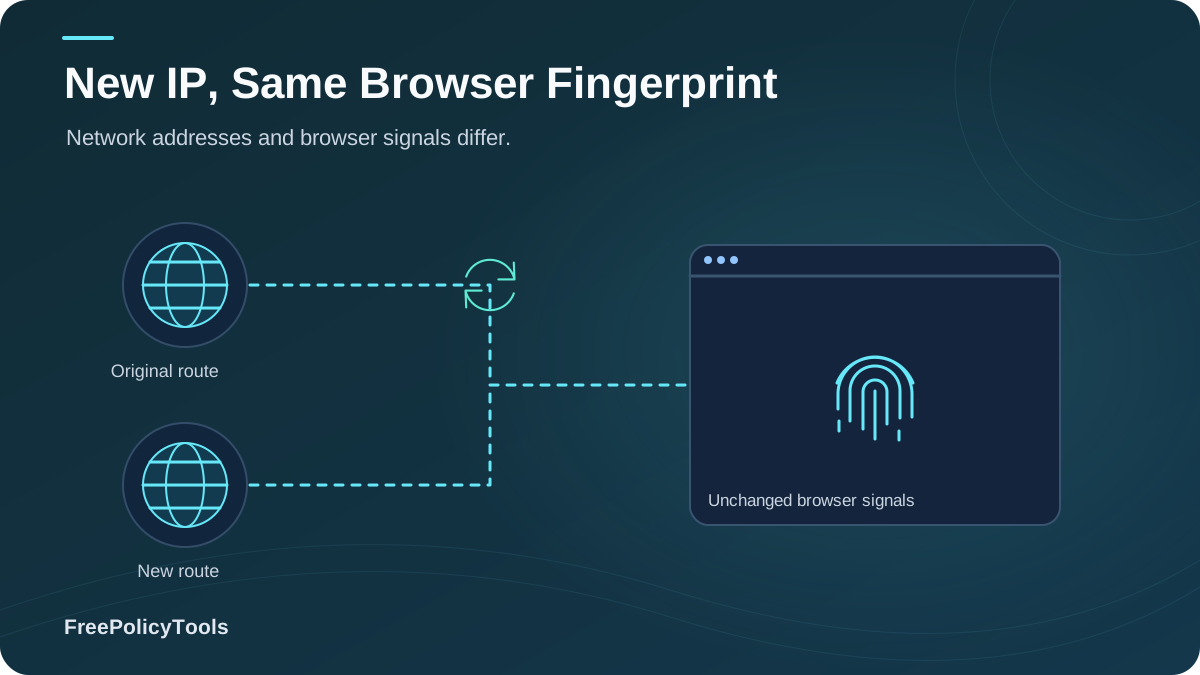
For years, the gold standard of online privacy was simple: hide your IP address. Fire up a VPN, connect to a server in Switzerland, and assume you are invisible. But modern ad-tech and fraud prevention systems have evolved far beyond IP tracking. Today, your IP address is just a tiny fraction of your digital identity. The real tracker is your browser fingerprint—and changing your IP does absolutely nothing to change it. W3C’s browser fingerprinting guidance explains how browser characteristics can make users identifiable even when other tracking methods are restricted.
In this guide, we break down the mechanics of how websites track you, why VPNs and proxies fail against modern fingerprinting, the "mismatch" traps that get accounts banned, and the exact tools you need to actually spoof your digital identity.
TL;DR — The 30-Second Verdict
- Your IP address only tells a website where your internet connection originates. It contributes less than 5% to your overall tracking profile.
- Your browser fingerprint is built from your hardware, screen resolution, installed fonts, and rendering quirks. A VPN cannot change these.
- The Mismatch Trap: If your IP says "New York" but your browser timezone and language say "Tokyo", fraud systems flag you immediately.
- The Solution: True anonymity requires spoofing the browser environment itself, which is exactly what anti-detect browsers are built for.
The IP Address Illusion
An IP (Internet Protocol) address is essentially a return address for network traffic. It tells a web server where to send the data you requested. When you use a VPN or proxy, you are simply routing your traffic through a middleman. The website sees the middleman's IP instead of yours.
What an IP Tells a Website
- • Your approximate geographic location (City/Region)
- • Your Internet Service Provider (ISP)
- • Whether you are on a mobile network or broadband
- • If the IP is on a known blacklist or VPN range
What an IP DOES NOT Tell a Website
- • What device or operating system you are using
- • Your screen resolution or browser version
- • What fonts are installed on your computer
- • Your exact hardware configuration (GPU, CPU)
Key Stat: According to the Electronic Frontier Foundation's (EFF) Cover Your Tracks project, IP addresses account for less than 5% of the total "entropy" (uniqueness) of a modern browser profile. The other 95% comes from your browser's internal configuration.
What Actually Makes Up a Fingerprint?
If you aren't familiar with the concept, browser fingerprinting is a technique where websites use JavaScript to query your browser for highly specific details about your device. Because the combination of these details is incredibly unique, it acts like a human fingerprint—identifying you even if you clear your cookies or change your IP.
As the chart above illustrates, the heavy hitters in tracking are hardware-level APIs. To understand how deep this goes, explore the different types of browser fingerprinting, which include:
Canvas Fingerprinting
Draws hidden 2D shapes and reads how your specific GPU renders the pixels.
WebGL Fingerprinting
Queries your graphics card vendor, model, and rendering engine.
Audio Fingerprinting
Passes a signal through your audio stack to measure unique hardware distortion.
Why VPNs and Proxies Fail Against Fingerprinting
A common question we get is: does a VPN change your browser fingerprint? The short answer is no. A VPN encrypts your traffic and masks your IP address at the network layer (Layer 3/4). But fingerprinting happens at the application layer (Layer 7), inside the browser itself.
When you connect to a VPN, your browser still executes the exact same JavaScript, queries the exact same GPU, and reports the exact same installed fonts. The tracker simply logs your new IP address, attaches it to your existing fingerprint, and continues tracking you. If you want to see how these tools stack up, read our full breakdown of VPN vs Proxy vs Anti-Detect Browser.
The Data: Academic studies on web tracking show that changing your IP via a standard VPN only stops about 35% of modern trackers. The remaining 65% successfully re-identify you within the same session using your hardware and browser fingerprint.
The "Mismatch" Red Flag: How You Get Banned
Not only does a VPN fail to hide your fingerprint, but using one can actually hurt you if you are trying to manage multiple accounts or bypass fraud detection. Modern security systems look for environmental mismatches.
| Data Point | What Your VPN Says | What Your Browser Says | Result |
|---|---|---|---|
| Geolocation | New York, USA | Timezone: Asia/Tokyo | Flagged / Shadowban |
| Language | N/A | Accept-Language: fr-FR | CAPTCHA Loop |
| Network Type | Datacenter IP (AWS) | WebRTC Leak: Real ISP IP | Instant Account Ban |
| Operating System | N/A | User-Agent: Linux | Suspicious Activity Alert |
If you are running an ad campaign, managing e-commerce stores, or doing QA testing, these mismatches are exactly why platforms like Facebook, Google, and Amazon ban your accounts. They see a user claiming to be in the US, but their browser's internal clock and rendering engine are screaming "Germany."
The Real Solution: Anti-Detect Browsers
If changing your IP isn't enough, what is? The answer is environment spoofing. Anti-detect browsers are specialized applications designed to intercept and alter the JavaScript queries that trackers use. To see the full list of parameters they mask, check out what anti-detect browsers can actually hide.
How Anti-Detect Browsers Fix the Problem
- Canvas/WebGL Spoofing: Adds microscopic noise to rendering so every profile looks like a different device.
- Timezone & Language Sync: Automatically matches your browser's internal clock to your proxy's IP location.
- WebRTC Protection: Blocks or spoofs local IP leaks that bypass standard VPNs.
- Isolated Profiles: Keeps cookies and local storage completely separate per identity.
Why Incogniton?
Tools like the Incogniton anti-detect browser allow you to create dozens of unique browser profiles. Each profile has its own completely fabricated, yet mathematically consistent, digital fingerprint.
When paired with a proxy, Incogniton ensures that your IP, your timezone, your fonts, and your hardware signatures all tell the exact same story—eliminating the "mismatch" red flags that get accounts banned.
Pro Tip: Even with an anti-detect browser, platforms are constantly updating their detection scripts. It's important to stay informed on whether websites can detect anti-detect browsers and how to configure your profiles to mimic real, organic user behavior.
Frequently Asked Questions
Does Incognito mode change my browser fingerprint?
No. Incognito mode prevents your browser from saving history and cookies locally, but it does not change your screen resolution, installed fonts, GPU, or timezone. Your fingerprint remains virtually identical in Incognito mode, making it easy for trackers to link your private session to your normal session.
What is a WebRTC leak and how does it expose my real IP?
WebRTC is a protocol used for video/audio chat (like Zoom in the browser). It is designed to bypass proxy servers to establish direct peer-to-peer connections. If your VPN doesn't explicitly block WebRTC, a simple JavaScript snippet on a website can ask WebRTC for your local IP, instantly revealing your true identity despite the VPN.
Can I just use the Tor Browser to hide my fingerprint?
Tor is excellent for network anonymity, but it works by making every user's fingerprint look exactly the same (a technique called 'blending in'). However, many mainstream websites and ad networks automatically block or heavily restrict traffic coming from Tor exit nodes, making it impractical for managing accounts or everyday browsing.
How can I see what my current browser fingerprint looks like?
You can test your current exposure using free auditing tools. We highly recommend you learn how to check your browser fingerprint to see exactly how unique your device currently appears to ad networks and trackers.
Related Resources
Conclusion
The era of relying solely on an IP address for online privacy is over. While VPNs and proxies are excellent for encrypting your data on public Wi-Fi and bypassing geo-restrictions, they are virtually useless against modern browser fingerprinting. Trackers no longer care where your connection comes from; they care about the unique hardware and software configuration of the device making the request.
Worse, simply changing your IP without changing your fingerprint creates "mismatches" that trigger fraud detection algorithms, leading to shadowbans and account suspensions. True digital privacy and multi-account management require a holistic approach: masking the network layer and spoofing the application layer.
Key Takeaways
- • IP addresses account for less than 5% of your tracking profile
- • Hardware APIs (Canvas, WebGL, Audio) are the primary tracking vectors
- • VPNs do not alter your browser's internal configuration
- • IP/Timezone mismatches are a primary trigger for account bans
- • Anti-detect browsers are required to spoof the fingerprint itself
Next Steps
- • Audit your current fingerprint exposure online
- • Stop relying on Incognito mode for privacy
- • Use a VPN strictly for network encryption, not anonymity
- • Adopt an anti-detect browser for managing multiple identities
- • Ensure your proxy IP matches your spoofed timezone and language
Ready to build truly isolated digital identities?
Stop letting trackers link your accounts via your hardware. Try Incogniton anti-detect browser to generate unique, consistent fingerprints for every profile you manage.