VPN vs Proxy vs Anti-Detect Browser: What's the Difference? A Comprehensive Guide
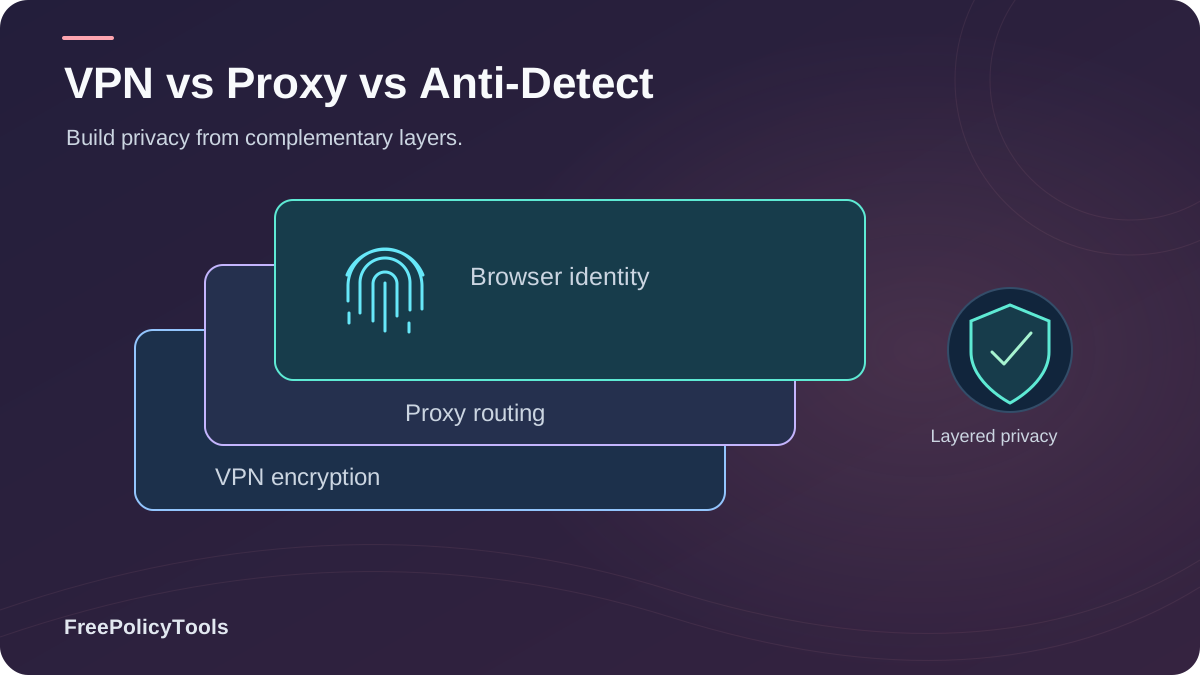
In today's digital landscape, protecting your online privacy has become more critical than ever. Whether you're looking to bypass geo-restrictions, manage multiple accounts, or simply browse anonymously, you've likely encountered three popular solutions: VPNs, proxies, and anti-detect browsers. But what exactly are the differences between these tools, and which one is right for your specific needs?
While all three technologies aim to enhance your online privacy and security, they operate in fundamentally different ways and serve distinct purposes. VPNs encrypt your entire internet connection, proxies act as intermediaries for specific applications, and anti-detect browsers focus on preventing browser fingerprinting. Understanding these differences is crucial for choosing the right tool—or combination of tools—to protect your digital identity effectively. W3C’s browser fingerprinting guidance explains how browser characteristics can make users identifiable even when other tracking methods are restricted.
What is a VPN?
A Virtual Private Network (VPN) is a service that creates an encrypted tunnel between your device and a remote server operated by the VPN provider. This tunnel protects all your internet traffic from prying eyes, including your Internet Service Provider (ISP), government agencies, and potential hackers.
How VPNs Work
- Encryption: All data transmitted between your device and the VPN server is encrypted using military-grade protocols (typically AES-256)
- IP Masking: Your real IP address is replaced with the VPN server's IP address
- Traffic Routing: All internet traffic (not just browser) is routed through the VPN server
- Server Location: You can choose servers in different countries to access geo-restricted content
System-Wide Protection
Protects all applications and devices
Geo-Spoofing
Access content from anywhere
ISP Privacy
Hides browsing from your ISP
VPN Advantages
Strong Encryption
Protects all data with AES-256 encryption, making it nearly impossible to intercept
Complete Privacy
Hides your IP address and browsing activity from ISPs, governments, and websites
Universal Application
Works with all applications, not just your browser
Public WiFi Security
Essential protection when using unsecured public WiFi networks
What is a Proxy?
A proxy server acts as an intermediary between your device and the internet. When you use a proxy, your requests are sent to the proxy server first, which then forwards them to the destination website. The website sees the proxy's IP address instead of yours, but unlike VPNs, proxies typically don't encrypt your data.
Types of Proxy Servers
HTTP Proxies
Handle web traffic only, understand HTTP/HTTPS protocols
SOCKS Proxies
More versatile, handle any type of traffic (HTTP, FTP, P2P)
Residential Proxies
Use real IP addresses from ISPs, harder to detect
Datacenter Proxies
Fast and cheap, but easier to detect and block
Proxy Advantages & Limitations
Advantages
- • Lower cost than VPNs (often free)
- • Faster connection speeds (no encryption overhead)
- • Simple to configure for specific applications
- • Good for bypassing basic geo-restrictions
- • Can rotate IP addresses easily
Limitations
- • No encryption (data visible to ISP)
- • Application-specific (not system-wide)
- • Less reliable and stable
- • Many free proxies log and sell data
- • Easy to detect and block
What is an Anti-Detect Browser?
An anti-detect browser is a specialized browser designed to prevent websites from identifying and tracking you through browser fingerprinting. Unlike VPNs and proxies that focus on hiding your IP address, anti-detect browsers tackle a more sophisticated tracking method: the unique digital fingerprint created by your browser's configuration.
Understanding Browser Fingerprinting
Websites collect dozens of data points from your browser to create a unique identifier:
- Canvas & WebGL: How your GPU renders graphics
- Audio Context: Audio processing characteristics
- Installed Fonts: Your unique font collection
- Screen Resolution: Display dimensions and color depth
- Browser Plugins: Installed extensions and add-ons
- Timezone & Language: Regional settings
How Anti-Detect Browsers Work
Anti-detect browsers like Incogniton use sophisticated techniques to prevent fingerprinting:
Fingerprint Spoofing
Injects fake or randomized data into fingerprinting vectors, making your browser appear different from your actual configuration
Profile Isolation
Creates completely isolated browser profiles with unique fingerprints, cookies, and local storage
Canvas Blocking
Blocks or adds noise to canvas rendering to prevent unique identification
Multi-Account Support
Manage multiple accounts on the same platform without detection or bans
Key Differences Explained
While VPNs, proxies, and anti-detect browsers all enhance privacy, they address different aspects of online anonymity. Understanding these fundamental differences is crucial for choosing the right tool.
| Feature | VPN | Proxy | Anti-Detect Browser |
|---|---|---|---|
| Primary Function | Encrypt all traffic | Route specific traffic | Prevent fingerprinting |
| Encryption | Full AES-256 encryption | Usually none | Standard HTTPS only |
| IP Masking | Yes, system-wide | Yes, app-specific | Optional (with proxy/VPN) |
| Fingerprint Protection | Minimal | None | Comprehensive |
| Scope | All applications | Configured apps only | Browser only |
| Multi-Account Support | Limited | Moderate | Excellent |
| Speed Impact | 10-30% reduction | 5-20% reduction | Minimal (5-10%) |
| Cost | $3-15/month | Free-$50/month | $0-100/month |
Critical Distinction
VPNs and proxies hide your IP address but don't prevent browser fingerprinting. Anti-detect browsers prevent fingerprinting but don't necessarily hide your IP (unless combined with VPN/proxy). For complete privacy, you may need to combine these tools.
Detailed Comparison Table
This comprehensive comparison breaks down every aspect of these three privacy tools to help you make an informed decision.
| Criteria | VPN | Proxy | Anti-Detect Browser |
|---|---|---|---|
| Anonymity Level | High (IP hidden) | Medium (IP hidden) | Very High (fingerprint hidden) |
| Data Encryption | Military-grade | None/Weak | Standard HTTPS |
| Speed | Good (70-90% of original) | Very Good (80-95%) | Excellent (90-95%) |
| Ease of Use | Very Easy | Easy | Moderate |
| Cost | Medium-High | Low-Free | Medium |
| Device Coverage | All devices/apps | Configured apps | Browser only |
| Bypass Geo-Blocks | Excellent | Good | Requires VPN/proxy |
| Multi-Account Management | Poor | Fair | Excellent |
| Protection from ISP | Complete | Partial | None (without VPN) |
| Protection from Websites | Partial | Partial | Complete |
| Reliability | Very High | Medium | High |
| Technical Knowledge Required | Minimal | Basic | Moderate |
Best Use Cases for Each Tool
Each privacy tool excels in different scenarios. Here's when to use which tool for maximum effectiveness.
Use VPN When:
- Using public WiFi networks
- Accessing geo-restricted streaming content
- Protecting all device traffic
- Hiding browsing from ISP/government
- Torrenting or P2P file sharing
- General privacy and security
Use Proxy When:
- Quick IP rotation needed
- Web scraping or data mining
- Budget constraints (free option)
- Bypassing simple geo-blocks
- Application-specific routing
- Speed is priority over security
Use Anti-Detect Browser When:
- Managing multiple social media accounts
- E-commerce multi-account selling
- Ad verification and testing
- Affiliate marketing campaigns
- Preventing account bans/detection
- Privacy from browser fingerprinting
Security & Privacy Analysis
Understanding the security implications of each tool is essential for making the right choice for your privacy needs.
VPN Security Considerations
Strengths:
- • End-to-end encryption
- • Kill switch protection
- • DNS leak protection
- • No-logs policies (reputable providers)
Weaknesses:
- • VPN provider can see your traffic
- • Some VPNs keep logs
- • Doesn't prevent fingerprinting
- • Free VPNs often sell data
Proxy Security Risks
Strengths:
- • IP address masking
- • Basic access control
- • Content filtering options
Weaknesses:
- • No encryption (data exposed)
- • Proxy can log everything
- • Many free proxies are malicious
- • Easy to detect and block
- • No protection from fingerprinting
Anti-Detect Browser Security
Strengths:
- • Prevents fingerprinting (95%+)
- • Profile isolation
- • Cookie/local storage separation
- • Canvas/WebGL spoofing
Considerations:
- • Doesn't encrypt traffic
- • IP still visible (use with VPN)
- • Requires trusted provider
- • Learning curve for advanced features
Speed & Performance
Speed is a critical factor when choosing privacy tools. Here's how each option impacts your internet performance.
| Tool | Speed Reduction | Latency Impact | Best For |
|---|---|---|---|
| VPN | 10-30% | Moderate increase | General use, streaming |
| Proxy | 5-20% | Low increase | Web scraping, quick tasks |
| Anti-Detect Browser | 5-10% | Minimal | Multi-account management |
| VPN + Anti-Detect | 15-35% | Moderate | Maximum privacy |
Speed Optimization Tips
- Choose servers geographically closer to you
- Use WireGuard protocol for VPNs (fastest)
- Avoid peak usage hours when possible
- Premium services offer better speeds than free options
- Test multiple servers to find the fastest
Can You Combine These Tools?
Yes! In fact, combining these tools often provides the best protection. Here are the most effective combinations.
VPN + Anti-Detect Browser
The Ultimate Privacy Combo
- VPN hides your IP and encrypts traffic
- Anti-detect prevents fingerprinting
- Complete anonymity from websites and ISPs
- Perfect for sensitive multi-account work
Proxy + Anti-Detect Browser
Budget-Friendly Alternative
- Proxy provides IP rotation
- Anti-detect prevents fingerprinting
- Lower cost than VPN solution
- Faster than VPN (no encryption)
Advanced: VPN + Proxy + Anti-Detect
For maximum anonymity, some users employ all three tools:
- VPN encrypts all traffic and hides IP from ISP
- Proxy adds another layer of IP masking
- Anti-detect browser prevents fingerprinting
Note: This setup significantly reduces speed and is usually overkill for most users.
Market Statistics & Trends
Understanding how people use these privacy tools provides valuable context for making your decision.
Of internet users regularly use VPNs
Reduction in fingerprinting with anti-detect
Of users concerned about online privacy
Global VPN market size by 2027
Prefer VPN over other privacy tools
Websites use some form of fingerprinting
Key Findings from 2024 Research
- VPN usage has grown 215% since 2019
- Anti-detect browser adoption increased 340% among digital marketers
- 78% of users combine multiple privacy tools
- Free proxy usage declined 45% due to security concerns
Sources: Global Web Index 2024, Privacy Tools Survey, Market Research Future
Related Resources
Frequently Asked Questions
Can a VPN replace an anti-detect browser?
No, VPNs and anti-detect browsers serve different purposes. A VPN hides your IP address and encrypts traffic but doesn't prevent browser fingerprinting. An anti-detect browser prevents fingerprinting but doesn't hide your IP (unless combined with VPN/proxy). For complete privacy, use both together.
Is a proxy safer than a VPN?
Generally, no. VPNs provide encryption while most proxies don't, making VPNs significantly more secure. However, proxies can be faster and are sufficient for simple tasks like bypassing geo-restrictions where encryption isn't critical. Never use free proxies for sensitive activities.
Do I need all three tools (VPN, proxy, and anti-detect browser)?
For most users, no. A VPN + anti-detect browser combination provides excellent protection. Adding a proxy is usually unnecessary unless you need specific features like rapid IP rotation for web scraping. Using all three together can significantly slow down your connection.
Can websites detect if I'm using a VPN or proxy?
Yes, websites can often detect VPN and proxy IP addresses through IP reputation databases. However, residential proxies and high-quality VPNs with rotating IPs are harder to detect. Anti-detect browsers help by making your browser appear normal even when using VPN/proxy.
Which is best for managing multiple social media accounts?
An anti-detect browser is essential for managing multiple accounts on the same platform. Combine it with residential proxies or a VPN to change your IP address for each account. This combination prevents both fingerprinting and IP-based detection.
Are free VPNs and proxies safe to use?
Most free VPNs and proxies are not safe. They often log your data, inject ads, contain malware, or sell your information. If privacy and security matter, invest in reputable paid services. Free anti-detect browsers with limited features are generally safer but still verify the provider's reputation.
Conclusion
Choosing between a VPN, proxy, and anti-detect browser isn't about finding the "best" tool—it's about selecting the right tool (or combination) for your specific needs. Each serves a distinct purpose in the privacy ecosystem:
VPNs excel at encrypting your entire internet connection and hiding your IP address from ISPs and governments. They're essential for public WiFi security, accessing geo-restricted content, and general privacy protection.
Proxies offer a lightweight, cost-effective solution for IP masking and application-specific routing. While they lack encryption, they're faster and sufficient for basic tasks like web scraping or bypassing simple geo-blocks.
Anti-detect browsers tackle the sophisticated threat of browser fingerprinting, making them indispensable for multi-account management, ad verification, and anyone serious about preventing online tracking.
Key Takeaways
- • VPNs provide encryption, proxies don't
- • Anti-detect browsers prevent fingerprinting (95%+)
- • VPN + anti-detect = maximum protection
- • Free tools often compromise your privacy
- • Choose based on your specific use case
Quick Recommendations
- • General privacy: VPN
- • Multi-account work: Anti-detect browser
- • Web scraping: Proxy + anti-detect
- • Maximum security: VPN + anti-detect
- • Budget option: Quality proxy only
Ready to take your privacy to the next level?
Try Incogniton anti-detect browser with built-in VPN integration for complete anonymity and powerful multi-account management.