Are Free VPNs Safe? Hidden Risks and Privacy Concerns Explained
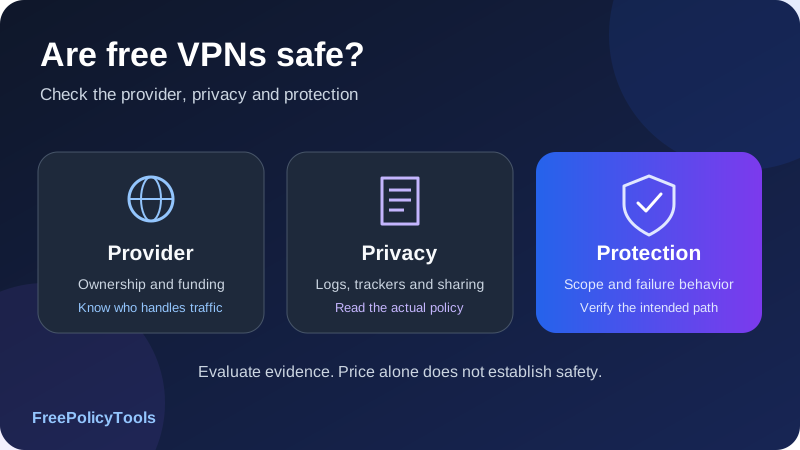
Are free VPNs safe? Some established providers offer free plans with a credible privacy model and useful protection. Others have unclear ownership, intrusive data practices, unreliable apps or business models that create additional risk. The price alone does not tell you which category a service belongs to.
To evaluate free VPN risks, ask who operates the service, how it is funded, what it records, which traffic the app covers and what happens when protection stops. This guide explains the dangers of free VPNs without assuming every free service is malicious, compares free and paid plans, and gives you a practical testing and selection process.
Provider
Identify the company and app
Privacy
Read fields and sharing rules
Protection
Check scope and failure handling
Evidence
Review reports and test behavior
Are Free VPNs Safe? The Practical Answer
A free VPN can be a reasonable option when its operator is identifiable, its privacy practices are clear, its client is maintained and its documented protections work for your intended use. A limited free tier from an established service is a different proposition from an unknown app promising unlimited everything without explaining how it pays its costs.
Safety is several questions, not one label
| Question | What to inspect | What price cannot prove |
|---|---|---|
| Can I trust the operator? | Ownership, privacy policy, data recipients and accountability | That free is exploitative or paid is trustworthy |
| Does the client protect its intended traffic? | Encryption, routing, DNS, address families and failure behavior | That a subscription guarantees correct implementation |
| Is the software safe to install? | Official distribution, updates, permissions and relevant security evidence | That an app-store listing is a complete security review |
| Does the plan meet my needs? | Quota, locations, features, supported devices and support | That limited capacity means weaker encryption |
| What are the remaining limits? | Accounts, websites, endpoint compromise and other observers | That any VPN supplies complete anonymity |
The wrong VPN can be worse than the problem you hoped to solve
Installing an untrustworthy app or routing traffic through an unclear operator can introduce a new risk. That is especially relevant if your existing use already benefits from HTTPS and updated software. A VPN changes the network path and who handles it; it does not eliminate the need to trust the software and provider.
Start with how VPNs work and whether you need a VPN. Knowing the specific problem you want to solve makes the safety decision more concrete.
How Free VPNs Pay for Their Service
Servers, bandwidth, software maintenance and support have costs. A free service can cover those costs in different ways. Understanding the funding model helps you ask the right questions, but a plausible explanation still needs a matching privacy policy and implementation.
| Model | How it can work | What to verify |
|---|---|---|
| Freemium | Paying customers fund a limited free tier | Whether the free tier shares the stated privacy and security protections |
| Advertising | Ads or marketing partnerships fund the app | Which identifiers, SDKs and recipients support advertising |
| Sponsored or public-interest access | An organization subsidizes service for a stated purpose | Operator accountability, sustainability and actual data practices |
| Bandwidth or residential sharing | Participants provide connectivity used by other customers | Whether your connection becomes an exit and what consent/control exists |
| Free trial | Temporary access encourages a paid subscription | Duration, billing authorization, renewal and cancellation terms |
| Unclear model | The operator gives no useful explanation | Resolve funding and data practices before trusting it |
Freemium can be a legitimate tradeoff
A provider may limit locations, device access, quota or advanced features while retaining the same core tunnel implementation. That can make a free tier useful for basic coverage without creating a separate data-sale business. Check which protections are actually included rather than assuming the free and paid clients behave identically.
Advertising requires a separate privacy review
Ads do not automatically mean browsing contents are sold, but advertising systems can involve identifiers, tracking and outside companies. Read the fields and recipients. A statement that the VPN does not log traffic does not by itself explain app analytics or advertising data.
The FTC’s guidance on choosing VPN apps highlights the need to check encryption, permissions and third-party information sharing, including advertising-supported services. Its guidance is a reason to inspect the model, not a current measurement of how many free VPNs are unsafe.
A trial is different from an ongoing free tier
“Free” can mean a limited trial that later renews, or a paid purchase with a refund policy. Read whether payment authorization is required, when renewal occurs and how cancellation works. A money-back arrangement is not the same as a service you can use without paying first.
Hidden Privacy Risks: Logs, Trackers and Data Sharing
A VPN shifts part of your trust from the local network to the VPN operator. For traffic inside the tunnel, the local network generally sees the outer VPN connection. The operator handles the onward path and can process information available at its boundary. Its logging and sharing practices therefore matter.
Metadata can be sensitive without readable page contents
Source IPs, precise timestamps, selected servers and account-linked session identifiers can help connect records across systems. Destination addresses or DNS requests can describe resources a connection sought. HTTPS continues to protect application contents against an ordinary forwarding operator, but it does not make every available network field disappear.
No browsing logs is not the same as no data collection
Account details, payment references, device information, crash reports and support uploads can exist separately from browsing history. Ask what is retained, how it is linked, who receives it and when it expires. The word “anonymous” also needs an explanation if records contain stable identifiers.
| Category | Question | Why the answer matters |
|---|---|---|
| Connection records | Are source IPs, timestamps or session identifiers retained? | They can link a connection to an account or ordinary network. |
| Activity records | Are DNS names, destinations or requests recorded? | They can describe resources reached by the service. |
| App analytics | Which events, identifiers and SDKs are involved? | A traffic no-logs claim may not cover app tracking. |
| Third parties | Who receives data and for which purposes? | Sharing creates additional processing boundaries. |
| Retention | What period and deletion trigger apply to each category? | A short period is still a period when records exist. |
Our guide to VPN logging policies explains no-logs versus minimal-log claims. Neither free pricing nor a premium subscription replaces that field-by-field review.
Data sale is a claim to verify, not an assumption
Some services may monetize data or disclose it for advertising. Others explicitly prohibit that model. Do not accuse a particular app based only on its price. Conversely, “we do not sell data” leaves unanswered questions about collection, service providers, identifiers and retention.
Technical Risks: Encryption, Leaks and Unsafe Software
A VPN label does not establish a protected remote tunnel
Applications can use VPN interfaces for several purposes, including local filtering. A device’s VPN icon alone does not prove that traffic reaches a remote encrypted gateway. Read what the app is designed to do and which traffic it covers.
Implementation and maintenance matter
A familiar protocol name is useful, but the client still needs appropriate authentication, configuration, updates and platform integration. Outdated or abandoned software can create problems whether it is free or paid. Treat unsupported devices and unexplained installation packages as issues to resolve.
DNS and address-family gaps can bypass the intended path
A browser can use the expected VPN exit while DNS or another address family follows a different route. Split rules can also deliberately exclude traffic. Verify the scope you actually rely on, and distinguish an intended exception from a protection failure.
Read DNS leaks explained and IP leaks, WebRTC and IPv6 for those checks.
Malicious software is a different threat from a weak service
An untrustworthy installer or app can misuse the access it receives, independently of whether its advertised VPN function works. Use the official distribution route, verify the publisher and avoid modified or “premium unlocked” packages from unknown sources. Malware concerns should be assessed with relevant evidence rather than assuming all free clients contain malware.
Do not bypass certificate warnings to make a VPN work
An ordinary consumer VPN does not need to decrypt every HTTPS page to forward its traffic. A request to install a root certificate, disable certificate validation or authorize unrelated device management changes deserves a clear explanation of the feature and its trust implications. A managed enterprise security service can have a different design; do not confuse it with a basic consumer tunnel.
See common VPN protocols and VPN encryption explained for the separate role of tunnel protection.
App Permissions, Platform Scope and Trust
The VPN permission is meaningful because the app is asking to handle network traffic. It does not, by itself, grant every unrelated device permission or allow an ordinary forwarding service to read correctly protected HTTPS contents. Review additional requests individually.
Android’s VPN documentation describes the user approval required for a VPN service and the platform’s per-app routing controls. This shows why the trust prompt and selected application scope matter. It does not mean a store listing or VPN approval certifies the provider’s privacy claims.
Ask whether the permission fits the feature
Notifications may help display connection state. Some network-detection features can require additional platform permissions. Access to contacts, messages, microphone or broad accessibility capabilities needs its own feature-specific justification. An explanation should identify why the access is needed and what happens if you decline.
Device-wide apps and extensions differ
A browser extension often controls supported browser traffic rather than every app on the device. It can also have website-access permissions that deserve review. A desktop client, mobile VPN, managed work profile and router configuration have different scopes.
| Setup | What to verify | Common assumption to avoid |
|---|---|---|
| Device VPN app | Covered apps, network permissions and failure behavior | That every unrelated permission is necessary |
| Browser extension | Browser scope and website-access permissions | That other apps automatically use the VPN |
| Managed work profile | Approved apps and organization policy | That personal and work traffic share one policy |
| Router VPN | Selected devices, DNS and router reconnect behavior | That one passing client test proves all devices are covered |
Our VPN versus proxy guide and split versus full tunneling guide explain why routing scope is as important as the connected indicator.
Ownership, Research, Audits and App-Store Ratings
Identify the operator behind the app
Compare the website, privacy notice, publisher name and support contact. A brand may use a related company, reseller platform or shared infrastructure. That does not automatically imply wrongdoing, but it affects which organization receives data and makes the promises you rely on.
The FOCI research paper “Hidden Links: Analyzing Secret Families of VPN Apps” examines relationships among VPN apps through technical analysis. It illustrates why separate app names should not automatically be treated as independent providers. Shared artifacts or infrastructure are evidence to investigate, not standalone proof that a particular app steals data.
Ratings mainly describe reported experience
Good reviews can tell you something about usability, but users usually cannot observe backend logging or every security defect. Download counts and stars do not substitute for a clear policy or technical assessment. Also check maintenance history and whether support explains specific problems.
Read what an audit actually covered
A client security test, server logging assessment and general compliance report answer different questions. Inspect the subject, covered components, methods, period, findings and limitations. A report about a paid service or one platform may not automatically establish the free tier’s complete behavior.
Historical research is not a current prevalence estimate
Older studies can demonstrate possible failure modes, but percentages from a past sample should not be presented as the share of today’s free VPNs that are unsafe. Versions, markets and methods change. Prefer evidence tied to the current product and the specific claim being assessed.
Match evidence to the question
A leak test checks routing behavior under tested conditions. An audit can examine a stated system and period. A privacy policy describes commitments. Each is useful, but none should be presented as proving every other property.
Data Caps, Congestion and Missing Features
A free plan can be limited without being insecure. A data cap, smaller location list or lack of a convenience feature does not necessarily weaken the tunnel’s cryptography. The concern is whether a limitation changes the protection you need or creates a surprising fallback.
Quota exhaustion is a state to test
If the allowance runs out, the service may refuse further VPN traffic, require an upgrade or implement another documented restriction. Do not assume the device stays protected, and do not assume it automatically leaks either. Check the exact behavior alongside the kill switch.
Unlimited data is not unlimited capacity
A plan without a data quota still shares servers, routes and underlying network capacity. Congestion, distance, packet loss and device performance can affect speed. A slower free server is not proof of privacy abuse, and a fast app is not proof of good data practices.
Missing protection features can matter
Verify whether the plan and platform include the required DNS policy, address-family handling and compatible failure blocking. A location-selection limit is a different kind of tradeoff from lacking a protection you rely on. Read the actual free-tier feature description, not just the paid product’s advertisement.
| Constraint | Primary effect | Question to ask |
|---|---|---|
| Data allowance | Limits how much tunneled traffic can be used | What happens at the limit, and is fallback blocked? |
| Fewer locations | Restricts endpoint choice and routing options | Is there a usable supported endpoint for my purpose? |
| Congestion | Can reduce throughput or increase delay | Does reliability remain adequate under normal conditions? |
| Device limit | Restricts simultaneous or supported use | Which devices actually need coverage? |
| Feature exclusion | May remove a convenience or a relevant safeguard | Is the specific required protection available? |
| Limited support | Can make problems harder to resolve | Is there current documentation and a working contact? |
See VPN speed and latency and kill switch protection for these different concerns.
Free vs. Paid VPNs: What Paying Can Change
A subscription often buys more capacity, locations, device access, support or advanced features. It can also support a business model that does not depend on ads. Those benefits are worth evaluating, but payment is not evidence that every privacy or security claim is true.
| Property | Established free tier | Paid tier | Unknown free app |
|---|---|---|---|
| Funding | Often subsidized by the broader service | Customer subscriptions | May be unclear or rely on another disclosed model |
| Capacity and locations | Often constrained | Often broader | Promises may not explain real capacity |
| Privacy policy | Must still be read for free-tier scope | Must still be read for retained data | Missing or vague detail is a reason to pause |
| Security implementation | Can share the provider’s core implementation | Can offer extra safeguards or convenience | Cannot be inferred from marketing or ratings |
| Evidence | Check whether reports cover the relevant client and service | Check the same scope and period | Lack of relevant evidence leaves uncertainty |
| Failure handling | Verify drop and quota behavior | Verify drop and account/renewal behavior | Do not assume any supported blocking policy |
Upgrade for a defined requirement
A paid plan may make sense when you need reliable location choice, sustained capacity, more devices or a supported feature that the free tier lacks. Identify that requirement first. Buying a plan solely because “paid must be safe” leaves the important trust questions unanswered.
Keep the privacy decision separate from the sales decision
Read renewal terms, cancellation and any introductory offer separately from logging and security claims. A promotional price does not establish whether source IPs are retained or DNS stays protected. A refund policy does not verify the software.
Affiliate disclosure: we may earn a commission if you purchase through this link.
Explore NordVPN’s PlansExamples of Established Free-Tier Models
The following examples illustrate different plan designs, not a ranking or a guarantee of safety. Product terms and features can change. Verify the current documentation and exact app before relying on a quota, location or protection feature.
Proton VPN: a free plan without a data quota
Proton VPN’s free-versus-paid comparison states that its free plan offers unlimited bandwidth and shares its stated no-logs policy and core VPN security with paid plans. The page also distinguishes paid features and access options. These are the provider’s published claims, not measurements performed for this article.
Windscribe: an allowance-based free plan
Windscribe’s free-plan instructions describe a default monthly allowance of 2 GB, increasing to 10 GB when an email address is added and confirmed. This illustrates a different tradeoff between quota and account information. Check the current requirements and your account’s actual allowance before planning use around it.
| Example | Documented model illustrated | What remains to evaluate |
|---|---|---|
| Proton VPN Free | No data quota with other free-versus-paid distinctions | Current features, exact platform, privacy evidence and observed behavior |
| Windscribe Free | Monthly allowance with a larger allowance tied to confirmed email | Current account terms, privacy policy, required features and quota behavior |
Do not transfer one provider’s evidence to another
An established provider’s free plan shows that free access does not necessarily require selling browsing data. It does not validate an unrelated app with a similar name. Confirm the publisher and follow the official download route to avoid clones or misleading listings.
Likewise, a provider’s own feature page is useful for plan terms but is not the same as independent implementation evidence. Read the relevant report and policy if those claims determine your decision.
How to Test a Free VPN Before Relying on It
Test the things your device can actually reveal. An outward-IP check, DNS test and interruption test can identify some routing problems. They cannot prove that the operator never retains backend records or that the client contains no exploitable defects.
- Confirm the official app. Match the provider’s website, publisher and supported distribution channel. Record the app version and plan.
- Define scope. Decide whether the device, browser, work profile or selected apps should be covered. Review split and local-network exceptions.
- Record a baseline. Note ordinary outward addresses and resolver results using harmless test traffic.
- Connect and verify the intended path. Check the tested app’s outward address and use fresh DNS lookups. Review IPv4 and IPv6 separately.
- Test failure blocking. Use a supported method to interrupt the connection and check whether protected test traffic is blocked or falls back.
- Check plan-specific limits. Read what happens at the quota, device limit or trial end. Where practical, verify the behavior without disrupting important sessions.
- Check network transitions. Retest after sleep, reconnect or a relevant Wi-Fi/cellular switch.
- Record the result and uncertainty. Keep the settings and observations so a later update can be compared fairly.
| Check | Useful evidence | Not established by this check |
|---|---|---|
| Public IP page | The tested connection’s outward address at that moment | Every app’s route or backend logging |
| DNS leak test | Resolver use triggered by the tested browser | Permanent protection or every lookup path |
| IPv6 check | The observed address-family behavior | All future networks and applications |
| Drop test | Blocking or fallback under the tested interruption | All other failure states |
| Speed test | Throughput under the selected conditions | Privacy, absence of malware or no logging |
| Permission review | Requested access and disclosed purpose | Every actual processing action |
An unfamiliar DNS resolver is not automatically a leak, and a passing browser result does not cover a separate application. Use our VPN testing guide to interpret observations in context.
Protection should match the intended state
Write down what should happen while connected, while disconnected and when a plan limit is reached. Then verify the relevant state. A passing connected test alone leaves the other states unanswered.
Data Budgets, Shared Capacity and Review Charts
Plan limits and shared capacity can explain why a free service is inconvenient without proving it is unsafe. The charts below use simple chosen examples to make that distinction clear.
All chart values are hypothetical
The numbers are invented for teaching. They are not provider measurements, real plan allowances, industry risk rates or security scores. The text tables repeat each example.
Bar chart: shared capacity has a physical limit
| Active users | Chosen total capacity | Simplified share before overhead |
|---|---|---|
| 5 | 100 Mbps | 20 Mbps |
| 10 | 100 Mbps | 10 Mbps |
| 20 | 100 Mbps | 5 Mbps |
The toy calculation is capacity ÷ active users. It does not claim every VPN divides bandwidth equally or that these speeds are typical. A no-quota plan can still have a capacity bottleneck; a paid plan can also experience congestion.
Line chart: compare demand with an allowance
| Day | Desired cumulative use | Chosen allowance |
|---|---|---|
| 1 | 1 GB | 5 GB |
| 2 | 2 GB | 5 GB |
| 3 | 3 GB | 5 GB |
| 4 | 4 GB | 5 GB |
| 5 | 5 GB | 5 GB |
| 6 | 6 GB | 5 GB |
| 7 | 7 GB | 5 GB |
Under these assumptions, allowance ÷ desired daily use = 5 GB ÷ 1 GB per day = five days of demand. Actual provider accounting can include different traffic and reset rules. When a cap is reached, protection behavior must be checked separately; the chart does not predict a leak.
Doughnut chart: cover the main review topics
| Group | Items | Example questions |
|---|---|---|
| Privacy | 4 | Ownership, funding, retained fields and recipients |
| Scope | 3 | Device/browser coverage, DNS and address families |
| Failure behavior | 3 | Drop, manual disconnect and plan limit |
| Maintenance | 2 | Updates and relevant support/evidence |
Use the chart as a reminder to review more than speed and price. A provider can meet a capacity requirement while failing a privacy requirement, or offer a suitable privacy model while its plan is too limited for your use.
When a Free VPN Can Be a Reasonable Choice
A well-understood free tier can fit occasional use, a small device set or an initial evaluation. It should still meet the protections you require. The amount of money you can spend does not change the importance of the operator’s data practices.
| Situation | What to prioritize | Where a free tier can fall short |
|---|---|---|
| Occasional personal browsing | Clear operator, suitable routing and verified failure protection | Quota or endpoint choice may be inconvenient |
| Sustained large transfers | Capacity, allowance and documented permitted use | A small cap may be unsuitable |
| Specific region or service | Reliable endpoint choice and service requirements | Automatic locations or shared exit reputation can limit compatibility |
| Several devices | Supported clients and simultaneous access | Plan or platform limits may prevent coverage |
| Work access | The organization’s approved connection and policy | A consumer free VPN does not replace a company access system |
| Elevated privacy requirements | A threat-specific assessment and strong relevant evidence | A generic free or paid label is insufficient |
Public Wi-Fi needs more than a VPN
A suitable VPN can protect covered traffic on its tunnel path, but HTTPS, updates, account security and caution around captive portals still matter. It does not make a phishing page safe. An unknown VPN app is not an automatic improvement over an updated device using correctly protected application connections.
Streaming and bypassing blocks are compatibility questions
Sites can evaluate exit addresses, accounts and other signals. A free or paid endpoint does not guarantee access. Obfuscation addresses some entry-connection recognition problems, while service restrictions can involve a different observation point.
Read VPN obfuscation explained and VPNs and proxies for website access for those distinct mechanisms.
A Checklist for Choosing a Safer Free VPN
Evaluate the exact service, app, platform and plan. A recognizable brand helps identify the product, but a clone can borrow that appearance. Begin from the provider’s official site and compare the publisher before installing.
FREE VPN REVIEW
Purpose: [the specific problem to solve]
Official provider and publisher: [verified names]
Funding model: [freemium, ads, sponsorship or other]
Privacy: [retained fields, linkage, recipients and periods]
App scope: [device, browser, profile or selected traffic]
Permissions: [needed features and additional access]
Protection: [DNS, address families and compatible blocking]
Plan limits: [quota, locations, devices and features]
Limit behavior: [what happens at quota or trial end]
Evidence: [report subject, scope, period and findings]
Tests: [connected, drop, reconnect and network change]
Decision: [meets requirements, unresolved points or alternative]
Resolve important unknowns before relying on it
If ownership is unclear, the privacy notice is missing, the funding model is unexplained or the app asks for powerful unrelated access, you do not have enough information for a confident choice. Prefer an established transparent option or decide whether you need a VPN at all rather than treating an unknown unlimited offer as the only solution.
Separate essential safeguards from preferences
A narrower location list may be acceptable. Unexpected direct fallback for an app you need protected may not be. Write down your requirements so attractive extras do not obscure the properties that determine whether the setup is suitable.
Revisit the decision after material changes
An app update, ownership change, new SDK, revised policy or altered free-tier rule can affect the assessment. Keep a compact record of the policy and observations you relied on, then retest the relevant behavior when a change warrants it.
Affiliate disclosure: we may earn a commission if you purchase through this link.
Explore NordVPN’s PlansWhat to Do If You Installed a Questionable VPN
Start with the evidence you have. Installing an unclear app is a reason to review it, not proof that every account or conversation was compromised. A proportionate response addresses the app’s access and any concrete signs of misuse.
- Stop routing through it. Disconnect the service before entering sensitive information if you no longer trust it.
- Review installed access. Check VPN profiles, extensions, certificates, device-management profiles and permissions associated with the app.
- Remove the unwanted software and its own configuration. Follow supported uninstall steps. Preserve unrelated work or legitimate network profiles.
- Update and inspect the device. Use the operating system’s supported security checks or reputable security software when there is a relevant concern.
- Check account evidence. Review unfamiliar sign-ins or changes. If credentials were entered into an untrusted page or compromise is indicated, secure the affected accounts from a trusted environment.
- Review billing separately. If it was a trial or subscription, uninstalling the app may not cancel renewal. Use the provider or app-store cancellation process.
- Verify ordinary networking. Confirm that unintended proxy or DNS changes are gone and required connectivity works.
Do not interpret every slow connection as an attack
Congestion or a broken resolver can cause failures without malicious behavior. Investigate unexplained access, suspicious sign-ins, unauthorized certificates or unexpected background sharing with appropriate evidence. Avoid deleting every network profile or resetting unrelated devices just because one app was disappointing.
Our VPN troubleshooting guide helps distinguish ordinary configuration problems from issues requiring a broader security response.
Alternatives: A Better Free Tier, a Paid Plan or No VPN
The alternatives depend on your purpose. If you need a VPN but have no budget, a transparent established free tier can be a better fit than an opaque app. If the trustworthy free options do not meet a specific capacity or feature requirement, compare paid plans on that requirement and their privacy evidence.
Basic protections remain valuable without a VPN
Updated software, HTTPS, careful account access and supported authentication protect against important threats independently of VPN routing. They do not replicate every VPN property, but neither does a VPN replace them. For some users, these controls address the actual concern more directly than installing another network intermediary.
Self-hosting changes the trust model
A personal VPN server can provide a tunnel to infrastructure you administer. It still has costs, maintenance, hosting-provider relationships and a usually less-shared exit address. It is not automatically anonymous or safer merely because you control the server.
A proxy is not a drop-in security equivalent
A proxy can relay selected applications, with encryption and scope depending on its design. It can have the same opaque-operator problem as a VPN. See what a proxy server does before treating another free relay as a complete replacement.
Choose the tool for the actual requirement
Decide whether you need a protected network path, a particular endpoint, company access or a different privacy property. Then evaluate the service that supplies it. A price label cannot make that decision for you.
Use Evidence, Not Price, to Judge VPN Safety
Some free VPNs are credible limited services; others create avoidable privacy or software risks. The useful distinction is the provider’s model and behavior, not simply whether it charges. Examine ownership, retained fields, recipients, permissions, updates and independent evidence.
Verify the exact plan’s routing, DNS, address-family and failure protections. Understand quotas and what happens when they run out. Choose a paid plan for a concrete requirement when appropriate, but apply the same trust checks to it.
A practical basis for trust
You can identify the operator, explain how the service is funded, describe its important data practices and show that its documented protections work under the conditions you tested. That is a better basis for choosing a VPN than a free badge, paid badge or star rating.
Affiliate disclosure: we may earn a commission if you purchase through this link.
Explore NordVPN’s Plans