Common VPN Protocols Explained: OpenVPN, WireGuard, IKEv2 & More
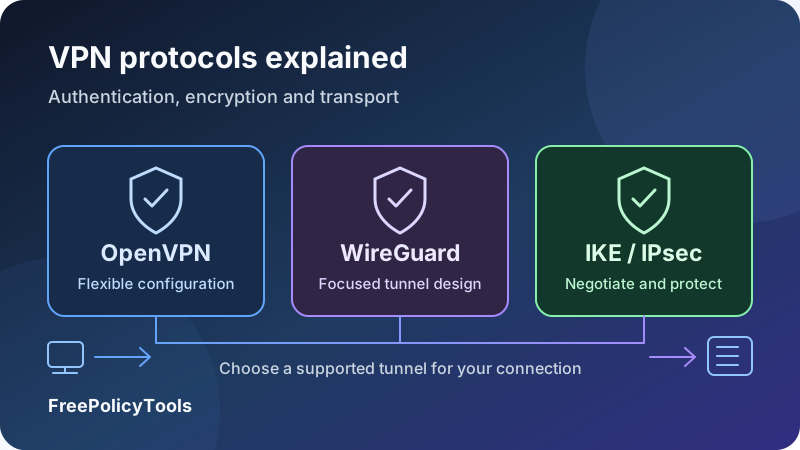
A VPN protocol defines how your device and a VPN endpoint establish and carry a protected connection. OpenVPN, WireGuard and IKEv2/IPsec are common choices, but they differ in architecture, transport, configuration and integration. Those differences can affect connectivity, performance and the way a connection recovers after a network change.
This guide explains the terminology, compares the main options and covers SSTP, provider-specific protocols and legacy arrangements. You will learn how to choose a supported configuration, test it on your devices and separate protocol capabilities from app features and provider privacy claims. There is no single protocol name that guarantees the best result on every network.
Authenticate
Verify the intended endpoint
Encrypt
Protect tunnel packets
Transport
Carry traffic over the network
Recover
Handle changes and interruptions
What Is a VPN Protocol?
A protocol is an agreed set of rules for communication. For a VPN, those rules govern the protected connection between endpoints: how they authenticate, establish keys, format packets and respond to certain events. The protocol is one component of a complete VPN service, alongside clients, servers, routing rules and account systems.
When you choose a protocol in a consumer VPN app, the app prepares a compatible connection to a supported server. It also configures networking on your device. The resulting tunnel normally protects traffic up to the VPN endpoint; it does not automatically extend the same VPN encryption all the way to every website.
HTTPS remains a separate protection for a website connection. A destination can also recognize a logged-in account regardless of the tunnel protocol. Read how VPNs work for the full journey from your device through the VPN server to a website.
Protocol, implementation and configuration are separate
A sound protocol design can still be deployed with an outdated client, a weak credential or incorrect routes. Two services using the same protocol can differ in performance, available features and data practices. Even the same service can behave differently on a phone, desktop and router.
A protocol name is a starting point
Evaluate the design, the software implementing it and the configuration running on your device. Then assess the provider separately. Choosing WireGuard or OpenVPN does not, by itself, establish a no-logs policy or prove that all traffic uses the tunnel.
Encryption, Authentication and Tunneling: The Essential Terms
VPN descriptions often mix several technical concepts. Understanding their separate jobs makes comparisons much easier and helps you avoid equating one advertised cipher with the security of the whole connection.
| Term | Meaning | Why it matters |
|---|---|---|
| Tunneling | Carrying traffic inside another connection or packet wrapper | Defines the path and encapsulation; tunneling alone is not necessarily encryption. |
| Encryption | Transforming data so appropriate keys are needed to read it | Protects packet contents in transit across the protected span. |
| Authentication | Establishing the identity or authorization of a peer or user | Helps prevent connection to an impostor or unauthorized use. |
| Integrity / authenticated encryption | Detecting unauthorized changes and rejecting invalid packets | Confidentiality alone is not a complete packet-protection design. |
| Key exchange | Establishing cryptographic material for communication | Its design and validation affect who can obtain session keys. |
| Forward secrecy | Limiting exposure of past sessions if long-term keys are later compromised | Depends on appropriate key exchange and key handling, not just a cipher label. |
| Transport | The underlying delivery mechanism, such as UDP or TCP | Affects loss handling and connectivity rather than setting encryption strength by itself. |
| MTU | Maximum transmission unit: the size a network interface can send as a packet | Tunnel overhead can require smaller packets to avoid path problems. |
The control plane and data plane
Many VPN architectures distinguish the work of establishing or managing a connection from carrying application traffic. The control plane handles functions such as negotiation and authentication. The data plane handles packets after the protected path is ready. These may share a transport but use different mechanisms internally.
Account login is not the same as tunnel authentication
Your commercial VPN account gives you access to a service. The tunnel can separately use certificates, public keys or another authentication arrangement. A self-hosted system may have no consumer-style account at all. Understand which credential belongs to which layer before sharing or rotating it.
Our VPN encryption guide explores these concepts further. A claim such as “AES-256” does not explain how peers authenticate, which traffic is routed or how the service handles a disconnect.
OpenVPN Explained: Flexible and Widely Deployed
OpenVPN is an open-source VPN technology with flexible configuration and broad deployment. It can carry tunnel traffic over UDP or TCP. In its common TLS-based arrangement, the control channel handles authentication and key establishment, while the data channel carries protected tunnel packets.
The official OpenVPN protocol documentation describes the transport and separate channel structures. A protected TLS control channel does not mean every application packet is simply an ordinary HTTPS request; OpenVPN has its own tunnel framing and data-channel protection.
Why its flexibility is useful
OpenVPN can fit deployments that need configurable authentication, established client support or different transport options. A provider may supply an app or a downloadable profile for a compatible client. The profile, account permissions and server configuration must match.
That flexibility also creates configuration responsibility. Old tutorials can contain settings that are no longer appropriate, and a client upgrade can expose an outdated profile’s incompatibilities. Use current supported instructions rather than enabling weak options simply to make an old file connect.
OpenVPN UDP and TCP
UDP is often a practical first choice where the network permits it. TCP can be useful when supported UDP connections fail or the network allows an appropriate TCP route. The encryption and authentication settings should remain suitable in either case; TCP is not inherently the “more secure” option.
Performance depends on the implementation
Processing location, cryptographic acceleration and supported data-channel offload can affect throughput. A comparison using one old client does not establish the performance of every current OpenVPN deployment. Server capacity, route and device limitations still matter.
When OpenVPN is a practical choice
Consider it when your provider or organization supports a maintained configuration and you need its compatibility or transport flexibility. Test UDP first where appropriate, and retain a supported TCP fallback when it solves a real connectivity problem.
WireGuard Explained: A Focused Modern Tunnel
WireGuard is an open-source VPN protocol with a relatively focused design and a defined cryptographic suite. The standard protocol sends packets over UDP. Its handshake establishes session keys, and peers use public-key identities with allowed tunnel addresses to control packet routing.
The official WireGuard protocol overview describes its Noise-based handshake and use of ChaCha20-Poly1305 for authenticated encryption. Unlike a broad menu of negotiated cipher choices, its defined suite reduces certain configuration decisions.
Where the surrounding app matters
WireGuard supplies a tunnel design, not a complete commercial subscription system. Server discovery, account access, routing policy and user-facing privacy controls come from the service around it. A consumer provider and a manually configured private network can therefore present very different experiences while using the same underlying protocol.
Roaming and blocked transports
Authenticated traffic can update a peer’s observed endpoint, which helps support changes in network address. Actual reconnection still depends on the device, app and network. Standard WireGuard uses UDP; a provider-specific TCP or obfuscated option involves additional mechanisms rather than a universal switch understood by every WireGuard client.
A small design does not prove every service is private
Do not infer a logging policy from the size of a codebase or the protocol’s reputation. The operator’s system design determines how accounts, addresses and records are managed. Review that separately. Our WireGuard versus OpenVPN guide discusses the broader selection tradeoffs.
Strong choice, with service-specific integration
WireGuard is a practical modern option when your platform and provider support it well. Check the surrounding app’s DNS, IPv6, routing and disconnect behavior instead of assuming those controls follow automatically from the protocol name.
IKEv2/IPsec Explained: Negotiation and Packet Protection
IKEv2 stands for Internet Key Exchange version 2. It authenticates peers and establishes security associations commonly used by IPsec. IPsec then protects network traffic, typically with Encapsulating Security Payload, or ESP. A VPN app labeled “IKEv2” usually refers to this combined arrangement.
RFC 7296 specifies IKEv2. Distinguishing negotiation from traffic protection avoids treating IKEv2 as a single cipher or confusing it with the older IKEv1 protocol.
Why mobile recommendations mention MOBIKE
The MOBIKE extension supports mobility and multihoming for appropriate IKEv2/IPsec deployments. It can update addresses as a device moves between networks. Both endpoints need compatible support, and the app must handle routing and transitions correctly. “IKEv2 reconnects instantly” is too strong a promise for every device and network.
Certificates and enterprise integration
Operating-system clients and enterprise configurations can support IKEv2/IPsec without a consumer VPN interface. That can suit managed remote access when an organization already maintains authentication and device policies. Check the specific platform’s supported methods and the organization’s requirements.
Network compatibility is a separate constraint
Common deployments use UDP 500 for IKE and UDP 4500 for NAT traversal, with packet handling dependent on the path. Firewalls and network translation can affect connectivity. A port list is not a complete deployment guide; administrators should follow the documentation for the particular client and gateway.
On a phone, compare real Wi-Fi-to-cellular transitions and app recovery instead of relying on the label alone. Our guides to VPNs for iPhone and VPNs for Android discuss platform considerations.
UDP vs TCP for VPN Connections
UDP and TCP are transport protocols used to move data across IP networks. They describe delivery behavior, not whether the VPN has strong encryption. Confusing transport with security leads to poor choices and misleading comparisons.
UDP: independent datagrams
UDP carries datagrams without providing TCP’s reliable, ordered stream service. That does not mean every application loses reliability when using a UDP-based VPN. A browser’s TCP connection can still run inside the tunnel, while a real-time application can use its own loss-handling approach.
A UDP-based outer transport avoids forcing every tunneled packet through an additional ordered TCP stream. It is often useful for mixed traffic where the inner applications already implement the delivery behavior they need.
TCP: reliable, ordered delivery
TCP retransmits missing data and presents an ordered byte stream. When a VPN carries inner TCP traffic over outer TCP, both layers can react to loss. A missing outer segment can hold up delivery of later data, and overlapping retransmission behavior can increase delays under poor network conditions.
That does not mean TCP is never useful. A supported TCP connection can work where a particular UDP route is blocked or unreliable. Compare the available choices on the actual network rather than converting the performance tradeoff into an absolute rule.
| Question | UDP-based tunnel | TCP-based tunnel |
|---|---|---|
| Delivery behavior | Datagrams; no built-in ordered stream guarantee | Reliable, ordered stream with retransmission |
| Typical benefit | Avoids a second ordered TCP layer around inner traffic | Can provide a usable route on some networks where UDP fails |
| Encryption strength | Determined by the VPN’s cryptographic design and settings | Determined by the VPN’s cryptographic design and settings |
| Potential concern | Network may block or impair the chosen UDP path | Loss can cause queueing and interacting retransmissions |
| Practical starting point | Try when supported and permitted by the network | Try as a supported fallback for a defined connectivity issue |
Port 443 is not an invisibility setting
A VPN using TCP 443 is not necessarily indistinguishable from normal HTTPS. Network systems can examine traffic patterns and endpoint reputation or apply policy beyond the port number. Obfuscation is a separate capability, explained in our VPN obfuscation guide.
SSTP and Provider-Specific VPN Protocols
The common options do not cover every deployment. Some networks use SSTP, and commercial services can offer branded variants, additional transports or distinct tunnel implementations. Evaluate what the option actually does before treating its name as a comparable security specification.
SSTP: a TLS-based option in supported deployments
Secure Socket Tunneling Protocol, or SSTP, carries PPP traffic over a TLS-protected connection, commonly using TCP 443. It is associated with Windows VPN deployments and can fit supported managed environments. Certificate validation, authentication and the maintained server/client implementation remain important.
A familiar HTTPS port does not guarantee access on every network. Platform support also varies. For a new setup, use the protocol your administrator or provider supports appropriately instead of selecting SSTP merely because a list describes it as firewall-friendly.
NordLynx: a WireGuard-based service option
NordVPN’s support documentation describes NordLynx as built around WireGuard with a custom double-NAT system. This is a provider-specific integration around the underlying tunnel, not a claim that ordinary WireGuard configurations are all identical to NordVPN’s service.
Check whether your intended platform uses the provider’s official app or a documented manual configuration. A branded mode available in a desktop app should not be assumed to work in any router that lists standard WireGuard support.
Lightway, Stealth and other branded choices
ExpressVPN offers Lightway, while Proton VPN offers Stealth as an obfuscation-oriented option. These names represent provider-specific choices with their own implementation and platform support. They should not be treated as interchangeable generic configuration files.
Our ExpressVPN review and Proton VPN review provide service context. Review current technical documentation for the exact app and mode before relying on a claim about transport, concealment or supported devices.
What to ask about any unfamiliar option
- Is it a distinct tunnel protocol, a standard protocol with service integration, or a transport wrapper?
- What protects authentication and packet contents?
- Which platforms and manual clients support it?
- What independent review or public technical material is available?
- Does it change feature availability, performance or the traffic path?
Affiliate disclosure: we may earn a commission if you purchase through this link.
Explore NordVPN’s PlansL2TP/IPsec, PPTP and Legacy VPN Options
Older protocols remain in historical guides, operating-system menus and existing installations. Their presence is not a recommendation to use them for a new setup. Distinguish a legacy requirement you need to migrate from a modern option you are choosing deliberately.
L2TP/IPsec: separate tunneling and protection
Layer 2 Tunneling Protocol, or L2TP, does not itself supply the encryption needed for a secure internet VPN. L2TP/IPsec pairs it with IPsec protection. Its security and compatibility depend on the authentication, IPsec configuration and maintained implementation; it is inaccurate to describe every L2TP/IPsec deployment as identical to PPTP.
For a new consumer setup, supported WireGuard, OpenVPN or IKEv2/IPsec arrangements are generally more practical starting points. If an existing business system requires L2TP/IPsec, have its administrator evaluate migration rather than copying a generic replacement configuration.
PPTP: unsuitable for sensitive modern use
Point-to-Point Tunneling Protocol, or PPTP, is a legacy option with known security problems in common authentication and encryption arrangements. Do not choose it for sensitive traffic because an old speed comparison calls it lightweight. A quick connection is not useful protection if the design and credentials are weak.
Current platform policy can change
Microsoft’s current RRAS guidance states that new Windows Server 2025 RRAS setups do not accept PPTP or L2TP connections by default. That is a specific server-configuration change, not a claim that every existing client or upgraded deployment has already removed those protocols.
Migrate with an actual supported plan
Identify the clients, gateway, authentication, routes and application dependencies. Test a maintained replacement and retain an approved recovery path. Avoid weakening certificate checks or enabling obsolete algorithms just to silence a connection error.
OpenVPN, WireGuard and IKEv2 Comparison
A useful OpenVPN WireGuard IKEv2 comparison describes architecture and practical constraints rather than inventing universal speed scores. All three can support strong modern deployments when the implementation, settings and surrounding system are appropriate.
| Dimension | OpenVPN | WireGuard | IKEv2/IPsec |
|---|---|---|---|
| Core approach | Configurable tunnel with TLS control and separate data protection | Focused public-key tunnel with a defined cryptographic suite | IKEv2 negotiation establishes IPsec protection for traffic |
| Usual transport | UDP or TCP, according to configuration | UDP in the standard protocol | Commonly UDP-based IKE/NAT traversal and IPsec packet handling |
| Cryptographic choices | Configurable supported ciphers and authentication arrangements | Defined suite, including ChaCha20-Poly1305 | Negotiated choices depend on the peers and configured policy |
| Network changes | Reconnect behavior depends on client and setup | Authenticated endpoint updates support roaming behavior | MOBIKE can support address changes when both endpoints implement it |
| Platform integration | Provider apps and compatible clients; router support varies | Provider apps and supported system/router implementations | Native clients and managed deployments on supported platforms |
| Useful fit | Compatibility and flexible supported configurations | A practical modern tunnel where UDP works well | Managed access or mobile use with suitable platform integration |
| Important caveat | Old profiles and configuration choices can undermine results | Service privacy and app features are separate from the tunnel | IKEv2 is not the cipher; IPsec settings and authentication matter |
What the table cannot predict
It cannot tell you which server is less congested, whether a hotel permits a transport or how quickly your phone restores a particular app session. It also cannot certify a provider’s logging policy. Use the table to narrow supported options, then test the behavior that matters to you.
A protocol can be a good fit even if it is not the newest option in the app. An approved enterprise IKEv2 configuration and a maintained OpenVPN router profile solve real integration problems. Conversely, a fashionable name cannot compensate for poor credentials or routes that bypass the intended tunnel.
What Makes a VPN Protocol Secure?
Security comes from a combination of design, implementation and operation. A long encryption key is not a substitute for authenticating the correct endpoint, protecting credentials or keeping software maintained. Evaluate the whole connection rather than one item from a marketing page.
Authentication and certificate validation
The client must establish that it is talking to the intended peer. Depending on the design, that can involve certificates, public keys and configured identities. A valid-looking connection to an impostor defeats the intended protection. Do not disable server verification to work around an error; investigate the profile, hostname, clock and trust configuration.
Modern packet protection and key handling
Suitable authenticated encryption protects confidentiality and detects unauthorized changes. Key establishment and refresh limit exposure over time, while secure handling of long-term secrets prevents impersonation. Forward secrecy addresses exposure of past sessions after certain later key compromises; it is not protection against a device that is already reading your traffic.
AES-GCM and ChaCha20-Poly1305 are examples of authenticated-encryption constructions used in modern systems. Their suitability depends on correct use within the protocol. Do not compare their names as if one automatically makes every associated service safer.
Maintenance, configuration and review evidence
Use maintained software and supported configurations. Public source code can enable inspection, but publication does not prove that every deployment has been reviewed. An audit has a scope and a point in time. Examine what was tested and whether identified problems were resolved instead of treating an audit logo as permanent certification.
Post-quantum claims need precise scope
Some services advertise hybrid or post-quantum key-establishment features. Ask which handshake, mode, app and server combination supports the feature, and what evidence explains the design. A claim about key exchange does not establish protection for account authentication, endpoint compromise or all future attacks. Avoid treating a new label as a complete replacement for ordinary security checks.
Protect the endpoints as well as the tunnel
Keep the device updated, use strong account authentication and retain HTTPS. A tunnel can carry a phishing page or malicious download securely; it does not make the content trustworthy or remove malware already on the device.
Protocol Performance in Practical Charts
Measure what matters to your workflow: useful throughput, round-trip latency, loss, reconnection and app behavior. A single download result does not tell you whether a call survives a network change or whether a tunnel blocks traffic during a failure.
The chart values are illustrative
These charts contain invented results and a chosen test-plan example. Configurations A and B are unnamed teaching examples, not stand-ins for particular protocols or providers. None of the values predicts your speeds or ranks OpenVPN, WireGuard or IKEv2.
Bar chart: compare throughput with a direct baseline
| Connection | Median download | Share of direct baseline |
|---|---|---|
| Direct | 200 Mbps | 100% |
| Configuration A | 180 Mbps | 90% |
| Configuration B | 160 Mbps | 80% |
Retained throughput equals the VPN result divided by the direct result, multiplied by 100. Here, 180 ÷ 200 × 100 = 90%. A percentage calculated on one route does not establish a universal overhead rate for a protocol.
Line chart: latency and recovery are different questions
| Stage | Observed round-trip time | Interpretation |
|---|---|---|
| Before change | 25 ms | Connected baseline in the example. |
| During outage | No reply | A failed probe; record outage duration separately. |
| Early recovery | 100 ms | Replies resume with elevated delay. |
| Stable again | 30 ms | A usable route has returned in this scenario. |
For a real transition test, record timestamps, whether traffic was blocked or bypassed the tunnel, and whether the application session recovered. A successful ping after reconnecting does not establish that sensitive traffic stayed protected throughout the change.
Donut chart: a balanced performance checklist
| Metric | Example checks | What to record |
|---|---|---|
| Download | 3 (30%) | Repeated useful throughput under comparable conditions. |
| Upload | 2 (20%) | Outbound throughput for backups, calls or uploads. |
| Latency | 3 (30%) | Round-trip delay and variation; include failed probes. |
| Recovery | 2 (20%) | Network-change behavior and interruption duration. |
Control the comparison where possible
Use the same device, local network and test endpoint. Keep the server region and physical route as comparable as the provider allows. Pause other large transfers and repeat trials close together. If changing protocols also changes servers, document that limitation: you are comparing the complete configurations, not isolating only the protocol.
Our VPN Speed Checker can help organize performance investigation. See VPN speed and latency for the difference between a fast download and a responsive interactive connection.
Which VPN Protocol Should You Use?
Choose among the configurations that your provider, device and network actually support. Start with a maintained app’s automatic mode when appropriate, then make a manual change to solve a defined issue. The following starting points are conditional, not promises of a universal winner.
| Situation | Reasonable starting point | What to verify |
|---|---|---|
| Everyday browsing and downloads | Automatic selection or a supported modern UDP-based option | Useful throughput, complete intended routing and stable reconnection. |
| Frequent phone network changes | A well-supported mobile mode; IKEv2/IPsec with MOBIKE or a maintained WireGuard-based app can fit | Actual Wi-Fi/cellular transition behavior and interruption handling. |
| UDP connection fails on a network | A supported TCP fallback, such as OpenVPN TCP | Whether the permitted route works and how latency changes. |
| Gaming or real-time calls | A reliable low-latency route with a supported UDP-based mode | Ping, jitter, loss and session stability rather than only download speed. |
| Managed company access | The administrator’s approved gateway and client configuration | Authentication, access policy, routes and platform support. |
| Router-level use | A protocol and profile supported by both router and provider | Processing capacity, DNS, IPv6 and failure behavior. |
| A network identifies ordinary VPN traffic | A documented provider-supported obfuscated mode where use is permitted | Availability and reliability; no method guarantees invisibility. |
Streaming and regional access
Protocol selection can affect how well the tunnel carries traffic, but a destination usually evaluates the exit address and other account or location signals. Switching protocols does not automatically change an exit IP or remove a service’s restrictions. Our guide to VPN server types covers a separate part of the choice.
Travel and restrictive connectivity
Complete captive-portal login before expecting a tunnel to work. Check applicable current rules and network permissions for your location and context. A technical fallback should be selected for a known connection problem; it is not a determination that access is authorized.
Self-hosted and business networks
For private resource access, operational fit can matter more than a consumer speed comparison. Certificate management, key distribution, device enrollment and revocation need an owner. Our business VPN and zero-trust access guide discusses access-control questions beyond the tunnel protocol.
Protocol Choice vs VPN App Features
Many protections advertised next to a protocol name belong to the complete app or service. Their availability can still change with the selected mode. Check the exact platform and settings after switching rather than assuming a feature operates identically everywhere.
Kill switch and automatic reconnection
A kill switch tries to prevent unintended direct traffic when the tunnel is unavailable. It may use firewall rules, operating-system VPN APIs or app-specific behavior. A protocol supplies the protected connection; the surrounding integration determines what happens when that connection is absent.
Automatic reconnection can restore a tunnel, but it is not the same as blocking traffic during the outage. See how VPN kill switches work and test the behavior during failure, manual disconnect and startup.
DNS and IPv6 handling
The app must configure the intended name-resolution path and address-family handling. A secure handshake can coexist with DNS queries or IPv6 traffic outside the desired route. Browser secure-DNS choices introduce another resolver-selection layer; distinguish the resolver operator from the route used to reach it.
Our DNS leak guide and WebRTC and IPv6 guide explain test interpretation. Multiple resolver addresses or a local private address do not, by themselves, prove the same exposure as an original public ISP address.
Split tunneling and multi-hop
Split tunneling deliberately sends some traffic through another route. Its direction, exclusions and availability depend on the product and platform. Multi-hop adds VPN endpoints and routing; it does not create a new encryption algorithm simply because the path is longer.
Read split versus full tunneling and double VPN and multi-hop for those separate decisions. Adding hops may increase latency, regardless of the underlying protocol.
Logging, blocking and anonymity claims
No protocol name certifies provider retention practices. Ad or tracker blocking is an additional service function, and accounts, cookies or fingerprints can still identify you. Review VPN logging policies and VPN protection limits alongside the tunnel comparison.
How to Evaluate a Provider’s Protocol Support
A provider may advertise several protocols while offering only some of them on your platform or in particular modes. Decide which device and setup you need before comparing support. A router, official phone app and third-party desktop client can have different capabilities.
| Topic | Question | Why it matters |
|---|---|---|
| Platform availability | Is the option supported in this exact app and operating system? | A general product page may combine features from several platforms. |
| Manual configuration | Are current profiles or keys available for the intended client? | Official-app integration may not translate to a router or third-party client. |
| Feature compatibility | Do kill switch, DNS, IPv6 and split tunneling work with this mode? | A protocol change can change the complete app behavior. |
| Updates and support | Are the client and server configuration maintained? | Old instructions and files can become insecure or incompatible. |
| Review evidence | What code, design documentation or audit findings are available? | A recognizable label is not evidence about the whole deployment. |
| Fallback behavior | Does automatic selection change protocols or routes on failure? | Understand what changes before relying on continuity or blocking. |
| Data practices | Which records are retained by the operator? | Tunnel cryptography does not settle provider logging. |
Read audits and feature lists at the right scope
A review of a protocol library does not necessarily cover the app’s routing code, account system or every server. A review of one app version does not cover all later changes. Use available evidence to understand the reviewed parts and any remaining uncertainty.
Try a representative configuration
Test your daily websites, uploads, calls and network changes during a period when you can assess the service’s terms. Keep notes on which protocol, app version and server region you used. If something fails, those details make comparison and support more useful.
Our VPN Comparison Tool can help organize options. The NordVPN review provides one service-specific starting point; verify current device support, policies and terms before subscribing.
Affiliate disclosure: we may earn a commission if you purchase through this link.
Explore NordVPN’s PlansHow to Change and Test Your VPN Protocol
Change one variable at a time. Before switching, note your current mode, server region and important routing settings. Work devices and managed networks should use the administrator-approved configuration.
- Update the official app. Use a maintained release and current provider instructions. For manual setups, obtain the correct profile or keys through an authorized channel.
- Pause sensitive activity and inspect blocking settings. Some apps require a disconnect before changing protocols. Know whether the kill switch blocks direct traffic during this step.
- Choose the supported mode. Select automatic, WireGuard, a branded equivalent, OpenVPN UDP/TCP or IKEv2 as available. Do not assume a mode listed in a general guide exists on your platform.
- Reconnect to a comparable server. Keep the region and endpoint as similar as the service allows. Record any server change because it can affect both speed and exit-address behavior.
- Confirm the intended public IP. Use an IP test from the actual application you need to route. An ordinary consumer full tunnel should normally show the provider’s exit address.
- Recheck routing and leak paths. Inspect DNS, IPv4, IPv6 and relevant browser behavior. Review split-tunnel rules that might deliberately bypass the connection.
- Test performance more than once. Compare download, upload and latency under similar conditions. Record failed tests rather than keeping only the successful fastest run.
- Test recovery with non-sensitive traffic. Observe a controlled network transition or sleep/wake. Note outage duration, traffic blocking and application recovery separately.
Know what the status icon proves
A connected indicator is evidence that the app believes a tunnel is ready. It is not proof that every app follows the intended route or that the provider retains no records. Our IP Address Checker and IP Leak Test help investigate observable paths; interpret findings in their actual scope.
The VPN testing guide provides a broader checklist. Repeat important checks after changing devices, moving to router-level use or enabling new exclusions.
Manual profiles and keys contain sensitive material
Do not share private keys, embedded credentials or authentication tokens in screenshots or public support posts. Redact diagnostics and replace exposed secrets through the provider’s or administrator’s supported process.
Common VPN Protocol Problems and Fixes
First determine whether the problem is the underlying internet connection, tunnel establishment, routed connectivity or one destination. A protocol switch is one diagnostic step, not a universal fix. Keep the useful error information before changing multiple settings.
| Symptom | Possible explanation | Useful next step |
|---|---|---|
| No protocol connects | Underlying outage, captive portal, account issue or local software conflict | Check ordinary connectivity and provider account access; complete portal login. |
| UDP mode fails but supported TCP works | A blocked or impaired UDP path | Use the documented fallback where permitted and compare latency. |
| TLS or certificate error | Incorrect trust configuration, stale profile, hostname mismatch or wrong clock | Verify the official profile and device time; retain certificate validation. |
| Authentication failure | Expired credentials, wrong identity, revoked certificate or unsupported method | Check the correct credential layer with the provider or administrator. |
| Connected but some sites stall | Routing, DNS, packet-size or path issues | Inspect resolver and route settings; follow supported MTU guidance if indicated. |
| Downloads are slow | Congested server, route, processing limit or background transfers | Try a comparable nearby server and repeat controlled trials. |
| Calls lag despite fast downloads | Latency, jitter, loss or retransmission delay | Measure interactive metrics and compare a supported low-latency route. |
| Network changes cause interruptions | Roaming support, app recovery or blocking behavior | Update the app and test its documented mobile/reconnect options. |
| No internet after disconnect | Kill switch or always-on blocking is active | Reconnect or deliberately adjust the documented blocking rule. |
| Router profile fails | Unsupported mode, profile format, firmware capability or provider requirement | Use a documented router-compatible configuration. |
Packet-size problems are not a reason for random tuning
Tunnel encapsulation adds overhead, so a path can require smaller effective packets. Symptoms can include partial page loads or failures during larger transfers. Follow provider or administrator guidance when investigating MTU and related settings. Changing values randomly can mask the cause or create other problems.
Protocol changes may also change servers
Some provider networks use different endpoints or capacities for different modes. If a new mode is faster, the route and server may contribute to the result. Record that uncertainty instead of declaring the protocol inherently faster from one trial.
For support, provide the operating system, app version, protocol, server region and a redacted error message. See our VPN troubleshooting guide for a structured investigation. Avoid reinstalling, changing DNS and disabling protection all at once.
Putting the Protocol Comparison into Practice
OpenVPN offers flexible supported configurations and UDP/TCP transport choices. WireGuard provides a focused modern tunnel with a defined cryptographic suite. IKEv2/IPsec separates negotiation from traffic protection and can support useful mobile or managed-network integration. SSTP and provider-specific options address additional deployment needs, while legacy choices require care and migration planning.
Select a maintained option that fits your device and network, then test the complete configuration. Measure useful performance, verify routing and inspect recovery behavior. Keep app features, provider logging and HTTPS protection separate from the protocol name.
Your practical selection checklist
Use an updated official client → choose a supported modern mode → verify the exit and routes → test DNS and address handling → compare performance → check network-change behavior. Keep the settings that meet your actual needs.
Affiliate disclosure: we may earn a commission if you purchase through this link.
Explore NordVPN’s Plans