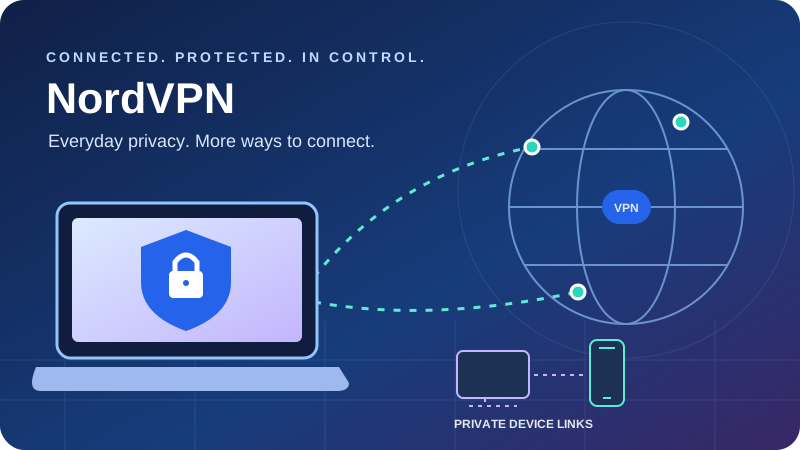
A detailed look at the core VPN, paid bundles, renewal costs and platform differences that matter before you subscribe.
Quick verdict: a strong all-purpose VPN with important buying details
NordVPN is a compelling choice for people who want an approachable VPN with room to grow into more advanced features. Its core service combines a broad location network, ten simultaneous connections, NordLynx, automatic connection tools and native TV apps. Specialty routes, NordWhisper and optional post-quantum protection add useful depth without requiring every subscriber to use them.
The strongest everyday appeal is convenience: start with a normal nearby server, then add specific tools when you have a reason. SmartPlay handles streaming-related routing inside the app; Meshnet supports private device connections; higher tiers include additional protection and account-security products. These features solve different problems and should be evaluated separately.
The main weaknesses are substantial renewal increases, platform differences and a feature menu that can make a simple purchase feel complicated. Basic includes the core VPN; paying more does not automatically produce a faster ordinary tunnel or guaranteed streaming access. Native macOS and iOS split tunneling remain notable gaps, and ordinary servers do not provide port forwarding.
Our recommendation
Start with Basic if your primary need is an encrypted VPN connection. Consider Complete if its supported desktop protection and other products replace tools you actually need. Prime deserves a separate eligibility and insurance-terms check.
Check NordVPN’s current offerWhat this review is based on
Official pricing, support documentation, release notes, privacy research and independent-assurance disclosures inform this assessment. We did not run new controlled speed, leak or streaming-unblocking tests.
The visuals use documented purchase figures and connection limits, published video bandwidth recommendations, and a conceptual routing diagram. They do not represent invented performance results.
| Area | Current position | What to check |
|---|---|---|
| Jurisdiction | NordVPN service operates under Panama | Data practices and legal-response evidence matter alongside jurisdiction. |
| Core service | Ten simultaneous connections; major desktop, mobile and TV apps | Your OS version and exact app distribution. |
| Network | Public directory headlines 225 locations | Country availability, virtual locations and specialty-route coverage. |
| Privacy evidence | Sixth Deloitte assurance engagement examined late-2025 systems | Assessment scope; full report is available through Nord Account. |
| Plans | Reviewed US tiers: Basic, Complete and Prime | Market-specific extras and renewal quotes. |
| Inbound connectivity | No forwarding on ordinary servers or Dedicated IP | Dedicated Server is a separate add-on. |
Pricing and plans: read the first charge and annual renewal together
The reviewed US offer on October 1, 2026 included Basic, Complete and Prime. The two-year promotion adds three introductory months, giving twenty-seven months initially. These are prepaid subscriptions: a displayed monthly equivalent is the first charge divided by the covered term. Currency, sales tax, account status and promotion can change the offer.
Basic
$3.49 / month equivalent
$94.23 for the first 27 months
Core VPN for ten simultaneous connections. A sensible baseline if the tunnel is your main requirement.
Displayed renewal: $139.08 per year.
Check Basic availabilityComplete
$4.49 / month equivalent
$121.23 for the first 27 months
Adds eligible protection and monitoring tools, NordPass and 1 TB cloud storage. Platform and market restrictions apply.
Displayed renewal: $219.48 per year.
Check Complete availabilityPrime
$7.49 / month equivalent
$202.23 for the first 27 months
Adds eligible Coveron identity-protection benefits. Check geography, coverage exclusions and separate terms.
Displayed renewal: $296.28 per year.
Check Prime availability| Plan | Monthly billing | First 12 months | First 27 months | Displayed annual renewal |
|---|---|---|---|---|
| Basic | $14.99 | $65.88 ($5.49/mo) | $94.23 ($3.49/mo) | $139.08 / 12 months |
| Complete | $19.99 | $77.88 ($6.49/mo) | $121.23 ($4.49/mo) | $219.48 / 12 months |
| Prime | $29.99 | $113.88 ($9.49/mo) | $202.23 ($7.49/mo) | $296.28 / 12 months |
USD; zero baseline and a common scale. Each subscription is paid upfront.
Which tier is worth the additional cost?
Basic is the core-VPN baseline. Complete adds eligible advanced protection, monitoring, call or message tools, NordPass and 1 TB storage. Prime adds Coveron identity-protection benefits subject to regional eligibility and separate terms. A product listed in a bundle may have its own OS, account or geographic requirements.
Make a short list of the extras you would independently buy. Check whether they run on your devices, whether their limits are adequate and whether they duplicate an existing service. If you mainly use a phone or TV, a desktop-only scanner may add little value. Insurance and identity assistance require reading the actual coverage and exclusions, rather than valuing the headline benefit as cash.
Renewal changes both the amount and the term
The reviewed Basic introduction costs $94.23 for twenty-seven months, followed by a displayed $139.08 annual renewal. The initial payment covers more than twice the time of that later charge. Complete and Prime show the same shift to annual billing. Check the next billing date and then-applicable quote in your account before renewal.
Illustrative billing timeline using the reviewed rates. Assumes unchanged renewal pricing and excludes tax. Payments are discrete steps, not monthly installments.
Refunds, trials and cancellation
The 30-day guarantee applies to an eligible initial purchase, with renewals excluded unless local law requires otherwise. Apple and Amazon purchases use their store refund processes; NordVPN support documents assistance for eligible Google Play purchases. Canceling renewal does not request a refund. Save the invoice and use the official refund policy for your purchase channel.
Any trial is a platform- and offer-specific arrangement, with its own billing and cancellation deadline. NordVPN does not have an ongoing free commercial VPN tier. Meshnet’s free availability is a different product capability. Before paying, record the full charge, included months, next renewal amount and whether the extras are available in your market.
Review NordVPN’s current checkoutPrivacy and infrastructure: evaluate the evidence behind no-logs
NordVPN’s stated policy excludes browsing and VPN traffic logs. The service operates under Panama, while the broader Nord Security group and operational teams have an international presence. Jurisdiction is relevant to legal requests, but the more useful purchasing question is which data the service retains and whether independent work supports its implementation.
The sixth independent no-logs assurance engagement was conducted by Deloitte Lithuania under ISAE 3000 (Revised), examining systems between November 10 and December 12, 2025. It included standard,Double VPN, obfuscated and Onion Over VPN configurations. NordVPN’s assurance announcement describes the scope; the detailed report is available to account holders.
That is meaningful evidence for the examined controls, not a guarantee about every future deployment. An infrastructure no-logs assessment and an application-security audit answer different questions. The former addresses retention and operation; the latter may examine bugs and client behavior. Neither makes websites stop identifying you through logins, cookies or fingerprinting.
| Signal | What it supports | What it does not establish |
|---|---|---|
| Repeated independent assurance | Evidence about assessed systems and no-logs controls | Permanent immunity from every security problem. |
| RAM-only ordinary servers | Reduces reliance on persistent local storage | That memory cannot be examined or compromised. |
| Encrypted boot and in-house infrastructure | Provider-described operational safeguards | That the entire fleet is owned or colocated. |
| Panama jurisdiction | Legal setting for the VPN service | That lawful requests can be ignored. |
| Public selected code components | Inspection of projects such as Linux and networking libraries | That every commercial NordVPN app is fully open source. |
No traffic logs does not mean no account information
The privacy notice reviewed in July 2026 describes limited last-session information for enforcing the connection cap, deleted within fifteen minutes after termination, and a ninety-day yes/no service-use indicator for abuse or chargeback handling. Account, payment, support and optional analytics information are separate from browsing logs. Review privacy preferences and disable optional collection you do not want.
SmartDNS requires an allowlisted home IP; dedicated resources necessarily associate an assigned resource with an account. Those distinctions matter when comparing shared-IP privacy with a persistent-address product. A dedicated address is usually a consistency or allowlisting tool rather than a privacy upgrade.
What the VPN protects
The tunnel protects traffic between your device and the VPN server and changes the public IP seen by destinations. HTTPS remains important beyond the exit server. Your local network can generally see that a VPN is in use, and authenticated websites still know which account is visiting. Keep your operating system updated, use multifactor authentication and treat VPN protection as one part of your security routine.
NordLynx, NordWhisper and post-quantum protection
NordLynx is NordVPN’s WireGuard-based protocol and a practical first choice for ordinary browsing, downloads and latency-sensitive use. Automatic selection is suitable when you want the app to choose. OpenVPN and NordWhisper provide other routes, with availability and specialty-feature compatibility depending on the app.
| Method | Best starting use | Important caveat |
|---|---|---|
| NordLynx | Everyday performance and optional post-quantum protection | Specialty features can require a different route. |
| NordWhisper | Restrictive local networks and filtered Wi-Fi | Incompatible with Dedicated IP, Meshnet and Onion Over VPN. |
| OpenVPN UDP / TCP | Compatible manual setups and supported legacy workflows | Does not carry the NordLynx post-quantum option. |
| IKEv2/IPsec | Selected client or configuration workflows | Do not assume it is available in every current app. |
| Automatic selection | A simple default when you do not need a specific method | Verify the active protocol if a feature requires one. |
NordWhisper is documented on Windows, macOS, Linux, Android, iOS and Android TV. It is intended for restrictive network environments, but cannot guarantee access under every filtering system. Install and sign in before travel, learn the fallback controls and keep the app current. A successful connection on one hotel network is not evidence of universal censorship resistance.
Post-quantum support now includes documented macOS setup
The current post-quantum guide includes Linux, Windows, Android, iOS, tvOS and Android TV, plus a macOS setup section. Mac release notes also document the feature, correcting older platform lists that omitted it.
This protection applies to the NordLynx VPN connection. It does not automatically make the destination website or every application post-quantum secure. Current restrictions include other protocols, Dedicated IP, obfuscated routes and Meshnet. Check the toggle and active connection rather than assuming every specialty mode inherits it.
Protocol guidance can lag release notes. For example, macOS 10.6 notes say its obfuscated routes now use NordWhisper rather than OpenVPN. Avoid following a universal “switch to OpenVPN forobfuscation” instruction across every version. Use the route and protocol guidance for the installed client. Use our VPN protocol guide to compare the connection options before choosing an app or router configuration.
Specialty routes and security extras: choose tools for a specific reason
Double VPN and Onion Over VPN
Double VPN sends traffic through two VPN servers before reaching the destination. It changes the routing and trust exposure, but adds distance, processing and potential latency. It is most useful when the extra hop addresses a specific concern. A nearby ordinary route is a better initial choice for streaming or competitive games.
- 1Your device
- 2First VPN server
- 3Second VPN exit
- 4Destination
Routing illustration, not a speed benchmark or a promise of anonymity against every adversary.
Onion Over VPN sends supported traffic into the Tor network. Its purpose differs from a two-server VPN route, and performance can be substantially lower. It does not make a regular browser identical to Tor Browser, erase account identity or secure an infected device. Use HTTPS and consider application-level privacy behavior alongside the network path.
The Threat Protection names have changed
Older labels remain in some screenshots. Threat Protection Pro is now called Scam, phishing, and malware protection; the lighter Threat Protection feature is called Scam and phishing protection. The official protection guide explains the distinction.
| Capability | Advanced protection | Lighter protection |
|---|---|---|
| Where | Eligible Windows 10/11 and direct-download macOS 12+ builds | Broader platform and extension availability |
| Operation | Can work without an active VPN tunnel | Primarily DNS filtering; mobile behavior and setup differ |
| Malware files | Download scanning and quarantine | No comparable file scanner |
| Installed-app vulnerabilities | Windows capability | Not included |
| Mac App Store build | Advanced scanner not available | Lighter filtering route |
| Tier requirements | Eligible higher-tier entitlement | Verify the current plan/platform listing |
Domain filtering and file inspection are different defenses. A blocked lookup can prevent contact with a listed malicious domain; a download scanner evaluates eligible files. Neither guarantees detection of every threat or removes every embedded advertisement. Enable the features you intend to use and understand the permissions they require. Do not assume a bundled product is active just because it appears on a receipt.
Monitoring, calls, messages and identity assistance
Higher-tier monitoring and communication-protection tools can be useful, but their scope varies by country, operating system and entitlement. An exposure alert is a prompt to change credentials or contact the affected service, not automatic recovery of a compromised account. Transaction monitoring and insurance-linked products deserve a separate privacy and eligibility review.
Performance and gaming: prioritize a stable nearby route
NordLynx and the provider’s high-capacity network give NordVPN a strong technical foundation for throughput. NordVPN describes ordinary servers as RAM-only with encrypted boot and 10 Gbps uplinks. Those are infrastructure capabilities, not the speed available to each household. Your ISP, device, Wi-Fi, distance, protocol and server load still determine the experience.
This update includes no new controlled benchmarks. The former region-by-region speed chart has been replaced with documented purchase and usage figures. A percentage speed loss without a defined baseline, test method, date and route is not useful buying evidence. Provider speed rankings also depend on the commissioned test setup and should not be read as a guarantee for every connection.
Throughput checklist
Begin with Quick Connect or a nearby standard server. Compare NordLynx against the ordinary connection using the same device and test destination. Try another nearby server before using a distant specialty route.
Gaming checklist
Measure latency, jitter and packet loss during the game’s actual session. Wired networking can help isolate Wi-Fi problems. A VPN sometimes changes a poor route favorably, but can also add latency.
Double VPN, Onion routes and restrictive-network fallbacks serve specific purposes and may trade speed for connectivity or routing properties. A larger server count alone does not solve local congestion or a weak router processor. If a native app is fast but a router tunnel is slow, examine the router’s protocol support and CPU limits.
For peer games, distinguish reaching another player from lowering ping. Meshnet can support private LAN-style workflows between approved devices. It does not provide commercial hosting capacity, alter a game’s matchmaking rules or ensure a lower round-trip time. If the workload requires public inbound ports, evaluate the separate Dedicated Server option rather than the ordinary VPN subscription.
Streaming, SmartPlay and SmartDNS: use the right device route
SmartPlay is integrated into NordVPN’s apps and combines VPN routing with DNS technology for streaming use. There is no separate SmartPlay activation step in the normal app workflow. Connect to a suitable server and open your service. Catalog availability still depends on the service, subscription, region, account and current exit IP.
We did not perform new unblocking tests for Netflix, Prime Video, Disney+ or regional broadcasters in this update. A supported-service claim should not become a universal “works every time” percentage. Services can change detection, and live broadcasts, advertising-supported subscriptions and travel rules may differ from ordinary on-demand playback.
| Device | Preferred route | Key limit |
|---|---|---|
| Windows / macOS / phone | Native NordVPN app | A website or app can still identify the account region. |
| Apple TV | Native tvOS app on a supported device | Check tvOS and device requirements. |
| Android TV / Fire TV | Supported native TV app | Desktop settings are not identical to TV controls. |
| Console or incompatible TV | Compatible VPN router or protected sharing setup | Router firmware, hardware and sharing behavior matter. |
| Selected SmartDNS-compatible devices | Standalone SmartDNS if the service is supported | No encrypted tunnel, IP hiding or general country selection. |
| Browser only | Extension if browser-scoped coverage is sufficient | A separate native video app is outside its scope. |
Standalone SmartDNS is a narrower option
SmartDNS remains documented for selected services and devices that cannot run the app. It requires IP allowlisting and does not encrypt traffic or hide your public IP. It is also not equivalent to choosing any VPN country. The SmartDNS guide describes its current scope. Prefer a native TV app where possible for encrypted routing and simpler location controls.
Published video connection requirements, not measured NordVPN throughput. Shared zero-to-15 Mbps scale.
Source: Netflix internet speed recommendations. Allow extra headroom for simultaneous streams and background traffic.
If you see a proxy warning, check the account and desired region, try another suitable ordinary server and consult the service instructions. If the problem is buffering, compare the local connection, another nearby exit and wired networking. Avoid combining a full-device tunnel with the extension as a default: NordVPN warns that running both can interfere with connections.
See our best VPNs for streaming guide for more device-focused comparisons. Use the applicable evaluation period to test the exact television and services you own.
Explore NordVPN for your streaming setupApps, split tunneling and simultaneous connections
NordVPN offers major desktop and mobile clients, browser extensions and living-room apps. The ordinary workflow is straightforward: sign in, connect to a nearby server and verify that the tunnel is active. More detailed settings vary considerably, especially between desktop, mobile and store-distributed builds.
| Platform | Useful capabilities | Watch for |
|---|---|---|
| Windows | Native app, app-level split routing, advanced protection on eligible plans | Internet and application kill-switch settings; protocol conflicts. |
| macOS | Native app, documented post-quantum and NordWhisper support | No native app split tunneling; direct and App Store builds differ. |
| Linux | GUI and CLI options, NordLynx and documented advanced routing | Distro/package support; allowlisting differs from an app exclusion menu. |
| Android / Android TV | Native app and app-level split tunneling | OS always-on settings, TV-specific controls and DNS choices. |
| iPhone / iPad | Native app with supported protocol and security options | No native app-level split tunneling; background behavior follows iOS. |
| Chrome / Firefox / Edge | Browser-scoped connection and website exclusions | No full-device coverage; avoid conflicting app-plus-extension setups. |
Split tunneling is platform-specific
Native app-level split tunneling is documented for Windows, Android and Android TV. Extensions can exclude websites, while Linux offers separate port or subnet allowlisting workflows. Those are different forms of routing control. Native macOS and iOS should not be advertised as having the same app-exclusion feature.
An excluded application uses the ordinary connection and can expose its normal public IP. DNS behavior can also cause trouble when a bypassed application still relies on a resolver selected by the VPN. Make one exception at a time and verify the result. Review kill-switch interactions instead of assuming the full-tunnel protection applies to intentionally bypassed traffic.
Ten simultaneous connections is an active-tunnel limit
You can install the software on more devices than you actively connect. The subscription supports ten simultaneous VPN connections, and a compatible router counts as one connection for its attached network. That router arrangement can expand coverage, but attached devices share the chosen route and may lack native specialty controls.
Illustrative planning example, not observed subscriber behavior. Devices behind the router share its connection.
Nord’s connection guidance also notes protocol restrictions when several devices use the exact same server. Selecting other servers is a practical way to distribute additional connections. For a larger household, compare an unlimited-device provider before committing. Device count alone does not tell you whether everyone can independently choose a region or use a particular specialty route.
Meshnet: private device connections, with explicit permissions
Meshnet links approved devices over encrypted private connections for remote access, sharing and supported traffic routing. It is separate from the commercial exit-server network. NordVPN reversed its proposed shutdown, and the official continuation announcement states that the feature remains supported.
The documented network allowance is up to ten personal and fifty external devices. Those numbers describe linked devices, not sixty simultaneous commercial VPN tunnels. Uses include accessing a personal machine remotely, sharing files and supporting private LAN-style game connections. Host software and operating-system permissions still determine which services are reachable.
Supported peer traffic routing uses another device’s internet connection. The peer must be online and have appropriate routing permissions; its upload bandwidth and network conditions affect performance. Destinations can see the peer’s public IP. This is different from selecting a NordVPN commercial exit, and the host should understand what traffic it is agreeing to carry.
Approve devices deliberately, limit access to what each peer needs and revoke stale permissions. Keep the underlying remote-access application secure. Post-quantum mode and NordWhisper have Meshnet compatibility restrictions, so choose the connection workflow deliberately. Free device networking is useful, but does not turn NordVPN into a free commercial VPN.
Torrenting and P2P: standard servers work, ordinary forwarding does not
Current apps removed the separate P2P category because standard NordVPN servers support peer-to-peer activity. That simplifies location choice for legitimate sharing: start with a nearby standard route. A missing P2P label in a new version is not evidence that support disappeared. Older screenshots and clients can retain legacy categories.
A torrent client still needs sensible protection against unintended routing. Use an appropriate kill switch, ensure the client is not excluded by split tunneling, and consider interface binding where the application supports it. Test disconnect and reconnect behavior before relying on unattended sharing. These measures address different failure modes and should be verified rather than assumed.
Ordinary NordVPN servers and the Dedicated IP product do not provide inbound VPN-side port forwarding. Without forwarding, a client can still establish many outbound peer connections, but inbound reachability can be limited. That is a workflow distinction rather than a blanket statement that torrents will always be slow.
If forwarding is essential, compare the separate Dedicated Server add-on with providers that include it in the regular paid plan. A specialized server has its own price, locations and operational requirements. Our VPNs for torrenting guide explains why those differences matter.
Dedicated IP and Dedicated Server: two distinct add-ons
| Product | What it changes | Port forwarding |
|---|---|---|
| Ordinary subscription | Shared commercial exits with the core VPN features | Not available |
| Dedicated IP | A consistent assigned public address for eligible workflows | Not available |
| Dedicated Server | An exclusive virtual server resource with a static address | Up to 20 documented forwarding rules |
A Dedicated IP can help with allowlisting or repeated address changes, but a stable assigned IP sacrifices the crowd effect of a shared exit. It should not be purchased as automatic extra anonymity. Some protocol and privacy options are incompatible with dedicated resources, and location availability must be checked separately.
Dedicated Server adds exclusive virtual resources and inbound rules. The forwarding instructions document provisioning, TCP/UDP rules and reserved ports. The current Mac App Store build cannot configure the required local firewall rules; the direct-download app is the documented alternative.
Forward only the services you intend to expose, keep them updated and check the local firewall and listener when troubleshooting. Rule capacity does not imply unlimited hosting performance or remove application-security requirements. Confirm the separate subscription and supported location before treating the add-on as part of an ordinary VPN purchase.
Setup, support and troubleshooting: build a working baseline first
- Install the official supported app. Choose the appropriate distribution and verify OS requirements; Mac download sources affect advanced features.
- Secure the Nord Account. Use a unique password, multifactor authentication and a usable recovery method.
- Connect to a normal nearby exit. Establish basic browsing before adding specialty routing.
- Configure automatic protection. Review auto-connect, trusted networks and the kill-switch behavior you need.
- Verify the route. Check the visible public IP and resolver, then test sleep/wake and a network change.
- Add one feature at a time. Split routing, filtering, Meshnet and specialty servers can interact and complicate diagnosis.
| Problem | First action | Why it helps |
|---|---|---|
| Cannot connect | Try another appropriate protocol or nearby server; inspect conflicting network software | Separates a blocked route from a local configuration issue. |
| Internet blocked after disconnection | Inspect kill-switch state and follow official recovery steps | Protection may intentionally block ordinary traffic. |
| Printer or LAN service unavailable | Review local-network access and supported allowlisting | LAN reachability differs from internet routing. |
| A website or app fails | Check filtering and DNS behavior; test one setting at a time | Not every failure is caused by server speed. |
| Streaming proxy warning | Check the region and service instructions; try another ordinary exit | Detection can differ by current IP. |
| Inbound service unreachable | Verify Dedicated Server provisioning, rule, listener and firewall | Ordinary servers cannot provide the missing inbound mapping. |
NordVPN provides a support center, live chat and email assistance. Useful details include OS, app version, installation source, protocol, chosen route and the exact symptom. Send only the information necessary for diagnosis through official channels. A clear reproducible problem is more useful than a generic “VPN is slow” description.
Our utility tools can help you inspect basic network information. Treat a public-IP check as one observation rather than a complete security test: it cannot establish kill-switch behavior, browser identity protection or the absence of every possible leak.
Pros and cons: breadth is the strength; renewal and parity need attention
Advantages
- Approachable core VPN with ten simultaneous connections.
- NordLynx and documented post-quantum support across major platforms.
- Broad location choice and specialty routing options.
- Repeated independent no-logs assurance evidence.
- Native TV apps, SmartPlay and a separate SmartDNS route.
- Meshnet for approved private-device workflows.
Tradeoffs
- Annual renewal is substantially higher than introductory equivalents.
- No ongoing free commercial VPN tier.
- No native app-level split tunneling on macOS or iOS.
- Advanced protection depends on plan and app distribution.
- Ordinary servers and Dedicated IP lack inbound forwarding.
- Specialty routes and post-quantum mode have compatibility restrictions.
NordVPN is especially appealing when you want one service for everyday browsing, travel and television with the option to explore advanced routes. A simpler interface does not eliminate the need to check platform capabilities. Users whose main requirement is included forwarding, unlimited connections or detailed Mac split routing should compare those specific workflows first.
Alternatives: compare the workflow, not just a general score
| Priority | NordVPN consideration | Related guide |
|---|---|---|
| A useful ongoing free plan | NordVPN’s commercial VPN is paid | Proton VPN versus NordVPN |
| Unlimited active household devices | NordVPN allows ten simultaneous connections | NordVPN versus Surfshark |
| Router and TV experience | Native TV apps are useful; router setup is hardware-dependent | ExpressVPN versus NordVPN |
| Desktop routing and forwarding | Ordinary NordVPN plans do not include forwarding | PIA versus NordVPN |
| Beginner task-labeled locations | NordVPN uses standard and specialty routes | CyberGhost versus NordVPN |
Start comparisons at equivalent core tiers. Extra storage, identity assistance and password management may justify a higher total cost if you need them, but they should not inflate a standalone VPN judgment. Compare initial charge, covered months, renewal period, eligible refund route and exact device support.
Frequently asked questions about NordVPN
Is NordVPN worth buying?
NordVPN is a strong candidate for people who want an approachable core VPN, broad location choice, TV apps and specialty routing. Basic is the sensible starting point if the encrypted tunnel is your main need. Choose a higher tier only if its additional products and supported platforms match your use, and compare the renewal amount as carefully as the introductory offer.
Which NordVPN plan should I choose?
The reviewed US lineup contains Basic, Complete and Prime. All include the core VPN with ten simultaneous connections. Complete adds eligible security, monitoring, password-manager and storage products; Prime adds geographically restricted identity-protection benefits. Tier names and inclusions can differ by market, so use your actual checkout as the final plan specification.
How much does NordVPN cost?
The reviewed two-year-plus-three-month offers were $94.23 for Basic, $121.23 for Complete and $202.23 for Prime, covering 27 months initially. The displayed annual renewals were $139.08, $219.48 and $296.28 respectively. Monthly equivalents divide prepaid totals by the first term; taxes, currency and promotions can change your quote.
Is NordVPN free?
NordVPN does not offer a comparable ongoing free commercial VPN tier. Any trial depends on the eligible platform, account and offer, and a money-back guarantee is a refund policy after purchase. Meshnet is a separate free device-networking feature; it does not provide free access to NordVPN’s commercial exit-server network.
Is NordVPN really no-logs?
NordVPN states that it does not retain browsing and VPN traffic logs. Repeated independent assurance engagements support the examined controls, with the sixth assessing late-2025 systems. Account, payment, support and limited service-operation information are different categories. No-logs should not be read as a claim that the company holds no information about an account.
Does NordVPN support post-quantum encryption on Mac?
Yes. Current official guidance includes a macOS setup section, and Mac release notes document the feature. It uses NordLynx and has compatibility restrictions, including Dedicated IP, other protocols, obfuscated routes and Meshnet. Check the installed app’s toggle; this protects the VPN connection rather than automatically upgrading every website’s encryption.
Does NordVPN work with Netflix and other streaming services?
SmartPlay is integrated into the apps, and NordVPN documents streaming use. Actual access varies with service, region, subscription, device and exit IP. This article does not claim new controlled unblocking results. Prefer a native app on the TV where available and test your particular service during the applicable evaluation period.
Are SmartPlay and SmartDNS the same thing?
SmartPlay combines DNS technology with an encrypted app VPN route. Standalone SmartDNS is a separate setup option for certain incompatible devices and services. It does not encrypt traffic, hide the device’s public IP or offer the same region flexibility as the VPN app. Confirm the currently supported services before configuring it.
Why did the P2P server category disappear?
Current app versions removed the separate category because standard NordVPN servers support P2P. Use a nearby standard server and appropriate disconnect protection. P2P support does not mean ordinary servers provide inbound port forwarding, and an older app may still show legacy categories.
Does NordVPN have port forwarding?
Ordinary servers and the Dedicated IP add-on do not provide inbound port forwarding. The separate Dedicated Server add-on supports up to twenty forwarding rules. It has provisioning, location and client requirements, including a current Mac App Store restriction, and should be evaluated as a separate paid product.
Is Meshnet still available?
Yes. NordVPN reversed its planned shutdown and states that Meshnet remains supported. It links approved devices for remote access, file sharing, private-network applications and supported peer traffic routing. Manage device permissions carefully and remember that peer routing uses the other device’s connection rather than a commercial VPN exit.
Can I split tunnel on macOS or iPhone?
NordVPN’s current native app-level split tunneling is documented for Windows, Android and Android TV. Browser extensions can exclude websites, and Linux has separate allowlisting controls. Those are not native macOS or iOS application-level split tunneling. If that workflow is essential, compare providers by the exact platform rather than the feature name alone.
Can I refund an automatic renewal?
The advertised guarantee covers an eligible initial subscription purchase within thirty days. It excludes renewals unless local law requires otherwise. Turning off renewal is separate from requesting a refund, and store purchases follow channel-specific procedures. Record your first-term end date and review the upcoming amount before renewal.
Final verdict: a versatile service if the plan and renewal fit
NordVPN deserves consideration as an all-purpose VPN with an approachable everyday workflow and substantial optional depth. Basic is enough for the core tunnel, while the higher tiers should be evaluated for the additional tools you will actually use. Native TV apps, NordLynx, specialty routes and Meshnet make the service flexible across different tasks.
The main buying discipline is to separate the introductory offer from the longer-term cost and to confirm feature availability on your actual devices. Ten connections, Mac distribution differences, native split-routing gaps and the lack of ordinary forwarding are concrete factors that may matter more than a provider-wide ranking.
Best fit
People who want broad everyday coverage, streaming-oriented app routing and optional advanced features. Review the full checkout, test your actual workloads and keep the renewal date visible.
Choose the right NordVPN planResearch notes and chart methodology
Updated October 1, 2026 using official pricing, server-location listings, protection and protocol guidance, current Mac release notes, Meshnet documentation, refund terms and assurance disclosures. The reviewed prices are a USD offer snapshot, not a permanent quote. The public directory headlines 225 locations; previously reviewed September 30 totals were 8,027 servers across 150 countries. Other provider pages use different totals or older figures, so this review avoids presenting one exact fleet count as a stable universal fact.
The privacy-policy retention detail reflects the July 2026 notice previously reviewed. The current account policy page required client-side rendering and did not expose its full text during this update. Check the applicable policy and app preferences before purchase. Assurance is described within its examined period; provider infrastructure statements are distinguished from new tests performed for this article.
Price columns compare introductory equivalents; the cumulative-payment step chart assumes unchanged Basic renewals; the video bars use Netflix’s published bandwidth recommendations; the donut shows a hypothetical ten-slot allocation; the route diagram explains Double VPN. No new controlled speed, leak or unblocking results are claimed.
Disclosure: this review includes affiliate links. We may receive a commission if you purchase through them. Recommendations consider documented capabilities, costs and limitations.