Proton VPN vs NordVPN: Privacy, Price and Features Compared
Choose Proton VPN for a permanent free service, public privacy evidence and paid port forwarding. Choose NordVPN for its combination of SmartPlay, SmartDNS, an available post-quantum option, Meshnet and eligible desktop protection. Both paid services now allow ten simultaneous connections, and neither can promise the best speed or uninterrupted streaming access on every connection.
This comparison covers practical differences in plans, billing, privacy, network selection and app controls. We reviewed official documentation and verified provider research rather than assigning unsupported performance scores. Where a live price or inventory could not be resolved reliably, the article identifies the snapshot and its limits.
Quick Answer: Which VPN Fits Your Priorities?
| Feature | Proton VPN Plus | NordVPN Basic |
|---|---|---|
| Main strengths | Public audit access, Free tier, forwarding, Secure Core | SmartPlay/SmartDNS, NordLynx post-quantum option, Meshnet |
| Simultaneous VPN devices | 10; Free allows 1 | 10 |
| Long-plan first payment | $71.76 for 24 months; recorded USD route | $94.23 for 27 months; checked USD offer |
| Long-plan monthly equivalent | $2.99; prepaid | $3.49; prepaid, including 3 extra months |
| Subsequent annual renewal | $83.88 on the recorded route; confirm checkout | $139.08 on checked offer |
| Permanent free server access | Yes, with country/feature restrictions | No; free Meshnet is a separate peer network |
| Privacy evidence | Public annual Securitum reports; open-source production apps | Deloitte assurance; full report requires account access |
| Country / location snapshot | 149 countries / 196 locations | 150 countries / 225 locations |
| Post-quantum VPN option | Not established as shipped in reviewed material | Available with NordLynx on supported apps |
| Inbound forwarding | Paid P2P NAT-PMP on supported setups | Separate Dedicated Server add-on only |
| TV and unsupported-device options | Native TV apps, compatible router/shared connection | Native TV apps, router/shared connection, separate SmartDNS |
Proton’s advantages matter most when you want to inspect privacy evidence, keep costs down or configure inbound P2P connections. Nord’s advantages matter when you want a broad set of everyday tools, including a DNS option for a device without a native VPN app and a peer network for your own devices. Neither feature list establishes a measured speed winner.
For a straightforward encrypted connection on a laptop and phone, either core paid plan is a reasonable shortlist. Your deciding factor should be a requirement you can verify: the exact TV app, a needed country, the renewal bill, or a particular split-tunneling rule.
Provider Profiles: Privacy Tools and Everyday Flexibility
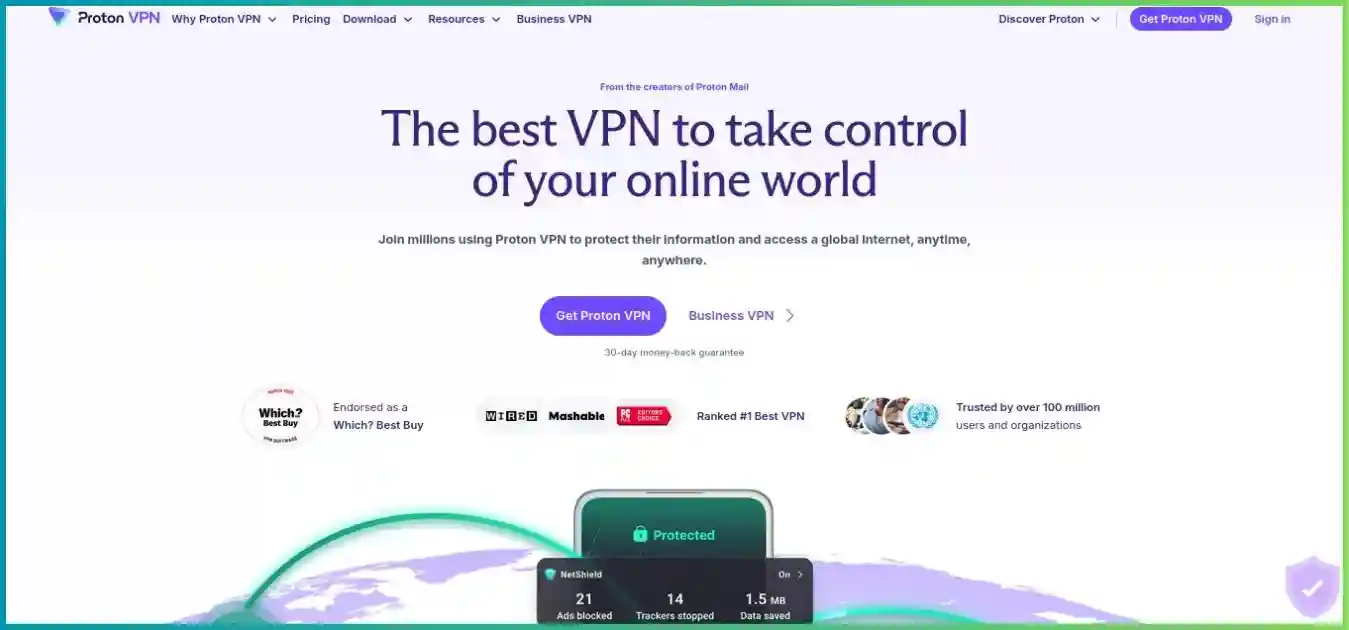
Proton VPN
A Switzerland-based VPN within Proton’s privacy-product ecosystem. Free supplies ongoing basic VPN access; Plus supplies the complete VPN feature set. Proton Unlimited combines premium services such as Mail, Drive and Pass with the VPN, rather than being necessary for ordinary paid VPN features.
- Public no-logs reports and inspectable app code
- Unlimited-data Free tier and paid P2P forwarding
- Some advanced controls remain platform-specific
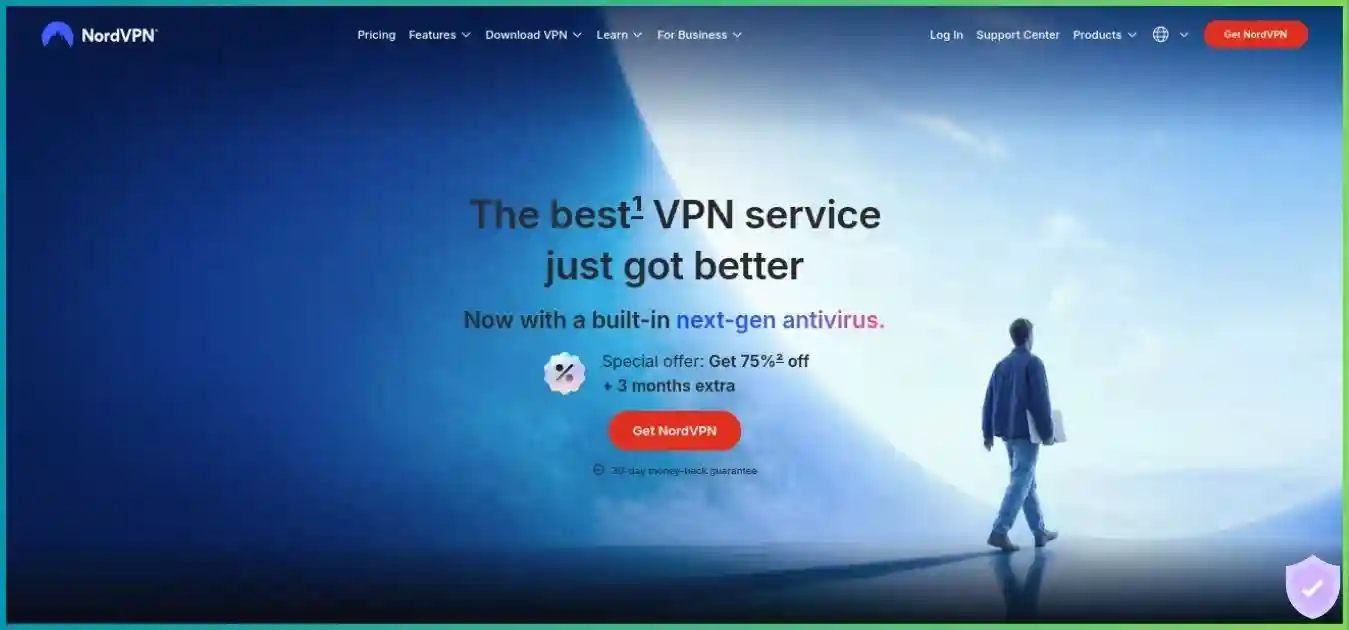
NordVPN
A Panama-based VPN service within the Nord Security product family. Basic covers the paid VPN; current Complete and Prime offers add protection, password/storage and eligible identity benefits. NordLynx, SmartPlay and Meshnet are distinct tools for different connection needs.
- TV apps plus a separate SmartDNS workflow
- NordLynx post-quantum option and free Meshnet
- Bundle benefits and add-ons need eligibility checks
These local homepage captures illustrate the services and may show older campaigns. The pricing comparison below is the relevant billing snapshot. Read our Proton VPN review and NordVPN review for separate provider coverage.
Pricing: Compare the First Bill and the Renewal
Start with Plus versus Basic for the core VPN. A monthly equivalent on a long subscription is the total prepaid charge divided by the included months. It is not a monthly payment option. Nord’s reviewed long offer includes three extra months, so its first payment covers a longer period than Proton’s recorded two-year offer.
| Plan | Monthly billing | First 12 months | Long introductory term | Recorded annual renewal after long term |
|---|---|---|---|---|
| Proton VPN Plus | $9.99 | $47.88 ($3.99 equivalent) | $71.76 / 24 months ($2.99) | $83.88 / 12 months; route-sensitive |
| NordVPN Basic | $14.99 | $65.88 ($5.49 equivalent) | $94.23 / 27 months ($3.49) | $139.08 / year |
| NordVPN Complete | $19.99 | $77.88 ($6.49 equivalent) | $121.23 / 27 months ($4.49) | $219.48 / year |
| NordVPN Prime | $29.99 | $113.88 ($9.49 equivalent) | $202.23 / 27 months ($7.49) | $296.28 / year |
USD, paid upfront: Proton’s 24-month offer versus Nord’s 27-month offer. The duration difference remains part of the comparison.
Recorded long-plan routes; USD per 12 months. Zero-based scale, $0–$160.
$83.88/yearNord Basic
$139.08/year
The checked introductory offer includes 24 base months plus 3 extra months. This describes duration, not server or customer market share.
- 24 base months (88.9%)
- 3 extra months (11.1%)
What the difference means for your budget
Proton’s recorded core offer has the lower first bill and monthly equivalent, while Nord includes three additional months before its first renewal. On the annual renewal snapshots, Proton is $55.20 cheaper per year. That ongoing difference is worth checking before focusing on an introductory discount percentage.
Renewal schedules differ, so a multi-year budget should follow billing dates. Under unchanged recorded rates, a customer keeping Proton continuously for four years would pay $71.76 plus two $83.88 annual renewals, totaling $239.52. Nord’s $94.23 plus two $139.08 renewals totals $372.39 in payments needed to remain active through four years, with those bills covering 51 months in total. The amounts exclude tax/add-ons and are planning scenarios, not future quotes or exactly equal purchased durations.
Buy a bundle only for extras you will use
Proton Unlimited adds premium services across the Proton ecosystem. Nord Complete/Prime offer password management, storage and additional protection/identity benefits subject to the current market and terms. A bundle does not automatically make the underlying VPN faster. Identity monitoring, insurance and mobile call/message tools have eligibility and platform restrictions; check them individually.
Refunds and canceling renewal are separate actions
Proton’s current general terms allow a full eligible initial-purchase refund when both cancellation and the request occur within 30 days. The guarantee is generally once per user, excludes cash/bank transfer and has purchase-channel rules. Plan-change credits are a different mechanism.
Nord’s ordinary 30-day guarantee applies to eligible initial purchases, with renewals generally excluded unless applicable requirements provide otherwise. Apple/Amazon purchases follow the store process; eligible Google Play cases may involve Nord support. With either service, save the receipt and renewal date, and request repayment separately from turning off auto-renewal.
Free Access: Proton VPN Free and Meshnet Are Different
Proton Free is a permanent consumer VPN service with unlimited data and one simultaneous connection. It can be useful for basic encrypted routing and trying the app without starting a paid subscription. Nord has no comparable ongoing free access to its commercial server network.
| Capability | Proton Free | Nord Meshnet |
|---|---|---|
| What it connects to | Proton’s free VPN server pool | Your own and invited peer devices |
| Data allowance | Unlimited VPN data | Peer transfer/routing depends on participating connections |
| Country selection | App-selected servers in 10 countries | Location of the peer routing device |
| Device allowance | 1 simultaneous VPN connection | Up to 10 personal + 50 external peers |
| Best use | Basic VPN access without a subscription | Remote access, file sharing, private LAN and peer routing |
| Paid server network included? | No Plus network or paid feature set | No free NordVPN commercial exit access |
Proton Free chooses the connection rather than providing unrestricted country selection. A change request randomly selects another server/country, with published guidance describing a 45-second first-change cooldown and subsequent 10-minute intervals. The service is marketed in a medium-speed category without a fixed artificial speed cap; load and route conditions still matter.
Paid supported streaming, P2P, NetShield, Secure Core and complete location selection belong to Plus. A free account’s unlimited data should not be combined with the paid plan’s features when comparing value. It also cannot guarantee access to a specific country catalog.
Meshnet is free and open source. It links your own or invited devices for remote access, file transfer and LAN-style activities, and can route traffic through a participating device where supported. The internet exit is then that device’s connection; it is not a substitute for choosing one of Nord’s paid commercial servers. Peer-device capacity and ten paid VPN connections are different limits.
Features and Server Coverage: Compare Actual Workflows
| Tool / workflow | Proton VPN | NordVPN |
|---|---|---|
| Everyday fast protocol | WireGuard UDP/TCP where supported | NordLynx, based on WireGuard |
| Restrictive-network options | Stealth / Smart Protocol | NordWhisper / obfuscated OpenVPN |
| Two-server VPN route | Secure Core on paid plans | Double VPN on supported routes |
| Filtering | Paid NetShield DNS/domain blocking | Lighter domain filtering; eligible higher-tier desktop scanner |
| Split tunneling | Paid apps on selected platforms, including experimental Mac | Selected native apps; Linux allowlisting and extension domain rules differ |
| Inbound P2P reachability | Paid NAT-PMP port forwarding | Only separate Dedicated Server provides forwarding |
| Private peer network | No equivalent established in core VPN offer | Free Meshnet |
| Static individual VPN address | Separate business offerings should not be treated as Plus | Consumer Dedicated IP add-on |
| Standalone streaming DNS | No separate SmartDNS equivalent documented | SmartDNS on compatible setups |
NetShield and Nord’s desktop protection are different products
NetShield filters DNS/domain requests against malware, advertising and tracker blocklists while connected. It can help across supported apps, but it does not scan every downloaded file or remove an existing infection. Android Private DNS can take precedence over NetShield; Proton recommends Off or Automatic when using its filtering.
Nord distinguishes lighter domain filtering from eligible advanced Windows/macOS protection that can inspect downloads and quarantine malicious files. Current pricing uses “Next-gen antivirus,” while help pages also use “Real-time protection” and older scam/phishing/malware or Threat Protection names. Look at the included capability and app build rather than assuming every renamed product has the same entitlement.
The advanced desktop functionality requires an eligible plan and supported build; Nord’s Mac App Store app does not provide the same scanner as its sideloaded app. Lighter mobile/Linux/TV filtering has a different scope. Domain blocking from either provider may miss ads delivered from the same domain as desired content, and neither makes every browser interaction private.
Countries, cities and server counts tell different stories
The reviewed Proton directory snapshot lists 149 countries and 196 locations, with 20,799 servers and 17,984 Plus servers recorded separately. Nord’s current directory lists 225 locations and describes 150-country coverage. Its server-unit total is inconsistent across disclosures: an earlier same-day reading recorded 8,027, while the refreshed directory FAQ displayed 7,390. We do not pick one as a definitive live inventory or use it to create a server-share chart.
Provider-defined totals reviewed October 2, 2026; physical and virtual locations may be included.
Location definitions differ. These counts are not latency, available capacity or streaming-success measurements.
The one-country difference is unlikely to matter unless that country is your required destination. City selection, physical hosting, peering and relevant modes matter more for a particular route. Proton’s refreshed live directory was too large for the research fetch, so its counts remain the latest verified snapshot. Check any essential destination in the app/directory before purchase.
Nord describes its ordinary servers as RAM-only with encrypted boot and a mix of colocated and partner-hosted infrastructure. Do not describe the entire network as company-owned. Proton’s Secure Core entry hardware/network has its own ownership model; it should not be extrapolated into a claim about every ordinary exit server.
Privacy, Audits and Protocol Security
Proton leads on public audit and app-code access
Proton publishes the full reports for its annual Securitum no-logs infrastructure assessments, including the fifth report in 2026. Its production VPN apps are open source and have separate app-security review history. A prospective customer can examine these materials without subscribing, which is a useful transparency advantage.
Nord’s sixth no-logs assurance engagement was completed by Deloitte Lithuania, examining systems between November 10 and December 12, 2025. It covered defined standard and specialty-server configurations, and the full report is available through an account. That is independent evidence, with a different scope and access model from Proton’s publications.
Do not count audit reports as a security score. Infrastructure logging assessments and app penetration tests answer different questions. They apply to defined systems and periods, not every future release. Open source improves inspectability but is not itself proof that every deployment follows the published code.
Jurisdiction and retained account data need context
Proton’s Swiss base and Nord’s Panama-based VPN service are relevant, but a jurisdiction label does not prove complete anonymity or exemption from legal requests. “No browsing logs” also differs from “no account or billing information.” Payment, support, login security and optional diagnostics can involve separate data categories.
Nord’s reviewed policy describes temporary last-session information for enforcing connection limits, deleted within 15 minutes after termination, and a separate 90-day yes/no service-use indicator for abuse/chargeback purposes. These should not be described as retained browsing histories, nor collapsed into a claim that no data of any kind is processed. Dedicated IP/server and SmartDNS workflows introduce additional account/address relationships.
Security history should be considered alongside current controls
Nord disclosed unauthorized access to a rented Finnish server in 2018, publicly discussed in 2019. Its response said activity logs were not exposed, and it subsequently described infrastructure changes, auditing and hardening. That incident and its disclosure history remain relevant when assessing trust; it is not evidence that current servers are universally compromised.
For Proton, evaluate the VPN’s own policy and infrastructure evidence rather than automatically applying assumptions from a different Proton product. Product-specific architecture, legal obligations and retained information can differ across email, storage and VPN services.
Nord has a shipped post-quantum option; Proton has new groundwork
Nord documents a post-quantum protection option with NordLynx on supported desktop, mobile and TV apps, including macOS. It has compatibility limits: OpenVPN, ordinary Dedicated IP and Meshnet cannot be used with that mode. Check the chosen connection mode rather than assuming the option applies to every tunnel.
Proton’s Rust-based Proton Protocols architecture moves its app engine toward WireGuard and discusses a foundation for future improvements, including post-quantum work. A roadmap is not a shipped protection feature. Both providers still use encrypted VPN protocols; the distinction here concerns an additional key-exchange protection, not whether ordinary Proton traffic is encrypted.
Multi-hop and obfuscation solve different problems
Proton Secure Core routes through controlled entry infrastructure in Switzerland, Sweden or Iceland before the exit country. Nord Double VPN uses supported two-server routes. The extra hop can separate what entry and exit systems see, but adds routing overhead; it does not eliminate account identification or browser tracking.
- Step 1Your device
- Step 2Entry VPN server
- Step 3Exit VPN server
- Step 4Destination service
An explanatory route, not a benchmark. Secure Core and Double VPN have different infrastructure and route-selection models.
For restrictive networks, Proton offers Stealth and Smart Protocol fallbacks; Nord offers NordWhisper and obfuscated OpenVPN on supported platforms. These make recognizable VPN traffic harder to block in some environments. They are not streaming guarantees, and neither service can promise connectivity in every country or on every filtered network.
Performance: Speed and Latency Without Invented Benchmarks
We did not collect comparable download, upload, latency or leak measurements for this update. The original numerical performance and success charts therefore have no place in a current evidence-based comparison. NordLynx and Proton WireGuard are sensible starting points for everyday use, but protocol names alone cannot establish which is faster on your ISP.
Proton’s VPN Accelerator and Nord’s network/protocol engineering can help under particular conditions. Provider multiplier claims and server uplink capacity are not a promise of home throughput. Server load, distance, destination peering, Wi-Fi, hardware and competing traffic can dominate the result.
Netflix’s published sustained recommendations; see its internet-speed guidance.
How to make a useful comparison on your connection
- Measure download, upload and idle latency without either VPN on the same device. Prefer Ethernet and pause background transfers.
- Compare ordinary nearby servers using Proton WireGuard and NordLynx. Keep the test destination and time window similar, and repeat rather than retaining only a best run.
- Test the actual country you need. A good local result says little about a long-distance streaming or work route.
- Try the real workload for long enough to expose stalls, reconnects or jitter: a video call, game, stream or large transfer.
- Check behavior after sleep, a Wi-Fi change and a deliberate tunnel drop. Confirm the kill switch and any excluded app behave as expected.
Speed retention is connected download divided by baseline download, multiplied by 100. An illustrative 180 Mbps result on a 200 Mbps baseline retains 90%; it is not a measurement of either provider. For games and calls, also record latency variation and packet loss. For backups and sharing, upload performance matters.
Test with multi-hop and obfuscation disabled first so the default comparison is meaningful. Add those modes only when needed. A VPN may improve an inefficient route or worsen a good one, and it cannot restore capacity lost to a weak Wi-Fi link or overloaded home router.
Apps, Device Limits and Split Tunneling
Both paid VPNs allow ten simultaneous connections, correcting the old six-device Nord limit. Both provide mainstream desktop/mobile apps and TV workflows. Their advanced controls vary by platform, release channel and installation source, so the exact device matters more than a generic “supported” tick.
| Platform / task | Proton VPN | NordVPN |
|---|---|---|
| Windows | Native app; paid split tunneling and P2P forwarding | Native app; split tunneling and supported NordLynx modes |
| macOS | Native app; experimental split tunneling; early-access forwarding | Native app; build-dependent advanced protection |
| Linux | GUI/CLI; selected GUI split tunneling and paid forwarding | Linux app tooling; port/subnet allowlisting differs from app rules |
| Android / Android TV | Native apps; supported paid split tunneling | Native apps; supported split tunneling |
| iPhone / iPad | Native app; do not assume Android-style app exclusions | Native app; do not assume desktop feature parity |
| Browser routing | Chrome/Firefox extension; domain controls | Chrome/Firefox/Edge extensions; domain controls |
| Compatible router | Supported manual configurations; hardware limits apply | Supported manual configurations; hardware limits apply |
Proton’s Mac support is broader than older comparisons suggest
Proton now documents experimental macOS split tunneling with app exclusions, but WebKit/Safari traffic may not follow an exclusion reliably. It works with WireGuard/Stealth rather than IKEv2 and requires the appropriate network extension. Its Linux GUI supports app include/exclude workflows on specified distributions, with restart/version caveats.
Nord’s native app split tunneling is documented on selected platforms such as Windows and Android/Android TV. Linux port/subnet allowlisting is a different control. Comparable native macOS/iOS app exclusions were not established in the reviewed material. An extension’s domain rules only control that browser’s routing and should not be treated as a system-wide solution.
Kill-switch interactions deserve a real setup check
Proton documents kill-switch and split-tunneling interactions, including Windows support for combined operation and limitations on other platforms. Nord’s kill-switch controls also differ by OS and app build. Do not infer your phone’s behavior from a Windows screenshot. If one app must never connect outside the tunnel, verify disconnection and wake-from-sleep behavior directly.
Old protocol guides can be misleading too. Proton is phasing out selected legacy app protocols while retaining Linux/manual OpenVPN paths; current iOS advice differs from old IKEv2/OpenVPN instructions. Choose a supported current app protocol or follow the appropriate manual configuration rather than relying on a universal platform checklist.
Support and household setup
Nord provides chat/help resources, and Proton advertises paid priority support and live chat. We did not time responses or collect a customer-satisfaction sample. Before committing, ask a specific setup question and assess whether the answer addresses your device, app version and intended workflow.
A compatible VPN router can cover devices behind one tunnel, but speed depends on its encryption hardware and software. Devices away from home still need their own connection. Nord also notes same-server/protocol restrictions for concurrent connections; using different servers or supported protocols avoids confusing that nuance with the overall ten-connection allowance.
Streaming: Nord’s Setup Flexibility Versus Proton Plus
Nord’s integrated SmartPlay and separate SmartDNS give it a useful range of streaming setup options. Proton Plus also documents supported streaming and native TV apps. The difference is in workflow breadth, not proof of a particular catalog count or an unblocking percentage.
| Device / feature | Proton VPN | NordVPN |
|---|---|---|
| Apple TV | Native app; tvOS 17+ | Native Apple TV app; check OS requirement |
| Android / Google TV | Native Android TV app | Native Android TV app |
| Amazon Fire TV | Fire OS 7+ app; separate Vega OS app | Compatible Fire TV app; verify exact model/OS |
| TV / console without app | Compatible router or supported sharing | Router/sharing or compatible SmartDNS setup |
| Standalone SmartDNS | No equivalent documented | Separate unencrypted DNS feature |
| Streaming included | Paid Plus feature; not Free | Core paid VPN |
| Preferred starting mode | Ordinary Plus server; avoid extra-hop overhead | Ordinary NordLynx route; avoid extra-hop overhead |
SmartPlay is not the same as standalone SmartDNS
SmartPlay integrates DNS technology into Nord’s encrypted VPN app routing. Standalone SmartDNS is an option for some devices that cannot run the app, with a narrower supported-service scope. It does not encrypt traffic, hide your source IP or provide the same server selection as the VPN. Treat it as a compatibility tool rather than equivalent privacy protection.
Proton’s supported streaming belongs to Plus servers. Secure Core is usually the wrong starting point for a speed-sensitive stream because the extra hop adds overhead and not every exit supports streaming. Free’s random server assignment also makes it unsuitable for reliably selecting a target country.
For Fire TV, distinguish Android-based Fire OS from newer Vega OS hardware. Proton introduced a separate Vega app in September 2026; an Android APK does not work as a substitute on that OS. With Nord, verify the exact current store listing/model rather than assuming all devices sold under the Fire TV name accept the same installer.
Test your exact streaming account and title
Netflix’s official VPN viewing policy says a VPN may show only globally licensed titles and is not supported for live events or ad-supported viewing. Streaming outcomes depend on account tier, device, title, region and exit address; neither VPN overrides licensing or guarantees a catalog.
Try a native TV app first, test sustained playback, and compare a second ordinary server if the route is blocked or congested. Excluding the streaming app through split tunneling may restore your normal service, but that app then uses your ordinary IP/location. It is not a way to retain protected VPN-region access while bypassing detection.
Our best VPNs for streaming guide compares TV apps, router routes and DNS alternatives across additional providers. For this pair, choose Nord for the additional DNS workflow or Proton for its other privacy/value advantages, then verify the actual service during an eligible refund window.
Torrenting, Port Forwarding and Gaming
Proton is the simpler choice for included P2P forwarding
Proton paid plans offer NAT-PMP forwarding on appropriate P2P servers through supported Windows, Linux and macOS/manual configurations. Mac forwarding remains described as early access. The assigned port can change on reconnection; update the client’s listening port and keep any required manual lease process active. Forwarding cannot be combined with Moderate NAT.
Nord’s updated standard servers support P2P, and newer apps have removed the separate P2P server category. Ordinary shared VPN connections and its consumer Dedicated IP do not provide inbound port forwarding. Nord now has a separate Dedicated Server add-on with up to twenty forwarding rules on eligible configurations; it is a distinct product with its own cost and platform/location restrictions.
A stable dedicated IP and inbound forwarding solve different problems. One gives a consistent address for allowlisting; the other permits incoming connections through an exit firewall. Neither a SOCKS proxy nor a home-router forwarding rule automatically supplies forwarding through a commercial shared VPN exit.
Where supported, combine an appropriate VPN interface binding in your torrent client with the kill switch and test the result after disconnection. Use P2P for material you have permission to distribute. Our torrenting VPN guide covers forwarding, server restrictions and app safeguards.
Gaming: Moderate NAT and Meshnet serve different needs
Proton’s paid Moderate NAT option can improve peer reachability, with a stated small privacy tradeoff and incompatibility with forwarding. Nord Meshnet is more relevant to private device access and LAN-style play across participating peers. It does not establish lower latency to a public game server.
For ordinary online gaming, start with a nearby WireGuard/NordLynx route and compare latency, jitter and packet loss against your baseline. Multi-hop modes generally add distance, and a large server count does not prove better matchmaking or ping. See our gaming VPN guide for route and setup considerations.
Final Verdict: Choose the Advantage You Will Use
Proton VPN is our recommendation for privacy transparency, ongoing free access and paid P2P flexibility. Its public reports, open-source production apps and lower recorded core-plan cost make it a strong choice for readers who want an inspectable service without buying a broad bundle.
NordVPN is our recommendation for broader everyday feature and streaming-device options. SmartPlay/SmartDNS, the supported post-quantum NordLynx option, Meshnet and eligible desktop protection give it useful extras. Those advantages justify its higher renewal only if they matter to your setup.
| Priority | Our recommendation | Why / limitation |
|---|---|---|
| Public privacy evidence | Proton VPN | Full annual reports and open-source production apps |
| Permanent free server access | Proton Free | Unlimited data; one device and app-selected countries |
| Recorded core-plan cost | Proton Plus | Lower equivalent/renewal; live checkout may vary |
| TV and DNS setup breadth | NordVPN | Native apps plus separate SmartDNS; DNS is unencrypted |
| Shipped post-quantum VPN option | NordVPN | Supported NordLynx mode with compatibility limits |
| Included inbound P2P forwarding | Proton paid plans | Nord requires separate Dedicated Server |
| Private peer/LAN network | Nord Meshnet | Separate free service; not paid-server access |
| Paid concurrent devices | Tie | Both allow 10 VPN connections |
| Speed / streaming reliability | Test your route | No controlled head-to-head results collected |
There is no need to invent a narrow decimal-score winner to make the decision useful. Identify your essential feature, check it on your platform, and compare the total initial charge with the stated renewal. Both services are worth considering; their differences are more informative than unsupported claims of universal performance.
Related comparisons
Frequently Asked Questions
How We Compared Proton VPN and NordVPN
Updated October 2, 2026. We compared official plan/renewal disclosures, terms, server directories, privacy assessments, protocol guidance, forwarding documentation, device instructions and verified provider research. Fresh checks included Nord’s USD pricing/directory, Deloitte announcement, post-quantum help, Meshnet, SmartPlay and Dedicated Server forwarding; Proton’s plan page, Securitum publication, protocol architecture, forwarding and split-tunneling guidance; and the contextual EFF/Netflix sources linked above.
Proton’s refreshed pricing view did not render reliable numeric offers and its live directory exceeded the research-fetch size limit, so those values retain the latest verified route/directory snapshots. Nord’s server-unit disclosures differ; country/location counts are used for visuals without presenting one unit count as a definitive current inventory. Product names and rollout details can differ across current support pages, apps and markets.
We did not purchase subscriptions or run controlled speed, latency, leak, catalog-unblocking or support-response tests. Recommendations follow explicit capabilities and billing/privacy criteria. They are not independent certification, security percentages or guaranteed service results.
The horizontal bars show recorded monthly equivalents, country/location breadth and Netflix’s documented bandwidth targets. Columns show annual renewal payments. The donut shows Nord’s 24+3 initial-term composition, and the route diagram explains multi-hop. Budget scenarios assume unchanged renewals and exclude tax/add-ons. Homepage screenshots illustrate the providers and may show earlier campaigns; confirm purchase terms through the provider links.
Choose Your VPN by Privacy, Setup and Ongoing Cost
Start with Proton for transparency and included forwarding, or Nord for the additional TV, protocol and peer-network tools. Review the final checkout and test your essential apps during the applicable refund window.