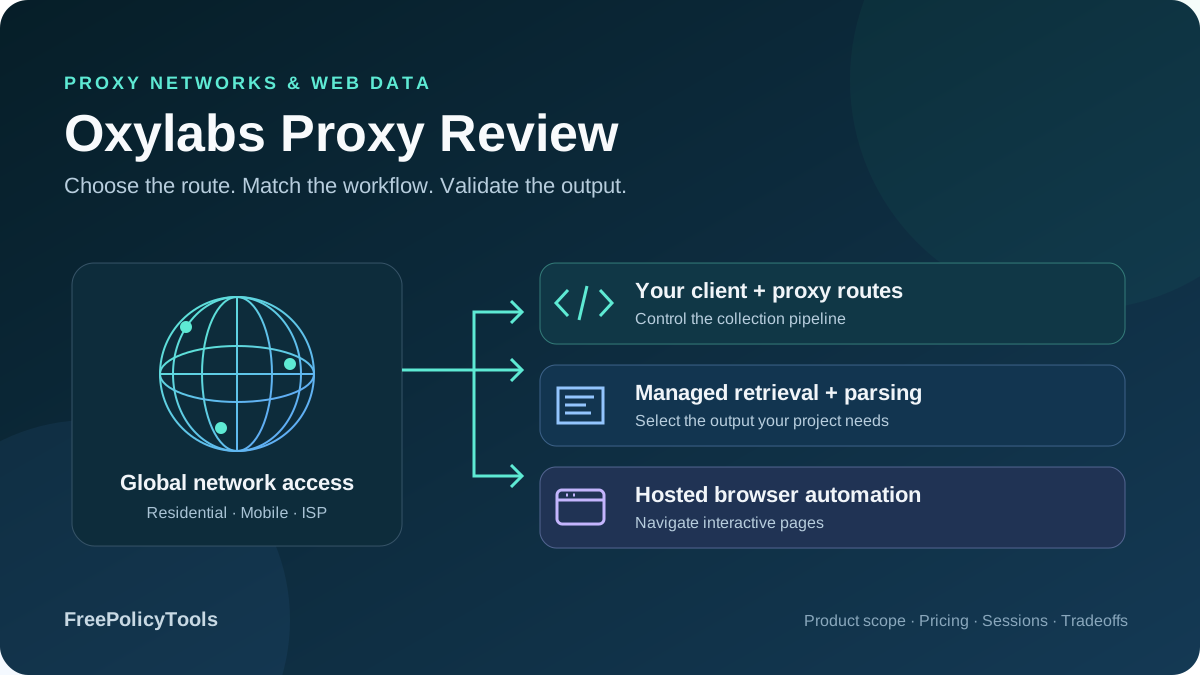
Oxylabs combines residential, mobile, datacenter and ISP proxy networks with managed web retrieval, structured scraping and cloud browser automation. That breadth makes it a serious shortlist candidate for data teams, but also creates a buying trap: a lowest advertised per-GB or per-IP rate does not describe every product, entry package or target. The right comparison starts with the workflow you need to operate.
This detailed review checks public product pages, pricing cards and developer policies as of October 4, 2026. It separates raw network access from Web Unblocker, Web Scraper API and Headless Browser, explains package economics, and identifies inconsistencies that need confirmation before purchase. We did not run an independent speed, success-rate or support benchmark; all charts show published prices or clearly labeled arithmetic.
Residential Starter monthly
Advertised residential coverage
5 dedicated ISP IPs monthly
Retrieval, parsing and browsers
Oxylabs verdict: broad capabilities with product-specific costs
Oxylabs is most compelling when a project needs several forms of access, precise geography or a choice between owning a crawler and delegating retrieval. A team can begin with a proxy-connected client, move difficult pages to managed retrieval, and use a remote browser for interactive tasks. Each move changes what the provider operates and how usage is billed, so the product portfolio should be treated as separate implementation options.
Best fit
Data teams that need geographic controls, allocated IP options or managed collection tools, and can evaluate target access, accepted output and operating effort before committing to a larger plan.
Evaluate carefully
Very small or irregular projects, traffic-heavy rendering, restricted targets and long sessions. Entry commitments, unused capacity, fair use and product-specific refund conditions can matter more than the headline rate.
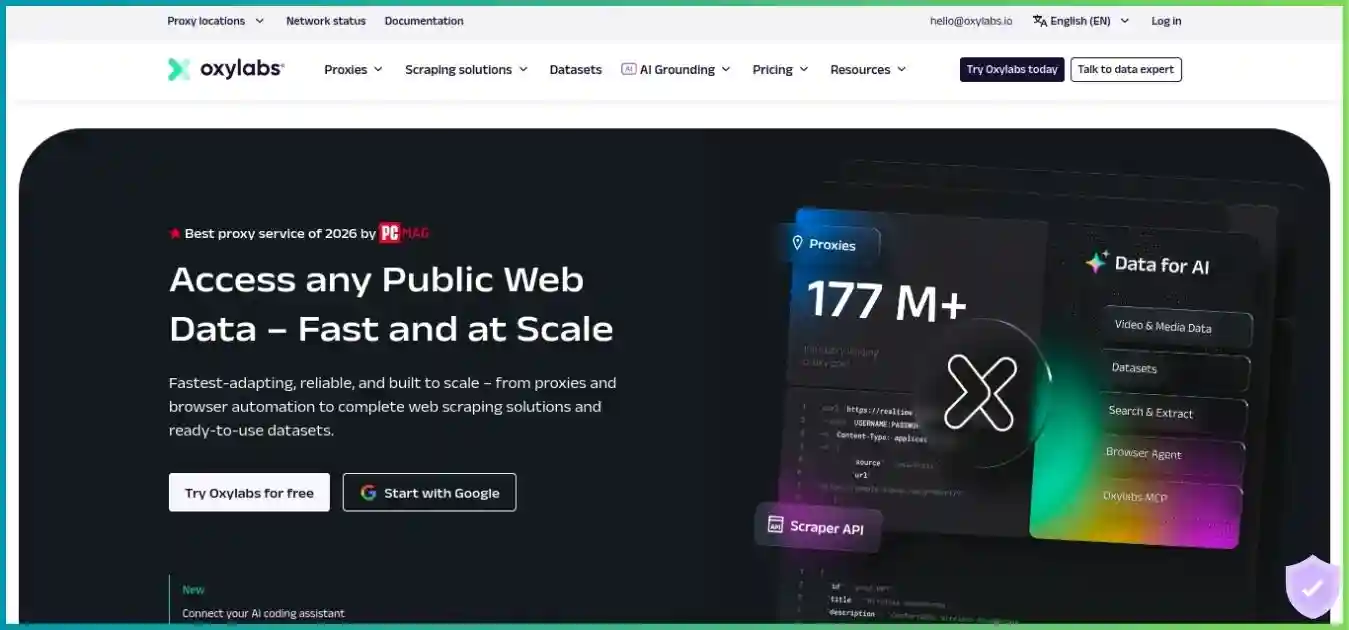
Choose the service around the job
Use this homepage image as a visual introduction; screenshots may retain older claims. Current package details appear below. Start with the network, session requirements and output format you actually need.
For a wider shortlist, use our best proxy providers guide. Compare providers on the same targets and acceptance criteria, rather than treating a larger advertised IP count as proof of better data or faster requests.
Proxy networks and which product to choose
| Product | Billing basis | Provider supplies | You still operate |
|---|---|---|---|
| Rotating residential / mobile | Traffic allowance in GB | Network routes, targeting and session controls | Client, crawl queue, retries, rendering and parsing |
| Datacenter / ISP | Per IP or selected datacenter GB plan | Server-hosted shared or allocated routes | Target acceptance, application behavior and output validation |
| Web Unblocker | Successful request/response traffic | Managed access, rotation, rendering and retries | Extraction, record schema and downstream processing |
| Web Scraper API | Successful results; target/mode-dependent | Retrieval and supported structured parsing workflows | Query design, completeness, storage and data quality |
| Headless Browser | Browser traffic in GB | Hosted browser and access infrastructure | Interaction logic, task limits and record validation |
Rotating residential and mobile
Residential advertises 175M+ IPs across 195 countries. Mobile advertises 20M+ IPs across 140+ countries and 3G/4G/5G/LTE routes. These are vendor pool descriptions, not our count of live exits. They do not establish how many peers are simultaneously available in a small city or carrier network. A narrow geographic test is more useful than assuming every location has the same depth. Compare residential versus datacenter proxies when weighing IP origin, sourcing, consistency and cost.
Choose residential when geographic routing and consumer-network assignment match the task. Choose mobile when cellular-network behavior is a real requirement, such as mobile ad verification or authorized application testing. Paying a mobile premium without testing a mobile-specific benefit can increase cost without improving accepted records. See our mobile proxy server guide for the wider selection criteria. Use our guide to proxy server types to separate IP source, protocol and session behavior before comparing plans.
Datacenter and ISP
Datacenter separates dedicated per-IP, shared per-IP and shared rotating per-GB access. The public cards list 188, 38 and 44 countries respectively, so the broadest catalog coverage should not be assigned to the cheapest shared tier. Those cards also describe different pool sizes; there is no reason to add them into a performance score or assume the same allocation guarantees.
ISP addresses are registered under residential ISPs while hosted on server infrastructure. Shared ISP is shared with up to three users, while dedicated ISP is allocated to one customer. Both list 25 locations and unlimited-duration sessions under their product terms. This is useful for continuity, but does not make a rotating residential session permanent or remove a target’s ability to classify and restrict traffic. Our proxy rotation and session guide explains how rotating exits differ from keeping a sticky session.
Managed retrieval, parsed output and interactive browsing
Web Unblocker suits an existing application that wants managed page access while retaining its own parser. Web Scraper API can return raw content or structured data for supported sources, with custom parsing and collection features. Headless Browser suits workflows that must click, scroll or maintain browser state. Its current pricing page uses Headless Browser, while some navigation uses Agent Browser; confirm the selected service and endpoint instead of assuming a different pricing model from a label.
Our web scraping tools guide helps compare the operational scope. A proxy, a page retrieval service and an end-to-end data platform solve different portions of a pipeline even when all can eventually contribute to the same dataset.
Current Oxylabs proxy pricing
The tables show public monthly package totals before any applicable VAT. Published unit labels can be rounded: Mobile Basic is $100/15 GB, approximately $6.67/GB, and Corporate is $2,500/715 GB, approximately $3.50/GB. Treat the package total and included allowance as the purchase commitment; enterprise quotes, selected configurations and checkout terms may differ.
| Plan | Included traffic | Monthly total | Rate per included GB |
|---|---|---|---|
| Starter | 5 GB | $30 | $6.00 |
| Basic | 20 GB | $100 | $5.00 |
| Advanced | 125 GB | $500 | $4.00 |
| Corporate | 1 TB | $2,500 | $2.50 |
| Plan | Included traffic | Monthly total | Approx. rate per included GB |
|---|---|---|---|
| Starter | 4 GB | $30 | $7.50 |
| Basic | 15 GB | $100 | $6.67 |
| Advanced | 100 GB | $500 | $5.00 |
| Corporate | 715 GB | $2,500 | $3.50 |
Public prices; compare the full monthly totals in the table. These are purchased-capacity rates, not observed usage costs.
Zero baseline; shared scale from 0 to 8 USD / GB.
A low per-GB rate is useful only when the capacity and service match your demand. Corporate residential’s $2.50/GB headline requires a $2,500 monthly package. For a 5 GB experiment, Starter’s $30 total is the relevant commitment. Top-ups are advertised, with limits varying by tier, but confirm the incremental price, usable period and renewal behavior in the account before forecasting extra traffic.
| Product | Selected allowance | Monthly total | Billing / coverage |
|---|---|---|---|
| Dedicated datacenter | 3 IPs | $6.75 ($2.25/IP) | Per IP; 188 countries advertised |
| Shared datacenter | 10 IPs | $12 ($1.20/IP) | Per IP; 38 countries advertised |
| Shared rotating datacenter | 20 GB | $11.80 ($0.59/GB) | Per GB; 44 countries advertised |
The per-IP datacenter cards advertise unlimited bandwidth subject to fair use; the rotating package has a specified GB allowance. This is why “datacenter from $0.59” is incomplete without a unit. Neither model includes an assurance that a protected target will accept the route. Confirm geography, allocation, replacement and throughput requirements for the chosen selector.
| Allocation | Plan quantity | Monthly total | Unit price |
|---|---|---|---|
| Shared ISP | 10 IPs | $16 | $1.60/IP |
| Shared ISP | 100 IPs | $130 | $1.30/IP |
| Shared ISP | 500 IPs | $600 | $1.20/IP |
| Dedicated ISP | 5 IPs | $16 | $3.20/IP |
| Dedicated ISP | 100 IPs | $270 | $2.70/IP |
| Dedicated ISP | 300 IPs | $750 | $2.50/IP |
| Enterprise | Shared 2,000+ / dedicated 1,000+ | Custom | Quoted separately |
Monthly totals before VAT for 100 IPs. Different exclusivity and fair-use thresholds; no performance comparison.
Shared zero-based scale: $0–$300/month. Dedicated costs $140 more at this quantity; that premium buys a different allocation model.
At 100 IPs, dedicated ISP costs $140 more monthly than shared ISP. That is a 107.7% premium over the shared total for exclusivity and different fair-use terms, rather than a measured speed improvement. If the task does not need exclusive allocated addresses, test whether the shared product meets your acceptance and session requirements first.
Web Unblocker, Web Scraper API and browser pricing
Managed tools can reduce the work of operating access infrastructure, but their billing is different from raw proxies. Compare the cost of a usable page or accepted record after accounting for rendering, media and validation. A price in dollars per thousand results cannot be placed on the same numerical axis as dollars per GB or dollars per IP.
| Plan | Included traffic | Monthly total | Calculated rate |
|---|---|---|---|
| Micro | 8 GB | $75 | $9.375/GB |
| Starter | 38 GB | $325 | $8.5526/GB |
| Advanced | 88 GB | $660 | $7.50/GB |
Web Unblocker measures both request and response traffic for successful extraction; provider-system failures with 5xx statuses are excluded under the billing guidance. The pricing page’s rounded list labels are $9.40, $8.60 and $7.50/GB, which do not multiply exactly to every package total. A WU40 promotion was visible during research, but its duration and eligible renewal terms were not verified. The regular totals above provide a clearer planning baseline.
| Monthly plan | Amazon, no JS | Google, no JS | Other, no JS | With JS |
|---|---|---|---|---|
| Micro — $49 | $0.50 | $1.00 | $1.15 | $1.35 |
| Starter — $99 | $0.45 | $0.90 | $1.10 | $1.30 |
| Advanced — $249 | $0.40 | $0.80 | $0.95 | $1.25 |
Micro advertises up to 98,000 results, a headline that fits Amazon without rendering. Its public card also lists media downloads at $3/GB and a 50 requests/second rate limit. Rendering and feature-specific consumption can reduce available output. “All features included” should therefore be read alongside usage billing, rather than interpreted as an unlimited number of browser operations.
Calculated floor of $49 divided by the current pricing-card rate. Single-category workloads, no media or other consumption. These are estimates, not measured valid records.
Zero baseline; shared scale from 0 to 100,000 results.
Confirm the API allowance discrepancy
The Help Center currently lists Micro maxima of 44,545 other/no-JS results and 37,692 rendered results, higher than calculations from the public pricing card. Its Starter Amazon allowance also differs from the pricing headline. These schedules cannot all be reconciled from public wording alone. Ask which rates and allowances govern your subscription; this review uses the explicitly labeled pricing-card calculations rather than promising the larger count.
| Plan | Included traffic | Monthly total | Rate |
|---|---|---|---|
| Starter | 50 GB | $300 | $6/GB |
| Advanced | 100 GB | $550 | $5.50/GB |
| Premium | 300 GB | $1,410 | $4.70/GB |
| Enterprise | 400 GB+ | Custom | Quoted |
Headless Browser supports Playwright, Puppeteer and CDP-compatible clients, with managed browser infrastructure and CAPTCHA handling. Browser traffic depends on page weight, interactions and resource loading. Measure a representative complete task rather than budgeting only the initial HTML. A Web Scraper API browser-related feature and a separate browser subscription also need their own endpoint and billing confirmation.
For a managed-service comparison, read our ScraperAPI review. Match target categories, parsing requirements and rendering assumptions before comparing nominal request prices.
Bandwidth, utilization and the cost of accepted data
Purchased bandwidth is only one part of operating cost. A raw proxy can transfer an error page, repeated requests or a response your parser cannot use. A managed service can return a billable result that fails your acceptance rules. Track the provider’s usage counter and your own accepted-record counter independently; otherwise a cheaper unit rate can conceal waste elsewhere in the pipeline.
Calculated example: an $100 / 20 GB monthly residential package. Effective cost = purchase spend / consumed GB.
Sampled utilization points joined for illustration. Values between them follow $100 / usage, not a new provider pricing schedule.
| GB consumed | Utilization | Spend allocated to consumed GB | Interpretation |
|---|---|---|---|
| 5 GB | 25% | $20/GB | The package is much larger than this example needs |
| 10 GB | 50% | $10/GB | Half the purchased capacity is unused in the period |
| 15 GB | 75% | $6.67/GB | Utilization improves effective economics |
| 20 GB | 100% | $5/GB | Effective usage rate equals the nominal rate |
Hypothetical 5 GB/$30 monthly package with 3 GB consumed during its usable period. Not observed customer usage or an asserted rollover policy.
3 GB consumed: 60% utilization.
2 GB unused during the illustrated period.
The purchased rate is $30 / 5 = $6/GB. Allocating the full purchase to only 3 GB consumed gives $10 per consumed GB, before compute or engineering. Confirm expiry and carryover terms separately; this example does not establish what happens to the remainder at renewal.
For an illustrative raw-proxy job, 10,000 pages averaging 200 KB of transferred response content equal roughly 2 GB using decimal units. Two attempts per accepted page would make that roughly 4 GB before request traffic, browser resources and billing-meter details. At a fully utilized $6/GB rate, those scenarios allocate approximately $12 and $24 of traffic cost. They are planning examples, not observed page sizes or a guarantee of a smaller invoice than the monthly commitment.
For accepted data, use total period cost divided by records that pass validation. Include subscription spend, extra traffic, compute, storage, monitoring and maintenance. If managed retrieval saves several hours of access debugging, it may justify a higher network unit price. If a plain client already succeeds on the target, browser automation may add cost without a useful benefit. Measure both routes before scaling.
Targeting, sessions, protocols and access controls
| Control | Public product scope | Practical implication |
|---|---|---|
| Residential geography | Continent, country, state, city, ZIP, coordinates and ASN | Narrow filters may reduce available exits; test the actual region |
| Residential advanced filters | IPv4/IPv6 and platform/OS selection | Some filters may require KYC; assignment is not a full browser fingerprint |
| Mobile targeting | Country, regional and ASN options advertised | Check carrier and location availability in the actual endpoint |
| Rotation / sticky sessions | Residential and mobile; FAQs advertise up to 24 hours | A requested duration is not a permanent allocated address |
| ISP continuity | Unlimited-duration sessions advertised | Check IP replacement and lease terms as well as client state |
| Protocol support | HTTP(S)/SOCKS5; residential/mobile also HTTP/3 | Use a client and endpoint that implement the intended protocol |
Residential lists unlimited concurrent sessions, three proxy users and ten whitelisted IPs. That does not mean unlimited traffic, infinite local capacity or permission to send unbounded traffic to a target. Keep an application-level limit, share quotas deliberately between workers, and distinguish a proxy user from a website account or an allocated exit address. Our proxy server explainer provides the request-flow background for interpreting the product claims in this comparison.
Sticky sessions need application state
A stable route is only one ingredient in a continuous browser session. Cookies, headers, locale, user agent and navigation state must also remain consistent. Rotating an exit between dependent steps can break an authorized flow; keeping an exit while discarding cookies can do the same. Test continuity across realistic task durations and define what happens when a peer disappears or a session needs replacement.
Proxy protocols are not device-wide protection
An HTTP proxy can tunnel traffic to an HTTPS destination, while SOCKS5 clients have different routing and DNS configuration requirements. Native residential HTTP/3 uses MASQUE and needs a compatible implementation. MDN’s proxy and tunneling guide explains the distinction between forwarding and tunneling. Configure the intended application explicitly; a proxy setting does not automatically cover every process on a device. Check HTTP versus SOCKS proxies before assuming an endpoint supports the protocol or DNS behavior your application needs.
Performance claims and a useful evaluation plan
Oxylabs publishes pool, response-time and success-rate claims. They describe provider measurements under particular conditions and are not comparable to an independent full-page or accepted-record benchmark. Even the residential page currently contains different latency figures in different feature blocks. This review therefore avoids numerical quality scores, speed rankings and charts that imply we measured a result we did not test.
| Pilot metric | How to record it | What it answers |
|---|---|---|
| Accepted-record rate | Required fields and correct page identity / attempted tasks | Did you get usable data rather than only an HTTP response? |
| Task latency | Median and tail completion time by target and mode | Will the complete collection meet the delivery window? |
| Traffic and invoice usage | Provider counters plus local task/resource logs | What did retries, rendering and media actually consume? |
| Session continuity | Complete multi-step tasks and unexpected exit changes | Does the chosen route support required state? |
| Concurrency behavior | Increase workers gradually, tracking failures and queue time | Where is the useful throughput limit? |
| Operational effort | Time spent on access, parsing, incidents and updates | Which product reduces total maintenance? |
Use a target set containing ordinary pages, heavier pages and the locations you will actually request. Run the same inputs through the candidate products, keep retry policies comparable, and validate the same fields. A trial of unrestricted easy pages does not establish access to a protected production target. Repeat enough to observe variability without treating a brief pilot as an uptime guarantee.
For browser tasks, record cold-start and subsequent-navigation timing separately, plus the resources needed to complete the task. For geographic data, check currency, locale and content region rather than relying only on an IP-checking label. A correct route that returns the wrong regional page is not successful business output.
Developer setup, dashboard and troubleshooting
Begin by selecting the purchased product in the dashboard, creating its credentials and generating the connection details. Hostnames, ports and authentication formats vary between raw proxies and managed services. Store credentials outside source control, give separate jobs separate usage visibility where supported, and establish spending alerts before starting a distributed worker pool. For a desktop configuration, follow our Windows and Mac proxy setup guide and verify which applications actually use the configured proxy.
Minimal Python HTTP-proxy example
Set OXYLABS_PROXY_URL to the complete authenticated HTTP proxy URL from the relevant generator. This example requires the requests package, retrieves a static page, and keeps certificate verification enabled. It does not render JavaScript, manage a browser session or enable MASQUE.
# Install requests; obtain the complete HTTP proxy URL from your dashboard.
import os
import requests

proxy_url = os.environ['OXYLABS_PROXY_URL']
response = requests.get(
    'https://example.com/',
    proxies={'http': proxy_url, 'https': proxy_url},
    timeout=(10, 30),
)
response.raise_for_status()
if not response.text.strip():
    raise ValueError('Empty target response')
print({'status': response.status_code, 'characters': len(response.text)})
# Validate page identity and required fields before storing a record.
# Keep TLS verification enabled. Never log the credential-bearing proxy URL.
Build a collector around validated output
The example is a connectivity starting point rather than a production crawler. Add a bounded queue, cancellation, retry backoff, deduplication and a validation schema. Use an overall task deadline in addition to connect/read timeouts. Retry transient connection failures within a limit, but avoid indefinitely resubmitting a restricted target or a parsing error that another network route cannot repair.
With Web Scraper API, select the appropriate source and rendering mode, then verify the returned schema for the target. Public features include scheduling, batch queries, cloud delivery, custom parsing and OxyCopilot. Those can shorten implementation work, but parser output still needs completeness and type checks. Generated extraction logic should be reviewed against sample pages and monitored after target changes.
| Symptom | First checks | Next action |
|---|---|---|
| Proxy authentication fails | Correct product credentials, endpoint, port and allowlist | Regenerate the connection details; inspect a sanitized error |
| Connection or tunnel timeout | Local reachability, proxy protocol and destination access | Run a minimal request before adding browser complexity |
| Unexpected country / page locale | Endpoint filters, cookie state and target localization | Validate content region and supported location inventory |
| 200 response without required fields | Challenge page, client-side rendering, parser selectors | Classify the page and choose rendering or parser changes |
| Traffic rises without useful output | Repeated attempts, media loads and duplicate jobs | Cap retries, stop failed batches and reconcile counters |
| Long session breaks | Peer availability, requested duration and cookie state | Define recovery or evaluate an allocated IP product |
An existing Scrapy or request-based pipeline may need little more than integration and operational controls. An interactive browser pipeline needs a resource policy and durable task state as well. Compare those implementation needs before concluding that the broadest available tool is the best starting point.
Trials, support, refunds, sourcing and restrictions
| Product | Public offer | Scope to confirm |
|---|---|---|
| Datacenter | Five free IPs advertised | Free-tier traffic, location and account eligibility |
| Web Unblocker | 1 GB, up to 10,000 results; no card | Traffic-dependent count, target access and trial duration |
| Web Scraper API | Up to 2,000 results; no card | Target category and rendered allowance |
| Residential / mobile / ISP | Trial enquiries through sales or support | Allowance, duration, approved targets and signup checks |
| Headless Browser | Sales-assisted trial | Browser traffic, concurrency and permitted task scope |
Public plan cards list 24/7 support and a dedicated account manager. Those labels are useful purchasing signals, but do not prove a particular response time, resolution target or contractual SLA. Ask how support handles the selected tier, what information is needed for a target-access issue, and what escalation arrangement applies to a critical production job.
Refunds are conditional and differ by product
The current policy generally requires eligible self-service customers to request within three calendar days of the first transaction, with no suspension for a policy breach, chargeback or previous refund claim. Residential, mobile, dedicated ISP, Web Unblocker and Web Scraper API sections additionally limit used traffic to no more than 20% for regular plans or 10% for enterprise plans. Several per-IP sections list conditions without that traffic cap; apply the exact product section rather than extending the summary to every purchase.
Dedicated Datacenter Enterprise purchases are final and non-refundable apart from qualifying billing errors reported within 30 days. The policy says a refund may take up to 15 business days to reach the account. This is not an unrestricted money-back guarantee or a substitute for a trial. Confirm eligibility, recurring charges and cancellation terms before payment, particularly for a negotiated contract.
Fair use can change concurrent capacity
Shared ISP’s policy lists 100 concurrent sessions per IP until 50 GB per IP is reached during a billing cycle, then 10 for the remainder. Dedicated ISP states the analogous threshold as 100 GB per IP. The dedicated page’s aggregate worked examples do not consistently match that higher threshold, so confirm the governing contract and how usage is aggregated. Unlimited bandwidth should not be modeled as unlimited sustained concurrent throughput.
Sourcing and permitted targets
Oxylabs describes consent-based residential sourcing and provides supplier and trust materials for procurement review. Its pages identify Proxy Solutions and Scraper APIs as ISO/IEC 27001:2022 certified products. These are vendor disclosures; we did not audit peer consent, inspect certificate scope or perform a security assessment. Ask for the documents and contractual safeguards your organization needs, including data handling and retention details.
Restricted-target lists and KYC requirements vary by service. Residential guidance names categories including financial, government, streaming, ticketing and mailing destinations. Some access may require review, and a successful trial on one site does not imply approval for another. Establish target permission and service eligibility before buying. RFC 9309’s Robots Exclusion Protocol describes crawler rules, while explicitly distinguishing them from access authorization; robots directives alone do not settle whether a collection activity is permitted.
Use cases and recommended starting points
| Workload | Candidate starting point | What to validate before scaling |
|---|---|---|
| Localized price / availability monitoring | Residential or supported Web Scraper API source | Region, currency, required fields and accepted-record cost |
| Stable authorized multi-step tasks | Allocated ISP or suitable browser session | Address continuity, cookies, replacement and fair use |
| Broad public pages accepting hosting routes | Datacenter | Actual target acceptance and coverage at the selected tier |
| Mobile-network ad verification | Mobile | Carrier/geography accuracy and task-specific benefit |
| Existing parser struggling with access | Web Unblocker | Retrieval improvement, response traffic and extraction quality |
| Structured supported-source collection | Web Scraper API | Schema, rendering categories, billable success and quotas |
| Dynamic interfaces requiring interaction | Headless Browser | Complete-task traffic, timing and recovery behavior |
A mixed workload may justify several products, but route selection needs explicit rules. For example, static pages can use a plain client while a smaller interactive subset uses a browser. Record the reason for escalation and avoid silently sending every failed task to the most expensive mode. That keeps costs explainable and makes it easier to identify whether failures come from network access, page behavior or extraction logic.
For procurement, keep a target matrix with required regions, cadence, state duration, fields and delivery windows. Use our proxy comparison tool to organize provider options and the proxy deal finder to compare eligible offers after establishing the correct product and commitment.
Oxylabs pros and cons
Pros
- Broad selection of rotating, allocated and managed-access products.
- Detailed residential geography and advanced IP-selection controls.
- Shared and dedicated ISP options for different continuity needs.
- Managed retrieval, parsing and browser tools can reduce operational work.
- Published documentation, support routes and product-specific trial options.
Cons
- Low headline rates often require substantially larger monthly commitments.
- Unused allowance, rendering and retries can raise effective task cost.
- ISP bandwidth has fair-use concurrency reductions.
- API allowance and some policy examples contain public inconsistencies.
- Trial access, target restrictions and refund conditions require product-specific review.
The strongest reason to choose Oxylabs is a match between its controls or managed tools and your workload. The weakest reason is a generic claim that enterprise positioning makes every target faster or every dataset more complete. Budget a pilot that measures the benefit you are paying for.
Oxylabs alternatives and provider comparisons
A competing provider can be a better fit because of its purchase commitment, validity model, dashboard or collection scope. These differences should be evaluated alongside real target behavior. This section does not assert a provider speed ranking or use promotional prices to manufacture a universal cheapest-provider claim.
| Provider | Why compare | Main decision question |
|---|---|---|
| Bright Data | Network controls and managed collection breadth | Which tools and access requirements match the full workflow? |
| Webshare | Self-service proxy configuration and allocated-IP options | Does a proxy-only deployment meet the target and support needs? |
| ProxyShare | Different small-order and validity choices | Can the selected route and session terms be verified in a pilot? |
| IPRoyal | Residential traffic advertised as non-expiring | Does irregular consumption make validity more valuable than the unit rate? |
Bright Data
Alternative workflow and purchasing model
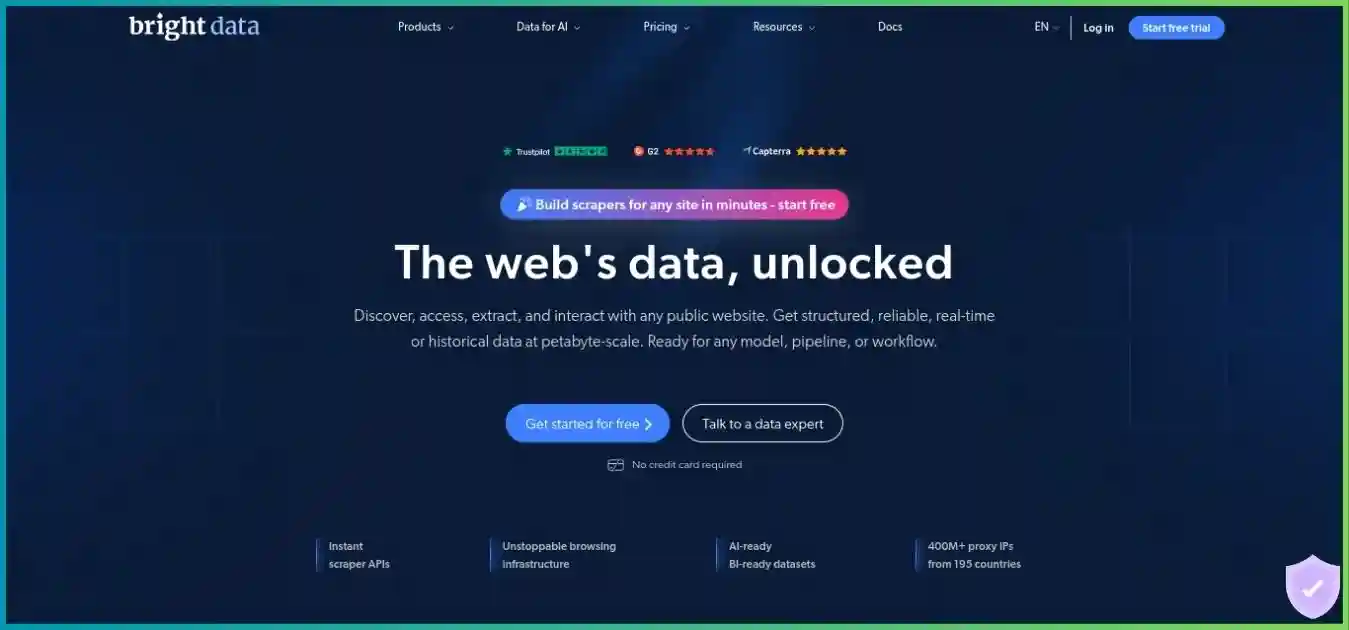
Compare the exact network or managed collection product, access checks and total operating scope. Our Bright Data vs Oxylabs comparison helps frame the choice without treating two broad catalogs as a single subscription.
Webshare
Alternative workflow and purchasing model
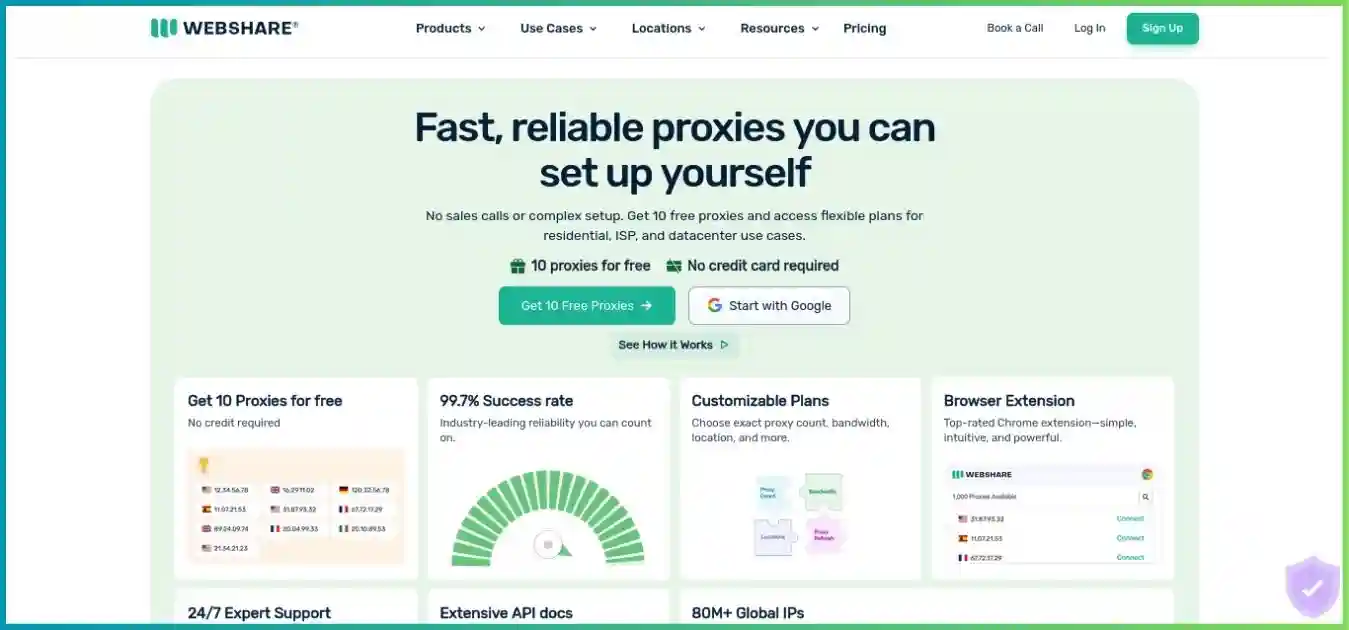
Evaluate when a self-service proxy setup is enough. Compare allocation, location inventory, traffic validity and required support against the Oxylabs product you would actually purchase.
ProxyShare
Alternative workflow and purchasing model
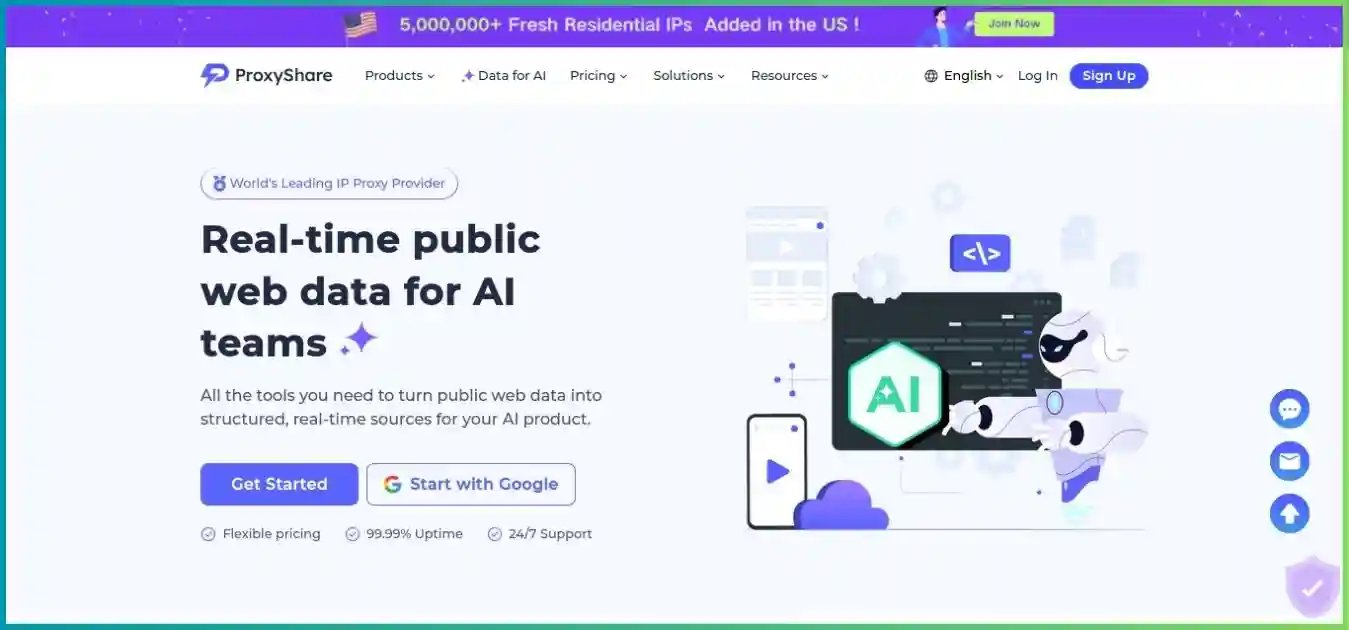
Consider a different small-package model, while checking validity and session details. The lower commitment is useful only if the selected target and operational requirements work in practice.
IPRoyal
Alternative workflow and purchasing model
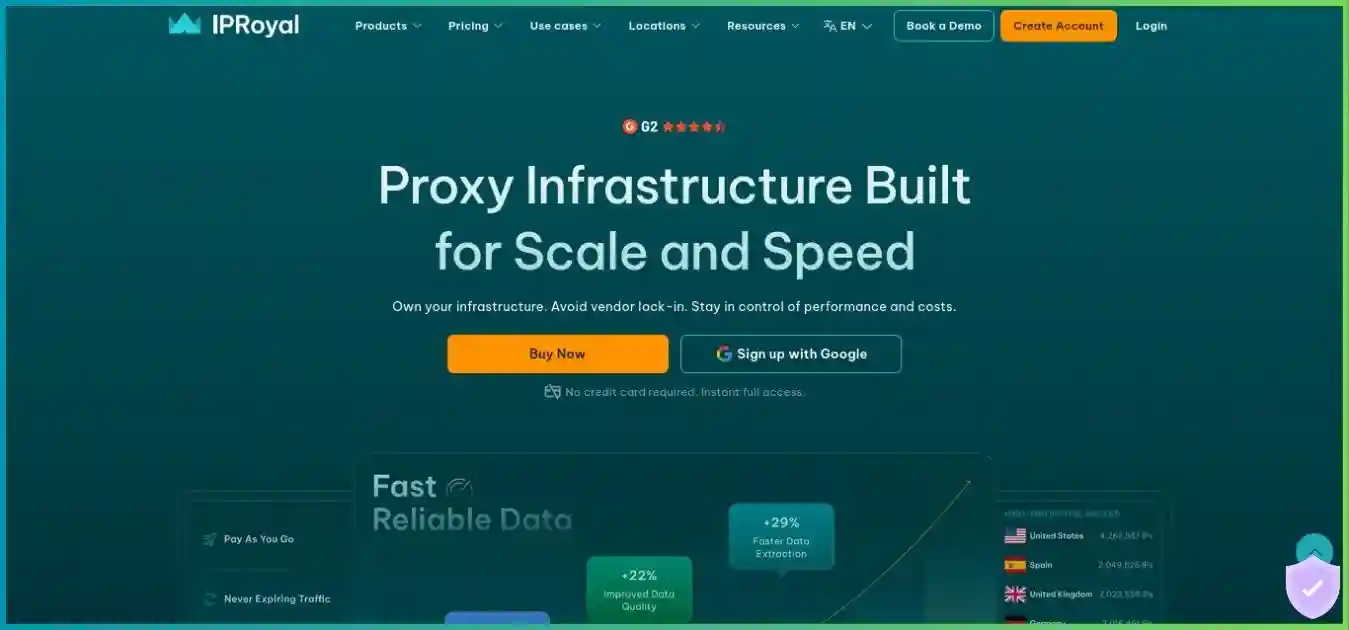
Investigate non-expiring residential traffic for intermittent projects. Compare unused-capacity economics, session controls and accepted output before choosing solely on the smallest-order per-GB price.
Homepage images are illustrative and may show earlier promotional copy. Use the detailed review and a current product quote for purchase decisions. A fair comparison keeps geography, concurrency, requested output and acceptance criteria consistent, then adds contract, support and maintenance costs.
Frequently asked questions
Research methodology and limitations
How this review was prepared
We checked Oxylabs’ public residential, mobile, datacenter, shared ISP and dedicated ISP product/pricing pages; Web Unblocker, Web Scraper API and Headless Browser pricing; and Help Center product distinctions, billing and refund guidance on October 4, 2026. The review identifies where the pricing cards disagree with the API allowance table and where dedicated ISP examples do not reconcile with the stated fair-use threshold.
Residential bars and ISP columns use public package prices. API capacity bars are calculated from the regular pricing-card rates, rounded down to whole results. The utilization line, donut and page-weight scenarios are hypothetical arithmetic. They are not customer distributions, measured success rates or proof of traffic rollover. Alternative descriptions use documented product distinctions without claiming independent performance superiority.
We did not buy a subscription, inspect authenticated checkout or a negotiated enterprise contract, execute the example, or conduct latency, security, sourcing or support tests. Confirm live pricing, target eligibility, usage treatment and governing terms for the actual account. No numerical editorial score is presented as measured quality.
Affiliate disclosure: we may earn a commission when you subscribe through the Oxylabs links in this article. The recommendations reflect the documented product scope and workload tradeoffs explained above.
Final recommendation
Oxylabs deserves a shortlist place when precise proxy controls, allocated ISP routes or managed retrieval and browser tools can solve a real operational requirement. Its range gives teams several ways to build a collection pipeline, but choosing the right product matters more than buying into the overall catalog. A small request-based job and a large interactive browser workflow should not begin with the same assumptions.
Select the network and output requirements first, confirm the unclear billing or fair-use details, then run a representative pilot. Scale only after you understand accepted-record cost, resource consumption and maintenance effort. If intermittent usage or a very small commitment is the main requirement, compare other purchasing models before subscribing.
Start with the workload you need to deliver
Confirm the targets, region, session requirements and output format. Choose an appropriate trial or entry package, measure useful results, and expand once the economics are clear.