HTTP vs. SOCKS Proxies: Differences, Use Cases, and Which to Choose
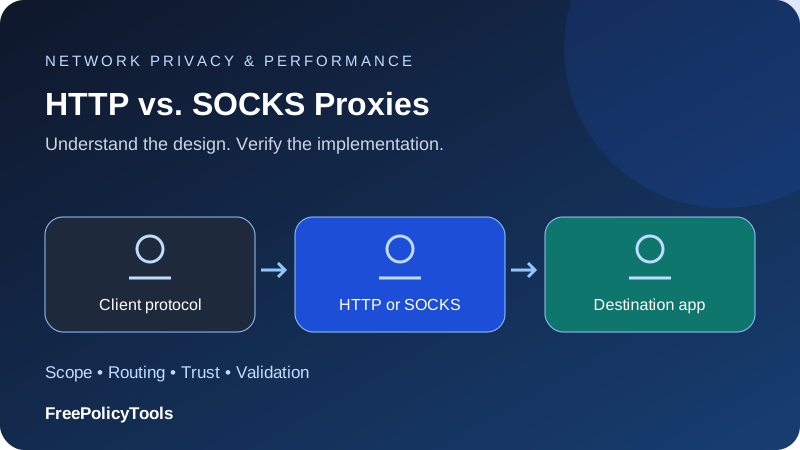
HTTP proxies understand web requests; SOCKS proxies relay supported connections without requiring HTTP application messages. Both can provide an intermediary exit, but protocol choice affects application support, DNS handling and which controls the proxy can apply. Neither label alone guarantees encryption, anonymity or faster performance.
Understand
Separate the key concepts
Compare
Match the design to your task
Verify
Test actual behavior
Protect
Check practical limits
HTTP vs SOCKS Proxy: The Main Difference
An HTTP proxy can receive an HTTP request, interpret it and forward it onward. It can also establish an opaque tunnel using CONNECT, allowing HTTPS traffic to pass without inspecting the encrypted page. SOCKS5 negotiates a relay connection to a specified address or hostname and then carries the application’s data.
That difference matters more than broad descriptions such as web-only versus secure. An HTTP CONNECT tunnel relays bytes rather than ordinary page requests, while SOCKS5 has capabilities that clients may not expose. The application must support the selected mechanism.
| Capability | HTTP proxy | SOCKS5 proxy |
|---|---|---|
| Application awareness | HTTP forwarding, or opaque CONNECT tunnel | General connection relay |
| Destination addressing | Web request target or tunnel host/port | IPv4, IPv6 or hostname |
| UDP | Classic CONNECT is a TCP tunnel | UDP association is defined; implementation varies |
| DNS | Depends on client and request mode | Local or proxy resolution depending on client |
| Encryption | Separate proxy TLS and destination TLS decisions | Not general payload encryption by default |
For context, start with what a proxy server is. This comparison concerns the client-to-intermediary protocol, rather than the origin of the exit IP.
How an HTTP Proxy Works
For an ordinary HTTP destination, the client sends a request identifying the desired target to the proxy. The proxy can apply web rules, request the resource and return the response. If the traffic is unencrypted, the intermediary can read headers and content. It may cache eligible responses or enforce application-level restrictions.
For an HTTPS destination, many clients ask the proxy to create a CONNECT tunnel to the target host and port. The client then performs destination TLS through that tunnel. The proxy ordinarily knows the requested tunnel endpoint and traffic characteristics, but does not read encrypted page content.
RFC 9110 defines CONNECT tunnel behavior. Allowed destinations and ports remain a policy choice; a proxy need not permit every possible tunnel target.What “HTTPS proxy” means
Ask whether the term means support for HTTPS destinations or a TLS-encrypted connection to the proxy itself. A plaintext HTTP connection to a proxy can still carry an end-to-end HTTPS tunnel. First-hop protection and destination protection are distinct.
How SOCKS5 Works
A SOCKS5 client first negotiates an authentication method, supplies a relay request and waits for a response. For a successful TCP connection, the application then exchanges its data through the relay. SOCKS5 can represent destination IPv4 addresses, IPv6 addresses and hostnames.
RFC 1928 specifies SOCKS5 negotiation and relay requests. It also defines UDP association. A provider advertising SOCKS5 does not necessarily offer UDP, and a browser supporting SOCKS5 may expose only TCP-based use.SOCKS4 is different
SOCKS4 has a different capability set and should not be treated as interchangeable with SOCKS5. Check the client’s exact version and supported address handling, authentication and DNS options. An older application or library can expose fewer capabilities than a modern provider endpoint.
Support beyond browsing
A compatible non-web client can benefit from SOCKS routing, but support must be explicit. Changing system settings does not guarantee that a game, mail client or real-time app will use that relay.
Local vs Remote DNS Resolution
A client can resolve a destination hostname locally and send the resulting address to a proxy. Alternatively, it can send the hostname and let the intermediary resolve it. Remote resolution can avoid the local resolver path for those requests, but does not redirect every DNS query on the device.
In curl, socks5h uses proxy-side hostname resolution, while a SOCKS5 option without that behavior can resolve locally. The official curl proxy options document this distinction. Other libraries use different option names and defaults.
Why it affects troubleshooting
If the local resolver returns no address, a locally resolving client can fail before the relay opens. If a proxy resolves successfully, the connection may still fail because the destination or intermediary rejects it. Separate name resolution from authentication and onward connectivity.
Read DNS leaks and prevention and how to test your VPN for the broader lesson: resolving correctly and routing privately are separate verification tasks.
Encryption, Authentication and Visibility
Neither ordinary SOCKS5 nor plain HTTP proxying supplies a universal encrypted tunnel for all application data. HTTPS can protect content between the client and destination. A supported TLS connection to the proxy can protect the first hop. The proxy protocol and application protocol work at different boundaries.
Authentication identifies access to the intermediary; it does not automatically encrypt the connection. Username/password SOCKS authentication has its own specification, RFC 1929, and is not a confidentiality layer. Protect credentials through an appropriate transport and operator arrangement.
What the operator can associate
An operator can connect use of its service with an account or source connection. A destination can still identify logins, cookies and application behavior. Changing protocol does not erase that state. Our VPN encryption guide separates cipher protection from routing and privacy claims.
Evaluate the complete connection
Check first-hop transport, application TLS, authentication, DNS and client fallback. SOCKS5 is not automatically safer just because it operates without HTTP parsing.
Choose by Application and Task
| Task | Practical starting point | Verify |
|---|---|---|
| Browser or HTTP API | HTTP proxy or supported SOCKS5 client | HTTPS support, authentication and redirects |
| Non-HTTP TCP application | SOCKS5 if supported | Application-specific relay settings |
| UDP application | SOCKS5 only with actual compatible UDP support | Client, provider and destination behavior |
| Web filtering or HTTP caching | HTTP-aware proxy | TLS visibility and cache eligibility |
| Remote hostname resolution | A client with proxy-side DNS | Exact option and resolver behavior |
For a browser-only task, choose the supported option that meets the routing requirement with the least complexity. For broader device transport, compare VPNs and proxies rather than assuming a SOCKS endpoint covers the whole operating system.
A provider’s residential or datacenter products can support either protocol. Our residential versus datacenter comparison covers that separate purchasing decision.
Explore IPRoyal Options
Compare the supported features and current plan terms with your actual requirements.
Explore IPRoyalAffiliate link: FreePolicyTools may earn a commission if you purchase through this link.
Set Up and Verify the Proxy
Get the endpoint, port, protocol and access method from the operator. Configure the actual app rather than assuming it follows system settings. Keep passwords out of shared configuration files and screenshots. If the service requires source-IP allowlisting, update the approved address when your network changes.
Test a public HTTPS destination, compare the visible exit and check DNS behavior. Review exclusions and proxy auto-configuration fallbacks. Test an invalid endpoint in a controlled setting to determine whether the app stops or silently connects directly.
Our Windows and Mac setup guide covers platform considerations. A browser request showing a new IP proves that request’s apparent source rather than every app’s path.
Maintain application state
A stable exit can help a stateful task, but the application still needs cookies, tokens and session management. Per-request rotation can break account checks, while connection pooling may preserve one exit longer than expected. Read proxy chains and rotating exits before adding routing layers.
Illustrative Performance Models
Protocol names are not speed measurements. Exit distance, congestion, authentication, connection reuse and the destination all affect completion time. The examples below deliberately use hypothetical values rather than inventing a SOCKS-versus-HTTP benchmark.
Assume an equal workload averages 140 ms when reusing established connections and 210 ms when each operation opens a new connection. The doughnut classifies an illustrative ten-task compatibility checklist, not market adoption. The download model shows how sustained throughput affects a fixed transfer.
Connection reuse example
Example compatibility checklist
Idealized 100 MB transfer
Use the same endpoint region, destination and application when comparing protocols. Record failed attempts alongside successful timings. A relay that is fast only on successful requests can perform poorly on the overall workload.
Common Proxy Errors
| Symptom | Possible cause | Response |
|---|---|---|
| 407 from HTTP proxy | Authentication required or rejected | Check method, credentials and allowlist |
| SOCKS negotiation fails | Wrong version or unsupported method | Confirm SOCKS5 and supported authentication |
| Names fail but IP targets work | DNS path issue | Review local versus proxy resolution |
| HTTPS fails | CONNECT denied or certificate issue | Check allowed destinations and keep verification enabled |
| UDP does not work | Capability absent from client or provider | Confirm actual UDP association support |
| Login resets | Exit or application state changes | Use stable routing and preserve session state |
Do not disable certificate checks to work around relay problems. Check the exact stage: endpoint reachability, negotiation, authentication, name resolution or destination response. Change one setting at a time so you can identify the effect.
A Worked Client Compatibility Review
Imagine a team testing a browser, an HTTP API script and a real-time client against a trusted relay service. The browser can establish an HTTPS tunnel through an HTTP proxy. The script supports SOCKS5 but has separate local and remote DNS options. The real-time client claims proxy support but does not document UDP association.
Do not assign one configuration to all three clients without testing. For the browser, confirm CONNECT support, valid destination certificates and handling of redirects. For the script, verify which component resolves the hostname and how pooling affects exit selection. For the real-time client, request actual UDP compatibility evidence rather than inferring it from SOCKS5 branding.
| Client | Controlled check | Failure to distinguish |
|---|---|---|
| Browser | HTTPS tunnel and redirect flow | Page success versus all-browser communication |
| API script | Authentication, DNS and connection reuse | Local resolver failure versus destination refusal |
| Real-time client | Documented relay transport and feature test | TCP-only support versus actual UDP capability |
Port numbers are configuration values
A conventional port does not prove the service implements the expected protocol. Providers can use different ports, and the same hostname can expose several products. Use the supplied endpoint configuration rather than diagnosing the protocol solely from a number.
A connection-refused result usually points toward reachability or service availability; a negotiation response points toward protocol or authentication handling. Read the response stage and preserve a small redacted log. Sending an HTTP request to a SOCKS endpoint does not test the SOCKS product fairly.
Pooling and rotation
A client may keep a connection open for many requests. If the provider rotates per connection, those requests can share an exit even when the marketing description says rotating access. A new application request is not necessarily a new network connection.
Likewise, credentials can include session or region selectors. Confirm whether changing such a selector requires opening another connection. Stable application state should be managed deliberately rather than inferred from the proxy protocol.
What a successful test establishes
Document the tested client version, proxy endpoint, hostname-resolution choice and destination feature. It establishes that combination’s behavior. It does not prove every other application supports the same relay or that an ordinary HTTP check validates UDP forwarding.
Choose a Protocol You Can Verify
HTTP proxies fit web-aware forwarding and familiar browser/API tooling. SOCKS5 offers a general relay model with capabilities that depend on implementation. DNS location, authentication and TLS are separate decisions in either case.
Choose based on the application’s real support, verify the route and failure behavior, then compare successful work under the same conditions. Avoid protocol-level speed or anonymity promises that ignore the rest of the setup.
Explore IPRoyal Options
Compare the supported features and current plan terms with your actual requirements.
Explore IPRoyalAffiliate link: FreePolicyTools may earn a commission if you purchase through this link.