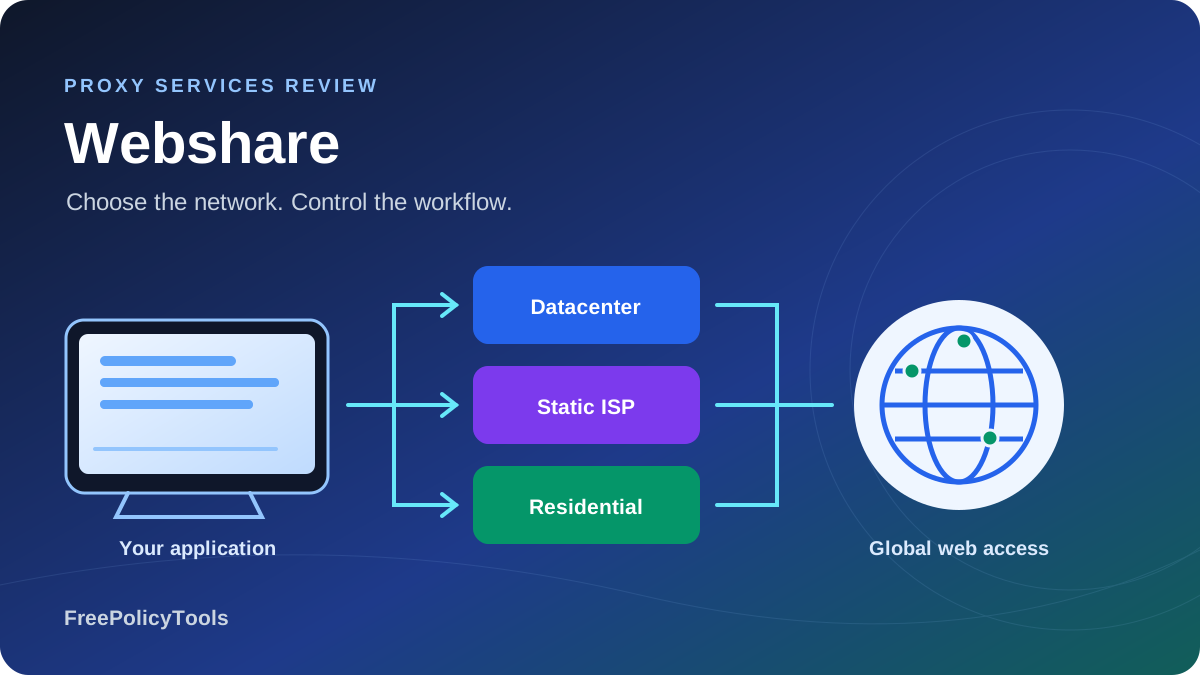
Webshare offers self-service datacenter, static residential/ISP and rotating residential proxies. Its appeal is a low entry cost and configurable plans rather than a complete managed scraping workflow. You can start with free datacenter connectivity, then select address count, sharing level and bandwidth around your application. The important question is whether the chosen network works on your actual targets at a sensible total cost.
This detailed review checks public prices, documentation and product terms as of October 4, 2026. It separates per-IP subscriptions from residential GB packages, explains session and location controls, and covers bandwidth expiry, fair use, billing and developer setup. We did not run a paid-network benchmark. The visuals use current public totals or clearly labeled arithmetic rather than unverified speed and success figures. For the broader shortlist, see our best proxy providers guide.
Datacenter proxies; 1 GB/month
100 shared DC IPs/month
1 GB residential monthly offer
Supported proxy protocols
Webshare verdict, product overview and ownership
Webshare is worth considering when you want to operate your own HTTP client, browser or crawler and buy proxy connectivity separately. The dashboard, endpoint generator and management tools make it accessible to developers and small teams. It is less suited to buyers who expect the provider to render pages, solve every access problem, parse business records and persist a dataset as one managed service.
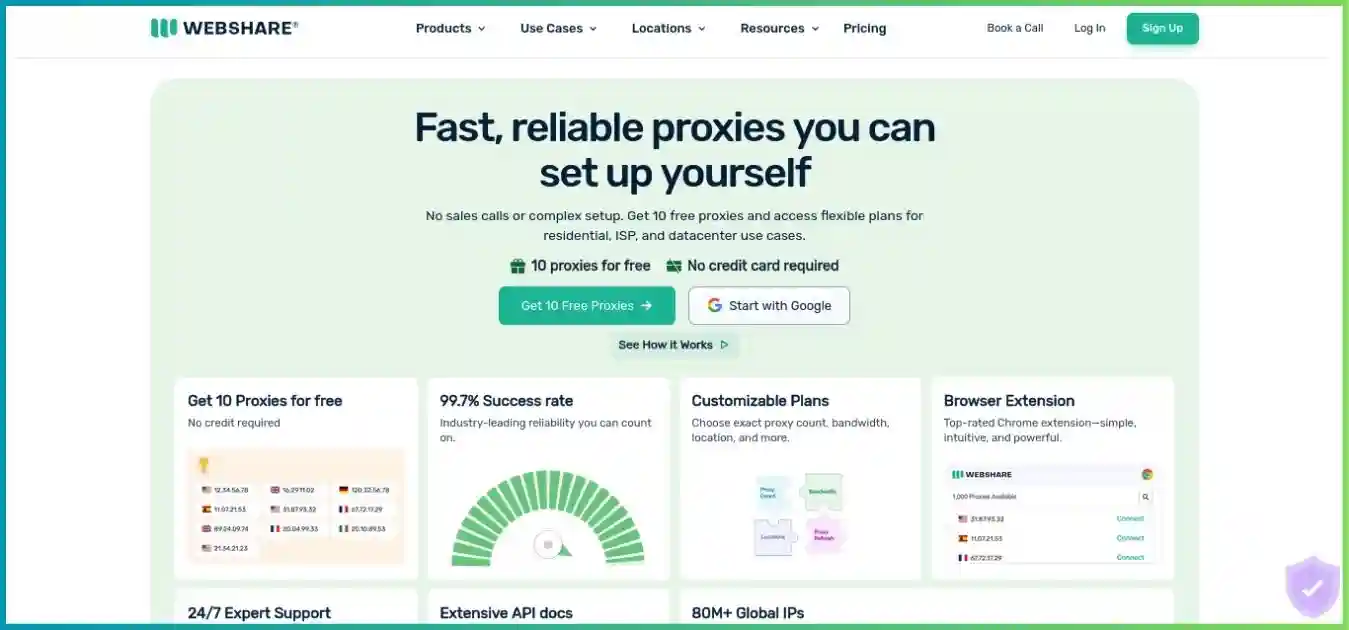
Buy the network your application needs
Address type, exclusivity and bandwidth are separate decisions. A cheap per-IP headline and a residential price per GB are not interchangeable measures of useful output.
Webshare joined Oxylabs in 2022, while continuing to offer a distinct self-service product. Common ownership does not establish identical pools, prices, support contracts or target performance. Choose between the products on their actual configuration and operating model, rather than transferring one brand’s enterprise claims to the other.
Datacenter, static ISP and rotating residential proxies
| Product | Address model | Billing unit | Useful starting workload |
|---|---|---|---|
| Datacenter / Proxy Server | Server-hosted IPs; shared, private or dedicated | Allocated IP count plus configuration | Public pages and testing where datacenter access works |
| Static residential / ISP | ISP-issued addresses hosted on servers | Allocated IP count plus configuration | Consistent identity and longer sessions |
| Rotating residential | Pool of residential device IPs | Monthly traffic allowance in GB | Location-sensitive collection and variable exit IPs |
Datacenter: economical when your targets accept it
Datacenter proxies provide a straightforward route for workloads that do not need household IPs. Test the shared product first on representative pages; if it returns complete data at acceptable latency, a more expensive network may add little value. The product advertises more than 50 countries, but available inventory and your selected plan determine the addresses you can actually allocate.
Shared, private and dedicated change who else can use the address. They do not change a datacenter IP into a household connection. Dedicated allocation can reduce the influence of other Webshare customers while you hold the IP, but target websites can still classify the network or rate-limit your requests.
Static residential / ISP: stable addresses, different hosting model
The help center describes these addresses as issued by residential ISPs and hosted on servers. That distinction matters: they combine allocated address continuity with an ISP-associated network identity, but they are not rotating household devices. Some IP checkers may label them hosting or datacenter, so verify behavior on your destination rather than treating one checker’s category as a universal verdict. Use our guide to proxy server types to separate IP source, protocol and session behavior before comparing plans.
The standard static residential tier is shared. Private and dedicated versions exist, but do not apply the standard $6 entry price to an exclusive ISP allocation. For multi-step workflows, an allocated static address can be easier to manage than a temporary sticky residential session. Replacement, refresh settings and subscription continuity still need to align with your application state.
Rotating residential: flexible routing with traffic-based spend
The residential product advertises a pool of more than 80 million IPs across 195 countries. These are provider-reported coverage figures, not our measurement of concurrently available devices. The practical questions are whether your target locations have usable peers, whether repeated requests return complete data, and how much bandwidth your collection process consumes.
Rotating and sticky options let you choose changing exits or continuity for a limited period. Geography can be narrowed through the endpoint generator, with restrictions on which filters combine. A large advertised network does not ensure a usable IP for every ZIP code, ASN or country at every moment, and it does not guarantee access to a particular website.
| Tier | What is established | What is not guaranteed |
|---|---|---|
| Shared / standard | Addresses used by multiple customers | A fixed low number of other users |
| Private | Limited sharing; public wording varies by product | Exclusive use or one universal sharing count |
| Dedicated | No other Webshare customer uses your allocated address | Pristine historical reputation, permanent ownership or no blocks |
The general sharing guide says private proxies share with one other user; static residential guidance says zero to two others, while product wording also varies. Confirm the exact tier you intend to buy. This is a useful contractual distinction when reputation or continuity matters more than the lowest listed price.
Current pricing and realistic purchase commitments
The tables use public monthly USD totals observed during this update. They exclude tax, account-specific offers and configuration changes. Residential prices are displayed as discounted offers; do not assume they will remain unchanged at renewal. Annual selection is separate, and some public card labels do not reconcile consistently, so verify the billing term and full checkout amount instead of multiplying a headline unit rate.
| Product | Allocated addresses | Displayed monthly total | Scope / caveat |
|---|---|---|---|
| Shared datacenter | 100 / 1,000 / 5,000 / 60,000 | $2.99 / $26.91 / $119.60 / $1,076.40 | Shared addresses; final bandwidth/thread/country choices matter |
| Private datacenter | 25 / 50 / 100 | $18.52 / $35.10 / $66.30 | Limited sharing; use displayed total, not inconsistent unit labels |
| Dedicated datacenter | 20 / 50 / 75 / 100 | $26.60 / $63 / $89.25 / $119 | Exclusive allocation within Webshare |
| Standard static ISP | 20 / 100 / 500 / 1,000 / 10,000 | $6 / $30 / $142.50 / $270 / $2,250 | Standard is shared; not a dedicated ISP quote |
Same address count, different networks and sharing levels. Bandwidth, threads and chosen configuration can alter final cost.
Shared zero-based scale: $0–$125. This is a subscription commitment comparison, not a speed or target-success ranking.
For example, the 25-IP private datacenter card displays $18.52 as its monthly total, but its $0.798 per-IP label would imply $19.95. We retain the actual displayed total and disclose the inconsistency rather than inventing an explanation or a checkout price. The 100-IP comparison above uses package totals that can be compared as commitments, while keeping the product differences explicit.
| Included traffic | Displayed monthly total | Calculated USD / GB | Billing basis |
|---|---|---|---|
| 1 GB | $3.50 | $3.50 | Monthly package; unused allowance expires |
| 10 GB | $27.50 | $2.75 | Monthly package; unused allowance expires |
| 25 GB | $65.00 | $2.60 | Monthly package; unused allowance expires |
| 50 GB | $122.50 | $2.45 | Monthly package; unused allowance expires |
| 100 GB | $225.00 | $2.25 | Monthly package; unused allowance expires |
| 250 GB | $500.00 | $2.00 | Monthly package; unused allowance expires |
| 500 GB | $875.00 | $1.75 | Monthly package; unused allowance expires |
| 1,000 GB | $1,500.00 | $1.50 | Monthly package; unused allowance expires |
| 3,000 GB | $4,200.00 | $1.40 | Monthly package; unused allowance expires |
Calculated from published monthly package totals. A lower rate needs more spend and enough usage before the reset.
Zero baseline; shared scale from 0 to 3.5 USD / GB.
The $1.40/GB residential headline belongs to the 3,000 GB / $4,200 package. It is not the rate for the smallest purchase. A 1 GB monthly package costs $3.50, while 10 GB costs $27.50. Select around realistic traffic and target performance: unused capacity can erase the apparent advantage of a lower nominal rate.
Per-IP subscriptions and GB packages require different forecasts
For datacenter and ISP plans, start with how many distinct allocated addresses you need, then verify bandwidth and thread limits. For residential, estimate transferred traffic and session requirements. In both cases, include your crawler or browser compute, parsing maintenance and recovery time. An inexpensive route that returns unusable pages can cost more per valid record than a higher-priced route that fits your target.
Bandwidth, fair use and monthly utilization
Bandwidth belongs to the whole plan, not to each proxy in its list. A 250 GB plan with 100 addresses does not supply 25,000 GB. Monthly allowances reset and do not roll over; exceeding a capped allowance stops the proxies functioning. Monitor actual usage separately from projected usage, which is an extrapolation based on current activity.
| Network | Shared | Private | Dedicated |
|---|---|---|---|
| Datacenter | 1,000 IPs | 100 IPs | 75 IPs |
| Static residential / ISP | 100 IPs | 100 IPs | 50 IPs |
These counts establish eligibility for an unlimited configuration, not automatic inclusion at every quoted price. Capped datacenter and ISP options include 250 GB, 1,000 GB and 5,000 GB. Confirm the option you selected and its resulting checkout price. Rotating residential uses its own traffic packages and should not be described using the datacenter/ISP unlimited policy.
Unlimited is subject to a published fair-use threshold
The current policy covers Proxy Server, Static Residential and legacy Verified products. Unlimited plans have a minimum 10 TB threshold before throttling, with higher thresholds tied to subscription spend. The provider can throttle substantial excess and change the policy. This is not additional included traffic on a capped subscription.
The policy allocates one TB per $10 of the first $1,000 of subscription spend, then one TB per $20 above that, with a minimum of 10 TB. Its examples are $100 → 10 TB and $1,500 → 125 TB. These are fair-use thresholds for an eligible unlimited plan; they are not a universal guaranteed transfer speed or a residential package allowance.
Calculated example: a $225 / 100 GB monthly residential package. Effective cost = subscription spend / consumed GB.
Sampled utilization points joined for illustration. Values between them follow $225 / usage, not a new provider pricing schedule.
| Traffic actually consumed | Nominal purchased rate | Effective USD / consumed GB | Unused monthly allowance |
|---|---|---|---|
| 25 GB | $2.25 / GB | $9.00 | 75 GB |
| 50 GB | $2.25 / GB | $4.50 | 50 GB |
| 75 GB | $2.25 / GB | $3.00 | 25 GB |
| 100 GB | $2.25 / GB | $2.25 | 0 GB |
Hypothetical 10 GB residential package with 4 GB consumed. Not an observed Webshare usage statistic.
4 GB used: 40% utilization.
6 GB unused: does not carry into the next cycle.
The listed 10 GB monthly package costs $27.50, or $2.75 per purchased GB. If only 4 GB is consumed, effective subscription cost is $27.50 / 4 = $6.875 per consumed GB. That is 2.5 times the nominal rate, before crawler compute or engineering.
Estimate traffic from your own application
Page size, browser resources and repeated attempts affect transferred volume. A hypothetical 50,000 requests averaging 200 KB each transfers roughly 10 GB using decimal units, before additional overhead or retries. At 1 MB each, the same request count is roughly 50 GB. Measure dashboard usage over a small batch and scale from that observation; parsed text length alone is not a reliable measure of billed network traffic.
Block unnecessary images or media in your own browser automation only when they are not needed for the data. Keep scripts and API requests that load required fields. Reducing bandwidth at the expense of incomplete records creates a misleading savings estimate, so track consumption and accepted output together.
Rotation, sticky sessions and location filters
The residential Endpoint Generator creates the full connection details for your chosen authentication, location and session settings. Use its exported output as the source of configuration. Selecting a location in the dashboard alone does not change an already configured client; the settings encoded in the username determine the connection behavior.
| Selection | Supported combination | Important restriction |
|---|---|---|
| Country | Country only or worldwide | Available peers vary over time |
| City | Country + city | Cannot also select state or ZIP |
| State | United States + state | US only; not combined with city/ZIP |
| ZIP | United States + postal code | US only; username uses postalcode_, not zip_ |
| ASN | ASN across the pool | Cannot be combined with country in the generator |
When a second state/city/ZIP filter is selected, it replaces the first. ASN is an alternative to country targeting, not another filter to stack on top of a country. Narrow selections can have no available peers; try a broader scope and verify the actual result. These generator rules should not be generalized into a promise that every product supports the same location granularity.
Rotating and sticky serve different workflow needs
Rotating mode changes the exit IP per request. Sticky mode retains an IP for a configured timer from one minute to 24 hours. Use rotating requests for independent fetches and a sticky session for steps that require continuity. Keep cookies and session identifiers aligned, and handle a lost peer or expired timer rather than assuming that a temporary residential exit is permanently reserved.
An endpoint that rotates through your allocated datacenter or ISP list is different from a residential pool subscription. Rotation changes which available address is used; it does not change the IP’s network type. For permanent allocation during a subscription, evaluate static products and their refresh/replacement settings.
Test localized content, not only IP location
A location check is useful, but the destination can also use account preferences, language headers, cookies and prior state to choose content. Validate currency, region, language and relevant availability on the actual target. For ad verification or regional catalogs, save that context with the resulting record so you can distinguish a routing mismatch from stale application state.
Performance claims and a practical evaluation plan
We have not independently benchmarked Webshare’s latency, success rate, usable pool size or support response time. Advertised uptime and aggregate network capacity are provider claims, and product pages use different wording in places. Neither aggregate Gbps nor an advertised IP count proves how a particular target behaves. The free network is useful for connectivity tests but is not a representative paid residential performance sample.
| Metric | Method | What it tells you |
|---|---|---|
| Accepted-record rate | Valid distinct records / attempted records | Whether access produces useful downstream data |
| Target response behavior | Separate expected pages, blocks, challenges and errors | Whether IP type or application state causes failure |
| Latency distribution | Median and p95, with consistent timeouts | Batch completion and user-facing expectations |
| Traffic consumption | Dashboard transferred GB per accepted batch | Whether package size and resource choices fit |
| Session continuity | Repeat multi-step requests inside selected timers | Whether sticky routing matches the workflow |
| Geographic validity | Check target locale and exit location together | Whether precise targeting produces the intended content |
| Total cost / accepted record | Subscription + compute + engineering divided by accepted output | Whether the cheap headline translates into value |
Use the same representative URLs, required fields and concurrency for each candidate configuration. Include both easy and difficult pages, repeat the test in more than one time window, and classify failures. Start with a small worker pool and increase it gradually; a configured thread maximum is an account limit, not a guarantee of sustained target throughput.
Distinguish transport success from data success. A returned HTML page may be a challenge, login prompt, duplicate or incomplete listing. Keep raw samples for debugging and use stable record IDs. When evaluating alternatives, compare costs for the same accepted output and include the time each product saves or requires.
Support and operational reliability
Documentation and support email are available, but this review did not time support responses or verify a contractual SLA. Prepare a reproducible example with the selected product, endpoint mode, timestamp, target response and sanitized error details. Keep credentials out of logs and support screenshots. A clear failure case is more useful than a vague report that a proxy is slow.
Setup, authentication and troubleshooting
Create the account, select the correct product and copy its generated connection details. For the free plan, confirm basic routing before adding it to a crawler. For a paid residential pilot, use the actual geography and session type your workload needs. Proxy credentials and management API keys serve different purposes; use the correct one for the connection you are making.
| Mode | Endpoint details | Authentication |
|---|---|---|
| Direct | proxy_address and port from your list/API | Listed username/password, or your authorized source IP |
| Backbone | p.webshare.io; documented username/password ports include 80, 1080 and 3128 | Generated credentials and username parameters |
| IP-authorized backbone | Use the port returned for your authorized configuration | Source IP must match the authorization |
Keep the generated proxy URL in a server-side secret or environment variable. If you build it yourself, encode special characters in credentials correctly. IP authorization avoids embedding credentials in a client but depends on a stable source address; a changing cloud egress IP or home connection can break it. Use the exact host, port and protocol for your configuration rather than assuming every connection uses one fixed port. For a desktop configuration, follow our Windows and Mac proxy setup guide and verify which applications actually use the configured proxy.
Minimal Python HTTP retrieval
# Python: copy the complete generated proxy URL into an environment variable.
# Install requests in your own environment before using this example.
import os
from urllib.parse import urlsplit
import requests

proxy_url = os.environ['WEBSHARE_PROXY_URL']
if not urlsplit(proxy_url).hostname:
    raise ValueError('Set a valid generated proxy URL')

response = requests.get(
    'https://example.com/',
    proxies={'http': proxy_url, 'https': proxy_url},
    timeout=(10, 30),  # Connect and read timeouts, not a complete job deadline.
)
response.raise_for_status()
if not response.text.strip():
    raise ValueError('Empty response')

print({'status': response.status_code, 'characters': len(response.text)})
# Next: confirm page identity, parse required fields and save accepted records.
# Leave certificate verification enabled; do not log the credential-bearing URL.
Illustrative code, not an executed performance test. For SOCKS5, install the client’s SOCKS support and use the generated protocol format.
For HTTPS destinations, an HTTP proxy client can establish a CONNECT tunnel while the destination uses TLS. MDN’s guide to proxy servers and tunneling explains that separation. HTTP/SOCKS5 support does not itself mean all device traffic is encrypted or routed through the proxy. Keep ordinary certificate verification enabled.
| Symptom | Check first | Useful next action |
|---|---|---|
| Authentication rejected | Credentials, username syntax and authorized source IP | Regenerate the correct configuration and verify the account state |
| Connections stop working | Subscription expiry and plan-wide bandwidth | Check actual usage, renewal and selected allowance |
| Wrong location | Generated username, session reuse and target cookies | Regenerate targeting and validate exit/content separately |
| Repeated challenges / blocks | Target restrictions and application request behavior | Confirm permitted access and test a small alternative mode |
| Slow requests | Target latency, peer location, concurrency and resource volume | Compare a controlled baseline and reduce unnecessary workload |
| Session breaks | Sticky timer, peer availability and cookie/session alignment | Handle expiry/recovery explicitly or evaluate allocated static IPs |
Bound retries, preserve terminal failures and write records idempotently. A changed IP will not fix a wrong password, exhausted traffic allowance or broken parser. Avoid an unbounded retry loop that pays for repeated network transfers without producing accepted data.
Management API, SDKs, CLI and MCP
Webshare’s developer tools manage proxy infrastructure. The API documentation covers lists, configuration, replacements, authorizations, statistics and subscriptions. These tools can automate operating tasks around your crawler, but they are not a managed browser renderer or a universal page-to-business-record extraction endpoint.
| Interface | Documented capability | Integration boundary |
|---|---|---|
| REST management API | Proxy lists, settings, replacements, statistics and account operations | Keep keys server-side; distinguish configuration changes from page retrieval |
| Official SDKs | Typed API clients for Node.js, Python and Go | Use current SDK/runtime requirements and API-key configuration |
| Official CLI | Export proxies, generate URLs, inspect usage and manage settings | Browser OAuth or API-key authentication; exports may contain credentials |
| Hosted MCP server | Account, proxy, bandwidth, error and configuration tools | OAuth account access; read and optional write permissions |
Automate recurring operating work
Official SDKs are documented for Node.js, Python and Go. The Node.js client requires version 20 or newer, and the SDKs can read WEBSHARE_API_KEY. The CLI can export your proxy list and show traffic statistics. Use these capabilities to refresh configurations and reconcile consumption with application logs rather than copying lists manually across multiple workers.
The CLI supports browser login and shows connected access in the account dashboard. Its documentation describes token storage in an operating-system keychain or a restricted file when a keychain is unavailable. Treat generated proxy URLs and exports as secrets even if they are convenient for automation. Set explicit plan context when managing multiple subscriptions.
MCP connects an agent to account operations
The hosted MCP server uses Streamable HTTP and OAuth, with no API key required for that connection. It can inspect proxies, bandwidth, errors and billing context, and optional write access enables changes such as replacements or IP authorization. Start with the permissions needed for your workflow and distinguish account administration from scraping a target page.
Only the account owner can connect apps through the documented consent flow. Review the connecting client and revoke access when no longer needed. If your goal is automated collection rather than account administration, you still need a request client or browser, scheduling, parsing and storage. Our web scraping tools comparison covers services that take on more of that workflow.
Privacy, target restrictions, renewal and refunds
Read privacy claims in the context of the policy
Some product marketing uses no-logs language. The privacy policy describes account and payment information, online identifiers, usage, website/service logs and analytics, communications and identity verification through Stripe Identity. We did not audit logging or residential sourcing. Do not interpret a short marketing phrase as proof that no information is collected, or assume the policy’s analytics language establishes that every browsing payload is stored.
A proxy changes the route for configured traffic. It does not automatically cover every application, erase browser identifiers or provide an audited VPN privacy model. If you want broader device-routing features for everyday use, our NordVPN review explains that different product category. Our proxy server explainer provides the request-flow background for interpreting the product claims in this comparison.
Confirm restricted targets before buying residential traffic
The rotating residential restriction guide lists categories including entertainment, streaming, banking and financial institutions, government sites, ticketing and mailing services. Certain targets may be opened after KYC, but the guide asks customers to confirm access before purchasing. Broad country coverage does not override target restrictions or establish that a specific platform is supported.
Choose permitted collection targets and follow their published conditions. RFC 9309 defines the Robots Exclusion Protocol used for robots.txt instructions; it does not replace authorization or the target’s terms. Keep those decisions in the application’s target rules rather than treating proxy availability as permission to collect anything.
Renewal and the conditional refund window
Product FAQs say plans renew automatically by default. Check the term, selected configuration and displayed renewal amount, especially when the first purchase includes a discount. Cancelling renewal, upgrading a plan and requesting a refund are different actions. Keep invoices and review your next billing date before a long batch or configuration change.
| Condition | Published requirement |
|---|---|
| Timing | Cancel within two days of the original payment transaction |
| Proxy server / static ISP usage | Active subscription bandwidth below 1 GB |
| Rotating residential usage | Active subscription bandwidth below 0.1 GB |
| Proxy use | Fewer than 1,000 proxies used in the subscription |
| Request process | Contact customer support; approval depends on policy conditions |
The residential usage threshold is small, so a meaningful paid pilot can exceed it quickly. Treat the free datacenter plan as a connectivity check and a paid residential pilot as a purchase with specific refund limits. We did not verify an unrestricted refund promise or a support-response guarantee.
Use cases and choosing the right network
| Workload | Candidate starting product | What to validate |
|---|---|---|
| Public catalog / price monitoring | Shared datacenter, then residential if necessary | Product identity, variant, currency, completeness and traffic |
| Consistent multi-step workflow | Allocated ISP or a tested sticky session | Continuity, refresh behavior, authorization and account state |
| Regional ad or content verification | Country/city-targeted residential | Actual locale, creative, destination and permitted target access |
| Developer connectivity testing | Free datacenter plan | Client authentication and routing; not paid-network performance |
| Public search / research collection | Small paid test matched to target needs | Accepted records, restrictions and cost including maintenance |
| High-traffic server-hosted collection | Eligible datacenter/ISP bandwidth configuration | Plan-wide allowance, fair use, threads and sustained throughput |
Ecommerce: budget traffic and accepted records together
Start with the pages your business actually needs, including multiple layouts and regions. Decide whether missing stock, a wrong currency or an incomplete variant makes a record unacceptable. Use stable identifiers and collection timestamps, then revisit valuable products more frequently than low-priority pages. Only escalate to residential routing when the pilot shows a benefit that justifies its traffic-based cost.
Ad verification and localization: preserve the request context
Country and city routing can help inspect localized content, but cookies, language and prior account settings can influence what appears. Save the selected route and actual returned context with the observation. Check target access restrictions first and broaden overly narrow filters when no peer is available. An IP location match alone does not prove that a campaign appeared in the intended market.
Existing crawlers: retain responsibility for the application layer
Webshare can slot into a proxy-capable crawler, browser or HTTP client. Your application still controls concurrency, render waits, parser correctness, deduplication and storage. If maintaining those components is the expensive part, compare a managed service rather than only another proxy network. Our ScraperAPI review illustrates the additional work a retrieval API can take on.
Webshare pros and cons
The strongest advantage is accessible, configurable network infrastructure. The main tradeoff is that a proxy subscription leaves most collection logic with you. Evaluate both parts of the cost: what you pay Webshare and what it takes to turn the routed traffic into useful output.
Alternative providers and buying tradeoffs
Compare the purchase unit, traffic validity and work included before ranking prices. A 30-day traffic package, a monthly subscription and non-expiring PAYG traffic can fit very different usage patterns. Pool counts also use different measurement methods, so this review does not derive performance ratios from advertised network size.
| Provider | Published small-purchase example | Traffic / pricing distinction | Useful evaluation question |
|---|---|---|---|
| Webshare | $3.50 for 1 GB monthly | Monthly package; no rollover | Does consumption fit the period and do targets work? |
| ProxyShare | $9 for 10 GB / 30 days | Package validity; $0.90 per purchased GB | Is the minimum package and target behavior suitable? |
| IPRoyal | $7.35 for 1 GB PAYG | Residential traffic advertised as non-expiring | Does irregular usage justify the higher small-order rate? |
| Bright Data | Eligible promotional PAYG $4 / GB | Offer eligibility and account funding terms matter | Do access controls or managed tools save more work? |
| Oxylabs | $30 for 5 GB Starter | Entry commitment; $6 per included GB | Do target fit and enterprise/service scope justify it? |
These are starting offers, not a guarantee that every provider accepts the same target or yields the same records. Confirm current promotions and access conditions, then run the same pilot. For equal-volume pricing context, our Webshare vs ProxyShare comparison examines package commitments rather than only “from” rates.
ProxyShare
Low-commitment 30-day traffic
Consider its 10 GB entry package when you can use the allowance during the validity period. Compare actual target access, traffic accounting and geographic needs in a small pilot.
IPRoyal
Irregular residential usage
Non-expiring residential PAYG traffic can fit projects with pauses or uneven consumption. Compare that validity advantage with the small-order rate and required session/targeting behavior.
Bright Data
Network and managed-tool scope
Evaluate its access process and managed collection options alongside raw proxies. Promotional rates and account terms should be checked before comparing a concrete workload.
Oxylabs
Broader enterprise collection scope
Compare its networks, managed retrieval products and service requirements when your team needs more than a self-service proxy list. Shared ownership does not make its offering identical to Webshare.
If you mainly need browser rendering or parsed records, compare managed scraping products as well. If you already have reliable extraction code, a network-only provider may keep costs and architecture simpler. The right comparison includes the operating work each option removes, not only the advertised proxy rate.
Frequently asked questions
Research methodology and limitations
What this review verifies
We reviewed Webshare’s public product and pricing pages, connection documentation, residential Endpoint Generator guide, sharing and bandwidth help, fair-use policy, developer interfaces, privacy policy and product refund FAQ on October 4, 2026. Alternative summaries use current public provider pricing and documented billing scope. We did not purchase a subscription, complete an authenticated checkout or run a controlled latency, success-rate or sourcing audit.
Price columns use published package totals; residential bars derive unit rates from those totals. The line chart and donut show hypothetical utilization arithmetic. Traffic estimates are decimal-unit examples, not observed bills. No chart represents an independently measured provider success rate, customer usage distribution or universal speed ranking.
We distinguish standard ISP pricing from dedicated tiers, configuration eligibility from included bandwidth, and network marketing from measured availability. Where sharing counts or price labels differ, the article states the discrepancy. Confirm the selected configuration, target access and final checkout terms before a material purchase.
Affiliate disclosure: we may earn a commission when you subscribe through provider links in this article. Recommendations reflect product fit, published terms and the evaluation questions explained above.
Final recommendation
Webshare is a practical shortlist candidate for teams that want affordable, configurable proxy connectivity and already operate their own collection workflow. Its free datacenter plan helps verify integration, allocated ISP addresses support continuity, and residential packages offer more flexible routing. Current endpoint controls and developer tools add useful operating options without changing the core network-only role.
Start with the simplest network that returns complete data, then buy around address needs and actual transferred traffic. Check restrictions before a residential purchase, budget monthly expiry, and verify unlimited configuration terms. If extraction maintenance or access recovery dominates your costs, compare a managed service before optimizing only the proxy bill.
Test connectivity, then validate the paid workload
Use the free plan for integration checks. Select a small paid pilot for the network and locations you actually need, then track accepted records, transferred GB and total operating cost.