A comprehensive guide to the modern ExpressVPN service: what each tier buys, how the apps differ, and which privacy and performance claims are supported by evidence.
Affiliate disclosure: purchase links may earn us a commission. This review evaluates current documentation and published evidence; it does not claim new hands-on speed or streaming tests.
Quick verdict: a polished core VPN with increasingly complex bundles
Best fit: people who want dependable controls without a complicated setup
ExpressVPN is a strong candidate when you value straightforward location selection, broad native-app support and a privacy model with independent assessments behind it. Basic delivers the core VPN. Advanced and Express Pro add connection allowances and other services, so the right plan depends on what you actually use rather than a blanket assumption that the biggest bundle makes the tunnel better.
Check ExpressVPN’s current offerThe service has changed substantially from older reviews describing a single expensive subscription, five or eight connections and a fixed “3,000 servers” total. There are now three principal consumer tiers, modern split-tunneling options, broader WireGuard support and a new router partnership. Old charts and setup advice can therefore lead to the wrong purchase even when they were accurate at publication.
The strongest case is a combination of manageable apps, Lightway and supported post-quantum WireGuard, TrustedServer infrastructure, and documented privacy assessments. The principal limitations remain practical: connection caps differ by tier, renewal costs rise above the introductory equivalent, and the ordinary service has no inbound VPN port forwarding or configurable two-server MultiHop route.
Choose it when…
You want a supported native app for daily browsing, travel, TV playback or a compatible router. You value clear connection controls and are prepared to test the actual sites and networks you need during the applicable evaluation window.
Compare carefully when…
You need unlimited simultaneous connections, incoming P2P reachability, a permanent free tier or custom MultiHop routing. If you already have password and identity tools, a larger bundle may duplicate products you prefer.
Basic, Advanced and Express Pro: upfront cost and renewal
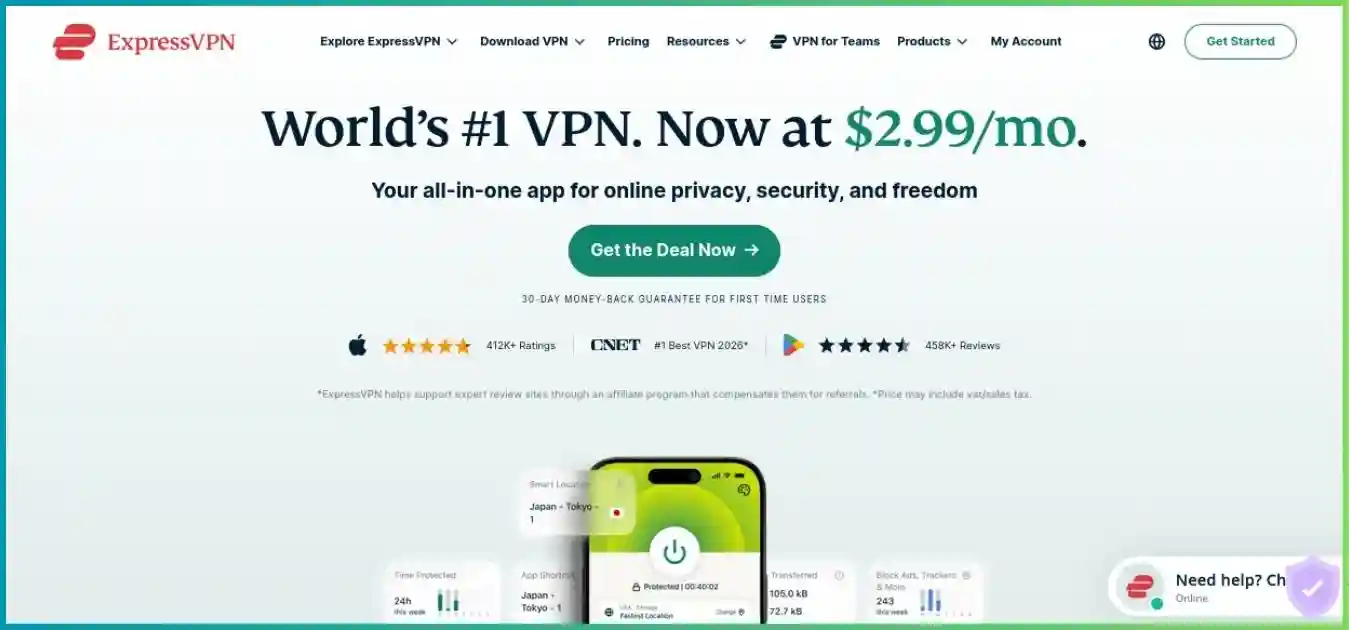
The official pricing page showed these USD offers on October 1, 2026. Each covers twenty-four months plus four additional months. The monthly number is an equivalent; the initial charge is paid upfront. Sales tax may apply.
| Tier | Monthly equivalent | First 28 months | Then annually | Concurrent connections |
|---|---|---|---|---|
| Basic | $2.99 | $83.72 | $99.95 | 10 |
| Advanced | $4.49 | $125.72 | $119.95 | 12 |
| Express Pro | $7.49 | $209.72 | $199.95 | 14 |
Same 28-month term, before tax; zero baseline. These values repeat the table.
Calculate the full commitment
The introduction lasts longer than the subsequent annual billing period. Compare a total paid over a defined coverage period, then decide whether you still want the service at renewal. The calculation below assumes the currently listed rates stay unchanged, no add-ons are purchased and no tax is applied; it is a planning example, not a future quote.
| Tier | 28 months: initial term | 40 months: + one renewal | 52 months: + two renewals |
|---|---|---|---|
| Basic | $83.72 | $183.67 | $283.62 |
| Advanced | $125.72 | $245.67 | $365.62 |
| Express Pro | $209.72 | $409.67 | $609.62 |
Calculated term composition, not a recurring bonus at renewal.
Record the order details
Save the tier, total payment, currency, next renewal date and any optional product charges. A familiar price in a previous review does not establish what your checkout will charge.
Shorter commitments can be more sensible for temporary use. Compare their live totals instead of automatically choosing a long plan just because its monthly equivalent is smaller.
Buy the smallest tier that serves your needs
Basic is the starting point for a core VPN connection. Advanced is worth examining if its extra connections and password, email or supported protection tools replace products you would otherwise buy. Pro makes more sense when you specifically need the included Dedicated IP or expanded services. The larger allowance does not establish better streaming acceptance or a faster ordinary tunnel.
Automatic renewal can be disabled through the appropriate billing channel. Keep your own reminder and verify the final cancellation confirmation rather than treating uninstalling an app as cancellation. Optional products and hardware purchases can have separate terms, so assess the full order rather than just the VPN label.
Compare ExpressVPN’s current plansThe three-day trial and thirty-day guarantee are different offers
The current trial page advertises a three-day in-app trial for iOS and Android. Older seven-day claims should not be reused. Confirm eligibility, selected tier and the billing deadline in your store account before starting. A trial can become a paid subscription if not canceled in time.
A qualifying first-time direct purchase has a separate thirty-day money-back guarantee. That requires an upfront payment and a refund request if you decide against the service. It is not a thirty-day permanently free subscription. Trial access and a money-back period also do not eliminate an obligation to follow the relevant subscription and service terms.
The reviewed terms exclude renewals and redemption-code subscriptions from the guarantee, and changes to a purchase do not restart the window. Apple App Store and Google Play in-app purchases are excluded from ExpressVPN’s own thirty-day guarantee; store refunds are handled at Apple’s or Google’s discretion.
Cancellation and repayment are separate: disabling auto-renewal prevents a future charge. To recover an eligible existing payment, request a refund through the appropriate account receipt or support process within the applicable period. Keep written confirmation of both actions.
Use the evaluation period to try your whole workflow: the laptop, phone, television, work connection and local devices you rely on. A single successful web page cannot establish whether your TV app streams properly, your video calls survive a network switch or a router is powerful enough for your home connection.
Lightway, WireGuard and connection protection
Lightway remains central; WireGuard is now broadly supported
ExpressVPN’s Automatic mode selects a suitable protocol, commonly Lightway. Lightway’s core has been rewritten in Rust and published as open-source code. Its design emphasizes efficient connection handling and reconnection, including mobile network transitions. Open code enables examination, but the existence of a repository alone does not verify every deployed app or server configuration. If the connection fails or drops, work through our VPN troubleshooting guide before changing several settings at once.
The Lightway documentation describes post-quantum protection and independent protocol assessments. The goal is to strengthen the VPN key establishment against future decryption threats. It does not mean a website’s HTTPS implementation, your stored files or every other bundled product automatically inherits the same cryptographic protection.
| Option | Main role | Qualification |
|---|---|---|
| Lightway UDP / TCP | Ordinary native-app connection and efficient reconnects | App and network determine available modes |
| Post-quantum WireGuard | Modern alternative with ExpressVPN’s added protection | Current documentation includes Windows, Mac, Linux, iOS, Android and Apple TV |
| OpenVPN UDP / TCP | Compatibility and troubleshooting alternative | Availability varies; not automatically post-quantum |
| IKEv2 | Alternative on selected supported platforms | Do not infer universal availability from older guides |
The current WireGuard page confirms support beyond the original Windows and mobile launch. Mac, Linux and Apple TV are now listed. Protocol selection should follow the instructions for your current build; manually configured third-party clients do not necessarily provide the same privacy and connection-management features as native apps. Use our VPN protocol guide to compare the connection options before choosing an app or router configuration.
Internet Kill Switch: the name and controls have evolved
The current kill-switch documentation uses Internet Kill Switch rather than relying solely on the older Network Lock label. It is enabled by default on Windows, Mac and Linux. Android combines an in-app control with stricter operating-system blocking; iOS offers Standard and Advanced modes, with an essential Apple DNS exception described for Advanced.
Choose a mode you understand and test interruption, sleep/wake and manual disconnect behavior. Stronger blocking can stop ordinary access when the VPN is off, which may look like a connection fault. Mobile exclusions, local-device access and router controls do not behave identically, so review the actual settings rather than copying a desktop recommendation everywhere.
Lite Protection and Advanced Protection
The base tier includes supported filtering for ads, malicious sites and adult sites; higher tiers add tracker blocking. These controls can reduce unwanted domain requests, but they are not a complete antivirus scanner or a promise that every harmful page, embedded advertisement or new threat will be stopped.
Check filtering compatibility with the protocol and platform in use. A blocked domain can also break a legitimate page, so inspect the cause before disabling broad protections. Password reuse, malicious attachments and a compromised endpoint remain separate problems that tunnel encryption does not solve.
Privacy evidence: TrustedServer, KPMG and operational history
No VPN activity logs does not mean no account records
Express Technologies Ltd. operates under British Virgin Islands jurisdiction, while ExpressVPN is part of the Kape group. The privacy policy distinguishes VPN activity from account, payment, support and optional diagnostic information. Its VPN commitments reject retained browsing history, DNS queries and identifying connection records. Other purposes require separate data handling.
That distinction becomes more important as the subscription adds email, identity and AI tools. Information deliberately supplied to an identity-monitoring service is not a VPN browsing log, but still deserves its own privacy review. Jurisdiction and ownership provide context; the practical assessment also depends on data minimization, deployed controls and independent evidence.
TrustedServer reduces persistence and configuration drift
TrustedServer is ExpressVPN’s RAM-only VPN-server approach. Volatile storage reduces local disk persistence, and a standardized software process helps keep configurations consistent. Those properties strengthen the architecture but cannot make account systems disappear or guarantee that a running server is impossible to compromise.
The Trust Center lists independent assessments of server technology, Lightway, applications and newer bundled services. Each covers a defined product, date and scope. An audit of a password manager or router does not automatically certify the VPN’s logging policy, and a logging assurance engagement does not certify the safety of every possible download.
The 2025 KPMG assessment is point-in-time assurance
The KPMG announcement describes an ISAE (UK) 3000 Type 1 engagement examining TrustedServer and privacy commitments as of February 28, 2025. The detailed report’s access page lists a May 8 report date and requires acceptance of KPMG’s terms. This is substantive evidence about the examined controls at that date, rather than a perpetual guarantee.
Use the report access page to examine its scope and conditions. Avoid interpreting a summary badge as a statement that all customer information is absent or every future server change is automatically covered.
Transparency disclosures and the Windows DNS issue
ExpressVPN’s H1 2026 transparency report lists 1,361,382 DMCA notices, 137 government/law-enforcement/civil requests and three warrants. It states that none led to disclosure of VPN activity or connection logs. These are provider-reported categories, not a new independent audit; the figures should not be confused with subscriber counts or successful prosecutions.
Operational history also matters. In 2024, ExpressVPN disclosed unexpected Windows DNS behavior affecting split tunneling, implemented a fix and commissioned remediation checks. Its published update records restoration of the feature and the Nettitude assessment. This is a reason to keep apps updated and test the configuration you use, rather than claim the service has never had a leak-related defect.
What a VPN can protect: it changes the route and visible exit address and encrypts the connection to the VPN server. Logged-in accounts, cookies, browser fingerprinting and device malware can still identify you or expose information. HTTPS and account security remain necessary alongside the VPN.
113 countries and 214 locations: coverage without an invented server total
ExpressVPN’s current support count lists 214 distinct locations across 113 countries. Locations are app-selectable connection points, often including multiple cities within a country. Neither figure is the number of physical servers, and a current complete server total is not publicly established by the reviewed pages.
| Figure / claim | What it describes | What it does not prove |
|---|---|---|
| 113 countries | Published exit-country coverage | Physical hardware in every listed country |
| 214 locations | Distinct app-selectable connection points | 214 individual machines or 214 countries |
| 10 Gbps / selected 40 Gbps | Advertised infrastructure link capacity | A dedicated customer throughput guarantee |
| TrustedServer | RAM-only VPN-server architecture | Absence of necessary billing and account information |
Virtual locations need a route-based assessment
ExpressVPN identifies virtual locations where the registered exit IP corresponds to one country and hardware is hosted elsewhere. That can improve reliability in markets with unsuitable hosting conditions, but physical routing affects latency. Check the disclosure for a location if the hosting region matters to your workflow rather than treating every country label as a hardware map.
For everyday use, start with a nearby or recommended location. If you need a particular country for an authorized service, compare suitable exits there and test sustained performance. A large global footprint is useful choice, not evidence that your ISP has equally good routes to every destination.
Capacity is shared with other users and affected by access-network conditions. A fast server link cannot overcome weak Wi-Fi, a congested home connection or a slow router processor. The measured endpoint and your physical route deserve more weight than an isolated marketing bandwidth figure.
Performance: Lightway Turbo and a sensible test method
No new controlled speed, latency or loss measurements were collected for this update. A useful performance claim would identify the device, operating system, protocol, server, endpoint and baseline connection. We have removed unsupported comparisons rather than present a precise-looking result that cannot be reproduced.
What Turbo changes on Windows
The Lightway Turbo announcement describes distributing traffic over multiple tunnels and processor resources on Windows using Lightway UDP. This is a throughput technique, not a user-selected privacy route through two countries. The launch documentation describes incompatibility with split tunneling, so verify the combination supported by your installed build. Follow our VPN testing checklist to verify routing and leak protection on your own device.
Its driver approach can mean a conventional VPN adapter is not visible to software expecting one. That matters for applications bound to a network interface. The documentation describes Lightway TCP as a route back to the traditional interface; disable incompatible acceleration or select an appropriate protocol before relying on interface-bound rules. Retest the application after any change.
Internal “up to” gains describe particular tests and starting conditions. They are not a guaranteed multiplier on a home connection and should not be plotted as independent review measurements. The most useful question is whether Turbo changes your own sustained transfer time without breaking the controls you need.
| Workload | Useful measurement | Practical interpretation |
|---|---|---|
| Streaming | Stable throughput on the playback device | Quality should hold through a full viewing session |
| Gaming | Ping, jitter and loss to the game region | Consistency matters more than maximum download speed |
| Cloud backup | Upload and reliability over an extended transfer | A short speed spike may not predict completion time |
| Video calls | Upload stability and network handoff | Reconnection should preserve a usable call |
| Router coverage | Throughput with the tunnel active on the router | Hardware encryption capacity may be the bottleneck |
A repeatable personal check
Use the same endpoint and connection for a baseline without the VPN, then compare a nearby exit under the same load. Repeat and record the protocol. If a result is poor, compare Ethernet with Wi-Fi, try another nearby location and change one setting at a time. Multi-device household use should also be tested during realistic busy periods.
For games, a VPN commonly adds distance and processing. Occasionally ISP routing can improve through a different path, but lower ping is not a promise. Connect close to the actual game server and judge jitter, loss and responsiveness while other devices are active, not just an average ping when the network is empty.
Streaming, smart TVs and MediaStreamer: choose the appropriate route
ExpressVPN supports native apps for platforms such as Apple TV, Android TV and Fire TV, along with desktop and mobile playback devices. Native installation is generally the clearest way to manage an encrypted VPN connection on a supported television. Check the device OS, store availability and service subscription rather than assuming every smart TV supports the same application.
A streaming service can detect or reject a VPN exit even when the connection is fast. Access depends on account region, catalog rules, IP reputation and the service’s own controls. Test the actual app and subscription during the applicable evaluation window. This review does not claim every catalog was retested or publish an invented success percentage.
| Setup | Connection behavior | When to consider it |
|---|---|---|
| Native TV / device app | Encrypted VPN route on the supported device | Preferred when the device can run the app |
| Compatible VPN router | VPN route for devices assigned to that tunnel | Consoles and TVs without native apps |
| Supported VPN sharing | Another machine provides the VPN route | When carefully configured and verified |
| MediaStreamer | Smart DNS assistance, not a full VPN tunnel | Supported streaming setup where encryption is not the goal |
MediaStreamer is a different service
MediaStreamer uses an authorized public IP registered to the service. The privacy policy explains that the address is stored to identify permitted devices. It does not create an encrypted device-wide tunnel or provide the ordinary VPN’s IP-hiding behavior. Its supported streaming scope is narrower than choosing arbitrary VPN exit countries.
If your home IP changes, review its registration and refresh process. If you want protection for a console’s general internet traffic, choose a supported VPN-router route instead. Do not confuse entering DNS numbers in a TV menu with installing an encrypted VPN on that television.
Bandwidth needs are separate from catalog access
Netflix’s official recommendations specify a stable connection of at least 3 Mbps for 720p, 5 Mbps for 1080p and 15 Mbps for 4K. Leave room for other devices and traffic. These thresholds do not establish how ExpressVPN performs on your route or whether a particular catalog accepts its exit.
Service requirements, not ExpressVPN benchmark results. All bars share a zero baseline and 15 Mbps maximum.
See our streaming VPN guide for broader device considerations. Use service rules and your actual playback requirements to choose an exit, and retain a workable ordinary connection for services that do not accept VPN traffic.
Check ExpressVPN for your streaming devicesP2P support, interface binding and the port-forwarding limit
For legitimate P2P transfers, a VPN changes the address peers see and encrypts the route from your device to the VPN server. Choose a stable exit and check failure behavior because a client can keep operating in the background. Keep the torrent application inside the intended tunnel rather than adding it to an exclusion list by mistake.
ExpressVPN does not offer inbound port forwarding on its VPN servers. Outbound peer connections can still function, but applications that need a reachable listening port may be less suitable. Dedicated IP supplies an address, not a forwarded VPN-side port. If inbound reachability is central to your workflow, compare that requirement explicitly before subscribing.
The router FAQ makes a separate point: router port-forwarded traffic is exposed directly to the internet and is not protected by the VPN. A router dashboard’s port menu should therefore not be advertised as proof that the VPN service supports private incoming connections.
If your client supports binding to a VPN interface, confirm that the selected protocol supplies the interface you expect. Lightway Turbo’s adapter behavior can affect that arrangement. A binding to a missing or obsolete interface can prevent transfers or undermine your intended rule, so test again after updates, protocol changes and reinstalls. A client binding is useful alongside a kill switch, not a reason to skip checking tunnel recovery.
Apps, connection limits and modern split tunneling
ExpressVPN provides major desktop and mobile apps, TV apps, extensions and supported router routes. Native apps are the practical starting point when you want the complete connection controls for a device. The visible interface and available options can differ by app version and installation channel, especially on Mac and Linux.
| Platform | Useful controls | Qualification |
|---|---|---|
| Windows | Modern protocols, split tunneling, Lightway Turbo | Acceleration and interface-dependent rules need compatibility checks |
| macOS | Current split tunneling and WireGuard | Modern direct-download build and system-extension permission matter |
| Linux | Supported GUI / CLI connection and split controls | Supported 64-bit distributions; CLI app rules differ from GUI options |
| Android | App-based split tunneling and OS VPN controls | Strict OS blocking can affect excluded apps and local access |
| iOS / iPadOS | Standard / Advanced kill switch and destination exclusions | Single IPv4 exclusions; not arbitrary desktop-style per-app routing |
| Apple TV / other TVs | Native connection and location selection | Verify OS version and supported protocol for that device |
| Routers | Network-level route for compatible devices | Fortify’s GL.iNet interface differs from AircoveOS |
Mac and Linux support is broader than old reviews suggest
The current feature page covers Windows 10/11, macOS 11 and later, supported 64-bit Linux distributions, Android 7 and later, iOS and router configurations. It is outdated to say modern Mac and Linux users universally lack the feature.
The desktop setup guide distinguishes app and destination rules and the narrower Linux CLI controls. It also notes reconnecting to apply Mac split settings with WireGuard and allowing the relevant system extension. Follow your own build’s steps rather than copying instructions for another app generation.
iPhone controls are narrower
On iOS, the reviewed implementation excludes single IPv4 destinations. That is useful for selected access problems, but does not mean any app can be independently assigned to a route. It also does not put one streaming app in one country and another app in a second country simultaneously.
Excluded traffic uses the ordinary internet path. The desktop guide says DNS queries still go through ExpressVPN while connected, so a site’s visible exit address and DNS routing are not necessarily changed together. Verify the intended destination behavior after making rules, particularly with services using multiple addresses.
Count active connections, not just installed apps
The tier allowance applies to simultaneous VPN use. A supported router tunnel can cover several devices behind it, while separate native apps outside that network still use their own connections. Avoid double-tunneling without a reason; it complicates location selection and can add overhead. Plan for the devices you use at the same time rather than every device you have ever installed the app on.
Fortify replaces the Aircove hardware offering
The September 16, 2026 announcement introduces Fortify with GL.iNet, based on the Flint 2 platform. Aircove and Aircove Go are being retired from sale. Existing owners are promised support through 2027 and 2028 respectively, so retirement from sale does not imply an immediate loss of support.
At launch, Fortify uses WireGuard through GL.iNet’s router interface and includes twelve months of Advanced for eligible new and returning users. The announcement gives a $199.99 USD MSRP. Its “up to 900 Mbps” figure describes controlled local hardware capability, not measured throughput to an ExpressVPN exit from your home.
Conceptual route for devices assigned to the tunnel. Devices excluded by router rules follow a different path.
A router is useful for consoles and devices that cannot run native software. It still needs adequate hardware, appropriate routing rules and current firmware. Devices generally share the selected router route unless supported rules separate them. Password management, identity monitoring and other account extras should not be assumed to operate inside the router merely because its subscription includes them.
Fortify’s kill-switch options differ from the older Aircove controls, including tunnel-specific settings and an Enhanced option described in current documentation. Review the actual router instructions for tunnel failure and local-network access. Preserve a way to administer the router if a strict rule stops ordinary internet traffic.
Before buying hardware, confirm compatible regional availability, included-service redemption and ongoing subscription cost. A standalone native app may be simpler for a single TV. For an existing router, follow exact model and firmware instructions rather than assuming every device labeled “VPN capable” supports the same protocol or throughput.
Dedicated IP: stable access with a separate privacy tradeoff
Dedicated IP is optional for Basic and Advanced and included with Express Pro in the reviewed offer. The current FAQ lists Windows, Mac, Linux, Android, iOS and browser-extension support. Confirm the desired location and platform before activation; do not infer support on a TV or router from ordinary desktop availability.
ExpressVPN describes a zero-knowledge allocation process, with encrypted settings unlocked using a separate access code. The feature documentation explains its isolated processing approach. This addresses the provider’s handling of the assignment; it does not prevent a destination from recognizing repeated visits from the same exclusive address.
The strongest use cases are allowlisting, address-sensitive work systems and more consistent sign-ins. Shared exits are often the better baseline when you want to blend with other users. Neither mode guarantees that a streaming site or bank accepts the connection, and an exclusive address does not add inbound port forwarding.
Save the access code securely. ExpressVPN says staff cannot recover it. A device where the address is already unlocked may let you retrieve the code, but losing it everywhere can permanently remove access to that assignment. Keep it distinct from your ordinary account password.
Also review inactivity and replacement conditions: a “dedicated” address is not an unconditional promise of lifetime permanence. Document the chosen resource and any separate billing terms, and test the actual allowlist or service before depending on it for work.
Keys, MailGuard, identity protection, eSIM and AI extras
ExpressKeys: consider the vault, recovery and migration
ExpressKeys is included with the higher bundles and handles passwords and supported authentication information. Its product page describes encrypted storage and related security controls. If you already use a password manager, compare import/export, autofill, sharing and recovery before moving your most important accounts.
Store the primary password and recovery material appropriately. A password manager can improve credential hygiene, but recovery design is part of the decision: provider staff cannot simply decrypt a forgotten vault for you. Confirm what remains available if you later stop subscribing instead of assuming every function continues unchanged.
ExpressMailGuard: aliases with plan-specific limits
ExpressMailGuard relays email through aliases to reduce exposure of your main address. Basic’s reviewed allowance was 10 MB per month with ten shared aliases; Advanced listed 100 MB, fifty shared aliases and one custom domain. Pro expanded the relay and alias allowance and listed twenty custom domains. Check the live limits if email is a main reason for upgrading.
An alias service is a privacy layer for appropriate signups, not a complete replacement for every mailbox feature or a guarantee that all messages will be delivered. Save important account recovery routes and understand what happens to forwarding if the paid service ends. Sensitive or critical accounts should have a recovery plan independent of a promotional bundle.
Identity Defender is not a worldwide VPN benefit
The identity product page describes monitoring, data-removal and eligible insurance benefits for US customers on the relevant higher tiers. Available checks and coverage differ, and insurance has separate terms, exclusions and underwriting. Do not assign this service value to a customer who cannot activate it.
Monitoring can alert you to exposure or suspicious records but cannot undo a breach automatically. Data removal reaches supported organizations rather than erasing every public mention. Review the separate privacy policy for information deliberately submitted to these tools; the VPN no-logs commitment does not define all identity-service processing.
The holiday.com eSIM is a limited allowance
The reviewed bundle offered 3 GB for three days on Advanced and 3 GB for five days on Pro, with one redemption per account after the paid subscription starts. It requires an eSIM-compatible, carrier-unlocked phone. Treat it as a limited travel allowance, not unlimited mobile data or a replacement for voice/SMS arrangements.
Check destination coverage, validity and activation instructions for your trip. VPN access and cellular data are separate: a VPN still needs an underlying internet connection, and it consumes that connection’s data. An included eSIM benefit should not determine a multi-year VPN purchase unless it fits a trip you can actually use it for.
ExpressAI is a separate service with changing limits
The Pro offer listed 500 daily credits, six models, web search and 2 GB storage when checked. Model counts and allowances can change, so avoid valuing a long subscription by a permanent promise of today’s menu. Review the service’s own data-processing details and suitability before uploading sensitive information.
The key purchasing question remains whether these extras replace services you need. More product names do not make the core tunnel faster or establish better streaming access. If your priority is simply a private route on ten or fewer simultaneous devices, Basic is the appropriate comparison point.
Setup, support and an effective evaluation checklist
Install the correct current app from the official download channel or store, sign in and begin with a nearby location and Automatic protocol selection. Keep the initial configuration simple. After ordinary browsing works, add exclusions or advanced controls deliberately and record the changes that affect your connection.
- Confirm the exit. Verify the visible IP, country and intended protocol on the device doing the work.
- Check privacy behavior. Use our VPN and utility tools to examine DNS and WebRTC exposure, then repeat after a network change.
- Test failure and recovery. Check Wi-Fi loss, sleep/wake and manual disconnection with the kill-switch mode you plan to retain.
- Try real applications. Test a full streaming session, work tools, banking, local printers and a video call.
- Review the bill. Save the tier, channel, total, renewal date and applicable cancellation or refund deadline.
If the app connects but a site fails, try another appropriate exit and inspect split rules, filtering and conflicting VPN/proxy components. If nothing connects, complete the network’s sign-in portal, review protocol choice and check whether a strict kill switch is intentionally blocking traffic. Make one change at a time so a working setup can be repeated.
ExpressVPN provides live chat and email assistance. Include the app and OS version, approximate failure time, protocol and affected use case. Share only information needed to diagnose the fault, and keep credentials and unrelated sensitive files private. Support can help with configurations but cannot promise a third-party service will indefinitely accept a particular exit.
When traveling, install and sign in before departure, save current setup instructions and verify the networks you will rely on. Restricted access can change rapidly and may affect downloads or login as well as the tunnel itself. Keep a workable fallback for essential tasks rather than treating one successful connection at home as proof of universal availability.
Strengths and limitations grounded in the documented service
What stands out
- Straightforward native apps and broad device coverage.
- Modern Lightway and expanded post-quantum WireGuard support.
- TrustedServer architecture with independent assessment evidence.
- Clear location disclosures and a broad country selection.
- Useful TV options, MediaStreamer and a current router route.
What deserves caution
- Annual renewal differs from the low initial monthly equivalent.
- Connection allowance depends on tier; it is not unlimited.
- No inbound VPN port forwarding or configurable MultiHop route.
- Split rules, kill-switch behavior and acceleration vary by platform.
- Identity, eSIM and other bundle benefits have separate limits.
This assessment does not assign invented numerical scores to speed, user satisfaction or security. It connects a recommendation to supported behavior and its limitations. A polished interface helps everyday use, while a specialized requirement such as incoming reachability can still make another service the better fit.
Compare alternatives by the requirement that matters
| Priority | ExpressVPN’s position | Relevant local comparison |
|---|---|---|
| General features and subscription value | Manageable apps, broad routes and tiered bundles | ExpressVPN vs NordVPN |
| Large household | 10 / 12 / 14 active connections by tier | ExpressVPN vs Surfshark |
| Incoming P2P reachability | No VPN-side port forwarding | ExpressVPN vs PIA |
| Privacy features and a free-tier option | Paid service with published assurance evidence | ExpressVPN vs Proton VPN |
| Multiple streaming-app routes | Split tunneling is inclusion/exclusion, not multiple app countries | ExpressVPN vs SafeShell |
Compare equivalent core subscriptions before valuing bundles. A password vault, identity product or AI allowance should enter the calculation only if it is supported, eligible and useful to you. A lower initial rate is also less informative without the term length, renewal price and actual setup requirements.
For the related articles already linked from this review, see our NordVPN Review and NordVPN vs SafeShell VPN comparison. They provide additional context for evaluating specialty features and application routing.
Frequently asked questions about ExpressVPN
Is ExpressVPN worth it?
ExpressVPN is worth considering if you want straightforward native apps, broad location coverage, modern protocols and established privacy assessments. Basic is enough for the core VPN. Higher tiers make sense when their extra connections or included services meet an actual need. Renewal costs and the lack of VPN-side port forwarding or a configurable MultiHop route deserve comparison before a long commitment.
How much does ExpressVPN cost?
The reviewed two-year-plus-four-month USD offers were $83.72 upfront for Basic, $125.72 for Advanced and $209.72 for Express Pro. They subsequently renew annually at the listed $99.95, $119.95 and $199.95 rates respectively, before applicable tax. Prices depend on checkout and can change.
How many devices can I connect?
Basic permits ten simultaneous VPN connections, Advanced twelve and Express Pro fourteen. You can install the software on supported devices without keeping them all connected at once. A compatible VPN router can cover devices behind it, but it still has hardware and bandwidth limits and does not make every endpoint run a separate native tunnel.
Does ExpressVPN have a free trial?
The current official trial page advertises a three-day in-app trial on iOS and Android. Eligibility and billing details should be confirmed in the relevant store. A qualifying new direct purchase has a separate thirty-day money-back guarantee; a paid refund window is not a free subscription. There is no permanent free VPN tier.
Do Apple or Google Play purchases get the same refund guarantee?
No. The reviewed terms exclude Apple App Store and Google Play in-app purchases from ExpressVPN’s own thirty-day guarantee. Refunds are handled at the store’s discretion. The guarantee also excludes renewal purchases and subscriptions bought with redemption codes. Turning off auto-renewal is separate from requesting a refund.
Does ExpressVPN support WireGuard on Mac?
Yes. Current documentation lists post-quantum WireGuard for macOS as well as Windows, Linux, Android, iOS and Apple TV. Older launch material saying Mac support is forthcoming is outdated. Use the current official app instructions, since protocol availability can differ by platform, build and location.
Is Lightway Turbo available on every device?
The reviewed documentation describes Lightway Turbo for Lightway UDP on Windows. Its packet-filter implementation can affect software that expects a conventional VPN network adapter. Confirm compatibility with split tunneling and interface-bound applications in your installed build. Published internal speed gains are not a guarantee of your own download result.
Is ExpressVPN really no logs?
Its VPN policy says it does not retain browsing activity, DNS queries or identifying VPN connection logs, with support from independent assurance of examined systems. Account, billing, support and optional diagnostics remain separate data categories. No-logs assurance does not mean every bundled service collects no information or that future configurations cannot have bugs.
What is MediaStreamer?
MediaStreamer is a Smart DNS service for supported streaming setups, including devices without native VPN apps. It is not an encrypted VPN tunnel, does not provide the same IP-hiding protection and requires registering an authorized public IP. A supported TV app or VPN router is preferable when you need connection protection rather than DNS-based streaming assistance.
What happened to Aircove?
ExpressVPN announced Fortify, built with GL.iNet on the Flint 2 platform, as its new router offering in September 2026. Aircove and Aircove Go are being retired from sale. The announcement says existing Aircove users receive support through 2027 and Aircove Go users through 2028; the transition does not require an immediate replacement.
Does ExpressVPN offer port forwarding?
It does not offer inbound port forwarding through its VPN servers. A port-forwarding option on an ExpressVPN router is a different feature: the router documentation says forwarded traffic is exposed directly to the internet and is not protected by the VPN. Dedicated IP does not add an inbound forwarded port.
Can I split tunnel on iPhone, Mac or Linux?
Yes, with platform-specific controls. Current desktop documentation covers Windows, modern macOS and supported Linux builds. iOS uses single IPv4 destination exclusions rather than arbitrary per-app desktop rules. Excluded traffic uses the ordinary route, while the desktop documentation says DNS queries continue through ExpressVPN when connected.
Do I need Advanced or Pro for streaming?
All three tiers provide the core VPN and location coverage. More expensive bundles add device allowance and other services; they do not establish better access to a particular catalog. Test the actual service, account and TV before the relevant cancellation or refund deadline. No new controlled unblocking tests are claimed in this review.
Is Dedicated IP more private?
ExpressVPN describes a zero-knowledge allocation design that separates the assigned address from the account. A stable exclusive address can still let destinations correlate visits more easily than changing shared exits. Choose it for allowlisting or predictable logins, safeguard the separate access code, and do not assume it improves every aspect of anonymity.
Final verdict: start with the core VPN, then justify each upgrade
ExpressVPN’s strongest proposition is a manageable daily connection backed by broad location coverage, modern protocols and substantial privacy-assessment evidence. Basic is the sensible starting point for the VPN itself. Choose Advanced or Pro when the extra simultaneous connections, Dedicated IP or supported bundled tools solve something you would otherwise need to buy.
The limits are clear enough to plan around: recurring cost differs from the introductory rate, features vary between platforms, and streaming acceptance needs your own evaluation. Port forwarding and configurable MultiHop remain reasons to compare specialized alternatives. For routers, use current Fortify information and the published Aircove support timeline rather than old hardware recommendations.
Check ExpressVPN’s latest offer and termsResearch notes and chart methodology
This update checked official pricing, trial and subscription terms, privacy disclosures, network counts, protocol documentation, split-tunneling and kill-switch instructions, independent-assessment listings and the recent Fortify announcement on October 1, 2026. The KPMG engagement and transparency report are identified by scope and period; neither is presented as a new hands-on test performed for this article.
The column chart uses reviewed initial charges, the donut calculates the first-term month breakdown, the cost table adds listed annual renewals, and the streaming bars use Netflix’s official requirements. The router diagram is conceptual. No chart represents an invented speed result, customer distribution or unblocking success rate. Confirm live offers, regional eligibility and app-build instructions before committing.