Do You Really Need a VPN? Real-World Use Cases and Privacy Benefits
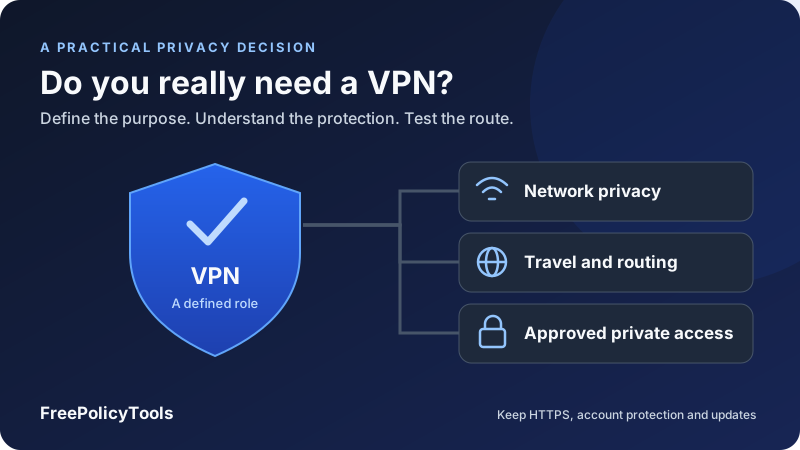
Do you really need a VPN? You may benefit from one if you want to reduce a local network’s visibility into your internet connections, route selected apps through a different exit, or securely reach an approved private network. You do not need a VPN just to give an HTTPS website encryption, and it will not solve every tracking, account-security or malware problem.
The useful question is what you want the VPN to change. This guide explains real-world VPN use cases, the privacy benefits you can reasonably expect, the limitations that advertising often leaves unclear, and how to decide whether a service is worth adding to your own setup.
Purpose
Identify the observer or route
Protection
Define the encrypted segment
Coverage
Check included apps and DNS
Decision
Test a concrete requirement
Do You Really Need a VPN? Start with the Goal
A VPN is a routing and transport tool. Its value depends on the traffic it carries, the network you are using and the operator you trust. A useful decision names a problem that the tool can actually address.
| Your goal | VPN relevance | What else matters |
|---|---|---|
| Reduce local-network visibility into included connections | A suitable encrypted tunnel can help | Coverage, DNS routing and provider trust |
| Access an employer’s private resources | Use its approved VPN or access gateway if required | Identity, device policy and resource permissions |
| Reach your home network while away | A maintained home or mesh VPN can help | Access controls, updates and reachability |
| Use a different internet exit | A consumer VPN may fit | Location accuracy, destination acceptance and rules |
| Stop phishing or account takeover | A VPN does not address the main cause | Authenticity checks, unique passwords and MFA |
| Remove tracking from signed-in accounts | An IP change leaves account identity available | Browser controls and account practices |
| Protect a lost laptop’s stored files | A network tunnel is not storage protection | Device encryption, lock settings and recovery |
If you cannot identify which connection or observer you want to change, start with your existing security and privacy controls. Adding an intermediary without a clear purpose can increase complexity while leaving the original concern unresolved.
Affiliate disclosure: we may earn a commission if you purchase through this link.
Explore NordVPN’s PlansWhat a VPN Actually Changes
A security-focused VPN establishes an encrypted tunnel between a client and a peer, often a provider server or an organization’s gateway. Routing rules select traffic for that tunnel. The peer then forwards the traffic toward an internet destination or an accessible private resource.
The tunnel has an endpoint
For consumer internet access, the protected segment generally ends at the VPN server. That server is not the website. HTTPS provides a separate layer between the browser and website, so it remains important after the traffic exits the VPN.
As a concrete example, WireGuard’s protocol documentation describes authenticated encryption and a handshake for tunnel traffic. A well-designed protocol is only one part of a usable service: client settings, routes and operational practices still matter.
The outward address can change
For requests forwarded through an internet-exit VPN, the website normally sees the exit address instead of your direct connection’s address. Traffic excluded from the tunnel can keep using a direct route. A corporate tunnel may provide only internal access and leave ordinary internet traffic outside it.
| Property | What can change | What does not automatically follow |
|---|---|---|
| Transport | Included traffic uses a protected tunnel to its peer | Plaintext application traffic is encrypted beyond that peer |
| Routing | Selected apps or destinations follow the tunnel | Every process and network path is covered |
| Outward IP | A destination sees the forwarding exit | The user is anonymous or physically located there |
| Private access | An authorized client can reach permitted resources | A consumer subscription grants company access |
| Local visibility | Observers see tunnel metadata instead of the included inner route | All metadata and outside-tunnel traffic disappear |
For the mechanisms, see how VPNs work and common VPN protocols. This guide concerns secure VPN tunnels, rather than assuming every network product with “VPN” in its name has identical protection.
HTTPS Already Protects Website Contents
Correctly validated HTTPS encrypts application contents between your browser and the website. It helps prevent ordinary observers on the connection path from reading passwords, messages and the specific page contents in transit. A VPN is not required to turn that website protection on.
Contents and connection metadata are different
The access network may still observe IP destinations, timing and traffic sizes, and may learn names through DNS or other exposed signals. Visibility varies with the protocol and configuration. A VPN can reduce that local visibility for included traffic by carrying it to a different network inside a tunnel.
Encryption does not establish a website’s honesty
A fraudulent site can also use HTTPS. Encryption protects the path to the site you connected to; it does not make that site a trustworthy recipient. Check the destination and preserve certificate validation with or without a VPN.
HTTPS and a VPN protect different segments
See VPN encryption explained for the relationship between tunnel protection and application encryption.
Use Case: Public Wi-Fi and Unfamiliar Networks
Using hotel, airport or café Wi-Fi does not mean that every HTTPS password is exposed. The FTC’s public Wi-Fi guidance explains how widespread website encryption changed that risk, while also stressing account protection and software updates.
When a VPN adds something useful
A trusted VPN can provide an encrypted route for included applications and reduce what the local access network learns about their destinations. This can be valuable when you do not know who operates the network or want consistent routing across several apps rather than evaluating each app independently.
What to do before relying on it
Confirm the intended network name, complete legitimate captive-portal access if needed, and then verify the VPN connection. Treat requests for unexpected certificates, software installs or account credentials as separate issues. The VPN does not prove that a portal or network operator is authentic.
| Step | Purpose | VPN limitation |
|---|---|---|
| Check the network and portal | Avoid confusing an unexpected network with the intended service | The VPN cannot verify every access prompt for you |
| Preserve HTTPS validation | Protect application contents and detect certificate problems | A tunnel does not replace website validation |
| Verify tunnel scope | Confirm relevant apps and DNS use the intended path | A connected icon is not complete evidence |
| Inspect failure protection | Understand behavior during drops and transitions | Blocking support differs by platform and mode |
| Keep sharing and device settings appropriate | Reduce unrelated local exposure | An internet tunnel does not configure every local service |
If mobile data is available and better fits the situation, it can avoid that particular Wi-Fi operator. It still involves trust in a mobile provider and does not remove account-level risks. Choose based on the network concern, availability and intended workload.
Use Case: Privacy from Your Home ISP or Local Network
A secure tunnel can reduce your ISP’s visibility into destinations for traffic it carries. The ISP can generally see that you connect to a VPN endpoint, along with timing and outer traffic volume. Other traffic outside the tunnel remains subject to its ordinary visibility.
You move a trust relationship
The VPN operator becomes a new intermediary with visibility into connections at its own side. Ordinary forwarding does not automatically let it decrypt correctly validated HTTPS contents, but source addresses, destination information and operational records can still matter. Whether information is retained is a separate policy question.
The EFF’s VPN selection guide emphasizes matching the tool to a security plan and evaluating the provider’s claims and trustworthiness. Choose an operator you have a reason to trust with the resulting vantage point.
A shared device is a different problem
A VPN does not erase local browser history, downloaded files, notifications or account sessions. Someone who can inspect your unlocked device may not need network visibility at all. Use separate accounts, suitable device locks and application privacy controls when those are the concern.
Read VPN logging policies for the distinction between activity logs, connection metadata and account records. Do not infer “no logs” from a changed IP or a clean leak test.
Use Case: Remote Work and Private Organization Resources
If your employer requires a VPN to access internal services, the need is defined by its network architecture and access policy. The organization provides the approved client, gateway, identity requirements and resource permissions. A personal consumer VPN does not supply those permissions.
Internal access and internet privacy are different goals
A corporate tunnel may carry only traffic to selected internal networks. Another configuration may route general internet access through company infrastructure. Either can be appropriate for its policy, but they have different implications for ordinary browsing and performance.
Follow the managed configuration
Check whether the device or browser is managed, which identity signs in and which resources you are permitted to access. Avoid removing profiles or layering a personal VPN over the approved setup without checking compatibility and organizational requirements. Conflicting routes can break DNS or private-resource access.
| Question | Why it matters | Who can answer |
|---|---|---|
| Which resources should it reach? | A connected tunnel does not imply access to every service | Your organization’s support or resource owner |
| Is ordinary internet traffic included? | Scope affects routing, visibility and performance | The network administrator |
| Which device and identity are approved? | Authentication and device controls can be separate | The identity or device-management team |
| What data does the organization monitor? | A work tunnel is not personal anonymity protection | The published workplace policy |
| What should happen during an outage? | Remote work needs an understood recovery path | The supported client documentation and administrator |
Some organizations use application-specific access gateways instead of a general network VPN. Use the access method prescribed for the resource rather than purchasing a consumer subscription to solve an enterprise login problem.
Use Case: Reach Your Own Home Network While Away
A maintained home VPN or mesh-style private network can give authorized devices access to selected services at home. Examples include reaching a home server, administering approved equipment or accessing personal files without exposing each application directly to the public internet.
Your destination is the private network
This differs from using a consumer provider for a different internet exit. You need a private-access deployment with the right peers, routes and permissions. Internet access through a home exit is a separate option, not an automatic property of every home-network tunnel.
Operation becomes your responsibility
Plan updates, authentication, device removal, network reachability and recovery. A lost peer device should not keep indefinite access. Router restrictions or address changes can affect connectivity, while a hosted coordination service can add its own operational dependency.
Define access narrowly
If your only need is synchronizing a few files, an existing trusted encrypted synchronization service may be simpler. Compare the maintenance cost and access scope before building a private network.
Use Case: Travel, Network Restrictions and Exit Location
Travel can create changing networks, unfamiliar portals and different routes to services. A VPN can offer a consistent protected path for included traffic and an exit in a chosen available region. It cannot guarantee that every destination accepts the exit.
Location is more than an IP address
A service can use account region, payment details, device location or other signals. A VPN changes one network signal; it does not physically relocate the device or rewrite those other records. Streaming services and other destinations may reject known VPN exits.
Some restrictions occur before the tunnel can connect
A network can block VPN endpoints or identify particular connection patterns. Obfuscation may help with some kinds of filtering, but it is not a universal bypass. Check connectivity under the actual conditions rather than treating the feature name as proof.
See VPN obfuscation explained and VPN and proxy access methods for the technical distinctions. Observe the rules that apply to your network, destination and location; a different route does not grant access permission.
Prepare before you depend on it
Install the official client, confirm recovery methods and test its ordinary network transitions while you still have a reliable connection. Keep an approved alternative access method for necessary work. A VPN that cannot connect is not a substitute for a practical travel connectivity plan.
What a VPN Does Not Protect You From
A VPN can perform its routing job correctly while a separate security failure occurs. Define the tool’s boundaries so the connected icon does not encourage risky assumptions.
| Problem | Why the VPN is insufficient | More direct protection |
|---|---|---|
| Phishing | The fraudulent destination can receive data over an encrypted path | Check destination authenticity and use suitable account protections |
| Stolen or reused passwords | Routing does not repair credential exposure | Unique credentials, password management and MFA or passkeys |
| Malware or compromised device | A tunnel does not establish trusted local software | Updates, careful installation and appropriate endpoint protections |
| Signed-in account tracking | The service already knows the account identity | Account privacy settings and intentional account usage |
| Cookies and browser fingerprinting | Changing the exit does not remove these identifiers | Browser privacy controls appropriate to your needs |
| Lost-device files | The VPN protects transport, not stored data | Storage encryption, locking and recovery controls |
| Deliberately submitted personal data | The recipient obtains what you send | Limit disclosure and evaluate the recipient |
| All government or targeted observation | Different observers and device access remain possible | A security plan tailored to the actual threat |
Extra product features need their own evaluation
A VPN app may bundle filtering, tracker blocking or security alerts. Those features are distinct from the encrypted tunnel. Inspect their scope, configuration and evidence separately, particularly when a package advertises protection beyond routing.
For a fuller boundary check, read VPN limitations and common VPN misconceptions. Neither an IP change nor a tunnel proves that an account or device is secure.
When You Can Skip a VPN or Use a Different Tool
You can reasonably decide that a VPN adds little to a particular activity. For ordinary HTTPS browsing on a trusted home network, with no need for a different route or reduced ISP metadata visibility, a tunnel may not solve a meaningful additional requirement.
Match the control to the concern
If your concern is a reused password, fix the credential and strengthen authentication. If your concern is a website collecting too much information, review disclosure and account settings. If your concern is a vulnerable application, update or replace it. Routing those same actions through a VPN does not resolve the cause.
| Need | Tool or practice to evaluate | Remaining boundary |
|---|---|---|
| Protect web contents in transit | Validated HTTPS and suitable browser settings | Connection metadata and recipient trust remain separate |
| Protect account access | Unique credentials and supported MFA or passkeys | A trusted device and recovery process still matter |
| Reduce browser tracking | Browser privacy settings and carefully chosen blocking controls | Account identity and site functionality can remain relevant |
| Protect DNS queries on a path | A suitable encrypted-DNS setup | This does not tunnel all connections or hide every destination signal |
| Route one compatible app through a supplied endpoint | A forward proxy | Proxy-hop encryption and application coverage need checking |
| Avoid a specific Wi-Fi network | Available mobile connectivity | Trust moves to the mobile provider |
| Need an anonymity-oriented browsing design | Evaluate Tor Browser within a broader security plan | Behavior, account identity and device security still matter |
These controls can complement a VPN rather than compete with it. For example, using HTTPS and strong authentication remains sensible whether your route is direct, proxied or tunneled. Choose each layer for its actual purpose.
If your need is one application’s outbound endpoint, compare VPN vs. proxy. A browser-focused proxy is not equivalent to a device tunnel, but a device tunnel is not automatically necessary for every app-specific routing task.
The Trade-Offs: Performance, Compatibility and Maintenance
A VPN adds a route, software and operational dependency. Those costs may be worthwhile, but they should be part of the decision rather than an unexpected surprise after subscribing.
Latency and capacity vary
A distant exit can add delay, while congestion or server capacity can limit throughput. An alternative route can sometimes outperform a poor direct route. Measure the destination and workload you actually use instead of assuming a fixed speed loss or gain.
Some applications treat the new exit differently
Sites can reject shared addresses, show additional verification or notice a sudden location change. Local printers, private services and development tools can also require carefully chosen exceptions. A broad bypass may restore convenience while changing the intended coverage.
Always-on use needs a recovery plan
Background updates, sleep/wake cycles and network changes can interrupt the tunnel. Blocking outside-tunnel traffic can improve a defined privacy goal while temporarily removing internet access. Understand how to reconnect and distinguish an intentional block from a broken network.
| Area | What can change | Useful test |
|---|---|---|
| Interactive delay | The route and exit add different latency | Repeat representative requests or calls |
| Transfer capacity | Capacity and congestion affect sustained traffic | Test comparable transfers under similar conditions |
| Local connectivity | Private routes and local-network rules may conflict | Test approved local resources and narrow exceptions |
| Destination acceptance | Shared exit reputation or location can affect access | Use the actual service and account workflow |
| Recovery | Blocking and reconnect behavior can interrupt access | Test drops, sleep and network transitions |
| Device resources | Client behavior and traffic affect resource use | Observe the device during a representative session |
Read VPN speed and latency and split vs. full tunneling when deciding whether a configuration balances your needs.
Relevant Statistics and Practical Decision Charts
A sourced statistic provides context for modern web encryption. Two chosen examples then illustrate how to review a VPN and record performance. The examples are not surveys, provider scores or typical performance claims.
HTTPS is widespread, but that is not a VPN coverage statistic
As checked on October 6, 2026, W3Techs reports that 90.2% of websites in its survey use HTTPS by default. Its definition concerns redirecting HTTP visitors to HTTPS. This website-level statistic does not measure the share of all requests encrypted, and the remaining sites do not necessarily lack HTTPS support. It helps explain why website-content protection and VPN routing should be assessed separately.
| Category | Share | Interpretation |
|---|---|---|
| HTTPS by default | 90.2% | Reported redirect behavior in the website survey |
| Other default behavior | 9.8% | Calculated complement; not proof that HTTPS is unavailable |
A ten-check decision worksheet
| Category | Count | Checks |
|---|---|---|
| Purpose | 2 | Defined problem and a VPN-relevant route or observer |
| Coverage | 3 | Included apps, DNS behavior and address families |
| Trust | 3 | Identifiable operator, specific data policy and relevant evidence |
| Recovery | 2 | Observed failure behavior and understood reconnect or rollback |
Measure repeated requests under comparable conditions
| Trial | Direct request | VPN request |
|---|---|---|
| First | 45 ms | 63 ms |
| Second | 48 ms | 68 ms |
| Third | 46 ms | 65 ms |
For a real comparison, keep the device, destination, network and request size consistent. Record whether DNS, connection establishment, TLS setup and caching are included. Decide whether the observed behavior meets your workload’s needs; these chosen values do not establish a universal speed ranking.
If You Need a VPN, Evaluate the Provider Carefully
A technically capable tunnel is only part of the product. You also depend on the operator’s software distribution, maintenance, infrastructure and data practices. Review those before deciding that moving traffic to the provider improves your situation.
Read field-level data policies
Identify retained source addresses, timestamps, destination records, device identifiers, diagnostics and account information where documented. Check purpose, linkage, recipients and retention periods. A no-logs statement about browsing activity may not address every other record.
Match evidence to the claim
An assessment of one app version or server configuration cannot prove every privacy claim across all products and future operation. Read the report’s scope, timing, findings and remediation rather than treating an audit badge as a complete guarantee.
Check the exact device and plan
Kill-switch modes, split tunneling, supported protocols and DNS handling can differ across platforms. A feature list for a desktop client does not establish the same behavior on a phone. Check what the actual plan includes and what happens if its allowance or trial ends.
| Requirement | Question | Evidence to seek |
|---|---|---|
| Trustworthy distribution | Is this the official app and publisher? | Official download and identifiable operator |
| Specific privacy model | Which data is retained, linked and shared? | Detailed policy and applicable reports |
| Platform coverage | Are my needed apps, DNS and address families supported? | Platform documentation and observed tests |
| Failure control | Which mode blocks what, and when? | Documented behavior and controlled interruption checks |
| Maintainability | Are updates and support available? | Maintenance information and supported versions |
| Suitable plan | What limits, renewal and cancellation rules apply? | Current plan terms and account controls |
Payment alone does not prove privacy, and a free plan is not automatically malicious. Evaluate funding, limits and evidence. See free VPN safety for the additional questions raised by free tiers and unfamiliar apps.
Affiliate disclosure: we may earn a commission if you purchase through this link.
Explore NordVPN’s PlansConfigure and Test the Protection You Actually Need
Write a short requirement before changing settings. For example: “On unfamiliar Wi-Fi, route my browser and mail through a trusted tunnel and block those included connections if it fails.” That is more testable than “make the internet private.”
- Install the official client. Verify the operator and publisher, then keep it updated.
- Select the intended route. Choose a supported protocol and an exit or private gateway appropriate to the requirement.
- Review exclusions. Understand split rules and local-network access rather than enabling broad bypasses for convenience.
- Check DNS and address families. Establish how names resolve and what happens to IPv4 and IPv6.
- Choose compatible failure protection. Inspect the platform’s blocking mode and its behavior during startup and manual disconnect.
- Test the actual apps. Confirm outward paths and destination access through the clients you intend to use.
- Test recovery. Observe controlled interruptions, reconnection, sleep and network changes where relevant.
| Observation | Useful evidence | Remaining question |
|---|---|---|
| Expected outward IP in a browser | The tested request used an expected exit | Other apps and later routes |
| Expected DNS behavior | Tested lookups fit the intended configuration | Other clients or network conditions |
| Included app blocks during a drop | That test matched the selected failure policy | Startup, other apps and exceptions |
| Service works after reconnecting | Recovery works in the tested situation | Other network transitions |
| Clean client-side leak tests | Some routing conditions are verified | Backend logging and operator practices |
Use VPN testing guidance, kill-switch explanations, DNS leak prevention and WebRTC and IPv6 checks to make the test plan specific. A connected indicator alone is not a complete verification.
A Personal Decision Checklist
Use the following worksheet to reach a decision you can revisit as your networks, devices and requirements change. You do not need to add every possible tool to have a sensible security setup.
MY VPN DECISION
Goal: [the route, resource or observer I want to change]
Networks: [home, work, travel or unfamiliar Wi-Fi]
Included traffic: [apps, destinations and address families]
Intentional exceptions: [narrow approved direct routes]
Required protection: [tunnel, DNS and failure behavior]
Operator: [identity, trust reasons and data-policy questions]
Evidence: [relevant documentation and assessment scope]
Tests: [connected, interrupted, recovered and network change]
Trade-offs: [performance, compatibility and maintenance]
Other controls: [HTTPS, account protection and device upkeep]
Decision: [use, use selectively or skip for now]
Review trigger: [new device, network, job or requirement]
Choose one of three outcomes
Use a VPN when it meets a defined routing, local-visibility or private-access requirement and you trust the deployment. Use one selectively when the need applies only to particular networks or workflows, with a supported way to preserve the intended scope. Skip it for now when the goal is already addressed or requires another kind of protection.
A clear reason to use one
You need approved remote access or want a tested protected route that reduces an unfamiliar network’s visibility into included connections.
A promise to question
A subscription will erase account identity, stop phishing and protect every app without checking configuration or platform behavior.
Revisit the decision when you start traveling, change jobs, add a private service or change devices. An appropriate decision today need not be a permanent answer for every future use case.
Use a VPN for a Defined Benefit
You really need a VPN when its routing and protected-tunnel capabilities solve a concrete requirement: reducing local-network visibility into included traffic, using a suitable internet exit or reaching an authorized private network. It can be a useful layer, but it is not a substitute for HTTPS, strong account protection, trusted software or intentional privacy settings.
Define the purpose, choose an operator you can evaluate, and verify coverage and recovery on your device. If those requirements are absent, concentrating on the controls that address your actual risks is a reasonable decision.
Affiliate disclosure: we may earn a commission if you purchase through this link.
Explore NordVPN’s Plans