Browser Privacy vs Browser Security: What's the Difference? The Complete Guide
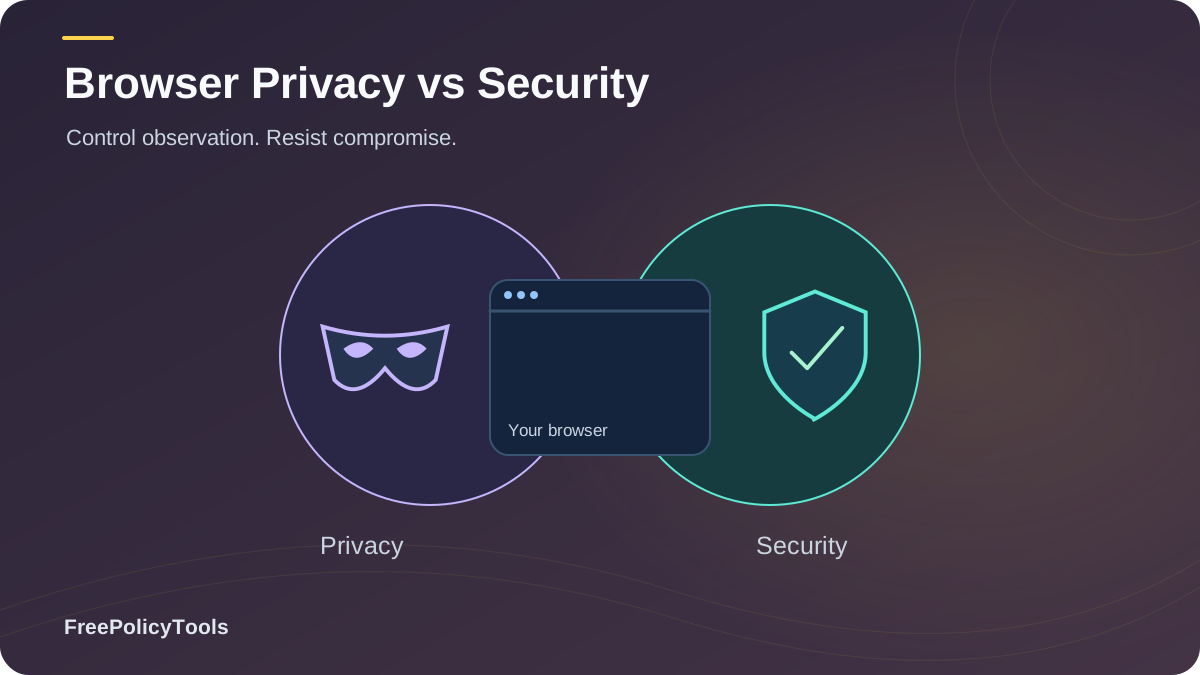
"Privacy" and "security" are used interchangeably in almost every browser advertisement — yet they describe two different battles fought in the same arena. A browser can be secure but not private (fully patched, yet happily reporting your every click to advertisers), and it can be configured for privacy but remain insecure (tracker-blocked, yet one malicious extension away from disaster). Understanding the difference between browser privacy and browser security is the foundation of every sensible protection strategy.
In this guide we define both terms precisely, map where they overlap and where they diverge, quantify the 2026 threat landscape with real statistics, and show you how to build a browser setup that delivers both — because in practice, you cannot have one without the other.
TL;DR — Privacy vs Security in 30 Seconds
- Privacy = control over who collects your data and what they learn about you (trackers, advertisers, data brokers).
- Security = protection against attackers who want to break in (malware, phishing, exploits, hijacked sessions).
- They overlap (HTTPS, sandboxing, DNS encryption) but also diverge: fingerprinting is a privacy threat, malware is a security threat.
- ~90% of cyberattacks begin with phishing — a security problem. The average news page loads 41 trackers — a privacy problem.
- Verdict: you need both. Security is the shield; privacy is the curtain. A browser with only one leaves you exposed on the other flank.
Definitions: What Browser Privacy and Browser Security Actually Mean
Browser Privacy
Privacy is about control and consent: who may observe your browsing, what data they collect, and what they can infer about you. Privacy threats are usually legal, invisible, and industrial-scale — advertising networks, data brokers, analytics platforms, and sometimes your ISP or employer. On a managed network, also consider transparent proxies and HTTPS inspection when assessing which intermediaries can observe browser traffic.
- Question it answers: "Who can see what I do?"
- Adversaries: trackers, ad networks, data brokers, ISPs
- Typical weapons against you: cookies, fingerprinting, tracking pixels
- Defenses: tracker blocking, profile isolation, anti-detect browsers, VPNs
Browser Security
Security is about integrity and defense: stopping attackers from exploiting your browser to steal credentials, install malware, or hijack sessions. Security threats are usually illegal, targeted or opportunistic, and immediately harmful. Review proxy rotation and sticky sessions when deciding how long a browser session should keep the same exit IP.
- Question it answers: "Who can break in or trick me?"
- Adversaries: cybercriminals, botnets, malicious insiders
- Typical weapons against you: phishing, malware, exploits, hijacked extensions
- Defenses: updates, sandboxing, anti-phishing, antivirus, least-privilege permissions
| Dimension | Browser Privacy | Browser Security |
|---|---|---|
| Primary goal | Limit observation & data collection | Prevent compromise & attacks |
| Main adversaries | Trackers, advertisers, data brokers | Hackers, malware authors, phishers |
| Harm type | Profiling, discrimination, manipulation, loss of autonomy | Theft, fraud, ransomware, account takeover |
| Harm timing | Slow, cumulative, often invisible | Fast, acute, usually obvious |
| Typical tools | Tracker blockers, VPNs, anti-detect browsers | Auto-updates, antivirus, sandboxing, 2FA |
| Failure looks like | Eerily targeted ads; a dossier about you | Emptied bank account; encrypted files |
Simple analogy: Security is the lock on your door — it stops intruders. Privacy is the curtain on your window — it stops strangers from watching. A house can have a steel door and glass walls (secure but not private), or thick curtains and no lock (private but not secure). You want both.
Where They Overlap — and Where They Diverge
The confusion between the two terms exists because they genuinely overlap in several places. But the overlap is partial, and treating one as a substitute for the other is where most users go wrong.
Both at Once
- HTTPS & DNS over HTTPS: stops eavesdroppers (security) and hides your browsing from your ISP (privacy) — see our HTTPS & DoH guide.
- Sandboxing: contains exploits (security) and limits cross-site data access (privacy).
- Blocking third-party cookies: kills cross-site tracking (privacy) and removes a session-hijacking surface (security).
Privacy Only
- Fingerprinting: identifies you, but steals nothing and breaks nothing.
- Ad-tech profiling: legal observation, not an intrusion.
- VPN for IP masking: hides location from sites; does nothing against malware.
Security Only
- Drive-by downloads: compromise your machine; don't care about your profile.
- Exploit kits on outdated browsers: pure intrusion.
- Credential phishing: tricks you, not your ad profile.
Key insight: Notice the asymmetry in the chart. Tracking cookies and fingerprinting score high on privacy impact but near zero on security impact — your antivirus will never flag them, because they are not attacks. Conversely, an outdated browser is a severe security risk while leaking almost nothing privacy-relevant. No single tool covers both columns. W3C’s browser fingerprinting guidance explains how browser characteristics can make users identifiable even when other tracking methods are restricted.
The 2026 Browser Threat Landscape in Numbers
Both fronts are under pressure. On the security side, roughly 90% of cyberattacks begin with phishing, according to the UK Government's Cyber Security Breaches Survey and CISA-aligned industry reporting. IBM's Cost of a Data Breach report puts the global average breach at $4.44 million in 2025 — the first decline in five years — before rising again to a record high (up 12%) in the 2026 report. On the privacy side, the average news homepage loads 41 trackers, and the EFF's Panopticlick research found a browser fingerprint to be unique among as many as 286,771 browsers.
The Extension Epidemic
Browser extensions sit exactly on the privacy–security border: they can be both surveillance devices and attack vectors. Recent findings illustrate the scale:
- A single browser-hijacking campaign of malicious extensions infected 2.3 million users on Chrome and Edge.
- Over 300 malicious Chrome extensions with more than 37 million combined downloads were caught leaking or stealing user data.
- A Georgia Tech study identified 3,000+ extensions silently collecting user-specific data, affecting tens of millions of users.
Sources: Obsidian Security; SecurityWeek; Georgia Tech Institute News; IBM Cost of a Data Breach 2025/2026; UK Cyber Security Breaches Survey 2024.
The Privacy Side: Who Is Watching You?
The privacy adversary is rarely a criminal — it is usually a business model. Our guide on how websites track you breaks down the full stack, but the four pillars of browser surveillance are:
Cookies & Storage
Persistent identifiers in your browser. Learn the mechanics in browser cookies explained and how they compare to fingerprinting in cookies vs local storage vs fingerprinting.
Browser Fingerprinting
A stateless ID built from your device and browser signals. Start with what is browser fingerprinting, then explore types of fingerprinting and how accurate it is.
WebRTC & Network Leaks
Protocol-level leaks that expose your real IP. See what is WebRTC and what is a WebRTC leak.
Ad-Network Stitching
Cross-site identity graphs built by how advertising networks track browsers, linking sessions, devices, and accounts.
Crucially, privacy threats ignore most security tools. Changing your IP does not change your fingerprint, and a VPN does not alter your fingerprint either — the two identifiers are independent. That is why privacy defense needs dedicated instruments: browser profiles, profile isolation, and anti-detect browsers that manage digital identities per profile. Compare VPN and proxy coverage before treating a browser-profile proxy as protection for every application on the device.
Privacy self-test: Run our guide on how to check your browser fingerprint. If your browser is uniquely identifiable among hundreds of thousands, no amount of "security" will make you hard to track — you need privacy-specific countermeasures like those in can browser fingerprinting be prevented.
The Security Side: Who Is Attacking You?
The security adversary wants to take something: credentials, money, files, or control of your machine. The browser is the primary battlefield because it is the most-used piece of software in your life. The dominant attack classes in 2026:
Phishing & Social Engineering
The origin of ~90% of cyberattacks. Fake login pages and lookalike domains defeat users, not software — but browser anti-phishing warnings help.
Malware & Drive-by Downloads
Compromised or malicious sites pushing payloads through browser exploits. Defense: sandboxing, antivirus, and caution.
Malicious & Over-Permissioned Extensions
The 37M-download extension campaigns above are the poster child. Audit with our malicious browser extensions guide and browser permissions explained.
Unpatched Browser Exploits
Every skipped update leaves known vulnerabilities open. See why browser updates matter for security.
Security Starter Pack
- Follow our step-by-step guide on how to secure your web browser.
- Enable automatic updates — browser updates patch exploitable flaws within days of disclosure.
- Apply least privilege with browser permissions explained.
- Purge extensions you cannot justify, per malicious browser extensions.
Tools Face-Off: Privacy Tools vs Security Tools
Most confusion happens at the toolbox. Users install a VPN and feel "secure," or install antivirus and feel "private." The matrix below shows what each tool family actually contributes to each side of the equation.
| Tool | Privacy Benefit | Security Benefit | Blind Spot |
|---|---|---|---|
| Antivirus | Low | High | Cannot stop legal tracking or fingerprinting |
| Auto-Updates | Low | High | Zero effect on advertisers observing you |
| VPN | High (IP/ISP) | Medium (Wi-Fi encryption) | Fingerprint & cookies unchanged |
| Tracker Blocker | High | Low-Medium (malvertising) | No exploit or phishing protection |
| Incognito Mode | Local only | None | Everything remote still sees you |
| Anti-Detect Browser | Very High | Low-Medium (isolation) | Still needs updates & AV underneath |
The radar chart makes the argument visually: the privacy stack and the security stack cover almost disjoint areas, and only the combined stack approaches full coverage. This is why professionals pair a hardened, updated browser with identity-isolation tools. If you are evaluating that layer, our library covers it end-to-end: what anti-detect browsers can hide, do they really work, can sites detect them, plus head-to-heads: anti-detect vs VPN vs proxy, VPN vs proxy vs anti-detect, and anti-detect vs incognito (see also what incognito actually does). Our residential versus datacenter proxy guide explains the IP-source tradeoffs separately from browser fingerprint settings.
Which Matters More? It Depends on Your Threat Model
There is no universal winner — the correct weighting depends on who you are and what you do. But one principle is universal: privacy without security is impossible. A compromised browser reports everything, no matter how many trackers you block. Security is the floor; privacy is built on top of it.
Privacy-Heavy Profiles
Journalists, activists, researchers, marketers managing multiple accounts, abuse survivors. Primary need: unlinkability and observation resistance — isolated profiles, anti-detect tooling, VPN/Tor layers.
Security-Heavy Profiles
Online banking power users, crypto holders, small businesses handling payments. Primary need: compromise resistance — updates, 2FA everywhere, anti-phishing, strict extension hygiene.
Everyone Else (That's All of Us)
You hold both a data profile worth monetizing and accounts worth stealing. Balanced stack: security floor + privacy curtain. The checklist below covers both.
Rule of thumb: If the worst case is "someone learns about me," prioritize privacy. If the worst case is "someone becomes me," prioritize security. For a deeper dive on the anonymity end of the privacy axis, read can you really browse anonymously?
The Unified Browser Hygiene Checklist
Our password-checker research illustrates why input handling matters even on a secure connection. The VPN-tunnel advertising investigation and uploaded-file lifecycle study examine different recipient-side boundaries. They support targeted checks, rather than a single “private and secure” verdict.
This checklist merges both disciplines into one routine. Items marked [P] are privacy controls, [S] security controls, and [P+S] serve both.
UNIFIED BROWSER HYGIENE CHECKLIST
---------------------------------
[S]   1. Enable automatic browser + OS updates
[S]   2. Remove unjustified extensions; re-audit quarterly
[S]   3. Set permissions to least privilege (camera, mic, location)
[S]   4. Use a password manager + 2FA on all key accounts
[S+P] 5. Force HTTPS everywhere; enable DNS over HTTPS
[P]   6. Block third-party cookies & cross-site tracking
[P]   7. Check your browser fingerprint; normalize or isolate it
[P]   8. Prevent/patch WebRTC leaks when using VPN/proxy
[P]   9. Separate identities into isolated browser profiles
[P]  10. Route sensitive identities through VPN/Tor per profile
[P+S]11. Use incognito for local-only privacy (shared devices)
[P+S]12. Re-run this audit every 90 days
Recommended Privacy Layer: Incogniton
For the privacy half of the equation — identity separation and fingerprint control — Incogniton's anti-detect browser gives each persona its own consistent fingerprint, cookie jar, and storage, and pairs cleanly with your existing security stack. Compare options via our best anti-detect browsers and cheapest anti-detect browsers guides, and confirm the legal side in are anti-detect browsers safe and legal.
- Isolated profiles = true unlinkability
- Per-profile fingerprints, cookies & storage
- Works alongside VPNs, AV, and updates
- Free tier to start
Measure, Don't Guess
After implementing the checklist, verify the privacy side with a fingerprint scan and a WebRTC leak test, and the security side with your browser's security settings review and an extension audit. If fingerprinting still identifies you, revisit prevention strategies or consider profiles vs separate browsers vs VMs.
Frequently Asked Questions
Is browser privacy the same as browser security?
No. Security protects you from attackers who want to break in or trick you (malware, phishing, exploits). Privacy protects you from observers who want to learn about you (trackers, advertisers, data brokers). They overlap in places like HTTPS and sandboxing, but each also has threats the other does not cover.
Does a VPN make my browser secure?
Partially. A VPN encrypts traffic to your ISP and masks your IP, which is both a privacy win and a security win on hostile networks like public Wi-Fi. But it does nothing against malware, phishing, outdated-browser exploits, or fingerprinting — so it must sit on top of a secure, updated browser.
Can a browser be secure but not private?
Absolutely — this is the default state of most browsers. A fully patched, sandboxed browser with strong anti-phishing is secure, yet it can still broadcast a unique fingerprint, sync identifiers to ad networks, and load dozens of trackers per page. Security tools do not remove observation.
Which should I fix first, privacy or security?
Security first. A compromised browser defeats every privacy measure you have configured, because malware sees data before encryption, isolation, or blocking takes effect. Establish the security floor (updates, least privilege, 2FA), then layer privacy controls (tracker blocking, profile isolation, anti-detect tools).
Do anti-detect browsers improve security too?
Their primary value is privacy: isolated profiles and per-identity fingerprints that prevent cross-session linking. They add a modest security benefit through isolation (a problem in one profile does not leak to others), but they do not replace updates, antivirus, or anti-phishing — and their legality depends on use, as covered in our safety and legality guide.
Related Resources
Conclusion: You Need the Shield and the Curtain
Browser privacy and browser security answer different questions — "who can see me?" versus "who can hurt me?" — and face different adversaries with different weapons. The 2026 data shows both fronts active: phishing still opens ~90% of cyberattacks, breach costs climb back to record highs, while 41 trackers per news page and near-unique fingerprints keep the surveillance economy thriving.
The practical conclusion is not to pick a side but to build in layers: a security floor of updates, least-privilege permissions, and anti-phishing discipline, topped by a privacy curtain of tracker blocking, encrypted DNS, and isolated identities. Tools like VPNs and anti-detect browsers cover the privacy axis; antivirus and auto-updates cover the security axis; only the combination approaches full coverage — exactly what the radar chart in this guide demonstrates.
Key Takeaways
- • Privacy = control of observation; security = defense against compromise
- • ~90% of cyberattacks begin with phishing (security front)
- • 41 trackers/page & 1-in-286,771 fingerprints (privacy front)
- • 37M+ downloads of malicious extensions blur both fronts
- • Only a combined stack scores high on every protection axis
Next Steps
- • Run the 12-point unified checklist above
- • Scan your fingerprint and test for WebRTC leaks
- • Audit extensions and permissions this week
- • Separate identities into isolated profiles
- • Re-audit every 90 days
Ready to close the privacy gap your security tools can't cover?
Start with Incogniton's isolated anti-detect profiles and complete the combined stack described in this guide.