Anti-Detect Browser Profiles and Digital Identities Explained: A Comprehensive Guide
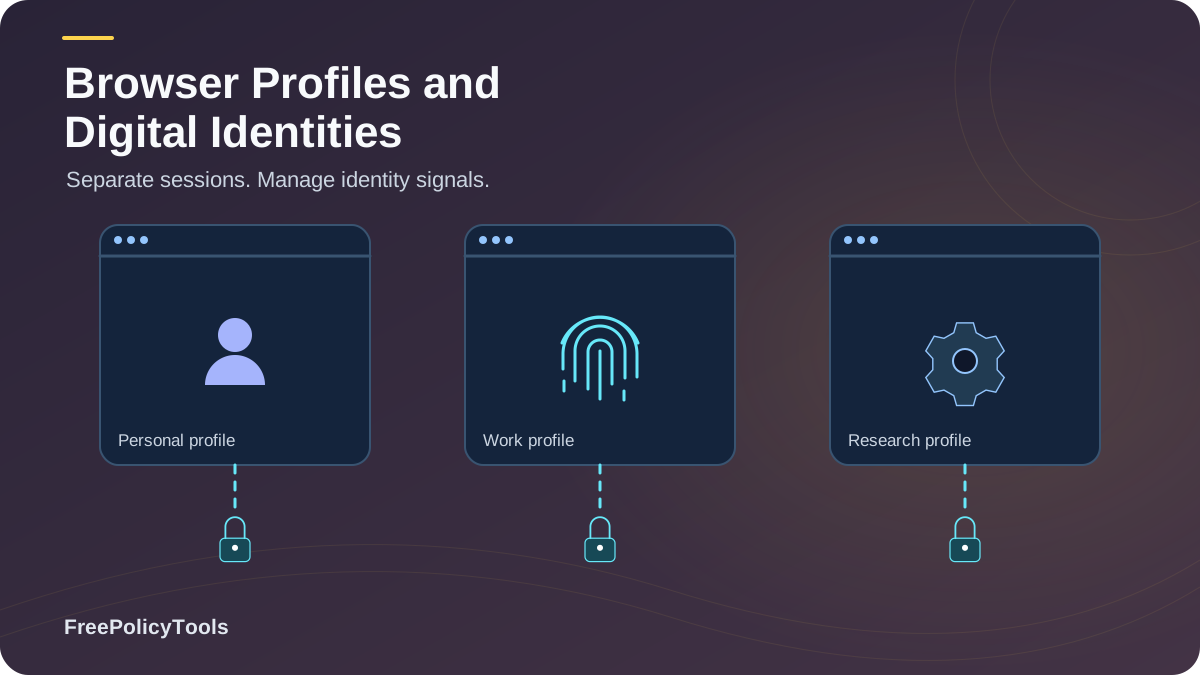
In today's hyper-connected digital landscape, your browser leaves behind a unique fingerprint that can track you across the internet. Anti-detect browsers have emerged as powerful tools that create isolated digital identities, allowing users to manage multiple browser profiles with distinct fingerprints. Whether you're a digital marketer managing multiple client accounts, an e-commerce professional conducting market research, or a privacy-conscious individual seeking to protect your online identity, understanding anti-detect browser profiles is essential. W3C’s browser fingerprinting guidance explains how browser characteristics can make users identifiable even when other tracking methods are restricted.
This comprehensive guide explores the technical foundations of digital browser identities, explains how anti-detect browsers spoof browser fingerprints, and provides practical insights into legitimate use cases. We'll examine the sophisticated techniques these tools employ to prevent tracking, analyze detection accuracy rates, and help you understand when and how to use anti-detect browsers effectively and legally.
What Are Digital Browser Identities?
A digital browser identity is a composite of hundreds of data points that websites collect to uniquely identify your browser and device. Unlike simple cookies that store small text files on your device, browser fingerprints are generated passively through the information your browser automatically shares with websites.
What Makes Up a Digital Identity
Your browser fingerprint includes:
Key Stat: Research shows that when combined, these fingerprinting techniques can uniquely identify 99.9% of internet users, making browser fingerprinting more reliable than cookies for tracking purposes (EFF Panopticlick Study, 2024).
How Anti-Detect Browsers Work
Anti-detect browsers function by creating isolated browser environments, each with its own unique set of fingerprinting parameters. Unlike traditional browsers that expose your real device characteristics, anti-detect browsers intercept and modify the data your browser shares with websites.
Core Mechanisms
- Profile Isolation: Each browser profile operates in a completely isolated environment with separate cookies, local storage, cache, and browsing history.
- Fingerprint Spoofing: The browser intercepts API calls and modifies responses to present fake but realistic browser characteristics.
- WebRTC Protection: Prevents IP address leaks through WebRTC connections that could reveal your real location.
- Canvas/WebGL Noise Injection: Adds subtle random variations to rendering outputs to prevent consistent fingerprinting.
- Automation Detection Bypass: Removes telltale signs of automated browsing like WebDriver flags.
Important Distinction
Anti-detect browsers don't make you anonymous—they create different identities. Each profile appears as a unique, legitimate user to websites. This is fundamentally different from anonymity tools like Tor, which aim to hide your identity entirely.
Core Components of Browser Profiles
A well-configured anti-detect browser profile consists of multiple interconnected components that work together to create a convincing digital identity. Understanding these components is crucial for effective profile management.
Technical Profile Elements
| Component | Purpose | Spoofable? | Impact Level |
|---|---|---|---|
| User Agent | Identifies browser, version, and OS | Yes | High |
| Screen Resolution | Reports display dimensions | Yes | Medium |
| Timezone | Shows geographic time zone | Yes | High |
| Language/Locale | Browser language preferences | Yes | Medium |
| Canvas Fingerprint | Graphics rendering signature | Yes (with noise) | Critical |
| WebGL Renderer | 3D graphics capabilities | Yes | Critical |
| Installed Fonts | List of system fonts | Yes | High |
| Plugins/Extensions | Browser add-ons | Yes | Medium |
| Audio Context | Audio processing signature | Yes | Medium |
| Hardware Concurrency | CPU core count | Yes | Low |
Browser Fingerprint Spoofing Techniques
Modern anti-detect browsers employ sophisticated techniques to spoof browser fingerprints while maintaining consistency across sessions. The goal is to create believable, stable identities that don't raise suspicion.
Passive Spoofing
Modifying data the browser automatically sends:
- HTTP headers manipulation
- Navigator object property overrides
- Screen and window dimension spoofing
- Timezone and locale masking
Active Spoofing
Intercepting JavaScript API calls:
- Canvas rendering with noise injection
- WebGL parameter modification
- AudioContext fingerprint alteration
- Font enumeration filtering
Technical Note: The most effective anti-detect browsers don't just block fingerprinting—they provide realistic, consistent fake data. Complete blocking can actually make you more identifiable, as it creates an unusual fingerprint pattern.
Legitimate Use Cases for Anti-Detect Browsers
While anti-detect browsers can be misused, they serve many legitimate business and privacy purposes. Understanding these use cases helps contextualize their importance in the modern digital ecosystem.
Multi-Account Management
Social media managers, agencies, and businesses managing multiple client accounts without cross-contamination
Ad Verification
Marketing teams verifying ad placements, checking competitor campaigns, and testing geo-targeted advertisements
Web Scraping
Data analysts collecting public information without triggering rate limits or IP bans
E-commerce Research
Sellers monitoring competitor pricing, product listings, and market trends across different regions
Privacy Protection
Privacy-conscious users preventing cross-site tracking and maintaining separate personal/professional identities
QA Testing
Developers testing websites across different browser configurations and geographic locations
Detection Accuracy & Effectiveness
The arms race between fingerprinting techniques and anti-detection methods has intensified. Understanding current accuracy rates helps set realistic expectations for what anti-detect browsers can achieve.
| Detection Method | Accuracy Rate | Can Be Spoofed? | Difficulty |
|---|---|---|---|
| Basic User Agent | 60-70% | Very Easy | Low |
| Canvas Fingerprinting | 90-95% | Moderate | Medium |
| WebGL Rendering | 88-93% | Moderate | Medium |
| Combined Techniques | 99%+ | Difficult | High |
| Behavioral Analysis | 85-90% | Very Difficult | Very High |
Research Finding: Premium anti-detect browsers achieve 95-97% success rates in avoiding detection by standard fingerprinting scripts, though sophisticated multi-layer detection can still identify some profiles (Anti-Detect Browser Effectiveness Study, 2024).
Anti-Detect vs Traditional Privacy Tools
Understanding how anti-detect browsers compare to other privacy tools helps you choose the right solution for your specific needs.
| Feature | Anti-Detect Browser | Incognito Mode | VPN | Tor Browser |
|---|---|---|---|---|
| Multiple Identities | Unlimited profiles | Limited | No | No |
| Fingerprint Protection | Advanced spoofing | None | None | Partial |
| IP Masking | With proxy | No | Yes | Yes |
| Speed | Fast | Fast | Medium | Slow |
| Account Management | Excellent | Poor | Poor | Poor |
| Anonymity Level | Medium | Low | Medium | High |
When to Use Each Tool
Use Anti-Detect Browsers for:
- • Managing multiple accounts
- • Business automation
- • Ad verification
- • Market research
Use VPN/Tor for:
- • Maximum anonymity
- • Bypassing censorship
- • Secure public WiFi
- • General privacy
For comprehensive privacy guidance, check out our articles on VPN vs Proxy vs Anti-Detect and Anti-Detect vs Incognito Mode.
Security & Legal Considerations
While anti-detect browsers are legal tools, their use raises important security and ethical considerations that users must understand.
Legal Uses
- Managing your own multiple accounts
- Privacy protection from trackers
- Competitive research on public data
- Testing your own websites/apps
- Ad verification and quality assurance
Prohibited Uses
- Fraudulent activities
- Circumventing bans for harassment
- Terms of service violations
- Identity theft or impersonation
- Illegal scraping of protected data
Security Best Practices
- Use reputable anti-detect browser providers
- Enable two-factor authentication on accounts
- Use residential or mobile proxies for sensitive tasks
- Keep profiles isolated—never mix purposes
- Regularly update browser and security patches
For more information on safety and legality, read our detailed guide on whether anti-detect browsers are safe and legal.
Best Practices for Profile Management
Maximizing the effectiveness of anti-detect browser profiles requires following established best practices for configuration and usage.
Profile Configuration Tips
- Match Geographic Consistency: Ensure your timezone, language, and IP address location align. A New York IP with Tokyo timezone raises red flags.
- Use Realistic User Agents: Don't use outdated browser versions. Match your user agent to current market share statistics.
- Enable WebGL and Canvas: Completely disabling these makes you stand out. Use spoofing with noise injection instead.
- Rotate Proxies Carefully: If using proxies, ensure they're high-quality residential or mobile IPs, not datacenter proxies.
- Maintain Profile Consistency: Once created, don't frequently change profile parameters. Consistency builds trust with websites.
- Separate Personal and Work: Never mix personal browsing with business profiles. Keep identities completely isolated.
Maintenance Schedule
Daily
- • Clear cache if needed
- • Check proxy connectivity
- • Monitor for detection
Weekly
- • Update browser version
- • Review profile settings
- • Test fingerprint
Monthly
- • Audit all profiles
- • Rotate proxies if needed
- • Update extensions
Learn more about checking your browser fingerprint and prevention techniques in our detailed guides.
Frequently Asked Questions
Can websites detect that I'm using an anti-detect browser?
Sophisticated websites can potentially detect anti-detect browsers through advanced fingerprinting techniques, behavioral analysis, and inconsistency checks. However, premium anti-detect browsers achieve 95-97% success rates in avoiding detection. The key is using realistic profiles, quality proxies, and maintaining consistency across sessions.
How many browser profiles can I create?
Most anti-detect browsers allow unlimited profile creation. However, practical limits depend on your use case, system resources, and the quality of proxies you're using. For business use, organizing profiles by purpose (client, project, region) is more important than the total number.
Do I need a proxy with each profile?
While not strictly required, using unique proxies with each profile significantly enhances isolation and reduces detection risk. Without proxies, all profiles share your real IP address, creating a link between them. For serious multi-account management, residential or mobile proxies are essential.
Will anti-detect browsers work with all websites?
Most websites work fine with anti-detect browsers. However, highly security-conscious platforms like banking sites, government portals, or services with advanced bot detection (like some social media platforms) may have additional verification steps or block suspicious profiles.
Is it legal to use anti-detect browsers?
Yes, anti-detect browsers are completely legal tools. However, how you use them matters. Using them for legitimate business purposes, privacy protection, or authorized testing is legal. Using them to commit fraud, violate terms of service, or engage in illegal activities is not. Always use these tools responsibly and ethically.
How do anti-detect browsers differ from virtual machines?
Anti-detect browsers are lighter, faster, and specifically designed for fingerprint spoofing. Virtual machines provide complete OS-level isolation but are resource-intensive and don't inherently spoof browser fingerprints. For most multi-account needs, anti-detect browsers are more practical. Learn more in our comparison of browser profiles vs VMs.
Related Resources
Conclusion
Anti-detect browser profiles represent a sophisticated solution for managing digital identities in an increasingly tracked online world. By understanding how browser fingerprinting works and how anti-detect browsers counter these techniques, you can make informed decisions about privacy, security, and multi-account management.
The technology has matured significantly, with modern anti-detect browsers achieving impressive success rates in avoiding detection while maintaining usability and performance. Whether you're a digital marketer, e-commerce professional, or privacy advocate, these tools offer powerful capabilities when used responsibly and ethically.
Remember that anti-detect browsers are tools—their value depends on how you use them. Follow best practices for profile configuration, maintain consistency, use quality proxies, and always operate within legal and ethical boundaries. With proper implementation, anti-detect browsers can be invaluable assets for legitimate business operations and personal privacy protection.
Key Takeaways
- • Browser fingerprints are 99.9% unique
- • Anti-detect browsers achieve 95-97% success rates
- • 78% of users manage multiple accounts
- • Profile consistency is critical for success
- • Legal when used for legitimate purposes
Next Steps
- • Audit your current browser fingerprint
- • Choose a reputable anti-detect browser
- • Configure profiles with realistic parameters
- • Use quality residential/mobile proxies
- • Test profiles for detection resistance
Ready to take control of your digital identities?
Start with Incogniton—a powerful, user-friendly anti-detect browser trusted by thousands of professionals worldwide.