Anti-Detect Browser vs VPN vs Proxy: What Does Each One Do?
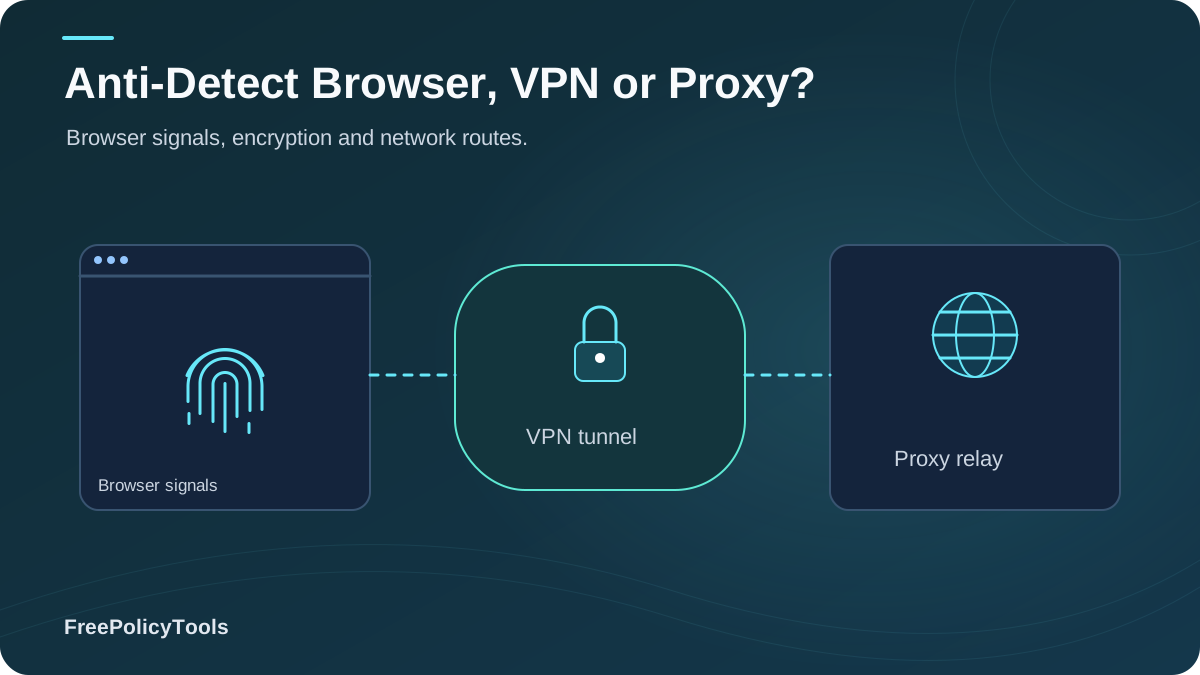
VPNs, proxies, and anti-detect browsers are all sold as "privacy tools" — but they solve three different problems, and confusing them is the #1 reason people believe they're anonymous when they're not. A VPN encrypts your connection and swaps your IP for your whole device. A proxy swaps your IP for a single app or site, usually without encryption. An anti-detect browser like Incogniton builds separate, complete digital identities — fingerprint, cookies, WebRTC, and proxy included.
The stakes are real: roughly 1.6 billion people (~30% of internet users) now use VPNs, yet research shows website-fingerprinting attacks against VPN traffic reach ~0.95 accuracy — because a VPN doesn't change your browser fingerprint. In this guide we define each tool precisely, benchmark them side by side, and tell you exactly which one (or which combination) fits your use case.
Quick Answer (TL;DR)
- VPN: encrypts all traffic + hides your IP at the network level. Best for public Wi-Fi, ISP privacy, geo-access. Does not stop fingerprinting or cookie tracking.
- Proxy: relays traffic for one app/site and changes your IP, usually without encryption. Best for IP rotation, scraping, geo checks. Worst security of the three.
- Anti-detect browser: creates isolated browser profiles with unique fingerprints, cookies, WebRTC behavior, and bound proxies. Best for multi-accounting and defeating fingerprint-based linking. Not a network encryption tool.
- Verdict: they're layers, not rivals — network privacy (VPN/proxy) + identity privacy (anti-detect) together equal real protection.
Three Tools, Three Different Jobs: 60-Second Definitions
VPN (Virtual Private Network)
Creates an encrypted tunnel between your device and a VPN server. All your traffic exits through that server with its IP.
Changes: IP (device-wide), encryption. Doesn't change: fingerprint, cookies, WebRTC behavior.
Proxy Server
A middleman that forwards traffic for one app, site, or connection. Swaps your IP; encryption only if the site itself uses HTTPS.
Changes: IP (per app/site). Doesn't change: encryption (usually), fingerprint, cookies.
Anti-Detect Browser
A browser that generates isolated profiles, each with its own spoofed fingerprint, cookies, WebRTC behavior, and bound proxy.
Changes: fingerprint, storage, IP (per profile). Doesn't: encrypt device-wide traffic.
The one-line distinction: a VPN hides where your traffic comes from, a proxy hides where some traffic comes from, and an anti-detect browser hides who you are. Trackers care about the last one — which is why the privacy vs. security discussion always comes back to fingerprints. W3C’s browser fingerprinting guidance explains how browser characteristics can make users identifiable even when other tracking methods are restricted.
VPN: What It Does (and Doesn't Do)
VPN adoption is massive — 23% of global internet users reported using one in Q2 2025, and consumer surveys show privacy from trackers and ISPs as the leading motivation. The global VPN market is projected to grow from USD 54.5 billion in 2026 to USD 156 billion by 2035. A good VPN genuinely solves three problems: hostile networks, ISP surveillance, and geo-restrictions.
What a VPN Does Well
- Encrypts all device traffic on public Wi-Fi and hostile networks
- Hides your IP from every site and app at once
- Blocks ISP-level snooping and throttling
- Unlocks geo-restricted content and services
- Protects non-browser apps (email clients, games, etc.)
What a VPN Cannot Do
- Change your browser fingerprint — canvas, fonts, WebGL stay identical
- Stop cookies or logged-in accounts from identifying you
- Prevent WebRTC leaks by default
- Hide you from website-fingerprinting traffic analysis (F1 ≈ 0.95 in research)
- Support multi-accounting — one shared exit IP often links accounts faster
Reality check: read why changing your IP doesn't change your browser fingerprint and does a VPN change your browser fingerprint — the two most misunderstood facts in consumer privacy. Pair your VPN with DNS-over-HTTPS to close the DNS leak gap as well.
Proxy: What It Does (and Doesn't Do)
A proxy is an IP-swapping relay configured per app, per site, or per connection. Types matter: datacenter proxies (cheap, easily detected), residential proxies (real home IPs, pricier), and mobile proxies (carrier IPs, hardest to flag). Proxies shine for scraping, ad verification, and geo-testing — but they are the weakest privacy tool of the three.
Proxy Strengths
- Cheap, fast IP rotation at scale
- Per-app / per-site configuration granularity
- Residential/mobile pools look like ordinary users
- No device-wide performance overhead
Proxy Weaknesses
- Usually no encryption — the proxy sees everything in plaintext
- Zero fingerprint or cookie protection
- Free proxies are dangerously unreliable: in a 10-month NDSS study of 180K free proxies, only 34.5% were ever active, under 2% actually proxied traffic, and ~10% exhibited malicious behavior
- Residential proxy networks can turn endpoints into criminal exit nodes — the FBI has issued explicit warnings
Rule of thumb: never route logins, banking, or anything sensitive through a free or untrusted proxy — you're handing a stranger plaintext traffic. Proxies are infrastructure tools, not privacy shields.
Anti-Detect Browser: What It Does (and Doesn't Do)
An anti-detect browser attacks the problem VPNs and proxies ignore: the browser-level identity signals that trackers and anti-fraud systems actually use. Each profile is a complete digital identity — spoofed canvas/WebGL/fonts/User-Agent, isolated cookies and storage, controlled WebRTC, matched timezone/locale, and a bound proxy — so ten profiles look like ten unrelated real users, not one user with ten IPs.
Anti-Detect Strengths
- Unique, coherent fingerprint per profile — see what anti-detect browsers can hide
- Full cookie/storage isolation per identity
- Per-profile proxy binding with matching geo signals
- WebRTC leak control and team collaboration features
- Scales to dozens of identities on one machine
Anti-Detect Weaknesses
- Doesn't encrypt device-wide traffic (not a VPN)
- Quality varies — cheap tools produce inconsistent fingerprints; read do anti-detect browsers really work
- Sophisticated detectors exist; see can websites detect anti-detect browsers
- Paid tool with a learning curve; check cheapest anti-detect browsers if budget matters
Where it wins: any scenario where linking is the threat — multi-account marketing, e-commerce stores, ad verification, QA across regions. That's why professionals pair anti-detect profiles with digital identities instead of juggling incognito windows (which change nothing fingerprint-wise).
Head-to-Head Comparison & Benchmarks
| Criterion | VPN | Proxy | Anti-Detect Browser |
|---|---|---|---|
| What it is | Encrypted tunnel, device-wide | IP relay, per app/site | Identity-isolating browser |
| Changes IP | Yes — all traffic | Yes — proxied traffic only | Yes — per profile (bound proxy) |
| Encrypts traffic | Yes | Rarely (depends on site HTTPS) | Via bound proxy/VPN |
| Changes fingerprint | No | No | Yes — per profile |
| Isolates cookies/storage | No | No | Yes — per profile |
| Controls WebRTC | Partial (some clients) | No | Yes — per profile |
| Multi-account safe | No (shared exit IP links accounts) | Partial (IP only) | Yes (full identity separation) |
| Public Wi-Fi protection | Excellent | Weak | Not its job |
| Typical cost | $0–15/mo | Free–paid per GB | Free tier–paid |
| Best for | Network privacy, geo-access | Scraping, IP rotation, geo checks | Multi-accounting, anti-fingerprint |
Benchmark takeaway: the three tools barely overlap. VPNs own encryption; proxies own cheap IP rotation; anti-detect browsers own the identity layer. Buying two of the same layer (e.g., two VPNs) adds nothing — stacking different layers adds everything.
The Fingerprint Gap: Why "Hiding Your IP" Isn't Anonymity
Most privacy failures come from overestimating the IP. Websites don't need your IP to recognize you: tracking stacks combine cookies, pixels, and multiple fingerprinting types — and the EFF's landmark study found only 1 in 286,777 browsers shares a fingerprint with another. Even encrypted VPN traffic can be identified by website-fingerprinting attacks with ~0.95 F1 accuracy in academic evaluation. Meanwhile advertising networks sync these identifiers across the web.
Signals a VPN/Proxy Leaves Exposed
Measure your own exposure with a fingerprint check, learn how accurate fingerprinting is, and what's realistically fixable in can browser fingerprinting be prevented.
Which Tool for Which Job? Use-Case Verdicts
Public Wi-Fi & ISP privacy
Winner: VPN
Device-wide encryption is exactly the VPN's job.
Streaming & geo-unblocking
Winner: VPN
Simple IP swap across all apps; no identity needs.
Web scraping & SEO monitoring
Winner: Proxy (+ anti-detect at scale)
Cheap IP rotation; add fingerprints when sites fight back.
Multi-account marketing / e-commerce
Winner: Anti-detect browser
Accounts get banned by fingerprint linking, not by IP alone — see the best anti-detect browsers.
Ad verification & QA across regions
Winner: Anti-detect + proxies
Consistent per-region identities beat raw IP swaps.
Journalism / high-risk research
Winner: VPN + Tor/anti-detect
Layer network encryption with identity isolation.
Combining Tools: The Layered Privacy Stack
Professionals don't choose one tool — they stack layers: network layer (VPN or quality proxy) + identity layer (anti-detect profiles) + hygiene layer (permissions, WebRTC, DNS). Inside an anti-detect browser like Incogniton, each profile binds its own proxy, so the network and identity layers stay coherent per persona. For the isolation theory behind this, see browser profile isolation, what is a browser profile, and profiles vs. browsers vs. VMs.
The 3-Layer Recipe
- Network: reputable VPN for device traffic (or per-profile residential proxies inside the anti-detect browser — never mix both on one identity).
- Identity: one anti-detect profile per persona with a coherent fingerprint, timezone, locale, and proxy.
- Hygiene: unique credentials per persona, WebRTC controlled, DNS encrypted, permissions default-deny — the full routine in how to secure your web browser.
Honest limits: even a perfect stack isn't magic — behavior (logging into the wrong account, copy-pasting between profiles) links identities faster than any technology. And if your threat model is state-level surveillance, read can you really browse anonymously and consider Tor + VMs. Legality questions? See are anti-detect browsers safe and legal.
Frequently Asked Questions
Can a VPN replace an anti-detect browser?
No. A VPN changes your IP and encrypts traffic but leaves your fingerprint, cookies, and WebRTC behavior untouched — the exact signals anti-fraud and ad-tech systems use to link accounts. For multi-accounting, a VPN alone often makes linking easier via shared exit IPs.
Can a proxy replace a VPN?
No. Most proxies don't encrypt, so on public Wi-Fi your traffic remains readable by anyone on the network — and the proxy operator sees everything in plaintext. Proxies are for IP rotation, not for security.
Does an anti-detect browser include a VPN or proxy?
Anti-detect browsers bind proxies per profile (and some support VPN integration), but they don't encrypt your whole device like a VPN. The common professional setup is per-profile proxies inside the anti-detect browser, plus a VPN on the host for general traffic.
Will websites detect my VPN or proxy?
Often, yes. IP reputation databases, datacenter ranges, TLS fingerprints, and timing analysis flag many VPN/proxy connections. That's why identity work prefers residential/mobile proxies bound to coherent anti-detect profiles.
Is using these tools legal?
In most jurisdictions, VPNs, proxies, and anti-detect browsers are legal tools; what matters is how you use them (fraud and ban-evasion violate platform Terms and sometimes law). See our analysis of whether anti-detect browsers are safe and legal.
What's the cheapest way to start?
For network privacy: a reputable paid VPN (free VPNs monetize your data). For identity work: start with a free-tier anti-detect browser like Incogniton and compare options in our cheapest anti-detect browsers roundup before scaling.
Related Resources
Conclusion
VPN, proxy, anti-detect browser — each does one job well and the others not at all. A VPN secures your connection and swaps your IP device-wide; a proxy swaps an IP per app with little or no security; an anti-detect browser rebuilds your browser-level identity so trackers and anti-fraud systems can't link your sessions. The reason "I'm using a VPN" so often fails is that modern tracking operates above the network layer, in fingerprints and storage that tunnels never touch.
The professional answer is a layered stack: encrypt the network, isolate the identities, and keep hygiene discipline. Match the tool to the threat, test your setup, and never trust a single layer to do three jobs.
Key Takeaways
- • VPN = encryption + device-wide IP swap; no fingerprint protection
- • Proxy = per-app IP swap; usually no encryption; free ones are risky
- • Anti-detect = per-profile fingerprint, cookies, WebRTC, proxy
- • VPN traffic can be fingerprinted with ~0.95 accuracy
- • Stack layers: network + identity + hygiene
Next Steps
- • Run a fingerprint + WebRTC leak test with your current tool
- • Pick your layer(s) using the use-case verdicts
- • If multi-accounting: create isolated profiles in Incogniton
- • Bind a quality proxy per identity
- • Re-test quarterly and after every update
Ready to own the identity layer?
Incogniton anti-detect browser gives every profile its own fingerprint, cookies, WebRTC behavior, and proxy — the missing layer your VPN can't provide. Try Incogniton today.