What Does Incognito Mode Actually Do? What It Doesn't Hide: The Honest Guide
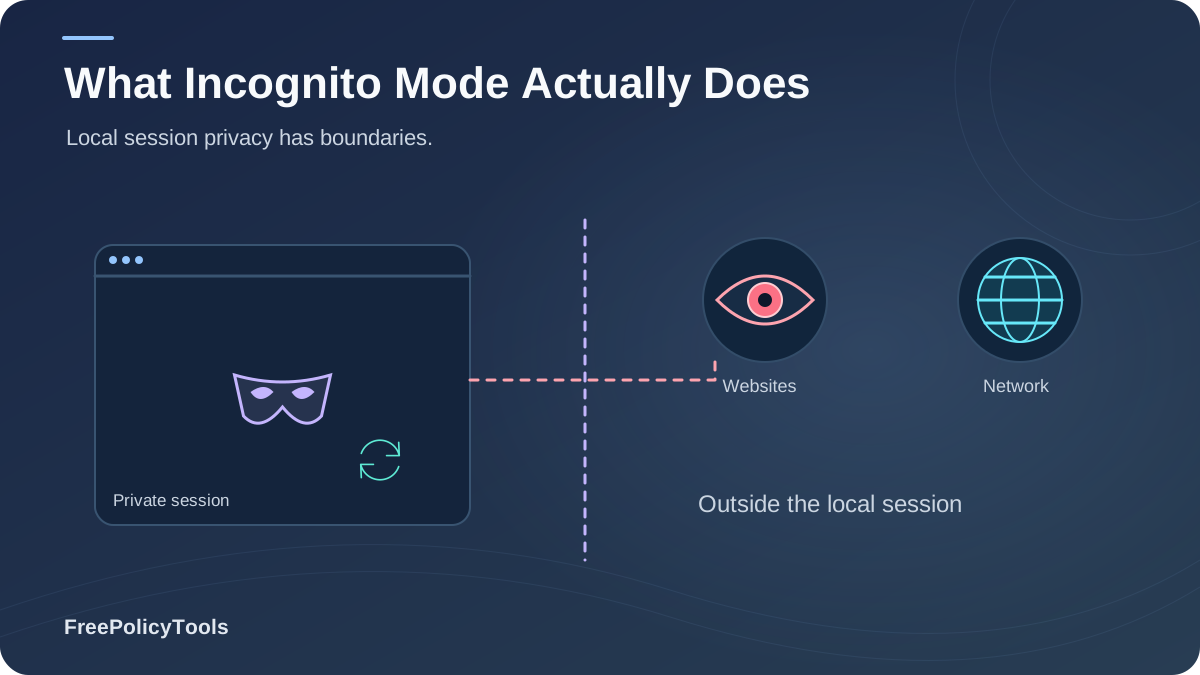
Incognito mode is the most misunderstood feature in modern browsing. Nearly half of American internet users have tried private browsing, and surveys show 40–44% believe it safeguards their online privacy — yet it hides almost nothing from websites, advertisers, your ISP, or your employer. Incognito is a local privacy tool: it stops your browser from remembering, not the internet from watching. To see the full tracking picture, read our guide on how websites track you and what browser fingerprinting is.
In this guide you'll learn exactly what incognito mode does and doesn't do, the technical mechanics behind it, the misconceptions that landed Google in a billion-dollar lawsuit, and which tools actually deliver the privacy people think incognito provides — backed by academic research from the University of Chicago, SOUPS and WWW privacy studies.
Quick Answer (TL;DR)
- Incognito does: skip saving history, delete cookies and site data when you close the session, and not store form entries.
- Incognito doesn't: hide your IP, stop browser fingerprinting, block your ISP, employer, or the websites themselves from seeing your activity.
- Downloads and bookmarks made in incognito are kept on your device.
- For real protection you need other layers: Tor for anonymity, VPN + DNS-over-HTTPS for network privacy, and anti-detect browsers like Incogniton for separate identities.
Of US internet users have tried private browsing (2017–2018 surveys)
Sought in the Google Incognito class action; settlement mandates deleting billions of records
Fingerprinting techniques incognito blocks — your device signals stay identical
Of users wrongly believe incognito stops website tracking (perception studies)
What Is Incognito Mode (and What Each Browser Calls It)
Incognito mode is a private browsing session that isolates your activity from the browser's local memory: history, cookies, and form data from the session are discarded when you close it. Every major browser ships a version of it under a different name: Chrome’s Incognito documentation explains that Incognito limits locally saved browsing data while websites and network operators may still observe activity.
Chrome
Incognito
Firefox
Private Browsing
Safari
Private Browsing
Edge
InPrivate
The one-sentence definition: Incognito mode protects you from other people who use your device — not from websites, networks, or anyone on the internet. Everything beyond your keyboard and screen largely works exactly as it does in a normal window.
What Incognito Mode Actually Does
Used correctly, incognito is genuinely handy for local privacy. Here's precisely what it handles:
Skips Browsing History
Pages you visit are never written to the browser's history database, so the next user of your device can't scroll through your session.
Deletes Cookies After the Session
Incognito uses a temporary cookie jar. When the last incognito window closes, cookies and site data are discarded — see how this differs from normal storage in our guide on browser cookies explained.
Doesn't Save Form Data
Names, addresses, search-box entries and autofill suggestions typed in incognito are not remembered.
Gives You a Separate Session
You can stay logged into one account in a normal window while signing into a different account in incognito — sessions are isolated.
Keeps Downloads (Silently)
Files you download are saved to your device, but they don't appear in the browser's download history list.
Disables Most Extensions by Default
Chrome keeps extensions off in incognito unless you explicitly enable them — reducing (not eliminating) extension-based exposure.
Bonus (browser-dependent): Some browsers add tracker blocking on top of private mode — Firefox applies stricter Enhanced Tracking Protection in private windows, and Safari's Intelligent Tracking Prevention is more aggressive there. That reduces some third-party cookie tracking, but it does not stop fingerprinting or server-side logging. Compare the storage types in cookies vs local storage vs browser fingerprinting.
Protection scores are editorial estimates summarizing published browser behavior documentation and fingerprint test results (EFF Cover Your Tracks, 2024–2025).
What Incognito Doesn't Hide
This is the list most users never see. In incognito, the following observers still see (nearly) everything:
Your IP Address & Approximate Location
Incognito never masks your IP. Websites, ad networks and any server you contact see the same address as always.
Your Browser Fingerprint
Canvas, WebGL, fonts, screen size, GPU — all identical in incognito. You remain just as fingerprintable; learn what websites can see in our fingerprinting guide.
Your ISP & Network Admin
Your internet provider, employer, school or café Wi-Fi owner still sees every domain you visit. Incognito adds zero encryption.
The Websites Themselves
Servers log your visits, clicks and account logins regardless of mode. Ad-tech still profiles you via fingerprinting and first-party data.
Logged-In Accounts
Sign into Google, Facebook or Amazon inside incognito and your activity is tied to that account exactly as usual.
Downloaded Files & Bookmarks
Anything you save or bookmark persists on your device after the session ends — a classic gotcha on shared computers.
Location (If You Allow It)
Incognito doesn't block permission prompts. Grant location and the site gets your GPS coordinates, mode or not. Review what you've allowed in browser permissions explained.
Malware & Phishing
Incognito is not a security feature. Malicious sites, drive-by downloads and scams work exactly the same way.
WebRTC gotcha: even with a VPN running, an incognito window can leak your real IP through WebRTC — the same leak that affects normal windows. Understand what WebRTC is and how it affects browser privacy and how to test for a WebRTC leak.
How Incognito Works Technically
Under the hood, incognito launches an ephemeral profile layered on top of your browser. The mechanics explain both its strengths and its limits:
The Ephemeral Session Model
- In-memory cookie jar: cookies work normally during the session (so logins and carts function) but live in temporary storage wiped on close.
- History writes disabled: URL, form and search histories are simply never written to disk.
- Same network stack: DNS requests, TLS handshakes and your IP go out exactly as in a normal window — which is why ISPs and admins see everything.
- Same rendering engine: canvas, WebGL, audio and font outputs are unchanged, so your fingerprint types are identical.
- Partitioned cache: the session uses its own cache so sites can't use cached resources to link you to a previous normal session (modern browsers).
| Data / Observer | Normal Window | Incognito Window |
|---|---|---|
| Browsing history on device | Saved | Not saved |
| Cookies after closing | Persist | Deleted |
| Form / autofill entries | Saved | Not saved |
| IP address seen by sites | Visible | Visible |
| Fingerprint (canvas, fonts, GPU…) | Unique | Identical & unique |
| ISP / employer visibility | Full | Full |
| Logged-in account activity | Tracked | Tracked |
| Downloads & bookmarks | Kept | Kept |
The Misconception Problem: What Research Shows
Academic research confirms the confusion is widespread. A University of Chicago study of 460 internet users found that while almost everyone understood incognito prevents local history saving, large shares wrongly believed private mode prevents website tracking, hides geolocation, blocks ads, or shields activity from their network provider (Habib et al., SOUPS 2018; Wu et al., WWW 2018). Nearly half of American internet users have tried private browsing, and most who try it keep using it — often under false assumptions (GovTech / consumer surveys, 2017–2018).
Approximate shares aggregated from private-browsing perception research (Wu et al., WWW 2018; Habib et al., SOUPS 2018; University of Chicago survey, 2018).
Reasons for using private browsing, aggregated from consumer surveys (2017–2023).
The Six Most Dangerous Incognito Myths
Myth: "Incognito makes me anonymous online."
False. Your IP, fingerprint and account logins identify you exactly as in a normal window. True anonymity is a different discipline — see can you really browse anonymously.
Myth: "My ISP and Wi-Fi owner can't see incognito activity."
False. They see every domain you visit. Only a VPN or Tor changes that, and even a VPN doesn't change your fingerprint.
Myth: "Incognito blocks ads and tracking."
Mostly false. It may reduce some third-party cookies (browser-dependent), but ad networks track via fingerprinting and first-party data regardless.
Myth: "Downloads and bookmarks disappear."
False. Files and bookmarks persist — only the history entries vanish.
Myth: "Incognito protects me on public Wi-Fi."
False. It adds no encryption. HTTPS protects the content; your network still sees domains. Harden transport with HTTPS, secure DNS and DNS-over-HTTPS.
Myth: "Airlines show higher prices if I search repeatedly; incognito fixes it."
Largely a myth. Dynamic pricing exists, but controlled tests show no consistent "search-history penalty" — and incognito wouldn't stop fingerprint-based pricing anyway.
Ever-used private browsing, aggregated consumer privacy surveys (US/UK), 2016–2026; baseline ~46% from 2017–2018 surveys.
Who Can Still See Your Browsing in Incognito
| Observer | What They See in Incognito | How to Actually Block It |
|---|---|---|
| Other users of your device | Nothing (history/cookies wiped) | Incognito is enough |
| Websites you visit | IP, fingerprint, on-site behavior, logins | Tor / anti-detect profiles |
| Ad networks & trackers | Fingerprint + first-party data | Privacy browsers + tracker blockers |
| Your ISP | Every domain (and full URLs pre-HTTPS) | VPN + DoH/ECH |
| Employer / school network | All traffic on their network or device | Use your own device + VPN (policy permitting) |
| Search engines (signed in) | Searches tied to your account | Log out / use private search |
| Government (via legal process) | ISP/server records | Jurisdiction-dependent; Tor strongest |
Remember: changing your network path (VPN) and changing your device identity (fingerprint) are separate problems. A VPN doesn't touch your fingerprint — read why changing your IP doesn't change your browser fingerprint and does a VPN change your browser fingerprint?
The Billion-Dollar Incognito Lawsuit
The gap between perception and reality became a legal problem for Google. A 2020 class action claimed Chrome's Incognito mode still allowed Google to collect browsing data through Google Analytics, Google Ads and other embedded services — seeking $5 billion in damages. The case survived dismissal, and Google ultimately settled, agreeing to delete and remediate billions of data records containing Incognito browsing histories and to improve its disclosures, without admitting wrongdoing (In re Google Incognito Internet Privacy Litigation, settlement 2024–2025).
Why This Matters to You
- "Private" windows never meant private from the websites' own analytics stacks.
- Embedded third-party services (analytics, pixels, ad tags) observed incognito sessions just like normal ones.
- The settlement's deletion order is a rare, concrete acknowledgment that "incognito" data was being retained at scale.
- Lesson: treat incognito as local hygiene, not as privacy infrastructure — see how advertising networks track browsers regardless of mode.
Incognito vs VPN vs Tor vs Anti-Detect Browsers
Each tool solves a different threat. The radar chart shows why no single tool does everything — and why incognito scores near zero everywhere except local history.
| Tool | Hides Local History | Hides IP | Stops Fingerprinting | Best For |
|---|---|---|---|---|
| Incognito | Yes | No | No | Shared devices, local hygiene |
| VPN | No | Yes | No | ISP / public Wi-Fi privacy |
| Tor Browser | Yes | Yes | Mostly | Anonymity |
| Anti-detect browser | Per profile | With proxies | Per profile | Multiple clean identities |
Stacking tools: VPN + privacy browser covers network + device layers; for multi-account work you need isolated identities instead — compare the stacks in VPN vs proxy vs anti-detect browser and anti-detect browser vs VPN vs proxy.
When Incognito Is Actually Useful
Despite the myths, incognito has legitimate jobs — as long as you know what it's for:
Shared & Public Computers
Hotel lobbies, libraries, a family laptop — leave no local traces for the next user.
Multiple Accounts at Once
Stay logged into work email in one window and personal email in another without constant sign-outs.
Gifts & Sensitive Purchases
Keep surprise shopping out of the autocomplete and history suggestions on shared devices.
Un-personalized Views
See search results or a website as a "new" visitor without your usual cookie profile (useful for marketers and developers testing funnels).
Cookie Clutter Control
One-off visits (reading a single article, checking a forum thread) without accumulating persistent cookies.
Debugging & QA
Reproduce "first-visit" behavior instantly — a staple workflow for web developers.
Hygiene multiplier: pair incognito with general browser hardening — how to secure your web browser, why browser updates matter, and an audit for malicious browser extensions — and understand the difference between privacy and security in browser privacy vs browser security.
Better Alternatives for Real Privacy
If your threat model goes beyond "the next person who borrows my laptop," pick the tool that matches it. And if you need multiple, separate identities — for ad accounts, e-commerce, QA or research — neither incognito nor a VPN is the right instrument: you need isolated browser profiles with coherent fingerprints, i.e., an anti-detect browser.
Match the Tool to the Threat
- Local privacy on shared devices: incognito (you're already covered).
- Network privacy (ISP, cafés, travel): reputable VPN + DNS-over-HTTPS; test for WebRTC leaks.
- Anti-tracking / anti-fingerprinting: Tor Browser or Firefox with Resist Fingerprinting; check yourself with our guide on how to check your browser fingerprint and learn what's preventable in can browser fingerprinting be prevented.
- Multiple clean identities: anti-detect browser with per-profile fingerprints and proxies — see anti-detect profiles & digital identities, browser profile isolation, and profiles vs separate browsers vs VMs.
Recommended Tool: Incogniton
Incogniton is what incognito mode pretends to be for multi-account work: every profile gets its own consistent fingerprint, cookies, and proxy, so accounts stay unlinked. Unlike incognito, the separation is real and persistent. Learn how it compares in anti-detect browser vs incognito mode, what it can hide, whether sites can detect anti-detect browsers, if they really work, and whether they're safe and legal. Compare the best and cheapest anti-detect browsers before choosing.
Get Incogniton Free →The big question: once you understand incognito's limits, the natural next step is asking can you really browse anonymously? — and, for accuracy context, how accurate is browser fingerprinting.
Frequently Asked Questions
Can anyone see what I did in incognito after I close the window?
On your device, essentially no — history and cookies are wiped. But your ISP, employer or network admin, and the websites themselves may still have records of the session. Incognito never prevented them from seeing anything.
Does incognito hide my location?
No. Your IP still reveals your approximate location, and if you grant a site location permission, incognito shares your precise GPS coordinates just like a normal window.
Does incognito stop Google from tracking me?
No. If you sign into any Google service, activity is tied to your account. Even signed out, embedded Google Analytics/Ads on third-party sites observed incognito sessions — the exact issue behind the $5B class action settlement requiring deletion of billions of records.
Is incognito safe on public Wi-Fi?
It adds no protection on public Wi-Fi. HTTPS encrypts page content, but the network still sees which domains you visit. Use a VPN (with WebRTC leak protection) on untrusted networks.
Can my employer see incognito activity on a work computer?
Yes — easily. Company devices and networks can be monitored at the OS, network, or MDM level, far below anything the browser controls. Assume everything on a work device is visible.
What's the simplest upgrade from incognito?
For most people: a privacy-focused browser (or Firefox with strict tracking protection) for daily use, a VPN for network privacy, and Tor when anonymity matters. For managing multiple accounts, an anti-detect browser like Incogniton replaces incognito's single shared "clean" session with many persistent, isolated identities.
Related Resources
Conclusion
Incognito mode does one job well: keeping your local browser clean of history, cookies and form data. It does not hide your IP, stop fingerprinting, block your ISP or employer, or make you anonymous — yet 40%+ of users believe otherwise, a gap between expectation and reality that academic studies documented and a $5 billion lawsuit turned into a settlement requiring Google to delete billions of incognito records.
The practical move is to stop asking "is incognito enough?" and start matching tools to threats: incognito for shared devices, VPN + DoH for networks, Tor/RFP for anonymity, and anti-detect browsers for multiple identities.
Key Takeaways
- • Incognito = local privacy only (history, cookies, forms)
- • Websites, ISPs, employers and accounts still see everything
- • Fingerprinting works identically in incognito
- • Downloads & bookmarks persist after the session
- • Google's Incognito case settled with deletion of billions of records
Next Steps
- • Check your fingerprint with a testing tool
- • Add a VPN + DoH for network-level privacy
- • Use Tor/RFP browser for sensitive browsing
- • Adopt anti-detect profiles for multi-account work
- • Audit permissions & extensions quarterly
Want the separation incognito promises — but for real?
Incogniton gives every profile its own fingerprint, cookies and proxy, so each identity stays clean and unlinked. Try Incogniton for free.