Cookies vs Local Storage vs Browser Fingerprinting: Which One Tracks You the Most?
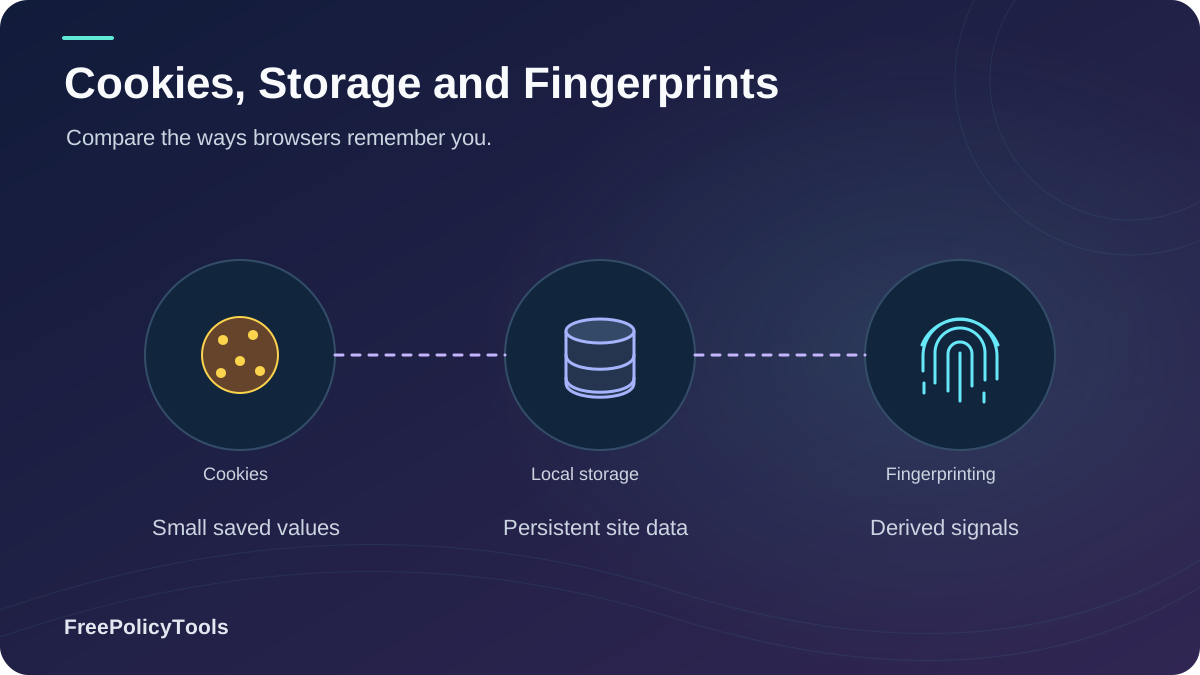
Every time you visit a website, up to three silent identification systems may be at work: HTTP cookies, HTML5 local storage, and browser fingerprinting. Together they decide whether you stay logged in, see personalized ads, or can be followed across the entire web — even after you "clear your data." Understanding the differences between cookies, local storage, and browser fingerprinting is the single most important step toward taking back control of your browser privacy.
In this guide we break down how each technology works under the hood, compare their storage capacity, persistence and cross-site tracking power head-to-head, examine what the GDPR and ePrivacy rules say about each one, and show you exactly how to defend against them — including when tools like the Incogniton anti-detect browser become the only reliable shield.
TL;DR — The 30-Second Verdict
- Cookies are small (4 KB), visible and deletable — but third-party cookies enable cross-site ad tracking.
- Local storage holds ~2,500× more data than a cookie, never expires, and silently survives page reloads — making it a favorite for "zombie" tracking.
- Browser fingerprinting stores nothing on your device at all, so there is nothing to delete — which is exactly why it is the hardest tracking method to stop.
The Tracking Trinity at a Glance
Cookies, local storage, and fingerprinting were built for different jobs — remembering a shopping cart, caching app data, and (in fingerprinting's case) identifying devices without storing anything at all. Yet all three ended up in the same role: recognizing you. Here is the quick comparison before we go deep:
| Feature | Cookies | Local Storage | Fingerprinting |
|---|---|---|---|
| What it is | Small text file set by the server | Key–value database in the browser (JavaScript) | Profile built from your device & browser attributes |
| Typical capacity | ~4 KB per cookie | ~5–10 MB per origin | Nothing stored on your device |
| Expiry | Session or a set expiry date | Never — until explicitly deleted | Persists while your setup stays the same |
| Sent to server automatically? | Yes, with every HTTP request | No — only JavaScript can read it | Not needed — recomputed on each visit |
| Cross-site tracking | Yes (third-party cookies) | No (same-origin only) | Yes — follows you everywhere |
| Can you see & delete it? | Easily (browser settings) | Partially (site data / DevTools) | Practically no |
| GDPR / ePrivacy consent | Required (non-essential) | Required (if used to identify) | Required |
| Overall privacy risk | Medium–High | Medium | Very High |
Cookies
Born 1994. Server-set, auto-sent, fully transparent to the user.
Local Storage
Born 2009 (HTML5). Big, persistent, JavaScript-only access.
Fingerprinting
No file at all. Your device's unique 'signature' is the identifier.
Local Storage: The Cookie's Bigger, Silent Sibling
Introduced with HTML5 in 2009, localStorage gives every origin a private key–value store of roughly 5–10 MB — about 2,500× the capacity of a single cookie. Crucially, that data is never sent to the server automatically; only JavaScript running on the page can read or write it, and it survives browser restarts with no expiry date at all.
How Local Storage Looks Under the Hood
JavaScript API:
localStorage.setItem('tracker_id', 'a1b2c3d4');
localStorage.getItem('tracker_id'); // → 'a1b2c3d4'
Properties:
• Persists after browser closes — no expiry field exists
• Never transmitted in HTTP headers (unlike cookies)
• Same-origin only: example.com cannot read bank.com's data
Legitimate Uses
- • Caching UI preferences, themes and language
- • Storing offline app state (progressive web apps)
- • Keeping draft content between sessions
- • No network overhead — data stays on the device
The Dark Side: Zombie Tracking
- • No expiry → tracking IDs live forever until manually wiped
- • Invisible in classic "cookie" settings panels
- • Used to respawn deleted cookies ("zombie cookies")
- • Readable by any injected script (XSS risk)
Key Stat: Because clearing cookies alone leaves localStorage untouched, trackers that back up IDs in local storage can re-identify ~100% of "cleared" users in lab tests (academic respawning studies, Princeton Web Census). This is why "clear cookies" is no longer enough.
Browser Fingerprinting: The Invisible Identifier
Browser fingerprinting stores nothing on your device. Instead, a script quietly collects dozens of attributes — your user-agent, screen resolution, installed fonts, canvas rendering quirks, WebGL renderer, audio stack behavior, timezone, language — and combines them into a nearly unique ID. Because the identifier lives on the tracker's server, there is literally no file for you to find or delete. Learn the mechanics in our primer What Is Browser Fingerprinting?
Why It's So Powerful
- • Passive: requires no click, cookie, or storage write
- • Undeletable: the profile lives on the tracker's side
- • Cross-site by default: the same attributes travel with you everywhere
- • Survives clearing: wiping cookies & storage changes nothing
How Unique Are You?
In the Electronic Frontier Foundation's Cover Your Tracks tests, only 1 in 286,777 other browsers shared the same fingerprint — meaning a typical fingerprint is effectively as identifying as a name (EFF, Cover Your Tracks). Curious how stable and accurate these IDs really are? See How Accurate Is Browser Fingerprinting?
Key Stat: As third-party cookies get blocked by browsers, fingerprinting fills the gap: longitudinal scans show fingerprinting scripts rising from ~4% of the top 100K sites in 2018 to ~17% in 2025 (Web Tracking Observatory, 2025).
Head-to-Head Comparison
The radar chart below scores each technology across the six dimensions that matter for privacy. Notice the trade-off: cookies are the most controllable but enable cross-site tracking; local storage is the most capacious and persistent; fingerprinting wins on identifiability precisely because it gives you almost no control.
Reading the Chart
- • High "User Visibility & Control" (cookies: 90/100) means you can inspect and delete the data easily.
- • High "Ease of Blocking" (cookies: 95/100) means browser settings stop it completely.
- • High "Identifiability" + low control (fingerprinting: 95/20) is the worst possible combination for privacy.
Which One Tracks You the Most?
The honest answer: all three — together. Modern ad-tech stacks layer them. A third-party cookie identifies you across sites; a localStorage backup respawns the ID after you clear cookies; and a fingerprint ties both to your device even in a fresh browser profile. This technique is called identity bridging, and it is why our guide How Websites Track You describes tracking as a supply chain rather than a single tool. MDN’s Web Storage documentation distinguishes localStorage from sessionStorage and explains how their storage is scoped to an origin.
Cookies verdict
Most regulated & most blockable — but third-party cookies still power cross-site ad tracking where legal.
Local storage verdict
The silent workhorse: huge, permanent, and ignored by most consent banners. Prime zombie-cookie territory.
Fingerprinting verdict
The clear winner for persistent identification: nothing to delete, nothing to consent to visibly, works everywhere.
Bottom line: For cross-site, deletion-proof identification, browser fingerprinting is the most powerful tracker of the three. For sheer data volume and persistence on your device, local storage wins. Cookies sit in the middle — visible, regulated, but still ubiquitous.
How to Protect Yourself
No single defense defeats all three technologies. The table below shows how common countermeasures perform against each one — and why layered defense (privacy browser + script blocking + identity separation) is the only robust strategy.
| Countermeasure | vs Cookies | vs Local Storage | vs Fingerprinting |
|---|---|---|---|
| Clearing browser data | High | High | None |
| Private / incognito windows | Medium | Medium | Low |
| Tracking protection (Brave/Firefox/Safari) | High | Medium | Medium |
| Script & ad blockers | High | Medium | Medium |
| VPN / proxy | None | None | None |
| Anti-detect browser (e.g., Incogniton) | High | High | High |
Everyday Privacy Habits
- Reject non-essential cookies in banners; revisit choices quarterly.
- Clear all site data (cookies + storage), not just cookies.
- Use a privacy-focused browser with fingerprint randomization.
- Understand what incognito mode actually does — and doesn't — do.
- Remember: a VPN masks your IP but does not change your fingerprint.
When You Need Separate Identities
If you run multi-accounts (e-commerce stores, ad campaigns, QA testing), browser-level defenses are not enough: platforms combine cookies, local storage and fingerprints to link your profiles. Anti-detect browsers solve this by generating isolated profiles, each with its own consistent fingerprint, storage and cookie jar.
- Isolated cookie & storage per profile
- Spoofed canvas, WebGL, font & hardware signals
- Team sharing & automation support
What the Law Says (GDPR & ePrivacy)
The law is technology-neutral where it matters: Article 5(3) of the ePrivacy Directive requires consent for any storage or access to information on a user's device — a definition that explicitly covers cookies and local storage. And because fingerprints are built from device attributes, European regulators (CNIL, AEPD, and the EDPB) treat fingerprinting for marketing as processing that requires prior consent as well.
Legal Status of Each Technology
- Cookies: non-essential cookies need opt-in consent; cookie banners are mandatory across the EU.
- Local storage: writing tracking IDs to localStorage without consent breaches ePrivacy — several EU DPAs have fined sites for "cookie-less" tracking via local storage.
- Fingerprinting: CNIL and AEPD guidance classify device fingerprinting as requiring consent; using it for marketing without consent violates the GDPR.
Website owner? Your cookie policy should disclose all three technologies — cookies, local storage, and any fingerprinting scripts. Enforcement is real: CNIL fined Google €150M (2021) over non-compliant cookie consent, and Amazon was hit with €746M in Luxembourg (2021).
For Website Owners: Choosing the Right Tool
Used responsibly, each technology has a proper home in a privacy-by-design architecture:
Use Cookies For
- • Session & authentication tokens
- • Server-side state (CSRF tokens, carts)
- • Always with
Secure,HttpOnly,SameSite
Use Local Storage For
- • UI preferences, themes, caches
- • Non-sensitive client-side app state
- • Never for tokens or personal data (XSS!)
Avoid Fingerprinting For
- • Marketing & cross-site analytics
- • Covert re-identification after consent denial
- • Anything without explicit, documented consent
Compliance tip: Run a cookie & storage audit, categorize every technology, and disclose them in a dedicated cookie policy. Pair it with a consent platform that blocks scripts — including fingerprinters — until consent is given.
Frequently Asked Questions
Is local storage safer than cookies?
For developers, local storage avoids some cookie problems (no automatic transmission, no CSRF risk), but it is not 'safer' for privacy: data never expires, is invisible to most users, and any injected script can read it. For sensitive data like session tokens, properly flagged cookies (HttpOnly, Secure, SameSite) are actually the safer choice.
Does clearing cookies stop browser fingerprinting?
No. Fingerprinting stores nothing on your device — the identifier is computed from your browser and hardware attributes and kept on the tracker's server. Clearing cookies and local storage removes state-based tracking, but your fingerprint will re-identify you on the next visit. See whether fingerprinting can be prevented for real defenses.
Does incognito mode protect me from all three?
Partially. Incognito gives you a fresh cookie jar and empty local storage, and clears both when the window closes. But within the session your fingerprint is still fully visible, and your IP address is unchanged. It delays identification; it doesn't prevent it.
Is browser fingerprinting illegal under GDPR?
Not inherently — but using it to identify individuals without a lawful basis (usually consent) violates the GDPR, and EU regulators like CNIL and AEPD have explicitly stated that fingerprinting for marketing requires prior consent. Fraud-prevention uses may rely on legitimate interest, but that must be documented case by case.
Cookies vs local storage: which should I use as a developer?
Use cookies for anything the server must read on each request (sessions, auth, CSRF) and local storage for client-side data that the server never needs (preferences, caches, drafts). Never store secrets in local storage, and never use either for cross-site tracking without consent.
Can a VPN hide my browser fingerprint?
No. A VPN changes your IP address and encrypts traffic, but your fingerprint is built from browser and device attributes that a VPN never touches. Trackers simply link your new IP to the same fingerprint. Only fingerprint-spoofing or anti-detect browsers change the picture.
Related Resources
Conclusion
Cookies, local storage, and browser fingerprinting form a layered identification stack: cookies remember you at the server, local storage remembers you on your device — forever — and fingerprinting remembers you even when both are wiped. Of the three, browser fingerprinting is the most powerful tracker precisely because it gives users nothing to see, delete, or refuse.
The good news: awareness changes outcomes. Blocking third-party cookies, clearing full site data, using privacy-focused browsers, and — where true identity separation matters — deploying anti-detect profiles dramatically shrink your trackable surface. And for website owners, transparent disclosure of all three technologies in a cookie policy is both a legal duty and a trust signal.
Key Takeaways
- • Cookies: 4 KB, visible, deletable — but enable cross-site ad tracking
- • Local storage: ~10 MB, no expiry, silent — zombie-cookie territory
- • Fingerprinting: stores nothing, deletes nothing, identifies almost uniquely (1 in 286,777 per EFF)
- • Fingerprinting adoption grew from ~4% (2018) to ~17% (2025) of top sites
- • GDPR/ePrivacy consent rules cover all three technologies
Next Steps
- • Check what your browser currently exposes
- • Audit & clear cookies + site data quarterly
- • Switch on tracking protection & script blocking
- • Use isolated profiles for multi-accounting work
- • Website owner? Update your cookie policy to cover storage & fingerprinting
Ready to take back control of your digital identity?
Try Incogniton anti-detect browser to create unlimited isolated browser profiles — each with its own cookies, local storage, and fingerprint.