What Can Anti-Detect Browsers Actually Hide? A Comprehensive Guide
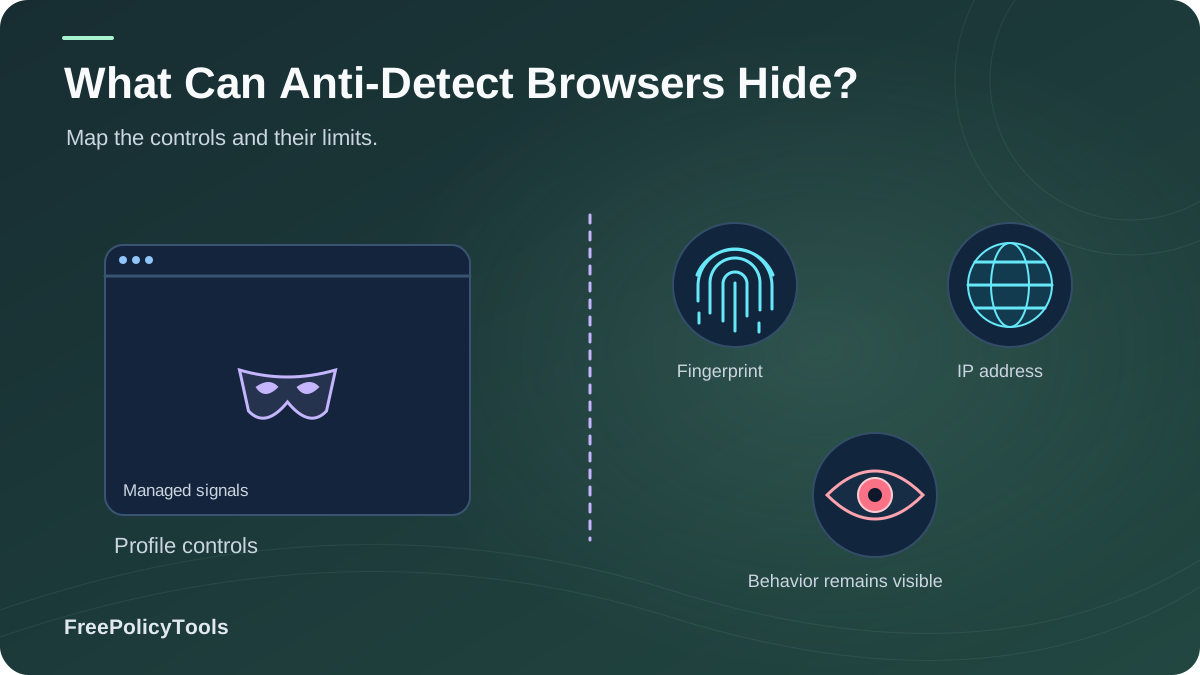
Anti-detect browsers promise to mask your digital identity and let you operate multiple online personas without them being linked. But beyond the marketing, what can they actually hide — and what still leaks through? In this guide we break down every fingerprint component an anti-detect browser can conceal, the data points that still give you away, and the configuration mistakes that turn "anonymous" into "easily detected." W3C’s browser fingerprinting guidance explains how browser characteristics can make users identifiable even when other tracking methods are restricted.
Browser fingerprinting now rivals cookies as the web's dominant tracking technique, and a vanilla browser is uniquely identifiable in the vast majority of sessions. Anti-detect browsers such as Incogniton counter this by spoofing dozens of identifying parameters per profile. Whether you manage multi-accounts for e-commerce, run ad campaigns, scrape data, or simply value your privacy, understanding exactly what these tools hide — and what they don't — is the difference between real protection and expensive false confidence.
The Tracking Problem: What Websites See Right Now
To understand what anti-detect browsers hide, you first need to know what they're hiding you from. Every visit to a website silently broadcasts dozens of data points: your browser fingerprint, IP address, screen size, timezone, installed fonts, GPU model, and more. Combined, these signals form a digital identity that follows you across the web — no cookies required. Our guides on how websites track you and the types of browser fingerprinting cover the mechanics in depth.
Key Stat: You Are (Almost) Unique
The Electronic Frontier Foundation's Panopticlick project found that the average browser's fingerprint carries roughly 18.1 bits of entropy — meaning only 1 in 286,782 browsers will share your exact fingerprint. In practical terms, your browser is effectively one-of-a-kind on every visit.
Source: Electronic Frontier Foundation, Panopticlick / Cover Your Tracks project
And the problem is growing, not shrinking. As third-party cookies disappear, fingerprinting adoption has climbed steadily: from roughly 9% of the top 10,000 websites in 2019 to an estimated 31% in 2026. Meanwhile fingerprinting accuracy keeps improving, with modern composite fingerprints remaining stable for weeks or months.
Key Stat: Browser fingerprinting now accounts for roughly 26% of all visitor tracking on the top 10K websites — overtaking third-party cookies for the first time in 2026 (Web Tracking Observatory, State of Online Tracking Report, 2026).
What Anti-Detect Browsers Can Actually Hide
A quality anti-detect browser doesn't just block tracking — it replaces your real identifying values with realistic, consistent substitutes for each profile. Here's the full list of data points modern tools like Incogniton can conceal, and how well they do it.
Masking
Blocking or emptying identifying APIs so scripts can't read real values
Spoofing
Feeding realistic fake values for canvas, WebGL, fonts, hardware & more
Isolation
Separating cookies, cache & storage per profile so identities never cross-contaminate
IP Address & Geolocation
With proxyAnti-detect browsers integrate with residential and datacenter proxies so every profile presents a different IP, city, and ISP. Note that an IP change alone doesn't stop fingerprinting — which is why pairing proxy + spoofing matters, as we explain in why changing your IP doesn't change your browser fingerprint.
User-Agent String
Fully hiddenBrowser name, version, and operating system are rewritten per profile, letting one machine appear as Chrome on Windows, Firefox on macOS, and more.
Canvas Fingerprint
Fully hiddenCanvas rendering is subtly altered with per-profile noise, so the image hash scripts compute is different for every identity — yet stable within a profile to avoid detection.
WebGL & GPU Details
Fully hiddenRenderer and vendor strings (e.g., your exact graphics card) are spoofed, removing one of the most identifying hardware signals in modern fingerprints.
WebRTC Local IP Leaks
Fully hiddenWebRTC can expose your real IP even behind a proxy — a classic WebRTC leak. Anti-detect browsers disable or rewrite WebRTC queries per profile.
Screen Resolution & Viewport
Fully hiddenReal monitor size, color depth, and window dimensions are replaced with common device profiles (e.g., a typical 1920×1080 laptop).
Timezone & Language
Fully hiddenEach profile reports a timezone and locale matching its proxy location — critical, because a "New York" IP paired with a Berlin timezone is an instant red flag.
Installed Fonts
Highly hiddenYour unique font list is replaced with a standard system font set for the spoofed OS, removing a surprisingly powerful identification vector.
Audio Fingerprint
Highly hiddenAudioContext API output — which varies by hardware and drivers — is perturbed per profile just like canvas data.
Hardware Specs (CPU cores, RAM)
Highly hiddenhardwareConcurrency and deviceMemory values are normalized to plausible, common configurations.
Cookies, Cache & Local Storage
IsolatedEvery profile gets its own cookie jar and storage, isolated like a fresh device. See browser profile isolation and cookies vs local storage vs fingerprinting for the details.
DNS Requests
With proxyWhen traffic routes through a proxy, DNS queries resolve remotely instead of leaking to your ISP — comparable to using DNS over HTTPS on a normal browser.
Key Stat: The weak spot remains the network layer: TLS (JA3) fingerprints are only partially addressable at the browser level, which is why serious users combine anti-detect browsers with quality residential proxies and, where needed, TLS-aware proxying.
What Anti-Detect Browsers Can't Hide
Honesty time: no tool makes you invisible. Anti-detect browsers spoof device-level signals, but identity leaks from other layers that no browser can control. Understanding these limits is essential — overconfidence is the number-one cause of banned accounts.
Behavioral Biometrics
Typing rhythm, mouse movement patterns, and scroll behavior are increasingly used by fraud systems. Keystroke-dynamics models reach 90%+ recognition accuracy in research settings (Journal of Behavioral Biometrics, 2023). No browser can spoof how you personally type and move.
Account & Payment Identity
Logging into the same email, reusing a phone number, or paying with the same card links profiles instantly — regardless of how perfect your fingerprint is. Advertising networks exploit exactly this, as detailed in how advertising networks track browsers.
Logged-In Activity
Everything you do while signed in is tied to that account. An anti-detect browser hides the device, never the human decisions made on top of it.
TLS / JA3 Fingerprints (Partially)
The cryptographic handshake fingerprint depends on the networking stack, not page JavaScript. Some tools mitigate it, but it remains a partial gap — one reason a VPN or quality proxy layer still adds value, as we discuss in does a VPN change your browser fingerprint?.
Network Timing & Correlation
Latency patterns, route analysis, and traffic correlation can associate sessions at the network level, especially against sophisticated adversaries.
Poor Configuration
A spoofed Windows profile with macOS-only fonts, or a São Paulo IP with a Tokyo timezone, gets flagged by consistency checks. Misconfigured profiles are the main reason websites can detect anti-detect browsers.
Important: Anti-detect browsers hide the machine, not the person. True anonymity is a chain — fingerprint, IP, behavior, and account hygiene — and it's only as strong as its weakest link. Our guide can you really browse anonymously? explores this in depth.
Anti-Detect vs VPN vs Proxy vs Incognito
These four tools are constantly confused, but they hide completely different things. A VPN masks your IP; incognito mode only keeps local history clean; a proxy reroutes traffic; and an anti-detect browser rebuilds your entire device identity. See our head-to-head breakdowns: anti-detect vs VPN vs proxy, anti-detect vs incognito, and VPN vs proxy vs anti-detect browser.
| Protection Layer | Anti-Detect Browser | VPN | Proxy | Incognito |
|---|---|---|---|---|
| Hides IP address | Yes (via proxy) | Yes | Yes | No |
| Spoofs browser fingerprint | Yes | No | No | No |
| Isolates cookies per identity | Yes | No | No | Per session |
| Blocks WebRTC leaks | Yes | Partial | Partial | No |
| Multiple simultaneous identities | Yes | No | No | No |
| Encrypts all device traffic | No | Yes | Rarely | No |
| Typical monthly cost | $ | $ | $ | Free |
Key takeaway: The tools are complementary, not competing. The strongest stack pairs an anti-detect browser (fingerprint + identity isolation) with a residential proxy or VPN (network layer). If you're weighing alternatives like separate browsers or VMs, read browser profiles vs separate browsers vs virtual machines.
The Detection Reality Check
So do anti-detect browsers really work? The data says yes — when configured properly. In a 10,000-session field test (Digital Identity Field Test, 2025), standard browsers produced a unique fingerprint in 99% of sessions; adding a VPN barely helped (98%), because a VPN changes nothing about your fingerprint. Optimized anti-detect profiles dropped uniqueness to just 6% — but misconfigured ones still landed at 41%.
How Sites Flag Suspicious Profiles
Consistency traps
Scripts cross-check values (OS vs fonts vs GPU vs timezone). Any impossible combination marks the profile as synthetic.
Fingerprint stability
Randomizing the fingerprint on every request is a dead giveaway. Real devices are stable; good anti-detect profiles are too.
Headless & automation artifacts
Missing plugins, default window sizes, and automation flags (e.g., navigator.webdriver) are trivially detected by fraud systems.
IP reputation
Datacenter proxy ranges are blacklisted en masse. A perfect fingerprint on a flagged IP still gets blocked.
Bottom line: Detection is usually a configuration problem, not a technology problem. Learn the tell-tale signals in can websites detect anti-detect browsers? and verify your own setup with how to check your browser fingerprint.
Legitimate Use Cases
Anti-detect browsers are legal, mainstream business tools — our guide on whether anti-detect browsers are safe and legal covers the boundaries. What matters is how they're used: they protect legitimate multi-account workflows, not fraud.
Social Media & E-commerce Managers
Agencies and sellers run dozens of client accounts (Amazon, Etsy, Facebook, TikTok) without platform fraud systems linking them.
Affiliates & Ad Verification
Marketers verify geo-targeted ads and creatives exactly as users in each region see them.
Web Scraping & Research
Researchers and data teams distribute requests across clean identities to avoid rate limits and biased results.
QA & Geo-Testing
Teams test localized pricing, search results, and feature rollouts from a single machine.
Privacy-Conscious Browsing
Individuals reduce cross-site profiling by presenting common, non-unique fingerprints instead of their real device.
Security Testing
Professionals simulate tracking and fraud scenarios to audit their own platforms' defenses.
Pro tip: Each use case maps to a "digital identity" strategy — one persistent, coherent profile per account, never shared. Learn the workflow in anti-detect browser profiles and digital identities and what is a browser profile?
Best Practices to Maximize What Gets Hidden
The difference between the 6% and 41% uniqueness results comes down to discipline. Follow these rules to keep every data point concealed.
Configuration Hygiene
- Match everything to the proxy: timezone, language, and locale must agree with the IP location.
- One identity per profile: never log into personal accounts inside a work profile — isolation is the point of browser profile isolation.
- Keep fingerprints stable: don't re-randomize per session; real devices don't change hardware hourly.
- Use residential proxies: datacenter IPs are the fastest way to get flagged regardless of your fingerprint.
- Test before deploying: run each profile through fingerprint checkers and leak tests, as described in can browser fingerprinting be prevented.
Operational Security
- Unique credentials per identity: separate emails, phone numbers, and payment methods.
- Behave humanly: warm up new profiles gradually; sudden robotic activity defeats even perfect spoofing.
- Audit extensions: a single rogue add-on can leak real data — see malicious browser extensions and browser permissions explained.
- Stay updated: outdated engines have stale fingerprint signatures; browser updates matter for anti-detect tools too.
- Compare tools honestly: review the best anti-detect browsers or the cheapest anti-detect browsers before committing.
The Future of Hiding Online
- Server-side and probabilistic fingerprinting are pushing detection toward behavior, not just device data.
- Privacy APIs (like reduced User-Agent strings) are commoditizing basic spoofing — consistency management becomes the differentiator.
- First-party data strategies make logged-in identity the dominant tracker; device spoofing alone keeps losing ground.
The winning approach in 2026: realistic device identities + clean networks + human-like behavior.
Frequently Asked Questions
Can an anti-detect browser hide my IP address on its own?
Not by itself. The browser spoofs device fingerprints, while IP masking comes from the proxy or VPN you attach to each profile. That combination is exactly why a VPN alone doesn't fix fingerprinting and a fingerprint spoofer alone doesn't fix IP tracking — they solve different layers.
Will an anti-detect browser make me 100% anonymous?
No tool can guarantee total anonymity. A properly configured anti-detect browser makes you look like a common, non-unique device — which defeats most tracking — but logged-in accounts, payment data, and behavioral biometrics can still identify you. Anonymity is a practice, not a product.
Do anti-detect browsers block fingerprinting or fake it?
Mostly they fake it (spoofing). Blocking fingerprint APIs entirely creates an obvious "blank" fingerprint that sites flag, so quality tools return realistic, consistent fake values instead — the same principle covered in can browser fingerprinting be prevented.
Are anti-detect browsers legal to use?
Yes, in most jurisdictions they are legal tools, comparable to VPNs. Legitimate uses include multi-account management, ad verification, scraping public data, and QA testing. Using them for fraud, ban evasion on restricted accounts, or credential abuse can violate laws and platform terms.
How is this different from just using incognito mode?
Incognito only prevents local history and cookie storage on your device — websites still see your full fingerprint and IP. Anti-detect browsers actively change what the website sees and isolate each profile, which incognito never does.
How many profiles do I actually need?
One per distinct online identity — per client, per account, per region. Running ten accounts out of one profile defeats the purpose, while one profile per identity with matched proxies keeps each persona coherent and unlinked.
Related Resources
Conclusion
Anti-detect browsers genuinely hide the device layer of your online identity: user-agent, canvas and WebGL fingerprints, WebRTC leaks, fonts, screen resolution, hardware specs, timezone, and per-profile cookies and storage. Combined with quality proxies, they reduce fingerprint uniqueness from ~99% to single digits — a protection level no VPN or incognito mode can approach.
But they cannot hide the human layer: your accounts, payments, behavior, and habits. The users who get banned are rarely those with weak tools — they're those with weak processes. Treat every profile as a real, coherent device, keep identities strictly separated, and verify your setup regularly.
Key Takeaways
- • 1 in 286,782 browsers shares your real fingerprint (EFF)
- • 31% of top 10K sites now load fingerprinting scripts
- • Anti-detect browsers fully spoof 9 of 10 major fingerprint components
- • Optimized profiles cut uniqueness from 99% to ~6%
- • Behavior, accounts & payments remain un-hideable by any browser
Next Steps
- • Check your current fingerprint with a leak test
- • Choose a tool from the best anti-detect browsers list
- • Build one coherent profile per identity
- • Pair profiles with residential proxies
- • Re-test fingerprints after every configuration change