Affiliate disclosure: we may earn a commission through our purchase links. Recommendations reflect the documented service and its limitations; no new hands-on speed or unblocking results are presented.
Quick verdict: a compelling household VPN with important details to check
Best fit: people protecting several devices without counting connections
Surfshark’s strongest combination is unlimited paid-plan connections, a broad network and useful routing controls at an attractive introductory price. It suits a home where laptops, phones and televisions need protection at the same time. Starter delivers the core VPN; the larger bundles make sense when you specifically want their additional protection or data-removal services.
Check Surfshark’s current offerA good VPN review needs to explain what happens after the first discount and what changes between apps. Surfshark’s ordinary VPN features are substantial, but its newer capabilities are not distributed evenly: Dausos is a limited beta, iPhone split tunneling is narrower than desktop controls, and old SmartDNS setup advice no longer applies. These differences can determine whether a subscription solves your particular problem.
The privacy case includes independent no-logs assurance and infrastructure assessments, alongside a policy that distinguishes VPN activity from necessary account and connection processing. A September security disclosure also deserves attention. None of that creates a promise of perfect anonymity: websites still recognize logged-in accounts, trackers can use browser identifiers, and a VPN provider remains part of the connection’s trust chain.
Choose it when…
You want one paid subscription for numerous supported devices, custom two-server routes, and a manageable everyday interface. You are comfortable confirming renewal costs and testing your own streaming services before the refund deadline.
Compare carefully when…
You need inbound port forwarding, a permanent free tier, identical features on every platform, or guaranteed access on a tightly restricted network. A dedicated address can help with allowlisting, but comes with different privacy tradeoffs from shared exits.
Starter, One and One+: compare the total you pay
The reviewed official pricing page showed these USD introductory offers for twenty-four months plus three extra months. The displayed monthly figure is an equivalent; the whole initial term is paid upfront. Applicable tax can increase the charge.
| Plan | Monthly equivalent | First 27 months | Main distinction |
|---|---|---|---|
| Starter | $2.49 | $67.23 upfront | Core VPN and Alternative ID. The practical starting point if connection privacy is your priority. |
| One | $2.79 | $75.33 upfront | Adds Antivirus and Alert, with supported scam-protection features and region-dependent identity benefits. |
| One+ | $4.49 | $121.23 upfront | Adds Incogni data-removal requests for eligible residents. Confirm broker coverage and regional availability. |
Same 27-month introductory term; zero baseline. Values repeat the table for an accessible comparison.
Renewal is a separate buying decision
The promoted long-term offer subsequently renews annually at the applicable standard rate. A stable renewal dollar amount was not exposed in the retrieved public page, so this review does not invent one. Record your initial total, next renewal charge, billing currency and renewal date before paying.
Surfshark’s billing and renewal policy describes local-currency processing, separately renewing add-ons and potential price testing. Tax is calculated again at renewal; currency conversion by your bank can add a separate cost. The policy also describes a thirty-day advance email for subscriptions other than monthly plans. Keep your own reminder rather than depending exclusively on that notice.
Which tier should you pick?
Start with the smallest bundle that meets your actual needs. Buying Antivirus when you already have suitable endpoint protection can create unnecessary overlap. Data removal has a different purpose from encrypting a connection, so assess One+ by the requests it can make for you and your eligibility. A bundle upgrade should have a clear use on the devices you own.
Shorter terms remain useful when you need temporary travel coverage or want less commitment. Compare their live total with the long offer instead of reusing an old monthly price from another review. Check optional products in the order summary: an identity-related add-on or Dedicated IP can have its own term, charge and cancellation rules.
Compare Surfshark’s current plansFree trial, money-back guarantee and cancellation
The current trial guide describes seven days for eligible new customers taking twelve- or twenty-four-month web subscriptions through supported card, PayPal or Apple Pay payments. Trial connections are limited to three devices; the paid subscription removes that numerical cap. Eligibility and available payment methods should be confirmed on the actual signup screen.
A trial is an evaluation period with a billing deadline. Make a note of its end time, test the devices that matter and cancel in time if you do not want the paid subscription. A free-to-download application is not a permanent free VPN plan. Do not assume every signup channel offers the same trial or handles billing through the same account.
The thirty-day guarantee generally covers the first eligible purchase through Surfshark or specified authorized partners. Renewals, previously refunded purchases and certain non-refundable services are excluded. Anonymous Dedicated IP and some Alternative ID add-ons require particular care. Apple and Amazon store purchases follow store procedures; Google Play has its own initial refund process, with Surfshark assistance possible afterward under the stated conditions.
Two different actions: turning off automatic renewal prevents a future subscription charge. It does not request repayment of an existing purchase. If you want a refund, explicitly contact the appropriate billing channel within the applicable window and retain confirmation.
Use that window to check actual applications rather than a single speed-test screenshot. Try your TV, video calls, online banking, mobile network switching and the privacy checks described below. A subscription that works well on your laptop can still be inconvenient on a television or employer-managed phone.
Network facts and a clearer view of the introductory term
Surfshark advertises more than 4,500 servers across 100 countries. Its network disclosures describe RAM-only infrastructure, at least 10 Gbps server links and selected 100 Gbps infrastructure. These figures describe provider capacity and coverage; they do not establish the speed of your home connection or guarantee spare capacity at a particular exit.
| Published fact | Useful implication | Practical limit |
|---|---|---|
| 4,500+ servers | Multiple available exits across the network | Not a live count of uncongested servers in your city |
| 100 countries | Broad country selection | A country listing alone does not prove physical server placement |
| 10 Gbps / selected 100 Gbps | High-capacity infrastructure links | Shared capacity, not a per-customer speed promise |
| RAM-only network claim | Reduces persistence of server data on local disks | Does not replace policy, access controls or independent assessment |
Choose by nearby routes and the location you actually need. A large fleet elsewhere is less important than consistent performance through your local ISP. For sensitive location requirements, inspect the server directory’s location information; the advertised exit country and the machine’s physical hosting country can differ with virtual locations.
Calculated from the reviewed offer. Extra months extend the initial term; they are not a recurring promise at renewal.
Keep three numbers separate
Server link capacity measures infrastructure. Your test measures a specific route and device at a particular time. A streaming recommendation measures the approximate stable throughput needed for a video quality.
Those quantities should not share a performance ranking. We use documented costs and term lengths for plan charts, and clearly labeled service requirements for the streaming chart.
Source: Surfshark’s server directory and network disclosures. No invented customer demographics, global subscriber totals or country-by-country speed distribution is used.
Privacy and security: evidence, retention and recent history
No-logs claims need a precise definition
Surfshark B.V. operates in the Netherlands. Its privacy policy rejects retained browsing history, visited IPs and VPN traffic logs. It also explains temporary connection processing: user identifiers and/or source IPs with connection timestamps are deleted within fifteen minutes after a session ends. That distinction matters when interpreting the marketing phrase “no logs.”
Subscription accounts, payment records, login-security information and optional diagnostics are separate data categories. Their purposes and retention rules differ. Deleting VPN session information does not automatically erase an invoice or a support conversation. Review the policy for the particular service you use, especially if you activate additional identity or antivirus features.
What the independent assessments establish
Surfshark’s Trust Center lists Deloitte no-logs assurance engagements in 2023 and 2025, a late-2025 SecuRing infrastructure assessment, and a 2026 Cure53 infrastructure/Dausos assessment. These are meaningful evidence about examined systems and controls. Their dates and scopes matter more than simply counting audit badges.
An assurance engagement is not a perpetual guarantee that every future configuration will remain correct. A protocol assessment is also different from a no-logs examination. Follow the linked reports for their scope and qualifications; the current Trust Center routes some detailed reports through a customer account. Avoid treating the entire product, every app and every future feature as covered by one document.
The September 2026 incident should be part of the decision
In its September 9 incident disclosure, Surfshark reported unauthorized access to a misconfigured internal test server, with confirmation and containment on September 2 and further remediation by September 5. It described exposure of limited engineering material and rotation or retirement of identified internal credentials.
The provider said the environment was separated from production and that customer data, VPN services, installed apps and extensions were unaffected. It also described monitoring improvements and plans for an additional independent assessment. These are findings and commitments from Surfshark’s own investigation; this article does not independently establish the full incident scope. The disclosure is relevant to operational security even though the provider reports no customer impact.
Privacy beyond the tunnel: RAM-only servers and audits are useful controls. Your browser cookies, logged-in services, downloaded files and device security still affect what others can learn about you. A VPN protects a connection route, not every form of tracking or account identification.
For a practical check, verify the visible exit IP, DNS behavior and browser WebRTC exposure using our VPN and utility tools. Repeat after switching Wi-Fi, waking the device and changing protocols. A working tunnel at startup does not prove correct behavior through every reconnection.
WireGuard, OpenVPN, Dausos and the everyday connection controls
WireGuard is the sensible first option for many ordinary connections because it offers an efficient modern tunnel. Surfshark documents a post-quantum layer for supported WireGuard implementations. This is a specific cryptographic improvement, not a claim that every device, manual configuration or connection mode inherits identical protection. Use our VPN protocol guide to compare the connection options before choosing an app or router configuration.
| Protocol / mode | Why you might choose it | What to check |
|---|---|---|
| WireGuard | Everyday performance and supported post-quantum protection | Current app support; manual setups may differ |
| OpenVPN UDP / TCP | Compatibility, troubleshooting and Camouflage support | TCP can be slower; obfuscation is not an access guarantee |
| IKEv2 | An alternative on supported platforms | Availability varies; not every app presents it |
| Dausos beta | New dedicated per-user tunnel design | macOS App Store app only in the reviewed documentation |
Dausos remains a limited beta
The current Dausos guide limits the protocol to the macOS App Store build. It describes a proprietary design with dedicated per-user tunnels, AEGIS-256X2 encryption and post-quantum protection. Cure53 assessed the related infrastructure and protocol, but that does not turn a beta into a universal default. Promotional speed improvements should be evaluated on the supported device rather than copied into a review chart as measured results.
Kill switch, Camouflage and NoBorders solve different problems
A kill switch is intended to stop traffic escaping when the VPN route fails. Check the mode and behavior available in your installed app, including whether it blocks during manual disconnection. On mobile, operating-system VPN settings can influence reconnect and always-on behavior. Test the configuration you plan to use instead of assuming a desktop setting carries across to your phone. If the connection fails or drops, work through our VPN troubleshooting guide before changing several settings at once.
Camouflage operates with supported OpenVPN connections to make VPN use less recognizable on blocking networks. NoBorders helps the app operate under network restrictions. Neither creates permission to access a network nor guarantees service in a country with aggressive filtering. Save the current restricted-network instructions before travel and avoid relying on a single connection option.
Surfshark also describes Everlink recovery infrastructure and FastTrack routing enhancements. Treat them as connection-management features with supported locations and app requirements. If ordinary nearby WireGuard already works well, advanced routing is something to compare, not an automatic reason to expect a faster result.
Dynamic MultiHop, Rotating IP and Dedicated IP: pick the right behavior
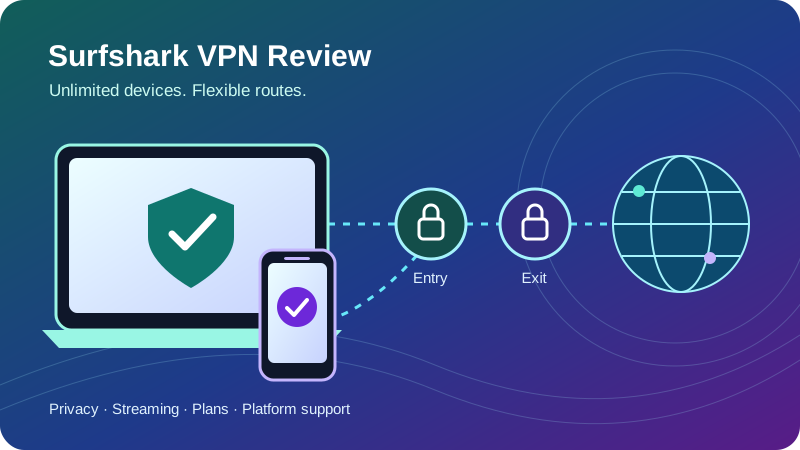
Dynamic MultiHop lets supported desktop and mobile apps combine an entry server and an exit server. The destination sees the exit address, while traffic first traverses the entry location. This can be useful for separating parts of a route, but introduces extra distance and processing. Both servers remain within Surfshark’s service; this is not the same trust model as independently operated relays.
Conceptual direction of travel. The destination sees the exit address. This diagram is not a measured route or latency result.
Rotating IP changes the visible address about every five to ten minutes on supported Windows, macOS, Android and iOS apps while retaining the selected country and connection. That can reduce persistence of a single exit address, but it does not remove identifying cookies or account sessions. Some services also dislike address changes during sign-in, payment or an active session.
| Option | Primary benefit | Tradeoff / incompatibility |
|---|---|---|
| Ordinary shared exit | Simple everyday privacy within a pool of users | Shared reputation can trigger checks or blocks |
| Rotating IP | Periodic change of visible address | Cannot combine with MultiHop, Static IP or Dedicated IP |
| Static IP location | Consistent shared exit at a supported location | Static does not mean exclusive to you |
| Dedicated IP add-on | Exclusive stable address for allowlisting and predictable access | Paid separately; reduces shared-IP crowd anonymity |
A Dedicated IP is most persuasive for a specific workplace allowlist or repeated address-sensitive logins. The selected location is fixed after activation, and the reviewed service allows one dedicated address per account. Standard protocol and app availability should be checked before paying; anonymous purchase options can have separate activation and refund terms.
Keep ordinary shared exits as the baseline unless you can explain why you need an alternative. A dedicated address does not supply inbound port forwarding, and choosing two servers does not guarantee that a streaming service will accept the resulting exit. Use the feature for its actual routing purpose.
Explore Surfshark’s VPN featuresSpeed and gaming: evaluate your route, not an invented benchmark
A useful speed result needs an identifiable baseline, device, protocol, server, test endpoint and time. No new controlled speed tests were performed for this update. Instead of assigning Surfshark a fabricated download average, this review explains what to measure and how to interpret the result for your own connection. Follow our VPN testing checklist to verify routing and leak protection on your own device.
Start with a nearby WireGuard location and compare it with the same endpoint without the VPN. Keep other downloads paused and repeat several times. Your ISP’s routing to the VPN, Wi-Fi interference, encryption overhead and server congestion all affect throughput. A low-power router can become the limiting device even when the same connection performs well through a native laptop app.
| Use case | Record | Decision to make |
|---|---|---|
| Large downloads | Baseline and VPN download/upload, same endpoint | Whether transfer time remains acceptable |
| Gaming | Ping, jitter and packet loss to the game’s actual region | Whether response stays consistent under load |
| Video calls | Upload stability, interruptions and reconnect behavior | Whether audio/video survives network changes |
| Streaming | Sustained throughput and playback on the actual TV/app | Whether quality holds without buffering |
| Travel / mobile | Wi-Fi-to-cellular handoff and tunnel recovery | Whether the connection restores safely |
Latency matters more than a headline download speed for games
A VPN usually adds a hop, and distant locations or MultiHop can increase round-trip time. Occasionally a different ISP route can help, but that is a connection-specific finding rather than a reason to promise lower ping. Choose the exit near the game service, measure jitter as well as average ping, and test while the household is actually using the internet.
Troubleshoot one variable at a time
If a route is slow, try another nearby server, update the app, compare wired Ethernet and change the protocol. Disable optional MultiHop or rotation temporarily so you can identify what affects the connection. If a kill switch blocks traffic during troubleshooting, verify the tunnel status before changing security controls. Re-enable the intended protections once you have found a stable setup.
Streaming and TV support: retire the old SmartDNS advice
Surfshark offers native Apple TV, Android TV and Fire TV applications, as well as ordinary desktop and mobile apps. These are useful ways to select a VPN location on the playback device itself. Availability still depends on hardware, operating-system version and the app store; a brand name on a television does not automatically mean it runs a supported TV platform.
Important update: Surfshark discontinued SmartDNS on February 2, 2026. Older manual TV DNS instructions should be removed. Restore automatic DNS on previously configured devices, then choose a native app or supported VPN-sharing route. Surfshark Public DNS is not an equivalent encrypted VPN connection.
| Device / setup | Practical route | What to verify |
|---|---|---|
| Apple TV / Android TV | Supported native VPN app | OS version, app availability and actual playback service |
| Fire TV | Native Surfshark app | Device generation / OS; newer Vega OS support is documented |
| TV without a native app | Compatible VPN router | Router support and adequate encryption performance |
| Console | VPN router or supported Windows VPN hotspot | Sharing configuration; console cannot use a normal phone VPN app |
| Old SmartDNS setup | Restore automatic DNS; choose a supported alternative | Discontinued feature must not be treated as active |
Bandwidth requirements are not unblocking results
Netflix’s official speed guidance recommends a stable connection of at least 3 Mbps for 720p, 5 Mbps for 1080p and 15 Mbps for 4K. Other services, codecs and live broadcasts can differ. Leave headroom for household traffic instead of treating a brief result at the minimum as sufficient for every evening.
Service requirements, not measured Surfshark speeds. Each bar starts at zero and shares a 15 Mbps maximum.
Streaming access also depends on VPN detection, the exit’s reputation, service subscription and account region. A fast tunnel can still encounter a proxy warning. Test your actual apps, catalogs and television during the eligible evaluation window. Reconnect to an appropriate exit and follow the service’s terms rather than expecting a permanent universal bypass.
For broader device and service considerations, see our best VPNs for streaming guide. This review does not convert marketing claims into success percentages or pretend every catalog was retested.
Apps and Bypasser: features differ by platform
Surfshark supports major desktop and mobile platforms, several TV systems, browser extensions and manual router configurations. Native apps generally provide the most direct combination of location selection, tunnel controls and reconnect behavior. Manual setup is useful for compatible hardware, but does not automatically replicate the app’s entire feature set.
| Platform | Relevant capabilities | Important qualification |
|---|---|---|
| Windows | Native protocols, Bypasser, routing controls | App/site routing modes and feature availability vary by build |
| macOS | Bypasser for apps and websites; supported routing features | Big Sur excluded from Bypasser; Dausos beta needs App Store build |
| Android | App-based Bypasser and mobile VPN settings | OS battery / always-on settings affect background behavior |
| iOS / iPadOS | Native tunnel and website Bypasser | Website bypassing only; not desktop-style arbitrary app selection |
| Linux | Native app and standard connection controls | Do not assume desktop/mobile feature parity |
| Browser extensions | Browser-level proxy and filtering controls | Do not protect unrelated device applications |
| TVs / routers | Native TV apps or supported manual tunnels | Fewer controls; verify hardware and protocol instructions |
Mac and iPhone split tunneling need different expectations
The current macOS Bypasser instructions support excluding apps and websites, require permission for the system extension, and exclude Big Sur. Reconnect after changing the bypass list. That is more capable than older advice claiming Mac split tunneling does not exist.
The iOS Bypasser guide supports website bypassing only. A bank site can be routed outside the VPN while other traffic stays connected, but you should not infer that any iPhone application can be independently excluded. Bypassed traffic uses your ordinary internet route and loses the tunnel’s exit address and connection protection.
Bypasser is also not a tool for assigning one streaming app to one country and another app to a second country simultaneously. It controls inclusion or exclusion relative to the selected route. If that more specific multi-app behavior is your priority, read the local Surfshark vs SafeShell comparison and confirm the required platform before purchasing.
Browser extension or full VPN?
A browser extension can be convenient for browsing-specific filtering and proxy settings. A native VPN is the appropriate starting point when you want traffic from other apps to use the tunnel too. Running both with different location settings can make troubleshooting harder, so record which component controls each route and avoid assuming the browser’s visible IP describes every application.
Torrenting and P2P: useful protection, no inbound port forwarding
Surfshark supports P2P use, and an ordinary VPN route can conceal your source address from peers while protecting traffic between your device and the VPN. Use legitimate downloads, choose a stable appropriate exit and enable the intended kill-switch behavior. Torrent clients keep working in the background, so tunnel recovery deserves more attention than with a short web browsing session.
Surfshark does not provide VPN-side inbound port forwarding. Outbound peer connections can still function, but incoming reachability can be limited for clients that benefit from an accessible listening port. A Dedicated IP does not change that, and opening a port on your home router does not forward it through Surfshark’s exit infrastructure.
Check that the torrent client is not excluded by Bypasser. Where supported, binding the client to the correct VPN interface adds another control, but you need to update the binding if the interface changes. Verify the setup after changing protocols or reinstalling the app; a configuration that points to a stale interface can stop transfers or fail to enforce the behavior you intended.
If inbound reachability is central to your workflow, compare the criteria in our Private Internet Access review rather than choosing only by the advertised device count. For the distinction between a proxy route and a device-wide VPN, our Webshare Proxy vs Proxyshare article provides related context.
Unlimited simultaneous connections: the household advantage
With a paid subscription, Surfshark does not impose a fixed numerical limit on simultaneously connected devices under its ordinary terms. That makes budgeting simpler when a home has several computers, phones and TVs. The practical benefit is being able to protect supported devices directly without regularly disconnecting one to make room for another.
Unlimited connections do not multiply the bandwidth supplied by your ISP. Two video streams, cloud backups and a game update still share the same home connection. If everything slows during busy periods, compare performance with and without the VPN under similar load before attributing the problem to the service alone.
Native apps for individual control
Each supported device can choose its own exit and connection settings. This is convenient when a phone needs a local banking route while a TV uses another supported location. Keep the account secure and review each device’s reconnect settings.
Router coverage for compatible devices
A VPN-capable router can cover devices without native apps. Traffic generally shares that router’s configured route, and encryption performance depends on the hardware. Check split-routing and local-network needs before moving the whole home behind it.
Use unlimited connections for the supported household use contemplated by the service’s terms. It is not an authorization to resell access or run a commercial VPN gateway. The trial’s three-device limit is also separate from the paid subscription and should be considered when planning a short evaluation.
Check Surfshark for your householdCleanWeb and the security bundles: understand the boundaries
CleanWeb filters connections; Antivirus examines a different problem
Ordinary in-app CleanWeb filters known advertising, tracking or malicious domains through supported VPN configurations. It can reduce unwanted requests, but domain filtering cannot detect every threat, remove all embedded advertising or inspect every downloaded file. Browser-extension behavior is separate and can offer different controls.
Antivirus in the higher bundles provides supported endpoint protection, with different device and operating-system coverage from the VPN itself. Check which of your machines can actually use its scanning and protection features. A VPN plus filtering still requires careful downloads, application updates and strong account security; one protection layer does not establish the effectiveness of another.
Alert and Alternative ID have distinct purposes
Alert monitors supported information for exposure and notifications. A notification helps you respond but does not reverse a breach or automatically secure every affected account. Change reused credentials, enable stronger authentication and follow the specific service’s remediation advice when a relevant alert arrives.
Alternative ID provides a separate identity/email layer for appropriate online interactions. It can reduce distribution of your main address, but is not a government identity document or a substitute for truthful information where a service requires it. Optional phone-related products can carry separate charges and availability limits; review their terms rather than assuming they are included with the base VPN.
Newer scam and identity features have eligibility rules
The September product update describes scam-text protection in One and One+, with different iOS and Android handling, Windows web-category controls, macOS FastTrack additions and newer TV support. Rollout notes establish supported features, not identical coverage in every installed app. Update and inspect your own build.
Identity-theft coverage appearing in current offers is geographically and contractually restricted, including a US offer that excludes New York. Insurance eligibility, exclusions, underwriting and claims terms deserve separate attention. Do not value this benefit as worldwide coverage simply because the VPN works in many countries.
One+ and Incogni: check region and scope
Incogni sends data-removal requests to supported organizations for eligible residents, including the US, UK, EU, Switzerland and Canada in the reviewed offer. That addresses information held by brokers rather than traffic encryption. Results depend on the organization, record and applicable rights; it cannot remove every mention of you from the web or prevent future collection everywhere.
Older bundle descriptions prominently include Surfshark Search. It was absent from the current main pricing comparison, and a Surfshark community announcement described a phased withdrawal and planned retirement by the end of 2026. Do not buy a multi-year bundle on the assumption that Search will remain a permanent benefit; confirm current availability if you still use it.
Setup, support and a useful first-week checklist
Install the correct native app for your platform from the official download channel or store, sign in and select a nearby location. Keep the initial configuration simple: one tunnel, one protocol and no unnecessary exclusions. Then add the features you need after confirming normal browsing, local devices and your key applications work.
- Confirm the route. Check the visible IP and selected exit, then run DNS and WebRTC checks. Results describe the current browser/session; they are not a certification of every app.
- Check failure behavior. Test sleep/wake, a dropped Wi-Fi connection and reconnects with the intended kill-switch mode. Know whether local printers or network storage remain reachable.
- Test the actual use cases. Open your TV services, banking site, work tools and video-call app. Record which problems occur on which device and protocol.
- Add exclusions deliberately. Use Bypasser only for traffic you want on the ordinary route. Reconnect where instructed and review the list before privacy-sensitive activity.
- Review billing. Save the term, renewal charge, channel and refund deadline. Set a reminder before the trial or eligibility window ends.
Resolve connection and streaming issues methodically
If a tunnel connects but a site fails, compare a different appropriate exit and inspect browser-extension settings. If no traffic flows, look at protocol, kill-switch state, conflicting security software and the network’s sign-in portal. A public Wi-Fi portal may need completion before a VPN can establish a route. Make one change at a time so a working combination can be reproduced.
For a router, use the exact model and firmware instructions instead of a generic guide. Consumer routers vary widely in protocol support and processing power. A native TV app is often simpler when available because it avoids changing the entire household route and makes location switching easier to explain.
Surfshark provides support through its help center and contact channels, including live assistance. Supply the app version, OS, chosen protocol and approximate failure time. Do not send passwords or unnecessary sensitive files. Support can help diagnose a route, but cannot promise a third-party streaming catalog will always accept a particular exit address.
Strengths, limitations and alternatives by priority
Rather than attach unsupported numerical ratings to security or user satisfaction, the assessment below connects each editorial conclusion to a documented benefit and its limit. No customer-rating sample, lab speed score or independent incident investigation was collected for this update.
What stands out
- Unlimited paid connections suit homes with many supported devices.
- Starter includes the ordinary VPN without requiring a larger security bundle.
- Dynamic MultiHop and address options give useful routing flexibility.
- Independent assurance and infrastructure assessments add evidence beyond marketing.
- Native TV apps offer practical alternatives to discontinued SmartDNS.
What needs attention
- The introductory equivalent should not be treated as a future renewal rate.
- No VPN-side port forwarding for applications needing incoming reachability.
- Platform controls differ; Dausos remains a limited macOS beta.
- Streaming and restricted-network access depend on your actual route.
- The September incident disclosure deserves consideration alongside earlier audits.
| Priority | Surfshark’s case | Next comparison |
|---|---|---|
| Many household devices | Unlimited paid connections and native apps | IPVanish vs Surfshark |
| Core features and subscription terms | Flexible routing and introductory value | NordVPN vs Surfshark |
| Privacy model and a free-tier option | Paid service with assurance evidence | Proton VPN vs Surfshark |
| Incoming P2P connectivity | No inbound port forwarding | PIA vs Surfshark |
| Different streaming apps and routes | Bypasser controls inclusion/exclusion | Surfshark vs SafeShell |
These are starting points, not universal rankings. Confirm the specific feature on the relevant platform and compare equivalent core tiers before adding security bundles. The strongest offer for a household can differ from the best solution for a seeding workflow or a supported free connection.
Frequently asked questions about Surfshark
Is Surfshark a good VPN?
Surfshark is a strong candidate for households seeking unlimited simultaneous connections, flexible routing and a low introductory cost. Starter is sufficient for the core VPN. Renewal pricing, platform differences and the absence of inbound port forwarding matter more than buying the largest bundle. This review evaluates documented features and evidence; it does not claim newly measured speed or streaming results.
How much does Surfshark cost?
The reviewed 27-month introductory totals were $67.23 for Starter, $75.33 for One and $121.23 for One+, before applicable tax. These are upfront subscriptions. The long-term promotion changes to annual renewal at the applicable standard rate, which you should record at checkout.
Does Surfshark allow unlimited devices?
Paid subscriptions allow unlimited simultaneous VPN connections within the service’s account and acceptable-use terms. The reviewed trial is limited to three devices. Unlimited connections do not create unlimited home bandwidth, permit resale or make unsupported devices run native VPN software.
Is Surfshark free?
There is no permanent free VPN tier. Eligible new customers can use a seven-day trial on supported twelve- or twenty-four-month web purchases with eligible payment methods. A trial can lead to a paid charge unless canceled in time; disabling renewal and requesting a refund are separate actions.
Does Surfshark still offer SmartDNS?
No. Surfshark’s support documentation says SmartDNS was discontinued on February 2, 2026. Use a supported native TV app, a compatible VPN router or a supported VPN-sharing setup instead. Public DNS does not encrypt your traffic or provide an equivalent VPN exit location.
Does Surfshark keep logs?
Its policy rejects retained VPN browsing and traffic logs, and its no-logs claims have independent assurance evidence. Temporary connection processing is deleted within fifteen minutes after a session ends. Account, billing and security information have separate purposes and retention rules; no logs does not mean no information exists about your subscription.
Was Surfshark affected by a security incident?
In September 2026 Surfshark disclosed unauthorized access to an internal test environment and described containment and remediation. The provider said customer data, production VPN services, apps and extensions were unaffected. That is the provider’s investigation finding, rather than a new independent incident audit performed for this article.
What is Dausos?
Dausos is Surfshark’s proprietary, post-quantum-designed VPN protocol in beta. The reviewed documentation limits it to the macOS App Store app. Cure53 has assessed the infrastructure and protocol. Availability on one build does not mean every Surfshark device can use it, or that published speed claims will match your connection.
Can I split tunnel on iPhone or Mac?
Yes, with different controls. The current macOS guide supports apps and websites and excludes Big Sur. The iOS guide supports website bypassing only. Excluded traffic leaves the VPN route, so review the list before using sensitive apps or relying on a location-specific connection.
Does Surfshark work with Netflix and other streaming services?
It supports the devices and location choices used for streaming, but access to an individual catalog can change with exit IP, service detection, account rules and device settings. Test your actual service during the eligible trial or refund window. No universal success percentage is asserted here.
Does Surfshark offer port forwarding?
It does not provide VPN-side inbound port forwarding. Legitimate P2P can use outbound connections, but applications that need a reachable listening port may be less suitable. Dedicated IP and router port rules do not add port forwarding at Surfshark’s VPN exit.
Can Rotating IP run with MultiHop?
The reviewed feature documentation says Rotating IP cannot run alongside MultiHop, Static IP or Dedicated IP. Rotation changes the visible address periodically on supported apps while maintaining the connection; it does not change the selected country or erase browser cookies and account identity.
Do I need Surfshark One+ for faster streaming?
No. The higher bundles mainly add security and identity-related services to the same core VPN offering. Choose One for supported protection features and One+ for eligible data removal. Those additions do not establish a faster ordinary VPN tunnel or guarantee streaming access.
Final verdict: buy for the VPN you need, then assess the extras
Surfshark remains an appealing paid VPN for people who value unlimited simultaneous connections, flexible routes and practical apps across a busy household. Starter is the sensible baseline. One and One+ are worth considering when their supported protection or data-removal features match a concrete need on your devices and in your region.
The important conditions are clear: save the live renewal terms, test your actual routes, respect platform differences and stop relying on SmartDNS instructions. Assess no-logs assurance in its stated scope and include the recent security disclosure in your judgment. If you need inbound port forwarding or a permanent free plan, compare those requirements before committing to a long term.
Check Surfshark’s latest offer and termsResearch notes and how to read the visuals
This update checked official pricing, billing, privacy, network and support documentation on October 1, 2026, alongside the Trust Center, Dausos assessment, recent release notes and incident disclosure. Netflix’s guidance supplies the streaming thresholds. The Search retirement note is attributed to the linked community announcement and is not used to promise ongoing bundle availability.
Column values are the reviewed upfront totals, the donut is calculated from the advertised initial term, and the streaming bars are service recommendations. The MultiHop diagram explains a route concept. None is presented as a new speed test, usage survey or unblocking measurement. Offers, app builds and eligibility can change; confirm the checkout and supported-device documentation for your purchase.