Proton VPN vs Surfshark: Privacy, Price and Features Compared
Updated: 24 min read Category: VPN
Proton VPN is our pick for public privacy evidence, a permanent free plan and included paid P2P forwarding. Surfshark is our pick for larger households, lower checked introductory pricing and flexible routing tools. Proton Plus allows ten simultaneous connections; Surfshark’s paid subscription allows unlimited connections. Both have capable apps, but their useful extras, renewal terms and platform restrictions differ substantially.
This detailed comparison separates documented capabilities from promotional claims. It covers the actual initial bill, privacy and security evidence, television support, split tunneling, multi-hoprouting and torrenting. We have not run controlled speed or catalog-unblocking tests for this update, so no synthetic performance score determines the verdict.
Public transparency
Proton VPN
Unlimited paid devices
Surfshark
Permanent free plan
Proton VPN
Flexible MultiHop
Surfshark
Quick Verdict and Provider Profiles
The strongest reason to buy Proton is its combination of inspectable privacy evidence and practical networking features. Its public Securitum reports and open-source production applications support a more transparent evaluation than a generic “military-grade encryption” label. The paid service adds full country selection, NetShield, Secure Core and NAT-PMP forwarding. The free tier is useful on public Wi-Fi even if you never subscribe.
Surfshark’s strongest everyday advantage is covering a household without counting ten active devices. Starter includes the core VPN and Alternative ID; higher tiers add separate protection products. Dynamic MultiHop, Rotating IP and supported Bypasser controls offer flexible routing, while newer Mac and TV features make several old comparison tables inaccurate. Its low introductory equivalent is attractive, but annual renewal needs its own checkout check.
Paid core plans compared; Proton Free and Surfshark’s trial have different limits.
$67.23 / 27 months; $2.49 equivalent, checked October 4
Annual renewal
$83.88 recorded on the reviewed long-term route
Annual billing after initial term; numeric rate unresolved
Country coverage
149 in the latest verified directory snapshot
100 on the checked public plan page
Permanent free option
Yes: unlimited data, one connection, restricted selection
No; eligible seven-day trial
Privacy assessments
Annual public Securitum reports; fifth in 2026
Deloitte no-logs assurance in 2023 and 2025
Multi-hop routing
Secure Core through hardened entry infrastructure
Dynamic MultiHop with selectable routes
Inbound port forwarding
Included on eligible paid P2P routes
Not provided
Post-quantum option
Future groundwork discussed; no shipped option established
Supported app-layer WireGuard option; Dausos on Mac App Store
SmartDNS
No equivalent standalone offering established
Discontinued February 2, 2026
Proton VPN: transparency and control
The Switzerland-based service pairs its free entry point with paid privacy and P2P tools. It suits readers who prioritize public reports, open apps and forwarding over a wider security bundle.
The Netherlands-based service combines unlimited paid connections with optional antivirus, monitoring and data-removal products. Its routing controls are useful, but capabilities vary by operating system.
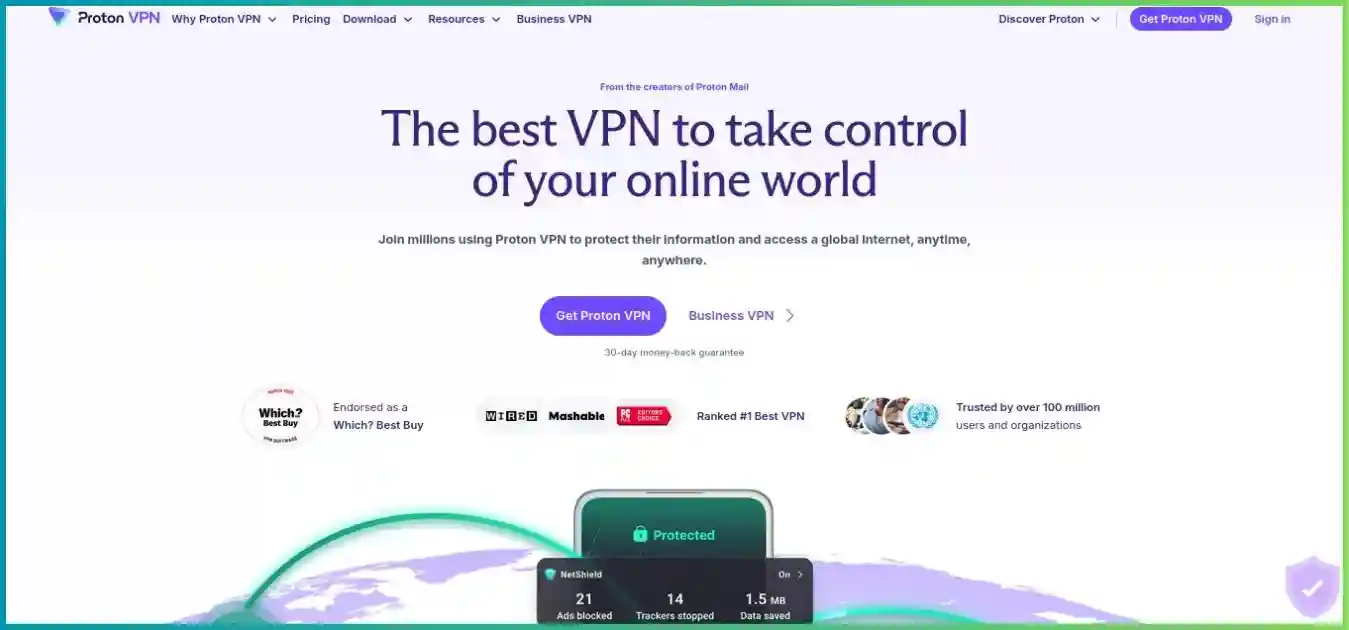
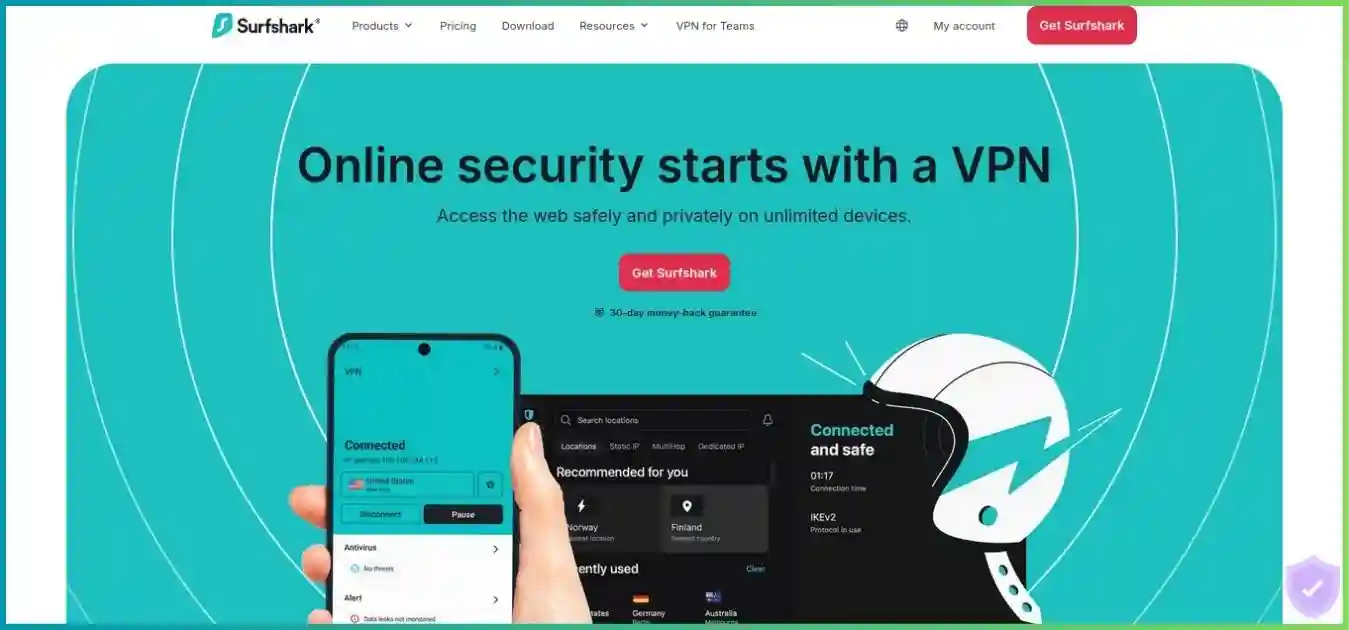
Homepage images illustrate the providers’ websites and may show earlier campaigns. Use the pricing comparison and final checkout for current purchase terms.
Prices, Bundles, Renewal and Refunds
Compare the upfront bill and the coverage period
A displayed monthly equivalent does not mean the provider charges that amount each month. On the reviewed long-term routes, Proton Plus requires $71.76 for 24 months, while Surfshark Starter requires $67.23 for 27 months. Surfshark’s initial charge is $4.53 lower and covers three additional months. That establishes an introductory value advantage for the offers shown, without establishing a lifetime price advantage.
USD introductory offers before applicable tax. Proton amounts are previously verified route snapshots; Surfshark long-term offers were readable on October 4, 2026.
Plan / term
Initial payment
Monthly equivalent
What you receive
Proton Plus: one month
$9.99
$9.99
Core paid VPN; recorded offer
Proton Plus: 12 months
$47.88
$3.99
Core paid VPN; recorded introductory offer
Proton Plus: 24 months
$71.76
$2.99
Core paid VPN; recorded introductory offer
Surfshark Starter: 24 + 3 months
$67.23
$2.49
VPN and Alternative ID
Surfshark One: 24 + 3 months
$75.33
$2.79
Starter plus supported antivirus, Alert and eligible scam/identity protection
Surfshark One+: 24 + 3 months
$121.23
$4.49
One plus eligible Incogni data removal
Introductory Monthly Equivalents
USD divided by each initial term. These are upfront subscriptions, not month-to-month bills; Proton’s value is a recorded offer.
Proton Plus · 24 months$2.99
Surfshark Starter · 27 months$2.49
Surfshark One · 27 months$2.79
Surfshark One+ · 27 months$4.49
Initial Payment Comparison
USD before tax. The Proton term is 24 months; the Surfshark terms are 27 months.
$71.76Proton Plus
$67.23Starter
$75.33One
$121.23One+
Renewal can change the ranking
The recorded Proton long-term route renews at $83.88 for twelve months, equivalent to $6.99/month. That is a substantially different rate from its $2.99 introduction. Surfshark’s pricing terms describe annual renewal after the initial period, but we could not retrieve a dependable numeric USD rate for these offers. Do not assume another 27-month promotional term or repeat the introduction as the renewal.
For a simple budget example, Proton’s recorded 24-month payment plus one unchanged annual renewal would total $155.64 for 36 months, excluding tax. A comparable Surfshark total cannot be calculated honestly without its renewal amount. Record the next billing date and full annual charge before purchase, especially if a bundle or add-on changes the total.
27initial months
How Surfshark’s 24 + 3 Offer Works
The checked $67.23 Starter payment is spread over 27 initial months: 24 advertised months plus three promotional months. The donut shows term composition, not three free months added at every renewal. Subsequent billing follows the checkout’s renewal terms.
Pay for bundle features you can actually use
Surfshark One costs $8.10 more than Starter across the checked initial 27 months. It adds supported antivirus and monitoring plus eligible scam and identity tools. One+ adds Incogni and costs $54 more than Starter over that term. Antivirus availability varies by platform; an iPhone VPN subscription is not evidence of an iPhone file-scanning antivirus. Identity coverage is geographically restricted, and Incogni’s eligible markets include the US, UK, EU, Switzerland and Canada.
Alternative Number and Dedicated IP are separate add-ons rather than automatic Starter inclusions. Surfshark Search is absent from the refreshed plan comparison; the provider has described phased withdrawal and retirement by year-end. We do not count Search as a durable reason to purchase a new bundle. Proton Plus is a VPN subscription; broader Proton account bundles are separate purchasing decisions.
Refunds and cancellation are separate steps
Both advertise a thirty-day guarantee for eligible initial purchases. Proton’s terms require cancellation and a refund request within the window, generally once per user, and exclude cash/bank-transfer payments. Credits from changing plans are a separate mechanism. Surfshark’s ordinary guarantee excludes renewals, repeat refunded purchases and some add-ons. Apple and Amazon purchases follow their store policies; Google Play has its own initial refund path, with provider assistance possible afterward.
Turning off auto-renewal prevents a future bill; it does not by itself return today’s payment. Check the channel-specific policy, request the refund explicitly and retain the confirmation. If you are testing a seven-day trial, check its conversion date independently from the thirty-day purchase guarantee.
Proton Free is the stronger choice when you need ongoing basic VPN access without a subscription. It provides unlimited data and one simultaneous connection. The app chooses among free servers in ten countries; a server-change request selects another route rather than giving full manual country choice. The documented cooldown starts at 45 seconds and increases to ten minutes for subsequent changes.
Free is described as medium speed without an artificial fixed bandwidth cap. That does not mean it always matches the paid network: load, route choice and feature restrictions still matter. Paid streaming support, P2P, NetShield, Secure Core and full manual selection belong to paid plans. Free is useful for ordinary browsing and public Wi-Fi, but a poor substitute for deliberately choosing a streaming country.
Surfshark offers an eligible seven-day trial rather than a permanent free server tier. Current guidance includes selected new-user web purchases of 12- or 24-month plans through eligible card, PayPal or Apple Pay routes, alongside channel-specific app offers. The trial allows three simultaneous devices; a paid subscription allows unlimited devices. Eligibility and conversion terms depend on the actual signup route.
Free access is different from a trial and from a purchase with a refund guarantee.
Option
Useful for
Important limits
Proton Free
Ongoing basic browsing protection
One connection; app-selected countries; paid features excluded
Surfshark eligible trial
Trying paid-app workflows before conversion
Seven days; three trial devices; eligibility and auto-renewal terms
Eligible paid purchase guarantee
Testing the actual paid setup after paying
Refund request needed; channel, renewal and add-on exceptions
Privacy Evidence and Protocol Security
What “no logs” means in practice
Proton’s fifth annual Securitum no-logs report was published in 2026. Public reports and open-source production applications make it easier to inspect the scope of its privacy claims and review app behavior. An infrastructure no-logs assessment and an application security review answer different questions; neither means every setting or future version has been independently verified.
Surfshark’s Deloitte no-logs assurance engagements took place in 2023 and 2025. The later work covered standard, static and multiport server configurations and relevant processes. Full current reports may require account access. Cure53 and other security assessments cover separate infrastructure or protocol questions, including Dausos; counting all of these as identicalno-logs audits would misrepresent their scope.
The services operate under different legal entities and jurisdictions: Proton in Switzerland and Surfshark B.V. in the Netherlands. Location matters, but “outside an intelligence alliance” is not a substitute for evaluating data collection, legal obligations, technical design and the scope of independent evidence. Our preference for Proton’s transparency comes from its public inspection opportunities, rather than a claim that a jurisdiction alone guarantees privacy.
Surfshark’s August 27 privacy policy distinguishes browsing/traffic logs from temporary connection handling. It describes storing a user identifier, source IP and connection timestamps temporarily, deleting them within fifteen minutes after a session ends. Account, payment, login-security and diagnostic records have separate purposes and retention rules. A no-activity-logs promise does not mean the provider possesses no account information.
The EFF’s VPN selection guidance explains why using a VPN changes whom you trust. HTTPS remains essential; signing into a service still identifies your account, and cookies or device fingerprints can still connect activity. Neither service makes all browsing anonymous.
Surfshark’s September incident belongs in the evaluation
In a September 9 disclosure, Surfshark reported unauthorized access to an exposed internal test environment and an isolated content-accessibility VPS. It described engineering material and internal credentials being accessed, with containment on September 2 and further remediation by September 5. Surfshark says production VPN services, user data and shipped apps/extensions were unaffected.
Those scope conclusions come from the provider’s investigation. The response included credential rotation, test-system hardening and an announced additional independent review. We did not establish that the follow-up review had been completed. The incident deserves consideration alongside earlier audit evidence, without presenting it as a verified production traffic breach or treating a prior audit as assurance against all future incidents.
Protocols, censorship fallbacks and post-quantum claims
Protocol features depend on the app, operating system and configuration; marketing speed claims are not our measurements.
Capability
Proton VPN
Surfshark
Everyday tunnel
WireGuard UDP/TCP on supported apps
WireGuard on supported apps
Restricted-network fallback
Stealth and Smart Protocol on supported platforms
OpenVPN Camouflage and supported NoBorders workflows
Legacy/manual protocols
OpenVPN on selected Linux/manual setups; IKEv2 being retired
OpenVPN; IKEv2 on selected platforms
Post-quantum status
Published architecture groundwork, no shipped option established
Supported app-layer WireGuard protection; not assumed for manual files
Dausos
Not applicable
Separate Cure53-audited protocol; macOS App Store app only
Surfshark has a documented shipping post-quantum option in supported apps, whereas Proton’s newer Rust-based client architecture discusses future groundwork. Conventional WireGuard encryption and a provider’s additional post-quantum layer are not interchangeable descriptions. Do not assume a manually imported Surfshark WireGuard file includes the same protection as its app.
Dausos is a separate proprietary Surfshark protocol, currently limited to the macOS App Store application. Its independent review is relevant evidence, but its advertised speed uplift is a provider claim and it is not the standard protocol on every Surfshark device. A dedicated tunnel also does not mean the subscription includes a dedicated public IP address.
For restrictive networks, install current apps and prepare supported alternate protocols before travel. Stealth, Camouflage and automatic fallback modes can help on particular networks, but neither service guarantees access under every blocking regime. A browser extension’s coverage is narrower than a full-device VPN tunnel.
Speed, Stability and Fair Testing
There is no measured speed winner in this update. Both services offer WireGuard-based connections for everyday use, and both market infrastructure or routing improvements. Surfshark’s 10-Gbps fleet ports and selected 100-Gbps upgrades describe server capacity, not the speed delivered to a subscriber. Proton’s larger directory likewise does not prove lower latency or faster downloads on your ISP.
Surfshark FastTrack can change routing on eligible connections, with expanded macOS coverage. Everlink and Dausos also have provider performance claims. These features merit testing on your device; advertised percentage gains cannot be transplanted into a head-to-head chart. Proton’s acceleration and Smart Protocol tools also operate under conditions that a simple overall speed score would conceal.
A useful comparison measures the same routes under the same conditions rather than comparing unrelated published benchmarks.
Test
Keep consistent
What to record
Baseline
Same device, connection and test endpoint
Download/upload, latency, jitter and packet loss without VPN
Nearby VPN route
Same protocol class and similar server distance
Several repeated runs, including busy hours
Required-country route
Same destination country and test endpoint
Sustained throughput and playback stability
Privacy extras
Test ordinary routing before multi-hop/filter changes
Cost in latency, compatibility and battery use
Reconnect behavior
Same sleep/wake and network-switch scenario
Whether traffic stays blocked until protection returns
Match speed to your actual workload
For a stream, sustained throughput matters more than a single peak speed test. Netflix’s documented connection recommendations are 3 Mbps for 720p, 5 Mbps for 1080p and 15 Mbps for 4K. These are service requirements, not measurements of either VPN, and other simultaneous household activity needs additional capacity.
Streaming Bandwidth Reference
Netflix’s documented recommendations for one stream. This chart does not show Proton or Surfshark test results.
HD · 720p3 Mbps
Full HD · 1080p5 Mbps
Ultra HD · 4K15 Mbps
For calls and games, record jitter and packet loss as well as ping. For uploads, measure sustained upstream performance. Use a nearby ordinary route first; Secure Core and Dynamic MultiHop add a second server path and can increase delay. A VPN may improve a poor ISP route in a particular case, but that is a result to measure rather than a promised reduction in latency.
Server Networks and Country Coverage
Proton’s latest verified directory snapshot lists 20,799 servers across 149 countries and 196 locations. The same snapshot separately lists 17,984 Plus servers and 125 Secure Core servers serving 68 countries. These categories overlap the service’s broader footprint; they should not be added together to manufacture a larger total. The live directory is dynamic, and its refreshed research fetch exceeded the size limit.
Surfshark’s checked public page advertises more than 4,500 servers in 100 countries. Its RAM-only server design is a useful infrastructure characteristic, but it does not by itself prove that every account record, diagnostic event or external system is diskless. Server counts also depend on how a provider defines an instance. Country coverage is the clearer visual comparison here.
Advertised Country Coverage
Proton: latest verified directory snapshot; Surfshark: checked public disclosure. Countries are coverage categories, not measured route quality.
Proton VPN149 countries
Surfshark100 countries
Proton has the broader listed country footprint. For a specific trip or service, inspect the required city, nearby alternatives and whether the location is physically hosted locally or uses a virtual location. A virtual exit can provide the advertised IP country while the hardware is elsewhere; that can affect latency and jurisdiction assumptions.
Surfshark’s Static IP routes are shared stable addresses, while its Dedicated IP is a separately purchased address intended for one subscriber. Proton Plus’s normal service uses shared exits. Dedicated IP can help with allowlisting and repeated verification, but also creates a more persistent identifier. It is not an assurance of streaming access or inbound forwarding.
Streaming and Television Setup
Both paid services document streaming support and native television apps. Choose based on the exact streaming service, country, account tier and hardware you use. A connection that works for one title on a phone can still behave differently on a television or through a router. Supported streaming is a product capability, not a guarantee of every regional catalog.
TV setup options; confirm the current store listing and minimum operating-system version for your exact model.
Device / workflow
Proton paid VPN
Surfshark paid VPN
Android / Google TV
Native supported app
Native app; refreshed interface and Dedicated IP support
Apple TV
Native app for tvOS 17 or later
Native supported Apple TV app
Android-based Fire TV
Supported Fire OS app; check version
Supported Fire TV app; check model/version
Vega OS Fire TV hardware
Separate Vega app introduced in September 2026
Vega OS support documented in September updates
TV / console without an app
Compatible VPN router or supported connection sharing
Compatible VPN router or supported Windows sharing
Standalone SmartDNS
No equivalent offering established
Retired February 2, 2026
Remove the old Surfshark SmartDNS setup
Older comparisons describe Surfshark SmartDNS as a fallback for consoles and TVs. That is outdated: the feature ended on February 2, 2026. Devices still pointing to retired addresses should return to automatic DNS, then use a supported VPN app or router workflow. Substituting a public DNS resolver does not provide VPN encryptionor a selectable VPN exit country.
Fire TV now spans different operating systems. Android-based Fire OS installers and newer Vega OS applications are distinct; an Android APK is not a universal installer for everything sold as Fire TV. Both providers now document Vega support, so verify the device’s operating system and use its current store listing.
Check the streaming service’s own limits
Netflix’s official VPN viewing policy says VPN viewing may be limited to globally licensed titles and does not support live events or ad-supported viewing through a VPN. Other services have their own account and location rules. Neither provider can override a streaming service’s licensing decisions.
Start with an ordinary paid server in the required country and test sustained playback. Avoid multi-hop as the default for a speed-sensitive stream. If detection or congestion occurs, try another supported ordinary route and the provider’s troubleshooting steps. Bypassing the streaming app or site can restore your normal local service, but the bypassed traffic then uses your regular location.
Proton Free’s app-selected routes and lack of paid streaming support make it a poor choice for selecting a catalog. Surfshark’s unlimited connections can be more convenient when several household screens run at once. Our best VPNs for streaming guide compares native apps and router options across more providers.
NetShield and CleanWeb block different things from antivirus
Proton’s paid NetShield filters known malicious, tracking and advertising domains through DNS. Surfshark’s app CleanWeb performs similar domain filtering, while CleanWeb 2.0 in its browser extension adds browser-level controls such as cookie-pop-up handling. Their exact coverage differs; DNS filtering cannot reliably remove every ad served from the same domain as the content you want.
Neither tool scans every downloaded file or removes device malware. Surfshark One/One+ include a separate antivirus product on supported platforms. Android Private DNS or custom DNS settings can also interfere with a VPN’s own DNS filtering; Proton recommends appropriate automatic/off settings when using NetShield. When a site breaks, test the relevant filter before disabling the whole tunnel.
Secure Core and Dynamic MultiHop
Proton Secure Core routes traffic through hardened entry infrastructure before the exit server, aiming to reduce exposure if an exit is monitored. Surfshark Dynamic MultiHop lets users select entry and exit combinations within its supported routing options. Both introduce an additional VPN hop; neither adds a second independent VPN company to the trust model.
How a Two-Hop VPN Route Works
Your device
Entry VPN server
Exit VPN server
Destination website
Conceptual route, not a benchmark. The destination sees the exit address; the extra path can add latency. Both VPN hops remain within the selected provider’s service.
Rotating IP and Dedicated IP solve different problems
Surfshark Rotating IP changes the visible exit address on supported routes without deliberately ending the VPN session. It is incompatible with Dedicated IP, Static IP and MultiHop. Its Mac guidance includes wider city, country, region or worldwide rotation choices; a broader choice can change the visible country and disrupt services that expect a stable location. Check your actual app’s interval and geographic settings rather than assuming one interval on every platform.
A Dedicated IP add-on does the opposite: it provides a stable address for allowlisting and similar workflows. Its activation location and refund restrictions require attention, and the stable identifier reduces the crowd-sharing benefit of ordinary shared exits. Proton Moderate NAT addresses peer reachability instead; it is not an IP-rotation feature or dedicated address.
Identity tools are separate from tunnel privacy
Surfshark Alternative ID can reduce exposure of your everyday email and personal details in low-trust signups. One/One+ add eligible breach, scam and identity tools; September updates describe scam-text handling on Android and iOS with different workflows. Incogni sends data-removal requests in supported jurisdictions. These products do not make a logged-in account anonymous or guarantee that every data broker removes every record.
Buy the core plan if you primarily need a VPN. Consider a bundle when its supported tools replace something you would otherwise buy and work on your devices. Proton Plus’s narrower VPN focus can be preferable when you already have antivirus and identity monitoring elsewhere.
Devices, Apps and Split Tunneling
Proton Plus allows ten concurrent VPN connections, which is sufficient for many individual users and smaller households. Surfshark’s paid unlimited allowance removes that counting problem for larger households. This is a connection allowance, not permission to assume every protection product in a bundle has identical device or operating-system coverage.
Proton Plus: 10 simultaneous connections
Proton Free has one. A compatible router creates a shared tunnel for connected household devices.
Surfshark paid: unlimited connections
The eligible trial has three. Unlimited VPN connections do not remove platform restrictions on antivirus or other bundle tools.
Split tunneling needs a platform-specific comparison
Current documented split-tunneling workflows; browser exclusions apply to browser traffic, not every device application.
App and website exclusions using system extension; not Big Sur
iOS
Comparable native app-level split tunneling not established
Website bypass; not arbitrary app exclusions
Linux
Paid GUI split tunneling on supported setups
Do not assume Windows-style Bypasser parity
Browser extension
Domain-level browser routing controls
Website bypass and browser-specific filtering
Surfshark now has Mac Bypasser, so the older claim that split tunneling is limited to Windows and Android is inaccurate. Its iPhone implementation bypasses websites rather than arbitrary applications. Proton’s Mac implementation is experimental, with Safari/WebKit exclusions that can be unreliable. Verify the exact operating-system version, installer and protocol before relying on either for banking or work applications.
Split tunneling sends excluded traffic outside the tunnel. That can preserve access to a printer, local service or banking site, but the excluded application uses your ordinary connection. Proton’s kill-switch compatibility varies by platform; Windows supports the documented combination, while other configurations have restrictions. Test the actual bypass and reconnect behavior after an app update.
Both providers support major desktop/mobile platforms, selected TV systems and manual router workflows. A router can protect consoles or appliances that lack native apps, but it also becomes the throughput bottleneck and gives devices behind the tunnel a shared exit. Browser extensions are useful for browser-specific routing, while full apps cover a broader range of device traffic.
Torrenting, Port Forwarding and Gaming
Proton has the clearer advantage for inbound P2P connections
Proton paid P2P routes support NAT-PMP port forwarding through supported Windows, Linux and Mac/manual setups. Its Mac app implementation is described as early access. Forwarding can improve incoming peer reachability for seeding, but the assigned port may change when the VPN reconnects. Update your client’s listening port and keep any required manual lease process running.
Surfshark supports P2P traffic but does not provide inbound VPN port forwarding. Purchasing Dedicated IP does not change this, and configuring a home-router port cannot open the provider’s shared exit firewall. Outbound transfers can still work without forwarding; the difference matters most when your workflow needs incoming peers.
Use a supported kill switch and, where the client permits, bind the torrent application to the VPN interface. Check the binding after interface changes rather than assuming a one-time setup survives every upgrade. Our torrenting VPN guide explains forwarding and connection safeguards. Use P2P for content you have permission to share.
Gaming depends on the route, not the biggest fleet
Proton’s paid Moderate NAT option can improve peer reachability with a stated small privacy tradeoff. It is incompatible with port forwarding. Surfshark’s stable-address options may help allowlisting or repeated login verification, but neither a stable IP nor unlimited devices proves lower gaming latency.
Start with a nearby ordinary WireGuard connection and compare ping, jitter and packet loss with your baseline. Avoid IP rotation for a session that expects a stable address, and avoid multi-hop unless its privacy benefit matters more than added delay. Our gaming VPN guide covers route selection and practical setup.
Support and Troubleshooting
Surfshark offers a round-the-clock chat workflow plus email and detailed setup guides. Proton provides its help center and account/support contact routes, with contact options depending on account eligibility and availability. Surfshark’s visible live-assistance route is convenient for setup problems; we did not measure response times or resolution quality for either provider.
Before opening a ticket, record the operating-system version, app installer/version, protocol, exit location and whether the problem affects one site or all traffic. Test a second ordinary server, then a supported alternate protocol. For a site-specific failure, test filtering and split-tunneling settings individually. This gives support useful evidence without changing every setting at once.
For a TV issue, identify Fire OS versus Vega OS and whether you are using a native app, router tunnel or shared computer connection. For a billing issue, include the purchase channel, invoice and renewal date. Refund requests should explicitly request the refund rather than merely ask to stop auto-renewal.
A service suitable for occasional personal browsing may still lack the administration, access policies or support agreement needed for a business deployment. Evaluate the provider’s separate business offering when your requirement is centrally managed employee access rather than a personal consumer subscription.
Final Verdict: Choose the Features You Will Use
Choose Proton VPN for transparency, ongoing free access and paid P2P control. Its public annual reports, open-source production apps, broader recorded country footprint and included forwarding make it our recommendation when those criteria dominate. Ten paid connections remain enough for many readers.
Choose Surfshark for household scale, introductory value and flexible app tools. Unlimited paid connections, a lower checked Starter offer, Dynamic MultiHop, Rotating IP and supported post-quantum options are useful advantages. Consider its incident disclosure and verify annual renewal and platform coverage before deciding a bundle is better value.
Recommendations follow published capabilities and explicit priorities, without invented overall scores.
Your priority
Our choice
Reason / qualification
Publicly inspectable privacy evidence
Proton VPN
Public annual reports and open-source production apps
Permanent no-cost access
Proton Free
Unlimited data with one connection and restricted selection
More than ten concurrent household devices
Surfshark
Unlimited on paid subscriptions
Lowest displayed long-term core offer
Surfshark Starter
$2.49 equivalent for 27 initial months; renewal unresolved
Incoming P2P peers / seeding
Proton paid VPN
Eligible NAT-PMP forwarding included
Mac/iOS website bypass tools
Surfshark
Supported Bypasser; platform and OS restrictions
Shipped post-quantum option
Surfshark
Supported app-layer feature; Dausos limited to Mac App Store
Antivirus and data-removal bundle
Surfshark One / One+
Choose only if tools work on your platform and in your market
Best speed or guaranteed streaming catalog
Test your actual setup
No controlled performance winner established
For additional comparisons, see IPVanish vs ExpressVPN and IPVanish vs Private Internet Access. Different providers prioritize different billing, forwarding and device features; apply the same checkout and platform checks to each.
Frequently Asked Questions
Research and Source Notes
Updated October 4, 2026. This comparison uses official pricing and terms, privacy policies, server disclosures, published assessment summaries, app instructions and verified provider research. Fresh checks included Surfshark’s USD pricing, privacy policy, Trust Center, September incident report, September feature updates, Dausos guidance, Mac/iOS Bypasser guidance, trial instructions and SmartDNS retirement notice; Proton’s pricing view, annual Securitum publication and forwarding guidance; and the contextual EFF and Netflix sources linked above.
The incident discussion attributes its findings to Surfshark’s September 9 disclosure, rather than independent verification. Dausos platform scope follows its September 11 support guidance. Proton’s numeric prices remain previously verified route snapshots because its refreshed public view returned incomplete numeric placeholders. Its network figures use the latest verified directory snapshot; the live directory refresh exceeded the research-fetch size limit. Surfshark’s annual renewal amount remains unresolved.
We did not purchase subscriptions or run controlled speed, latency, leak, streaming-catalog or support-response tests. Charts show disclosed monthly equivalents, initial charges, initial-term composition, country coverage and Netflix’s bandwidth recommendations. The two-hop route is conceptual. No chart represents an unperformed performance test or an arbitrary security score.
Prices exclude applicable tax and optional add-ons. Promotions, rollout status and purchase-channel terms can change. Homepage images illustrate the providers’ sites and may show earlier campaigns; the final checkout and current app documentation govern your purchase and setup.
Choose Your VPN by Privacy, Devices and Ongoing Cost
Start with Proton for transparent privacy evidence and forwarding, or Surfshark for unlimited household connections and flexible tools. Review renewal and test your essential apps during the applicable trial or refund window.
Disclosure: FreePolicyTools may earn a commission from affiliate links in this article. Recommendations follow the criteria explained above. Prices, server disclosures, app features and streaming access can change.