Quick verdict: excellent value for people who want control
Private Internet Access, usually called PIA, combines inexpensive prepaid subscriptions with unlimited simultaneous connections and unusually detailed desktop settings. Its strongest advantages are practical: decide which apps enter the tunnel, control DNS behavior, request a forwarded port in a supported region and inspect the app’s public source code.
That makes it especially appealing to households, Linux users and people who need more than a single connect button. The tradeoff is a more involved configuration experience, uneven features across platforms and streaming access that still needs testing. A VPN with many controls can be powerful, but a rule you misunderstand can send traffic outside the tunnel.
Disclosure and approach: We may earn a commission through our PIA links. This review is based on current official product disclosures, support documentation and published privacy evidence. We did not run controlled speed, leak or streaming tests for this update; charts show documented prices, calculations or service guidelines.
Editorial assessment · best for value and technical flexibility
PIA is a strong recommendation for users who prioritize household coverage, affordable renewals, desktop routing and P2P connectivity.
Choose it when these features matter
Unlimited devices, WireGuard/OpenVPN, supported-region forwarding and open-source apps form a substantial core subscription.
Check PIA’s current offerConfirm the actual first payment, recurring amount and refund terms in your checkout.
PIA at a glance: a mature VPN with a substantial feature set
PIA is a US-based service owned by Kape Technologies and has operated since 2010. Its VPN apps encrypt the connection between your device and a selected VPN server, replacing the public IP seen by destination services with the server’s exit address. That reduces visibility for your local network and ISP while shifting trust to the VPN operator.
| Item | Current position | What it means |
|---|---|---|
| Connections | Unlimited simultaneous devices | A useful household benefit; bandwidth, device capability and account terms still apply. |
| Protocols | WireGuard and OpenVPN; platform differences | Fast everyday defaults plus adjustable OpenVPN settings. |
| Network | 104-country current headline; all 50 US states | Older 91-country/154-location copy remains elsewhere; total server units are not dependable. |
| Privacy evidence | Third Deloitte review; open-source apps; transparency reporting | Several forms of evidence, each with a different scope. |
| Traffic controls | Desktop split tunneling, DNS controls and kill-switch modes | More granularity than a simple location selector. |
| P2P | Port forwarding on supported non-US VPN locations | Improves inbound reachability for appropriate applications. |
| Extras | Optional Dedicated IP and antivirus | Separate purchases; verify supported systems and current charges. |
Unlimited devices does not mean unlimited speed. Five concurrent downloads still share your ISP connection, and a low-powered router can become the bottleneck. Treat the device policy as flexibility in how many connections you can run, rather than a performance guarantee.
Pricing and renewals: compare what each payment actually buys
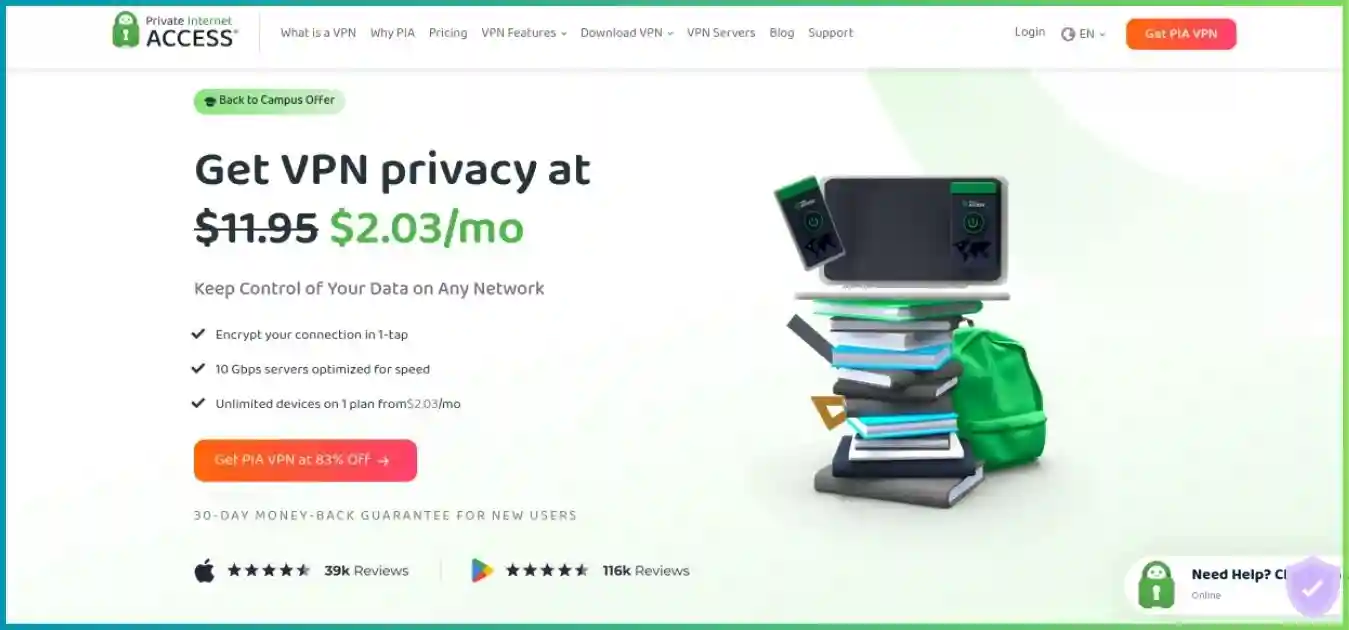
The general USD checkout reviewed offers $11.95 monthly, $47.88 for a year, and $79 for an initial three years plus three bonus months. The long plan’s advertised $2.03 monthly equivalent is prepaid arithmetic, not a monthly invoice. Taxes, currency and promotional routes can change the amount shown to you.
| Plan | Initial monthly equivalent | First charge | Initial coverage | Recurring billing |
|---|---|---|---|---|
| Monthly | $11.95 | $11.95 | 1 month | $11.95 every month |
| Annual | $3.99 | $47.88 | 12 months | $47.88 every year |
| 3 years + 3 months | $2.03 | $79 | 39 months initially | $79 every 3 years |
Compare initial cost per month. Annual and long plans are paid upfront; column heights start at zero.
39 months total: 36 base months plus 3 introductory bonus months. Bonus months are not assumed to recur.
36 base months
3 initial bonus months
The recurring amount is not the whole renewal story
The observed long plan renews at $79 every three years. The same payment initially buys 39 months, then 36 months: the monthly equivalent rises from approximately $2.03 to $2.19. It remains inexpensive at the disclosed rate, but the billing interval and bonus-month treatment deserve as much attention as the dollar amount.
The observed annual plan renews at $47.88 annually. Earlier promotions have used different amounts, so save your receipt and the actual recurring charge. Optional Dedicated IP or antivirus purchases can change the total and may have their own terms. We do not add outdated add-on prices to the base subscription.
Observed $79 prepaid plan versus uninterrupted $11.95 monthly billing. Assumes unchanged prices, no extras or taxes. The lines connect selected checkpoints, not speed measurements.
Prepaid long plan: $79 throughout initial term
Monthly: $466.05 after 39 payments
| Month | Prepaid total | Monthly total |
|---|---|---|
| 1 | $79.00 | $11.95 |
| 12 | $79.00 | $143.40 |
| 24 | $79.00 | $286.80 |
| 39 | $79.00 | $466.05 |
Refund eligibility: the public disclosures differ
Checkout advertises a 30-day guarantee for new subscribers and notes that app-store refunds follow store rules. PIA’s published Terms of Service also refer to requests within 30 days of initial purchase and/or renewal. Because those statements differ, confirm your applicable eligibility with support rather than assuming all renewals are excluded or automatically refundable.
Canceling auto-renewal stops a future charge; requesting a refund is a separate action. Manage an Apple or Google purchase through its appropriate billing channel. Keep the payment reference and any support confirmation. A money-back guarantee is an evaluation window after payment, rather than a free subscription with no upfront charge.
Compare the available PIA plansRouting and key features: the controls that set PIA apart
Split tunneling and DNS
Choose apps that must use the tunnel, deliberately bypass others and exclude specific IP addresses or subnets on supported desktop builds.
Failure protection
Ordinary and Advanced Kill Switch modes allow different blocking behavior. Verify rules and local-network access before enabling stricter controls.
Desktop split tunneling: understand the default rule
The current desktop split-tunneling guide covers Windows, macOS and Linux. Apps can be set to bypass the VPN or use it exclusively. IP rules can bypass individual IPv4/IPv6 addresses or subnets; they do not provide an equivalent “Only VPN” rule for IP destinations.
“All Other Apps” controls traffic without a specific app rule. Leaving it on Use VPN routes the remaining apps through the tunnel; changing it to Bypass VPN reverses that default. On Windows and Linux, DNS can follow routing rules or remain with the configured VPN DNS. Check those choices together rather than assuming an app exclusion also implies a particular DNS path.
Android uses per-app settings. iOS does not provide the samesplit-tunneling controls. An intentional exception sends matching traffic over the normal connection and reveals its normal public IP. Use exclusions only when you understand the effect on the application.
MACE: useful domain filtering, not a file scanner
MACE blocks known ad, tracker and malware domains while the VPN is connected on supported desktop, Android and TV builds. It cannot inspect every page element, remove all embedded video advertising or decide whether every file is safe. Android package/store availability and settings can differ, so check your installed version.
Current support also describes iOS Safari content blocking as a separate browser-level path. Do not present that as identical to system-wide filtering on desktop. If a service stops loading, compare behavior with MACE disabled: some legitimate pages rely on domains that filters block.
Multi-Hop: a proxy before the VPN server
PIA’s Multi-Hop uses an additional proxy before the VPN server on supported desktop configurations. Shadowsocks is theobfuscation-oriented option; SOCKS5 adds a proxy route without its own encryption and requires separate settings. The VPN tunnel still supplies the VPN encryption. This differs from two complete VPN-server tunnels.
The additional hop can help with some blocked networks, but it can also reduce speed and increase latency. Start with a standard VPN route for gaming, calls and ordinary streaming. Multi-Hop is not available identically across every platform or protocol.
Dedicated IP: consistency with a privacy tradeoff
PIA’s optional Dedicated IP is designed for a stable address, useful for allowlists or services that repeatedly challenge shared exit IPs. Its token-based allocation separates ordinary account details from address activation. Keep the token securely and follow the current recovery and activation guidance.
A unique address reduces shared-IP crowd anonymity and makes destination-side correlation easier. It cannot guarantee a bank or streaming platform accepts the address. Do not assume a Dedicated IP adds port forwarding; verify forwarding separately on the selected route before purchasing for inbound access.
Security and privacy evidence: more than a no-logs slogan
WireGuard and OpenVPN serve different configuration needs
WireGuard is a sensible starting point for efficient ordinary connections. OpenVPN provides additional configuration choices, including supported transport, port and encryption settings. WireGuard uses ChaCha20-based encryption; OpenVPN supports AES configurations. Describing every PIA connection as AES-256 would therefore be inaccurate.
Use the app’s current defaults unless a specific compatibility issue justifies changing them. Stripping encryption to chase a benchmark undermines the reason for using a privacy tunnel. A protocol choice affects transport, while app exclusions and DNS settings determine which traffic actually uses it.
Kill Switch versus Advanced Kill Switch
PIA documents an ordinary kill switch that blocks traffic escaping an active VPN, including during connection loss. On supported desktop apps, Advanced Kill Switch also blocks ordinary internet access when the VPN is off. That stricter setting can be useful for an always-protected workflow but can surprise users who deliberately disconnect.
Check local-network permissions, split-tunnel exceptions and recovery behavior in your installed version. A manual router configuration does not automatically inherit desktop kill-switch behavior. For applications that must stay in the tunnel, combine appropriate app rules or interface binding with a tested failure-handling configuration.
The latest Deloitte engagement
PIA announced its third Deloitte Audit Romania assurance engagement on February 24, 2026, following assessments in 2022 and 2024. Conducted under ISAE 3000 (Revised), the review examined configurations, management systems, operational/incident practices and token-based Dedicated IP technology in relation to the no-logs policy. PIA’s third audit announcement links to the full report.
This is scoped evidence about examined controls at a particular time, rather than a guarantee that every future app release is flawless. Open-source apps allow inspection of implementation, but publishing code does not mean every reader has audited it. Transparency reports disclose requests and responses; they are different from an independent technical assessment.
RAM-only servers and US jurisdiction
PIA describes its fleet as RAM-only, with data cleared on reboot, and publishes quarterly transparency disclosures. It also has prior court history in which it said it lacked activity logs to provide. These points support a broader evidence picture, but none substitutes for reading current policies and assessment scope.
The US location and Kape ownership are relevant context. They do not, by themselves, prove that browsing is logged or that PIA can ignore legal obligations. A no-activity-logs design can limit what exists to disclose, while a paid account still involves billing, account and support information. Review optional diagnostics and analytics settings separately.
Privacy boundary: A VPN protects the route to its server. Websites can still identify your logged-in account, cookies and browser signals; HTTPS provides its own protection onward to the destination. PIA is not a guarantee of complete anonymity.
Speed, gaming and reliability: evaluate the route you actually need
PIA advertises 10-Gbps infrastructure and unlimited bandwidth. Those are provider capacity and usage statements, not promised throughput for your device. Wi-Fi, ISP peering, server distance, device CPU, protocol and congestion can matter more than a server-port headline.
We did not run controlled throughput tests for this update, so we do not publish invented download figures, speed-retention percentages or country-by-country ping results. A nearby WireGuard test is a useful starting point, but does not establish performance to a distant streaming region or game server.
| Check | How to compare | What it answers |
|---|---|---|
| Baseline | Repeat tests without the VPN on the same device and endpoint. | Is your ISP or Wi-Fi already the limit? |
| Nearby VPN | Use WireGuard and repeat at comparable times. | What overhead appears in ordinary use? |
| Required distant region | Test the exact location or streaming route you need. | How much do distance and peering affect the workload? |
| Gaming/calls | Observe latency, jitter, packet loss and disconnects. | Is the connection responsive and consistent? |
| Recovery | Test sleep/wake, network switches and tunnel interruption. | Does access resume appropriately without unintended fallback? |
Gaming needs stable latency more than peak download speed
A VPN can improve a route if it avoids a worse ISP path, but adding a hop often increases ping. Compare the actual game session and region. Disable unnecessary Multi-Hop when evaluating latency, and do not assume that port forwarding guarantees an open NAT type for every game or console.
Hiding your home IP from some peers can reduce exposure, but it is not DDoS immunity and does not undo prior disclosure. PIA cannot fix every last-mile problem, overload at the game server or a device struggling to render frames.
Streaming and smart TVs: native apps first, DNS with clear limits
PIA offers streaming-optimized locations, native TV pathways and unlimited simultaneous connections. These can make it practical for several screens in a household. They do not guarantee permanent access to a named library, live event or service: acceptance varies by exit IP, region, subscription, device and time.
| Device | Useful approach | Check before buying |
|---|---|---|
| Windows/macOS/Linux or mobile | Supported PIA app; compare relevant streaming locations. | Your exact service and app settings. |
| Apple TV | Native tvOS app on supported Apple TV hardware. | tvOS 17+ and available store/app features. |
| Android TV / Fire TV | Install the supported native app. | Actual operating system, store and hardware compatibility. |
| TV or console without the app | Compatible router/shared VPN connection, or supported Smart DNS. | Smart DNS is unencrypted; router performance and setup differ. |
Smart DNS changes DNS settings, not the whole network path
PIA still documents Smart DNS for compatible devices and services. Generate the appropriate address in the account panel, then use the device-specific setup. It does not encrypt traffic or hide the device’s public IP, and it has a narrower location/service scope than the native VPN.
For connection privacy on a TV or console, use an encrypted native app where available or a supported router/shared tunnel. A router route can cover otherwise unsupported devices, but its hardware and rules determine performance and behavior. Do not infer a VPN tunnel from a successful DNS configuration.
How much stable bandwidth does a stream need?
Netflix recommends at least 3 Mbps for 720p, 5 Mbps for 1080p and 15 Mbps for 4K. These are service requirements, not PIA results. Your subscription, playback settings and display must also support the resolution. See Netflix’s official speed recommendations.
These bars show service recommendations, not VPN performance or unblocking success.
Two simultaneous 4K Netflix streams imply a combined recommendation of 30 Mbps before other household activity. Leave room for calls, updates and speed fluctuations. Unlimited device connections do not remove that shared bandwidth constraint.
If playback fails, confirm account access without the VPN, choose another relevant route and restart the streaming app after connection changes. Check filtering and the actual traffic path before assuming the entire VPN is incompatible.
Related: Best VPNs for streaming.
Check PIA’s current streaming VPN offerServer network: expanding coverage, with conflicting older copy
PIA’s current main server-page headline advertises coverage in 104 countries. That page also says network updates are underway and some available locations may be missing from the table. Older image text and other provider pages still describe 91 countries and 154 locations, so those older location figures should not be presented as a synchronized current directory total.
The all-50-US-states coverage remains useful for US location choice. Some destinations use virtual locations, meaning the registered exit geography and physical hardware can differ. Check physical-placement details when server jurisdiction or proximity matters.
We do not repeat old 24,000 or 35,000 server estimates. A dependable global server-unit total is not provided in the reviewed directory, and country counts, locations, virtual regions and server instances are different measures. More units alone do not establish faster or safer connections.
Choosing a route: Start nearby for responsiveness, choose the required region for your workload, and use a supported forwarding location if incoming connectivity is needed. Country count is context; a working route to your destination is the practical requirement.
Apps and compatibility: strong desktop depth, different mobile controls
PIA supports mainstream desktop/mobile systems and TV apps, with source code available for inspection. It is especially attractive to Linux users who want a GUI and supported command-line/manual paths rather than only a generic configuration file. Check current distribution, operating-system and architecture requirements before installation.
| Platform | Strengths | Limits to check |
|---|---|---|
| Windows | WireGuard/OpenVPN, granular split tunneling, DNS rules, advanced blocking | Driver permissions, app exclusions and ARM64 compatibility. |
| macOS | Native app, split tunneling, forwarding on supported routes | DNS-rule parity differs from Windows/Linux; verify OS permissions. |
| Linux | GUI and command-line/manual options; strong routing flexibility | Supported distributions/architectures and manual setup safeguards. |
| Android | Per-app routing, supported forwarding and connection controls | OS battery handling, package source and available MACE options. |
| iOS | Native VPN and supported connection settings | No desktop-equivalent split tunneling; Safari filtering is narrower. |
| Apple TV / Android TV / Fire TV | Native TV routes on supported devices | Desktop feature parity is not automatic. |
| Browser extensions | Convenient browser-level proxy routing | Other applications are outside browser-only protection. |
| Compatible router | Coverage for attached devices without apps | CPU, firmware, protocol and fail-closed configuration. |
Browser proxies and full VPN apps have different scopes. A browser extension does not automatically protect a torrent client, a game or another browser. Likewise, a router with a VPN server feature is not necessarily able to act as a PIA VPN client.
Support and usability
PIA offers 24/7 support and detailed help documentation. Defaults can provide a straightforward connection, while advanced settings reward a deliberate approach. When troubleshooting, include the app version, operating system, protocol, location and relevant routing rules; change one setting at a time so a fix is reproducible.
Torrenting and port forwarding: a meaningful advantage for P2P users
PIA’s supported-region VPN-side port forwarding is one of its clearest practical advantages. It allows inbound connections through the VPN exit to a listening application, which can improve peer reachability and seeding in legitimate P2P workflows. It does not guarantee higher transfer rates or make an application safe to expose.
How the forwarding workflow differs from a router port
Enable Request Port Forwarding in a compatible client, connect to a supported non-US location and obtain the assigned port. Configure the application to listen on that port and recheck after reconnecting because assignments and availability can change. Opening a port on your home router does not create the equivalent route through PIA’s server.
For a torrent client that should stay inside the tunnel, bind it to the appropriate VPN interface where supported, confirm the binding survives restarts and use suitable kill-switch settings. A forwarded port and interface binding solve different problems: one enables incoming connections, while the other helps constrain traffic.
Check the region and configuration, not just the feature name
US locations do not offer this forwarding feature. Dedicated IP, protocol, client and manual configuration support should be checked separately. Forwarding exposes the listening application to incoming traffic, so keep that software updated and configure access intentionally.
Related: Top VPNs for torrenting.
Explore PIA’s VPN plansSetup and troubleshooting: keep your privacy rules understandable
- Record the purchase. Save first charge, initial duration, renewal amount/interval and your purchase channel’s refund rules.
- Install the appropriate app. Use the official download path for your system and keep it updated.
- Start with a simple connection. Choose a nearby location and WireGuard where available; establish a working baseline before adding exceptions.
- Set failure behavior. Review ordinary/Advanced Kill Switch and local-network needs, then observe an interruption and intentional disconnection.
- Configure routing deliberately. Review app rules, All Other Apps and DNS together. Verify traffic with and without the tunnel.
- Enable only required extras. Test MACE, forwarding and Multi-Hop independently; each changes behavior in a different way.
- Evaluate real use. Check streaming, calls, downloads and recovery during busy hours, and contact support before any applicable refund deadline.
| Symptom | What to inspect |
|---|---|
| No internet after manually disconnecting | Advanced Kill Switch may be intentionally blocking ordinary access. |
| A site or app stops loading | Compare another route/protocol and temporarily disable MACE to identify a blocked dependency. |
| A printer or local server disappears | Local-network permissions and appropriate subnet exclusions. |
| A torrent client cannot receive incoming peers | Eligible non-US route, assigned port, listener configuration and firewall. |
| An excluded app still has an unexpected DNS path | Windows/Linux DNS behavior and All Other Apps rule. |
| Only the browser appears protected | An extension may be active without the full VPN app. |
| A remote route is slow | Distance, ISP baseline, Wi-Fi and unnecessary proxy hops. |
For restrictive networks, supported OpenVPN transport changes or Shadowsocks Multi-Hop may help with specific blocks. PIA does not guarantee access through every national firewall. Prepare installation and account access before travel rather than relying on a working download after arrival.
PIA’s main pros and cons
Reasons to choose PIA
- Low observed long-term and renewal costs, with disclosed billing intervals.
- Unlimited simultaneous paid connections for household flexibility.
- Open-source apps and three Deloitte assurance engagements.
- Strong desktop app/IP routing and selected-platform DNS control.
- Supported non-US port forwarding and broad US-state choice.
Tradeoffs to weigh
- Advanced rules require care; platform feature parity varies.
- Streaming access and performance need your own route-specific testing.
- US jurisdiction and Kape ownership may affect your provider preference.
- Network totals and refund disclosures are not fully synchronized across pages.
- Proxy-based Multi-Hop and router workflows add complexity and overhead.
Alternatives: compare the capability you actually need
| Priority | Relevant comparison | Decision point |
|---|---|---|
| Simpler beginner streaming workflow | CyberGhost vs PIA | Service-labeled discovery versus PIA device/routing flexibility. |
| Mobile features and general travel | PIA vs Surfshark | Platform controls and connection fallbacks versus PIA forwarding and desktop depth. |
| Privacy architecture and public app evidence | PIA vs Proton VPN | Assess reports, routing features and your jurisdiction preference. |
| Restrictive-network tools | PIA vs NordVPN | Documented fallback protocols versus PIA proxy-based options. |
| TV/router experience | ExpressVPN vs PIA | Exact hardware support and convenience versus subscription cost. |
PIA, CyberGhost and ExpressVPN share Kape ownership. Choosing among those products changes the feature set and policies, but not the parent company. Use current comparison pages for the relevant tradeoff instead of assuming a single provider wins every workload.
Frequently asked questions
Is Private Internet Access worth it?
PIA is a strong fit for people who want low long-term cost, unlimited simultaneous connections, open-source apps and detailed routing controls. Supported-region port forwarding also makes it attractive for legitimate P2P use. Its depth can be more than a beginner needs, and streaming compatibility should be tested on the exact service and device.
How much does PIA cost?
The general USD checkout reviewed showed $11.95 monthly, $47.88 annually, or $79 for an initial 39 months. The long offer is about $2.03 per month initially and renews at $79 every 36 months, about $2.19 per month. Promotions, currencies, taxes and purchase routes can change the offer.
Does PIA have a device limit?
The paid subscription allows unlimited simultaneous VPN connections. This removes a fixed device cap, but does not make your internet bandwidth unlimited in speed or override acceptable-use and account terms. Routers, phones, laptops and TVs still need appropriate software or configuration.
Is PIA really a no-logs VPN?
PIA states that it does not retain VPN activity logs. Its third Deloitte Audit Romania assurance engagement, announced in February 2026, supports the examined infrastructure and controls; public app code and transparency reporting provide additional evidence. Account, payment and support records are separate from browsing traffic logs, and any audit has a defined scope and date.
Can I trust a VPN based in the United States?
Jurisdiction is relevant, but it is only one factor. PIA is US-based and Kape-owned. Evaluate its retention policy, independently assessed controls, published code and legal-response history alongside the jurisdiction. A no-logs design can limit what is available to disclose, but does not mean the company can disregard applicable law.
Does PIA support port forwarding?
Yes, on supported VPN locations outside the United States. Enable the request in a compatible app, connect to an eligible location and use the assigned port in the application that needs inbound traffic. Availability and assigned ports can change; it is different from opening a port on your home router.
What is the difference between PIA Kill Switch and Advanced Kill Switch?
The ordinary kill switch prevents traffic escaping an active VPN tunnel, including during a connection loss. Advanced Kill Switch also blocks traffic when the VPN is off on supported desktop apps. Intentional disconnection, split-tunnel rules and local-network settings deserve testing in your exact version.
Does PIA offer Multi-Hop?
Yes. Its documented Multi-Hop adds a proxy before the PIA VPN server. Supported settings offer Shadowsocks or SOCKS5; this is not two full VPN-server tunnels. Shadowsocks provides obfuscation, while SOCKS5 does not add encryption of its own. The additional route can increase latency and reduce throughput.
Does PIA work with Netflix and other streaming services?
PIA provides streaming-optimized locations and native apps for several TV platforms. Access can change with the exit IP, service, subscription, region and device. We did not run controlled unblocking tests for this update, so there is no guaranteed service list or success percentage. Test your exact setup during the applicable evaluation period.
Is PIA Smart DNS a VPN?
No. Smart DNS changes selected DNS settings on compatible devices but does not encrypt traffic or hide the device’s public IP. It can be useful for supported services on a TV or console without the app, but its scope and location options differ from an encrypted VPN connection.
Does MACE replace antivirus?
No. MACE filters known advertising, tracking and malware domains while the VPN is connected on supported platforms. It does not inspect every downloaded file or remove every embedded advertisement. iOS Safari content blocking is a separate, narrower implementation; verify the available controls in your installed app.
Can I get a refund on renewal?
PIA’s general checkout advertises the 30-day guarantee for new subscribers, while its published Terms of Service also refer to refunds requested within 30 days of initial purchase and/or renewal. Because those disclosures differ, confirm the applicable terms and eligibility with support. App-store purchases use the store’s refund rules; cancellation alone is not a refund request.
Final verdict: strong value with unusually useful technical controls
PIA earns our 8.9/10 editorial assessment for the combination of affordable observed pricing, unlimited devices, open-source apps, independent no-logs evidence and supported-region forwarding. We recommend it particularly for users who will benefit from desktop routing or want household coverage without a fixed connection cap.
The rating is a qualitative judgment rather than a measured average. Simpler apps may be more comfortable for beginners, and TV/streaming compatibility still needs evaluation. Take the time to check your rules, purchase terms and actual device behavior before making a long commitment.
Match the plan to your setup
Compare the first charge and renewal interval, test the required services and keep routing exceptions intentional.
View PIA’s current plansResearch and chart methodology
Updated October 1, 2026. Research covers general PIA checkout, the changing server directory, published terms, Deloitte announcement/report, open-source and infrastructure disclosures, current desktop/mobile/TV support, split tunneling, MACE, Multi-Hop, port forwarding and Smart DNS. Contextual links accompany the desktop-routing, assurance and streaming-bandwidth explanations.
Price columns compare initial monthly equivalents; the donut separates initial base/bonus months; the line chart compares cumulative payments at stated checkpoints; streaming bars show Netflix recommendations. Text labels and tables expose all underlying values. These visuals do not measure speed, privacy strength, fleet distribution or unblocking success.
Prices are observed offers and future charges can change under the applicable terms. The directory’s current 104-country headline differs from older 91-country/154-location materials, and no dependable current server-unit total is claimed. Audit evidence is scoped and time-bound; transparency disclosures and open-source code have different roles.