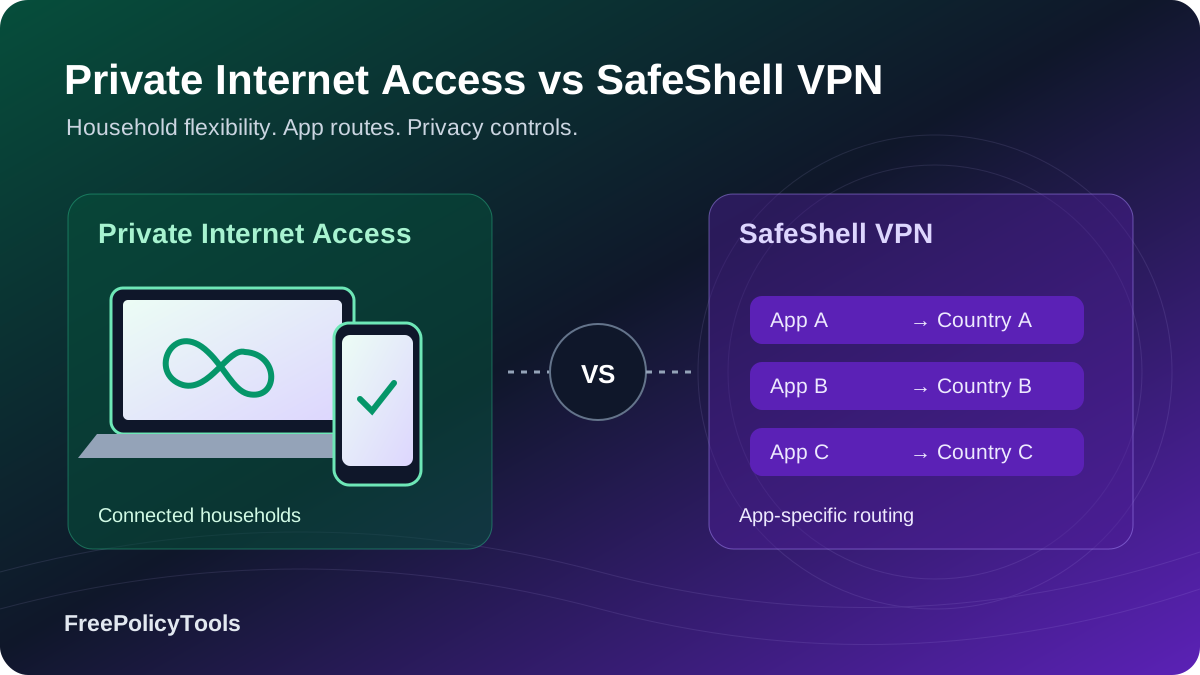
Two VPNs with different priorities
Private Internet Access is the stronger general-purpose choice; SafeShell is the specialist option for multi-region app routing. PIA combines unlimited paid connections, detailed desktop controls, public app code and independently reviewed privacy infrastructure. SafeShell emphasizes App Mode, streaming routes and a gaming-oriented interface. Its most distinctive feature is sending different supported apps through different countries at the same time.
The comparison uses PIA’s ordinary VPN subscription and SafeShell’s ordinary VIP service. PIA’s optional antivirus and Dedicated IP are separate purchases. We separate documented controls, provider claims and features that could not be verified in current public material. We did not conduct controlled speed, leak, streaming-success or support-response tests. Affiliate disclosure: we may earn a commission from qualifying purchases through our links, at no extra cost to you.
Quick verdict and key differences
Choose PIA for privacy evidence, devices and control
PIA is the more convincing default for a household, a Linux desktop, granular split routing or lawful P2P forwarding. Its current general USD long offer is $79 for 39 months, and the documented privacy evidence is substantially easier to assess.
Explore Private Internet AccessChoose SafeShell for a specific app-routing workflow
App Mode can save repeated whole-connection location changes when your supported apps need different countries. Game Mode offers additional route-selection controls. Check platform support, purchase-channel rights and the five-device limit before committing.
Explore SafeShell VPN| Category | Private Internet Access | SafeShell VPN |
|---|---|---|
| Paid connections | Unlimited under use terms | 5 simultaneous devices |
| Long-term price | Current web: $79 / 39 months; $2.03 equivalent | US Apple listing: $79.99 / year; $6.67 equivalent |
| Long-plan renewal | $79 every 36 months | Confirm actual web/store subscription; no universal quote established |
| Network disclosure | 104 countries; all 50 US states | Directory says 61 regions / 2,000+ servers; different units |
| Privacy evidence | Third Deloitte Romania engagement; public report and app code | No comparable public independent report located |
| Protocols | WireGuard/OpenVPN on supported apps | ShellGuard and QUIC-based Stealth |
| Routing | App/IP/subnet split rules; proxy-assisted Multi-Hop | Global Mode bypass; App Mode parallel app/country assignments |
| P2P forwarding | Eligible non-US regions and compatible setups | P2P support; forwarding workflow not established |
| Refund offer | 30 days for eligible new subscribers; terms nuance | 7 days for eligible first direct website purchases |
| Best fit | General VPN, households, desktop controls | Specialized streaming/app routing and supported game routes |
Provider overviews and homepage images
 Private Internet Access
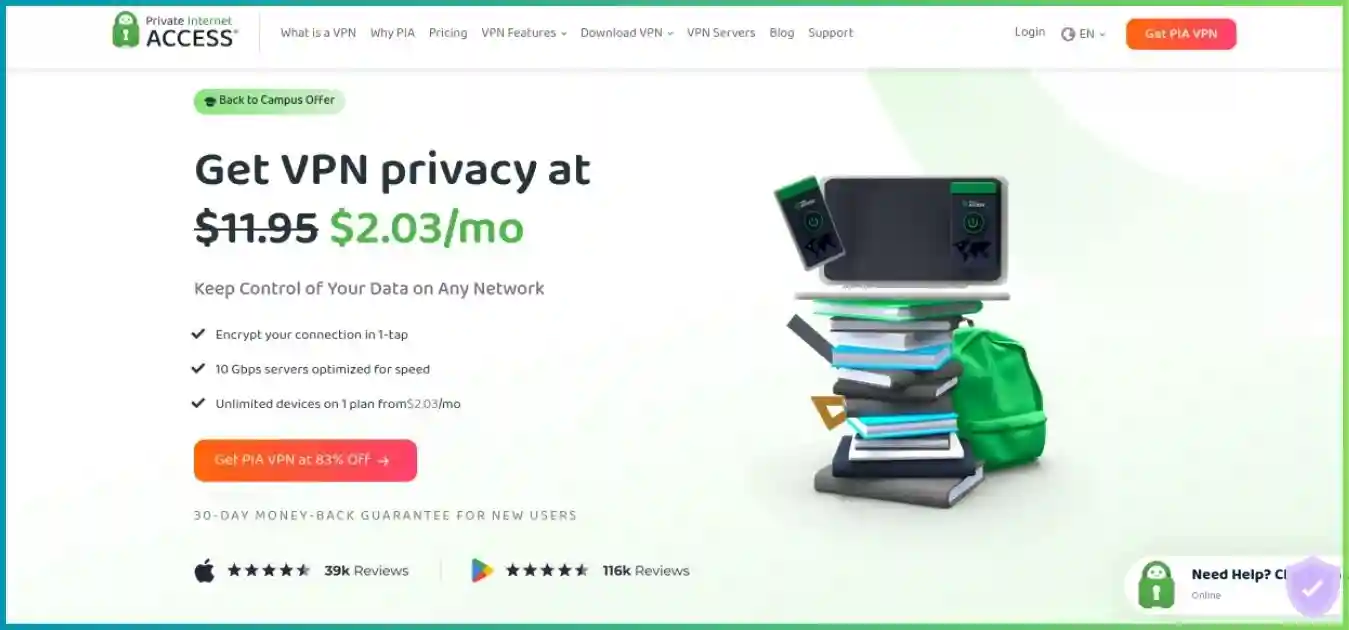
PIA is a US-based VPN owned by Kape Technologies. Its standard subscription includes the VPN network, supported routing controls and MACE domain filtering. Its privacy case includes open-source production apps, a RAM-only fleet claim, repeated Deloitte assurance and transparency material. Ownership and jurisdiction are relevant context, but the reviewable controls matter more than a label alone.
Strengths: long-term value, unlimited devices, detailed desktop configuration, US state coverage and supported forwarding. Tradeoffs: a long prepaid commitment for the lowest equivalent rate, no comparable ongoing free tier, and fewer advanced tools on some mobile/TV apps than on desktop. PIA does not reproduce SafeShell’s parallel per-app country workflow.
Our Private Internet Access review explains the service and its practical limitations in more detail.
Check Private Internet Access plans SafeShell VPN
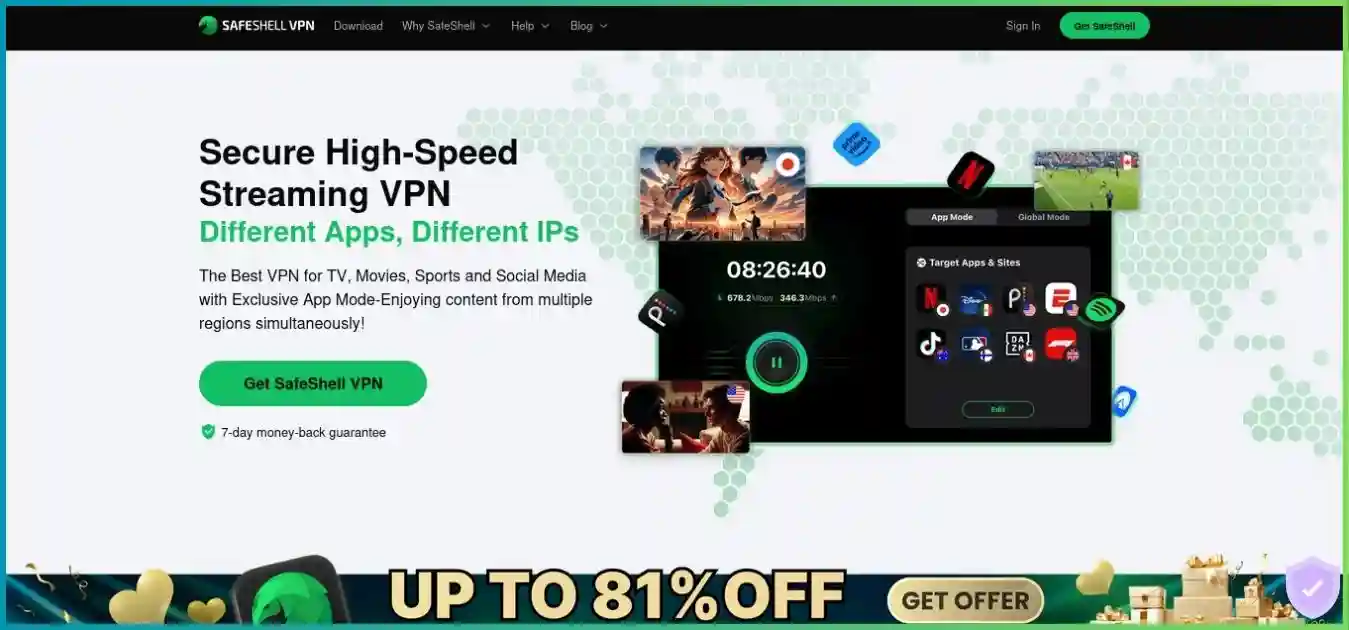
SafeShell is operated by Singapore-based GearUp Portal Pte. Ltd. It presents itself as a full VPN with specialist streaming and game routes. App Mode assigns supported apps to different countries; Global Mode supplies a more conventional selected location with bypass settings. Its main downloads cover Windows, Mac, iOS, Android and several TV/Apple platforms.
Strengths: simultaneous app-country assignments, streaming-oriented navigation, supported Game Mode controls and Vision Pro availability. Tradeoffs: five devices, shorter eligible direct refunds, store entitlement caveats, inconsistent network measures and less publicly verifiable privacy assurance. Marketing claims should be read alongside its broader privacy policy.
Our SafeShell VPN review explains the service and its practical limitations in more detail.
Check SafeShell VPN plansPricing: website bills, store products and renewals
PIA’s general purchase page currently shows USD prices and renewal terms. SafeShell’s public checkout returned template/skeleton fields rather than dependable numeric prices. Its US Apple App Store listing supplies concrete subscription products, but these are a different sales channel. Comparing them is useful only when the term and channel are visible; it does not establish SafeShell’s present website offer.
| Category | Private Internet Access | SafeShell VPN |
|---|---|---|
| Monthly | $11.95 monthly; same stated monthly renewal | US Apple listing: $12.99 monthly |
| Annual | $47.88 / 12 months; $3.99 equivalent; renews at $47.88/year | US Apple listing: $79.99 / 12 months; $6.67 equivalent |
| Long introductory term | $79 / 39 months; about $2.03 equivalent | No dependable current web long-plan amount established |
| Long-offer renewal | $79 / 36 months; about $2.19 equivalent | Check actual subscription disclosure; annual store item is not a universal renewal quote |
| Weekly | No comparable weekly item in checked general checkout | US Apple listing: $5.99 weekly; other product items may differ |
| Taxes/currency | General USD snapshot; final checkout may vary | Country, storefront and website offer can differ |
| Add-ons | Dedicated IP and antivirus separate | Confirm VIP entitlement and any channel-specific conditions |
Monthly equivalents across different offers
USD; different terms and sales channels, paid upfront. SafeShell's annual store item is not a verified website price or renewal quote.
$79 / 39 months, website
$79.99 / 12 months, US App Store
The cited long offers have almost the same first bill: PIA’s $79 is $0.99 below SafeShell’s $79.99 annual store item, while covering 27 more months. Their monthly equivalents are about $2.03 and $6.67. For an equal twelve-month illustration, PIA’s annual web bill is $32.11 lower than the cited SafeShell annual store item. Neither comparison assumes the same refund policy or identical checkout terms.
The renewal term changes PIA’s effective rate
PIA’s initial 39 months include three bonus months; its $79 renewal covers 36 months. That moves the equivalent from roughly $2.03 to $2.19. Annualizing the renewal gives about $26.33 per year, but the actual bill is still $79 every three years. SafeShell’s listing does not establish one dependable website renewal amount, so there is no justified renewal-cost chart comparing two universal rates.
For short use, a monthly purchase avoids a long commitment. A weekly item can be convenient but expensive if repeatedly renewed; do not multiply it by an assumed calendar month and call that an advertised plan. Save the actual first charge, period, next payment and renewal rate from the purchase screen. Check whether a trial automatically converts and whether the purchase will work across your Apple and Android devices.
Routing and extra tools: App Mode versus split tunneling
PIA controls what goes through one VPN route
PIA’s desktop split tunneling supports app rules and IPv4/IPv6 address or subnet bypass on Windows, macOS and Linux. Windows/Linux additionally offer DNS routing choices, including following app rules or keeping DNS inside the VPN. macOS requires system-extension permission, and Android has per-app controls. These rules are useful when a local printer, work app or streaming service needs a different path.
A typical PIA configuration sends included traffic through the chosen VPN exit and bypasses selected traffic. It does not assign each included streaming app to its own independent country. Desktop routing flexibility also does not imply the same app/IP/subnet editor exists on iOS, Apple TV or a browser extension.
SafeShell chooses countries for separate supported apps
App Mode lets supported applications use separate VPN server assignments concurrently. For example, one app might be assigned Country A while another uses Country B. Global Mode is closer to an ordinary single-location connection, with Bypass Apps for selected exemptions. App availability, region choices and custom-domain controls depend on the platform/build; verify the actual rule you need in the app.
One exit country versus app-specific countries
Conceptual routing example, not a test of streaming access or a guarantee of supported app assignments.
PIA ordinary connection
App A + App B + browser
One VPN exit country for included traffic
Supported split tunneling can exclude traffic. PIA Multi-Hop adds a proxy hop to supported OpenVPN configurations.
SafeShell App Mode example
Assignments run in parallel. This is separate app routing, not three privacy hops.
This distinction matters for privacy. A successful country assignment in one app does not establish the path used by every unrelated app, browser process or background service. Review the mode, included apps and fallback behavior rather than treating an App Mode badge as a system-wide protection indicator. PIA’s excluded traffic likewise deliberately travels outside its VPN tunnel.
| Category | Private Internet Access | SafeShell VPN |
|---|---|---|
| Single selected country | Ordinary included VPN traffic uses chosen exit | Global Mode uses selected location with app bypass options |
| App/IP/subnet rules | Documented granular desktop controls; DNS choices on Windows/Linux | Do not assume comparable desktop IP/subnet/DNS editor from App Mode |
| Parallel countries per app | No equivalent App Mode workflow established | Core App Mode function for supported apps |
| Privacy extra hop | OpenVPN plus proxy Multi-Hop on supported desktop builds | App Mode is parallel routing, not sequential multi-hop |
| Browser identity | Does not replace browser fingerprint/account controls | App-country assignment does not erase cookies or logins |
PIA Multi-Hop adds a proxy rather than a second full VPN
PIA’s supported desktop Multi-Hop pairs OpenVPN with Shadowsocks or SOCKS5. Its documented outbound route is device → proxy → VPN → internet. A standalone SOCKS5 proxy does not encrypt traffic by itself; the configured VPN tunnel supplies protection. The extra path can help specific compatibility or routing needs but can also add latency. SafeShell App Mode’s multiple country routes should not be described as extra privacy layers around one connection.
MACE and SafeNet have different availability and limits
PIA MACE principally blocks known ad, tracker and malicious domains on supported connected apps. Its iOS Safari content blocker is a separate path with different scope. It does not scan arbitrary downloaded files, inspect every page element or supply full antivirus protection. PIA’s separately priced antivirus is a different product.
SafeShell’s SafeNet FAQ requires both the filter and an active VPN connection. Some services require an “Ad Free” location, and the FAQ describes incomplete desktop/TV rollout rather than all-platform parity. It explicitly excludes ads embedded in Netflix or Disney+ video streams. A filter can also block a legitimate resource; verify the exact app and location before expecting identical results across devices.
For identity and browser separation, read our VPN, proxy and anti-detect browser comparison. A different public IP is one part of an online identity, alongside account logins, cookies and browser characteristics.
Security and privacy: verifiable evidence matters
PIA supports WireGuard and OpenVPN on compatible apps, with configurable OpenVPN encryption/ports and documented kill-switchbehavior. SafeShell’s current protocol guide identifies proprietary ShellGuard using TLS 1.3 and Stealth using QUIC; its feature page advertises AES-256-GCM, forward secrecy and DNS leak protection. These are credible protocol components, but component names do not independently establish implementation quality.
| Category | Private Internet Access | SafeShell VPN |
|---|---|---|
| Protocols | WireGuard/OpenVPN with platform-specific options | ShellGuard/TLS 1.3 and Stealth/QUIC documented |
| Kill switch | Standard/advanced controls on supported apps | Consistent system-wide platform behavior not established |
| Independent review | Third Deloitte Audit Romania engagement; public report | Comparable public no-logs/infrastructure report not located |
| Client code | Open-source production apps | No equivalent public production client code established |
| Storage architecture | RAM-only fleet claim | Comparable detailed assessed storage architecture not established |
| Policy context | US/Kape; no-activity-logs and transparency evidence | Singapore/GearUp; no-logs marketing and broader shared-service policy |
PIA’s current assurance covers more than a policy slogan
PIA announced its third Deloitte Audit Romania engagement in February 2026, following 2022 and 2024 reviews. Under ISAE 3000 (Revised), the engagement addressed infrastructure configuration, operational and management processes, incident practices and token-based Dedicated IP controls. It publishes the full report alongside open-source apps and transparency material. This makes its present privacy case easier to evaluate.
An infrastructure assessment is still point-in-time evidence with a defined scope. Public code makes clients inspectable; it does not automatically prove every deployed server behaves identically. PIA’s RAM-only claim reduces persistent storage risks but does not mean data cannot exist in memory during operation. No-activity-logs also does not mean no billing, account or voluntarily supplied support information.
SafeShell’s broad policy needs reconciliation with its marketing
SafeShell markets no activity or connection logs. Its April 7, 2025 policy, published under GearUp Portal, also describes account and purchase information, approximate location, IP/MAC and device identifiers, ISP information, timestamps, diagnostics, ping/performance and usage categories across linked services. The broad policy does not clearly distinguish every category from the no-logs promise.
That wording is not proof that SafeShell records browsing activity or that every listed category is collected in every VPN session. It does leave important scope and retention questions unresolved. Some provider blog material broadly refers to independent confirmation, but no comparable usable public report with an identified reviewer, date and scope was located. We therefore distinguish the claim from independently reviewable assurance.
Verify disconnect behavior rather than assuming a kill switch
Some SafeShell blog content mentions a kill switch, but current feature/help pages reviewed did not establish consistent system-wide behavior across operating systems. We do not mark it universally verified. If blocking unintended traffic matters, check the exact device during disconnects, Wi-Fi changes, sleep/wake and restart. A connection icon or DNS protection claim is not a substitute for a documented traffic-blocking control.
PIA is the stronger recommendation where documented app behavior and external privacy evidence are central. Jurisdiction alone is not enough to reach that conclusion. The EFF’s VPN selection guidance explains why provider trust and your threat model matter. Neither service guarantees anonymity or makes account-based activity untraceable.
Speed, latency and Game Mode
We have no controlled throughput or ping dataset for this comparison. The old article’s synthetic performance scores are replaced with documented route features and a practical evaluation method. PIA’s 10 Gbps fleet claim and SafeShell’s server-capacity labels describe infrastructure links rather than a speed promised to each user. A connection can be limited by your ISP, Wi-Fi, device, server load or destination peering.
PIA: ordinary routes and manual control
For everyday downloads or calls, start with a nearby ordinary PIA server and a supported modern protocol. If a route is congested, compare another nearby city at a similar time. OpenVPN options and split rules may help a particular compatibility issue, but changing settings without a clear purpose can add complexity. Proxy Multi-Hop adds distance and should not be enabled solely because it sounds faster.
SafeShell: specialized game routes with conditional benefits
SafeShell Game Mode documents automatic route selection, supported-title Server Lock-style region optimization and Dual Assurance on supported devices. The dual-channel system monitors Wi-Fi/mobile latency, jitter and packet loss and favors the stronger path. These are provider-described route strategies; we did not establish a measured advantage over PIA on the same game, ISP and device.
Server Lock can reduce the chance of a distant game region for supported titles, but narrowing the matchmaking pool can lengthen queues. Dual-channel use may consume mobile data and depends on hardware/platform support. Neither feature repairs a congested game server, improves GPU rendering performance by itself or guarantees a lower ping on every route. IP masking and infrastructure mitigation also do not guarantee immunity from all DDoS attacks.
To compare fairly, record baseline ping, jitter, packet loss and sustained throughput without a VPN, then repeat on each route with the same connection and destination. Test actual games, calls and playback as well as a speed-test site. Our gaming VPN guide explains how to weigh network features against measured latency.
Network coverage and infrastructure disclosures
PIA’s current directory headline lists 104 countries and all 50 US states. Some older graphics still show 91 countries, and the detailed table can lag expansion. No dependable current global server-unit total was established. Use the current country disclosure with its limitation rather than treating an old server count as a live fleet measurement.
SafeShell’s directory currently displays 61 regions and 2,000+ servers, but its own page labels the underlying update October 21, 2025. The features page separately advertises over 100 locations; other official FAQ material has used 10,000+ nodes in 40+ countries. Regions, locations, countries and nodes are different measures, and the provider has not reconciled them into one standardized current total.
| Category | Private Internet Access | SafeShell VPN |
|---|---|---|
| Primary geographic measure | 104 countries in current headline | 61 regions in directory; page’s own update is October 2025 |
| Other counts | All 50 US states; global server count not dependable | 100+ locations elsewhere; older 10,000+ node / 40+ country claim |
| Capacity wording | 10 Gbps fleet claim | Directory: 10 Gbps-capable; features: up-to-2-Gbps Super Servers |
| Storage disclosure | RAM-only fleet claim | Comparable documented storage architecture not established |
| Practical conclusion | Clearer country/state choice | Check the exact app, region and feature rather than combining totals |
We do not graph PIA’s countries against SafeShell’s regions as if they were the same unit. A location may also be virtual rather than physically hosted in the advertised country. Check the country/city you actually need, its feature tags and physical placement where disclosed. A larger advertised count does not automatically establish lower congestion or better routing to your destination.
Streaming, App Mode and TV setup
SafeShell’s clearest specialist advantage is the App Mode workflow: supported Netflix, Prime Video, Disney+ or other apps can keep separate country assignments rather than sharing one selected exit. This can make switching apps more convenient. It does not establish successful access to every catalog, override an account’s subscription rules or guarantee a provider will accept that route tomorrow.
PIA has ordinary streaming use and optimized location options where available, with broader documented installation pathways. A household may value its unlimited devices more than separate countries per app. Our streaming VPN guide explains why the app, TV and service subscription are part of the comparison.
| Category | Private Internet Access | SafeShell VPN |
|---|---|---|
| Android/Google TV | Native app; TV controls differ from desktop | Android Smart TV app listed; verify App Mode/filter parity |
| Apple TV | Native app for tvOS 17+ | Apple listing supports tvOS 17+ |
| Fire TV | Documented Android-based Fire OS path | Main download page does not establish a separate Fire TV path |
| Vega OS Fire Stick | Compatibility not established in reviewed material | Compatibility not established; Android APK is not a Vega OS app |
| Console/TV without native app | Compatible router/manual VPN or separate Smart DNS | Comparable router/Smart DNS workflow not established |
| Extra tools | MACE on supported apps; separate DNS option | App Mode, supported subtitle translation/SafeNet/game routes |
Native apps and Smart DNS protect different things
PIA’s Smart DNS is a separate configuration for compatible devices. It changes supported DNS behavior without encrypting traffic like a full VPN tunnel. Account registration, location and supported service behavior need checking. A compatible router VPN encrypts outbound router traffic, but attached devices share its exit and router-level configuration rather than gaining every native-app tool.
SafeShell’s listed Smart TV app is for Android devices, not every television with a smart interface. For Fire TV, confirm both the operating system and supported installation path; newer Vega OS models cannot run an Android APK. App Mode, filters and protocol menus may differ even between two devices that both have a native app.
Netflix’s VPN viewing guidance explains globally licensed title limitations and restrictions for ad-supported plans and live events. Review the rules for your own service. We did not verify a present streaming success rate for either provider and do not promise permanent catalog access.
Translation and filtering are separate from catalog availability
SafeShell advertises subtitle translation on supported platforms. This can help with language accessibility where the feature works, but it does not change content rights or establish route compatibility. SafeNet’s explicitly excluded embedded video ads are another reason to judge convenience features separately from access to a streaming service.
P2P and port forwarding
PIA is the clearer choice for lawful P2P workflows that need VPN-side incoming connections. Its forwarding is available in eligible non-US regions and compatible app/manual configurations. The assigned port can change, and the forwarding lease must stay active. Reconnecting the tunnel may require updating the listening application’s port.
PIA’s current Linux manual-script guide says closing the script can let forwarding expire after fifteen minutes or less while the VPN remains connected. A working tunnel is therefore not proof of a working mapping. Configure the client with the assigned port, bind it to the VPN interface where supported, and check kill-switch behavior for the exact platform.
SafeShell’s directory and feature material indicate P2P support, but no dependable public VPN-side inbound forwarding procedure was established. P2P transport support, router port mapping and VPN-side forwarding are separate functions. App Mode, a static-looking exit or an app rule is not evidence that incoming internet connections can reach your device.
Forwarding can improve peer reachability but cannot guarantee faster transfers. Only the application listening on the port receives the exposed traffic, so use maintained software and expose only necessary services. A port checker may report closed if nothing is listening even when a mapping exists. Our torrenting VPN comparison covers these practical setup differences.
Apps, devices and everyday setup
PIA’s unlimited simultaneous paid connections are the straightforward household advantage. SafeShell’s current subscription terms specify five; older blog claims of ten should not override those terms. The same terms warn that Apple and Google store ecosystems are independent and a purchase does not automatically transfer or share across them. Do not assume a five-device allowance settles cross-platform billing entitlement.
| Category | Private Internet Access | SafeShell VPN |
|---|---|---|
| Desktop | Windows, macOS, supported Linux including ARM paths | Windows/macOS listed; Linux app path not established |
| Mobile | Android/iOS; feature differences | Android/iOS; entitlement and feature differences |
| Browser/manual | Chrome/Firefox extensions and documented manual/router paths | Equivalent browser/manual/router ecosystem not established |
| TV/Apple platforms | Apple TV, Android TV, Fire OS | Apple TV, Android TV and Vision Pro listed |
| Household scale | Unlimited simultaneous paid connections | Five simultaneous devices under subscription terms |
| Interface fit | Simple connection view plus detailed settings | App/server assignments and specialist mode navigation |
PIA suits users who want a conventional connection plus deeper controls when needed. SafeShell suits users whose supported-app workflow benefits from saved country assignments. Neither interface advantage establishes better connection reliability on every device. Begin with defaults, then add the routing rule or mode that solves a specific problem.
Before paying for a long term, verify installation on each device, OS compatibility, required extension permissions, local printer/casting access and reconnection behavior after sleep. Linux users should confirm the official package/distribution and whether they need a GUI or headless script. Browser-extension protection has browser scope rather than automatically protecting every desktop application.
For SafeShell, check the entitlement on both store ecosystems if you need iPhone and Android access, and confirm that the app list includes your actual service. An app missing from the supported list or a platform without the desired mode can remove its main advantage. For PIA, confirm the exact desktop versus mobile rule set before assuming identical split-tunneling controls.
Support, trials and refund eligibility
PIA advertises 24/7 chat and email with extensive app/manual setup documentation. SafeShell provides in-app feedback, help articles, email and its stated Telegram support channel. We did not measure response time or resolution quality, and marketing responsiveness should not be converted into a benchmark chart.
| Category | Private Internet Access | SafeShell VPN |
|---|---|---|
| Support | Advertised 24/7 chat/email; app/manual help | In-app feedback, email and stated messaging contact |
| Eligible direct guarantee | 30-day offer for new subscribers | 7 days for eligible first website purchases |
| Renewals | Terms also discuss initial purchase and/or renewal; exclusions apply | Excluded from ordinary provider guarantee |
| Apple/Google purchases | Store terms/process may apply | Excluded from website guarantee; request through store |
| Cancellation | Turning off renewal differs from requesting refund | Cancel at least 24 hours before store period/trial end |
| Free access | No comparable ongoing free tier | Eligible trials vary; no comparable ongoing free tier established |
| Processing | Check applicable channel and support confirmation | Provider says processing within 10 business days; settlement may take longer |
Advertised eligible direct refund windows
Days after qualifying purchase. SafeShell’s seven-day guarantee excludes in-app purchases; each provider’s conditions apply.
PIA’s checkout describes a guarantee for new subscribers, while published terms also discuss requests within thirty days of initial purchase and/or renewal with exclusions. Confirm the applicable terms rather than promising or excluding every renewal refund. SafeShell’s dedicated policy is more restrictive: eligible first-time direct website purchases only, renewals excluded, and Apple/Google purchases governed by store decisions.
SafeShell’s subscription terms require canceling auto-renewal at least 24 hours before the end of a trial or current period. Trial length depends on the offered product, and each user is limited to one eligible trial. Refund requests and cancellation are separate actions. Save the invoice and subscription screen, identify who billed you, and use the appropriate provider/store process within its stated window.
Do not treat older cryptocurrency pass descriptions as current checkout availability. SafeShell’s current refund page marks crypto support as coming soon and discusses network-fee limitations. The payment method available in your actual cart is the relevant one, together with its specific refund terms.
Final verdict: PIA for most users, SafeShell for a defined workflow
PIA is our default recommendation in this comparison. It supplies clearer pricing and renewal disclosures, unlimited paid devices, broader documented app/manual paths, detailed desktop controls, forwarding and substantially more reviewable privacy evidence. These are practical advantages for households and users who want a conventional VPN they can configure carefully.
SafeShell is worth considering when App Mode solves a particular problem. Separate country assignments for supported apps are more convenient than repeatedly moving one VPN connection, and supported gaming controls can be useful. Its five-device limit, purchase-channel caveats, shorter eligible refund and privacy-evidence gaps remain relevant even when the interface fits your use.
| Category | Private Internet Access | SafeShell VPN |
|---|---|---|
| General VPN and privacy evidence | Preferred: public code, external assurance and documented controls | Evaluate broad policy and unresolved assurance/control questions |
| Many active household devices | Preferred: unlimited paid devices | Five-device limit |
| Recorded long-term value | Preferred: $79/39-month web offer | Annual Apple item $79.99; current website quote needed |
| Desktop app/subnet/DNS rules | Preferred: granular documented controls | Do not assume comparable detailed editor |
| Different countries per supported app | No equivalent App Mode workflow established | Preferred specialist fit: App Mode |
| Supported-game route tools | Conventional routes/manual controls | Specialist tools: Auto-select, Server Lock, dual-channel optimization |
| Lawful P2P inbound forwarding | Preferred: eligible non-US routes | Forwarding workflow not established |
| Linux/router/manual setups | Preferred: documented ecosystem | Comparable support not established |
| Fastest speed/permanent streaming access | No controlled winner established | No controlled winner established |
For another provider with substantial infrastructure evidence, see ExpressVPN versus SafeShell. Our ExpressVPN versus CyberGhost comparison adds another conventional VPN option.
If you want to compare the same priorities against other providers, read PIA versus Proton VPN or NordVPN versus SafeShell. Keep your actual devices, country needs and purchase budget consistent across the shortlist.
Frequently asked questions
Research methodology and sources
Updated October 2, 2026 using provider purchase pages, server directories, feature/help documentation, subscription/refund terms, privacy policies and independent assessment publications. PIA’s current general USD checkout was readable. SafeShell’s dynamic web checkout exposed placeholders rather than numeric amounts; its clearly labeled US Apple subscription items supply the pricing examples.
Current checks covered SafeShell’s five-device terms, seven-day direct refund policy, App Mode/Global Mode, protocols, Game Mode, SafeNet, downloads and broad GearUp privacy policy. The server directory was readable but retained an October 2025 page-update label, so its 61-region/2,000+ disclosures are not presented as a freshly audited fleet count. PIA’s current pricing and third Deloitte announcement were rechecked alongside the researched 104-country directory, desktop controls, forwarding, Smart DNS and TV documentation.
No controlled performance, leak, catalog-access or support tests were conducted. Column charts show monthly equivalents across different terms/channels; the bar chart shows conditional direct-purchase refund windows. Routing visuals are conceptual. We removed unsupported speed scores and market statistics, avoid combining countries with regions or nodes, and describe unavailable evidence as a limitation rather than proof of contrary behavior.
Offers, regional rights, supported apps and features can change. Confirm your exact checkout, platform and subscription entitlement.A VPN does not guarantee anonymity, lower ping or access to a particular streaming catalog.