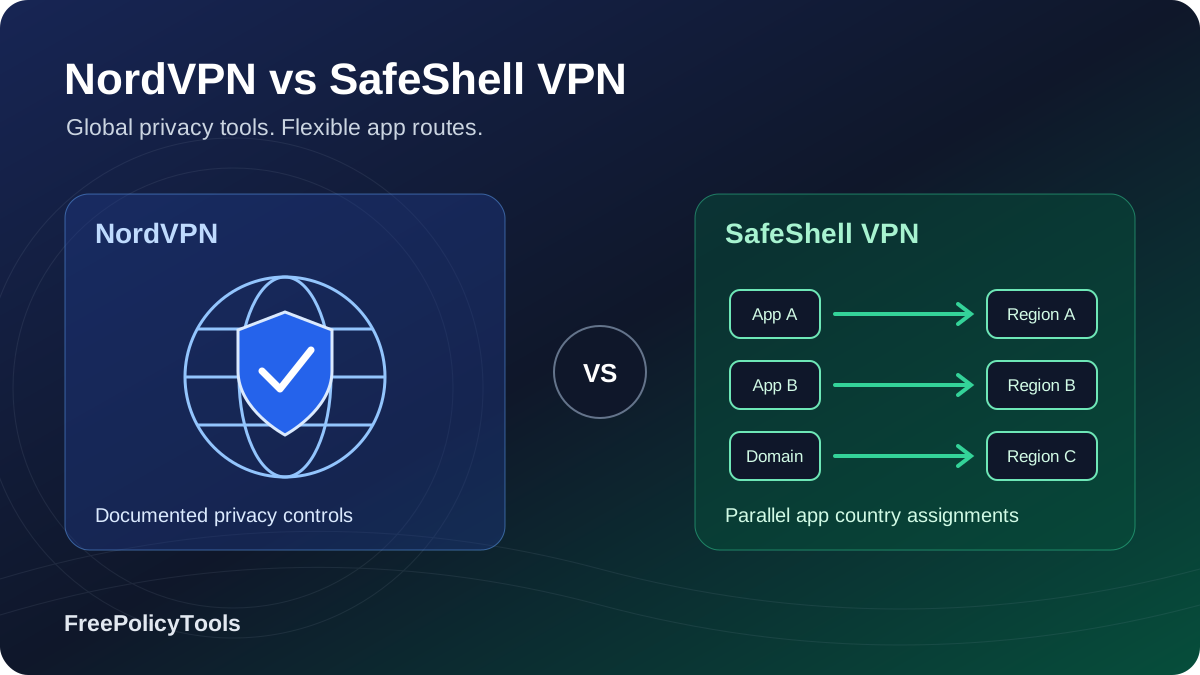
NordVPN and SafeShell VPN serve different priorities. NordVPN is the stronger all-purpose choice for documented privacy controls, independent no-logs evidence, broad device support and specialty routing. SafeShell's distinctive attraction is App Mode: supported apps or domains can use different country routes simultaneously, without repeatedly changing a single device-wide server. That convenience deserves a closer look if it matches the way you watch or use regional apps.
This comparison starts with NordVPN Basic and SafeShell's ordinary paid service. Higher Nord tiers, store purchases and separate add-ons are identified where relevant. We researched official offers, app help, privacy policies and assessment material; we did not conduct controlled speed, leak, streaming or support-response tests. Affiliate disclosure: we may earn a commission from qualifying purchases through our links, at no extra cost to you.
Quick verdict: NordVPN for everyday protection, SafeShell for parallel app routes
Choose NordVPN for the broader package
Ten simultaneous connections, documented kill-switch behavior, repeated no-logs assurance, a wider country footprint and mature router/Linux support make it our general-purpose recommendation. Its lower long-plan monthly equivalent should be considered alongside the larger first bill and annual renewal.
Explore NordVPN plansChoose SafeShell for a specific routing need
App Mode is its concrete advantage: supported apps can retain separate country assignments on one device. It also documents native TV apps and supported mobile Game Mode. Confirm that the desired apps, regions and controls are available before paying.
Explore SafeShell plansNordVPN / SafeShell simultaneous connections
SafeShell parallel country routing
Eligible direct-purchase refund windows
NordVPN independent no-logs evidence
| Category | NordVPN | SafeShell VPN |
|---|---|---|
| Core paid baseline | Basic; same commercial VPN across tiers | Ordinary subscription; confirm current VIP entitlements |
| Simultaneous connections | 10 | 5 |
| Long-offer snapshot | $94.23 / 27 months; $3.49 equivalent | $79.99 / 12 months; $6.67 equivalent, US Apple item |
| Renewal disclosure | Basic $139.08/year in checked offer | Confirm actual channel-specific renewal |
| Country routing | One exit for a normal tunnel; specialty multi-hop | App Mode: different supported apps/domains in parallel |
| Protocols | NordLynx, OpenVPN, NordWhisper; selected IKEv2 | ShellGuard and Stealth in current help |
| Privacy evidence | Sixth Deloitte no-logs engagement, late 2025 | No comparable independent assessment located |
| Kill switch | Documented, platform-specific controls | Consistent system-wide platform behavior not established |
| TV options | Native apps, SmartPlay, separate SmartDNS | Native Apple TV and Android/Google TV apps |
| P2P / forwarding | Standard-server P2P; forwarding requires separate Dedicated Server | P2P region labels; forwarding workflow not established |
| Ordinary refund | 30 days on eligible initial purchases | 7 days on eligible first website purchases only |
The most useful distinction is the workflow you need. A NordVPN feature that improves privacy or remote access does not automatically replicate App Mode. Equally, App Mode's convenience does not replace independently assessed logging practices or a documented disconnect safeguard. Our NordVPN review and SafeShell VPN review provide broader provider context.
Provider overviews, homepage images, pros and cons
NordVPN
NordVPN combines conventional encrypted VPN apps with specialty servers, supported post-quantum protection, SmartPlay and a free Meshnet device network. Its extensive support documentation is valuable when choosing a kill-switch mode, building a router setup or separating core VPN features from desktop security upgrades.
Pros
- Repeated independent no-logs assurance and RAM-only infrastructure
- Ten simultaneous connections and documented router/Linux support
- NordLynx, specialty routes and supported post-quantum protection
- SmartPlay, SmartDNS and Meshnet solve distinct device needs
Considerations
- Long introductory offer requires a larger first payment
- Annual renewal is materially above the introductory equivalent
- Advanced scanning requires an eligible tier and supported desktop build
- Ordinary split tunneling is not parallel per-app country selection
SafeShell VPN
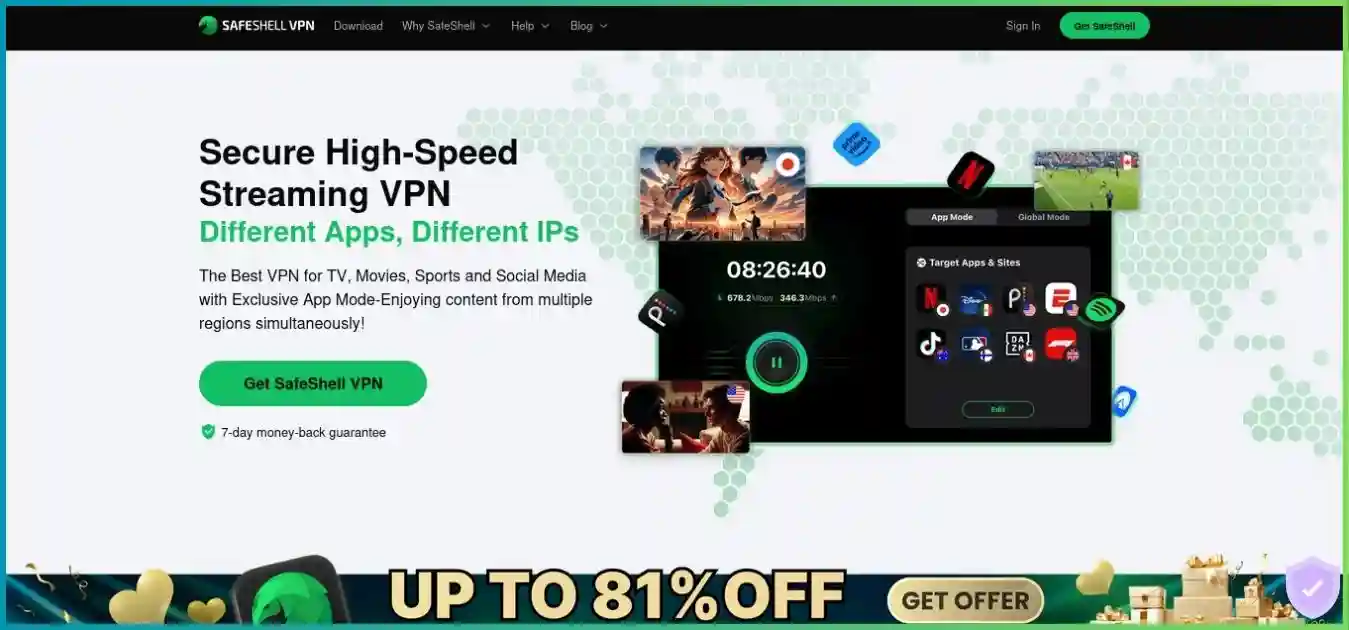
SafeShell focuses on supported regional apps, TV viewing and mobile gaming workflows. App Mode and mobile custom-domain rules distinguish it from ordinary single-exit VPN apps. Its narrower public security evidence and inconsistent network terminology deserve attention alongside those practical features.
Pros
- App Mode assigns separate supported apps to country routes concurrently
- Native Apple TV and Android/Google TV installation paths
- Documented mobile Game Mode and Dual Assurance on supported devices
- Selected free App Mode apps can help evaluate the workflow
Considerations
- Five-device limit rather than ten
- No comparable independent no-logs assessment located
- Broad shared-service privacy policy and unclear kill-switch parity
- Seven-day direct-web refund excludes in-app purchases and renewals
Pricing: upfront bills, monthly equivalents and renewal
NordVPN's retrieved USD pricing page confirms the Basic, Complete and Prime offers below. SafeShell's web pricing is dynamic and did not expose a dependable numeric USD quote; the figures below come from its US Apple listing. Treat that store item as a separate sales channel, with its own eligibility and refund process. Taxes, currency, account status, regional benefits and promotions can change either checkout.
| Plan / channel | Initial total | Coverage | Monthly equivalent | Renewal / limitations |
|---|---|---|---|---|
| NordVPN Basic, website | $94.23 | 27 months | $3.49 | $139.08/year |
| NordVPN Complete, website | $121.23 | 27 months | $4.49 | $219.48/year |
| NordVPN Prime, website | $202.23 | 27 months | $7.49 | $296.28/year; identity benefits subject to eligibility |
| SafeShell annual VIP, US Apple listing | $79.99 | 12 months | About $6.67 | Confirm selected store product and renewal |
| SafeShell monthly VIP, US Apple listing | $12.99 | 1 month | $12.99 | Store terms and product eligibility |
| SafeShell weekly products, US Apple listing | $5.99; separate $4.99 item also listed | 1 week | Not comparable to a monthly quote | Weekly billing can add up; confirm exact item |
Introductory monthly equivalents
USD; different terms and sales channels, paid upfront. SafeShell's annual store item is not a verified website price or renewal quote.
$94.23 / 27 months, web snapshot
$121.23 / 27 months, web snapshot
$79.99 / 12 months, US App Store
A smaller first bill can buy a shorter term
SafeShell's $79.99 annual store item is $14.24 below NordVPN Basic's $94.23 long-plan first payment, but covers 15 fewer months. NordVPN's recorded initial monthly equivalent is lower; that does not make its cash payment lower. Choose a term you will actually use rather than buying extra time solely to obtain the lowest advertised monthly number.
For a closer one-year illustration, NordVPN Basic's checked initial annual offer is $65.88, versus the $79.99 SafeShell annual store item: a $14.11 difference across these channels. Nord Basic's $139.08 annual renewal is about $11.59 per month when normalized, rather than a continuation of $3.49. We did not establish a universal SafeShell renewal amount and do not assume its listed annual item is an unchanging future charge.
For short use, the recorded NordVPN Basic monthly price is $14.99, while SafeShell's US Apple monthly item is $12.99. Monthly flexibility can be sensible for a trip or specific event. Confirm the exact product, billing date and renewal before paying; a weekly price should not be read as a monthly price. Store purchases should also be evaluated against store refund rules rather than the provider's direct-web guarantee.
Basic versus Complete and Prime
All checked Nord tiers include the commercial VPN and ten-connection allowance. Complete adds supported advanced scam, phishing and malware protection, NordPass and 1 TB cloud storage, alongside eligible monitoring and call/message benefits. Prime adds region-dependent Coveron identity protection with separate eligibility and insurance terms. Other markets can show different names or products; do not assume a regional Ultra offer is identical to US Prime.
The practical question is whether you need those extra services. A larger security bundle does not automatically improve the underlying VPN country selection or replicate SafeShell App Mode. Dedicated IP and NordVPN's separate Dedicated Server are additional products, not benefits to silently include in the Basic price. Compare the full cart, including add-ons and tax, before deciding which subscription provides value.
Security controls and protocol choices
NordVPN offers the more clearly documented security toolkit. NordLynx is its WireGuard-based option; OpenVPN and selected IKEv2 paths provide alternatives. NordWhisper is a separate option for restrictive networks. SafeShell's current guide describes proprietary ShellGuard using TLS 1.3 and Stealth using QUIC. The reviewed help does not establish ordinary WireGuard/OpenVPN selection or a shipped post-quantum feature for SafeShell.
| Control | NordVPN | SafeShell VPN |
|---|---|---|
| Primary modern protocol | NordLynx, based on WireGuard | ShellGuard, TLS 1.3 based |
| Other routing protocols | OpenVPN, selected IKEv2, NordWhisper | Stealth, QUIC based |
| Post-quantum key exchange | Supported NordLynx apps; mode restrictions | No equivalent current documentation located |
| Kill switch | System/app behavior varies by operating system | Provider mention exists; consistent platform behavior not established |
| DNS protection | Documented in supported VPN apps | DNS leak protection claim; validate exact mode |
| Privacy multi-hop | Double VPN and Onion Over VPN on supported routes | App Mode is parallel routing, not privacy multi-hop |
| Connected filtering | Basic scam/phishing DNS filtering | SafeNet on supported apps/locations with active VPN |
| Desktop file protection | Eligible higher-tier advanced protection | No comparable independently documented scanner established |
Encryption labels are only part of the comparison
An AES-256 label is not a complete security assessment. NordLynx uses the WireGuard cryptographic design rather than making every Nord connection an AES tunnel; SafeShell advertises AES-256-GCM and forward secrecy alongside its protocol descriptions. App implementation, key handling, DNS behavior, recovery after sleep and independent scrutiny matter alongside the name of the cipher.
NordVPN's current post-quantum help includes supported Linux, Windows, macOS, Android, iOS and TV app paths. It is tied to NordLynx and is incompatible with combinations including OpenVPN, Dedicated IP, obfuscated servers and Meshnet in the reviewed documentation. This protects the VPN key exchange against a future class of attacks; it does not change the security of every website, account or cloud file.
Disconnect safeguards need platform-specific attention
NordVPN documents internet and app-level kill-switch behavior on supported platforms, with differences between desktop builds and mobile operating systems. Read the control for your actual app rather than assuming a Windows application list appears everywhere. SafeShell's public feature/help material did not clearly verify a consistent system-wide kill switch across its apps. That is an evidence gap, not proof that every SafeShell build lacks the feature.
If losing tunnel protection would materially affect your use, inspect the relevant control and test disconnect, sleep/wake, network switching and reconnect behavior on the exact device. SafeShell App Mode can intentionally leave unassigned traffic outside a selected route; a leak test performed inside one assigned app does not establish protection for all other applications.
Filters versus malware scanning
NordVPN has renamed the former Threat Protection Pro to advanced scam, phishing and malware protection. The scanner needs an eligible higher tier and supported Windows 10/11 or sideloaded macOS 12+ build; Mac App Store, mobile, Linux, TV and extension paths should not be treated as equivalent. Basic's lighter domain filtering needs the VPN connection. SafeShell's SafeNet also needs an active VPN, varies by app/location, and explicitly cannot remove ads embedded in Netflix or Disney+ streams.
Privacy policies, independent evidence and incident history
NordVPN has the stronger independent privacy evidence in this comparison. Its sixth Deloitte Lithuania no-logs assurance engagement examined systems between November 10 and December 12, 2025 under ISAE 3000 (Revised), including standard, Double VPN, obfuscated and Onion Over VPN configurations. The full report is available through Nord Account. It is a defined assessment of systems and processes during that period, not a guarantee about all future behavior.
| Area | NordVPN | SafeShell VPN |
|---|---|---|
| Service legal context | VPN service operates under Panama | GearUp Portal Pte. Ltd., Singapore |
| Activity-log commitment | Detailed no-browsing/traffic-log policy | Markets no activity or connection logs |
| Independent no-logs evidence | Sixth Deloitte engagement, late 2025 | No comparable report located in reviewed materials |
| Operational data nuance | Limited session enforcement and other separately retained account data | Broad shared-service policy includes device/network and diagnostics |
| Infrastructure claim | Ordinary RAM-only servers, with partly colocated infrastructure | Comparable RAM-only fleet verification not established |
| Assessment access | Detailed current report through account login | No comparable public report located |
Nord's researched July 2026 VPN privacy notice distinguishes activity logs from limited operational data. Last-session information used to enforce the connection limit is deleted within 15 minutes after termination; a yes/no usage indicator is retained for 90 days for abuse/chargeback handling. Account, billing and optional analytics data have separate purposes. SmartDNS requires the allowlisted home IP, while assigned Dedicated IP/Server resources have their own account associations.
SafeShell's April 7, 2025 GearUp-wide policy describes categories including account/payment details, approximate location, IP/MAC/device/network identifiers, timestamps, diagnostics and performance/preferences. Its broad shared-service scope does not by itself establish VPN browsing logs. However, the reviewed material does not clearly reconcile those categories with the short no-activity/connection-log slogan, and we found no comparable independent no-logs or infrastructure assessment.
We therefore favor NordVPN when privacy evidence and documented safeguards are central to the decision. Jurisdiction alone does not settle trust: operating practices, report scope, retention details and handling of assigned resources matter more than a favorable country label. The EFF's VPN selection guidance explains why using a VPN shifts trust to the provider rather than eliminating the need to assess it.
NordVPN's rented-server incident remains relevant history
An attacker accessed a rented Finnish server in 2018; NordVPN publicly addressed the incident in 2019. Its response and later infrastructure changes belong in the assessment alongside subsequent privacy engagements. A later no-logs report is not a reason to omit historical security events, and an old event alone is not a measurement of today's entire service. SafeShell's shorter public assessment record should similarly not be converted into an invented clean-history score.
Neither service makes signed-in browsing anonymous. Cookies, browser identifiers, account logins and information you submit can still identify you. App routing, two-hop privacy modes and encrypted transport solve different network problems. Our VPN, proxy and anti-detect browser comparison explains those boundaries.
Split tunneling, SafeShell App Mode and NordVPN Meshnet
Ordinary split tunneling chooses which traffic enters one VPN tunnel and which stays outside it. SafeShell App Mode can assign different supported apps to distinct country routes at the same time; its documented mobile custom-domain workflow extends that selective routing. NordVPN's ordinary app does not provide a directly equivalent single-device parallel country-assignment interface.
One exit country versus app-specific countries
Conceptual routing example, not a test of streaming access or a guarantee of supported app assignments.
NordVPN ordinary connection
App A + App B + browser
One VPN exit country for included traffic
Supported split tunneling can exclude traffic. Double VPN adds a second VPN server to a selected route.
SafeShell App Mode example
Assignments run in parallel. This is separate app routing, not three privacy hops.
| Task | NordVPN | SafeShell VPN |
|---|---|---|
| Exclude selected traffic | Split tunneling on supported Windows/Android paths; browser extension scope differs | Global Mode Bypass Apps and supported App Mode rules |
| Separate country per app | No directly equivalent ordinary app workflow established | App Mode for supported apps and documented mobile domains |
| Two VPN servers sequentially | Double VPN on supported routes | Not established by App Mode |
| Tor through VPN | Onion Over VPN options | No comparable documented specialty route established |
| Private device network | Free Meshnet: remote access, LAN play, file sharing and supported peer routing | Game Mode is a different service; no equivalent device mesh established |
Where App Mode earns its place
Suppose two supported apps on one tablet need different regional routes. App Mode can retain those assignments while you move between apps, avoiding repeated server changes. That is a useful interface advantage. If family members use different physical devices, NordVPN can already connect those devices to different countries independently; you do not need single-device App Mode simply to give separate devices different exits.
Verify the exact supported app, requested region and account tier. A custom-domain rule may need more than one host because an app can use separate authentication, API and media domains. Check the documented mobile setup rather than assuming desktop or TV parity. Traffic outside the assignment is not automatically covered by the same country rule, and an assigned route does not guarantee a streaming catalog.
Meshnet connects your own devices
NordVPN's current Meshnet page describes a free, open-source network for up to ten personal and fifty external devices. Supported uses include remote access, file transfer, LAN-style games and routing through an authorized peer. It is separate from Nord's commercial VPN server network and its ten simultaneous commercial connections. Grant routing/access permissions deliberately: connecting to a peer does not make that peer an audited commercial exit server.
Speed, latency and gaming: what the evidence supports
We do not publish fabricated regional Mbps, ping reductions or streaming-success percentages. No controlled head-to-head benchmark was performed for this update. NordLynx is a sensible NordVPN starting point for ordinary throughput and latency; SafeShell recommends ShellGuard for routine use and Stealth for difficult networks. Neither protocol name proves one service is faster on your line.
| Scenario | NordVPN approach | SafeShell approach |
|---|---|---|
| Ordinary video/downloads | Nearby NordLynx server; check load and device limits | Nearby supported ShellGuard route; check App Mode scope |
| Restrictive network | NordWhisper or supported obfuscated workflow | Stealth; provider warns QUIC may be throttled |
| Latency-sensitive game | Nearby single-hop server; avoid unnecessary Tor/multi-hop | Supported Game Mode; compare the exact game route |
| Private LAN-style play | Meshnet between authorized devices | No equivalent Meshnet workflow established |
| Unstable mobile connection | Measure on actual network and device | Dual Assurance on supported iOS/Android setups |
| Console or whole household | Compatible router/shared tunnel; examine NAT effects | Native console/router parity not established |
SafeShell Game Mode and Dual Assurance
SafeShell documents mobile Game Mode with Dual Assurance using Wi-Fi and mobile data on supported iOS/Android devices. Its guide says Windows, macOS and Apple TV do not support that dual-network mode, and some Android devices or games can be incompatible. It can use cellular data, so consider your allowance. Provider claims about reduced delay or loss are conditional routing claims, not measured results from this article.
A VPN can improve an inefficient ISP route, but it also adds a tunnel and another endpoint. It cannot repair a failing local network, saturated Wi-Fi, a congested game server or a broadband speed cap. Masking your home IP may reduce direct targeting of that address, but does not protect the game company's infrastructure or guarantee uninterrupted play. Multi-hop and Tor generally add latency and are poor defaults for real-time games.
A useful trial comparison
- Record your normal connection's throughput, latency, loss and real app behavior on the same device.
- Compare nearby single-hop routes at similar times, noting the actual protocol and server selected.
- Check evening viewing, game matchmaking, Wi-Fi/mobile switching and recovery after sleep.
- Evaluate App Mode, Stealth and Dual Assurance separately; they change the route or network conditions.
- Keep the result tied to that location and setup rather than turning it into a universal service score.
For matchmaking, NAT and router considerations, see our gaming VPN guide. NordVPN is our broader gaming fit for documented conventional controls and device coverage; SafeShell is worth evaluating when its supported mobile Game Mode addresses your specific connection problem.
Network coverage and infrastructure disclosures
NordVPN's public directory lists 150 countries and a researched 225-location footprint. Its numerical server text is not synchronized: an earlier directory snapshot displayed 8,027 servers, while the final retrieved FAQ displayed 7,390 and other support material used broader totals. We do not turn those conflicting numbers into a single exact current hardware inventory.
SafeShell's directory displays 61 regions and 2,000-plus servers and labels its own update October 21, 2025. Other official pages use 100-plus locations or 10,000-plus nodes in 40-plus countries. Regions, country exits, cities and nodes are different measures. We retain the directory labels rather than presenting 61 regions as directly equivalent to NordVPN's 150 countries or combining several disclosures into a larger fleet.
| Measure | NordVPN | SafeShell VPN |
|---|---|---|
| Geographic disclosure | 150 countries; researched 225 locations | Directory: 61 regions; separate 100+ locations claim |
| Server disclosure | 8,027 earlier snapshot; final FAQ 7,390 | Directory: 2,000+; separate FAQ uses node terminology |
| Snapshot caution | Different official pages disagree on totals | Directory date is October 21, 2025 despite being accessible now |
| Ordinary infrastructure | RAM-only and 10 Gbps claims; partly colocated | Up to 10 Gbps-capable routes; comparable RAM-only evidence not established |
| What counts cannot establish | Local speed, uptime or catalog access | Local speed, uptime or catalog access |
NordVPN is the clearer choice for a broad country-selection requirement, but check the precise exit city and physical versus virtual location you need. Its RAM-only claim does not mean every server is owned or colocated; partner-hosted infrastructure remains part of the fleet. A 10 Gbps port is infrastructure capacity shared among users, not a promise that your broadband line or phone will achieve that speed. For either service, desired endpoint availability matters more than a fleet-size race.
Streaming, SmartPlay, App Mode and TV setup
NordVPN has the broader documented setup toolkit: native TV apps, integrated SmartPlay and a separate SmartDNS option for supported devices/services. SafeShell focuses on supported regional apps, native Apple TV/Android TV setups and App Mode's parallel country assignments. We recommend NordVPN for general device flexibility and SafeShell for a verified app-routing workflow, without claiming a measured catalog-unblocking winner.
| Need | NordVPN | SafeShell VPN |
|---|---|---|
| Apple TV / Android TV | Native supported apps | Native supported apps; confirm App Mode feature parity |
| Fire TV | Documented native app path | Marketing references exist; verify exact current install route |
| TV without native app | Compatible router/shared connection; supported SmartDNS | Comparable router/SmartDNS documentation not established |
| One device, several country apps | Normal server change or supported traffic controls | App Mode for supported apps/domains |
| Different devices, different countries | Separate native app connections within allowance | Separate apps within five-device allowance |
| Ad filtering | Connected DNS filtering; supported higher-tier desktop tools | SafeNet; no embedded Netflix/Disney+ ad removal |
| Video access guarantee | None | None |
SmartPlay and SmartDNS are different
SmartPlay combines DNS technology with NordVPN's encrypted app connection. Standalone SmartDNS is a separate setup with a narrower service list, IP allowlisting and no ordinary VPN encryption or exit-country selection. It may help on a compatible device that cannot run the app, but it does not provide the same network protection as a native VPN. Prefer the native app where supported and verify the provider's exact SmartDNS service list before relying on it.
Catalog access is conditional
An assigned country does not automatically determine a streaming catalog. Your service account, subscription tier, payment region, device, DNS behavior and current exit-IP treatment can affect access. SafeShell subtitle translation is also dependent on supported platforms/content; it is not a universal addition to every TV app. Test the exact legal subscription and device during the applicable trial or refund period.
Netflix's VPN viewing guidance says VPN viewing can be limited to globally licensed titles, and its ad-supported experience and live events do not allow VPN viewing. A VPN provider cannot override those service rules permanently. Our streaming VPN guide compares native TV, router and regional-app options in more detail.
P2P, torrenting and the port-forwarding distinction
NordVPN's current standard-server guidance supports P2P without requiring an old separate P2P category. SafeShell's directory marks P2P capability by region; do not assume every App Mode or streaming route has the same file-sharing support. For sensitive transfers, documented disconnect protection and traffic routing matter alongside download throughput.
Ordinary NordVPN shared servers and Dedicated IP do not provide inbound port forwarding. The separate Dedicated Server add-on supports up to twenty forwarding rules in selected locations; the reviewed Mac App Store build cannot configure them. That is a different purchase and resource from Basic or the usual Dedicated IP. SafeShell's current public documentation did not establish a comparable VPN-side forwarding workflow.
Bind a torrent client to the VPN interface where supported and verify reconnect behavior. Make sure a bypass rule does not exclude the client, and confirm SafeShell's selected region supports P2P. A home-router port rule, browser proxy or static address does not automatically open an inbound VPN port. Our torrenting VPN guide explains forwarding and client-binding choices. Share only content you are entitled to distribute.
Apps, simultaneous devices and everyday use
Paid simultaneous connection allowance
Subscription allowance, not installed-app count or account-resale permission.
Consider the whole household
Nord's allowance is twice SafeShell's. Six actively protected phones, computers and TVs fit within Nord's ordinary limit but exceed SafeShell's five-device subscription allowance.
One compatible NordVPN router connection counts as one slot for attached devices, with a shared router exit. A shared exit may be convenient but does not provide independent per-device country selection.
| Platform | NordVPN | SafeShell VPN |
|---|---|---|
| Windows / macOS | Native apps; advanced scanner depends on tier/build | Native apps; verify specific routing and security controls |
| iOS / Android | Native apps; feature behavior differs by OS | Native apps; documented custom-domain and mobile Game Mode paths |
| Linux | Native app and documented configuration | Comparable mainstream native Linux path not established |
| Browsers | Chrome, Firefox and Edge extensions; browser-only scope | Do not assume equivalent standalone extension paths |
| TV | Apple TV, Android TV and Fire TV apps | Apple TV and Android/Google TV documented; Fire TV path needs confirmation |
| Apple Vision Pro | Check supported app installation/build | Explicit download/Apple listing support |
| Router / console | Compatible router/manual/shared VPN setup | Comparable mainstream manual/router path not established |
NordVPN's conventional server picker, specialty choices and extensive documentation suit a mixed-device household. SafeShell's app-oriented interface may be easier when the same regional apps are used repeatedly. Neither preference establishes better privacy by itself. Learn what the app routes before relying on automatic connection: Global Mode and App Mode can have different coverage.
On restrictive networks, NordWhisper and SafeShell Stealth are compatibility options rather than promises of operation everywhere. NordWhisper has combination limits, including Dedicated IP, Meshnet and Onion Over VPN; SafeShell notes QUIC throttling can affect Stealth. Install and test the exact app before travel, and confirm local network conditions rather than assuming the desktop features exist on a television.
Support, trials, refunds and cancellation
NordVPN documents around-the-clock chat and email support alongside extensive platform guides. SafeShell provides in-app/help-site contact, email and community channels. We did not measure response times or establish a service-level promise for SafeShell, so this article does not repeat guaranteed instant responses or survey satisfaction percentages.
Advertised eligible direct-purchase refund windows
Different conditions apply. SafeShell store purchases are excluded from its seven-day website guarantee.
| Issue | NordVPN | SafeShell VPN |
|---|---|---|
| Ordinary refund | 30 days for eligible initial subscriptions | 7 days for eligible first website purchase |
| Renewals | Excluded unless applicable law requires otherwise | Excluded from provider guarantee |
| Apple / Amazon channels | Store refund processes | Apple in-app purchases use Apple decisions |
| Google Play | Eligible requests through Nord support per current terms | Store process; outside SafeShell website guarantee |
| Trial / free use | Check current platform/promotion; Meshnet is separately free | Selected free App Mode apps/locations; VIP restrictions |
| Cancellation | Disable renewal in actual billing account/channel | Store terms require cancellation at least 24 hours before renewal |
| Cross-store purchase | Identify current billing channel | Apple/Google entitlements may not transfer automatically |
| Processing | Check payment/channel timing | Provider says up to ten business days for direct requests |
SafeShell's free App Mode list can change and some regions are VIP-only. It is a limited opportunity to evaluate supported app routing, not an unrestricted permanent free full-device VPN. NordVPN's free Meshnet is also a different product from access to its commercial exit-server network. Trial eligibility and a money-back guarantee are separate concepts.
Save the receipt, note the billing company, renewal date and refund deadline, and cancel in the appropriate account or store. Turning off renewal does not request repayment. SafeShell's direct policy currently labels cryptocurrency support as coming soon and discusses fee limitations; do not choose it on an assumption that a fully refundable crypto pass is currently available. Verify any short-term or alternative-payment offer in the actual checkout.
Final verdict: choose the service that fits the task
NordVPN is our general-purpose recommendation. Its independent privacy evidence, documented disconnect controls, wider device support and ten-connection allowance are more useful across a broad range of ordinary VPN tasks. It also has the lower checked long-term introductory monthly equivalent, although its annual renewal is substantially higher than that introductory number.
SafeShell is the app-routing specialist. Choose it when verified App Mode assignments remove a real inconvenience on a particular device, or when its supported mobile Game Mode is useful on your network. Assess that advantage alongside the five-device limit, shorter direct refund window and narrower public privacy evidence. A specialized interface is a good reason to trial a service, not a reason to invent performance or audit results.
| Priority | Better fit | Reason |
|---|---|---|
| Documented privacy evidence | NordVPN | Repeated independent no-logs assurance and clearer policy detail |
| Parallel countries for supported apps on one device | SafeShell | App Mode is the distinctive workflow |
| Six to ten active devices | NordVPN | Ten simultaneous connections versus five |
| Linux, browser extension or router setup | NordVPN | Broader documented configuration paths |
| Supported mobile dual-network gaming | Trial SafeShell | Dual Assurance requires compatible device/game/network |
| Native Apple TV / Android TV | Both deserve a device-specific trial | Different routing controls and app feature parity |
| Lower long-offer monthly equivalent | NordVPN Basic in checked snapshots | Different term and channel; larger first bill |
| Lower listed annual-store first payment versus Nord long offer | SafeShell annual item | Shorter coverage; not a universal web quote |
| VPN-side inbound forwarding | Separate product needed | Nord Dedicated Server add-on; not ordinary subscription |
| Measured speed or permanent streaming access | No winner established | No controlled tests; access and routing change |
For additional alternatives, see NordVPN versus Surfshark for an unlimited-device option, or ExpressVPN versus SafeShell for another comparison of conventional VPN tools and App Mode.
Related proxy and utility resources
If the task involves an application proxy rather than an encrypted device VPN, our Oxylabs versus Webshare and Oxylabs versus ProxyShare comparisons explain different proxy offerings. A proxy should not be assumed to provide device-wide VPN encryption. The site's utility tools provide additional practical resources.
Frequently asked questions
Research methodology and sources
Updated October 2, 2026 using provider pricing, server directories, subscription/refund terms, privacy notices, assessment announcements and current app help. NordVPN's final pricing response confirmed the USD offers; SafeShell's US Apple items are separately labeled because a stable numeric direct-web rate was not established. Official network totals are inconsistent, so the article preserves the original units and snapshot limitations.
Research includes NordVPN's sixth Deloitte announcement, NordLynx post-quantum restrictions, Meshnet, SmartPlay/SmartDNS and Dedicated Server forwarding documentation; SafeShell's App Mode/custom domains, ShellGuard/Stealth, mobile Dual Assurance, SafeNet, download paths, store listing and GearUp policy. Privacy conclusions distinguish provider claims, independent evidence and public documentation gaps.
We did not conduct controlled throughput, latency, leak, catalog access or support-response tests. The charts show researched price equivalents, subscription connection limits and qualified refund windows. The routing diagram is conceptual. Recommendations reflect documented fit and evidence rather than invented speed, success-rate, satisfaction or security-score datasets.
*Refund eligibility depends on purchase status and billing channel. Prices, app features, network disclosures and regional benefits can change. Confirm the cart, exact app build and current terms before purchase. A VPN does not guarantee anonymity or access to a particular streaming catalog.