Step-by-Step: How to Generate Legal Policies for Free
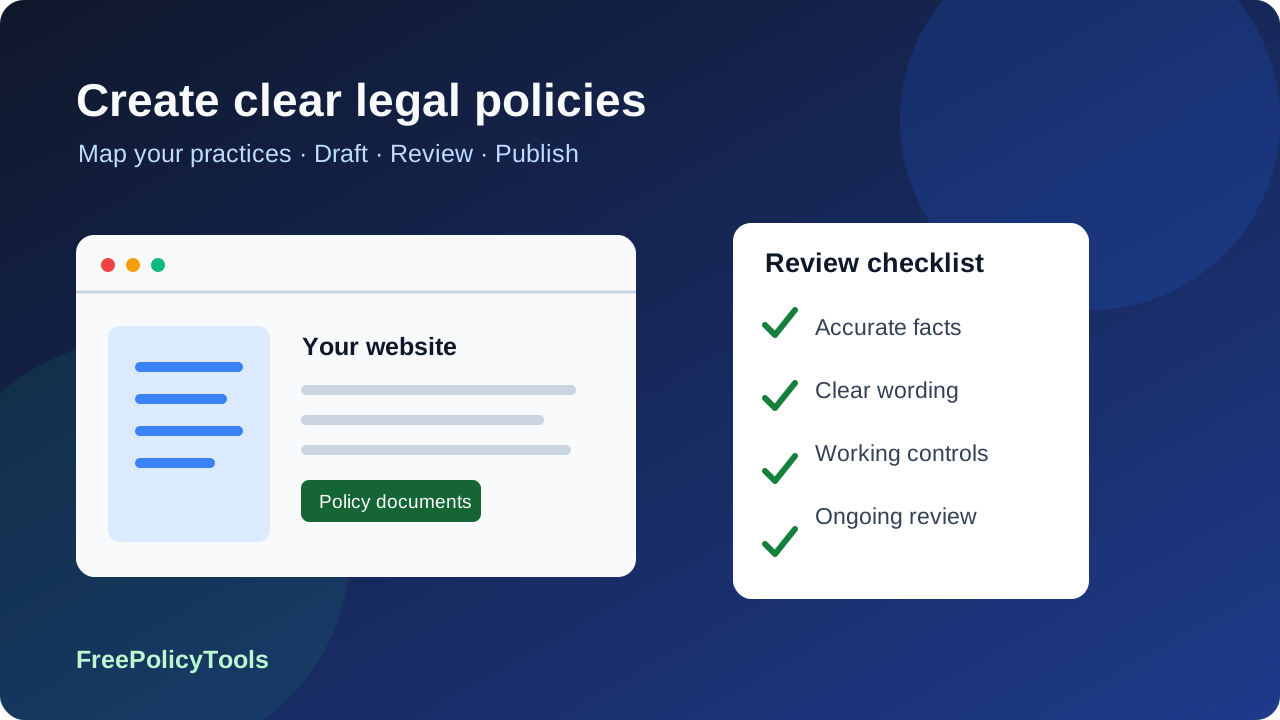
Free legal-policy generators can help you turn a factual description of your website or app into a first draft. This guide explains how to choose the right documents, answer the questions accurately, review the wording, and connect your published policies to real privacy and customer-service practices.
Start with the service you operate rather than a claim that every business needs every policy. A useful draft is specific, readable, and maintainable. The steps below cover public notices, terms, store policies, specialist tools, and the situations where additional review is worthwhile.
Why Legal Policies Matter
You can generate a useful legal-policy draft without paying a document fee. The important work is identifying what your business actually does, choosing the right document, and checking that the final wording matches your service. A privacy policy explains personal-data handling; terms describe the relationship with users; a cookie policy explains device storage and tracking. These documents serve different purposes and should agree with one another.
Accurate disclosure
Describe real collection, use, sharing, retention, and rights processes. A polished document that contradicts your actual practices can create problems instead of solving them.
Clear expectations
Explain account rules, payment terms, cancellations, content permissions, and support routes before a user commits. Mandatory consumer rights still apply even if a template says otherwise.
Operational readiness
Assign someone to answer requests, maintain the documents, and check new integrations. Publishing a page is one part of an ongoing process.
| Document | When to consider it | What it cannot do |
|---|---|---|
| Privacy policy | You process personal data through forms, accounts, orders, logs, analytics, or apps. Check applicable notice requirements. | Supply a lawful basis, secure your systems, or answer requests automatically. |
| Terms and conditions | You provide accounts, digital services, sales, subscriptions, or user-generated content. | Make every clause enforceable or remove non-waivable consumer rights. |
| Cookie / tracking policy | You store or access device information through cookies, pixels, local storage, SDKs, or similar tools. | Block trackers or collect valid consent on its own. |
| Shipping, returns, and cancellation rules | You sell products or services with delivery, refund, or renewal conditions. | Override statutory cancellation, refund, or product-quality rights. |
| Affiliate or sponsored-content disclosure | Readers may be influenced by paid relationships or other material connections. | Replace a clear disclosure alongside the relevant recommendation. |
For product sales, use the ecommerce policy guide to coordinate checkout notices and store rules. For a simpler site, start with the Privacy Policy Generator and Terms and Conditions Generator when relevant. A disclaimer is useful for explaining content limitations, but is not a universal legal requirement for every website.
Global Compliance Landscape
Assess applicability before selecting jurisdiction clauses. The location of your organization, the people you target, what you monitor, business thresholds, and sector-specific rules can all matter. A visitor arriving from another country does not, by itself, establish every obligation in that country. Keep a short written record of why you included or excluded each legal regime.
EU and UK: assess scope separately
For the EU GDPR, consider processing in the context of an EU establishment and, for organizations outside the EU, offering goods or services to people in the EU or monitoring their behavior there. Mere website accessibility is insufficient on its own. The EDPB territorial-scope guidance explains the targeting and monitoring analysis. Assess the UK regime separately; do not assume one paragraph covers every difference.
California and other US states
California coverage depends on the law’s definitions, business thresholds, and exceptions. California traffic alone is not the test. Covered businesses need relevant notices and working rights processes, including applicable sale/sharing opt-outs. The California Attorney General’s CCPA guidance distinguishes a privacy policy from a notice at collection. Other states have their own scope, exemptions, rights, and deadlines.
Canada, Brazil, and other jurisdictions can add their own obligations. Avoid relying on a worldwide country count or a static count of US state laws to decide what your site needs. Record the markets you actually serve and research their rules. Schools, healthcare providers, financial services, and services used by children also require a separate sector assessment; selecting a specialized template does not establish that you comply.
Updated cookie guidance: check the purpose and the exception
UK guidance finalized in April 2026 explains storage and access technologies and the conditions for consent exceptions, including certain statistical uses. Consent is needed where no exception applies. Review the ICO storage and access guidance rather than assuming that every analytics tool is exempt. EU member-state rules may differ. A browser removing or retaining third-party cookies does not determine your legal obligations.
Step-by-Step Guide to Generating Legal Policies
Prepare your answers before generating a document. A short questionnaire can produce text quickly, but the time needed to verify your practices depends on the business. This six-stage workflow keeps drafting, implementation, and maintenance connected.
Inventory your website or app
List every form, account, checkout, newsletter, chat widget, analytics tool, advertising pixel, embedded video, and SDK. Include server logs and offline information that flows into the same systems. For each activity, note data categories, purpose, provider, retention, location, and user choices. Check the live configuration and vendor documentation rather than guessing from a plugin name.
Select the documents that fit
Map those activities to privacy, tracking, terms, store policies, and any specialist agreements. Identify which pages inform users and which documents govern a contract or internal process. A DPA is an agreement about processing responsibilities; an access-request letter is a request document. Neither is a substitute for a public privacy notice.
Answer the generator accurately
Use the correct legal entity, website URL, contact address, service description, and actual practices. Do not select “we do not share data” just because you do not sell mailing lists: hosting, payments, email, analytics, and support providers can receive personal information. Where the questionnaire cannot express a fact, make a note for manual editing instead of choosing a convenient but false answer.
Review and customize the draft
Search for placeholders, inconsistent company names, unsupported promises, irrelevant clauses, and missing vendors. Compare the output with your inventory and explain each purpose and rights route in plain language. Check mandatory rights and local contract rules. Seek specialist advice for sensitive data, children, complex transfers, regulated services, unusual liability limits, or disputes.
Publish and implement the controls
The privacy-policy tool supports copying the policy and downloading HTML. Use the format actually available in the selected tool; export options differ. Publish a stable public page, link it near collection points, and add notices at signup or checkout when required. Configure consent and opt-outs separately, and keep terms acceptance separate from privacy or marketing consent.
Assign ownership and review triggers
Save the approved wording, effective date, and supporting inventory. Name an owner and schedule a periodic review appropriate to the service. Review sooner after adding a vendor, tracking purpose, market, product, or data category. Do not assume a downloaded draft receives automatic notifications or updates. Decide whether a change needs a fresh notice, consent, or contract acceptance.
For publishing details, follow where to display your legal policies. For apps, also compare your disclosures with permissions, SDK behavior, and store declarations using the mobile app privacy requirements guide.
Creating Effective Policies
Keep the document specific enough to explain your practices and structured enough for someone to find an answer quickly. Use short sections, descriptive headings, a real contact route, and an honest effective date. Distinguish what you currently do from features you may introduce later. A policy should describe your service rather than advertise that it is “fully compliant.”
| Review area | Privacy policy | Terms and conditions | Cookie / tracking policy |
|---|---|---|---|
| Identity and scope | Name the responsible organization and covered sites or apps. | Identify the contracting party and services. | Identify the service and scope of the inventory. |
| Activities and purposes | Explain categories, sources, purposes, and applicable lawful bases. | Describe the service, eligibility, accounts, and acceptable use. | Explain purposes, technology types, providers, and durations. |
| Commercial and vendor details | Describe recipients and relevant international transfers. | Explain prices, payments, renewals, cancellations, and refunds where relevant. | Distinguish first-party and third-party technologies using actual behavior. |
| Control and rights | Explain applicable rights, request routes, complaints, and retention. | Explain termination, content permissions, disputes, and mandatory rights. | Explain consent, withdrawal, objections or opt-outs, and preference access. |
| Maintenance | Use a real date and explain relevant changes. | Identify versions and how material amendments are communicated. | Keep the technology list aligned with scans and configuration changes. |
Privacy notice: information before reassuring language
The ICO privacy-information checklist covers identity, purposes, lawful bases, recipients, retention, rights, transfers, and relevant automated decisions. Some information depends on whether data comes directly from the person. Apply the requirements to your processing and provide notice at the appropriate time. Do not add a DPO, overseas representative, or transfer mechanism unless it actually applies.
Give retention periods where you can, and meaningful criteria where a fixed period is impractical. “We keep data as long as necessary” is weak without an explanation of what determines necessity. Separate transactional records from marketing contacts and explain relevant backup or legal-hold constraints. Do not promise instant deletion across every system unless your process supports it.
For terms, be precise about fees, auto-renewal, acceptable use, content ownership, termination, and complaint routes. Liability and dispute clauses require attention to local law and the nature of the service. A broad “no refunds” or “no liability under any circumstances” clause can conflict with mandatory protections. Avoid treating acceptance of terms as blanket consent to tracking or marketing.
Affiliate disclosure belongs near the recommendation
An affiliate-disclosure page helps explain your business model, but readers should see a clear disclosure with the endorsement itself. The FTC endorsement guidance addresses material connections and clear disclosures. Use the Affiliate Disclosure Generator as a starting point, then adapt the wording and placement to the actual content.
Common Mistakes to Avoid
Most drafting failures come from a mismatch between the document and the service. Check both wording and behavior: a privacy page may say users can withdraw consent while the banner offers no way to do so. A refund policy may promise a response that nobody is assigned to provide.
Copying a competitor’s policy
Another company may have different vendors, retention periods, markets, and business obligations. Copying can import false claims and material you have no right to reuse. Work from your own inventory and a template you are allowed to use.
Treating the download as certification
A generator produces wording from inputs. It does not inspect every system, assess every applicable law, sign processor contracts, or operate your rights process. Paid output is not a compliance certificate either.
Using absolute promises
Avoid “we never share data,” “we are completely secure,” or “we always delete immediately” unless you can substantiate them. Describe actual safeguards and constraints without inventing certifications or operational guarantees.
Leaving trackers active before required consent
A policy page cannot stop pixels or SDKs. Where prior consent is required, check that technologies wait for it, refusal is effective, and withdrawal changes future behavior. Assess any exception against its conditions.
Bundling unrelated choices
Keep terms acceptance, optional marketing permission, and tracking choices distinct. Users should understand which choice has which effect. A privacy notice provides information; it does not itself obtain every consent.
Forgetting contact and maintenance
Use a monitored contact route, assign deadlines internally, and review after changes. Check footer, signup, checkout, and app links. A broken link or unmonitored inbox undermines the process described in the policy.
AI-assisted drafting creates the same accuracy problem: plausible text can invent legal citations, vendors, or obligations. Do not upload confidential contracts or personal records into a drafting tool without assessing its handling of that information. Keep an approved source list and manually confirm every important claim.
International Considerations
A global policy works best when it has a clear core explanation and jurisdiction-specific additions that apply to the relevant audience. Translating a US template word for word does not address another country’s rights, terminology, complaint routes, or contract restrictions.
Cross-border transfers and processor agreements
Identify where providers and support teams access personal data, not just where the main server is located. Assess applicable transfer restrictions and the actual safeguards used. A generic DPA does not automatically include valid or completed Standard Contractual Clauses, a transfer assessment, or another required mechanism. Check signed agreements and relevant vendor commitments before naming a safeguard.
Employees, children, and sensitive information
A customer privacy notice may not cover recruitment, employee monitoring, student records, health information, or children’s services. Map these separately. Healthcare and education templates can help organize a draft but cannot determine whether HIPAA, FERPA, or another specialized regime applies. Waivers and consent forms also need review for authority, capacity, and local enforceability.
AI and automated decisions
Document what the AI feature does, the information it receives, who operates it, and whether outputs affect individuals. Assess privacy, transparency, and automated-decision obligations separately from any AI-specific law. An AI-use disclosure is one communication tool; it does not resolve lawful-basis, bias, security, human-review, or contracting questions.
Language and rights routes
Provide information in a language and format the intended audience can understand. Ensure translated documents retain the same scope and meaning. If one jurisdiction requires additional choices or complaint information, make those additions easy to find and connect them to working request routes.
Complete List of Free Policy Generators
The directory below groups the tools linked in this guide by subject. Start with the documents relevant to your service and review each generator’s questions, output, and export options. Inclusion in the directory is not a promise that a tool addresses every jurisdiction or regulated activity. Request letters, internal policies, contractual agreements, and public notices have different audiences.
Legal & Website Policies
- Privacy Policy Generator
- Terms and Conditions Generator
- Disclaimer Generator
- Cookie Policy Generator
- Affiliate Disclosure Generator
- EULA Generator
- DMCA Policy Generator
- Shipping Policy Generator
- Service Policy Generator
- User Agreement Generator
- DPA Generator
- Accessibility Statement Generator
- Third-Party Disclosure Generator
- Data Retention Policy Generator
- Breach Notification Policy Generator
- Internal Policy Generator
- Payment Security Policy Generator
- Right to Access Request Generator
- Right to Delete Request Generator
Education & School Policies
Faith-Based & Religious Policies
Healthcare & HIPAA Compliance
Insurance & Financial Disclosures
App & Media
How to evaluate a free generator
Check whether the clauses you need, editing, commercial use, downloads, hosting, and updates are included. Some services offer a basic free document and charge for additional jurisdictions, consent management, or hosting. Compare actual features rather than assuming that a provider’s “free” label covers every requirement. Keep an independent copy so a hosted page or subscription change does not remove your only policy.
Prefer tools that explain their questions and let you inspect the result before publishing. If a questionnaire cannot describe your processing, manually adapt the output or obtain advice. Do not add unused tools or invented clauses merely to make a policy look more comprehensive.
Policy Directory and Workflow Visualizations
These charts visualize the directory and the six-stage workflow in this article. They are editorial counts, not survey results, market adoption rates, enforcement totals, legal-risk scores, or proof of compliance. The text summaries provide the same information without relying on the canvas charts.
Directory counts: legal and website 19; education 6; faith-based 4; healthcare 5; insurance 5; app and media 4; consent and miscellaneous 8.
Illustrated cumulative stages: inventory 1, select 2, answer 3, review 4, publish 5, maintain 6. This shows sequence, not elapsed time or measured progress.
Directory mix: 19 entries in the legal and website group; 32 across the six other groups. Category labels describe the directory, not legal eligibility.
Example checklist counts: privacy 8, terms 7, tracking 6. These are this guide’s grouped prompts; they are not an exhaustive legal test.
| Illustrative checklist | Prompts counted in the chart |
|---|---|
| Privacy: 8 | Identity; categories/sources; purposes/lawful bases; recipients; retention; transfers; rights/contact; applicable automated decisions. |
| Terms: 7 | Party/service; eligibility/accounts; payment/renewal; cancellation/refunds; acceptable use/content; termination; disputes/liability and mandatory rights. |
| Tracking: 6 | Technologies; purposes; providers; duration; consent/exception assessment; withdrawal/objection or opt-out controls. |
Use these prompts to organize a review, then add what your service and applicable laws require. A completed checklist does not establish that the underlying operations are lawful. Prefer evidence from your inventory, configurations, contracts, and request procedures to a decorative compliance score.
Cost-Benefit Analysis
A free document reduces the drafting fee, but the total work also includes data mapping, implementation, review, and maintenance. There is no defensible universal price for legal advice and no universal “average fine” for missing a policy. The seriousness of a problem depends on the actual conduct and applicable law, not simply which tool you used.
| Approach | Direct document cost | Work still needed | When it may fit |
|---|---|---|---|
| Free generator | No document charge where offered; confirm included features. | Accurate inputs, editing, implementation, and self-managed updates. | Straightforward services that can describe their practices accurately. |
| Paid generator or hosted service | Provider-specific price; inspect scope, renewal, and export terms. | Verify clauses and operations; manage consent and requests as needed. | Useful features such as hosting or document management justify the fee. |
| Independent legal review | Request a quote based on service, markets, and review scope. | Supply a factual inventory and implement the recommendations. | Complex terms, regulated activity, sensitive data, children, or international operations. |
| Internal operational work | Staff time and any required technical services. | Configure choices, manage requests, maintain records, and review changes. | Required alongside whichever drafting method you choose. |
Budget for the complete process
Estimate the time to map vendors, check drafts, publish pages, configure controls, and maintain versions. Identify the specific questions a professional should resolve so a review has a clear scope. A paid template can be inaccurate and a free draft can be useful; evaluate fit, evidence, and follow-through rather than treating price as a risk rating.
Keep a practical maintenance record: document owner, current version, where it is published, source inventory, approval notes, and next review trigger. Retain evidence of user acceptance where needed for terms and of consent where required for processing. Store those records securely and keep them only for an appropriate period.
Frequently Asked Questions
Publish an Accurate Draft and Keep It Current
Begin with your data and service inventory, generate the relevant documents, and review every important claim. Publish the approved pages where people need them and connect those pages to working controls. Keep a versioned copy and a named owner so the next change to your service also prompts a policy review.
For more planning guidance, read Best Free Policy Tools for Startups and 10 Must-Have Legal Documents. Use specialist tools only when their purpose fits your activity, and get focused advice for questions a questionnaire cannot answer.
Start Your Policy Draft
Prepare your business details and data inventory, then review the generated wording before publishing.