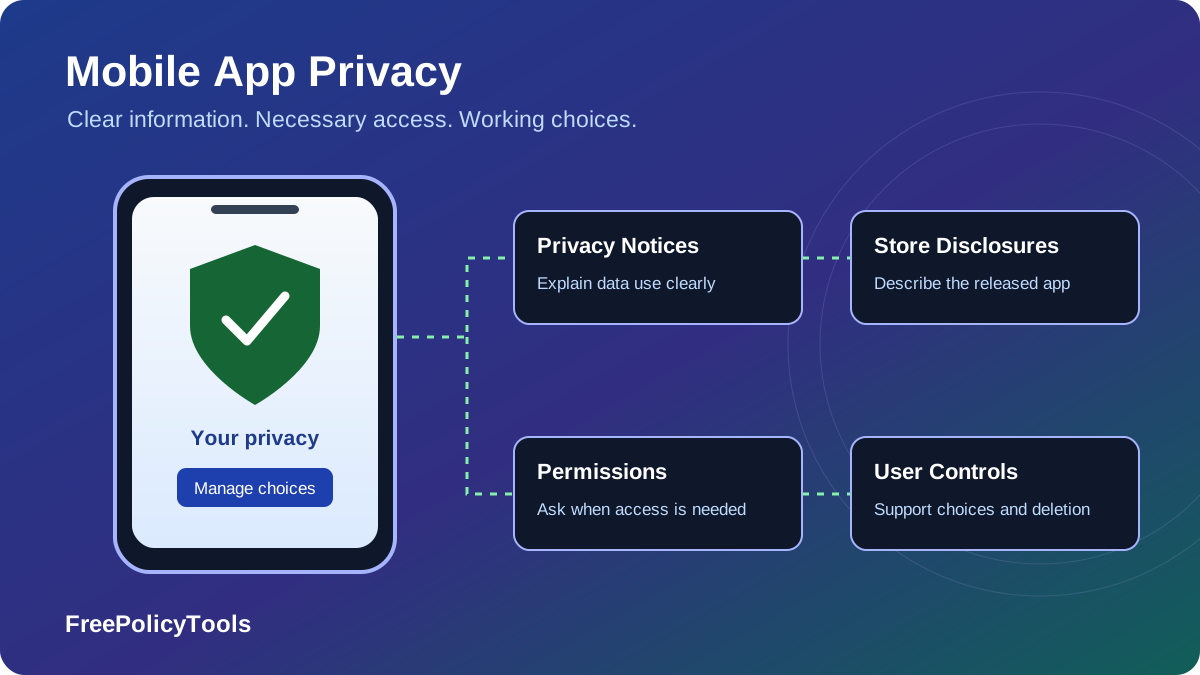
Mobile app privacy requirements cover the entire data journey: information entered by a user, device access, SDK activity, server processing, advertising, retention and deletion. A privacy policy is important, but the app’s actual behavior, platform disclosures and user controls must agree with it.
This guide explains how GDPR, California privacy law, children’s privacy rules and Apple and Google policies fit together. It separates legal obligations from store rules and practical engineering choices. Your mobile app terms define the service relationship; privacy information explains data handling. Accepting those terms does not automatically supply consent for every use of personal information.
Why Privacy Matters for Mobile Apps
An app can observe highly personal contexts: where someone travels, who they contact, what they buy or how they manage their health. Collection can also happen without a visible form, through crash reports, advertising libraries, push-token registration and background requests. Protecting privacy starts by identifying those flows, not by assuming that only names and email addresses count.
Privacy is a product requirement
Unexpected collection can undermine trust even when an operating-system permission has been granted. Explain why a feature needs information at the moment it becomes relevant. Offer a lower-data alternative where practical: approximate instead of precise location, a selected-photo picker instead of broad library access, or a guest experience when an account is unnecessary. Remove permissions and SDK features that do not serve the app’s purpose.
Store review is a separate checkpoint from legal compliance. Passing review does not establish a lawful basis, fulfill all rights requests or prove that vendors respect your settings. Conversely, a legally reasoned policy does not excuse an inaccurate store label. Maintain evidence of what the released app does and give privacy work an owner across product, engineering and support.
A Practical Privacy Lifecycle
Begin this sequence before adding a new data-intensive feature. Keep it open after release because SDK updates and remote configuration can change collection without a redesigned screen. A privacy notice is only useful if it continues to describe the service users actually receive.
Core Privacy Regulations (GDPR, CCPA, COPPA)
Applicable law depends on establishment, audience, processing, business thresholds and sector—not simply the country where the app was coded. Several regimes can apply at once. The comparison below focuses on operational duties rather than presenting changing penalty figures as universal fines for an app.
| Regime | Scope to assess | App implications | Common misconception |
|---|---|---|---|
| EU / EEA GDPR | EU establishment or relevant offering / monitoring outside the EU | Lawful basis, transparent notices, rights, security and transfer safeguards | Every processing activity requires consent or a DPO |
| UK GDPR and related rules | UK establishment or relevant UK targeting / monitoring | Assess UK processing and device-storage/access rules separately | An EU-only assessment resolves every UK requirement |
| California CCPA / CPRA | Covered businesses meeting applicable thresholds and definitions | Notice at collection, privacy rights, relevant sale/sharing and sensitive-data controls | Every app with a California user meets the business thresholds |
| US COPPA | Child-directed services or relevant actual knowledge involving children under 13 | Parent notices and consent, collection limits, security, retention and deletion | A general-audience label or age checkbox always avoids coverage |
| Canada PIPEDA / provincial laws | Relevant commercial processing; provincial and cross-border scope matter | Appropriate purposes, meaningful consent, safeguards and access | PIPEDA applies identically to every private organization |
| Other state and sector rules | Specific markets, data categories and organizational roles | Additional sensitive-data, opt-out, youth, health or financial requirements | One global template contains every applicable obligation |
GDPR: identify a lawful basis for each purpose
Consent is one possible basis, alongside contract, legal obligation, legitimate interests and others. Contract is not a blanket justification for advertising or every analytics event. Where legitimate interests are appropriate, assess necessity and the effect on individuals; it is not a shortcut around a separate consent rule. Special-category information, such as certain health data, can require an additional condition. Document the purpose, basis, recipients and retention for each flow.
Provide the applicable information when collecting data directly and handle indirect collection under its separate transparency rules. Plan for access, correction, deletion and other applicable rights. A DPO is required in defined circumstances, not automatically for every app; a DPIA is needed where processing is likely to create high risk. Transfers to overseas providers require their own analysis, even when the user tapped “Allow” on a phone.
California: notice, rights and advertising choices
The California Attorney General’s CCPA guidance distinguishes a privacy policy from a notice at or before collection. Covered businesses must implement applicable rights and sale/sharing opt-outs. “Sharing” can include cross-context behavioral advertising even without a cash payment. Assess sensitive-information rules and qualifying preference signals where required; cookie choices or an ATT prompt do not automatically satisfy these duties.
Avoid a universal compliance claim
App-store approval, a “GDPR-ready” template and acceptance of service terms are different from meeting the legal requirements for your actual organization and data use. Map the duties that apply and connect each one to a notice, control or internal process.
What Types of Data Are Regulated?
Personal information can include identifiers, precise or approximate location, activity histories, contact details, purchases and inferred interests. A device ID or hashed email may still identify or single out someone; hashing or pseudonymization is not necessarily anonymization. Diagnostic logs can contain account identifiers, URLs, messages or user-entered content unless you deliberately filter them.
Build an inventory that includes the SDKs
Record what is accessed on the device, what leaves it, who receives it and what happens afterward. Device-only processing and server collection can be treated differently by a platform’s disclosure definitions, but technical access and applicable law still need assessment. Review libraries for analytics, ads, authentication, payments, maps, crash reporting and customer support, including their default settings and background activity.
| Category | Review item one | Review item two | Practical question |
|---|---|---|---|
| Account | Email address | Account identifier | Can the service work without identifying the person? |
| Device | IP address | Push token | What is logged or transmitted, and to which provider? |
| Diagnostics | Crash report | Usage event | Do payloads include message content or identifiers? |
| Location | Approximate position | Precise coordinates | Is precision or background access necessary? |
| Photos | Selected image | Image metadata | Can a picker limit access and can metadata be removed? |
| Advertising | Advertising identifier | Ad interaction event | Does the recipient combine this with other apps’ data? |
Data Categories to Review
Classify purposes and recipients, not just fields
The same email address might support login, receipts and optional marketing, with different controls and retention. Note whether a provider acts only on your instructions or uses information for its own purposes. Store classifications such as linked data, tracking, collection and sharing are not interchangeable. Derive each disclosure from the real flow and the relevant platform definitions rather than copying the SDK vendor’s marketing description.
User Transparency and Consent
Give users an accessible policy and timely explanations of consequential data use. State who operates the app, the information involved, purposes, recipients, retention, applicable rights and how to contact the responsible organization. Be specific about third-party integrations. Avoid describing every purpose merely as “improving your experience.”
Separate the four authorization layers
| Layer | What it does | What it does not replace |
|---|---|---|
| Privacy notice | Explains processing and the applicable rights or choices | A lawful basis, a working opt-out, or device permission |
| OS permission | Allows technical access to a protected capability | A full explanation of recipients, retention and downstream use |
| Apple ATT | Requests authorization for tracking under Apple’s definition | GDPR consent, California rights, or every other permission |
| Purpose-specific choice | Captures consent or an applicable opt-out / objection | The obligation to make the app and vendors honor the choice |
Request device access when the feature needs it, not automatically on first launch. Explain the reason in plain language before an unexpected collection, and provide a usable decline path. An optional consent should be an affirmative choice, not a preselected toggle or a condition for unrelated functionality. When consent is the basis, maintain proportionate records of the wording, purpose, version and action, and provide an equally usable withdrawal route.
An example purpose map
For an illustrative account-based app, core purposes might be account access, purchase fulfillment and security; optional purposes might be promotional messages and advertising personalization. Each purpose still needs its own legal assessment. Labeling a purpose “core” does not make it lawful, and labeling it “optional” does not determine the exact consent rule in every country.
An Example Purpose Map
Example just-in-time explanation
“Allow location to show nearby results. Approximate location is enough for this feature. You can also enter a city manually.” Adapt this to what the app actually does, including recipients and any background access. Do not use a reassuring example to conceal a broader collection.
Put privacy links in onboarding where appropriate and keep them available in settings afterward. Make text, focus indicators, dialogs and choices readable with enlarged text, screen readers and both themes. Avoid treating “Continue” as agreement to an undefined set of data uses. For publication patterns, read how to add legal policies to a mobile app and what a privacy policy should include, adapting the latter to native-app data flows.
App Store Privacy Requirements
Apple and Google impose distribution rules alongside privacy law. Their declarations are not identical questionnaires. Maintain a common data inventory, then evaluate the released app—including SDK behavior—under each store’s definitions. A privacy policy, store label, runtime prompt and machine-readable manifest serve different roles.
| Area | Apple App Store | Google Play |
|---|---|---|
| Privacy policy | Policy URL in App Store Connect and accessible in the app | Policy in Play Console and a link or text inside the app |
| Store disclosures | App Privacy details: applicable data types, purposes, linkage and tracking | Data safety: applicable collection, sharing, security and deletion answers |
| Runtime behavior | Relevant permission prompts and ATT where tracking applies | Relevant permissions plus prominent disclosure and consent when required |
| Third-party code | Include SDK activity; assess required manifests, signatures and API reasons | Include applicable SDK activity and comply with User Data requirements |
| Account deletion | Account-creation apps must let users initiate deletion in the app | In-scope account-creation apps need in-app and external request routes |
Apple: policy, privacy labels, ATT and manifests
The App Review Guidelines require a privacy-policy link in the submission and accessible inside the app. Explain collection, use, relevant third parties, retention and deletion. Do not assume a permission dialog replaces those disclosures.
Complete Apple’s App Privacy details using its definitions, including applicable data collected by integrated partners. Consider whether data is linked to identity and used for tracking. Apple’s optional-disclosure exceptions are limited; avoid treating low-frequency collection or an SDK’s presence as an automatic exemption. Update the declaration when behavior changes.
ATT concerns tracking as Apple defines it, such as linking app data with other companies’ data for targeted advertising or advertising measurement, and access to the advertising identifier. It is not mandatory for every analytics use. Respect denial and do not use fingerprinting or another identifier to work around it. Assess the SDK’s actual operation rather than the label its vendor uses.
Privacy manifests describe relevant data practices and required-reason API use. Review Apple’s current listed-SDK manifest and signature requirements, including repackaged SDKs, and declare approved reasons for required-reason APIs where applicable. A manifest is not the same thing as the user-facing policy or label. Inspect dependencies and the generated privacy report when preparing a release.
Google Play: a public policy and an accurate Data safety form
Google’s User Data policy requires a privacy policy for all apps, including those not accessing personal or sensitive data. Use an active, public, non-geofenced, non-editable webpage rather than a PDF, and identify the app or listed developer. Where collection is outside reasonable user expectations, provide the required prominent in-app disclosure and consent before access or collection.
Complete Data safety using Google’s collection and sharing definitions and applicable exceptions, including relevant libraries. Some on-device or ephemeral handling is treated differently in the form, so read the field guidance instead of equating every permission with a declared collection. Make the declaration cover the app’s relevant behavior across versions and regions. Explain differences without leaving optional or region-specific activity out of the assessment.
Account deletion is part of the store requirements
Apple requires apps supporting account creation to let people initiate deletion in the app, including automatically created accounts. Deactivation alone is insufficient. Make the route easy to find, explain processing time and legally retained data, and handle Sign in with Apple token revocation where relevant. Additional customer-service flows are limited to qualifying regulated situations rather than a general substitute for the deletion option.
Google’s in-scope account-creation apps need a readily discoverable in-app request route and a functional external web route, so people can request deletion without reinstalling. Identify the app or developer on that page. Account deletion and associated data removal are different from temporary suspension; explain justified retention. This requirement and the specific store declarations should be checked even if you already provide a legal rights request process.
Keep billing clear
Deleting an account does not necessarily cancel a store-managed subscription. Show the relevant cancellation route and explain what remains active before deletion. Do not make people keep their account merely to reach the subscription-management information.
Industry-Specific Privacy Considerations
Children and education
COPPA covers child-directed online services and relevant actual knowledge of collection from children under 13. The FTC’s COPPA guidance explains notice, verifiable parental consent, parental access and deletion, and limited exceptions. The amended rule’s general compliance deadline was April 22, 2026. Review separate parental consent for non-integral third-party disclosures, as well as written security and retention requirements; old child-privacy templates may omit these obligations.
A children’s app should minimize collection, review every advertising or analytics integration, and avoid conditioning participation on unnecessary information. A school’s authorization is not unrestricted permission for advertising or commercial profiling. FERPA relevance depends on education-record roles and relationships, not merely having an educational theme. Outside the US, age thresholds and children’s design or consent requirements can differ.
Health and wellness
HIPAA does not automatically govern every fitness tracker or health journal. Determine whether the developer is a covered entity or acts as a business associate for one. Direct-to-consumer apps outside HIPAA can still face state consumer-health privacy rules, FTC requirements and applicable breach-notification duties. Health inferences, symptoms and location revealing healthcare visits can be sensitive even without a medical record.
Limit secondary uses of health information and inspect analytics payloads for symptoms, appointment details or user content. Do not put ordinary ad tags into a sensitive workflow without assessing the disclosures and legal role of each recipient. Explain whether an integration sends identifiable information to a provider, and distinguish providing a requested service from using that information for marketing.
Finance, payments, location and AI features
Financial apps may have sector duties determined by their services and institutional relationships. PCI DSS concerns payment-account security within its applicable scope; it is not a general privacy statute or proof that every financial-data practice is compliant. Use a suitable payment integration and understand whether your app stores, transmits or merely receives a token rather than raw card information.
Precise location and biometric processing can trigger additional rules. Prefer less precise access and avoid unrelated reuse. If an app sends messages, documents or recordings to an AI provider, inventory that flow too: recipient, storage, training uses, user expectations and deletion support. An “AI-powered” feature label does not explain what happens to sensitive input, and a provider’s default settings may not match your promises.
Data Security, Retention and Deletion
Security protects the data you legitimately handle; minimization reduces the amount exposed in the first place. Use transport encryption, appropriate protected storage, scoped credentials and server-side authorization. Avoid secrets in app binaries and personal information in debug logs. A locally hidden button is not an access-control boundary: the API must enforce who can read or change each record.
Give each category a retention rule
| Data | Retention decision | Deletion or access control |
|---|---|---|
| Account profile | Service need, account closure and justified exceptions | Remove or restrict associated records and notify relevant processors |
| Purchase records | Applicable accounting or legal obligations | Retain only justified fields with restricted access |
| Diagnostics | A limited troubleshooting window appropriate to the purpose | Filter payloads, rotate logs and remove unneeded identifiers |
| Location history | The feature’s actual need; avoid indefinite default storage | Offer appropriate user controls and delete obsolete history |
| Support messages | Resolution needs and a documented follow-up period | Control staff access and address attached sensitive content |
| Backups | Defined recovery cycles and restoration safeguards | Prevent deleted records from silently becoming active again |
Do not choose arbitrary “forever” retention or a universal number of days copied from another app. State a meaningful period or criteria in the policy. Distinguish active production data, logs, analytics, processors and backups. A legal hold may justify limited retention, but it does not justify keeping every copy for unrelated reuse. Restrict access to retained exceptions and explain them accurately.
Make rights and deletion requests work end to end
Provide a reachable privacy contact and appropriate request controls. Verify identity proportionately, especially before exposing data or deleting an account, without collecting unnecessary new information. Track applicable response periods and communicate progress. Coordinate requests with authentication, storage, processors, exports and shared-content systems, and explain any lawful limits.
Stopping collection, withdrawing consent, deleting data, deleting an account and cancelling a subscription are separate operations. Name each control accurately. Disable the relevant SDK activity when a preference changes, remove credentials as appropriate, and address offline queues and restored backups. Review the whole workflow rather than promising “instant deletion” while several vendor copies remain.
Prepare for incidents and supplier changes
Keep dependency inventories, access reviews, key-rotation procedures and an incident-response plan. Determine notification duties from the law, risk and organizational role; reporting periods and thresholds differ. Document the facts needed to assess an incident without making every harmless diagnostic event a breach. Review vendors’ security, onward transfers, support access and deletion capabilities before integration and when those arrangements change.
How to Stay Compliant
Use a repeatable release process rather than a once-only policy exercise. Connect the people changing the app to the people updating notices, store submissions and support workflows. A data inventory should remain useful during an incident, vendor replacement or rights request—not merely exist as an attachment for launch.
A release checklist with concrete evidence
- Inventory: List data fields, purposes, recipients, device access, SDK versions, destinations and retention.
- Determine scope: Assess jurisdictions, audience, sector duties, lawful bases, children’s requirements and any impact assessment.
- Implement controls: Gate relevant collection, provide decline and withdrawal paths, and connect rights and deletion workflows to backend systems.
- Publish notices: Keep the policy public, readable and consistent with just-in-time explanations and the app’s actual behavior.
- Prepare store disclosures: Reconcile Apple and Google declarations separately with SDK behavior, permissions and applicable manifests.
- Review the release: Record the build, configurations, notices and choices assessed, and assign owners for later changes.
Review SDK behavior and remote configuration
A vendor upgrade can add a new endpoint, identifier, permission or secondary purpose. Remote flags can also enable features after store review. Treat those changes as privacy changes even if the visible interface stays the same. Keep the dependency version and configuration behind each disclosure, and re-assess a library before switching on advertising, personalization or a new data export.
For a later implementation review, plan journeys covering first launch, declined permissions, ATT denial where relevant, consent withdrawal, guest use, sensitive features and account deletion. Include accessibility, narrow screens, both themes and interrupted network requests. Check the received data and processor behavior rather than assuming the visible toggle represents enforcement. These are review recommendations for your app, not claims that this article has tested an app.
Use templates as a drafting aid
Start with a truthful description of the app and tailor the clauses to its operations. Review the role of mobile app terms of use separately from privacy information. The Privacy Policy vs Terms guide and Paid vs Free Policy Tools comparison can help choose an appropriate starting point, but neither replaces an assessment of a high-risk feature or market.
Frequently Asked Questions
Conclusion
Connect the privacy essentials
A reliable mobile-app privacy program connects five things: the actual data inventory, applicable law, accurate store declarations, understandable notices and working user controls. Use permissions only for necessary features, review third-party code, and keep retention and deletion promises grounded in what your systems can deliver.
Keep the work tied to releases
Start with the flows that carry the greatest sensitivity or surprise, then keep the work tied to releases and vendor changes. A smaller, well-explained collection with effective controls is easier to operate responsibly than broad collection hidden behind a generic policy. This guide provides a practical starting point; adapt the requirements to the app’s audience, markets and organizational role.
Need a starting draft for your app’s privacy policy? Use our free Privacy Policy Generator, then tailor the result to your actual SDKs, data use, retention and rights workflows. A generated document does not independently establish GDPR or app-store compliance.