Tor vs VPN: Which One Do You Actually Need?
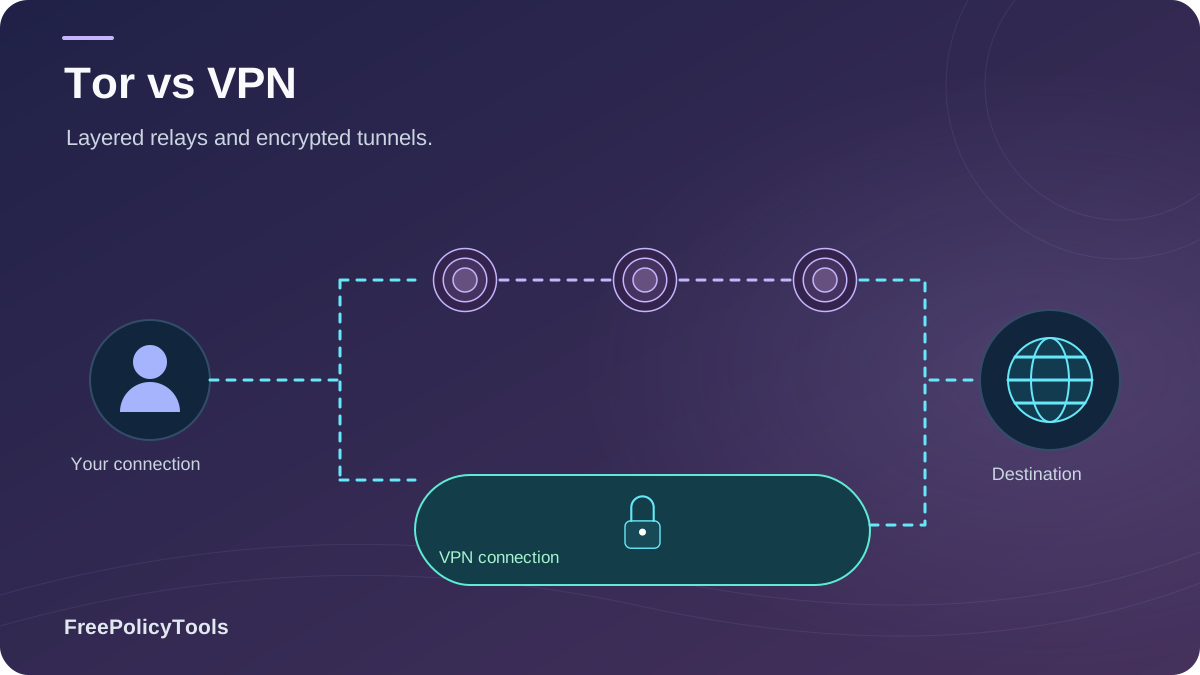
The "Tor vs VPN" debate is one of the most searched questions in online privacy — and one of the most badly answered. Tor and VPNs are frequently treated as interchangeable privacy tools, but they are fundamentally different technologies built for fundamentally different threat models: Tor is an anonymity network that hides who you are, while a VPN is an encrypted tunnel that hides where you're going.
Choosing wrong has real consequences: a journalist who relies on a consumer VPN when she needs anonymity, or a commuter who runs every stream through Tor when he only needed basic encryption. This guide breaks down exactly how onion routing and VPN tunnels work, how they compare on speed, privacy, security and cost, and — most importantly — which one you actually need based on what you do online.
What Is Tor & How Does Onion Routing Work?
Tor (The Onion Router) is a free, open-source anonymity network made up of roughly 7,000 volunteer-run relay servers around the world. When you browse with the Tor Browser, your traffic is wrapped in multiple layers of encryption and bounced through at least three randomly selected relays — an entry guard, a middle relay, and an exit relay — before reaching the destination website.
How Onion Routing Works, Step by Step
- Your traffic is wrapped in three layers of encryption (like an onion).
- The entry relay sees your IP address, but not your destination or content.
- The middle relay peels one layer; it knows neither who you are nor where you're going.
- The exit relay removes the final layer and forwards the request to the website.
- No single relay can link your identity to your activity — that's the core anonymity guarantee.
Anonymity First
Designed so no single observer can tie you to your traffic
Censorship Circumvention
Access .onion sites and routes around some blocks via bridges
Slow by Design
Three-hop routing adds significant latency and cuts throughput
Onion routing was originally developed by the U.S. Naval Research Laboratory in the mid-1990s to protect government communications.
Today, the nonprofit Tor Project maintains the network: roughly 7,000 volunteer relays serving an estimated 2 million daily users worldwide — with spikes every time a government cuts or filters its citizens' internet.
Source: The Tor Project — torproject.org, network metrics & history
Two important caveats: Tor only protects the traffic sent through the Tor Browser (or apps specifically configured for it), not your entire device. And if you visit an HTTP site, the exit relay can see the unencrypted content — HTTPS everywhere is essential.
What Is a VPN & How Does It Work?
A Virtual Private Network creates a single encrypted tunnel between your device and a server operated by the VPN provider. Everything leaving your device — all apps, all traffic — travels through that tunnel. To the outside world (your ISP, your café Wi-Fi, the websites you visit), your traffic appears to come from the VPN server's IP address rather than yours.
Anatomy of a VPN Connection
- Your device opens an encrypted tunnel to a VPN server (AES-256, WireGuard, ChaCha20).
- All of your internet traffic is routed through that tunnel.
- Websites see the VPN server's IP and location, not yours.
- Your ISP sees only encrypted data going to one destination — not the sites you visit.
- A kill switch cuts traffic if the tunnel drops, preventing leaks.
Whole-Device Encryption
Covers every app: browsers, games, streaming, torrents
Fast by Design
A single hop to a nearby server keeps speeds near baseline
Trust-Based
The provider can technically see your traffic — no-logs policies matter
That last point is the key trade-off in Tor vs VPN: a VPN is faster and far more convenient, but you must trust the provider. Reputable services publish audited no-logs policies and operate RAM-only servers so there is nothing meaningful to hand over. In our independent testing, Surfshark stood out for unlimited simultaneous devices and strong privacy controls — you can check current Surfshark pricing here.
Tor vs VPN: Head-to-Head Comparison
The table below captures the practical differences that matter most when deciding between Tor and a VPN:
| Dimension | Tor Browser | VPN |
|---|---|---|
| Core technology | Onion routing through 3+ volunteer relays | Encrypted tunnel to one provider server |
| Primary goal | Anonymity — hide who you are | Privacy & security — hide what you do |
| Who can see your IP | Only the entry relay | The VPN provider |
| Speed | Slow (often 10–30 Mbps retained) | Fast (80–95% retained on modern protocols) |
| Coverage | Browser traffic only | Entire device, all apps |
| Streaming / geo-unblocking | Poor — many sites block exit IPs | Excellent with a good provider |
| Torrenting / P2P | Not supported / discouraged | Supported on many providers |
| Cost | Free (donation-funded nonprofit) | Typically $2–12 per month |
| Trust model | Distributed — trust no single relay | Centralized — trust the provider's no-logs policy |
| Censorship | Bridges help, but relays get blocked | Obfuscated servers work in most regions |
How to read the radar: Tor dominates on anonymity and cost (free wins every budget), while VPNs dominate on speed, usability, streaming, and whole-device coverage. Neither tool is "better" — they optimize for different jobs.
Speed & Performance: The Biggest Practical Difference
If there is one area where Tor vs VPN is not a contest, it's performance. Every additional relay hop in the Tor network adds latency and reduces throughput — which is exactly the point (indirection creates anonymity), but it makes Tor unsuitable for video calls, gaming, or 4K streaming.
Compiled from independent speed tests on a 100 Mbps baseline connection, 2024–2026.
Key Stat: On a standard 100 Mbps connection, modern WireGuard-based VPNs typically retain 80–95% of your baseline speed, while Tor commonly retains only 10–30% — a 3–5x difference that you will feel on every page load.
Privacy vs Anonymity: Which Is Stronger?
These words get used interchangeably, but they are different guarantees. Privacy means nobody can see what you're doing. Anonymity means nobody can prove you were doing it.
VPN = Privacy
- Encrypts everything your device sends
- Hides your IP from websites and your local network
- Protects against Wi-Fi snooping and ISP profiling
- The provider itself can still tie activity to you — you're trusting their no-logs policy and jurisdiction
Tor = Anonymity
- No single relay knows both your identity and your destination
- No central company holds logs to subpoena
- Purpose-built for journalists, whistleblowers and activists
- Anonymity breaks if you log into personal accounts or misconfigure scripts
This distinction decides most real-world choices. If you're a reporter protecting a source, an activist under surveillance, or anyone who needs to be unidentifiable, Tor is the right tool — see our picks for the best VPNs for journalists if you want to layer both, and the best VPNs for activists for higher-risk profiles. If you simply don't want your ISP or coffee shop seeing your browsing, a VPN delivers 95% of the benefit at 10x the speed.
Security Risks of Each Approach
Neither tool is risk-free — and honest risk assessment is what separates a good privacy decision from theater.
Threats You Should Know About
- Tor exit nodes: Volunteers run them, and a malicious exit can sniff unencrypted (HTTP) traffic. Always use HTTPS.
- Tor endpoint attacks: Deanonymization usually happens at the endpoints — browser exploits, JavaScript, or logging into personal accounts — not by breaking onion routing itself.
- VPN provider trust: A VPN that logs and cooperates can hand over everything. Choose audited no-logs providers in privacy-friendly jurisdictions.
- Free VPNs: Many monetize by selling data or injecting ads — often worse than no VPN at all.
Good news: For everyday users, the practical risk from either tool is low compared with the risk of no protection on hostile networks. Security researchers consistently find that the safest configuration for most people is a reputable paid VPN used everywhere, with Tor reserved for the moments that genuinely demand anonymity.
Tor Over VPN & VPN Over Tor Explained
You don't have to pick just one. Advanced users chain the two technologies, and the order changes the guarantees:
Tor over VPN (VPN → Tor)
You connect to a VPN first, then open Tor Browser. Your ISP sees only VPN traffic, and the Tor entry relay sees the VPN's IP instead of yours. For background on IPsec-based VPNs, NIST’s Guide to IPsec VPNs explains their network-layer protection, configuration, and implementation considerations.
- Hides Tor usage from your ISP/network
- Protects against malicious entry relays
- Your VPN provider can tell you use Tor
VPN over Tor (Tor → VPN)
You route through Tor first, then into a VPN server. The destination sees the VPN IP, and even the VPN sees only a Tor exit.
- VPN provider cannot identify you
- Accesses services that block Tor exit IPs
- Slower, harder to configure; fewer providers support it
Reality check: For 95% of users, Tor over VPN is the practical chain — one click in your VPN app, then open Tor Browser. The reverse configuration is a niche setup for very high-risk profiles.
Which Should You Use? A Decision Guide
The honest answer to "Tor vs VPN: which one do you actually need?" depends entirely on the job. Here's how the tools score across the most common use cases:
Choose a VPN If You Want To…
- Encrypt everything on phone, laptop and smart TV at once
- Stream region-locked libraries or watch sports abroad
- Download torrents with IP protection
- Stay safe on hotel, airport and café Wi-Fi while traveling
- Stop ISP profiling and ad-network IP tracking day-to-day
Choose Tor If You Need To…
- Communicate without being identifiable (sources, whistleblowing)
- Research sensitive topics without a profile attached
- Reach .onion services and blocked information
- Avoid censorship where no commercial VPN can operate
- Use privacy tooling that costs nothing and has no vendor
Travelers facing filtered networks should read our best VPNs for restrictive countries guide, and our dedicated best VPN for China roundup covers the Great Firewall specifically. On a budget? The best cheap VPNs deliver real protection for pocket change, and frequent flyers will appreciate the best VPNs for travel picks. Confused by the wider tooling landscape? Our Smart DNS vs VPN explainer covers that corner too.
Tor vs VPN by the Numbers
Adoption data tells an important story: VPNs have gone mainstream, while Tor remains a specialized — but growing — tool for people who need genuine anonymity.
Compiled from Tor Project network metrics and public estimates.
What the Numbers Mean
Roughly one in three internet users has turned to a VPN, while Tor serves a steady ~2 million daily users — a smaller but strategically vital audience of journalists, activists, researchers and people living under censorship. In other words: VPNs are the everyday default; Tor is the specialized safety net, and both user bases are growing.
Cost Comparison
Tor is completely free — it's run by a nonprofit on donations and grants. A reputable VPN typically costs between $2 and $12 per month depending on plan length, with the best value on multi-year subscriptions.
| Cost Factor | Tor | VPN |
|---|---|---|
| Upfront price | $0 | $2–12/month (plan-dependent) |
| Device coverage | Browser only; other apps need separate setup | Unlimited-to-many devices per subscription |
| Hidden costs | Time: slow speeds, blocked sites, setup friction | Choosing an audited, trustworthy provider |
| Best value | Free for anonymity-critical use | Multi-year plans on reputable no-logs providers |
Frequently Asked Questions
Tor vs VPN: which one is actually safer?
They're safe in different ways. Tor provides stronger anonymity because no single operator can identify you, but it's slow and browser-only. A reputable VPN provides stronger practical security for all your devices and apps, as long as you trust its no-logs policy. For most people, a paid VPN is the safer day-to-day choice; Tor is safer when being identified is the actual threat.
Can I be tracked while using Tor?
Tor itself is robust, but anonymity usually breaks at the endpoints: logging into personal accounts (Google, Facebook), running browser exploits, enabling risky JavaScript, or misconfiguring downloads. Disciplined behavior matters as much as the tool. Never reuse your real identity inside Tor Browser.
Should I use Tor and a VPN together?
For most people, no — a good VPN covers everyday needs. The combination (Tor over VPN) makes sense for higher-risk users: connect to your VPN first, then launch Tor Browser. That hides your Tor usage from your ISP and shields you from malicious entry relays, with only minor extra setup.
Is Tor illegal? What about the dark web?
Tor is legal in most countries and is used by journalists, researchers, businesses and privacy-conscious citizens. The 'dark web' simply refers to .onion sites reachable via Tor — some are legitimate (newsrooms, whistleblower platforms), others are not. Legality depends on what you do, not on the tool itself. A few authoritarian regimes block or restrict Tor entirely.
Which is better for streaming and torrenting?
A VPN, decisively. Tor's exit IPs are widely blocked by streaming platforms, its speed can't handle HD video, and the Tor Project explicitly discourages P2P traffic. A fast no-logs VPN with streaming-optimized servers is the right tool for both.
Do VPNs keep logs of my activity?
It depends entirely on the provider. The best services maintain independently audited no-logs policies, run RAM-only servers, and publish transparency reports. Avoid free VPNs, which frequently monetize by collecting and selling the very data you're trying to protect.
Related Resources
Conclusion
So, Tor vs VPN: which one do you actually need? For the overwhelming majority of people, the answer is a VPN — it's faster, covers every device and app, unblocks streaming, secures torrents, and protects you on public Wi-Fi, all for a few dollars a month. Tor remains the irreplaceable choice when anonymity itself is at stake: journalism, activism, whistleblowing, and life under censorship.
The smartest setup is rarely either/or. Keep a reputable no-logs VPN running as your everyday baseline, and know how to reach for Tor Browser the moment a situation demands that nobody can identify you. That two-layer approach gives you the speed of the modern web and the anonymity of onion routing — each exactly when you need it.
Key Takeaways
- • VPNs hide what you do; Tor hides who you are
- • VPNs retain ~80–95% of speed; Tor typically ~10–30%
- • VPNs cover whole devices; Tor protects browser traffic only
- • Streaming & torrenting = VPN; anonymity-critical work = Tor
- • Tor over VPN is the practical way to combine both
Next Steps
- • Pick an audited no-logs VPN for everyday use
- • Install Tor Browser for moments needing anonymity
- • Enable your VPN's kill switch and leak protection
- • Never log into personal accounts inside Tor
- • Practice the Tor-over-VPN chain before you need it
Ready to lock down your everyday connection?
Grab a trusted, audited no-logs VPN — check Surfshark's latest deal and protect unlimited devices on one plan.