Smart DNS vs VPN: What's the Difference for Streaming?
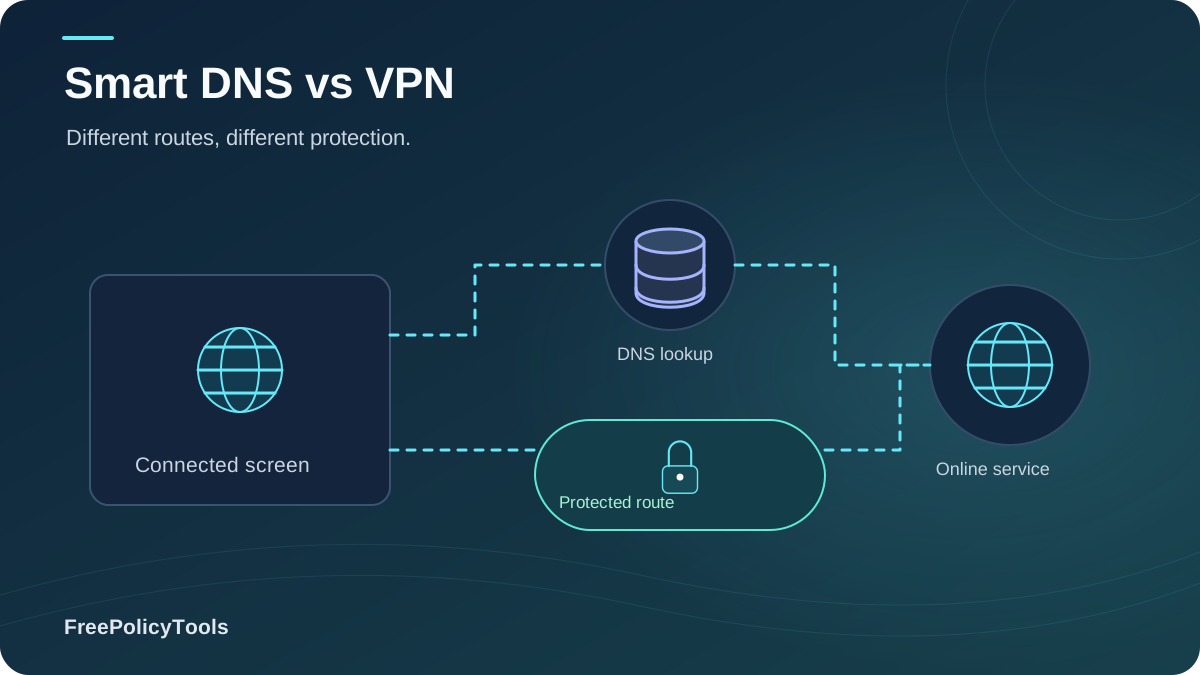
Smart DNS vs VPN is the most common dilemma for cord-cutters, travelers and streaming fans who want access to region-locked libraries without sacrificing picture quality. Both technologies can make a foreign streaming catalog appear on your TV—but they do it in completely different ways, with very different consequences for your speed, privacy and security.
In short: Smart DNS reroutes only your DNS lookups (fast, no encryption), while a VPN encrypts and reroutes your entire connection (private, slightly slower). With video now accounting for roughly two-thirds of all downstream internet traffic globally (Sandvine, Global Internet Phenomena Report), choosing the right tool matters—for your bandwidth bill, your privacy, and whether that 4K stream buffers at the climax. This guide breaks down exactly how each works, benchmarks them head-to-head, and tells you which to pick for every common scenario in 2026.
What Is Smart DNS? (Definition & How It Works)
Smart DNS is a service that intercepts and rewrites only your DNS queries—the lookups your device makes to translate a name like "netflix.com" into an IP address. By answering region-sensitive lookups from a server in your target country and handing you an optimized content-delivery endpoint, Smart DNS convinces streaming platforms that you're browsing from somewhere else. Crucially, the rest of your traffic flows directly to the internet, unencrypted, from your real IP address. In the Smart DNS vs VPN debate, this "surgical, DNS-only" approach is exactly why Smart DNS adds virtually zero overhead to your stream. The IETF’s DNS concepts specification explains DNS name resolution; changing a DNS resolver is distinct from establishing an encrypted VPN tunnel.
How Smart DNS Works
Only DNS answers are swapped; your actual data path stays direct and untouched.
[Your Device - real IP still visible]
        |  DNS queries rerouted ONLY
        v
[Smart DNS Server (target country)]   <-- rewrites region-check responses
        |  returns optimized CDN / app endpoint
        v
[Streaming Service]   <-- traffic flows DIRECT, unencrypted, full speed
DNS-Level Rerouting
Rewrites region checks without touching your data path
Zero Encryption Overhead
No tunneling means no speed or latency penalty
Works on Almost Any Screen
Smart TVs, consoles & boxes that can set a DNS address
Strengths & Weaknesses of Smart DNS
Where Smart DNS Wins
- Full baseline speed—ideal for 4K/HDR streaming
- No latency penalty for gaming or video calls
- Native support on devices that can't run VPN apps
- One subscription typically covers unlimited devices
- Two-minute setup: change two DNS numbers, reboot
Where Smart DNS Falls Short
- No encryption at all—your ISP sees everything you do
- Your real IP address stays fully visible
- No protection on public Wi-Fi or from ISP throttling
- Streaming platforms block known Smart DNS ranges aggressively
- A rogue DNS provider can redirect or spy on your lookups
What Is a VPN? (Definition & How It Works)
A Virtual Private Network (VPN) creates an encrypted tunnel between your device and a VPN server in a country of your choice. Every packet—streaming, browsing, DNS, everything—travels through that tunnel, and the internet sees the VPN server's IP instead of yours. For streaming, this means the platform sees a legitimate residential-style IP in the target country, which is harder to fingerprint than a shared Smart DNS range. The trade-off in the Smart DNS vs VPN comparison is physics: encryption plus a detour costs some speed and adds latency.
How a VPN Works
Full-tunnel model: everything is encrypted, relocated and protected—not just streaming.
[Your Device]
        |  AES-256 / ChaCha20 encrypted tunnel
        v
[VPN Server (new IP, chosen country)]   <-- your identity to the internet
        |  decrypted & forwarded
        v
[Streaming Service]   <-- sees VPN server IP, never yours
Full-Tunnel Encryption
AES-256/WireGuard protects every packet you send
IP & Location Swap
Appear in 60–100+ countries with a new IP address
Hostile-Network Shield
Neutralizes snooping on public & hotel Wi-Fi
Key Stat: Roughly 31% of all internet users worldwide—over 1.75 billion people—now use a VPN, with streaming and privacy among the top stated motivations (Statista / GlobalWebIndex consumer surveys).
Smart DNS vs VPN: Head-to-Head Comparison
The table below condenses the entire Smart DNS vs VPN decision into the nine dimensions that actually matter for streaming households.
| Dimension | Smart DNS | VPN |
|---|---|---|
| What it changes | Only DNS answers (region checks) | Your entire route, IP and location |
| Encryption | None—traffic stays in clear text | Full-tunnel AES-256 / WireGuard encryption |
| Speed impact | ~0% (direct path preserved) | ~5–15% nearby, up to 40%+ distant |
| Latency / ping | Unchanged or slightly better | Adds 10–80 ms depending on server distance |
| IP masking | No—real IP remains visible | Yes—server IP replaces yours |
| ISP throttling defense | None—ISP sees streaming traffic | Strong—ISP can't inspect tunneled traffic |
| Device support | Anything with DNS settings (TVs, consoles) | Apps + routers; consoles need router setup |
| Setup difficulty | Very easy (2 DNS addresses) | Easy with apps; medium on routers |
| Best for | Max-quality streaming on TVs & consoles | Privacy, public Wi-Fi, travel, throttling |
Research Spotlight: Streaming Rules the Internet
Sandvine's Global Internet Phenomena Report—the industry's longest-running independent measurement of real network traffic—found that video streaming accounts for roughly two-thirds of all downstream internet traffic worldwide, with Netflix and YouTube alone contributing close to 30% of global downstream volume. In other words: the tool you pick for streaming is effectively the tool you pick for most of your home bandwidth.
Source: Sandvine, "Global Internet Phenomena Report" (2024 edition).
Streaming Performance: Speed, Latency & Buffering
Performance is where Smart DNS vs VPN stops being theoretical. Because Smart DNS never touches your data path, it preserves essentially 100% of your baseline throughput—bitrate-hungry 4K HDR streams (25 Mbps+) barely notice it. A VPN adds encryption overhead and distance: with a modern WireGuard server nearby you'll typically keep 90%+ of your speed; with OpenVPN or a far-away server, losses of 30–40% are common, which is exactly when 4K drops to 1080p and buffers appear.
Aggregate of independent WireGuard/OpenVPN benchmark tests (2025); individual results vary by provider, protocol and server load.
Latency-Sensitive Use Cases
- Cloud gaming & esports: every millisecond counts—Smart DNS keeps ping flat
- Live sports: VPN detours can add seconds of extra delay vs broadcast
- Video calls while streaming: full-tunnel VPNs can degrade both
Gamers: see our best VPNs for gaming for low-latency picks.
When a VPN Can Actually Be Faster
- ISPs that throttle streaming traffic—encryption hides it and stops the slowdown
- Poorly-peaked local networks—a well-peered VPN server can route around congestion
- Crowded local CDNs—VPN egress may hit a less loaded edge node
For consistently smooth 4K, start with our best VPNs for streaming shortlist.
Privacy & Security: What Each One Actually Protects
This is the most misunderstood part of the Smart DNS vs VPN conversation. Smart DNS is a content-access tool, not a privacy tool: it encrypts nothing, hides nothing about your identity, and leaves your ISP a complete record of your streaming habits. A VPN is a privacy and security tool that also happens to unlock geo-content. The radar chart makes the asymmetry obvious.
Smart DNS Privacy Risks You Should Know
- Your ISP (or anyone on the local network) can read every unencrypted request you make
- Your real IP is logged by every streaming service and website you visit
- A malicious or compromised DNS provider can redirect lookups to phishing sites
- No defense against ISP throttling, ads, trackers or public Wi-Fi snoops
Important: If your threat model includes public Wi-Fi, ISP surveillance, advertising trackers, or restrictive networks, Smart DNS alone is not sufficient—pair it with a reputable no-logs VPN, or use the VPN's built-in Smart DNS feature only on trusted home networks.
Geo-Unblocking: Netflix, iPlayer & the Detection Game
Why bother at all? Because streaming catalogs differ dramatically by country—tracking services like uNoGS show the largest Netflix libraries holding roughly two to three times more titles than the smallest regional catalogs. Both Smart DNS and VPNs chase that gap, but platforms fight back differently: Smart DNS ranges are small and easy to blacklist, while VPN providers rotate thousands of residential-style IPs. The result is a cat-and-mouse game with distinct win rates per platform.
Typical success rates aggregated from community streaming-unblock tests (2025); results vary by provider, server and week. Catalog-size data: uNoGS Netflix catalog tracking.
How Platforms Detect Smart DNS
- DNS/IP mismatch: DNS resolves in the US while your IP is elsewhere—instant red flag
- Shared DNS ranges: one blacklist entry blocks thousands of users
- App-level checks: native apps query DNS independently of OS settings
Why VPNs Usually Win the Arms Race
- Consistent IP + DNS + location story—no mismatch to detect
- Huge rotating IP pools make blacklists a whack-a-mole game
- Dedicated / static IP options for stubborn platforms
Device Compatibility & Setup
Living-room hardware decides many Smart DNS vs VPN arguments before speed or privacy even enter the chat. Consoles and most Smart TVs can't install VPN clients, but nearly all of them accept custom DNS addresses—Smart DNS's home turf. VPNs answer back with native apps on phones, computers, Fire TV and Android TV, plus router-level coverage for everything else.
| Device | Smart DNS | VPN | Notes |
|---|---|---|---|
| Smart TV (Samsung / LG) | Yes | Partial | DNS in network settings; VPN only via router or select TV apps |
| PlayStation / Xbox | Yes | Router only | Consoles accept DNS; VPN needs router or shared connection |
| Apple TV | Yes | Partial | DNS in settings; VPN via router or tvOS apps where available |
| Fire TV / Android TV | Yes | Yes | Native VPN apps make this a VPN-friendly platform |
| Windows / macOS | Yes | Yes | Full support for both; VPN apps add kill switch & leak protection |
| iPhone / Android | Yes | Yes | Private DNS setting vs full VPN app—privacy differs hugely |
| Home router | Yes | Yes | Router VPN covers every device at once, consoles included |
Quick Setup Paths
Smart DNS (any device):
- Subscribe & register your public IP
- Enter the provider's two DNS addresses
- Reboot device, open the app, stream
VPN (whole home):
- Flash/configure a VPN-capable router
- Log in to your VPN on the router
- Pick a server—every device is covered
See our best VPN routers guide for compatible hardware.
Cost Comparison: What You'll Really Pay
Standalone Smart DNS services are cheap (typically $3–5/month) but single-purpose. VPNs cost more month-to-month yet collapse to $2.50–4/month on two-year plans—and increasingly include Smart DNS as a bundled feature, which makes the standalone Smart DNS purchase hard to justify. When you price in what a VPN adds (encryption, IP masking, throttling defense, ad blocking), the bundle is usually the best value in the entire Smart DNS vs VPN equation.
Average public list pricing across major providers, 2025; promotional rates vary.
Key Stat: Long-term VPN plans cut effective monthly cost by 60–75% versus month-to-month billing, and several top providers bundle Smart DNS, ad blocking and antivirus at no extra charge—our best cheap VPN roundup tracks the current value leaders.
Which Should You Choose? Decision Guide
Use this scenario matrix to settle the Smart DNS vs VPN question for your household in under a minute.
| Your Scenario | Best Tool | Why |
|---|---|---|
| 4K streaming on Smart TV / console at home | Smart DNS | Zero speed loss; devices accept DNS but not VPN apps |
| Streaming + browsing on hotel or café Wi-Fi | VPN | Encryption is non-negotiable on untrusted networks |
| Traveling in or near restrictive countries | VPN (obfuscated) | Hides traffic type and bypasses network-level blocks |
| ISP throttles your evening streams | VPN | Encryption prevents traffic-type-based slowdowns |
| Gaming + regional game stores & matches | Smart DNS or nearby VPN | Ping matters; use DNS or the closest WireGuard server |
| Whole family, mixed devices, one bill | VPN bundle with Smart DNS | Covers apps, routers and TVs with a single subscription |
Pick Smart DNS If…
- You only need geo-unblocking on trusted home networks
- Your main screens are TVs and consoles without VPN apps
- Maximum bitrate and minimum latency trump privacy
Pick a VPN If…
- You stream away from home or on public networks
- You want IP masking, throttling defense and tracker blocking
- You travel—our best VPNs for travel cover restrictive networks
Using Smart DNS and VPN Together
The smartest modern setup isn't Smart DNS vs VPN—it's Smart DNS inside a VPN subscription. Several major providers (Surfshark included, as we detail in our Surfshark VPN review) ship a Smart DNS feature alongside full VPN apps: flip Smart DNS on for the living-room TV, flip the encrypted tunnel on for laptops and phones. One account, both superpowers, no speed tax on the big screen.
The Hybrid Household Blueprint
- TVs & consoles: provider Smart DNS for full-bitrate regional libraries
- Laptops & phones: WireGuard VPN with kill switch enabled
- Router: VPN for devices that support neither (IoT, older boxes)
- Rule of thumb: trusted home network = DNS okay; anywhere else = VPN always
Want to test both modes before committing? Browse the Surfshark VPN + Smart DNS bundle—one subscription covers every device in the house.
Frequently Asked Questions
Is Smart DNS as safe as a VPN?
No. Smart DNS provides no encryption, no IP masking and no protection from your ISP or anyone on your local network. It only changes how region checks are answered. For any untrusted network—hotels, airports, cafés—a VPN is mandatory; Smart DNS is acceptable only on networks you already trust.
Does Smart DNS change my IP address?
No. Your public IP address stays exactly the same. Smart DNS only rewrites DNS responses so streaming services believe you are in another region. If a site or app checks your IP directly (many do), Smart DNS alone will fail—which is why VPNs remain more reliable for stubborn platforms.
Will Smart DNS slow down my internet?
Practically never. Because your data travels its normal direct path with no encryption overhead, throughput and latency stay at baseline—and optimized DNS answers can even reduce startup time. This is Smart DNS's single biggest advantage over a VPN for 4K streaming.
Can streaming services detect and block Smart DNS?
Yes, and they do it constantly. Platforms compare your DNS location against your IP location and blacklist known Smart DNS ranges. VPNs get blocked too, but their large rotating IP pools recover faster. Expect occasional "proxy error" messages with either tool; quality providers fix them within hours or days.
Is using Smart DNS or a VPN for streaming legal?
The technologies themselves are legal in most countries. However, circumventing regional licensing can violate a streaming service's Terms of Service, which may result in blocked playback or (rarely) account restrictions. Some countries also restrict VPN usage entirely—check local law before traveling.
Should I just get a VPN that includes Smart DNS?
For most households, yes. A bundled plan gives you encrypted privacy on phones and laptops plus DNS-based unblocking on TVs and consoles for one price—typically cheaper than buying a standalone Smart DNS service and a VPN separately. Providers like Surfshark VPN include Smart DNS in standard subscriptions.
Related Resources
Conclusion
The Smart DNS vs VPN verdict for 2026 is refreshingly simple: Smart DNS is a speed-optimized key to foreign catalogs; a VPN is a privacy vault that also happens to unlock them. On a trusted home network with a TV or console that can't run VPN apps, Smart DNS delivers flawless 4K with zero overhead. The moment you leave home, touch public Wi-Fi, or face ISP throttling, only a VPN protects you.
For most households the optimal answer is a hybrid: a single VPN subscription with bundled Smart DNS—encrypted tunnels on phones and laptops, DNS magic on the big screen. With streaming consuming roughly two-thirds of global downstream traffic, the right setup pays for itself in picture quality, unlocked libraries and peace of mind.
Key Takeaways
- • Smart DNS = DNS rewriting only: ~100% speed, zero encryption
- • VPN = full-tunnel encryption: privacy, IP masking, ~5–15% speed cost nearby
- • VPNs win unblock reliability; Smart DNS wins TVs, consoles & latency
- • 31% of internet users (1.75B+) already use a VPN (Statista)
- • Bundled VPN + Smart DNS plans are the best value in 2026
Next Steps
- • List your streaming devices & where you watch
- • Test baseline speed, then re-test with VPN on
- • Pick a bundle with Smart DNS + WireGuard + kill switch
- • Configure DNS on TVs/consoles, VPN apps elsewhere
- • Re-test unblocking quarterly—platforms fight back
Not sure which provider handles streaming best?
Read our tested roundup: Best VPNs for Streaming—or start risk-free with a VPN free trial.