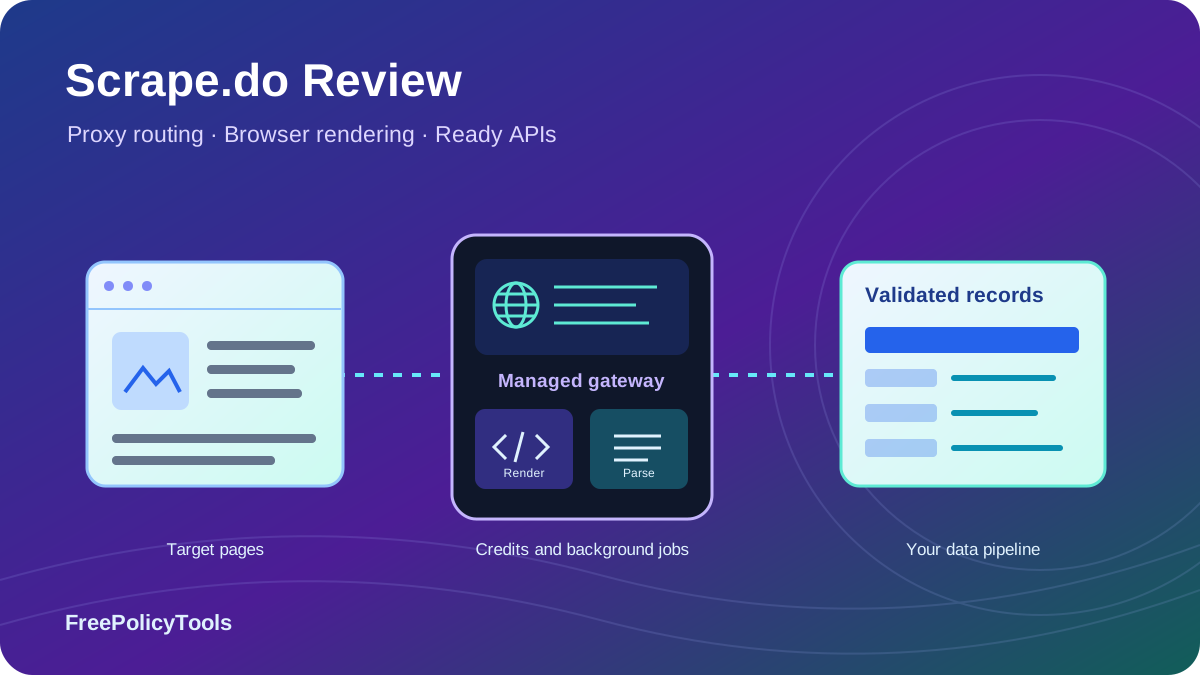
Scrape.do is a managed web scraping API that handles page access, proxy routing and optional browser rendering. Its current offering also includes Ready APIs for parsed data from selected targets and an Async API for background jobs. The appeal is broad feature access without operating all of that infrastructure yourself. The key purchasing question is how many useful records your credits actually produce.
This detailed review checks published pricing and documentation as of October 4, 2026, explains mode and domain costs, and works through integration and billing decisions. We did not run a controlled speed or success-rate benchmark. Our charts show documented limits and calculations, with hypothetical examples labeled as such. For the wider market, see our best web scraping tools comparison.
What Is Scrape.do, and Who Should Use It?
Best fit: developers with a data workflow
Scrape.do fits applications that already know which sources to collect and where records should go. It can replace much of the proxy and rendering work while your code handles target selection, business rules, validation and durable storage.
Main tradeoff: modes change credit consumption
Rendering and residential routing cost more than a plain datacenter request. Certain targets receive automatic profiles with their own costs. Broad feature access is useful, but your workload’s response quality and credit consumption decide value.
The service offers several access paths. The generic API retrieves a URL; proxy mode integrates with compatible clients; Ready APIs produce target-specific parsed fields; async jobs process work in the background. None of those removes the need to define what a valid record means. Your application still needs to detect missing values, wrong locales and duplicates before publishing or analyzing the data.
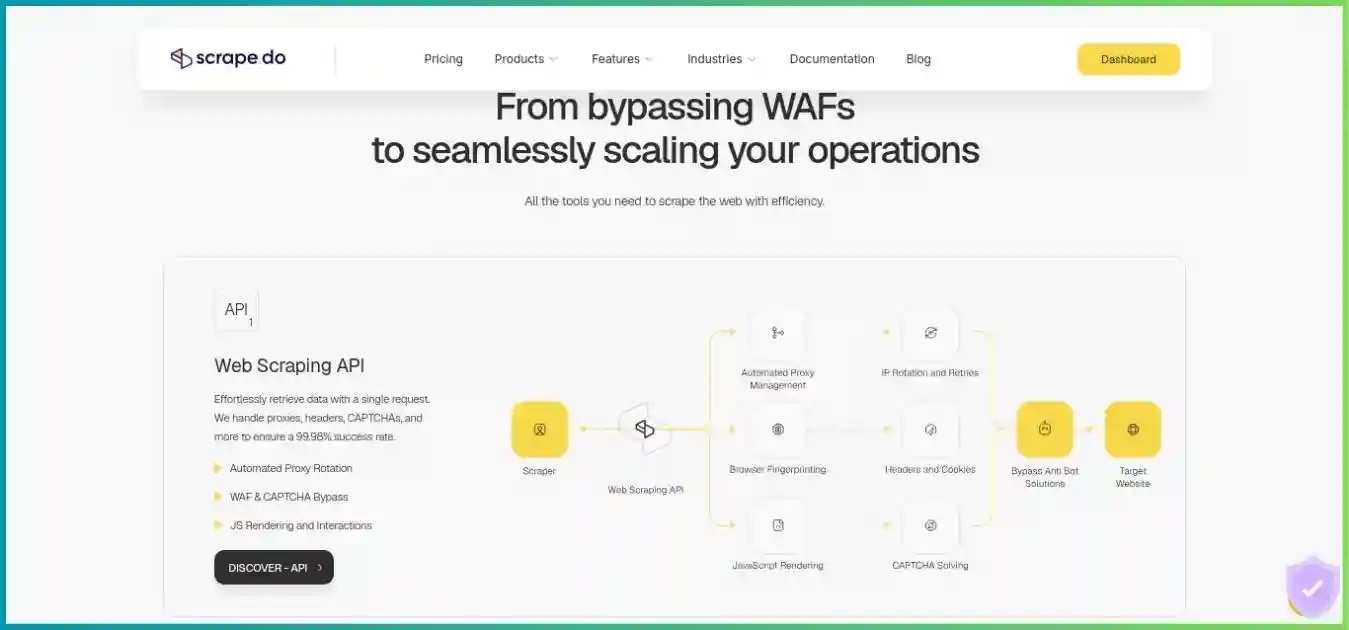
A focused API with browser and proxy options
Use a standard request first, then enable the options the target requires. For a supported structured endpoint, compare its returned schema with your required fields before deciding whether you need a custom parser.
Existing provider homepage image for context. Its design and promotional copy may differ from the current product.
Shortlist Scrape.do if maintaining page access is the largest burden in your project. If the larger burden is running a complete scraper or authoring extraction rules without code, compare a hosted program platform or visual builder. Our Scrape.do vs Apify guide explains that workflow choice.
Scrape.do Pricing: Plans, Annual Billing and Terms
The current public lineup includes Free, Hobby, Pro, Business, Advanced and custom Enterprise arrangements. Credits measure billable consumption; concurrency limits how much work can execute simultaneously. Higher tiers add capacity and support, rather than making ordinary rendering or residential access exclusive to Business.
| Plan | Monthly price | Credits | Main requests | Separate async | Support / distinction |
|---|---|---|---|---|---|
| Free | $0 | 1,000 / month | 5 | 2 | Core features; no card advertised |
| Hobby | $29 | 250,000 | 10 | 3 | Email support |
| Pro | $99 | 1,250,000 | 50 | 15 | Priority email support |
| Business | $249 | 3,500,000 | 100 | 30 | Dedicated support; team management |
| Advanced | $699 | 10,000,000 | 200 | 60 | Custom WAF strategies / SLA; Slack support |
| Custom / Enterprise | Negotiated | Negotiated | Negotiated | Confirm contract | Custom infrastructure and target requirements |
Pricing page and current async reference agree on the listed main limits. The async pool is additional and uses the same credit subscription. Enterprise infinity symbols are marketing presentation, not a verified promise of unlimited free usage. Confirm contracted limits and tax.
Annual prices: a stated offer and its actual arithmetic
| Plan | 12 monthly payments | Annual total | Annual equivalent / month | Yearly saving |
|---|---|---|---|---|
| Hobby | $348 | $290 | $24.17 | $58 (16.7%) |
| Pro | $1,188 | $990 | $82.50 | $198 (16.7%) |
| Business | $2,988 | $2,490 | $207.50 | $498 (16.7%) |
| Advanced | $8,388 | $6,990 | $582.50 | $1,398 (16.7%) |
USD subscription totals, excluding tax and additional credits. Annual offers require support setup.
Zero-based USD scale: $0–$8,500. Each annual total is 10 monthly payments: a 16.7% saving against 12 payments.
The pricing FAQ says annual billing is currently arranged manually through support. It advertises “up to 20%,” but the named offers charge ten monthly payments for twelve months: a 16.7% reduction against twelve payments. Do not treat the monthly equivalent as a month-to-month subscription. Confirm the invoice, renewal amount, annual credit allocation and additional-credit terms in writing before committing.
A monthly pilot can be the better initial purchase if your targets are untested. An annual discount has limited value if an endpoint lacks essential fields or most credits go unused. First estimate the real collection schedule, including revisits and pagination, then compare the annual commitment against the amount of work you can confidently use.
Free testing, exhaustion and subscription renewal
Free provides a small credit allowance for testing core capabilities. Use it to inspect response types and required options; it is too small to prove sustained production reliability on every mode. The monthly pricing FAQ says requests stop when the allowance is exhausted unless you upgrade or buy additional credits. Set your own usage alert before that point so collection does not stop halfway through a time-sensitive batch.
Cancellation and refunds are separate
Terms describe automatic renewal unless you cancel through your account or support. The initial refund window is three days from the first subscription purchase, with successfully used credits excluded and possible payment-commission deductions.
For a forgotten cancellation on a later cycle, the terms describe a full refund within three days and 50% within fifteen days, subject to stated conditions and commissions. Confirm how consumed credits and your exact payment apply. The no-card Free offer is distinct from the terms’ provision for trials that can collect payment details and convert automatically.
API Credits: Mode Costs, Domain Rules and Real Value
The standard cost table is useful for an initial estimate, but it applies to ordinary domains without special profiles. Scrape.do can enable residential routing or rendering automatically on a named target. That means omitting expensive options from your own request does not necessarily produce a one-credit response.
| Mode | Parameters | Credits / billable response | 250K-credit capacity |
|---|---|---|---|
| Datacenter | Default ordinary request | 1 | 250,000 responses |
| Rendered datacenter | render=true | 5 | 50,000 responses |
| Residential / mobile | super=true | 10 | 25,000 responses |
| Rendered residential / mobile | super=true + render=true | 25 | 10,000 responses |
Published base rates for ordinary domains. Combined rendering/residential cost is 25 credits, not 5 + 10. Named targets can differ.
Zero baseline; shared scale from 0 to 25 credits.
Named targets can have different costs and response types
| Target | Listed credits | Important distinction |
|---|---|---|
| Amazon domains | 1 | Generic requests are routed through the Amazon Scraper API; structured JSON is documented |
| Google domains | 10 | Residential profile applied automatically |
| 30 | Specialized infrastructure | |
| Air Canada | 75 | Residential + rendering profile automatically applied |
| Shopee domains | 100 | Custom infrastructure; contact support for access |
| Carsales Australia | 25–200 | Dynamic request complexity; confirm access and cost |
These are examples from the current cost reference, not a complete or permanent target list. Test the exact URL and inspect Scrape.do-Request-Cost on every response. Pair it with Scrape.do-Remaining-Credits to reconcile usage. If a target needs a stricter combination than its default profile, the higher rate can apply. Do not silently assume that a target’s output remains raw HTML when a specialized route returns parsed data.
“Successful” for billing does not always mean useful data
The request-cost reference counts 2XX and target 400, 404 and 410 responses as successful for billing. The status-code reference distinguishes a non-billable bad request to Scrape.do from a billable bad request returned by the target. It lists concurrency 429, failed 502 and client-cancelled 510 as non-billable. Judge the origin and meaning of a status, rather than treating every non-200 response the same.
A page with no required price, the wrong product or duplicate content can still need review after retrieval. Scrape.do’s pricing FAQ invites users to contact support about invalid content and claim consumed credits; the technical reference mentions custom account rules. This is a support process, not proof that every rejected record is automatically free. Record sample responses and the affected URL patterns to make a useful request.
Cost per credit is only the starting point
| Plan | USD / 1K credits | USD / 1K 25-credit responses | What is excluded |
|---|---|---|---|
| Hobby | $0.1160 | $2.9000 | Unused allowance, named-domain rules, rejected records, engineering |
| Pro | $0.0792 | $1.9800 | Unused allowance, named-domain rules, rejected records, engineering |
| Business | $0.0711 | $1.7786 | Unused allowance, named-domain rules, rejected records, engineering |
| Advanced | $0.0699 | $1.7475 | Unused allowance, named-domain rules, rejected records, engineering |
For Hobby, $29 divided by 250,000 credits gives $0.116 per 1,000 included credits. At 25 credits per response, that allocates $2.90 per 1,000 billable responses when the whole allowance is used. Pro allocates $1.98 per 1,000 such responses at full utilization. Higher tiers can improve nominal rates, but unused commitments can reverse the practical saving. These calculated values are more precise than rounded promotional per-credit labels.
- 800 accepted
- 150 incomplete
- 50 duplicates
Hypothetical counts, not measured Scrape.do quality. Assumes one candidate record per response.
Allocated cost versus the actual invoice
Suppose 1,000 responses each cost 25 credits. They consume 25,000 credits, or 10% of Hobby’s allowance. At full subscription utilization, that allocates $2.90 to the batch. With 800 accepted records, allocated cost is about $0.00363 per accepted record.
If that is your only batch for the month, your invoice is still $29. Actual subscription cost is $29 ÷ 800 = $0.03625 per accepted record. The difference is unused capacity, before parsing, storage and labor.
Use total spend divided by accepted records when comparing providers. For multi-page extraction, include every page needed to build the record. For a search endpoint returning several results, validate the records rather than equating a page with one row.
Proxy, Rendering and Browser Features
Scrape.do advertises core features on every plan: datacenter and residential/mobile access, rendering, browser interactions, geo-targeting and sticky sessions. That broad access makes a small pilot useful. It does not remove mode costs, target restrictions or the need to confirm a specialized pool or location.
Proxy selection and rotation
Normal retrieval uses the base proxy configuration; super=true selects residential/mobile routing. The FAQ describes per-request rotation unless a session is used. Choose the lowest-cost route that returns complete target content, and compare accepted-record cost before making super the default for every URL.
Country and postal targeting
geoCode selects a country; regionalGeoCode selects a region. Postal targeting requires super=true and a valid geoCode, with postalcode or zipcode as the location parameter. Confirm the target area’s availability and inspect the returned currency, language and store context. A requested location alone does not prove the correct localized record.
JavaScript rendering
render=true loads the page in a managed browser. Use it for content that appears after scripts execute, rather than paying for rendering when the fields are already present in raw HTML. Rendering is a retrieval tool: it does not automatically define which field is a price, product ID or availability status.
Session continuity
sessionId accepts an integer from 0 to 1,000,000. A session closes after five minutes without a request; failures can replace its proxy and session. Geography scopes the session. Treat this as best-effort continuity with recovery logic, not a permanently dedicated IP reservation.
Wait for meaningful content, not just a loaded document
Browser options include load conditions and additional waits. A document can load before the product card or API response is complete, so validate the specific element or response you need. Prefer a bounded selector or request-completion condition over a long fixed sleep when possible. Resource blocking can reduce unnecessary work, but blocking an essential script or API call can also remove the fields you intended to collect.
The browser-interaction reference supports actions such as click, fill, scroll, selector waits, JavaScript execution and navigation-aware clicks. Instructions run in order through playWithBrowser. Encode the instruction list correctly and keep it as short as the extraction requires. Test action sequences against a representative sample; selectors and navigation behavior can change when the target redesigns its page.
ReturnJSON, screenshots and Markdown solve different problems
returnJSON=true requires rendering and exposes browser network information, including XHR and Fetch responses; screenshot output can appear as base64. That can be helpful when a page obtains its data from a background endpoint, but it is not a universal structured product extractor. Separately, output=markdown converts supported HTML responses into Markdown. Choose based on the downstream job: debugging, field extraction or readable text ingestion.
Network size and feature labels need context
Current marketing advertises 150M+ IPs and geo-targeting in 160+ countries. Those are provider-reported network figures, not independently audited inventory or a guarantee that a particular postal area has an available exit. The standalone proxy and scraping-browser products shown as “Coming Soon” are also different from the rendering and proxy-routing features already available through the API.
Ready APIs: Structured Data for Supported Targets
The current product catalog expands Scrape.do beyond generic page retrieval. Ready APIs return parsed data for selected ecommerce, search, maps, travel and other targets. That can reduce the amount of custom extraction code you maintain. It also changes what you evaluate: field coverage, identifiers, pagination and locale handling become as important as whether the page can be fetched.
| API family | Example output | Listed credits / successful call | Check before scaling |
|---|---|---|---|
| Amazon | Products, offers and search | 1 | Specific endpoint, marketplace, variant and delivery context |
| Walmart | Product details and search | 10 | Store / ZIP selection and endpoint fields |
| Google Search | Search results and supported enriched results | 10 | Language, location, pagination and result type |
| Google Shopping | Product listings and retailers | 10 | Filters, currency and merchant identity |
| Google Maps | Places, details and reviews | 10 | Place IDs, pagination and requested fields |
| YouTube | Search results and related discovery content | 10 | Search schema; not a general video-download service |
A selected catalog snapshot, not exhaustive coverage. Use the endpoint’s actual reference and request-cost accounting. Different endpoint families may have different constraints.
The request-cost documentation specifically says Amazon-domain requests are routed through the Amazon Scraper API and return structured JSON. If you are migrating an existing HTML parser, inspect the response before wiring it into that parser. A generic URL interface does not guarantee that every target always returns the same content type.
Build a small schema check around a Ready API response. Validate required identifiers and values, preserve missing fields rather than inventing them, and retain collection time and source. A provider-maintained parser can reduce breakage after layout changes, but your acceptance rules remain necessary. Ask about an unsupported target’s availability rather than assuming the existing catalog can parse arbitrary websites.
Async plugins enable supported structured workloads in background jobs. Plugin keys and parameters are endpoint-specific, so confirm the selected family is available through Async before designing a bulk workflow around it. Keep the generic HTML, browser-network and Ready API routes distinct in your application’s data model.
Async Jobs, Concurrency and Result Delivery
The Async API accepts jobs and returns identifiers so your application can continue working while tasks run. It supports job/task inspection, cancellation and webhook delivery. Use it for batches or slow targets when keeping a user-facing request open would be impractical. A batch submission still needs a credit budget and a reliable ingestion path.
Current pricing-page capacities. These are execution limits, not measured requests per second.
Zero baseline; shared scale from 0 to 200 requests.
| Plan | Main capacity | Separate async capacity | Interpretation |
|---|---|---|---|
| Free | 5 | 2 | Documented rounded entry capacity |
| Hobby | 10 | 3 | Async capacity is additional; credits are shared |
| Pro | 50 | 15 | Async capacity is additional; credits are shared |
| Business | 100 | 30 | Async capacity is additional; credits are shared |
| Advanced | 200 | 60 | Async capacity is additional; credits are shared |
The current Async table agrees with the pricing page’s main limits. For paid tiers it lists an extra pool equal to 30% of main concurrency. That pool is not deducted from main execution slots. It is also not a separate free credit allowance. Queuing many targets does not mean all of them run immediately, and a larger pool does not establish a universal completion rate.
Async authenticates with an X-Token header, while generic synchronous examples use a token parameter. Results are temporary: retrieve each task before its ExpiresAt timestamp, then persist accepted records in your own database or object storage. Use backoff if polling, or an idempotent webhook receiver that validates job identity, survives duplicate delivery and tracks partial failures.
Do not count a delivered webhook as a completed dataset until ingestion and validation succeed. Save enough progress to replay one failed task rather than resubmitting the entire batch. Confirm cancellation behavior for in-flight tasks, especially if you are stopping a job because its observed cost is higher than planned.
Performance Claims and a Practical Evaluation Plan
Scrape.do currently advertises a 99.98% success rate. We have not independently reproduced that figure, and it should not be read as the acceptance rate for your fields or every website. A request-level success measure, a service-availability commitment and a complete-record rate describe different outcomes. The review therefore does not rank providers using invented response times or unsupported success percentages.
Actual latency depends on target response time, browser execution, retries, geography and the amount of content returned. For illustration, ten fully occupied main slots with an assumed five-second average duration could complete roughly two responses per second before client overhead. At twenty seconds, the same capacity drops to half a response per second. These assumptions are arithmetic, not a measured Scrape.do result.
| Metric | Measurement | What it reveals |
|---|---|---|
| Valid retrieval | Correct target pages / attempted URLs | Blocks, redirected pages and missing targets |
| Accepted records | Complete unique records / candidate records | Usable dataset yield |
| Latency distribution | Median and p95 by target and mode | Typical response and slow-tail behavior |
| Credit consumption | Billed credits / accepted records | Effective workload cost |
| Locale correctness | Expected country, currency and store | Whether records are comparable |
| Recovery behavior | Bounded retries and resumed tasks | Reliability under partial failure |
Choose easy and difficult pages, missing pages, pagination and each needed locale. Compare modes on the same sample and repeat under comparable conditions. Avoid a sample made entirely of one easy page: it can hide problems with variants, delayed fields or location-specific layouts. Record the configuration so a later result can be compared meaningfully.
Use backoff when capacity is exceeded
The status reference describes 429 as exceeded concurrency and non-billable. Keep a bounded worker queue and retry with delay rather than opening more concurrent connections. MDN’s HTTP 429 documentation explains rate limiting and the optional Retry-After header. Honor that header when supplied, and distinguish gateway limits from target-side responses.
Setup and Production Integration
Start with a server-side request and inspect the result
Create an account, get a token and test a permitted URL in the playground. Keep credentials on your server. In API mode the target URL must be encoded as a parameter, so use your HTTP client’s parameter support or URLSearchParams instead of concatenating a target containing its own query string. Inspect the content type, status, final URL and credit headers before writing extraction logic.
import { writeFile } from 'node:fs/promises';

const token = process.env.SCRAPEDO_TOKEN;
if (!token) throw new Error('Missing SCRAPEDO_TOKEN');

const params = new URLSearchParams({
  token,
  url: 'https://example.com/',
  timeout: '60000',
  transparentResponse: 'true',
});

const response = await fetch(
  'https://api.scrape.do/?' + params.toString(),
  { signal: AbortSignal.timeout(65000) },
);

console.log({
  status: response.status,
  contentType: response.headers.get('content-type'),
  credits: response.headers.get('Scrape.do-Request-Cost'),
  remaining: response.headers.get('Scrape.do-Remaining-Credits'),
});

// Some target error responses can still consume credits.
if (!response.ok) {
  throw new Error('Collection returned status ' + response.status);
}

const content = await response.text();
// Validate target identity and required fields before accepting records.
await writeFile('collected-page.txt', content, 'utf8');
Illustrative Node.js code using native fetch; not executed against an authenticated account. The client timeout allows a margin beyond the configured 60-second service timeout. Named-domain routing can change cost and content type even without super or render.
Parameters worth choosing deliberately
| Parameter | Purpose | Practical consideration |
|---|---|---|
| super | Residential / mobile routing | Changes the standard rate; some domains enable it automatically |
| render | Managed browser execution | Use when it improves required-field completeness |
| geoCode / postalcode | Location selection | Postal targeting also requires super and geoCode |
| sessionId | Proxy reuse | Inactivity and failures can end continuity |
| timeout | Service request deadline | Documented range 5,000–120,000 milliseconds |
| transparentResponse | Return target HTTP status | Keep provider and target failures distinguishable |
| returnJSON / output | Network data / output format | Browser JSON and structured Ready APIs are different |
The documented default service timeout is 60 seconds, with a configurable range of 5 to 120 seconds. Your client and hosting environment need enough execution time for the chosen service timeout plus transport overhead. If a serverless function cannot wait that long, switch to background collection and result delivery rather than repeatedly aborting valid work.
Production controls that make the API useful
- Define the record contract. Specify required IDs, fields, units and acceptable missing values. Keep source URL, retrieval time and locale with each record so downstream users can judge provenance.
- Bound requests and spend. Limit both simultaneous work and total batch size. Sample observed cost before increasing volume; named-domain profiles can make a seemingly basic job more expensive.
- Classify failures. Fix bad tokens and parameters before retrying. Back off on concurrency errors, retry transient failures only a limited number of times, and treat genuine removed pages as a documented outcome.
- Make ingestion repeatable. Use stable keys to deduplicate records and idempotent writes for repeated delivery. Save progress and retry failed tasks instead of replaying already accepted data.
- Monitor quality with usage. Alert on missing-field rate, locale changes and credits per accepted record. A job can finish without errors while silently producing the wrong dataset.
- Keep secrets out of logs. Avoid logging the full authenticated request URL. Store a safe target identifier and usage metadata separately from the token, including in exception and tracing systems.
Proxy mode requires a certificate decision
Proxy mode uses the same subscription and can simplify migration for a client that already supports an HTTP(S) proxy. Its documentation requires trusting the Scrape.do CA or disabling SSL verification. For production, review and scope certificate trust explicitly; do not copy a verification-disabled example into a general-purpose client. The direct HTTPS API is usually simpler when your application can use it.
If your own browser performs rendering through proxy mode, the provider recommends disabling its managed rendering to avoid layering two rendering workflows. Decide which component owns browser state, cookies and interactions, then test that configuration consistently rather than turning on overlapping options without a reason.
Use Cases and Workload Selection
Product and price monitoring
Ready APIs can reduce parser work for supported marketplaces; the generic API covers other permitted product pages. Store variant and retailer identifiers, currency, delivery location and collection time. Revisit frequency and pagination often matter more to monthly volume than the number of products alone.
Search and local-market research
Search, Maps and Shopping data can support a controlled keyword/location study. Preserve rank, result type and query context; distinguish ads from organic listings. Budget by request family and pagination, and verify that local results match the intended market.
Public catalogs and listings
Use your own discovered or maintained URL list with generic or async collection. Track listing identity, changes and removed pages. A target 404 can be billable and analytically useful as evidence of removal, rather than simply an error to retry indefinitely.
Text ingestion for analysis
Markdown output can make permitted HTML easier to process. Preserve citations, timestamps and document identity; remove navigation noise and verify that the main text is complete. Retrieved content needs validation before becoming a source in an analytical or AI workflow.
Scrape.do is less compelling when a tiny occasional job leaves most of a recurring plan unused, or when you need a complete hosted scraper but have no extraction code. A visual builder can fit a nontechnical authoring workflow better. A programmable platform can host the whole scraper, including storage and scheduling, while a retrieval API fits code you already operate.
Define collection boundaries before running a crawler or repeating jobs. Respect applicable target rules and access restrictions, minimize personal data and choose reasonable request rates. The IETF Robots Exclusion Protocol specification explains robots.txt preferences for crawlers. It is not access authorization; the permitted scope and retention of your data still require their own decisions.
Scrape.do Pros and Cons
The strongest advantage is access to several retrieval tools on a small plan. The largest evaluation risks are unpredictable target costs, incomplete records and assuming the service will operate the entire downstream workflow.
Pros
- Core rendering and residential/mobile features advertised across plans.
- Simple HTTP integration into an existing application.
- Documented mode costs and actual request-cost headers.
- Ready APIs can reduce parsing work on supported targets.
- An independent async pool supports background batches alongside main requests.
Cons
- Domain-specific profiles can cost far more than one credit.
- Billable target errors and rejected records complicate pay-for-success claims.
- Async result retention is temporary; durable storage remains your responsibility.
- Session continuity and proxy-mode certificate trust need deliberate handling.
- Annual setup and purchase-specific credit/refund terms require confirmation.
Compare Workflows Before Comparing Headline Prices
The useful question is which product removes the work you do not want to maintain. Retrieval APIs, programmable scraper platforms and desktop visual builders expose different resources and responsibilities. A cheap entry plan or a large credit number is not a controlled comparison of the same dataset.
| Provider | Published entry option | Main fit | Budget and workflow checks |
|---|---|---|---|
| Scrape.do | $29/month Hobby | Managed retrieval, browser controls and Ready APIs | Domain rules, parsing coverage and utilization |
| ScraperAPI | $49/month Hobby | Retrieval with Crawler and DataPipeline options | Mode credits, geography and job costs |
| ScrapingAnt | $19/month Enthusiast | Managed API collection | Rendering/residential multipliers and target quality |
| Apify | $19/month Starter + usage | Hosted Actors and programmable workflows | Actor pricing, compute, proxy and storage |
| Octoparse | From $83/month Standard | Visual extraction and cloud execution | Desktop workflow, cloud processes and add-ons |
Entry commitments from reviewed public materials, before tax and additional usage. Different billing units and resources; no equivalent-workload cost or speed ranking is implied.
If your parser and scheduler already work, compare access APIs on the same target sample. Our ScraperAPI vs Scrape.do comparison and ScrapingAnt vs Scrape.do comparison examine those choices. For a new project without extraction code, include the time saved by ready-made scrapers or visual authoring in your decision.
Our cheapest web scraping providers guide separates entry commitments from usage. Price the same URLs, fields, locales and collection frequency, then add parsing, storage, engineering and unused subscription capacity. A lower nominal credit price is helpful only when those credits generate the records you actually need.
Alternative Provider Guides
ScraperAPI
Consider ScraperAPI if discovery and scheduled input lists are important alongside page retrieval. Compare supported structured endpoints, exact credit combinations, country-targeting entitlement and final job usage. Its workflow tools may reduce orchestration work for a compatible dataset.
Apify
Consider Apify if you want the scraper program itself to run in a hosted environment, with task scheduling, datasets and integrations. Check the selected Actor’s fields, maintenance and fees; platform compute and storage are separate parts of the workload estimate.
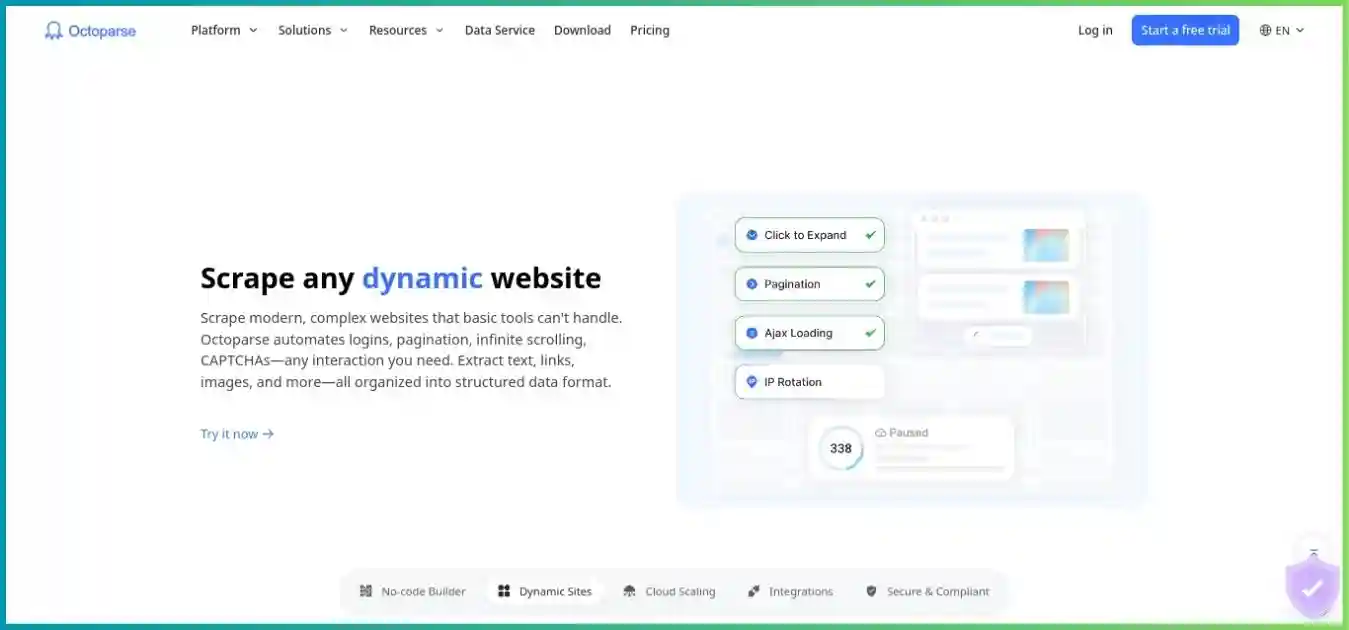
Octoparse
Consider Octoparse if visual rule creation is more valuable than integrating an HTTP API into existing code. Confirm desktop support, current cloud-process limits and template or proxy charges. Check the extraction workflow before comparing a subscription total with request credits.
Existing homepage images provide visual context and may contain historical offers. Use the written plan details and the current checkout for purchasing decisions.
Frequently Asked Questions
How We Researched This Review
We checked Scrape.do’s public pricing, request-cost and status-code references, generic API guidance, browser features, sessions, location controls, Ready API catalog, async limits, output headers, proxy mode and subscription terms on October 4, 2026. Alternative-provider entry figures come from the reviewed public materials used in our linked guides.
Plan and request limits are published information. Cost-per-credit figures and annual savings are arithmetic calculated from those figures. The dataset-quality donut and throughput examples are hypothetical illustrations, not provider test results. Current pricing and async documentation now agree on main concurrency; actual account limits still deserve verification.
We did not purchase a plan, inspect an authenticated account, benchmark target success or response speed, time support replies, audit proxy sourcing or perform a security audit. We do not assign an invented numerical review score. Provider network and success claims are identified as marketing claims. Target behavior, pricing and documentation can change, so test the configuration you intend to deploy.
Final Verdict: Is Scrape.do Worth It?
Scrape.do is a useful shortlist candidate for developers who want managed retrieval, browser controls and residential routing without reserving those core features for a large plan. Ready APIs add value when their schemas fit your targets, and independent async capacity supports batches alongside immediate requests. Those strengths justify evaluation, not an unsupported claim that it is universally fastest or cheapest.
Begin with representative pages, verify actual credit costs and count accepted records. Confirm geography, content type, session behavior and result ingestion before scaling. Move to annual billing only after usage and quality become predictable. If your project needs complete hosted programs or visual extraction authoring, compare the alternative workflows before choosing an API subscription.
Start with a realistic Scrape.do pilot
Choose representative targets, define the fields you need and inspect the request-cost headers. Verify the subscription terms and build a budget around accepted data before increasing volume.