Choose Octoparse when you want to build and maintain custom extraction visually. Shortlist Scrape.do when your application needs managed page retrieval, browser rendering or a supported structured API. The important distinction is how much of the collection workflow each product supplies, and how much your team continues to own.
Octoparse combines a desktop task builder, templates and paid cloud execution. Scrape.do combines request-based access with rendering, proxy routing, browser interactions, asynchronous jobs and Ready APIs for selected targets. It is outdated to describe Scrape.do as only a raw HTML endpoint, but equally misleading to describe it as a universal visual extraction platform.
This detailed comparison uses public official documentation checked October 5, 2026. We have not purchased plans or run a controlled head-to-head test. The charts compare documented prices and explicitly hypothetical calculations, without invented speed, accuracy, review scores or market-share estimates.
1. Quick Comparison & Provider Profiles
Start by deciding who owns extraction. An analyst who needs to select fields, adjust pagination and inspect sample rows may prefer Octoparse. A developer who already has a parser, job queue and database may prefer replacing only the retrieval layer with Scrape.do. If a Scrape.do Ready API supplies the required schema, it can remove some parser maintenance too; validate its supported surface and fields before assuming that benefit.
| Decision factor | Octoparse | Scrape.do |
|---|---|---|
| Core workflow | Visual custom task building, templates, local/paid cloud runs | Managed request retrieval, rendering and supported structured APIs |
| Custom fields on an arbitrary target | Configure an editable visual extraction task | Parse generic responses in your application or obtain a scoped custom solution |
| Ready-made extraction | Parameterized templates with format-specific limits | Ready APIs and supported async plugins with target-specific schemas |
| Free option | Local custom tasks with export limits | 1,000 monthly API credits with mode-dependent consumption |
| Entry paid commitment | $83/month Standard before optional usage services | $29/month Hobby, 250,000 successful API credits |
| Recurring operation | Paid cloud schedules and plan-dependent export/API features | Use your scheduler/orchestrator; async jobs handle submitted batches |
| Primary budgeting risk | Unused subscription capacity and separate traffic/template/CAPTCHA charges | Credit multipliers, named-domain profiles, unused allowance and engineering |
Octoparse
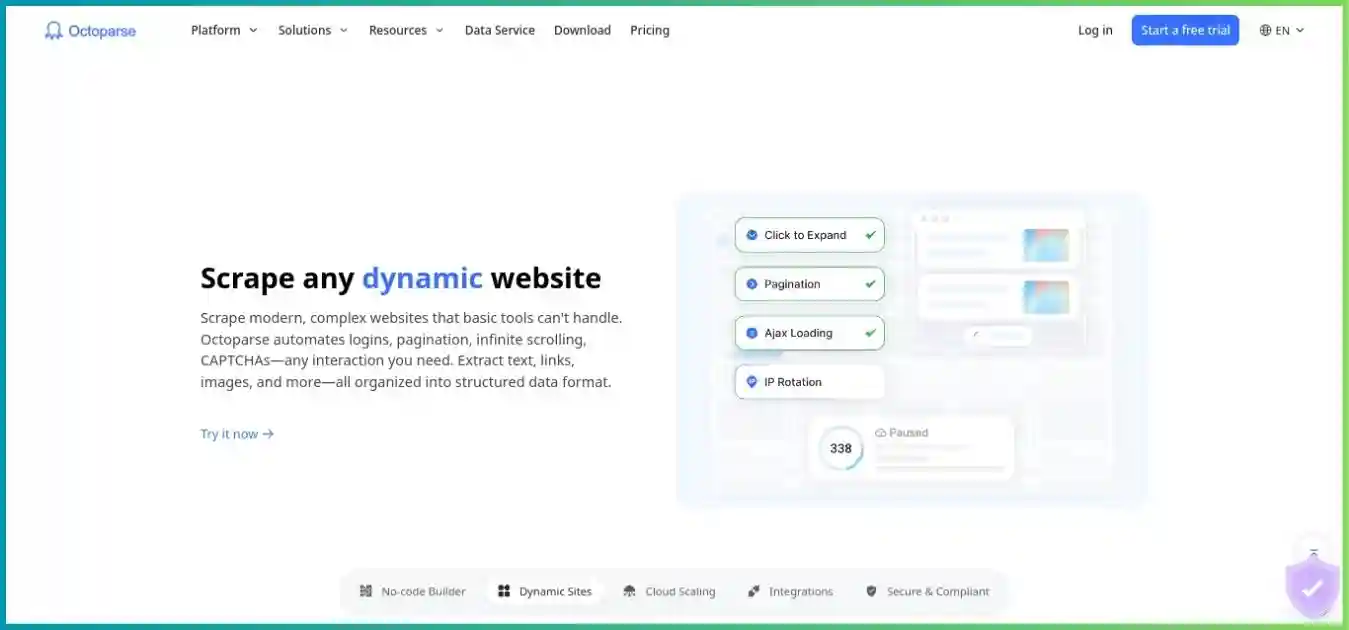
Octoparse lets you configure custom extraction in a desktop browser: select fields, establish loops, handle pagination and inspect a workflow. Free custom tasks run locally; paid cloud extraction supports independent execution and recurring schedules. Templates and newer API interfaces offer additional entry points, with different editing and access rules.
Scrape.do
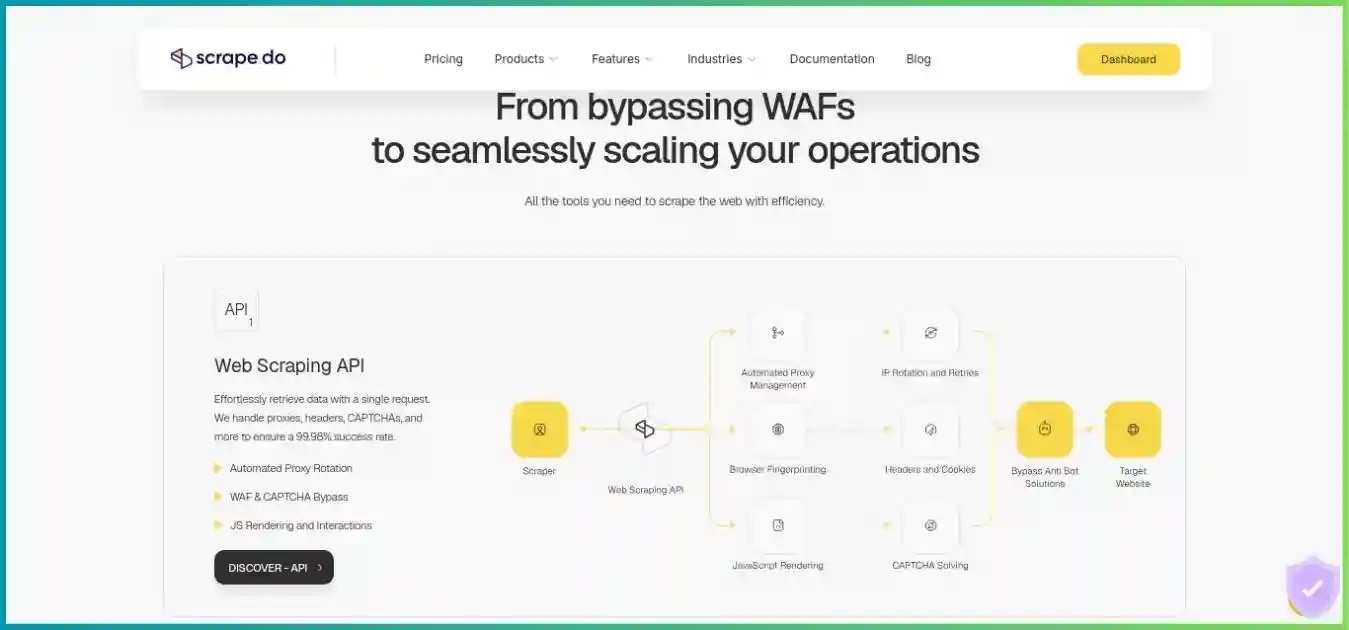
Scrape.do provides an API for retrieving target content while managing proxy routing and supported access challenges. Rendering and ordered browser interactions handle dynamic pages. Ready APIs return structured data for selected targets, while async jobs provide batch execution. For other websites, custom parsing, recurring scheduling and durable storage generally remain in your application.
Our best web scraping tools comparison helps distinguish visual builders, hosted workflows and retrieval APIs. Read the detailed Octoparse review and Scrape.do review for each product’s standalone limits.
2. Plans, Annual Billing & Extra Charges
All listed amounts are public USD prices before tax. Promotional wording, alternate SKUs and Enterprise contracts can differ. Octoparse tasks and cloud processes measure different things from Scrape.do successful API credits and concurrent requests. Compare total spend on the same validated workload rather than dividing a subscription by an unrelated resource limit.
Octoparse plans
| Plan | Monthly subscription | Task allowance | Execution and limits |
|---|---|---|---|
| Free | $0 | 10 tasks | Local runs only; 2 concurrent local runs; 10,000 rows/export and 50,000 exported rows/month |
| Standard | $83 | 100 tasks | Entry offer up to 3 cloud processes; schedules, cloud extraction and export/API capabilities |
| Professional | $299 | 250 tasks | Up to 20 cloud processes; broader destinations, advanced API and priority support |
| Enterprise | Custom | Contract-specific | Expanded execution, collaboration, services and support |
Current entry pricing uses three Standard cloud processes. Older guides and alternate Standard packages mention six; do not assume the lowest advertised price includes that allocation. Free local concurrency is a separate limit. Neither number tells you how many useful records a given website will return per second.
Annual upgrade documentation lists $829 for Standard and $2,999 for Professional, equivalent to about $69.08 and $249.92 per month paid upfront. Advertised $69/$249 equivalents are rounded marketing figures. Twelve monthly payments total $996/$3,588, so the documented annual examples save $167/$589. Moving from Standard to Professional charges the full new-plan amount and converts unused Standard value into additional Professional days according to upgrade guidance.
| Item | Published price | What to verify |
|---|---|---|
| Residential proxy traffic | $3/GB | Traffic consumed during page loading, country selection and credit balance |
| CAPTCHA solving | $1–$1.50 per 1,000 | Selected solver/type and whether failed attempts consume credits |
| Pay-per-result templates | Advertised $0.001–$3 per 1,000 results | Exact template price, daily limits, fields and result definition |
| Crawler setup | From $399 | Target scope, revisions, handover and ongoing maintenance |
| Managed data service | From $599 | Delivery schema, refresh schedule, volume and support agreement |
Scrape.do plans
| Plan | Monthly price | Successful API credits | Main / async concurrency |
|---|---|---|---|
| Free | $0 | 1,000 | 5 / 2 |
| Hobby | $29 | 250,000 | 10 / 3 |
| Pro | $99 | 1,250,000 | 50 / 15 |
| Business | $249 | 3,500,000 | 100 / 30 |
| Advanced | $699 | 10,000,000 | 200 / 60 |
| Custom / Enterprise | Negotiated | Contract-specific | Contract-specific |
Datacenter and residential/mobile routing, JavaScript rendering, browser interactions, targeting and sticky sessions are advertised as core features across every plan, including Free. Business separately lists premium residential/mobile options, teams and dedicated support; Advanced lists custom WAF strategies, an SLA and Slack support. Do not interpret those additions as making ordinary rendering or residential access Business-only.
Annual billing is manually arranged with support. Published totals are $290 Hobby, $990 Pro, $2,490 Business and $6,990 Advanced. Each equals ten monthly payments for twelve months, a calculated 16.67% saving against twelve monthly payments, even though headline copy says “up to 20%.” Confirm the invoice, allocation schedule and renewal terms. We did not establish a universal rollover or non-expiring purchased-credit policy.
Entry Paid Subscriptions: One-Year Commitment
When the monthly credit limit is reached, Scrape.do says requests stop unless you upgrade or buy additional credits. “Unlimited bandwidth” is a feature description within this request/credit model; it does not make unlimited successful requests free. Enterprise infinity symbols should likewise be interpreted through the negotiated contract.
3. Credit Costs & Realistic Workload Budgets
Scrape.do’s ordinary-domain modes cost one credit for datacenter retrieval, five for rendered datacenter, ten for residential/mobile, and twenty-five for rendered residential/mobile. Those are starting rules for domains outside its named-domain table. Automatically applied domain profiles and stricter requested settings can change consumption.
Scrape.do Credits per Billable Response
| Mode | Credits/response | Theoretical Hobby responses | Nominal USD/1,000 responses |
|---|---|---|---|
| Datacenter | 1 | 250,000 | $0.116 |
| Rendered datacenter | 5 | 50,000 | $0.58 |
| Residential/mobile | 10 | 25,000 | $1.16 |
| Rendered residential/mobile | 25 | 10,000 | $2.90 |
These values assume full monthly utilization and no extra charge profile. The $29 package remains the purchase cost if you use only a small part of it. A Free 1,000-credit allowance can theoretically cover 1,000 one-credit responses or only 40 twenty-five-credit responses; “1,000 free calls” is therefore an unreliable shorthand for all configurations.
Named-domain pricing and response types
Current documentation lists Amazon routing at one credit through its structured scraper API, Google-domain requests at ten with a default residential profile, and other named targets at higher or variable costs. Amazon’s automatic JSON response can affect an application that expected HTML. The Scrape.do-Request-Cost response header reports actual per-response consumption; record it alongside Scrape.do-Remaining-Credits for reconciliation.
For Ready APIs, price and output depend on the endpoint. Amazon is listed at one credit, many search/commerce/maps/travel endpoints at ten, while the Gemini endpoint is listed at twenty-five. A catalog headline does not establish a universal price range or supported schema. Check pagination, locale, required parameters and whether the corresponding async plugin exists.
Billable success is different from accepted data
Scrape.do documents billable successful responses as 2XX and selected target responses including 400, 404 and 410. Its status guide distinguishes a provider-side invalid-request 400 from a target 400. Provider failures and concurrency errors have their own rules. An empty result, missing field or duplicate can fail your acceptance standard without automatically reversing the credit charge. Invalid content can be raised with support for a credit review or a custom account rule.
Illustration: Billable Output Versus Accepted Output
- Accepted unique responses: 800 (80%)
- Incomplete or unsuitable: 150 (15%)
- Duplicates: 50 (5%)
Suppose 1,000 twenty-five-credit responses use 25,000 Hobby credits and only 800 are accepted, as in the hypothetical donut. At full-plan utilization, allocating one tenth of $29 to that batch gives $2.90 and an allocated cost of $0.003625 per accepted response. If that batch is your entire month, the whole $29 subscription produces an effective $0.03625 per accepted response. Neither is a standalone $2.90 package or a measured acceptance rate.
Illustration: Using More of a Fixed Hobby Subscription
The comparison excludes extra credits, special domains, tax and engineering. Partial use still pays the full monthly subscription.
Octoparse example and a fair comparison
A separate hypothetical Octoparse Standard month with 10 GB residential traffic and 1,000 CAPTCHA attempts at the lowest advertised rate costs $83 + (10 × $3) + $1 = $114, excluding templates, setup, labor and tax. That does not represent the same target workload as the Scrape.do examples. Measure actual traffic and solver charges before drawing a cost comparison.
For both products, use total collection and maintenance cost divided by accepted unique records. Include subscriptions, retries, services, task/parser repairs, scheduling and downstream delivery. A Ready API may remove custom parsing for one target; a visual task may remove code-writing work for another. The lower nominal subscription does not establish the lower total ownership cost.
4. Extraction, Rendering, Proxies & Sessions
Custom extraction versus structured endpoints
Octoparse custom tasks let you select fields and configure extraction, loops, clicks and pagination in a visual editor. Its official preset templates are parameterized rather than freely editable. OTD/custom workflows provide a different editing route, while JavaScript/Python presets can be cloud-only and subject to daily limits. Verify the format before purchasing a preset you intend to modify.
Scrape.do generic retrieval returns the target response for your code to parse. Ready APIs supply structured output for supported surfaces, and async plugins cover a supported subset. Its generic returnJSON option requires rendering and exposes network/XHR/Fetch information and associated browser output; it is not a universal product-field parser. Markdown output changes representation, but still requires checking completeness, source context and suitability.
JavaScript and interaction workflows
Octoparse visual workflows support dynamic-page navigation through clicks, waits and extraction steps. Scrape.do rendering can execute JavaScript, and ordered browser interactions can click, fill, scroll or wait before returning output. In either case, waits should correspond to the content becoming ready; blindly extending a timeout is not a substitute for identifying the required page state.
Resource blocking can reduce unnecessary transfer, but blocking images, scripts or network calls may remove information needed by the extraction. Test optimized settings against an unoptimized accepted sample. If your own browser runs through proxy mode, separate that workflow from managed rendering to avoid paying for or troubleshooting two independent browser layers unnecessarily.
Proxy compatibility, location and persistence
Octoparse’s current guide permits external HTTP proxies for local runs, describes cloud runs as using its built-in proxies, and states that username/password-authenticated proxies are unsupported in that configuration. Login, task-editing and run settings have distinct purposes. Built-in residential traffic is metered at $3/GB according to page loading; unused or failed extraction does not establish that the bytes were free.
Scrape.do uses request parameters for supported routing and location. Postal/ZIP filtering requires a residential profile and a valid country parameter. Check returned language, currency and actual target localization rather than assuming a country exit supplies the desired content. A mobile user agent changes browser identification and does not by itself prove carrier-IP selection.
Scrape.do session IDs support repeated routing but are not permanently dedicated IP rentals. Documentation says an inactive session closes after five minutes, failures can replace the proxy/session, and sessions are scoped to geography. An Octoparse login or session-dependent workflow also needs testing after interruptions and scheduled reruns; neither product supplies a blanket persistent-identity guarantee.
| Requirement | Octoparse | Scrape.do |
|---|---|---|
| Custom field selection | Editable visual task | Your parser for generic responses; supported Ready API schema otherwise |
| Rendering and interactions | Visual browser workflow configuration | Managed rendering and ordered browser actions |
| Residential access | Built-in metered traffic; own proxies restricted to local runs | Request-based residential/mobile profile with credit multiplier |
| Structured preset | Template-specific output and edit restrictions | Endpoint/plugin-specific schema and inputs |
| Persistent routing | Task/login/proxy configuration; validate reruns | Session behavior with inactivity/failure limits |
| Recurring job and destination | Paid cloud schedules and eligible exports | Your orchestration/storage plus submitted async batches |
5. Scaling & a Fair Performance Pilot
A Scrape.do concurrency slot limits simultaneous requests, while an Octoparse cloud process runs a task. A task may extract many records or advance through a sequential navigation chain. Their allowance counts cannot be turned into a speed ratio. Browser use, target complexity, waiting, pagination, retries and validation can dominate elapsed time.
Octoparse Boost Mode needs a workflow that can be split, such as a URL list, text list or fixed list. Adding processes cannot remove a sequential dependency. Scrape.do’s independent async pool adds batch capacity alongside its main request pool, but consumes the same credits and remains subject to target behavior. Queuing more work can improve pipeline utilization without making every target respond faster.
The HTTP 429 status describes rate limiting. Distinguish a provider concurrency response from a target’s limit, respect retry guidance and bound retries. Aggressive submission can increase waiting or operational failures even when the platform advertises substantial capacity.
| Measurement | Keep comparable | Record |
|---|---|---|
| Output quality | Same targets, fields, locale and collection window | Accepted unique records, missing fields and freshness |
| Latency | Same input scope and completion definition | Median/slow-run wall time, waiting and retries |
| Capacity | Realistic task structure and request concurrency | Sustained accepted records/time, not merely submitted calls |
| Costs | Exact SKU/mode and actual consumption | Traffic, credits, subscription utilization and labor |
| Recovery | Interrupted runs and changed pages | Duplicates, missed pages, alerts and time to repair |
Include empty results, unavailable products, consent dialogs and localized page variations in the test. Keep a known accepted sample for regression comparison. A successful HTTP response or a green task completion indicator does not establish that all expected pages were processed or that every required field is correct.
6. Setup, Debugging & Maintenance
Getting a visual task into production
In Octoparse, start with a representative page, configure fields and a repeating list, then add navigation. Inspect multiple pages and verify extracted types before scheduling. Custom authoring uses its Windows/macOS desktop application; a Linux-only team should distinguish this from web templates, APIs, CLI or MCP access, which do not replace the complete visual builder.
When a website changes, inspect the affected selector, loop, wait or navigation step. A visual tool can make that diagnosis accessible to an analyst, but someone still owns it. Keep copies of the configured task, expected output and destination settings so a change can be reviewed and reversed. Avoid treating a template demonstration as proof that a custom task will behave identically.
Integrating a retrieval or structured API
For Scrape.do, start with one bounded request and record status, content type, credit headers and a small validated output sample. Choose ordinary retrieval, rendering or a supported Ready API based on the target and output you need. Set a client timeout that allows the selected service timeout, and distinguish a client cancellation from a completed provider response.
Generic retrieval leaves parsing in your code, where you can version selectors and validation. Ready APIs reduce that custom parsing work but create a dependency on the endpoint schema and supported features. Validate the returned fields and maintain downstream compatibility checks. Keep tokens in server-side secret settings, avoid embedding them in browser code, and redact request URLs or logs that might expose credentials.
The learning curve depends on the work already present. A developer with a parser and queue may integrate an API quickly. A nontechnical researcher without that infrastructure may finish sooner with a visual task. A business user whose target has a matching structured endpoint can use a low-code integration, provided someone owns scheduling, validation and delivery.
7. Recommendations by Workload
| Workload | First shortlist | What to verify |
|---|---|---|
| Analyst-maintained custom extraction | Octoparse | Supported desktop, pagination, editable task and export destination |
| Existing parser needs managed page access | Scrape.do generic API | Actual mode/domain price, content type and retry behavior |
| Supported commerce/search/maps output | Both templates and Ready APIs | Exact schema, locale, pagination, limits and maintenance |
| Occasional local spreadsheet extraction | Octoparse Free | Local availability and monthly/per-export limits |
| Application submits large URL batches | Scrape.do Async API | Plugin availability, shared credits, callbacks and result expiry |
| Recurring business reports without custom infrastructure | Octoparse paid cloud | Task suitability, scheduling and plan-specific delivery |
| Multi-stage custom pipeline | Scrape.do as access layer or a broader workflow platform | Ownership of orchestration, storage, validation and parser updates |
| Outsourced data delivery | Scoped managed/custom services | Contracted fields, freshness, revisions and failure handling |
For ecommerce, validate variants, stock, shipping context, currency and observation time. For search monitoring, verify country and language as well as rank. For research collections, preserve source URLs and sampling rules. For AI ingestion, remove boilerplate, retain provenance and plan document refresh/deletion. The best platform is determined by complete usable output rather than request volume alone.
For a hosted programmable alternative, see Octoparse vs Apify and Scrape.do vs Apify. Those comparisons explain when Actors and built-in pipeline storage may better match the requirement.
8. APIs, Scheduling, Async Jobs & Delivery
Octoparse automation and API entitlements
Paid Octoparse cloud tasks can be scheduled and exported through eligible destinations. Standard supports retrieval/export and some task management in plan guidance; Professional/Enterprise add advanced cloud start/stop and parameter updates. Confirm the exact entitlement before designing a fully API-controlled custom-task pipeline.
Newer Open API and AgentTools interfaces support REST-based template discovery, parameterization and execution, with CLI/MCP entry points. Those access rules are distinct from legacy custom-task APIs and premium desktop trials. Custom visual authoring remains desktop-based. Octoparse announces a planned legacy API sunset in the first quarter of 2027, so verify migration paths rather than relying indefinitely on an old tutorial’s endpoint.
Scrape.do synchronous and asynchronous operation
A synchronous request suits small interactive retrieval. For batches, the Async API accepts a job, returns an identifier, and exposes job/task status, results, cancellation and webhook delivery. Supported plugins provide structured extraction for certain targets. Its independent pool is additional to main concurrency, not a subtraction from it; both still draw on the same credit balance.
An async batch is not a complete recurring scheduling or durable-storage system. Your application should submit recurring work, retrieve results before their documented ExpiresAt value, persist accepted records and handle duplicate callbacks safely. Do not invent a universal retention interval for all jobs. A webhook is a delivery signal; apply authentication and idempotency in the receiver.
For both services, separate collection from validation and ingestion. Check the schema and expected count before writing to production reports, and attach source/time metadata. Monitor run/task status and accepted output independently so a website change does not silently produce empty successful deliveries.
Our ScraperAPI vs Apify comparison explores retrieval versus hosted workflow ownership. The ScrapingAnt vs Octoparse comparison covers another API/visual-tool pairing, while ScraperAPI vs Scrape.do compares alternatives at the API layer.
9. Credentials, Permissions & Retention
Platform access features do not establish permission to collect a target’s data. Review site terms and applicable authorization, minimize unnecessary personal information and set appropriate deletion rules. The Robots Exclusion Protocol specification explains robots.txt interpretation and notes that these rules are not access authorization.
Keep login credentials, cookies, API tokens and task inputs out of public exports and shared screenshots. Restrict collaborators and downstream destination access, redact sensitive logs and rotate secrets when necessary. Verify data-processing terms, locations, retention and support access against your own requirements; this article has not audited either provider’s security controls or proxy sourcing.
Proxy mode requires an explicit trust decision
Scrape.do proxy-mode documentation describes trusting its CA certificate or disabling TLS verification. Broadly disabling verification weakens client protection. Review the certificate and scope any approved trust configuration to the specific integration; do not adopt a permissive example as a global application setting. The managed HTTPS API and an intercepting proxy client involve different trust arrangements.
Export and back up data before access expires
Octoparse documents three months of cloud-data retention after premium expiry, but export is unavailable until renewal. Export needed results before canceling or letting the plan lapse. Scrape.do async results are temporary and should be retrieved before expiration; copy accepted data to storage you control. Neither behavior should be treated as an independent long-term backup.
Keep provenance and task/parser versions with archived output. If an update changes a field definition, track that change so historical and new data are not mixed silently. Confirm deletion behavior for uploaded inputs, logs and stored results as well as the visible export.
10. Support, Trials, Cancellation & Refunds
Evaluate support by whether it handles your actual failure mode: task configuration, target access, schema changes, billing reconciliation or delivery. Octoparse Professional adds priority support and task review/training; Enterprise scope is negotiated. Scrape.do lists email on Hobby, priority email on Pro, dedicated support on Business and Slack/custom SLA on Advanced. These descriptions are not independently measured response-time guarantees.
| Policy | Octoparse | Scrape.do |
|---|---|---|
| Free use | Local custom tasks with limits | 1,000 monthly credits; no card advertised |
| Paid trial distinction | Premium 14-day guide describes card entry and automatic paid conversion | No-card Free offer differs from terms for trials with payment details |
| Cancel renewal | Plan & Subscription; at least one day before renewal; complete confirmation | Account or support; confirm cancellation and final account state |
| Initial refund | Conditional qualifying five-day windows; post-trial/credit exclusions | First subscription within three days; unused credits and possible fees |
| Data before cancellation | Export before premium access ends | Retrieve temporary results and persist required output |
Octoparse trial and refund conditions
Its 14-day premium trial guide describes payment-method entry and automatic conversion, while some promotional/API pages use no-card language. Distinguish the selected trial product and read the actual renewal amount/date. Cancellation guidance says at least one day before renewal, through the account flow with confirmation; canceling only in PayPal is insufficient according to the guide.
The dedicated refund policy allows case-by-case consideration for a qualifying new Free-to-paid subscription or accidental renewal within five days. Post-trial payments are excluded from the new-subscription condition, account credits are non-refundable, and processing fees can be deducted. A headline five-day guarantee does not create an unconditional refund for every situation.
Scrape.do renewal and refund conditions
Terms describe automatic renewal and a first-subscription refund window of three days, limited to unused credits, with payment commissions potentially deducted. They also describe forgotten-renewal refunds within three days and a 50% window within fifteen days; confirm consumption treatment and applicable conditions with support. Successfully used credits are not automatically refundable. Cancel renewal and stop automated submission before assuming future charges are prevented.
For both products, keep the cancellation confirmation, review the final invoice and export required data. A free trial is useful for feasibility, but it does not establish a production SLA or guarantee that every target and feature is available without qualification.
11. Strengths & Tradeoffs
Octoparse: visual workflow ownership
Its advantage is giving a nonprogrammer an inspectable way to build custom extraction and progress from local testing to paid recurring cloud collection. A suitable template can further shorten setup.
Its tradeoffs are desktop authoring, preset edit restrictions, plan-specific API/cloud features and variable add-ons. Maintenance, output validation and subscription utilization remain important.
Scrape.do: replace the access layer
Its advantage is managed access that fits an existing application, with rendering, interactions, async execution and structured endpoints for supported targets. Core feature availability allows a useful small pilot.
Its tradeoffs are mode/domain-sensitive credits, generic parsing ownership, temporary batch results and the need for your own recurring orchestration. Ready APIs reduce some work but have specific coverage and schemas.
The expandable provider cards above give a concise pros-and-cons checklist. For the final purchase, tie each strength to a requirement you have actually tested rather than adding unmeasured scores across unrelated categories.
12. How to Interpret Provider Claims
A claimed proxy pool, template count or network-wide success rate is not an apples-to-apples performance statistic. Scrape.do advertises a large network and broad country coverage; the counting window, active inventory in your location and target mix are not established by that headline. Octoparse’s template catalog likewise spans formats and targets rather than interchangeable production workflows.
Check what a claim measures. Does “success” mean a response returned, a CAPTCHA was handled, the page contained expected content or every requested field passed validation? Does “faster” compare the same target, geographic route, rendering and concurrency? Without those details, do not convert marketing percentages into a chart of accepted-output quality.
| Claim or signal | Limitation | Better purchasing evidence |
|---|---|---|
| Network size and countries | Not simultaneous available peers or precise local inventory | Test required locations and returned target locale |
| Template/API catalog size | Counts have different formats and coverage scopes | Exact supported target, fields and maintenance history |
| Success or speed percentage | Definition, sample and controls may be unspecified | Repeated same-workload accepted-output pilot |
| Review rating | May describe a different tier, target or historical version | Recent relevant failure/support/billing reports |
| Lower per-credit price | Does not capture multipliers, utilization or engineering | Total cost per accepted unique record |
This comparison therefore omits unsupported market-share forecasts, invented customer counts and fabricated satisfaction surveys. Pricing is sourced from public offers, calculations are labeled, and performance recommendations remain conditional on a pilot.
13. Frequently Asked Questions
14. Final Verdict & Selection Checklist
Choose Octoparse when visual custom-task ownership is your main requirement and its cloud execution/export features fit. Confirm the supported desktop environment, editable task format, entry cloud allocation, API entitlements and separate usage charges.
Choose Scrape.do when you want managed retrieval integrated into an existing application, or a supported Ready API matches the desired output. Confirm domain/mode consumption, content type, session behavior, structured schema and async expiry. Budget your own parsing, storage and scheduling where those remain necessary.
- Define accepted output: required fields, locale, freshness and deduplication.
- Test the exact implementation: a custom task, preset, generic request or Ready API.
- Measure complete costs: subscriptions, actual consumption, utilization, services and maintenance.
- Verify production behavior: interruptions, retries, alerts, delivery, permissions and retention.
- Buy the needed capacity: resolve SKU/contract terms before committing annually or scaling.
A suitable small pilot is more useful than a universal winner label. Select the service that supplies the missing parts of your workflow and returns accepted data at a complete cost your team can sustain.
How we researched this comparison
We reviewed official pricing, plan/upgrade guides, credit and status definitions, Ready APIs, browser features, proxy/session settings, async concurrency, API access and trial/refund/cancellation policies on October 5, 2026. Material public discrepancies are identified. Charts use documented figures or explicit hypothetical assumptions. We did not complete paid checkout, benchmark target success/speed, audit security/sourcing or measure support response times.
Choose the Scraping Workflow Your Team Can Own
Test visual extraction or managed API retrieval on your targets, required fields and complete costs.