Scrape.do vs Apify: Pricing, Extraction and Workflow Features Compared
Scrape.do vs Apify is a comparison between a managed retrieval service and a broader automation platform. Scrape.do is a strong fit when your application needs page access, rendering or a supported structured endpoint. Apify is a strong fit when you want to run complete collection workflows with hosted code, schedules, storage and integrations. Both can produce useful web data, but their responsibilities and billing units differ.
This guide compares official public pricing and documentation checked on October 5, 2026. It covers request multipliers, Actor resource costs, browser behavior and operational tradeoffs. We did not buy subscriptions, inspect authenticated checkout, run controlled target benchmarks or measure support response times. The charts use documented plan values or explicitly hypothetical calculations; they do not assign invented speed, uptime or satisfaction scores.
If you are still choosing the type of service you need, our web scraping tools guide places these products alongside other extraction approaches.
Affiliate disclosure: we may earn a commission when you purchase through our provider links.
Platform Overview and Quick Comparison
| Capability | Scrape.do | Apify |
|---|---|---|
| Core product | Managed HTTP retrieval, rendering and supported Ready APIs | Hosted Actors and cloud automation workflows |
| Billing unit | Monthly successful-response credits; mode/domain multipliers | Prepaid platform spend, resources and listing-specific Actor events |
| Free starting point | 1,000 credits/month; 5 main and 2 async concurrent requests | $5 monthly prepaid usage; 5 concurrent Actor runs |
| Lowest paid plan | Hobby $29/month / 250,000 credits | Starter $19/month / $19 prepaid usage, plus applicable overage |
| Structured extraction | Ready APIs/plugins for supported targets; custom parsing elsewhere | Store Actors or your own extraction code |
| JavaScript pages | Managed rendering and ordered browser actions | Browser automation inside a compatible Actor |
| Scheduling and storage | Async retrieval jobs; orchestration and durable storage normally external | Schedules, tasks, datasets, key-value stores and request queues |
| Control and maintenance | Configure retrieval; maintain your downstream application | Choose a maintained Actor or manage custom code and resources |
The key distinction is where the collection job lives. With Scrape.do, your client requests data and your application usually owns validation, persistence and recurring execution. With Apify, an Actor can own the crawl, parser and output dataset while the platform runs it. A Store Actor can reduce custom coding, but its actual quality, pricing and input requirements depend on the listing.
Scrape.do
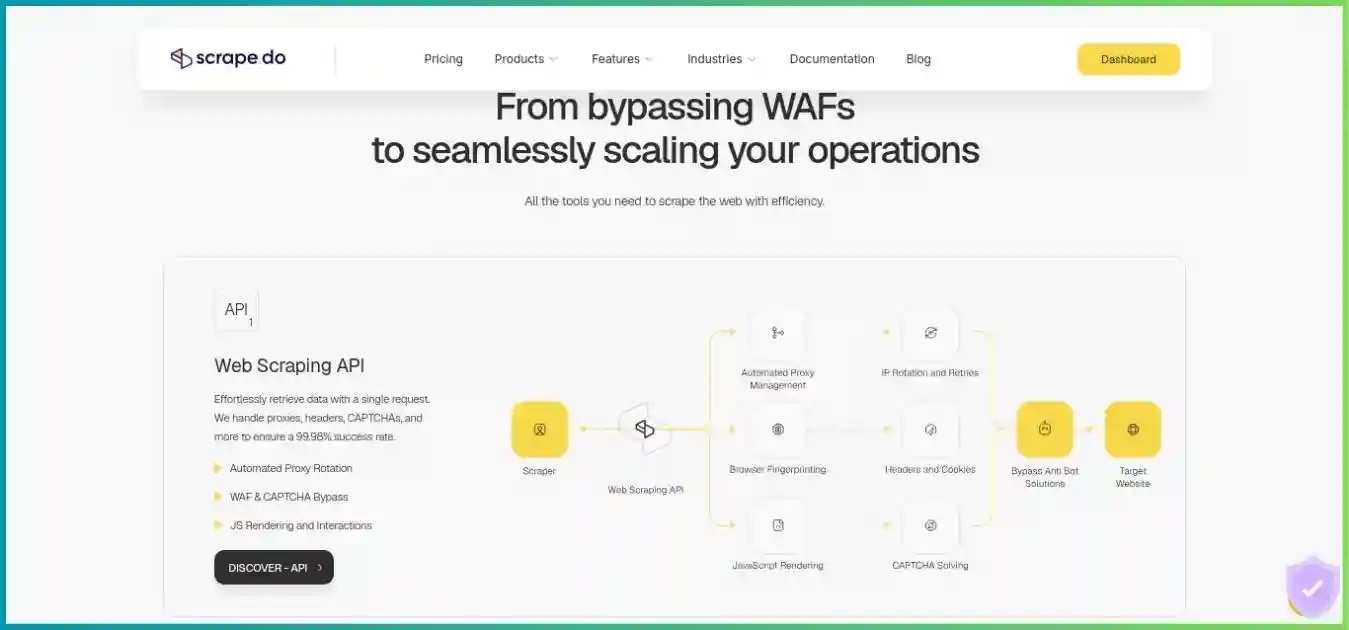
Scrape.do provides proxy routing, managed anti-bot handling and JavaScript rendering through API requests. Its current Ready APIs add parsed output for supported sites, so it is broader than an HTML-only gateway. See our Scrape.do review for a detailed product walkthrough.
- Credit-based managed retrieval
- Rendering and browser interactions
- Supported structured Ready APIs
- Independent async request pool
Pros
- Fits an existing HTTP-based pipeline.
- Core retrieval features advertised across plans.
- Request-cost headers support reconciliation.
Cons
- Modes and named domains change credit consumption.
- General extraction and durable storage stay with you.
- A billable response is not necessarily an accepted record.
Apify
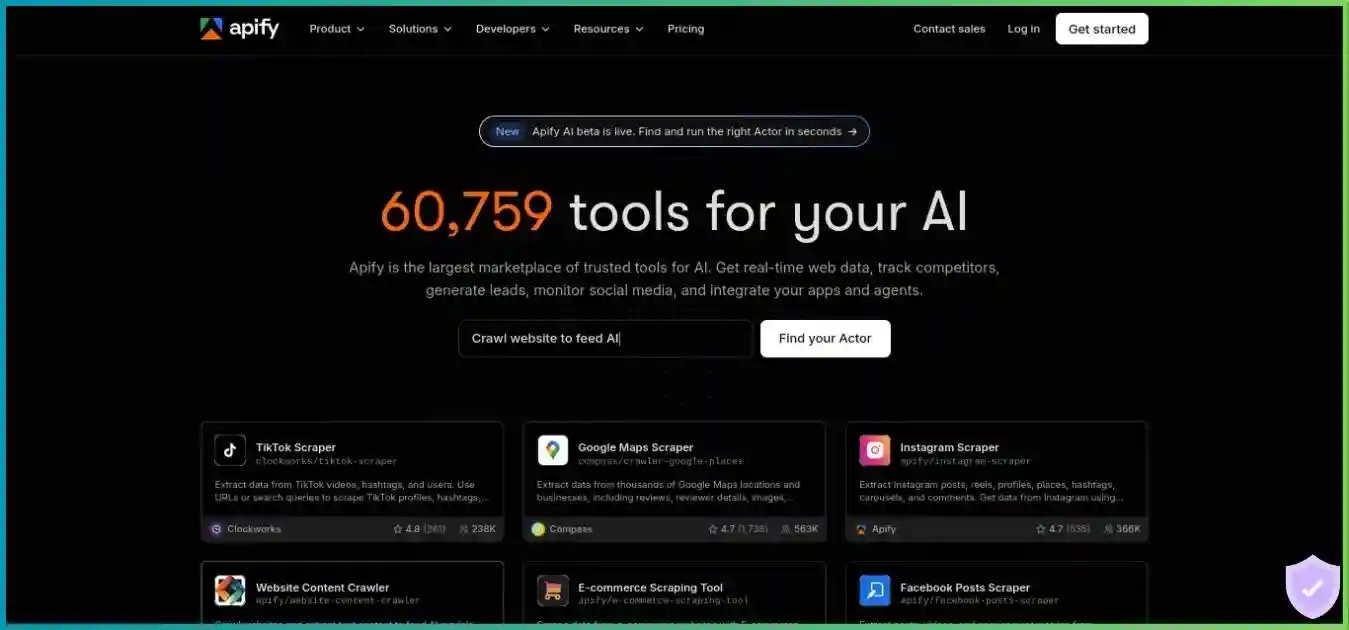
Apify runs ready-made or custom Actors with cloud resources, platform storage and scheduling. It can host a complete pipeline or expose the result through its API. Our Apify review explains Actors, storage and usage billing.
- Ready-made and custom Actors
- JavaScript and Python development
- Tasks, schedules and webhooks
- Datasets, queues and key-value stores
Pros
- Combines execution, orchestration and storage.
- Store listings can reduce initial development.
- Resource controls support custom workloads.
Cons
- Cost depends on the Actor and resources used.
- Third-party listing quality varies.
- Code, token permissions and validation need review.
Quick Verdict: Which Platform Fits Your Project?
Start with Scrape.do when
- You already operate the scheduler, parser and database.
- Your main obstacle is fetching or rendering the target page.
- A Ready API matches your exact target and output schema.
- You prefer budgeting retrieval using request credits.
Start with Apify when
- You want the collection job hosted alongside its data.
- A suitable Actor already implements your workflow.
- You need custom crawling, queues or transformations.
- Schedules and integrations are part of the product requirement.
Neither recommendation establishes a measured performance winner. First define the permitted targets, required fields, freshness, location, volume and delivery destination. Then choose which parts you want to maintain yourself. A low-priced retrieval response has limited value if you still need substantial extraction work; a hosted Actor has limited value if its schema or behavior does not fit the job.
Pricing: Plans, Credits and Workload Costs
All prices below are public USD offers. Taxes, negotiated terms and account-specific charges are excluded. Compare minimum spend separately from actual usage and accepted output. Scrape.do credits are a response-billing unit; Apify prepaid dollars cover applicable usage. They cannot be treated as equivalent numbers of pages.
| Plan | Monthly price / credits | Main request limit | Additional async limit |
|---|---|---|---|
| Free | $0 / 1,000 | 5 | 2 |
| Hobby | $29 / 250,000 | 10 | 3 |
| Pro | $99 / 1,250,000 | 50 | 15 |
| Business | $249 / 3,500,000 | 100 | 30 |
| Advanced | $699 / 10,000,000 | 200 | 60 |
| Custom / Enterprise | Quote | Contract-specific | Contract-specific |
Scrape.do advertises core proxy, rendering, browser-interaction and targeting features across plans. Higher tiers add volume, concurrency and support capabilities: Business lists teams and dedicated support; Advanced lists custom WAF strategies, SLA and Slack support. Requests stop when monthly credits are exhausted unless you upgrade or buy more credits. Confirm rollover, extra-credit validity and annual allocation rather than assuming all unused balances persist.
Annual Scrape.do pricing: calculate the actual discount
The public annual totals are $290 for Hobby, $990 for Pro, $2,490 for Business and $6,990 for Advanced. These equal ten monthly payments for twelve months, or a 16.67% saving against twelve monthly payments. The monthly equivalents are $24.17, $82.50, $207.50 and $582.50, paid annually. The page’s broader “up to 20%” wording should not replace those totals. Annual switching is arranged through support; confirm invoice, renewal and allocation timing.
| Plan | Monthly minimum / prepaid usage | CU price | Concurrent Actor runs / total RAM |
|---|---|---|---|
| Free | $0 / $5 usage | $0.20 | 5 / 16 GB |
| Starter | $19 / $19 usage | $0.20 | 32 / 64 GB |
| Scale | $199 / $199 usage | $0.16 | 128 / 256 GB |
| Business | $999 / $999 usage | $0.13 | 256 / 512 GB |
| Enterprise | Custom | Contract-specific | Contract-specific |
The subscription includes the listed prepaid usage; it is not the subscription plus the same allowance charged again. Monthly prepaid usage expires rather than rolling over. Annual billing advertises a 10% discount, and the current subscription guidance permits annual prepaid usage across the annual period. Some older help text still lists 32 GB for Starter; this comparison follows the current pricing table’s 64 GB and recommends checking the account if that capacity is important.
USD, common $0–$999 scale. These are different products and allowances; Apify can incur usage beyond prepaid spend.
Scrape.do: turn credits into realistic response capacity
Ordinary untargeted domains, common zero-to-25-credit scale. Domain-specific profiles can cost more.
These are billing multipliers, not speed or success-rate scores. The response cost header determines actual credit consumption.
| Mode | Credits per response | 250,000-credit capacity | Calculated cost per 1,000 responses |
|---|---|---|---|
| Datacenter | 1 | 250,000 | $0.116 |
| Rendered datacenter | 5 | 50,000 | $0.580 |
| Residential / mobile | 10 | 25,000 | $1.160 |
| Rendered residential / mobile | 25 | 10,000 | $2.900 |
At full utilization, Hobby’s calculated price is $0.116 per 1,000 credits. Multipliers turn that into $0.116 per 1,000 ordinary datacenter responses, $0.58 for rendered datacenter, $1.16 for residential/mobile and $2.90 for rendered residential/mobile. These are theoretical capacities, excluding special domains and parser rejection. A job needing 100,000 rendered residential responses at 25 credits would consume 2.5 million credits; Hobby is therefore too small even though it advertises 250,000 credits.
Named domains can have automatic profiles or higher costs. Current examples include Google at 10 credits, LinkedIn at 30, Air Canada at 75 and Shopee at 100; some targets require support. Amazon has a one-credit route through a structured API, which can change the response type expected by an existing HTML parser. Reconcile using Scrape.do-Request-Cost and the remaining-credit header rather than assuming the default mode covers every site.
Apify: distinguish Actor events from resource usage
A pay-per-usage Actor charges platform resources without a separate developer fee. A pay-per-event Actor defines billable events such as starts or delivered results. Many event prices include resources, while some charge resources separately. Read the live listing: adding compute and proxy charges already included in an event price double-counts the cost. Dataset access after a run can still incur platform usage.
Apify’s rental retirement documentation sets October 1, 2026 as the full sunset, with remaining rentals moving to usage pricing. Some public overview pages retain rental wording. Do not forecast a new job using an old monthly rental fee without checking the actual listing and account. Similarly, a marketplace result price is not a universal platform price for all targets.
Hypothetical 2 GB allocation at Starter’s $0.20/CU. Compute only; proxies, storage, transfer and separate Actor charges excluded.
Formula: allocated GB × runtime in hours × CU price. This illustrates arithmetic rather than observed execution time or a guarantee of billing precision.
One compute unit equals 1 GB of allocated RAM for one hour. A 2 GB, 30-minute run therefore uses one CU: $0.20 at Starter’s rate. Allocating more memory can help a browser-heavy job but increases the compute rate; faster completion may or may not offset that increase. Other meters can dominate the invoice, so optimize using itemized run usage.
| Meter | Free / Starter | Scale | Business |
|---|---|---|---|
| Residential traffic per GB | $8 | $7.50 | $7 |
| Google SERP per 1,000 | $2.50 | $2 | $1.70 |
| Unblocker per 1,000 requests | $1.50 | $1.25 | $1 |
| External transfer per GB | $0.20 | $0.19 | $0.18 |
| Dataset writes per 1,000 operations | $0.005 | $0.0045 | $0.004 |
These are platform meters, not charges that must all apply to every Actor. Included datacenter IP counts also differ by plan, and Free-plan Apify Proxy is limited to use within Apify. Review the Actor’s proxy configuration and pricing model before adding a proxy estimate to an event-based quote. Storage time and operations are additional considerations; record counts alone do not establish operation counts because batching affects usage.
Starter pay-per-usage example, $2.27 total. These workload inputs are hypothetical and do not represent a typical customer.
- Residential traffic: $2.00
- Compute: $0.20
- Dataset writes: $0.05
- External transfer: $0.02
Residential transfer dominates this particular example. Other Actors, targets and billing models can have a very different cost mix.
The donut assumes one CU at $0.20, 0.25 GB residential traffic at $8/GB, 10,000 dataset write operations at $0.005 per 1,000 and 0.10 GB external transfer at $0.20/GB. The sum is $2.27, before any separate Actor event fee or other meters. Thirty identical runs would cost $68.10. With Starter’s $19 prepaid usage, that simplified case uses the included $19 plus $49.10 additional usage; it does not add another $19 to $68.10.
Compare cost per accepted record
Use total provider charges divided by accepted records, multiplied by 1,000. Then add the engineering cost that matters to your team: parser maintenance, orchestration, storage and incident handling. A hypothetical $29 retrieval job yielding 8,000 accepted records costs $3.63 per 1,000 accepted records before your downstream costs. That is a planning example, not measured Scrape.do output or evidence that the illustrative Apify run performs the same job.
Extraction, Storage and Workflow Features
| Stage | Scrape.do | Apify |
|---|---|---|
| Retrieval | Managed API access and configured rendering | HTTP/browser logic in an Actor with selected access tools |
| Structured extraction | Supported Ready APIs and async plugins; custom parsing elsewhere | Actor-specific extraction or custom code |
| Crawl frontier | Your application normally owns discovery and queues | Request queues and crawl logic can live inside Actors |
| Recurring execution | Integrate with your scheduler | Saved tasks and schedules |
| Result persistence | Fetch async results before expiry; save externally | Datasets and key-value stores subject to retention/usage |
| Delivery | Client or webhook into your downstream system | API, exports, webhooks and integrations |
Scrape.do now includes structured endpoints
The Ready API catalog covers supported ecommerce, search, maps and travel targets with target-specific JSON. Amazon, Walmart, Google Search, Google Shopping, YouTube and Google Maps are examples. Validate the particular endpoint’s fields, pagination and geographic behavior; catalog breadth does not guarantee that every variation of a site is supported. The catalog’s 1–10-credit headline also has exceptions, including a Gemini row at 25 credits.
Generic rendered returnJSON exposes browser network/XHR/Fetch information; it is not a universal parser for arbitrary product fields. Markdown output is a conversion format, not proof that a page contains complete or correct records. Choose a Ready API when its schema fits, and keep a parser for other targets when your application needs structured fields.
Apify provides the workspace around extraction
Datasets hold structured items, key-value stores hold arbitrary objects and request queues coordinate crawl requests. Actors can be launched manually, through API calls, saved tasks, schedules, webhooks or other Actors. This supports a broader pipeline, including transformations and downstream delivery, but those components still need configuration and validation.
Retention is not the same as a permanent backup. Named storage objects can be exempt from automatic retention deletion while unnamed objects follow plan rules; paid retention is configurable, and Free has special recent-run rules. Confirm retention and ongoing storage charges, export governed data to your own destination when required, and test recovery rather than relying on a successful run alone.
Performance and Concurrency: Compare the Right Units
This article does not claim a measured response-time, success-rate or uptime advantage. Scrape.do’s advertised network and success figures are provider claims, while Apify results depend on the Actor, code and resources. A marketplace count or proxy pool total does not establish the quality of your target-specific output.
Requests, Actor runs and browser workers are different limits
Scrape.do Hobby permits 10 simultaneous main requests plus a separate three-slot async pool. Both consume the same subscription credits. Apify Starter permits 32 simultaneous Actor runs within its total RAM limit, and each Actor can have its own internal request/browser concurrency. Thirty-two runs are not thirty-two retrieval slots, and ten retrieval slots are not ten requests per second. Duration, retries, target limits and configured resource use determine throughput.
| Measure | How to define it | What it reveals |
|---|---|---|
| Accepted records | Required fields, correct location, freshness and deduplication | Whether the data is useful |
| End-to-end latency | Median/p95 time from submission to accepted result | Queue and tail-delay behavior |
| Full-job duration | Discovery, retrieval, parsing and delivery under matched conditions | Operational completion time |
| Usage | Request credits or itemized Actor/resource costs | Actual billing, including rejected content |
| Cost per 1,000 accepted records | Total spend divided by accepted records × 1,000 | Economic outcome rather than headline price |
Use the same permitted targets, required schema, region, volume and time windows. Separate the Ready API from generic HTML tests and compare the exact Actor you intend to deploy. Start at low concurrency, use finite timeouts and retry limits, and repeat the pilot across several windows before making a recurring commitment.
Rendering, Proxy Routing and Anti-Bot Handling
Scrape.do advertises managed proxy rotation, header/user-agent handling, CAPTCHA handling and browser rendering. Use the least expensive mode that produces valid output on a permitted target. Turning on rendering or residential routing by default can consume substantially more credits, while turning it off on a dynamic page may omit the content you need.
Ordered browser actions can include clicks, fills, scrolling and waits. Prefer a specific readiness condition over a long blind delay. Resource blocking can reduce transferred work but can also remove scripts or requests needed to populate fields. Sticky sessions help related requests share context, but the documented session closes after five minutes of inactivity and can be replaced on failure. It is not a permanently reserved IP.
Country and postal targeting have configuration requirements; postal/ZIP controls need the relevant residential setting and country code. Validate the rendered currency, language and location as well as the reported IP. A mobile user agent is not proof of a mobile-carrier exit address, and broad network coverage does not establish live availability in a particular city.
On Apify, the chosen Actor controls browser strategy, proxy groups, sessions and retries, potentially using platform proxy or unblocker services. A third-party Actor can implement these well or poorly. Inspect its inputs, maintenance history and sample output, then measure resource usage on a capped run. Neither platform changes your authorization to access a target, and neither makes a permanent “never blocked” guarantee established by this comparison.
Developer Integration and Operational Design
Scrape.do request flow
- Choose the target, output and minimum required mode.
- Send the request from a server-side client.
- Capture status, content type and credit metadata.
- Validate and normalize the response.
- Persist records and schedule future work externally.
Apify Actor flow
- Select a trusted Actor and verify its input/pricing.
- Set memory, runtime and appropriate charge limits.
- Start the run and track its status.
- Read and validate the output dataset.
- Configure a saved task, schedule and downstream delivery.
Keep credentials and execution limits deliberate
Call either service from a backend rather than exposing tokens in a public browser bundle. Store credentials in environment variables or a secret manager, redact them from logs and use separate credentials where practical. Client timeout should leave enough time for the service response; retry only bounded, appropriate failures. Record each job’s identifier and billing metadata so a failed delivery does not trigger uncontrolled duplicate work.
Scrape.do’s synchronous request uses its API token and target parameters; async uses an X-Token header, job submission, polling or webhooks. The async pool is independent of main concurrency, but not of credits. Async results are temporary: retrieve before the returned expiry information and save to your own storage. A webhook receiver should validate the expected event, handle duplicate delivery and persist completion state before launching downstream work.
Apify’s APIs and JavaScript/Python clients support runs and datasets, but method names and return shapes are version-specific. Match the installed SDK to its documentation. A wait duration governs how long the caller waits; a runtime limit governs the job itself. A maximum item count is not a universal spend cap, and an event-charge limit does not necessarily cover all resource meters. Review the actual billing model before assuming a limit protects the whole invoice.
Combining both platforms is possible
An Apify Actor can use an external HTTP retrieval service such as Scrape.do when its code and network access allow it. This can combine hosted orchestration with managed retrieval, but it creates two bills and two sets of limits. Avoid paying for redundant browser/proxy work around an already rendered response. Keep the external key isolated and compare the combined cost against a single-platform design before adopting it.
Use Cases and Practical Tradeoffs
| Scenario | Starting choice | Key check |
|---|---|---|
| Existing price-monitoring application | Scrape.do generic or Ready API | Target schema, region, credit multiplier and parser compatibility |
| Recurring hosted dataset collection | Apify Actor/task | Actor maintenance, scheduling, retention and itemized cost |
| Supported ecommerce/search JSON | Pilot a Ready API and suitable Actor | Exact fields, pagination, locale and accepted-record cost |
| Custom crawl with link discovery | Apify custom Actor or your own pipeline plus Scrape.do | Queue ownership, deduplication and resume behavior |
| Rendered page behind permitted interactions | Scrape.do browser actions or compatible browser Actor | Readiness conditions, session state and resource consumption |
| Data transformations and integrations | Apify workflow evaluation | Code permissions, output delivery and idempotency |
| Small intermittent experiment | Try both free offers | Credit multipliers versus prepaid resource usage |
For ecommerce, define product variants, currency, availability and timestamps; a price without location context can be misleading. For search data, define locale, pagination, rank and organic/ad distinctions. For AI-ready content, evaluate text completeness and provenance, not only whether Markdown was returned. For recurring datasets, establish stable identifiers and deletion/update handling before increasing collection volume.
A maintained endpoint or Actor can shorten initial development, but your output contract should remain under your control. Keep representative validation fixtures, track schema drift and reject incomplete records explicitly. An automated job that completes successfully can still deliver a dataset that no longer meets the business requirement.
Support, Trials, Cancellation and Security
Try the actual workload within the free allowance
Scrape.do advertises 1,000 monthly free credits with no credit card required and core features available. At a standard 25-credit rendered residential cost, that supports only 40 billable responses, before domain-specific differences. Apify Free includes $5 monthly usage; how far it goes depends on the Actor, resources and event charges. These free offers are useful for checking setup and a small output sample, not proving a production workload.
Support depends on plan and product
Scrape.do tiers list email, priority email, dedicated and Slack support at increasing levels. Apify moves from community support on Free to chat, priority support and an account manager on paid tiers. SLA and enterprise commitments need a contract-specific check. We did not test support timing, and testimonials or advertised response averages are not independent comparisons. Ask a concrete question about your target, billing or failure handling during the pilot.
Control renewal and overage
Scrape.do’s subscription terms describe automatic renewal and cancellation through the account or support. Initial refunds have a three-day window and apply to unused credits under conditions; successful used credits are excluded and payment commissions may be deducted. Renewal-related exceptions have their own timing and conditions. The no-card Free offer should not be confused with a separate trial that requests payment details or converts automatically.
Apify paid plans can continue into overage after prepaid usage, subject to configured limits. The help documentation warns that estimated spend may deviate by up to 10%, so an account limit should not be treated as a precise real-time invoice ceiling. Check the Console’s meaning of prepaid spend, allowed overage and maximum limit. Overage invoicing can also occur before month end at applicable thresholds; do not assume every charge waits for a single monthly invoice.
Actor permissions are part of the integration
Review third-party Actor code and permissions when it handles credentials or sensitive data. Apify’s schedule documentation says scheduled runs receive an unscoped run token, regardless of the token scope used to create the schedule. A restricted setup token therefore does not establish restricted runtime access. Plan account/data isolation around the actual runtime behavior, and review trusted code before scheduling it.
Apify documents SOC 2 Type II compliance, but this article does not audit its report or certify individual Actors. Neither provider’s security statements remove your responsibility for lawful collection, secrets, retention and data quality. The IETF Robots Exclusion Protocol specifies robots.txt handling and states that its rules are not access authorization. Review target permissions, contractual terms and privacy requirements alongside technical access.
Strengths and Limitations
Scrape.do: a focused retrieval layer
The API fits an existing application and moves proxy/rendering work into a managed service. Ready APIs can also remove extraction work for supported targets. Credit headers help you understand real request costs.
The limitation is scope: arbitrary crawling, validation, durable storage and recurring orchestration normally remain with your system. Mode multipliers and special domains can make capacity very different from the headline credit allowance.
Apify: a broader workflow platform
Actors, storage, schedules and integrations can keep the collection process in one hosted environment. Custom code provides flexibility beyond a fixed retrieval endpoint, while ready-made Actors can accelerate suitable projects.
The limitation is variability: listing quality, billing models, resources and maintenance all affect results. A platform subscription is not a guaranteed number of valid records, and convenient third-party code still needs permission and output review.
The expandable provider cards summarize these tradeoffs. Neither platform gets an invented numerical “ease of use” or “value” score here. Those judgments depend on whether you already have a pipeline, whether a supported endpoint matches your schema, and how much custom work the job requires.
An Evidence-Based Decision Matrix
| Your priority | Better starting fit | Evidence to collect before purchase |
|---|---|---|
| Simple retrieval integration | Scrape.do | Valid response on exact target with required mode and cost |
| Hosted custom automation | Apify | Working Actor, resource requirements and controlled execution |
| Supported structured endpoint | Either, target-specific | Schema, pagination, locale and cost per accepted record |
| Platform storage and scheduling | Apify | Retention, export, schedule and token behavior |
| Existing external data pipeline | Scrape.do | Integration effort and total downstream maintenance |
| Predictable recurring invoice | Workload-dependent | Multipliers, utilization, Actor events and overage limits |
If both pass your output checks, compare the full monthly cost and operational effort. If one fails the required schema or access permissions, a cheaper nominal unit rate does not compensate. If a feature is essential, request proof for the selected endpoint or Actor rather than relying on a general product feature list.
Purchase and Migration Checklist
- Write the output contract. Define targets, permission, fields, locale, freshness and delivery format.
- Choose responsibility boundaries. Decide who owns crawling, parsing, scheduling, storage and incident response.
- Confirm billing. Capture mode/domain credit costs or the Actor’s event and resource model, including renewal.
- Set safeguards. Limit runtime, retries and spend; protect secrets and review code permissions.
- Pilot representative inputs. Include dynamic pages, pagination, missing data and expected failures.
- Compare accepted output. Record quality, full-job completion time and all paid usage.
- Migrate gradually. Validate downstream compatibility and retain a recovery path before replacing a working job.
Choose Scrape.do when your application mainly needs managed retrieval or a matching Ready API. Choose Apify when the project benefits from hosted Actors, custom crawling, platform storage and scheduling. In both cases, scale from measured output and current billing rather than an advertised success percentage.
For another platform comparison, read Octoparse vs Scrape.do. Our ScraperAPI vs Apify comparison and ScrapingAnt review provide additional API and workflow context.
Frequently Asked Questions
How we compared these services
We reviewed public plan tables, billing documentation, extraction features, Actor pricing changes, storage, concurrency and security guidance. Calculations use the stated assumptions and do not substitute for a live invoice. Homepage screenshots are illustrative. No comparative target benchmark, independent provider audit or support-response test was performed. Verify the current endpoint or Actor terms and run a capped pilot before subscribing.
Choose the Collection Workflow Your Project Needs
Compare a representative sample, confirm the complete bill and select the service that delivers your required data with manageable maintenance.