ScraperAPI vs Apify: Pricing, DataPipeline and Actor Workflows Compared
ScraperAPI vs Apify is a choice about how much of your collection pipeline you want a platform to operate. ScraperAPI provides managed retrieval, supported structured endpoints, async jobs, a crawler and DataPipeline automation. Apify runs ready-made or custom Actors with cloud resources, storage, schedules and integrations. Both reach beyond basic page fetching, but their customization and billing models differ.
ScraperAPI is a strong starting point when your application needs retrieval or a supported collection workflow. Apify is a strong starting point when you need hosted code, reusable extraction tools or more custom orchestration. The right choice depends on the exact target, output schema, location, maintenance effort and cost of validated records.
This guide uses official public pricing and documentation checked on October 5, 2026. We did not buy subscriptions, inspect authenticated checkout, run controlled target benchmarks or measure support response times. Charts show published plan values or explicitly hypothetical arithmetic. For broader context, start with our web scraping tools guide.
Affiliate disclosure: we may earn a commission when you purchase through our provider links.
Platform Overview and Key Differences
| What matters | ScraperAPI | Apify |
|---|---|---|
| Main product | Managed retrieval with structured endpoints, Crawler and DataPipeline | Hosted ready-made or custom Actors and platform services |
| Billing model | Request credits varying by domain, protection and mode | Subscription prepaid spend, resources and listing-specific Actor events |
| Free starting point | 7-day 5,000-credit trial; ongoing free account documented at 1,000/month | $5 monthly prepaid usage |
| Paid entry | Hobby $49/month / 100,000 credits | Starter $19/month / $19 prepaid usage; applicable overage extra |
| Concurrency unit | Simultaneous retrieval threads | Concurrent Actor runs plus total RAM and internal job settings |
| Structured output | Supported endpoint/autoparse schemas; separate AI Parser option | Actor-specific schema or custom extraction code |
| Recurring work | DataPipeline schedules and supported crawler workflows | Tasks, schedules, webhooks and Actor-to-Actor automation |
| Storage | Job result delivery with limited retention | Datasets, key-value stores and request queues with usage/retention rules |
An API can handle access without owning the rest of your job. A structured endpoint can also handle parsing for its supported schema. A hosted workflow can own crawling, transformation and delivery. Identify which of these responsibilities you need before choosing a product. Neither an API credit nor an Actor run is inherently one valid record.
ScraperAPI
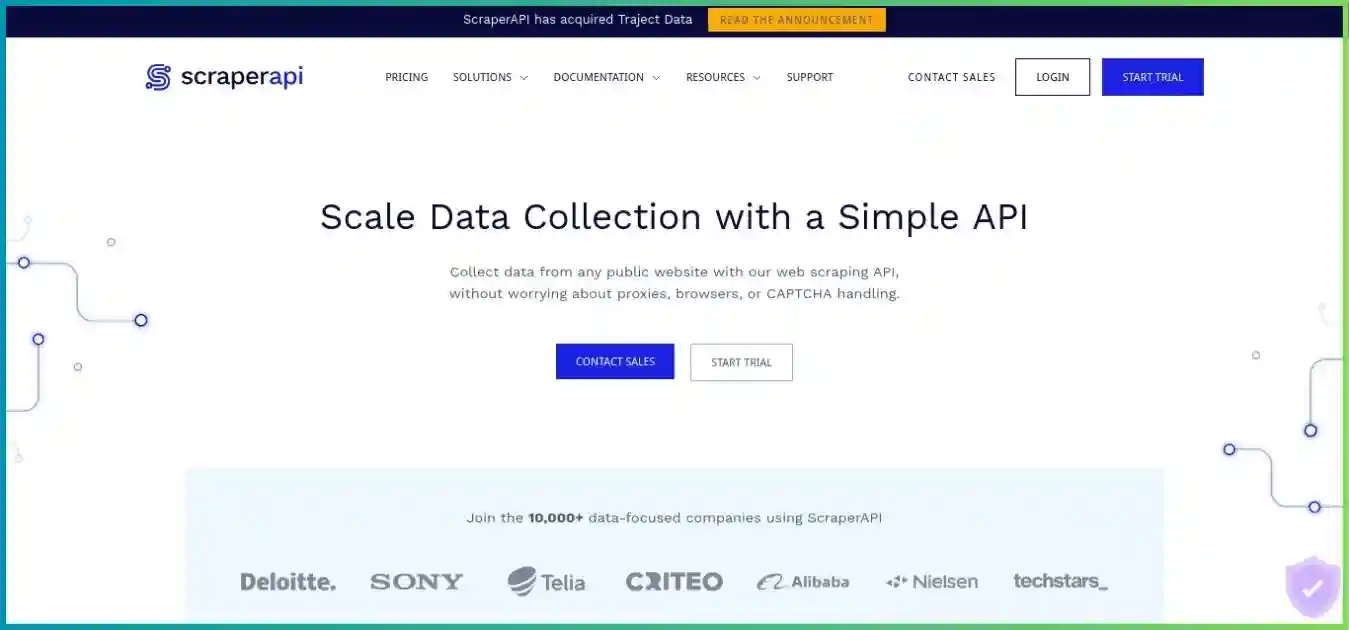
ScraperAPI manages request access, proxies, rendering and retries, with additional structured endpoints and DataPipeline automation. It fits existing applications and supported recurring collection tasks. Our ScraperAPI review explains the individual products.
- Synchronous and async retrieval
- Supported JSON/CSV endpoints
- DataPipeline scheduling and delivery
- Crawler and request cost controls
Pros
- Multiple ways to integrate retrieval.
- Supported parsers can reduce extraction maintenance.
- Cost estimator and request metadata improve budgeting.
Cons
- Target and mode costs change response capacity.
- Core and DataPipeline tables have differences.
- Arbitrary-site parsing and storage need additional design.
Apify
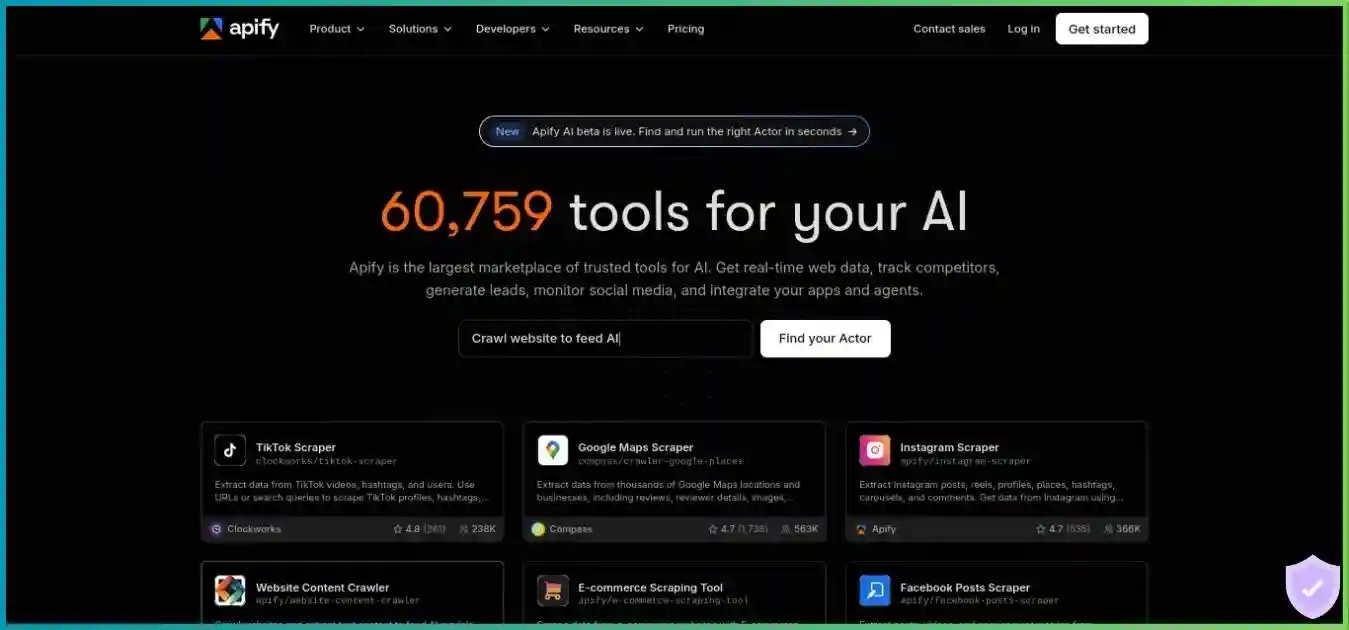
Apify runs complete jobs through Actors, whether chosen from the Store or developed in JavaScript/Python. Platform storage and schedules can keep execution and output together. See our Apify review for a closer look at the platform.
- Ready-made and custom Actors
- Hosted JavaScript/Python jobs
- Datasets, queues and key-value stores
- Tasks, schedules and integrations
Pros
- Flexible custom extraction and transformations.
- Execution, storage and scheduling in one platform.
- Suitable Store Actors can reduce initial coding.
Cons
- Actor quality and pricing vary by listing.
- Resources and events need careful cost modeling.
- Third-party code and runtime permissions require review.
Pricing Analysis and Realistic Cost Comparison
All figures are public USD offers, excluding tax, negotiated pricing and account-specific terms. Compare minimum commitments, expected usage and accepted output separately. ScraperAPI credits measure request billing; Apify prepaid dollars pay for applicable platform/Actor usage. Similar plan names do not imply equivalent workloads.
| Plan | Monthly / annual monthly equivalent | Displayed credits | Threads / targeting |
|---|---|---|---|
| Hobby | $49 / $44.10 | 100,000 | 20 / US and EU |
| Startup | $149 / $134.10 | 1,000,000 | 50 / US and EU |
| Business | $299 / $269.10 | 3,000,000 | 100 / global |
| Scaling | $475 / $427.50 | 5,000,000 | 200 / global |
| Professional | $975 / $877.50 | 10,500,000 displayed; bonus wording needs confirmation | 300 / global |
| Advanced | $1,975 / $1,777.50 | 21,500,000 displayed; bonus wording needs confirmation | 500 / global |
| Enterprise | Custom | 22,000,000+ advertised; contract-specific | 500+; contract-specific |
Annual amounts are monthly equivalents billed annually, with a stated 10% discount. For example, Hobby’s calculated annual invoice is $44.10 × 12 = $529.20, compared with $588 for twelve monthly payments. Startup is $1,609.20 versus $1,788; Business is $3,229.20 versus $3,588. Confirm the invoice and credit-allocation period rather than assuming all annual balances reset like monthly subscriptions.
Professional and Advanced show both a total credit allowance and separate limited-offer bonus labels. The displayed figures do not clearly reconcile with those labels. This article retains the listed total rather than adding a bonus again. Verify promotion duration, renewal allocation and checkout before calculating a long-term unit cost.
Credit exhaustion and PAYG differ by tier
Scaling, Professional, Advanced and Enterprise advertise pay-as-you-go beyond included usage. Hobby, Startup and Business normally require an upgrade or support arrangement when credits run out. No universal numeric overage rate is established here. Set the available spend cap and verify the exact excess rate before enabling large recurring jobs. Monthly unused credits do not roll over at renewal under the billing guidance.
| Plan | Monthly minimum / prepaid usage | CU price | Concurrent runs / total RAM |
|---|---|---|---|
| Free | $0 / $5 | $0.20 | 5 / 16 GB |
| Starter | $19 / $19 | $0.20 | 32 / 64 GB |
| Scale | $199 / $199 | $0.16 | 128 / 256 GB |
| Business | $999 / $999 | $0.13 | 256 / 512 GB |
| Enterprise | Custom | Contract-specific | Contract-specific |
Apify’s subscription includes its prepaid usage: Starter is $19 with $19 of eligible usage, not $19 plus another $19. Paid plans can use additional usage beyond the allowance under account limits. Monthly prepaid usage expires; annual guidance permits annual prepaid usage across the annual period and advertises a 10% discount. Some older subscription-help wording still says 32 GB for Starter; the current pricing comparison lists 64 GB, which is used here.
USD, common $0–$1,975 scale. These are different products and allowances; Apify can incur usage beyond prepaid spend.
ScraperAPI Core: request cost depends on the case
Common zero-to-75-credit scale. Cases show reference domain/mode costs; verify the exact URL and settings.
These are billing multipliers, not speed or success-rate scores. Use the URL cost estimator and sa-credit-cost response header to verify actual consumption.
| Reference case | Credits per billable request | 100,000-credit whole-request capacity | Calculated spend per 1,000 requests at full utilization |
|---|---|---|---|
| Normal | 1 | 100,000 | $0.49 |
| Ecommerce category | 5 | 20,000 | $2.45 |
| Render or premium | 10 | 10,000 | $4.90 |
| Premium + render | 25 | 4,000 | $12.25 |
| Ultra premium | 30 | 3,333 | $14.70 |
| Ultra + render | 75 | 1,333 | $36.75 |
Current Core documentation lists one credit for a normal request, five for the ecommerce category covering Amazon/Walmart/eBay, 25 for Google/Bing SERP and 30 for LinkedIn. Mode references include render or premium at 10 credits, premium plus render at 25, ultra premium at 30 and ultra plus render at 75. These are documented reference cases, not instructions to add every domain and parameter number together.
Protection profiles can also affect costs: the current bypass table lists ten-credit handling for several systems, including Cloudflare, Turnstile, DataDome, Human/PerimeterX and Akamai. Determine the complete URL/settings cost through the estimator and record the returned sa-credit-cost header. Domain categories and protection behavior can change, so a fixed spreadsheet estimate needs periodic reconciliation.
Current DataPipeline credit table
| Mode | Normal | Ecommerce | SERP |
|---|---|---|---|
| Flat | 1 | 5 | 25 |
| Render | 10 | 15 | 35 |
| Premium | 10 | 10 | 35 |
| Premium + render | 20 | 25 | 45 |
| Ultra premium | 30 | 30 | 55 |
| Ultra + render | 75 | 75 | 75 |
The current DataPipeline normal base is one credit. Older documentation/table sections with a six-credit base describe old pricing and should not drive a new forecast. A normal premium-plus-render Pipeline request lists 20 credits, while the Core reference lists 25. Ten thousand such requests therefore imply 200,000 versus 250,000 credits in those reference cases, before other target-specific differences. Neither fits Hobby’s 100,000-credit allowance.
A billable response is not always a useful record
ScraperAPI charges for HTTP 200 and 404 responses under its documentation. Client-cancelled requests can also be charged when the service is not allowed its recommended 70-second completion window. A target 404 may be useful evidence of a missing listing, but it is not a populated product record. Keep your business validation separate from the provider’s billing definition.
At full monthly utilization, Hobby’s nominal price is $0.49 per 1,000 credits. A hypothetical batch of 1,000 billable requests at 25 credits uses 25,000 credits, or $12.25 of proportionally allocated plan cost. If only 800 records pass validation, that is $15.31 per 1,000 accepted records. If that batch is your only paid usage that month, the actual $49 minimum divided by 800 gives $61.25 per 1,000 accepted records. Both calculations answer different questions; neither is an observed provider result.
Apify: model the actual Actor billing
Pay-per-usage Actors incur platform resource costs without a separate developer fee. Pay-per-event Actors define billable events, such as a run start or delivered result. Many event prices include resources, while some charge them separately. Read the live listing to avoid double-counting compute or proxy costs already included in an event price. Accessing datasets after a run can still incur platform operations or transfer usage.
Apify’s rental retirement documentation specifies October 1, 2026 as the full sunset and migration of remaining rental Actors to usage pricing. Some public overview pages retain older rental wording. Use the current listing and account price rather than carrying a historical monthly rental into a new budget. Store listings are individual tools with their own maintenance and input/output contracts.
Hypothetical 2 GB allocation at Starter’s $0.20/CU. Compute only; proxies, storage, transfer and separate Actor charges excluded.
Formula: allocated GB × runtime in hours × CU price. This illustrates arithmetic rather than observed execution time or a guarantee of billing precision.
One compute unit is 1 GB of allocated RAM for one hour. A 2 GB, 30-minute run uses one CU and costs $0.20 at Starter’s rate in compute alone. Other platform meters include proxy traffic, transfer, storage time and operations. More RAM can shorten a job or simply increase its cost; measure the chosen Actor instead of estimating from input count alone.
| Meter | Free / Starter | Scale | Business |
|---|---|---|---|
| Residential traffic per GB | $8 | $7.50 | $7 |
| Google SERP per 1,000 | $2.50 | $2 | $1.70 |
| Unblocker per 1,000 requests | $1.50 | $1.25 | $1 |
| External transfer per GB | $0.20 | $0.19 | $0.18 |
| Dataset writes per 1,000 operations | $0.005 | $0.0045 | $0.004 |
Starter pay-per-usage example, $2.27 total. These workload inputs are hypothetical and do not represent a typical customer.
- Residential traffic: $2.00
- Compute: $0.20
- Dataset writes: $0.05
- External transfer: $0.02
Residential transfer dominates this particular example. Other Actors, targets and billing models can have a very different cost mix.
The illustration uses one CU at $0.20, 0.25 GB residential traffic at $8/GB, 10,000 dataset write operations at $0.005 per 1,000 and 0.10 GB external transfer at $0.20/GB. That totals $2.27, excluding any separate Actor event fee or other meters. Thirty identical runs would total $68.10: the included $19 Starter usage plus $49.10 additional usage under the simplified assumptions. It is not $68.10 plus another subscription charge for the same included allowance.
Use total paid spend ÷ accepted records × 1,000 for the final comparison, then account for parser, scheduler, storage and incident work your team still performs. The illustrative ScraperAPI and Apify jobs above do not have identical workload inputs and should not be read as a head-to-head cost benchmark.
Feature Comparison: Retrieval, Extraction and Workflows
| Task | ScraperAPI | Apify |
|---|---|---|
| Access and retries | Managed retrieval modes and supported access strategies | Actor code with chosen proxy/unblocker/client behavior |
| Structured parsing | Supported domain/use-case endpoints and autoparse | Store Actor schema or custom extraction |
| Crawling | Crawler with discovery, deduplication, limits and webhooks | Actor-defined discovery and request-queue logic |
| Recurring collection | DataPipeline schedules | Actor/task schedules |
| Custom transformations | Usually your downstream system | Can run inside your Actor |
| Storage and recovery | Limited job-result retention; deliver/save externally | Datasets, key-value stores and queues subject to retention and charges |
| Integration options | Sync, async, proxy, structured endpoints, Pipeline and SDKs | Console, REST API, SDKs, webhooks and Actor integrations |
ScraperAPI includes structured and automation products
Structured Data Endpoints supply parsed JSON or CSV for supported use cases rather than leaving every customer to maintain a parser. Amazon, Google, Walmart, eBay and Redfin are documented areas of coverage, with endpoint-specific fields and inputs. Both synchronous and async APIs support structured endpoints. Validate schema, pagination, locale and missing-field behavior before replacing a working parser.
DataPipeline and Crawler mean ScraperAPI is not simply a fetch URL with no scheduling or discovery. The crawler supports link deduplication, depth and budget controls, with webhooks. Paid pricing advertises full crawler access; Free has narrower restrictions such as depth one and no recurring schedules. Current welcome material also describes AI Parser, MCP and automation integrations. Confirm entitlement and cost for the specific product rather than assuming every feature is an unrestricted included service.
Apify offers programmable job ownership
An Actor can crawl, parse, transform and write results in one hosted job. Store Actors can be started using input forms without writing code when their existing behavior fits. Custom JavaScript/Python Actors offer more control, but your team then owns code maintenance and correctness. Platform flexibility does not make every listing equally complete or trustworthy.
Evaluate a ready-made Actor’s maintainer, recent updates, input documentation, billing events and sample results. A custom Actor should have a defined schema, explicit resource limits and a recovery strategy. These checks matter more than a large marketplace count because only the chosen tool’s behavior affects your collection.
DataPipeline versus Apify Tasks, Schedules and Storage
ScraperAPI DataPipeline: configured recurring collection
Current input guidance permits up to 100,000 URLs, keywords or supported identifiers per project through the uploaded file path, with up to 500 pasted directly. Each item belongs on its own line; the documented file format excludes a header row and commas. Input type depends on the project: a product ID, query string and arbitrary URL are not interchangeable.
Schedules include one-time and recurring options such as hourly, daily, weekly, monthly and cron. Results can be downloaded or delivered to a webhook, with notifications. A recurring job still needs input validation, a delivery destination and a process for failed or duplicate data. Check the actual schedule and quota before importing a large list.
Results are delivered as zipped files. Arbitrary-site HTML is wrapped in JSONL; parsed JSON can also be wrapped in JSONL, while CSV is available for structured sources. A JSONL envelope containing HTML is not a completed field extraction. Autoparse supports its documented domain list, and AI Parser is an additional option whose cost and output quality should be assessed separately.
Apify: tasks and storage around an Actor
A saved task captures Actor settings for reuse, and schedules run Actors or tasks at configured times. Datasets hold structured records, key-value stores hold arbitrary objects, and request queues coordinate crawl work. This supports more custom behavior, including transformations and multi-stage workflows, while also adding resource, operation and retention choices to manage.
Named storage objects can be exempt from automatic retention deletion; unnamed objects follow plan rules. Paid retention can be configured, and Free has special recent-run behavior. An exemption from automatic deletion does not prove free permanent storage or provide an independent backup. Check ongoing charges and retention, then export governed data and test recovery where the project requires it.
Performance and Reliability: What the Evidence Supports
The comparison does not establish measured latency, target-success or uptime superiority. ScraperAPI advertises network coverage and an uptime guarantee, while structured-endpoint success statements have a narrower scope than arbitrary-site retrieval. Apify performance depends on the Actor, code, proxies, browser settings and resource allocation. These statements cannot be combined into a fair cross-platform speed chart.
Thread counts and Actor runs are different units
ScraperAPI Hobby permits 20 concurrent threads, increasing to 500 on Advanced. These describe simultaneous retrieval work. Apify Starter allows 32 concurrent Actor runs within total RAM limits, and an Actor may run multiple HTTP requests or browser workers internally. Neither limit directly describes requests per second. Duration, target limits, retries and resource contention determine useful throughput.
ScraperAPI concurrency overage returns HTTP 429 rather than providing unlimited queuing or automatically charging for extra threads. On Apify, a run can also wait or fail because of platform/resource limits or its own configuration. Distinguish provider admission errors from target errors before choosing a retry strategy.
| Metric | Definition | Why it matters |
|---|---|---|
| Accepted records | Complete required fields, right locale, fresh enough, deduplicated | HTTP success is not business success |
| Completion time | Median/p95 time to validated output; full batch duration | Shows queue and tail-delay behavior |
| Retry and rejection counts | Provider errors, target limits, incomplete data separately | Explains cost and reliability |
| Actual usage | Credit metadata or Actor/resource billing | Tests the forecast against consumption |
| Cost per 1,000 accepted records | Full paid spend ÷ accepted count × 1,000 | Compares economic outcome |
Use the same permitted targets, schema, region and collection windows, and compare the exact endpoint or Actor you will deploy. Include pagination, dynamic pages, expected missing data and delivery errors. Keep a modest initial budget, repeat the sample across more than one window and only then increase concurrency or buy an annual commitment.
Rendering, Proxies and Session Behavior
ScraperAPI supports JavaScript rendering, premium and ultra-premium access modes, headers, device agents and sessions. Choose the least expensive permitted configuration that returns valid data. Enabling a browser for every static page raises costs; disabling it for an essential dynamic request can return an incomplete page. A screenshot is useful diagnostic output, not a substitute for structured field validation.
The documented constraints matter: a selector wait requires rendering; screenshot enables rendering; premium and ultra premium cannot be combined; and session_number is not compatible with premium or ultra premium. Country/device/header/output parameters may have no separate parameter charge, but plan entitlements and domain costs still apply. Hobby and Startup list US/EU targeting; Business and above list global targeting.
A mobile user agent changes how the client identifies itself; it does not establish a mobile-carrier exit IP. Likewise, a session parameter does not prove permanent address allocation. Test session continuity and actual content locale when either affects your application. Network-size marketing does not establish live peer availability in your required location.
If your existing code only needs a raw exit connection, our proxy providers guide helps separate proxy infrastructure from managed retrieval and complete workflow platforms.
With Apify, the selected Actor owns its browser readiness, proxy groups, session strategy and retries. A browser-heavy job needs enough RAM and sensible internal concurrency. Review its code or inputs, measure transferred traffic and avoid blindly increasing resources to compensate for a parser or readiness problem. No configuration guarantees permanent access to every target.
Developer Integration and Cost Controls
ScraperAPI integration flow
- Choose Core, structured, async, Crawler or DataPipeline.
- Estimate the exact target/mode credit cost.
- Set per-request cost and concurrency limits.
- Validate the response and retain billing metadata.
- Deliver to your database or configured destination.
Apify integration flow
- Select a trusted Actor and inspect pricing/input.
- Configure runtime, memory and appropriate charge limits.
- Start the run and track completion.
- Validate output and inspect itemized usage.
- Configure tasks, schedules and delivery after the pilot.
Time limits and response handling affect billing
ScraperAPI recommends allowing 70 seconds for synchronous retrieval so its internal attempts can finish. A shorter client timeout can abort a request and still create a billable case. Keep bounded client waits and choose async submission for jobs that should not tie up an application request. The synchronous overview also lists a 50 MB response-size limit; plan large-content collection accordingly.
Use the URL-cost estimator and max_cost for individual ScraperAPI scrapes. Exceeding max_cost returns a 403 under the control documentation. This guard is not a complete monthly spend limit, especially with recurring batches or PAYG. Record cost headers and account usage, and keep a cap on retries and duplicate submissions.
Apify runtime limits control the Actor job, while a caller’s wait duration controls how long the caller blocks. A maximum number of output items is not a universal resource-spend cap. Event-charge limits apply to their billing scope and do not necessarily cover every resource meter. Use controls appropriate to the chosen Actor, then reconcile against run usage.
Keep secrets and job state out of public clients
Use server-side integrations, environment secrets and redacted logs. A public frontend should not expose a scraping-service token. For webhook delivery, verify the expected event, handle repeated deliveries and persist completion state before triggering downstream work. Keep the source URL, requested locale and collection timestamp with each result so later consumers can assess provenance.
An Apify Actor can call ScraperAPI where its code and network access allow it. That combines hosted orchestration with managed retrieval but creates two bills and two sets of limits. Avoid redundant proxy/rendering layers around an already rendered result, isolate the external token and evaluate the combined cost before adopting the design.
Use Cases and Industry Applications
| Project | Starting fit | What to validate |
|---|---|---|
| Existing application needing page access | ScraperAPI Core or async | Accepted response and exact mode cost |
| Recurring supported product/search data | ScraperAPI DataPipeline or a suitable Actor | Schema, locale, pagination and delivery |
| Custom crawl and transformations | Apify custom Actor | Queue, recovery, code maintenance and resources |
| Supported JSON without a custom parser | Structured endpoint versus matching Store Actor | Actual fields and accepted-record cost |
| Multi-stage hosted workflow | Apify evaluation | Runtime permissions, integrations and failure handling |
| Low-code batch collection | DataPipeline evaluation | Input format, schedule, output envelope and retention |
For ecommerce monitoring, define variants, currency, stock state and timestamps. For search, define locale, pagination and organic/ad distinctions. For real-estate data, define stable identifiers and change/deletion handling. An endpoint or Actor that returns some JSON is not sufficient if it omits the fields that make the dataset useful.
For AI-ready content, inspect completeness and source attribution before indexing the result. For recurring analytics, create a stable output contract and track schema drift. Keep validation with your team even when a provider maintains the parser. That separation lets you detect incorrect output after a target redesign instead of accepting a “completed” job as proof of correctness.
Trials, Support, Refunds and Security
Free allowances have different scopes
ScraperAPI advertises a seven-day 5,000-credit introductory trial without a card. Its billing guidance also describes an ongoing free account with 1,000 monthly credits and five connections. Check the signup/account allocation rather than treating both as cumulative permanent allowances. Five thousand credits only support 66 whole 75-credit requests, before other cases; trial “request” wording should not override mode-based consumption.
Apify Free includes $5 monthly usage and stops when that allowance is exhausted. A resource-heavy Actor can consume it quickly; a lightweight job may run further. Free-plan proxy usage also has platform restrictions. Use both free offers to check setup and a small validated sample, then budget a representative paid pilot for the actual workload.
Cancellation, refunds and overage are separate decisions
ScraperAPI advertises a seven-day refund window in its pricing/billing materials. Its cancellation guide says standard cancellation takes effect at the next renewal, with remaining credits usable until the cycle ends. An immediate cancellation/refund requires support. Do not treat pressing cancel as proof that a refund has been issued; check eligibility, timing and confirmation for the purchase.
Apify subscriptions, prepaid balances, Actor fees and accrued overage have different billing implications. Monthly unused prepaid spend expires, and cancellation does not erase resource charges already incurred. Paid account limits estimate usage and the current help warns of deviations up to 10%; they are not exact real-time invoice ceilings. Check the Console’s allowance/overage meaning and billing thresholds before scheduling repeated runs.
Support and security depend on the selected product
ScraperAPI lists priority support and enterprise support channels on higher tiers. Apify moves from community support to chat, priority support and account-manager arrangements. We did not time responses, so no support-speed winner is established. Test a specific billing, target or workflow question during the pilot and confirm SLA/escalation details when they matter to the business.
Apify’s API integration documentation distinguishes runtime permission modes. Direct runs can use restricted access under scoped-token configuration, while its schedule guidance says scheduled invocations inject an unscoped run token. A narrowly scoped token used to create a schedule therefore does not prove the scheduled Actor has narrow runtime access. Review third-party code, account isolation and scheduled behavior before sharing sensitive data or credentials.
A proxy or automation platform does not grant permission to collect data. Review the target’s terms, applicable privacy obligations, retention and security. The IETF Robots Exclusion Protocol defines robots.txt handling and states that its rules are not access authorization. Treat technical access and lawful collection as separate checks.
Pros and Cons: Strengths and Limitations
ScraperAPI: supported access and collection paths
Core/async retrieval can fit an existing client; structured endpoints can remove parser work for supported schemas; and DataPipeline adds scheduling and delivery. The cost estimator and max_cost control help make retrieval consumption visible.
The tradeoff is product and target-specific billing. High-cost modes reduce response capacity sharply, arbitrary-site HTML still needs extraction, and job result retention is temporary. The provider’s billable-success definition is not your business acceptance rule.
Apify: flexible hosted job execution
Actors, tasks, queues and storage allow custom crawling and transformation within a hosted platform. A good ready-made Actor can reduce initial implementation effort, and platform APIs make the workflow reusable.
The tradeoff is variability. Listing maintenance, resource usage, events and permissions affect outcomes. A small subscription minimum does not establish a cheap complete job, and hosting code does not remove the need to validate it.
No numerical star rating, universal “ease of use” percentage or fabricated customer-satisfaction distribution is assigned here. These tradeoffs depend on the task, existing infrastructure and selected endpoint or Actor. Use the provider-card pros and cons as a recap, then validate the criteria that affect your project.
Final Verdict and Decision Framework
| Priority | Starting choice | Evidence needed |
|---|---|---|
| Managed retrieval in an existing app | ScraperAPI | Valid output, required mode and reconciled credit cost |
| Supported low-code recurring collection | DataPipeline versus suitable Actor | Input/output compatibility, schedule and full invoice |
| Custom hosted extraction and transformations | Apify | Working Actor with measured resource use |
| Structured data with minimal parser work | Target-specific endpoint or Actor | Exact schema, pagination and quality checks |
| Predictable monthly spending | Workload-dependent | Utilization, mode mix, event charges and overage settings |
Start with ScraperAPI when your application mainly needs managed access or when its structured/DataPipeline products match the collection requirement. Account for the exact Core/Pipeline cost table, geographic entitlement and delivery retention.
Start with Apify when custom code, hosted crawling, transformations, storage and recurring orchestration are part of the job. Choose the Actor deliberately, inspect its live pricing and review runtime permissions before scheduling it.
Before you subscribe or migrate
- Define permitted targets, fields, locale, freshness and output destination.
- Choose who owns crawling, parsing, scheduling, storage and incidents.
- Capture the full order, renewal, allocation and excess-usage conditions.
- Set runtime, retries, concurrency and spend controls appropriate to the product.
- Pilot representative pages and validate accepted records.
- Compare total invoice and maintenance effort, then migrate gradually with a recovery path.
For more API/platform context, read Scrape.do vs Apify and our ScrapingAnt review. The original related comparisons remain useful: ScrapingAnt vs Scrape.do and ScrapingAnt vs Apify.
The deciding metric is the full cost of correct, permitted, usable output. A lower starting plan price and a larger advertised network do not replace a representative pilot.
Frequently Asked Questions
How we compared these services
We reviewed official public pricing, request-cost tables, DataPipeline input/output rules, structured endpoints, Actor billing, storage, concurrency and permissions. Charts use documented values or labeled hypothetical inputs. Screenshots are visual context. No comparative target benchmark, paid checkout, independent security audit or support-response test was performed. Confirm the selected product’s current terms and run a capped sample before making a recurring commitment.
Choose the Workflow That Delivers Your Required Data
Test representative inputs, inspect the complete bill and select the service that fits your output and maintenance requirements.