Octoparse is a strong shortlist when you want to build and inspect a scraper visually. Apify is a strong shortlist when you want reusable cloud Actors, ready-made automation tools or custom code integrated into a data pipeline. Both can collect web data without writing a scraper from scratch. The key difference is how you author, operate, pay for and maintain that collection.
This comparison uses public product, pricing and help documentation checked October 5, 2026. It covers current subscriptions, included usage, template and Actor billing, cloud execution, proxies, exports, security and cancellation. We have not purchased plans or conducted a controlled performance test. Charts show published prices or explicitly hypothetical arithmetic; they do not claim measured speed, market share or success rates.
1. Quick Comparison & Provider Profiles
Start with the person who will own the workflow. An analyst who needs to click through pagination and verify fields may prefer Octoparse’s visual task editor. A developer who needs versioned code, custom parsing, queues and downstream APIs may prefer Apify. A business user with an exact matching Store Actor can also use Apify without programming; a developer can also automate Octoparse through its APIs.
| Decision factor | Octoparse | Apify |
|---|---|---|
| Custom authoring | Desktop visual browser workflow on Windows/macOS | Custom cloud Actors using code; ready-made Actors use input forms |
| Execution | Free local runs; paid cloud extraction and scheduling | Metered cloud Actor execution, including a limited Free plan |
| Entry paid plan | $83/month Standard before optional usage services | $19/month Starter including $19 prepaid usage; excess is additional |
| Ready-made options | Parameterized templates; editability depends on task format | Store Actors maintained by Apify or independent developers |
| Main cost variables | Subscription, template results, residential traffic, CAPTCHA and services | Actor events or resource consumption, proxies, storage and transfer |
| Best first test | Build or choose a task and inspect the export | Run an Actor with bounded input and inspect output and usage |
Octoparse
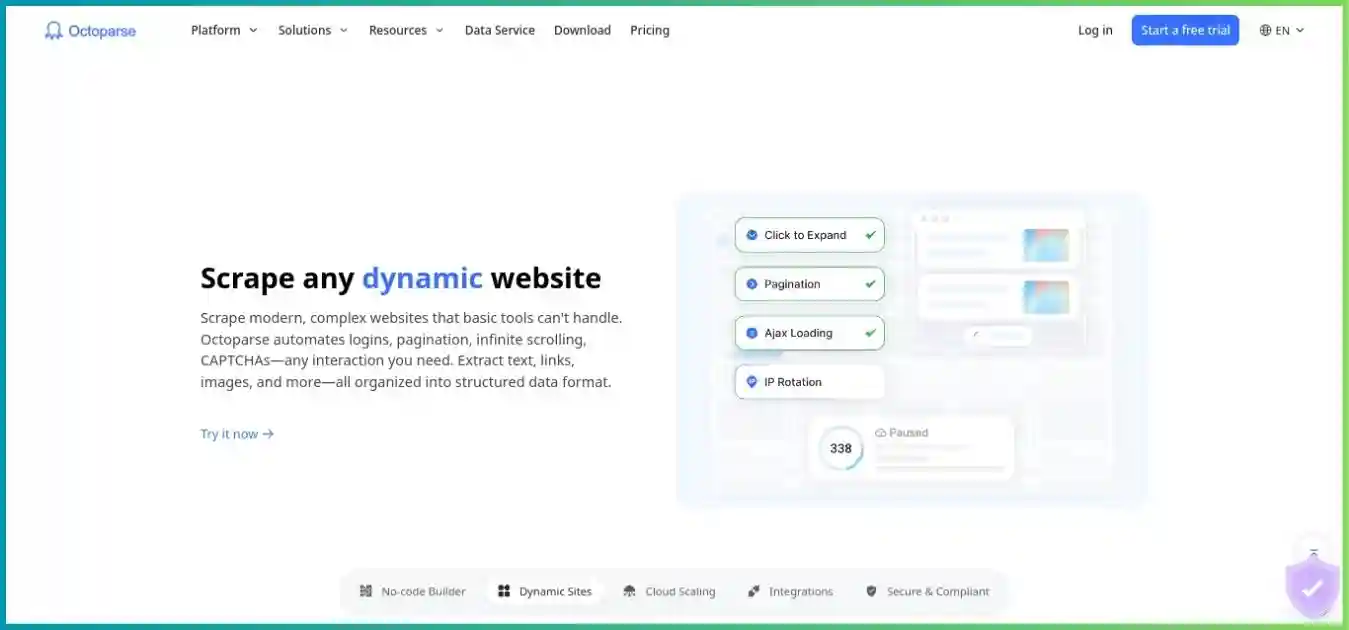
Octoparse centers custom scraper creation on a desktop browser and visual workflow. You select fields, configure loops and pagination, handle page interactions and inspect sample data. Paid cloud execution lets suitable tasks run without leaving your computer on, while templates and API tools provide alternative starting points.
Apify
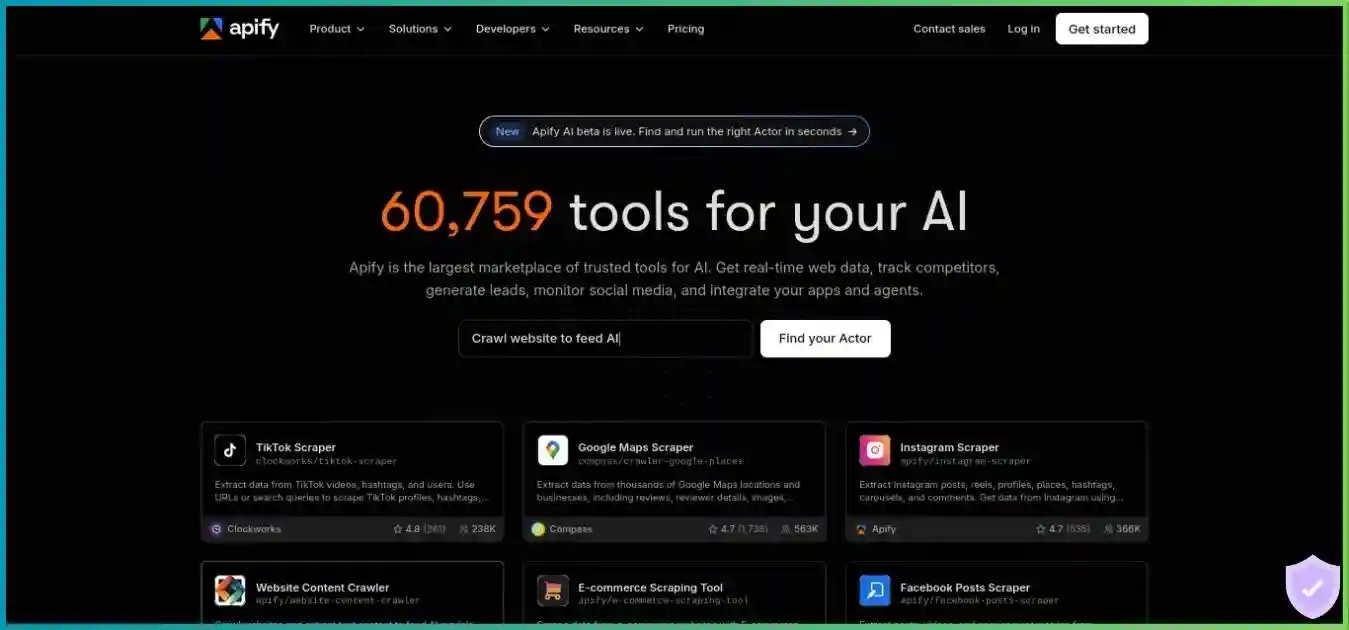
Apify packages scraping and automation programs as Actors: reusable cloud jobs with defined inputs, execution resources and outputs. You can run a Store Actor through a form, call it from another application, or build a custom Actor using JavaScript, Python and supported container workflows. Datasets, request queues and key-value stores support more elaborate pipelines.
For a wider shortlist, our best web scraping tools comparison explains visual tools, hosted Actors and request APIs. For a deeper view of each product, read the Octoparse review and Apify review.
2. Templates, Actors & Platform Scope
The size of a catalog matters less than whether it contains a maintained tool for your exact target. Octoparse advertises a broad template library; Apify’s Store spans web-data tools and automation beyond scraping. These are different catalogs with different counting scopes. Comparing headline totals as though every item were an interchangeable production scraper would be misleading.
For an Octoparse preset, check supported URLs, inputs, output fields, daily limits and whether execution is local or cloud-only. Official preset template tasks are parameterized rather than editable. OTD workflows and custom tasks offer a different editing experience; JavaScript/Python templates can have cloud-only execution. If you need to change the extraction sequence or schema, confirm the task format before assuming the preset is a starting point you can modify.
For an Apify Actor, inspect the developer, last maintenance information, input schema, sample output, pricing events, memory recommendation and issue history. A search-results Actor and a product-detail Actor may differ in locale support, pagination, review extraction and field completeness. Marketplace availability establishes an option to test; it does not establish that the platform has independently validated every result or will maintain every third-party tool.
A material change: Apify rental pricing has retired
Official migration documentation sets October 1, 2026 as the retirement date for the Actor rental model, following restrictions on new rentals earlier in the year. Current pricing descriptions use pay per event and pay per usage. Some comparison tables still retain older rental wording, so an old review’s recurring rental budget should not be carried into a new estimate. Inspect the actual Actor listing and your account’s billing history.
Pay per event bills developer-defined events, such as starting a run or returning a result. Most such prices include platform resources, but some list resource charges separately. Pay per usage has no additional developer charge and bills consumed platform resources. Do not add compute and proxy costs a second time if the event price already includes them. Dataset access after a run can still incur separate platform usage.
3. Visual Workflows Versus Programmable Jobs
Building and maintaining an Octoparse task
A typical custom task starts with opening a target in the desktop application, selecting sample fields, defining a repeating list and configuring navigation. Pagination, clicks, wait conditions and extraction steps become a workflow you can inspect. Test multiple pages and empty states before scheduling it. A selector that works on the first product can fail on a variant, an unavailable item or a localized layout.
The visual approach makes configuration accessible but still requires understanding the page. Infinite scrolling needs a completion rule; login pages need authorized session handling; dynamic content needs suitable waits. When a site changes, someone must diagnose the affected step and verify all output fields again. A point-and-click editor reduces code-writing work, but it does not remove scraper maintenance.
Running or developing an Apify Actor
A ready-made Actor usually starts with a form: URLs or queries, result limits, location options and other listing-specific settings. Save a reusable input as a task, run it, inspect the dataset and then add a schedule or integration. This can be simpler than constructing a visual workflow when the Actor already implements your exact extraction needs.
A custom Actor gives developers more control over requests, browser use, retries, parsing and output validation. JavaScript/Python SDKs and Crawlee-based workflows can support queues, deduplication and controlled concurrency. That flexibility also creates responsibilities: dependency updates, memory sizing, recovery behavior, parser tests and downstream schema compatibility. Choose it when those controls solve a real requirement, rather than merely to gain a larger advertised catalog.
| Requirement | Octoparse | Apify |
|---|---|---|
| No custom code for a supported target | Use a matching preset or build a visual task | Use a matching Store Actor and its input form |
| Change extraction logic | Editable custom/OTD workflow; official presets have restrictions | Modify your own Actor; third-party listings expose only documented inputs |
| Linux-only custom development | Desktop visual builder is not a Linux/Chromebook application | Custom development and API execution suit server-side workflows |
| Versioning and code review | Manage task configuration changes and exported workflow versions | Source-controlled custom Actor implementation |
| Business analyst ownership | Visual steps can simplify day-to-day changes | Simple if a maintained Actor already fits; custom changes may need a developer |
4. Current Plans, Allowances & Billing
Prices below are public USD offers before tax, checked on the stated update date. Enterprise terms, promotions and account-specific variants can differ. Subscription amounts alone do not establish the same workload capacity: Octoparse allocates tasks and cloud processes, while Apify combines usage credit with platform resource limits.
Octoparse: subscription plus applicable add-ons
| Plan | Month-to-month | Task allowance | Execution and main limits |
|---|---|---|---|
| Free | $0 | 10 tasks | Local only; 2 concurrent local runs; 10,000 rows/export and 50,000 exported rows/month |
| Standard | $83 | 100 tasks | Cloud execution/schedules; entry offer up to 3 cloud processes; export and API features |
| Professional | $299 | 250 tasks | Up to 20 cloud processes; broader destinations, advanced API and priority support |
| Enterprise | Custom | Contract-specific | Expanded cloud resources, collaboration and support; confirm exact allocation |
Some older Help Center material and plan variants show six Standard cloud nodes or other packages. The entry Standard offer reviewed here uses three processes. Confirm the selected checkout SKU if parallelism is material. A process limit is neither a promise of a fixed number of browser pages per second nor a limit that can be compared directly to an Apify Actor run.
Octoparse advertises annual equivalents from $69 for Standard and $249 for Professional. Its upgrade documentation lists annual invoices of $829 and $2,999, respectively. Those totals correspond to approximately $69.08 and $249.92 per month; they are more useful for budgeting than multiplying the rounded headline by twelve. Twelve monthly payments total $996 and $3,588, so these annual examples save $167 and $589 before add-ons and tax.
Octoparse Subscription Cost Over One Year
| Item | Published pricing | Budgeting implication |
|---|---|---|
| Residential proxy traffic | $3/GB | Page-load traffic can consume credits even if output is not useful |
| CAPTCHA solving | $1–$1.50 per 1,000 | Solver/type-dependent; failed attempts can consume credits |
| Pay-per-result templates | Advertised $0.001–$3 per 1,000 results | Read the exact listing, limits and result definition |
| Crawler setup | From $399 | Separate service scope; confirm revisions and maintenance |
| Managed data service | From $599 | Separate deliverable, volume and recurring-service agreement |
Paid cloud access and IP rotation do not imply unlimited residential bandwidth or unlimited paid template results. Plan for the services your actual task consumes. Moving from Standard to Professional also has a specific cash-flow consequence: upgrade guidance says the full new-plan amount is charged and unused Standard value converts into extra Professional days, rather than reducing the new charge.
Apify: prepaid usage plus metered excess
| Plan | Monthly minimum / usage credit | Compute rate | Actor RAM / concurrent runs |
|---|---|---|---|
| Free | $0 / $5 credit | $0.20/CU | 16 GB / 5 |
| Starter | $19 / $19 credit | $0.20/CU | 64 GB / 32 |
| Scale | $199 / $199 credit | $0.16/CU | 256 GB / 128 |
| Business | $999 / $999 credit | $0.13/CU | 512 GB / 256 |
| Enterprise | Custom | Custom | Contract-specific |
One compute unit is one GB of allocated RAM for one hour. Compute is only part of resource billing; proxy traffic, transfer, timed storage and storage operations can matter more. Actor event charges draw from the same usage balance where applicable. An older subscription help paragraph lists a smaller Starter RAM figure; the table above follows the current pricing comparison. Confirm the effective Console allocation before sizing a production deployment.
Apify Compute Unit Rates
The Starter payment includes $19 of prepaid usage. If eligible monthly usage totals $12, the subscription minimum remains $19. If it totals $68.10, the simplified calculation is $19 included plus $49.10 excess, for $68.10 total—not $19 plus the entire $68.10 again. Monthly unused credit expires. Annual billing advertises a 10% discount, and subscription guidance says annual prepaid usage can be consumed throughout that annual billing period; confirm the allocation shown for your purchase.
Free stops when its allowance is exhausted. Paid accounts can incur overage if enabled, and billing limits are estimates rather than exact invoice caps. Documentation warns spending can deviate by up to 10%. Configure an appropriate limit in Console, constrain the workload itself and monitor itemized usage. A maximum-result input is not a universal cap on compute, failed attempts or downstream storage access.
5. Realistic Cost Examples & Charts
A fair estimate begins with the target workload: required fields, run frequency, accepted records, transferred bytes and ongoing maintenance. The following examples explain arithmetic for each platform. They deliberately use different hypothetical inputs and cannot establish which platform would cost less for the same real website.
Example A: Octoparse Standard with variable services
Assume a month-to-month Standard subscription at $83, 10 GB of residential traffic at $3/GB, and 1,000 billed CAPTCHA attempts at the lowest advertised $1-per-1,000 rate. The example total is $83 + $30 + $1 = $114. It assumes no paid template, setup service or managed-data fee. The actual CAPTCHA rate, retry count and bandwidth must come from your selected task and usage reports.
Illustration: Octoparse Monthly Cost Components
- Standard subscription: $83 (72.8%)
- 10 GB residential traffic: $30 (26.3%)
- 1,000 CAPTCHA attempts at $1/1,000: $1 (0.9%)
Example B: an Apify pay-per-usage run
| Component | Assumption | Illustrative cost |
|---|---|---|
| Compute | 2 GB RAM × 0.5 hour = 1 CU × $0.20 | $0.20 |
| Residential proxy | 0.25 GB × $8/GB | $2.00 |
| External transfer | 0.10 GB × $0.20/GB | $0.02 |
| Dataset writes | 10,000 billable writes ÷ 1,000 × $0.005 | $0.05 |
| Selected-resource total | Excludes queue, timed storage, other operations, tax and event fees | $2.27/run |
Thirty such runs would consume $68.10 of the selected resources. With $19 prepaid Starter usage applied once, the illustration leaves $49.10 excess. That requires a sufficient configured spending limit. Dataset operations are not necessarily equal to the number of scraped records: batching and access patterns affect the bill. An event-priced Actor might instead include some resources in its event charge, so this resource example should not be pasted onto every listing.
Illustration: Runtime Drives Apify Compute Spend
15 / 30 / 45 / 60 minutes → $0.10 / $0.20 / $0.30 / $0.40 in compute. Actual runtime depends on the target and implementation.
Compare accepted output and ownership cost
Use total collection cost ÷ accepted unique records after validating the fields you actually need. Include subscriptions, actual resource/event consumption, retries, services and maintenance labor. On Octoparse, a visually accessible workflow may lower the cost of an analyst’s routine changes. On Apify, reusable code or a matching Actor may lower the cost of integrating many jobs. Neither effect is captured by an entry subscription price.
Record utilization as well as spend. A mostly unused Octoparse cloud subscription and expired Apify monthly credits are different forms of unused commitment. For irregular work, test whether a free/local workflow or a small cloud allowance is sufficient. For sustained workloads, compare the complete monthly estimate before choosing a higher tier solely to obtain a lower compute rate.
6. Proxies, APIs, Schedules & Exports
Proxy access and protected pages
Octoparse provides built-in cloud IP rotation and separately metered residential traffic. Its current custom-proxy guide restricts external HTTP proxies to local runs and states that username/password authentication is unsupported in that configuration. Do not assume a proxy purchased elsewhere can be substituted into Octoparse cloud extraction. Confirm the current desktop version, supported format and whether settings apply to browsing during setup or to task execution.
Apify provides datacenter, residential, SERP and unlocking options with different charge units. Published residential rates are $8/GB on Free/Starter, $7.50 on Scale and $7 on Business. Starter includes 30 datacenter IPs, with listed extra-IP pricing; these are not equivalent to a residential bandwidth allowance. Free-plan Apify Proxy access is restricted to use inside Apify. Actor-specific compatibility determines whether a selected proxy group or your own service can be used.
A proxy changes the route and location of a request; it does not fix an incorrect parser or guarantee that a target will allow collection. Use the least costly access method that satisfies your permitted workload. If you mainly need an API to retrieve pages for a parser you already maintain, our ScraperAPI vs Apify comparison explains a different integration model.
API access and recurring automation
Octoparse offers retrieval/export APIs and task-management capabilities, with advanced cloud start/stop and task-parameter controls associated with Professional/Enterprise in its plan guidance. Its newer Open API advertises REST endpoints and OpenAPI 3.0, and AgentTools provides discovery, parameterization and execution of supported templates. API availability does not mean every custom task can be authored programmatically: custom visual configuration still uses the desktop builder.
Keep newer template/API access separate from legacy premium API entitlements. Octoparse’s Open API page describes a planned legacy API sunset in the first quarter of 2027. Existing integrations should verify authentication, endpoint availability and migration steps against the account rather than assume old tutorials will remain valid. CLI and MCP entry points can simplify orchestration but still expose only supported underlying operations.
Apify supports Actors, saved tasks, schedules, API calls, webhooks and integrations. A schedule starts a job; a completion webhook can trigger validation or ingestion. Make the downstream operation idempotent so a repeated delivery does not duplicate records. Distinguish successful execution from complete output: a run can finish cleanly while returning fewer items or missing fields after a target changes.
| Capability | Octoparse | Apify |
|---|---|---|
| Scheduled execution | Paid cloud tasks; configure task and cloud suitability | Actor/task schedules with usage charges and resource limits |
| Reusable configuration | Task workflows and parameterized presets | Saved Actor tasks and reusable inputs |
| Data delivery | Local/cloud export and plan-dependent automatic destinations | Datasets, API retrieval, exports, webhooks and integrations |
| Structured pipeline state | Task/cloud data and export configuration | Datasets, key-value stores and request queues |
| Custom logic | Visual conditions, loops and workflow configuration | Programmable parsing, validation and orchestration |
| API migration risk | Legacy API sunset planned; verify new endpoint entitlements | Client versions, Actor schemas and endpoint permissions need review |
For both products, validate exported types, locale, encoding and null handling. Product prices should include currency and variant; dates should include timezone context; identifiers should remain stable across reruns. Keep collection, validation and ingestion separately observable so an upstream website change does not silently corrupt your downstream reports.
7. Scaling, Reliability & a Fair Pilot
Neither a cloud-process allowance nor an Actor concurrency limit proves throughput. An Octoparse process can run a configured task, and Boost Mode can parallelize suitable workflows with splittable lists. An Apify Actor run can itself make concurrent requests within its implementation. Task structure, browser overhead, memory, target rate limits, page size and retries all influence useful output.
For Octoparse, test whether the input is a splittable URL list, text list or fixed list before expecting parallel acceleration. A sequential navigation chain or a session-dependent workflow may not benefit from more nodes. For Apify, increase concurrency only after checking memory and target behavior; parallel browser instances can exhaust RAM, trigger rate limits or increase proxy spend without improving accepted records.
An HTTP 429 response indicates rate limiting. Respect retry guidance, apply backoff and bound retries. More aggressive parallelism can multiply billable attempts while reducing reliability. Measure median and slow-run latency across repeated runs rather than using a single successful demonstration.
| Pilot step | What to control | What to record |
|---|---|---|
| Define the sample | Same authorized targets, geography, run window and required fields | Target classes, dynamic pages and expected unique records |
| Validate output | Identical acceptance rules and deduplication | Complete fields, accuracy, freshness and missing-item rate |
| Bound execution | Comparable input scope, timeouts and retry policy | Wall time, retries, failures and resource use |
| Measure cost | Actual selected task/Actor pricing and services | Subscription utilization, billable events, traffic and accepted-record cost |
| Test recovery | An interrupted run, changed page and duplicate delivery | Recovery work, alerts, duplication and maintenance time |
Try representative difficult cases as well as the happy path: unavailable products, empty queries, consent dialogs, pagination changes and localized pages. Keep a known output sample for regression comparison. Decide in advance what failure means—such as missing a required field or returning stale data—so neither platform gets an easier acceptance standard.
For another visual-tool/API comparison, see ScrapingAnt vs Octoparse. If your pipeline already owns parsing and orchestration, the API layer can be a more relevant alternative than replacing the whole workflow.
8. Security, Permissions & Data Retention
Separate the platform’s controls from the code and data you bring to it. Apify documents SOC 2 Type II compliance; that statement does not independently audit every third-party Actor, establish your own compliance or guarantee that an Actor handles credentials correctly. For either provider, review the terms, data-processing requirements, collaborators, retention settings and export destinations that apply to your organization.
Store secrets in appropriate credential settings, avoid embedding them in shared task inputs or source code, and use narrowly scoped integrations where available. Third-party Actors execute code, so evaluate developer trust and runtime access before giving them sensitive inputs. Scheduling and runtime token behavior may differ from the scope of the token used to initiate a job; review effective permissions rather than relying only on the initiating token’s label.
Octoparse cloud data is documented as retained for three months after a premium subscription expires, but export becomes unavailable until renewal. That makes exporting before expiry particularly important. Apify distinguishes named storage objects from unnamed run storage: named objects are exempt from automatic retention deletion, while unnamed objects follow plan-dependent rules. Retention does not create an independent backup or make timed storage free.
Maintain your own durable copy of required results, provenance and task/Actor configuration. Confirm how to delete both results and uploaded inputs, and check logs for sensitive values. If the workflow uses a login session, ensure the account and data access are authorized; a publicly available tool does not grant rights to a private dataset.
The Robots Exclusion Protocol specification describes how robots.txt rules are interpreted and notes that they are not access authorization. Respect applicable site policies and permissions, minimize unnecessary personal data and set appropriate deletion rules for collected information.
9. Support, Trials & Cancellation
Reviews are useful when they describe the same product layer and workload you will use. A review of a ready-made Actor cannot establish the maintenance burden of a custom Actor; an Octoparse local-task review cannot establish cloud reliability. Look for current accounts of target support, broken-task handling, billing clarity and whether a support reply actually resolved the issue. This article does not invent a survey sample, sentiment percentage or review-derived score.
| Service area | Octoparse | Apify |
|---|---|---|
| Free support | Self-service resources | Community support |
| Entry paid support | Standard support and documentation | Starter chat support |
| Higher tiers | Professional priority support, task review/training; Enterprise agreement | Scale priority chat; Business account manager; Enterprise agreement |
| Third-party tool issues | Confirm template/service ownership and included maintenance | Actor developer support may be distinct from platform support |
| Production escalation | Agree on coverage, task fixes and service scope | Agree on platform versus Actor responsibility and SLA scope |
Free access and premium trials are different
Octoparse’s Free plan supports local extraction with export limits. Its premium trial documentation describes a 14-day trial requiring a payment card and automatic conversion unless canceled. Some promotional and API trial pages use different no-card wording, so distinguish a premium desktop/cloud trial from a separate API offer. Read the actual signup form’s plan, renewal date and amount before starting.
Apify’s Free plan provides a recurring $5 usage allowance without a card, subject to limits. It is useful for a small feasibility test but does not promise enough credit for a protected, browser-heavy or high-volume workload. Bound the run and inspect charges before scheduling repetition.
Cancellation and refund conditions
Octoparse advises canceling at least one day before renewal through Plan & Subscription and completing the confirmation. Canceling a PayPal arrangement alone is not sufficient according to its guide. Paid access generally continues to term end. Its refund policy is conditional: qualifying new Free-to-paid subscriptions or accidental renewals can be considered within five days, but post-trial conversion is excluded from the new-subscription condition, account credits are non-refundable, and processing fees can be deducted. Do not interpret the headline guarantee as unconditional reimbursement.
Apify allows plan changes and cancellation through Billing. Cancellation ends renewal after the current cycle, while excess usage can still be charged. Verify any account-specific refund entitlement separately; a free allowance is not a paid-plan refund promise. Before either cancellation, stop schedules and integrations, export needed data and verify the final billing state.
10. Recommendations by Workload
| Workload | First shortlist | What could change the recommendation |
|---|---|---|
| Analyst-maintained custom scraper | Octoparse | Complex transformations, Linux-only authoring or downstream orchestration |
| Ready-made supported-target extraction | Both catalogs | Exact fields, maintenance, result fees and sample quality |
| Code-based production data pipeline | Apify | A visual workflow already meets the requirement and ownership is nontechnical |
| Occasional local extraction | Octoparse Free | Machine availability, export limits and recurring automation needs |
| Small cloud automation experiment | Apify Free/Starter | Actor/resource costs, target feasibility and required integrations |
| Scheduled reporting to business destinations | Both paid workflows | Plan eligibility, delivery format, validation and total cost |
| Large, heterogeneous target portfolio | Apify custom Actors plus suitable Store tools | Team coding capacity and maintenance versus managed-service terms |
| Outsourced data delivery | Compare scoped services | Contracted schema, refresh schedule, failure handling and maintenance |
For ecommerce monitoring, validate variants, stock, currency and collection time instead of accepting any nonempty price field. For research datasets, preserve source URLs and sampling rules. For lead-related workflows, confirm permission and applicable handling requirements before collecting personal data. For AI retrieval, clean boilerplate, track provenance and refresh or delete stale documents.
If your team mainly needs managed retrieval, our ScraperAPI review explores that option. For infrastructure and managed collection at another layer, the Bright Data review provides context. These alternatives should be compared by the work they replace in your pipeline.
11. A Practical Selection Checklist
- Specify the output. Write required fields, target examples, refresh schedule, permitted access and acceptance rules.
- Choose the authoring model. Decide who can maintain a visual task, a configured third-party Actor or custom code when the website changes.
- Verify a matching implementation. Inspect sample exports, pagination, locale and missing-field behavior before paying for scale.
- Map all charges. Include the subscription minimum, credits applied once, add-ons, resources, events and any setup or service fees.
- Test recovery and delivery. Validate reruns, interruptions, duplicate outputs, alerts and downstream ingestion.
- Resolve production terms. Confirm resource allocations, API entitlements, permissions, retention, support and renewal rules.
Use monthly commitment while the workload is still changing if that flexibility is valuable. Annual billing can lower the nominal cost but ties the purchase to a longer term; model both the annual invoice and likely utilization. Increasing the tier is justified when a documented resource limit or actual complete cost calculation supports it, rather than when a marketing comparison assigns a higher score.
12. Strengths, Tradeoffs & Verdict
Octoparse: visible workflow ownership
Its central advantage is letting a nonprogrammer construct and inspect a custom extraction sequence. Local Free tasks and paid cloud execution support a progression from feasibility to recurring collection.
The tradeoffs are desktop authoring requirements, preset edit restrictions, plan-dependent cloud/API capabilities and variable proxy/template/CAPTCHA charges. Visual configuration still needs maintenance and output checks.
Apify: reusable cloud execution
Its central advantage is combining ready-made tools with programmable Actors, storage and API-driven automation. A matching Actor can serve a business user; custom code can serve an engineering pipeline.
The tradeoffs are listing-specific quality, multiple cost components and the engineering responsibility of custom logic. Lower entry commitment does not guarantee lower workload cost or better data.
Our verdict is conditional: start with Octoparse when visual custom-task ownership is the requirement, and start with Apify when an Actor or programmable cloud pipeline is the requirement. Shortlist both when the desired target has a suitable ready-made implementation. Let accepted output, integration effort and actual usage determine the final choice.
13. Frequently Asked Questions
14. Final Recommendation
Choose Octoparse when your team wants to own custom extraction through a visual desktop workflow and its paid cloud features meet the delivery requirements. Verify preset limitations, Standard cloud allocation, advanced API entitlement and separate residential/CAPTCHA/template charges.
Choose Apify when a maintained Actor already fits or your team needs programmable cloud execution integrated with storage, APIs and recurring jobs. Verify the listing’s event/resource model, sample output, permissions and spending limits. A $19 entry plan is a commitment level, not a promise that a large workload costs $19.
The better tool is the one that reliably returns the required data with manageable ownership and complete costs. Start with a bounded pilot, inspect the results and usage, then buy capacity that your validated workload needs.
How we researched this comparison
We reviewed official pricing, plan and upgrade guides, Actor billing and rental migration documentation, API/template capabilities, resource charges, proxy settings, storage behavior, trial/cancellation policies and support descriptions on October 5, 2026. Public discrepancies are identified where material. Charts use documented values or explicitly hypothetical assumptions. We did not complete paid checkout, benchmark either platform, audit third-party code or measure support response times.
Match the Scraping Platform to Your Workflow
Compare a visual task or Actor on your targets, required fields, complete costs and maintenance needs.