ScraperAPI vs Scrape.do comes down to your workload: Scrape.do has a lower paid entry price and more entry-plan credits, while ScraperAPI combines managed fetching with a crawler and scheduled DataPipeline workflows. Both support JavaScript rendering, residential routing, structured endpoints and asynchronous processing. The right choice depends on the target, response format, country, credit multiplier and engineering work needed to turn responses into usable records.
Quick verdict: which scraping API should you choose?
For a small developer project fetching ordinary pages, Scrape.do is the stronger starting point on published credit economics. Its Hobby plan includes 250,000 credits for $29, compared with ScraperAPI Hobby at 100,000 credits for $49. ScraperAPI provides twice the entry main concurrency, and its surrounding workflow tools can reduce the code needed for discovery, scheduling and delivery. Those advantages matter when infrastructure work costs more than the subscription difference.
For web scraping at scale, compare total cost per accepted record rather than price per advertised request. Rendering, residential routing and special domains consume different numbers of credits. A successful HTTP response may still contain missing fields, stale data or duplicate records. This article compares public pricing, documentation and terms; it does not claim results from a controlled speed or success-rate benchmark.
| Decision point | ScraperAPI | Scrape.do |
|---|---|---|
| Entry subscription | $49 / 100K credits | $29 / 250K credits |
| Entry main concurrency | 20 threads | 10 requests; separate 3-slot async pool |
| Free access | 7-day 5K-credit trial; ongoing 1K-credit free account | 1K credits/month; 5 main + 2 async slots |
| Ordinary-domain rendering | 10 credits per Core API response | 5 credits per datacenter response |
| Parsed data | Structured endpoints and supported autoparse targets | Ready APIs and supported async plugins |
| Workflow emphasis | Crawler, scheduling and DataPipeline delivery | Managed requests, browser actions and async jobs |
| Entry geo access | US/EU regions; global on Business+ | Advertised 160+ countries; verify specific route |
Service overviews and homepage previews
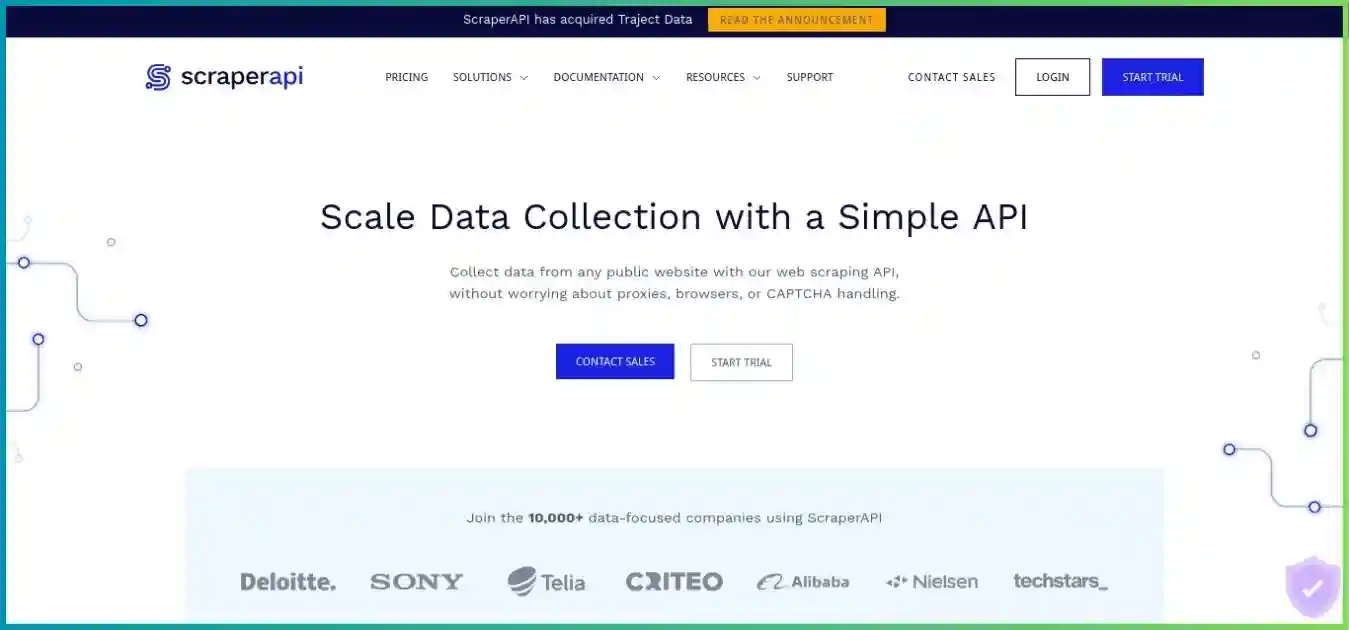
ScraperAPI
ScraperAPI manages proxy rotation, retries, anti-bot handling and optional browser rendering. Its broader suite includes a crawler for discovering linked pages, structured extraction for supported targets, and DataPipeline for recurring collection. The ScraperAPI review explains where those products fit and how their costs differ.
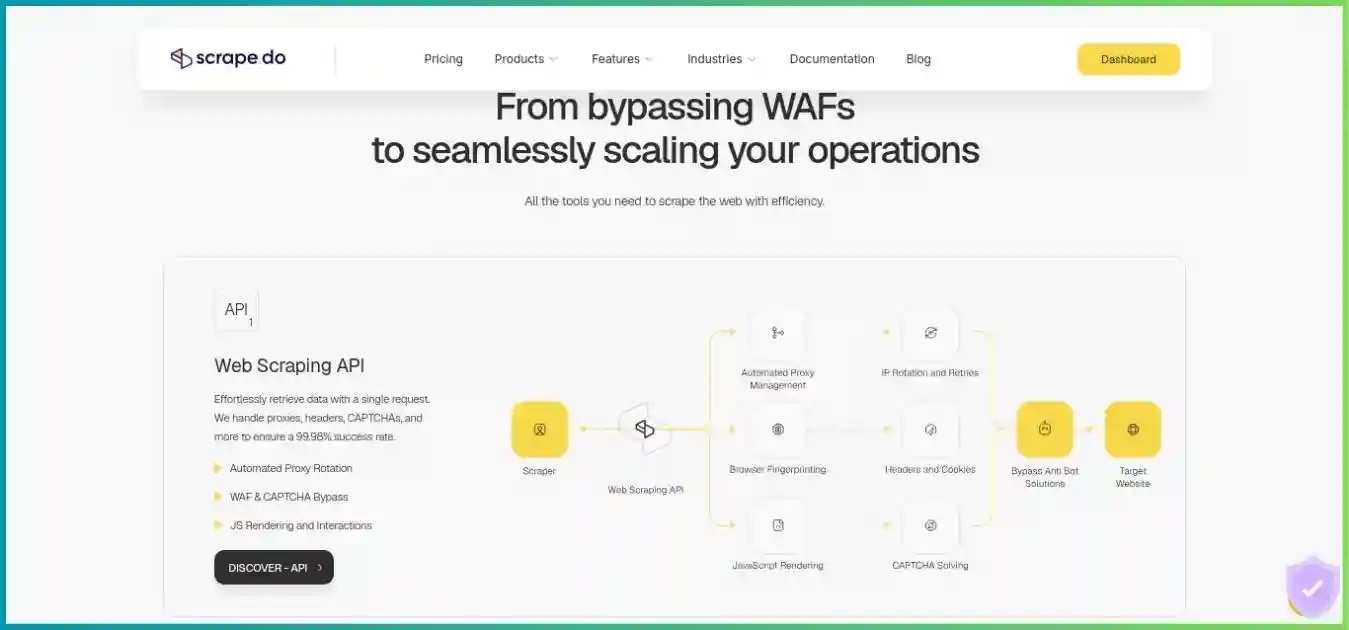
Scrape.do
Scrape.do centers on retrieving pages through a managed API with core features advertised across plans. It also offers structured Ready APIs and asynchronous jobs. Its current product range goes beyond raw HTML: assess the target endpoint and schema before deciding whether you need a custom parser.
Feature comparison: fetching, parsing and automation
| Capability | ScraperAPI | Scrape.do |
|---|---|---|
| JavaScript rendering | render flag; wait-for-selector and screenshot options | render flag; waits, resource blocking and ordered browser actions |
| Premium routing | premium and ultra_premium modes; separate credit costs | super residential/mobile mode; separate credit costs |
| Sessions | session_number; documented restrictions with premium modes | sessionId; expires after 5 minutes without requests |
| Geotargeting | country_code; plan restrictions apply | geoCode; postal targeting requires super and supported country |
| Structured data | Amazon, Google, Walmart, eBay, Redfin and other documented use cases | Ready endpoints for ecommerce, search, maps, travel and other supported targets |
| Async | Submit jobs and retrieve results, including structured targets | Submit/poll/cancel jobs; webhooks; independent extra concurrency |
| Recurring workflow | DataPipeline schedules; crawler discovery and delivery tools | Async API with plugins; arrange recurring scheduling and storage in your application |
| General response formats | HTML; supported parsing and product-specific JSON/CSV | HTML, Markdown and endpoint-specific JSON; render returnJSON includes network data |
| Proxy integration | Proxy port for compatible clients | Proxy Mode on the same subscription; certificate trust needs review |
Structured data: both providers now offer it
ScraperAPI Structured Data Endpoints return parsed data for supported targets. Its autoparse option is also target-specific. Scrape.do Ready APIs provide parsed JSON for supported sites, including ecommerce and search use cases; supported async plugins add structured batch workflows. Neither product makes every website a stable, universal JSON API. Check pagination, variants, availability fields, sponsored results, currency and locale against your own data model.
Do not confuse a JSON response with extraction quality. Scrape.do’s generic rendered returnJSON option exposes browser network information rather than automatically producing your chosen product fields. ScraperAPI DataPipeline can wrap arbitrary-site HTML in JSONL, while CSV output depends on structured sources. Scrape.do also automatically routes some Amazon requests to its structured API, so an existing HTML parser may need adjustment.
Rendering, interactions and session handling
Start with an unrendered fetch and enable JavaScript only when the required content is absent. Scrape.do documents ordered browser actions for clicking, filling, scrolling and waiting; ScraperAPI documents selector waits and rendering options. These settings help with dynamic pages, but resource blocking can remove scripts or API calls that your data depends on. Validate the result after each optimization.
Sticky sessions are temporary routing aids. Scrape.do documents session replacement after failures and country-scoped sessions; ScraperAPI documents restrictions on combining session numbers with premium modes. Neither should be treated as a permanently dedicated IP. A mobile user agent also does not automatically mean a carrier-network address.
Scheduling, crawling and result delivery
ScraperAPI has the clearer packaged workflow for teams that need URL discovery followed by recurring jobs. DataPipeline supports scheduled runs and webhook delivery, with up to 100,000 inputs through its documented CSV route and up to 500 pasted directly. Its documented results retention is up to 30 days, so export to your own durable storage.
Scrape.do’s async service provides job IDs, polling, cancellation and webhooks. Its additional worker pool is independent of the main API pool, but both spend the same subscription credits. Retrieve temporary results before their ExpiresAt timestamp. If you need a full programmable workflow platform, the contextual ScraperAPI vs Apify and Scrape.do vs Apify comparisons explain that tradeoff.
Pricing analysis: subscriptions, credits and real workload cost
All amounts below are published USD figures checked October 5, 2026. Monthly prices are month-to-month commitments; annual invoices are prepaid totals. Plan names are not equivalent workloads, and credits are not universally one page each. Confirm taxes, allocation timing, current promotions and renewal terms before purchasing.
ScraperAPI plans
| Plan | Monthly | Credits | Main threads | Annual invoice | Geo / PAYG |
|---|---|---|---|---|---|
| Hobby | $49 | 100,000 | 20 | $529.20 | US/EU regions |
| Startup | $149 | 1,000,000 | 50 | $1,609.20 | US/EU regions |
| Business | $299 | 3,000,000 | 100 | $3,229.20 | Global |
| Scaling | $475 | 5,000,000 | 200 | $5,130 | Global; PAYG |
| Professional | $975 | 10,500,000* | 300 | $10,530 | Global; PAYG |
| Advanced | $1,975 | 21,500,000* | 500 | $21,330 | Global; PAYG |
| Enterprise | Custom | 22,000,000+ | 500+ | Custom | Negotiated; PAYG |
* Professional and Advanced display these totals alongside separate promotional bonus labels. Do not add the bonus twice; confirm the final allocation at checkout. Enterprise capacity and support are negotiated.
Scrape.do plans
| Plan | Monthly | Credits | Main + async | Annual invoice | Support / additions |
|---|---|---|---|---|---|
| Hobby | $29 | 250,000 | 10 + 3 | $290 | |
| Pro | $99 | 1,250,000 | 50 + 15 | $990 | Priority email |
| Business | $249 | 3,500,000 | 100 + 30 | $2,490 | Teams; dedicated support |
| Advanced | $699 | 10,000,000 | 200 + 60 | $6,990 | Custom WAF/SLA; Slack |
| Enterprise | Custom | Negotiated | Negotiated | Custom | Custom infrastructure |
Scrape.do annual billing is arranged manually through support. Listed annual totals equal ten monthly payments for twelve months: a calculated 16.67% reduction, despite the “up to 20%” headline. Confirm annual credit allocation and renewal details.
USD; common $0–$300 scale. These plans have different credit allowances.
Simultaneous slots; common 0–200 scale. Scrape.do’s extra async pool is excluded.
Request multipliers change the comparison
Shared 0–25 credit scale. Blue: ScraperAPI; green: Scrape.do. Special domains, protection surcharges and other products excluded.
| Ordinary-domain mode | ScraperAPI credits / response | Scrape.do credits / response | Hobby responses: API / do | USD per 1K responses: API / do |
|---|---|---|---|---|
| Standard fetch | 1 | 1 | 100,000 / 250,000 | $0.49 / $0.116 |
| JS rendering | 10 | 5 | 10,000 / 50,000 | $4.90 / $0.58 |
| Residential routing | 10 (premium) | 10 (super) | 10,000 / 25,000 | $4.90 / $1.16 |
| Residential + rendering | 25 | 25 | 4,000 / 10,000 | $12.25 / $2.90 |
| Ultra Premium + rendering | 75 | No directly equivalent published mode | 1,333 whole / not comparable | $36.75 / not comparable |
On ordinary-domain Hobby credit arithmetic, Scrape.do’s allocation costs $0.116 per 1,000 credits and ScraperAPI’s costs $0.49. The subscription itself is $20 less, a calculated 40.8% lower monthly entry commitment. These numbers do not establish universal savings: low utilization, domain pricing, output quality and engineering effort can change the result.
Special domains and product-specific charges
ScraperAPI currently lists ecommerce examples such as Amazon, Walmart and eBay at 5 base credits, Google/Bing SERPs at 25, and LinkedIn at 30. Scrape.do’s current reference lists Amazon at 1, Google at 10 and LinkedIn at 30; some complex targets cost much more. Requested modes and anti-bot handling can change charges. These examples are documented reference profiles, not proof that the two providers return the same page, fields or locale.
Check the exact URL and configuration before scaling. ScraperAPI provides a URL-cost estimator, max_cost control and the sa-credit-cost response header. Scrape.do exposes Scrape.do-Request-Cost and remaining-credit metadata. Treat combinations as documented mode totals rather than blindly adding every multiplier.
Free access, renewals and refund conditions
ScraperAPI advertises a seven-day trial with 5,000 credits, while its pricing FAQ and billing documentation describe an ongoing free account with 1,000 credits and five concurrent connections. These are separate allowances; confirm the signup balance. Scrape.do offers 1,000 monthly credits without a card, five main requests and two separate async slots. A 25-credit mode uses either 1,000-credit allowance in just 40 billable responses.
ScraperAPI says unused credits do not roll over at renewal. Hobby, Startup and Business users who exhaust credits need to upgrade or contact support; Scaling and higher tiers advertise PAYG with spending controls. Scrape.do stops requests at the allowance unless you upgrade or buy more credits. Confirm its rollover, purchased-credit expiry and annual allocation details rather than assuming non-expiring balances.
ScraperAPI advertises a seven-day no-questions refund; request it through support, since canceling renewal alone does not issue a refund. Scrape.do’s initial refund terms require a request within three days and cover unused credits, excluding successful used credits; card commissions may be deducted. Its separate forgotten-renewal clauses have additional timing and refund conditions. Both recurring billing and cancellation should be reviewed before an annual commitment.
Performance comparison: test accepted records, latency and cost
There is no defensible universal speed winner here. We did not run the same URLs, countries, modes and parsers against both services. Published uptime promises and network-wide success claims use different definitions and cannot replace target-specific measurements. ScraperAPI’s published 99.9% uptime guarantee concerns service availability, while a successful request still may not produce the data you need.
A fair pilot procedure
Define the output
Choose identical targets, locales, fields, pagination and freshness rules. Include easy pages, dynamic pages, known missing pages and protected targets.
Control the modes
Start with ordinary fetching, then compare rendered or residential configurations separately. Record automatic routing, endpoint schema and actual charged credits.
Control the load
Use comparable client location, timeout, concurrency and test windows. Randomize provider order and measure p50/p95 end-to-end time, including retries and parsing.
Validate every record
Check required fields, currency, timestamps, locale and duplicates. Separate HTTP success from accepted output; do not count block pages as usable responses.
Reconcile the spend
Report subscription utilization, billable responses, accepted records, engineer time and storage. Keep useful failure examples to discuss with support.
Hypothetical 1,000 billable responses; this is not either provider’s measured success rate.
- Accepted: 800 (80%)
- Incomplete: 150 (15%)
- Duplicates: 50 (5%)
What those records actually cost
Assume the same hypothetical batch uses a 25-credit ordinary-domain mode on each provider: 1,000 responses consume 25,000 credits, yielding 800 accepted records.
At full Hobby allocation utilization, allocated spend is $12.25 for ScraperAPI and $2.90 for Scrape.do: approximately $0.0153 and $0.0036 per accepted record respectively.
If that batch is your only monthly use, the actual subscription spend is $49 or $29: $0.06125 or $0.03625 per accepted record. Add your parser, storage and engineering costs. Equal acceptance is an illustration, not a prediction.
Billable success and error handling
ScraperAPI documents charges for 200 and 404 responses, plus client-canceled requests when it was not allowed its recommended 70 seconds to complete. Scrape.do’s request-cost reference includes 2XX and target 400, 404 and 410 responses; provider validation errors are distinct. Its status documentation lists concurrency 429, failed 502 and client-canceled 510 as non-billable. Parser rejection is not automatically an invoice reversal: inspect the response and, where applicable, ask support to review invalid content.
Bound your worker pool and retry with backoff instead of opening unlimited connections. The MDN explanation of HTTP 429 describes rate limiting and the optional Retry-After header. Distinguish provider concurrency errors from a target site’s own rate limit, and log credit headers alongside status, response format and acceptance outcome.
Which provider fits your use case?
Small custom scraper
Start with Scrape.do
Lower monthly entry commitment and larger standard credit allowance suit developer-owned parsing. Verify target multipliers before estimating capacity.
Recurring discovery and delivery
Shortlist ScraperAPI
Crawler discovery, DataPipeline schedules and webhook delivery can reduce infrastructure work. Budget using the relevant product’s cost table.
Ecommerce or SERP extraction
Compare both structured endpoints
Test schema, pagination, currency, location and missing fields. Scrape.do’s Ready APIs mean parsed output is no longer a ScraperAPI-only distinction.
Regional research or browser actions
Pilot Scrape.do; compare eligible ScraperAPI tiers
Scrape.do advertises broad geo access and documented action sequences. ScraperAPI global targeting starts at Business; verify the actual country and workflow.
For large workloads, compare an explicit monthly volume estimate and support agreement. ScraperAPI publishes higher upper self-service thread limits and PAYG on selected tiers; Scrape.do includes extra async workers and offers custom infrastructure. Neither plan table establishes better enterprise reliability. Confirm incident escalation, data handling, contractual uptime remedies and cost limits for your production account.
For no-code desktop extraction, see Octoparse vs Scrape.do and ScraperAPI vs Octoparse. For programmable hosted workflows and reusable scrapers, read Octoparse vs Apify. Those products can be a better fit when building your own parser and queue is the main obstacle.
Integration and responsible collection
Keep API tokens on your server, encode target URLs safely and avoid logging credential-bearing request URLs. Match the timeout to the chosen service and validate content type before parsing. If using Scrape.do Proxy Mode, review its certificate trust requirements; prefer a scoped trust configuration rather than disabling TLS verification throughout your application.
Plan collection around permission, applicable terms, privacy requirements and appropriate crawl rates. The Robots Exclusion Protocol specification, RFC 9309 defines how crawlers interpret robots.txt; those directives are not access authorization. An unblocking feature is a retrieval capability, not permission to collect every available dataset.
Pros and cons of each provider
ScraperAPI
Advantages
- Crawler and scheduled DataPipeline workflows
- 20 main threads on Hobby; higher published self-service limits
- Supported structured endpoints and cost controls
- PAYG with spending caps on Scaling and higher tiers
Tradeoffs
- Higher paid entry cost with fewer Hobby credits
- Hobby and Startup geotargeting limited to US/EU regions
- Core API and DataPipeline charges differ
- Structured parsing remains target-specific
Scrape.do
Advantages
- Lower paid entry cost and larger Hobby allocation
- Core rendering, routing and geo features across plans
- Documented browser interactions and Ready APIs
- Separate async worker pool without deducting main slots
Tradeoffs
- Lower Hobby main concurrency
- Named-domain costs can diverge from standard modes
- Recurring orchestration and durable storage need planning
- Initial refund covers unused credits within a short window
Frequently asked questions
How we compared these services
We reviewed public provider pricing, credit-cost documentation, structured and async API documentation, workflow guides and subscription terms on October 5, 2026. Capacity, annual invoices and unit costs are calculated from those published figures; they are not checkout receipts. Homepage images are illustrations. We did not purchase subscriptions, test authenticated dashboards, audit proxy sourcing or measure latency and target success. Recommendations prioritize workload fit, documented costs and integration effort.
Final verdict: choose by target and workflow
Start with Scrape.do when your priority is affordable managed requests and you already control parsing and scheduling. Its published entry economics, browser actions and additional async pool make it worth testing. Compare Ready APIs against your required schema before implementing a custom parser.
Choose ScraperAPI when its crawler, scheduled DataPipeline and delivery tools reduce meaningful engineering work. The higher entry main concurrency can also help, but price the exact domain and product you use. Both providers merit a pilot when output quality and geographic consistency matter more than the headline allowance.
Test your real scraping workload
Compare accepted records, charged credits and total effort before choosing a recurring plan.