ScraperAPI vs Octoparse: Pricing, Automation and Web Scraping Compared
ScraperAPI vs Octoparse is a decision about how you build, operate and maintain a web data workflow. ScraperAPI provides managed retrieval, supported structured endpoints, async jobs, Crawler and DataPipeline automation. Octoparse combines a visual task builder, ready-made templates, local or cloud extraction, scheduled exports and developer interfaces. Both can automate collection, but they distribute the work differently between your application, an analyst and the provider.
Choose ScraperAPI when you already have a data pipeline, want HTTPS integration or have a collection task that its structured products cover. Choose Octoparse when an analyst needs to define fields visually, inspect task steps and run recurring collection without maintaining a separate scraper application. A complex custom schema, a protected target or a strict delivery deadline still needs a representative pilot with either service.
This comparison uses official public pricing and documentation checked on October 5, 2026. We have not inspected paid checkout, bought subscriptions, run a controlled speed benchmark or timed support replies. Published limits and hypothetical calculations are labeled separately. Our best web scraping tools guide gives broader context before you narrow the choice.
Affiliate disclosure: we may earn a commission when you purchase through our provider links.
ScraperAPI and Octoparse: Platform Overview
| Decision | ScraperAPI | Octoparse |
|---|---|---|
| Main workflow | Managed page retrieval or supported structured collection; integrate into your application or DataPipeline | Build visual custom tasks or run presets, then extract locally or in the cloud |
| Entry paid subscription | Hobby: $49/month, 100,000 API credits | Standard entry: from $83/month, 100 tasks and up to 3 cloud processes |
| Free custom use | Ongoing 1,000 credits/month, 5 concurrent connections; introductory 5,000-credit trial | 10 local tasks; 2 local runs; 10,000 rows/export and 50,000 exported rows/month |
| Billing unit | Request credits by target and retrieval settings; eligible PAYG overage | Subscription plus applicable proxy, CAPTCHA and template usage fees |
| Field extraction | Your parser or a supported structured endpoint/autoparse workflow | Visual field selection and task steps, or a preset template schema |
| Scheduling | DataPipeline recurring jobs; external scheduling for application code | Premium cloud schedules; documented local schedules have separate limits |
| Developer access | HTTPS synchronous/async interfaces, supported crawler and structured products | Data export/custom-task APIs plus newer template/API/CLI/MCP entry points |
| Where setup happens | API client or dashboard, depending on product | Windows/macOS desktop for visual custom authoring; other routes for presets and integrations |
The useful distinction is who owns the extraction logic. With ScraperAPI Core, you often own parsing, validation and storage while the service handles retrieval. With a supported structured endpoint, it also supplies a defined schema. With Octoparse custom tasks, extraction rules live in the task workflow. Presets move more responsibility to the provider but reduce how much you can change.
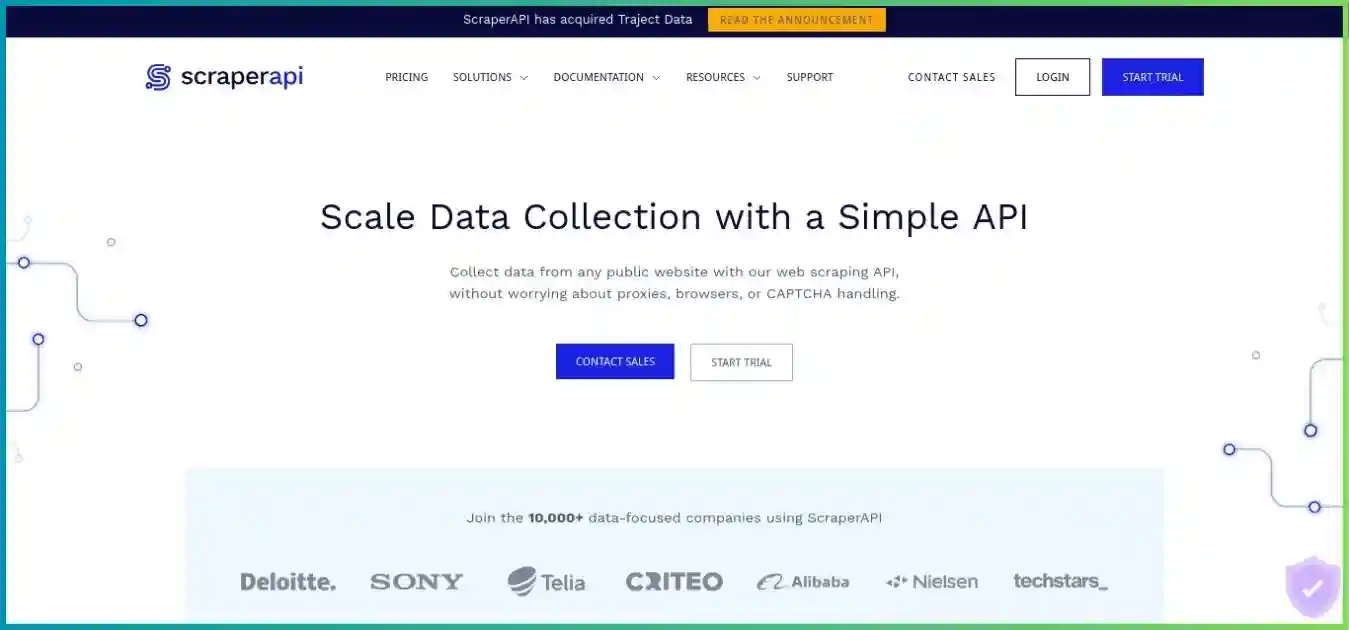
ScraperAPI
ScraperAPI handles request access, proxies, retries and rendering, with additional structured products and dashboard automation. It works well as a collection component in an existing application. Our ScraperAPI review explains its individual products.
- Synchronous and async retrieval
- Supported structured JSON/CSV
- DataPipeline jobs and schedules
- Crawler and request cost controls
Pros
- Straightforward HTTPS integration.
- Supported parsers reduce some extraction work.
- Explicit request-cost estimation and metadata.
Cons
- Credits are not a fixed page allowance.
- Arbitrary-site parsing can remain your responsibility.
- Advanced mode costs can reduce plan capacity sharply.
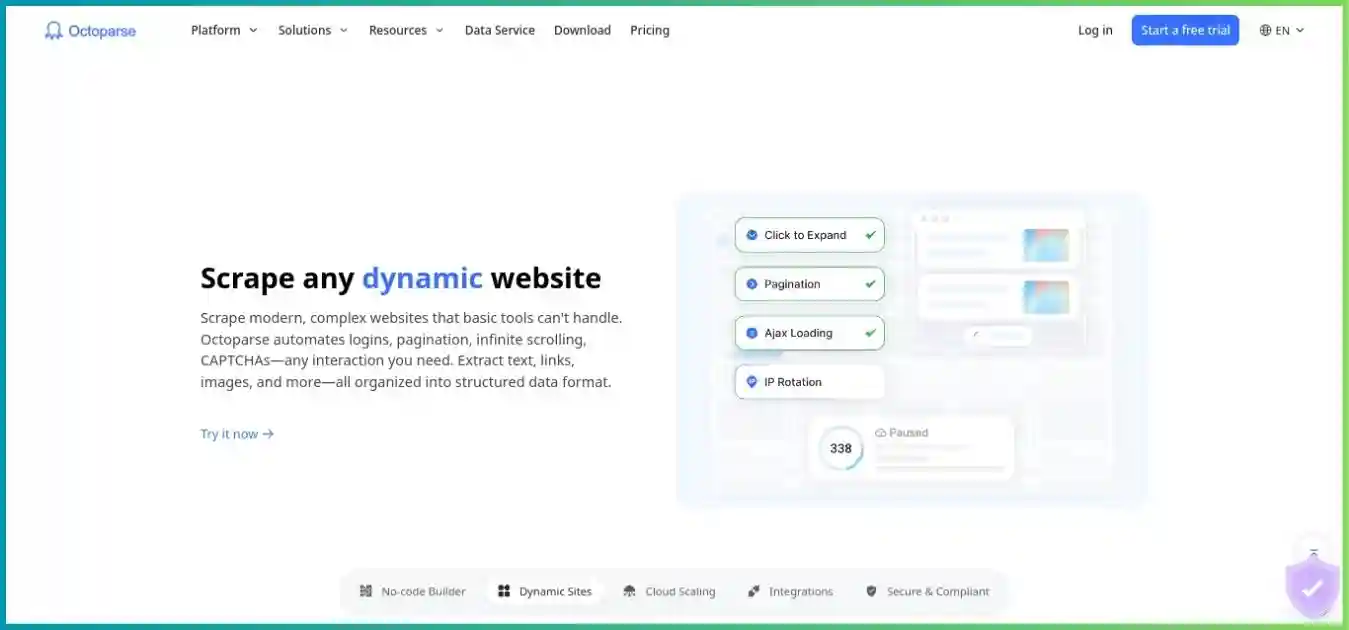
Octoparse
Octoparse brings page navigation, field extraction and delivery into a visual task workflow. Templates provide a faster start when their schema matches your needs. Our Octoparse review covers the builder, cloud plans and add-ons.
- Visual task and field authoring
- Local and premium cloud execution
- Preset templates and scheduled export
- API and supported AI-client interfaces
Pros
- Analysts can own task setup and adjustments.
- Recurring cloud runs do not require an open laptop.
- Multiple file and integration delivery routes.
Cons
- Desktop setup and complex task logic take learning.
- Preset templates are not directly editable.
- Cloud limits and optional usage fees need budgeting.
ScraperAPI vs Octoparse Pricing and Actual Workload Costs
The subscription price establishes access and capacity; it does not establish your cost per clean record. A ScraperAPI request might consume one credit or many. An Octoparse task might visit many pages, return several rows per page and use residential bandwidth or a paid template. Compare a complete recurring workload rather than equating one API request with one task or one exported row.
ScraperAPI plans: credits, threads and geotargeting
| Plan | Monthly / annual equivalent | Listed credits | Concurrent threads / geography |
|---|---|---|---|
| Hobby | $49 / $44.10 | 100,000 | 20; US & EU |
| Startup | $149 / $134.10 | 1,000,000 | 50; US & EU |
| Business | $299 / $269.10 | 3,000,000 | 100; global |
| Scaling | $475 / $427.50 | 5,000,000 | 200; global; PAYG available |
| Professional | $975 / $877.50 | 10,500,000 displayed | 300; global; priority support; PAYG |
| Advanced | $1,975 / $1,777.50 | 21,500,000 displayed | 500; global; priority routing; PAYG |
| Enterprise | Custom | 22,000,000+ | 500+; negotiated configuration and support |
Annual billing advertises a 10% discount and requires an annual commitment; the equivalents above are not month-to-month prices. Professional and Advanced also show promotional bonus badges. The displayed allowance is listed without adding those bonuses again, because the public presentation does not establish whether they are already included. Confirm the final allocation and reset terms before purchasing.
The current paid cards include ultra-premium and full crawler access even on Hobby. Availability does not make advanced requests one-credit requests. Unused credits do not roll over at renewal. Scaling and higher plans advertise PAYG continuation with spending controls; obtain the actual overage rate. Hobby, Startup and Business users reaching their allowance are directed toward upgrading or contacting support.
Octoparse plans: local tasks, cloud capacity and annual invoices
| Plan | Price and capacity | Extraction and integration boundaries |
|---|---|---|
| Free | $0; 10 tasks; 2 concurrent local runs | Local custom extraction; 10,000 rows/export and 50,000 exported rows/month; no ordinary premium cloud scheduling |
| Basic, where offered | $39/month in the help comparison; 10 tasks | Local paid tier with export limits removed; not a substitute for a cloud plan |
| Standard entry | From $83/month; $829 annual invoice in help tables; 100 tasks | Up to 3 cloud processes in current entry offer; scheduling, data retrieval API and supported integrations |
| Standard alternative | $119/month / $1,199 annual in the help comparison | Help tables list a 6-node variant; confirm the exact account offer |
| Professional | $299/month; $2,999 annual invoice in help tables; 250 tasks | Up to 20 cloud processes; advanced custom-task API and priority support |
| Enterprise | Custom; 750+ tasks and 40+ cloud processes advertised in help tables | Negotiated capacity, team access, onboarding and support |
Octoparse advertises rounded annual equivalents of $69 for Standard and $249 for Professional. The help tables list annual invoices of $829 and $2,999, making the calculated equivalents approximately $69.08 and $249.92. Twelve monthly payments would be $996 and $3,588; the listed annual invoices save $167 and $589 before tax and add-ons. Verify checkout and renewal rather than multiplying a rounded marketing price by twelve.
USD, shared $0–$1,975 scale. Different allowances and billing units; variable add-ons and tax excluded.
ScraperAPI credit multipliers change effective capacity
Zero-to-75-credit scale. Domain and mode examples; the exact target and settings determine the bill.
Billing multipliers, not speed or success scores. DataPipeline has its own current matrix, shown below.
| Core reference case | Credits/request | Whole requests | Subscription cost/1,000 responses at full allowance use |
|---|---|---|---|
| Normal | 1 | 100,000 | $0.49 |
| Ecommerce | 5 | 20,000 | $2.45 |
| Render or premium | 10 | 10,000 | $4.90 |
| Premium + render | 25 | 4,000 | $12.25 |
| Ultra premium | 30 | 3,333 | $14.70 |
| Ultra + render | 75 | 1,333 | $36.76 |
The capacities divide the allowance by the reference cost and round down. At 75 credits, Hobby covers 1,333 whole requests with 25 credits remaining, giving approximately $36.76 per thousand responses if all capacity is used. These are responses, not guaranteed valid records. The denominator changes when a page yields several records, returns no matching fields, repeats an entity or needs another request.
Normal requests list one credit; selected ecommerce domains such as Amazon, Walmart and eBay list five; Google/Bing SERP requests list 25 and LinkedIn lists 30. Rendering and premium proxy modes have their own costs. Protection-specific handling can add cost. Do not blindly add every number together: use the domain estimator for the exact URL and settings, then record the sa-credit-cost response header. The max_cost parameter can reject a request above your chosen ceiling with a 403 response.
ScraperAPI billing documentation includes successful 200 responses and 404 responses as billable, and warns about client-aborted requests when the recommended timeout is not allowed. Let synchronous requests run for the documented 70-second window when appropriate; do not assume that an early cancellation avoids a charge. Validate content separately from status, and distinguish a missing source page from a parser failure in your usage report.
DataPipeline has a separate current credit matrix
| Mode | Normal | Ecommerce | SERP |
|---|---|---|---|
| Flat request | 1 | 5 | 25 |
| JavaScript rendering | 10 | 15 | 35 |
| Premium | 10 | 10 | 35 |
| Premium + rendering | 20 | 25 | 45 |
| Ultra premium | 30 | 30 | 55 |
| Ultra premium + rendering | 75 | 75 | 75 |
The old DataPipeline six-credit normal base is obsolete. Despite general wording that its rates match standard scraping, the product tables differ for some combinations: normal-domain premium plus rendering currently lists 20 in DataPipeline versus 25 in the Core reference. Forecast using the product actually running the job, and reconcile against completed-job usage.
Octoparse add-ons and an honest monthly budget
| Add-on | Published reference price | What changes the bill |
|---|---|---|
| Residential proxy traffic | $3/GB | Page-loading bandwidth, settings and target; minimum $3 credit balance to enable documented built-in proxies |
| CAPTCHA handling | $1–$1.50 per 1,000 attempts/solves by type | Failed attempts can consume credits; do not count only final successful rows |
| Pay-per-result templates | $0.001–$3 per 1,000 results in public pricing research | The individual listing defines its fee, schema and limits |
| Crawler setup | From $399 | Separate scoped configuration service; request a quote |
| Managed data service | From $599 | Separate delivery and maintenance scope; request a quote |
Hypothetical usage at $3/GB. This line shows proxy fees only, above the subscription; CAPTCHA and template fees excluded.
At the $83 Standard entry price, these cases total $83, $98, $113, $128 and $143 before other charges. No page count is assumed.
For a hypothetical custom task, Standard at $83 plus 10 GB of residential proxy traffic at $3/GB and 1,000 CAPTCHA attempts charged at $1/1,000 totals $114. If that batch produces 8,500 accepted unique records, allocated spend is approximately $13.41 per 1,000 accepted records. This example excludes tax, staff time and premium-template charges, assumes the stated add-ons apply separately and allocates the whole subscription to this one batch. Confirm actual task billing; it is not a provider benchmark or an estimate for every website.
A fair ScraperAPI budget uses the same validated dataset and observation window. Include subscription allocation, credit mode, eligible overage, your parser hosting and maintenance. A fair Octoparse budget includes task setup, optional usage, execution capacity and export work. A cheaper response can still be more expensive after cleanup, and a higher subscription can still pay off if it reduces repeated manual work.
Extraction Features, Templates and Structured Data
ScraperAPI: access first, with structured products for supported targets
Core retrieval returns the target response so your parser can extract the fields you need. This is useful when your team already maintains selectors, schema validation and downstream transformations. Supported structured endpoints go further by returning defined JSON/CSV fields. Autoparse coverage includes specific domains such as Amazon, eBay, Google, Redfin and Walmart; support for a site does not imply every page type and every field you need is covered.
DataPipeline can process supplied URLs, keywords or identifiers and deliver results without a custom scheduling application. For arbitrary pages, output can be HTML wrapped in JSONL. A JSON file extension describes the container and does not prove that product prices, contact fields or listing attributes were extracted. AI Parser and AI-oriented integrations are additional options; check their current availability, credit treatment and field accuracy with a sample before making them the core of a production workflow.
Octoparse: visual steps, field selection and provider presets
A custom Octoparse task describes navigation, loops, clicks, pagination, waits and extracted fields. Visual authoring lets an analyst inspect the page and adjust task steps. It avoids writing a complete scraper application, but complex pages still require a clear extraction plan. Nested lists, missing elements, detail-page navigation and inconsistent layouts can require careful rules, not simply a single automatic-detection click.
Preset templates are useful when their inputs and output match your requirement. Provider templates are not user-editable under the documented template rules. OTD presets may run locally or in the cloud; JavaScript/Python presets are cloud-only and can have daily limits. A preset label is therefore not a guarantee of local execution, unlimited results or arbitrary customization. When the schema is wrong, build a custom task or scope a provider customization service.
| Requirement | ScraperAPI route | Octoparse route |
|---|---|---|
| Fields on a supported major site | Structured endpoint/autoparse, then validate the exact schema | Matching preset; inspect sample fields and listing fees |
| Custom fields on an arbitrary website | Retrieve HTML/rendered content, then parse in your application or evaluate AI Parser | Visual custom task with configured selectors and steps |
| Link discovery and traversal | Crawler with depth, budget, deduplication and delivery settings | Configured navigation, URL loops and pagination; test coverage |
| Multiple output rows per page | Your parser or supported endpoint determines the mapping | Extraction loops determine row structure and completeness |
| Schema normalization | Your transformation stage for cross-site consistency | Task field cleanup plus downstream normalization where needed |
| Site layout changes | Maintain custom parsers; provider owns supported-product logic | Maintain custom tasks; provider maintains preset implementation |
Both approaches need stable identifiers and validation rules. For a product feed, store a product ID, source URL, observation time, price and currency separately. For a listing feed, distinguish “missing because absent on the page” from “missing because extraction failed.” This makes a layout change visible before incomplete records enter your dashboard.
Scheduling, Data Delivery and API Integration
DataPipeline and Crawler for managed collection
DataPipeline supports one-time or recurring jobs, including hourly, daily, weekly, monthly and cron scheduling. Its documented inputs include CSV upload, pasted lists and supported webhook input. The project input limits list up to 100,000 items for the prescribed CSV format and 500 for pasted input. Follow the format rules rather than treating an arbitrary spreadsheet as a valid upload.
Delivery can use downloads and supported webhook/notification routes. HTML output and parsed output can be packaged in JSONL, while structured CSV depends on a supported extraction format. Results have limited retention, documented up to 30 days, so copy them into your own durable storage. Crawler adds link discovery and traversal controls; configure depth, deduplication, a spend limit and a destination before launching it. Free crawler limits and paid full access differ.
Octoparse cloud schedules and export pipelines
Premium cloud extraction runs on provider infrastructure, allowing a scheduled task to continue while your computer is off. A local task depends on the local environment; local scheduling is a different feature with separate limits. Decide whether you need an occasional analyst export, a daily file delivery or an application that starts collection on demand. Each requirement leads to different task, API and plan choices.
Octoparse supports common file outputs and integrations, but cloud storage destinations and automatic delivery entitlements vary by plan. Standard custom-task API access includes data retrieval/export and some task management. Professional/Enterprise unlock starting or stopping cloud extraction and updating task parameters in the documented interface. A data-export endpoint should not be mistaken for permission to launch arbitrary custom cloud runs.
| Operation | ScraperAPI | Octoparse |
|---|---|---|
| Call from a backend application | HTTPS retrieval/async/structured interfaces; use server-side secrets | Data export/custom-task API or newer template API, subject to route entitlements |
| Run on a schedule | DataPipeline scheduler or your existing job scheduler | Premium cloud schedules; local schedules have separate requirements |
| Trigger custom cloud work by API | Choose the supported async, crawler or job product | Documented custom-task cloud start/stop requires Professional or Enterprise |
| AI-agent access | MCP and supported automation integrations; confirm product and cost | MCP/CLI/AgentTools/template interfaces; verify access, limits and output |
| Avoid duplicate exports | Track job IDs, source IDs and processed batches downstream | Use export markers/cursors and stable record IDs where supported |
| Keep data after plan changes | Archive completed job output before retention expires | Export cloud results before premium expiry; retention does not imply Free export access |
Octoparse now advertises REST/OpenAPI, CLI and MCP interfaces alongside its desktop product. Those routes make the old claim that it has “no developer integration” inaccurate. They also have separate access rules and rollout details. Its public API page announces a planned legacy API sunset in Q1 2027; check migration requirements before writing a new integration against an older endpoint. Free template or AI-client allowances are not interchangeable with Free custom-task cloud rights.
For either service, treat delivery as a recoverable job: save the request or task ID, wait for completion, validate the batch, persist it, then mark it processed. Keep raw output temporarily so you can repair transformation mistakes without collecting every page again. Give a failed export a separate retry path from a failed scrape to avoid paying for unnecessary reruns.
JavaScript Rendering, Proxies and CAPTCHA Handling
Choose rendering only when the required fields need it
A JavaScript-heavy page may load the fields after its initial HTML response. ScraperAPI’s rendering mode can handle that browser stage; documented selector waits require rendering, and screenshot requests enable it. Rendering can consume more credits and add time, so first inspect whether the required data is already available in the normal response. A successful HTTP status does not prove that the desired content has appeared.
Octoparse’s task workflow can navigate browser interactions, waits and pagination. The challenge is choosing a reliable completion condition: wait for the relevant element or data state, not an arbitrary short pause that occasionally captures an empty table. Test lazy loading and infinite scroll across more than the first page. Mobile or localized layouts can change selectors and row structure even when the collection technically completes.
Proxy settings are not interchangeable between products
ScraperAPI manages its retrieval proxy pool. Country targeting depends on plan and target support; Hobby/Startup public cards limit geotargeting to US/EU. A mobile user-agent setting changes client presentation and does not itself prove a mobile-carrier exit IP. Premium and ultra-premium modes have different costs and supported combinations; the documented session-number option is not compatible with premium/ultra modes. Validate session-dependent flows before assuming an IP will remain stable.
Octoparse’s current proxy guide allows your own HTTP proxies for local runs and uses built-in proxies for cloud runs. It states that username/password-authenticated proxies are unsupported in the described setup. Login, editing and run proxy configurations are separate. Setting a login proxy therefore does not establish that extraction traffic uses that proxy. Residential built-in traffic is billed by page-loading bandwidth at the listed $3/GB, rather than a universal number of pages per GB.
Budget for protection handling and unsuccessful attempts
Both services advertise anti-blocking and CAPTCHA capabilities. These are product features, not universal access guarantees. A target can change its protection, return a challenge page with a successful status or require an interaction the chosen workflow does not support. ScraperAPI documents protection-related costs; Octoparse documents separately priced CAPTCHA handling and warns that failed attempts can consume credits. Monitor actual output and spend together.
Use a small batch to isolate the issue: inspect the returned content, confirm rendering readiness, compare region settings and review any CAPTCHA/proxy usage. Increasing concurrency or rerunning the same failing task can raise costs without improving valid output. Ask support for the specific target, configuration and failure evidence instead of assuming a more expensive plan automatically fixes access.
Performance, Concurrency and a Fair Comparison Test
This article does not assign invented speed, success or reliability scores. ScraperAPI’s concurrent threads are simultaneous retrieval slots. Octoparse’s cloud processes execute task workflows that may contain many browser actions and pages. Twenty threads and twenty processes are different units. Even within one provider, a higher limit is capacity rather than a promised proportional reduction in completion time.
| Published limit | What it controls | What it does not prove |
|---|---|---|
| ScraperAPI Hobby: 20 threads | Simultaneous supported retrieval requests | 20 accepted records per second or an unlimited queue |
| ScraperAPI Business: 100 threads | Higher concurrent request ceiling | Five times Hobby throughput on every target |
| Octoparse Standard entry: up to 3 cloud processes | Concurrent cloud execution capacity for that offer | Three pages per second or a fixed dataset deadline |
| Octoparse Professional: up to 20 cloud processes | More parallel task capacity; splittable jobs can use multiple nodes | A guaranteed 20/3 speed improvement over Standard |
| Octoparse Boost Mode | Parallel work for supported splittable loop structures | Acceleration for every sequential click/login workflow |
Octoparse Boost Mode depends on splittable work such as URL lists, text lists or fixed lists. A long dependent click sequence cannot necessarily be divided like independent URLs. ScraperAPI callers must respect their own concurrency ceiling: excess concurrency can produce HTTP 429 responses. Bound workers and use backoff rather than treating rejected requests as queued jobs.
Use the same acceptance test for both providers
- Define the dataset. Use the same permitted source URLs, required fields, geography and observation window. Include common pages, dynamic pages and known edge cases.
- Test several small batches. Run comparable samples at different times. Record setup effort, request/task configuration and any provider-specific defaults.
- Validate output. Count unique accepted records, duplicates, missing fields, stale values and challenge pages. Compare a manual sample with source content.
- Measure end-to-end delivery. Track median and p95 completion times, including extraction, export, validation and persistence. An early response is not necessarily a completed dataset.
- Reconcile all usage. Record credits, proxy GB, CAPTCHA attempts, paid template results and retries. Include the labor required to maintain the schema and recover failures.
Hypothetical 10,000-row batch from either provider. This is a validation example, not measured quality or customer satisfaction.
- Accepted unique rows: 8,500 (85%)
- Duplicates: 1,000 (10%)
- Incomplete rows: 500 (5%)
Use unique identifiers, required-field checks and a freshness timestamp. An exported row and an accepted business record need different counters.
The key measure is total allocated cost ÷ accepted unique records, alongside freshness and completion deadlines. If a workflow returns rows rapidly but misses required fields, it has not met the requirement. If a slower run supplies complete data within the agreed schedule, extra concurrency may be unnecessary. Keep the validation rules constant while changing provider settings so the comparison remains meaningful.
Use Cases: Which Web Scraping Workflow Fits?
| Scenario | Start by evaluating | Why and what to test |
|---|---|---|
| Existing Python/Node application needs page retrieval | ScraperAPI | Keep your code, schema and storage; test exact request mode and credit cost |
| Analyst needs fields from several unfamiliar layouts | Octoparse custom tasks | Visual authoring can reduce application coding; test pagination and missing-field cases |
| Recurring supported ecommerce/SERP feed | Both | Compare ScraperAPI structured/DataPipeline coverage with the matching Octoparse preset and its fees |
| One-off local research dataset | Octoparse Free or ScraperAPI Free | Choose by setup effort; observe export limits versus credit allowance |
| Application starts custom cloud collection on demand | ScraperAPI supported job APIs or Octoparse Professional+ | Confirm trigger permissions, completion handling and parameter updates |
| Strict custom schema with heavy transformations | ScraperAPI plus your parser, or a custom hosted-code alternative | Visual extraction may help collection but does not replace all transformation logic |
| Team wants collection owned by analysts | Octoparse | Check supported desktop environment, task handover and plan-specific collaboration |
| Large protected-site workload | Pilot both | Measure accepted output, actual add-ons/multipliers and delivery limits before committing |
Ecommerce monitoring and search intelligence
For price monitoring, first establish the product/variant identifier, currency, stock status and observation time. Compare each provider’s supported schema against those fields. A product-search result and a product-detail result are different datasets. SERP tasks also need matching country, language, device presentation and pagination; otherwise apparent differences can reflect the query configuration rather than the scraper.
Research, directory collection and lead workflows
Octoparse can suit analysts collecting repeatable lists and detail fields through visual tasks. ScraperAPI can suit teams already normalizing that information inside an application. In either case, define permitted sources and required fields before collecting. Deduplicate by a stable entity key, retain source attribution, and distinguish a missing value from an inferred value. A large output file is not a validated lead database.
AI retrieval and warehouse ingestion
A retrieval endpoint or MCP connection can make data available to an AI workflow, but extraction correctness and freshness still need independent checks. Keep source URLs, timestamps and field-level provenance. For a warehouse feed, agree on incremental behavior, schema changes and export retry rules. If you need programmable hosted extraction rather than retrieval or visual task authoring, our ScraperAPI vs Apify comparison examines that different execution model.
Support and Evaluating User Feedback
Review-platform scores are snapshots of different customer samples, not controlled evidence that one service is faster or cheaper. A review of a simple preset task says little about a custom authenticated workflow. Look for feedback describing the same target type, execution mode, volume and support need as yours. Check the date and whether the reviewer is discussing an older plan or interface.
ScraperAPI advertises priority support on Professional and dedicated/Slack support in custom Enterprise offerings. Octoparse lists email support for Standard, higher-priority support and task review/training for Professional, and tailored support for Enterprise. These plan distinctions can matter when collection is business-critical, but they do not establish a measured response-time promise in this comparison.
Questions that produce useful support answers
- Does the provider support the exact source, region, output fields and required execution route?
- Who maintains extraction when a layout changes: your team, the template maintainer or a paid service?
- Can support explain one failed job and its credit/proxy/CAPTCHA usage with sensitive values removed?
- Are deadlines, escalation, task repair and refunds contractual or merely advertised?
- What extra onboarding or customization fee applies before the workflow becomes usable?
For a pilot support ticket, include the job ID, time, redacted settings, a small output sample and the expected fields. Avoid sending keys or unnecessary personal data. Use the answer to assess how clearly the provider separates access problems, parsing problems and export problems. This is more relevant to your operation than an unattributed testimonial or a generic satisfaction percentage.
Free Trials, Cancellation, Refunds and Data Handling
Free accounts and paid trials are different offers
ScraperAPI advertises a seven-day, 5,000-credit introductory trial without a credit card, alongside an ongoing free account documented at 1,000 monthly credits and five concurrent connections. That trial balance should not be projected as the permanent allowance. Test the actual endpoint, target and options you expect to use rather than spending the entire sample on inexpensive normal pages.
Octoparse Free custom tasks run locally and have the export limits described above. A premium trial is separate. The 14-day trial guide describes payment-method eligibility, selecting Standard or Professional and automatic paid conversion, while other promotional text describes no-card offers. Check the live trial form, selected tier, charge amount and billing date. Do not assume that every trial route is card-free or that a trial of one plan guarantees another trial later.
Cancellation stops renewal; refunds have their own conditions
| Topic | ScraperAPI | Octoparse |
|---|---|---|
| Cancellation | Dashboard cancellation normally takes effect at renewal; remaining cycle credits stay usable | Cancel through account Plan & Subscription at least one day before renewal; keep confirmation |
| Refund | Advertises a seven-day refund policy; contact support for a refund or immediate cancellation | Dedicated policy reviews requests case-by-case; five-day eligibility is not an unconditional guarantee |
| Trial conversion | No-card introductory trial is advertised | Premium trial guide describes automatic paid conversion if not canceled |
| Unused value | Credit balance resets at renewal; no rollover | Add-on credits are non-refundable under the documented policy |
| Premium expiry | Archive job results before product retention limits | Reverts to Free; cloud data retained three months but export requires renewal |
Octoparse’s headline five-day refund language is broader than its dedicated refund policy. That policy identifies potential eligibility for new Free-to-paid subscriptions or accidental renewals within five days, excludes post-14-day-trial payments from the new-subscription criterion, excludes account-credit refunds and allows processing-fee deductions of approximately 4%. Cancellation documentation also says the first month after a trial is non-refundable. Read the applicable terms before relying on a full refund.
For Octoparse upgrades, the help guide describes charging the full new Professional price and converting unused Standard value into extra Professional days rather than deducting it from the immediate invoice. If cash flow matters, ask for the actual charge and resulting expiry date. When leaving either provider, export needed data, stop schedules and verify cancellation confirmation; retained cloud data is not a substitute for your own archive.
Protect credentials and define responsible collection
Keep API keys on the server or in an appropriate secret store, separate environments, redact sensitive URLs in logs and restrict access to exports. For tasks using login sessions, confirm how credentials/cookies are handled in the chosen execution mode. Review retention, deletion and contractual data-processing requirements for the real dataset rather than assuming a product badge covers every use case.
Respect applicable access rules and data-use requirements. The Robots Exclusion Protocol specification, RFC 9309 explains crawler directives and also states that they are not access authorization. A reachable page or an anti-bot feature alone does not settle permission to collect or reuse data. Build source checks, sensible rates and a clear retention policy into the workflow.
Product Scope and Relevant Alternatives
The products increasingly overlap: ScraperAPI has dashboard automation, and Octoparse has APIs and AI-client interfaces. The more durable distinction is where custom logic lives and who operates it. ScraperAPI can supply retrieval to your code; Octoparse can hold extraction logic in visual tasks or provider presets. Compare those responsibilities before comparing marketing categories.
If your requirements include hosted JavaScript/Python jobs, extensive transformations or reusable programmable collectors, read our Apify review and Octoparse vs Apify comparison. If you mainly need managed retrieval, our ScraperAPI vs ScrapingAnt article examines a closer API-oriented alternative. Our Octoparse vs Scrape.do comparison also explores the boundary between visual workflows and retrieval services.
Keep alternatives tied to an unmet requirement: unsupported fields, incompatible desktop setup, required API task control or a demonstrated workload cost. Broad market-growth forecasts do not tell you whether next week’s dataset will arrive correctly. A migration is worthwhile when a representative pilot shows lower operating effort or a clearer fit for your delivery requirements.
Strengths, Limitations and Migration Planning
| Provider | Main strengths | Limitations to plan for |
|---|---|---|
| ScraperAPI | Managed access; straightforward HTTPS use; structured products; DataPipeline; request-level cost controls | Custom parsing/validation may remain yours; credit costs vary; results need archiving; advanced modes affect capacity |
| Octoparse | Visual field/task authoring; local testing; premium cloud schedules; templates; delivery and API options | Complex task design has a learning curve; desktop setup; immutable presets; plan-specific APIs; optional usage fees |
Moving from an API pipeline to visual tasks
Translate the existing parser schema into task fields before changing the collector. Test identifiers, data types, pagination and missing-element handling. Keep downstream storage unchanged during the pilot so output differences are visible. Document task steps and who can repair them; replacing code with a visual workflow still requires maintenance ownership.
Moving from visual tasks to ScraperAPI
Separate retrieval from extraction: choose Core, a supported structured endpoint, DataPipeline or Crawler according to the required behavior. If you choose Core, rebuild the task’s navigation and parsing logic in your application where necessary. Preserve source identifiers, schedules and output contracts. Verify costs on rendered or protected pages rather than extrapolating from simple HTML.
Run a short parallel pilot before switching recurring work
Compare two equivalent batches, reconcile differences and validate a sample manually. Confirm that exports are recoverable and that future renewals/schedules are stopped on the retired system. Avoid duplicate collection during a prolonged migration: it can create duplicate records and two billing streams. Keep enough raw output to investigate discrepancies, then follow your retention policy.
ScraperAPI vs Octoparse: Frequently Asked Questions
Final Recommendation: Choose the Workflow You Can Maintain
| Your priority | Recommended starting point | Purchase condition |
|---|---|---|
| Add managed retrieval to an existing application | ScraperAPI | Required target, geography and request cost pass the pilot |
| Let an analyst author recurring custom extraction | Octoparse | Task fields, cloud behavior and handover are reliable |
| Collect a supported structured dataset with little setup | Compare both supported products | Exact schema, delivery route and full workload cost match |
| Launch custom cloud tasks from an application | ScraperAPI supported job route or Octoparse Professional+ | Confirmed API permissions and recoverable completion handling |
| Minimize total operating cost | Whichever wins your validated workload pilot | Compare full spend and maintenance per accepted record |
ScraperAPI is the stronger starting point for teams that want managed retrieval inside an existing application, with supported structured endpoints and DataPipeline expanding what it can own. Choose the exact product rather than assuming its whole catalog behaves like the Core API.
Octoparse is the stronger starting point for analysts who want visual extraction and recurring cloud tasks, provided the desktop workflow, preset/custom-task distinction and plan entitlements fit. Its subscription is only part of the budget when residential traffic, CAPTCHA handling or paid templates apply.
Make the final choice with a small representative batch. Require the same fields, freshness, unique identifiers and delivery window, then compare accepted output, total spend and repair effort. That produces a decision you can defend when the target layout or collection volume changes.
Test your real collection workflow
Start with a defined sample and acceptance criteria. Confirm the plan, output schema and usage charges before scaling a recurring job.