Proton VPN vs SafeShell VPN: Privacy, App Mode and Everyday Value
Proton VPN is our stronger general-purpose pick for public privacy evidence, ongoing free access, ten paid connections and P2P forwarding. SafeShell VPN is the specialist pick for assigning different supported apps to different VPN countries at the same time. Those are meaningful differences, but neither provider can promise a particular download speed or uninterrupted access to every streaming catalog.
This comparison separates published capabilities from marketing claims and distinguishes direct website subscriptions from app-store purchases. It also explains where documentation is incomplete. We did not buy accounts or run controlled speed, leak, streaming-success or support-response tests for this update.
Two VPNs With Different Priorities
Proton combines an inspectable privacy story with practical paid VPN controls. SafeShell focuses on a convenient app/streaming workflow, especially when your supported services require different exit countries. The better choice depends on whether you need a broadly documented VPN or a particular multi-region routing tool.
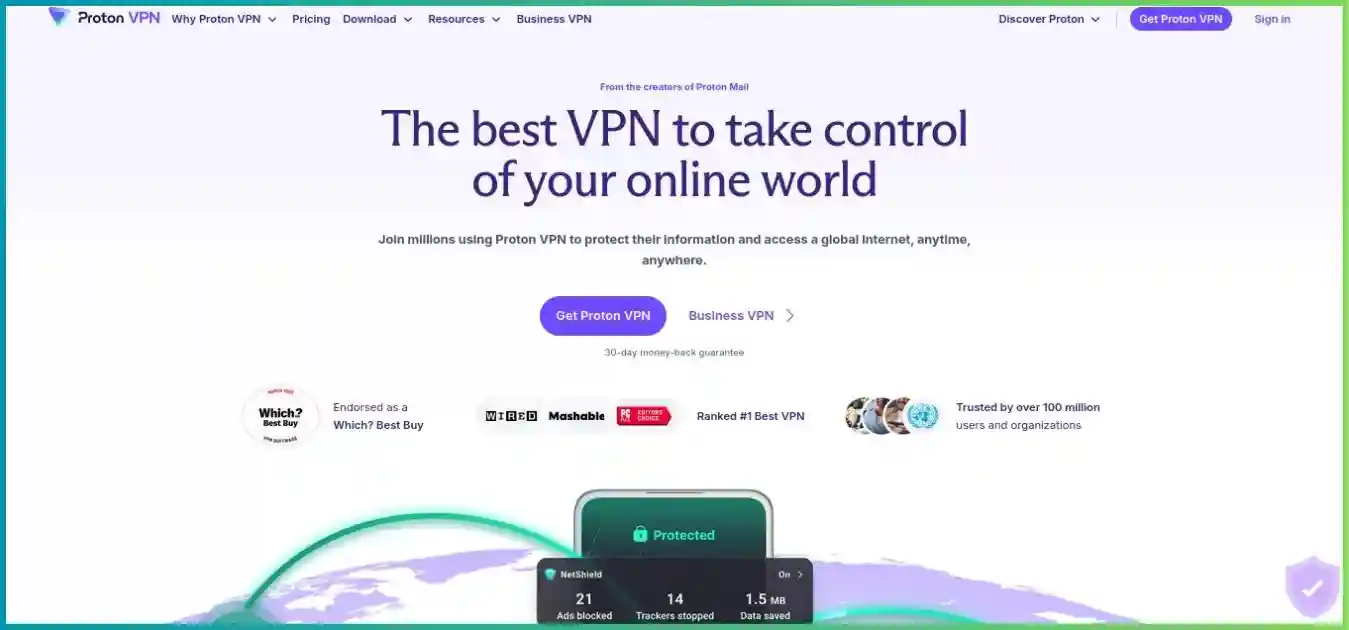
Proton VPN
A Switzerland-based service with open-source production apps and publicly available annual no-logs reports. Free supplies ongoing basic VPN access; Plus adds full country choice, streaming, P2P, NetShield and Secure Core. Proton Unlimited bundles premium services across its wider ecosystem.
- Public evidence and permanent free access
- Paid desktop forwarding and ten connections
- Feature parity varies across platforms
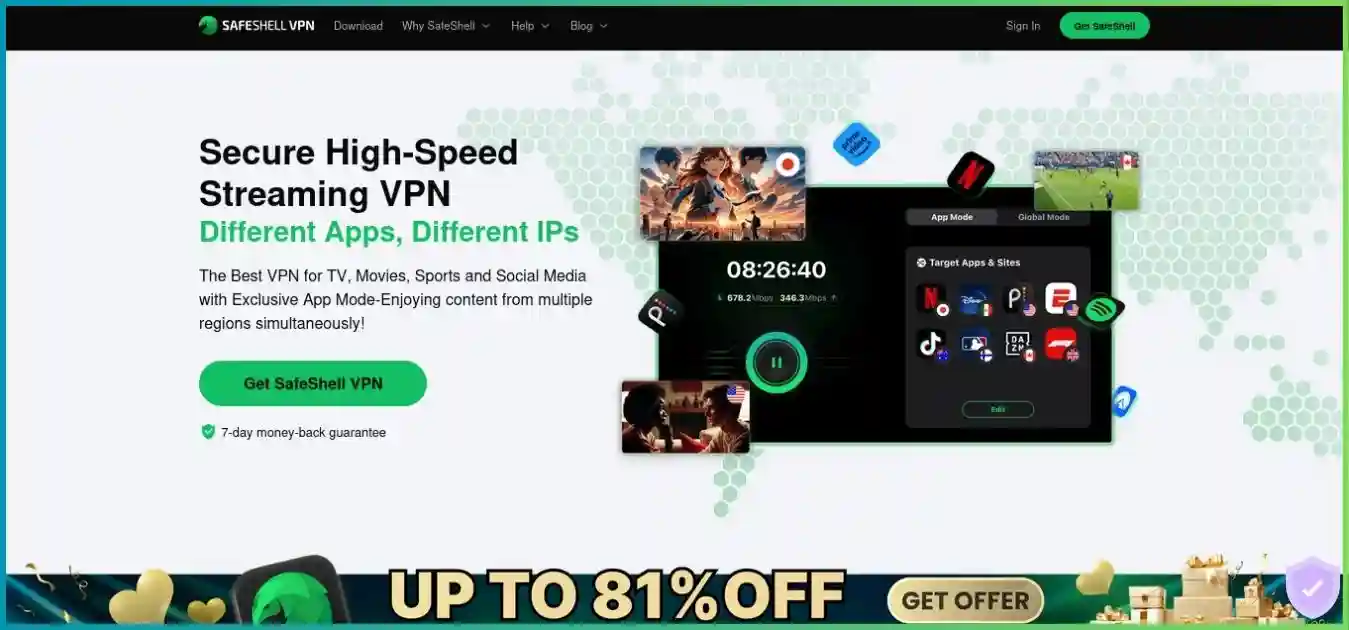
SafeShell VPN
Operated by Singapore-based GearUp Portal Pte. Ltd. App Mode is its distinguishing tool, alongside mainstream mobile/TV apps and five-device use. Its public privacy evidence, platform controls and network definitions are less straightforward to assess than Proton’s.
- Different supported apps can use different regions
- Apple TV, Android TV and Vision Pro paths
- Five devices; channel-specific refund rules
Homepage captures illustrate each provider and may show older promotions. Use the pricing notes and actual checkout for billing. For individual coverage, read our Proton VPN review and SafeShell VPN review.
Quick Comparison: Capabilities and Important Limits
| Feature | Proton VPN Plus | SafeShell VPN |
|---|---|---|
| Best fit | Privacy transparency and general-purpose controls | Supported apps needing different regions concurrently |
| Simultaneous devices | 10; Free allows 1 | 5 |
| Free access | Permanent unlimited-data Free tier | Selected free App Mode apps; changing list/location restrictions |
| Recorded annual price | $47.88 introductory direct-route snapshot | $79.99 US Apple App Store annual item |
| Recorded long plan | $71.76 for 24 months ($2.99 equivalent) | No stable direct-web numeric quote retrieved |
| Refund window | 30 days on eligible initial purchases | 7 days on eligible first-time direct website purchases |
| Independent privacy evidence | Public annual Securitum reports | No comparable public report located in reviewed material |
| Protocol options | WireGuard / Stealth / selected OpenVPN paths | Proprietary ShellGuard / Stealth documented |
| Multi-region app routing | No comparable concurrent per-app-country workflow | App Mode on supported apps/builds |
| Kill-switch documentation | Documented platform behavior and interactions | Consistent system-wide behavior not established here |
| Inbound port forwarding | Paid P2P NAT-PMP on supported setups | Dependable public VPN-side workflow not established |
| Network disclosure | 149 countries / 196 locations in reviewed snapshot | 61 regions in directory; other totals use different units |
A missing public workflow is an evidence gap, not proof a feature is technically impossible. For SafeShell, confirm a must-have app control with the current build/support team before purchasing. Proton’s stronger documentation makes it easier to shortlist for privacy-sensitive routing or desktop P2P configuration.
Pricing, Renewal and Refunds: Keep the Sales Channel Visible
The most useful comparison starts with the actual first payment, term and renewal—not a discount badge. SafeShell’s official website offers duration choices but did not expose a stable numeric quote in the retrieved view. Its US Apple App Store listing did expose in-app products, which must be labeled as store prices.
| Product / channel | First charge | Monthly equivalent | Renewal / qualification |
|---|---|---|---|
| Proton Plus monthly: recorded direct route | $9.99 per month | $9.99; monthly billing | Confirm current monthly checkout |
| Proton Plus annual: recorded direct route | $47.88 / 12 months | $3.99 | Introductory offer; confirm annual renewal |
| Proton Plus two-year: recorded direct route | $71.76 / 24 months | $2.99 | Observed renewal: $83.88 every 12 months afterward |
| SafeShell annual VIP: US Apple App Store | $79.99 annual product | About $6.67 | Store confirmation controls eligibility and subsequent billing |
| SafeShell monthly VIP: US Apple App Store | $12.99 monthly product | $12.99; monthly billing | Check the selected in-app subscription |
| SafeShell weekly: US Apple App Store | $5.99 listed; separate $4.99 item also appears | Not a comparable monthly quote | Product/eligibility-specific; inspect purchase sheet |
| SafeShell direct website | Dynamic quote not reliably retrieved | Confirm actual total and term | Website refund rules differ from store purchases |
USD for a first 12-month purchase: Proton’s recorded direct introductory offer versus SafeShell’s checked US Apple annual item. These are not universal web prices or verified identical renewal terms.
What a headline price actually buys
The two displayed annual snapshots differ by $32.11, but their acquisition channels and renewal terms differ too. Do not interpret that as a permanent provider-wide savings promise. Proton’s $2.99 monthly equivalent requires a $71.76 payment for 24 months; you cannot pay that equivalent one month at a time.
For SafeShell’s displayed Apple products, twelve $12.99 monthly payments would total $155.88, compared with the listed $79.99 annual item. That arithmetic can help assess a commitment, but only if those products and prices are available to your account. It does not establish the website’s annual offer, store renewal price or guaranteed eligibility.
Record the currency, included period, renewal total and any trial conversion date. Store ecosystems and account entitlements can differ, so do not assume a purchase automatically transfers between Apple and Google accounts. Confirm access on each household platform before choosing a channel solely for price.
The seven-day SafeShell policy is for eligible direct purchases
SafeShell’s reviewed guarantee covers eligible first-time subscriptions bought directly on its official website. It excludes renewals and previously refunded/in-process cases. Apple and Google in-app purchases use store refund decisions, and reseller purchases must be handled through the reseller. The provider says direct requests can take up to ten business days to process.
Proton’s current terms provide a full eligible initial-purchase refund when cancellation and the request both occur within 30 days, generally once per user. Cash/bank-transfer payments are excluded and third-party channels follow applicable rules. Plan-change credits are not the same as a cash refund.
Days to request an eligible initial-purchase refund. SafeShell’s US Apple prices above do not carry its direct-web guarantee. Purchase-channel and eligibility conditions apply.
Canceling renewal and requesting repayment are separate actions. Store cancellation deadlines can also apply before a period ends. Keep the receipt and ask through the correct billing channel rather than assuming the VPN app’s disconnect button cancels the subscription.
Free Access: A General VPN Tier Versus Selected Apps
Proton Free provides ongoing VPN access with unlimited data and one connection. The app chooses from free servers in ten countries, rather than allowing unrestricted manual country selection. A requested server change randomly selects another route; published guidance describes a 45-second first-change cooldown and ten-minute subsequent intervals.
The free plan is useful for basic encrypted routing and inspecting the app. It excludes supported paid streaming/P2P, NetShield, Secure Core and full country choice. Its medium-speed positioning does not mean a fixed artificial speed cap, but route distance and free-server load still influence performance.
SafeShell’s App Mode help now documents free use of selected apps. Some locations remain VIP-only, and the free-app list may change. That is a legitimate way to explore the routing workflow where offered, but it is not equivalent to unrestricted general VPN use or full paid coverage.
| Question | Proton Free | SafeShell selected free App Mode access |
|---|---|---|
| What is free? | General VPN routing within free-server restrictions | Selected supported apps on an evolving list |
| Country selection | App-selected free server; cooldown for changes | App/location eligibility varies; some locations VIP-only |
| Full paid feature set? | No | No |
| Good starting use | Basic VPN access without a subscription | Trying a supported app-specific route |
For a paid head-to-head comparison, use Proton Plus and the applicable SafeShell VIP subscription. Do not combine the free price with the paid plan’s full capabilities. Also inspect trial conditions on the actual signup screen; an advertised trial is not automatically available to every returning user or payment channel.
Privacy and Security: Public Evidence Matters
Proton’s independent evidence is easier to inspect
Proton publishes the full reports for its annual Securitum no-logs infrastructure assessments, including its fifth consecutive report in 2026. Its production VPN apps are open source and have separate app-security review history. This lets prospective users inspect evidence before purchasing.
In SafeShell’s reviewed public materials, we did not locate a comparable named, inspectable independent no-logs/infrastructure report. A provider blog refers to independent confirmation without giving a clear report trail. That limits what a reader can independently verify; it does not establish that every claim is false or that an unpublished assessment cannot exist.
Audits examine defined systems and periods, while open source improves inspectability. Neither guarantees permanent behavior or a defect-free app. Even so, the difference in accessible evidence is substantial enough that we favor Proton when documented privacy controls are the main requirement.
SafeShell’s no-logs slogan and policy need clarification
SafeShell markets a no-logs service, but its linked GearUp-wide privacy policy, dated April 7, 2025, describes broad account, purchase, device/network, IP/MAC identifier, approximate-location, timestamp, diagnostic, performance and preference categories. Their scope is not clearly reconciled with the VPN-specific marketing claim.
Those categories do not automatically prove retained VPN browsing histories. The practical issue is clarity: which apply to VPN sessions, which are optional, how long they persist, and whether they can be associated with an account. Readers who need stronger assurance should seek a VPN-specific explanation and inspectable assessment.
Compare protocols and disconnect behavior separately
| Control | Proton VPN | SafeShell VPN |
|---|---|---|
| Protocol documentation | WireGuard UDP/TCP, Stealth, Smart Protocol; selected legacy/manual paths | ShellGuard described as TLS 1.3-based; Stealth as QUIC-based |
| Kill switch | Documented supported-platform controls and interactions | No consistently documented system-wide behavior established here |
| Two-server privacy route | Paid Secure Core | App Mode is different; no equivalent established in core offer |
| Filtering | Paid NetShield DNS/domain blocking | SafeNet on supported builds/routes |
| Source / assessment access | Open-source production apps and public reports | Comparable public app/infrastructure evidence not established |
| Inbound forwarding | Documented paid P2P NAT-PMP | Public workflow not established |
SafeShell’s ShellGuard and Stealth should not be relabeled as WireGuard/OpenVPN. Proton’s app protocol architecture is evolving toward WireGuard, with OpenVPN still available through selected Linux/manual paths and older IKEv2 advice becoming obsolete on some apps. Planned post-quantum groundwork is not proof of an already shipping Proton VPN feature.
DNS leak protection and a kill switch solve different problems. One controls name-resolution routing; the other restricts traffic when a tunnel fails. A SafeShell blog mention is not enough to promise identical disconnect protection across mobile, desktop and TV builds. Verify the exact app’s behavior, especially before routing traffic that must never leave the tunnel.
Secure Core sends Proton traffic through controlled entry infrastructure in Switzerland, Sweden or Iceland before the exit country. SafeShell App Mode instead assigns separate routes to selected apps. It does not add sequential privacy hops simply because multiple countries appear in the configuration.
Speed and Network Coverage: What the Numbers Can Show
There is no measured speed winner in this article. Proton offers WireGuard and VPN Accelerator; SafeShell promotes streaming routes and Game Mode. Each can perform differently across ISPs, devices, distances and hours. Provider uplink capacities or internal percentage gains do not establish your home connection speed.
Network disclosures use different units
| Disclosure | What it says | How to interpret it |
|---|---|---|
| Proton directory snapshot | 20,799 servers; 149 countries; 196 locations | Latest verified snapshot; counts change and live refresh exceeded fetch size |
| Proton Plus / Secure Core | 17,984 Plus servers; 125 Secure Core servers serving 68 exit countries | Separate categories; do not add indiscriminately to the total |
| SafeShell server directory | 61 regions and 2,000+ servers | Rechecked directory still labels its own update October 21, 2025 |
| SafeShell features page | 100+ locations | Location total is not a country count |
| Other SafeShell FAQ disclosure | 10,000+ nodes / 40+ countries in previously reviewed material | Unreconciled units, not a replacement for the directory total |
The directory’s age and incompatible labels are why we do not create a SafeShell country-share pie or a supposedly precise server-count comparison. Confirm the country/city you need and its available P2P or filtering capabilities. A large global total can be irrelevant if the useful route is congested or absent.
Netflix’s published sustained recommendations; see its internet-speed guidance.
A fair performance check on your connection
- Measure baseline download, upload and latency on the same device without either VPN. Prefer Ethernet and pause large transfers.
- Compare ordinary nearby routes at similar times. Repeat several runs rather than retaining only the fastest measurement.
- Test the actual app/country path you need. SafeShell App Mode and Proton’s general tunnel can use different routes, so label the mode and destination.
- Run a real workload long enough to expose stalls and reconnects: a stream, video call, game or transfer. Record jitter and packet loss where relevant.
- Test sleep/wake, network switching and a deliberate disconnection to verify routing and protection behavior on your device.
Speed retention is connected download divided by baseline download, multiplied by 100. An illustrative 180 Mbps on a 200 Mbps baseline retains 90%; it is not a measurement of either service. For gaming, route latency/jitter may matter more than excess download bandwidth; for uploads and sharing, upload speed matters too.
App Mode, Split Tunneling and Ad Filtering
SafeShell’s main advantage is concurrent app-specific regions
App Mode lets supported apps use different VPN locations simultaneously. For example, one configured app can use a UK exit while another uses a US exit. This avoids changing the entire connection whenever you move between those apps. Available apps, locations and account entitlements still need checking in the current build.
Illustrative supported-app routing, not a promise of app availability or catalog access. These are parallel routes, not sequential multi-hop encryption.
Global Mode with Bypass Apps is closer to conventional split tunneling: select a VPN location and exempt selected apps to your ordinary connection. By contrast, Proton’s paid split tunneling includes/excludes selected traffic around one VPN tunnel. It does not supply a comparable documented per-app-country assignment workflow.
Proton has useful platform controls with explicit limitations
Proton documents paid split tunneling on Windows, Linux GUI, Android, Android TV, browser extensions and experimental macOS builds. Mac exclusions have WebKit/Safari limitations and work with WireGuard/Stealth rather than IKEv2. Linux distribution/app-restart caveats and kill-switch interactions deserve attention before you depend on a rule.
On most platforms Proton split tunneling conflicts with the kill switch; Windows supports combined operation. Browser-extension domain routing applies to that browser and is not the same as whole-device app routing. Whichever provider you choose, check the apparent IP for protected and excluded traffic separately.
NetShield and SafeNet do not remove every advertisement
Proton NetShield is paid DNS/domain filtering for known malicious, advertising and tracking destinations. It is not a download scanner or antivirus. On Android, Private DNS can override it; Proton recommends Off or Automatic when using NetShield. Platform-specific adult-content filtering should be checked in the actual build.
SafeNet requires the feature enabled with an active App Mode or Global Mode VPN connection. Some services need a location labeled Ad Free. Its FAQ explicitly excludes embedded Netflix/Disney+ video ads and describes platform rollout limitations, so do not assume every TV or desktop app has identical filtering. Test the current build rather than relying on a universal marketing claim.
Domain filtering from either provider can miss content delivered from the same host as the material you want to see. If blocking breaks an app, change that setting deliberately and retest. Neither filter substitutes for operating-system updates or makes account-based tracking disappear.
Apps, Devices and Support: Check the Exact Setup
Documented concurrent-device limits; zero-based scale, 0–10. Proton Free has a separate one-connection limit.
| Device / workflow | Proton VPN | SafeShell VPN |
|---|---|---|
| Windows / macOS | Native apps; advanced-control platform differences | Native apps; App Mode support should be checked per build |
| iOS / iPadOS / Android | Native apps | Native apps; store/account entitlement matters |
| Linux | GUI/CLI and supported manual configurations | Comparable main-download Linux path not established |
| Apple TV | Native tvOS 17+ app | Native app; checked Apple listing requires tvOS 17+ |
| Android / Google TV | Native Android TV app | Native Android/Google TV pathway |
| Fire TV | Fire OS 7+ app plus separate Vega OS app | Marketing exists; verify installer for exact model/OS |
| Apple Vision Pro | No equivalent native path established here | Listed platform pathway |
| Router / console coverage | Supported router/manual or sharing workflows | Comparable general router/Linux/console documentation not established |
Ten Proton paid connections can be helpful when one person routinely uses a phone, laptop and TV, or several household members connect together. Five SafeShell devices may be enough for a smaller setup, but App Mode does not turn that limit into unlimited devices. Count concurrent connections rather than total owned gadgets.
Proton has more clearly documented desktop/Linux/manual workflows in the reviewed materials. SafeShell’s native TV and Vision Pro paths may fit a particular household well. A provider’s related company offering a router product is not evidence that the SafeShell VPN app itself supports arbitrary routers.
Support quality was not measured
Proton advertises paid priority support/live chat. SafeShell provides in-app tickets, email and community contact options. We did not collect response-time or satisfaction data. Ask a concrete question about your device, app control or purchase channel and judge whether the answer resolves it.
For a household mixing stores/platforms, confirm account linking and concurrent access before paying. Native app availability, App Mode eligibility, SafeNet rollout and billing portability are separate questions. A screenshot showing an attractive interface cannot establish every one of those features.
Streaming, P2P and Gaming: Different Reasons to Choose
Streaming: App Mode is useful, but access is conditional
SafeShell’s strongest reason to buy is a supported multi-region app workflow. Its streaming routes and subtitle-translation features can appeal to viewers who regularly move between services. Translation availability depends on the content/platform and should not be treated as universal player support.
Proton Plus documents supported streaming through ordinary paid servers and native TV apps. Free lacks the full location-choice/paid streaming feature set, and Secure Core is usually the wrong starting point for a speed-sensitive stream because the additional hop adds overhead and not every exit supports streaming.
Netflix’s official VPN viewing guidance says VPN use may show only globally licensed titles and is not supported for live events or ad-supported viewing. Neither service overrides those restrictions. Test the exact account tier, title, device and exit route rather than relying on a provider’s service logo.
Start with a native TV app where possible. For Fire TV, distinguish Android-based Fire OS from Vega OS: Proton has a separate Vega app, and an Android APK cannot simply be installed as an equivalent. SafeShell’s main download page does not establish every Fire TV installer path, so check the specific model before subscribing.
Excluding a streaming app from the VPN can restore ordinary local access, but the app then uses your real internet route and location. That is not VPN-protected regional access. Our streaming VPN guide explains native apps, router alternatives and other compatibility choices.
Torrenting: Proton has the better-documented toolkit
Proton paid P2P servers offer NAT-PMP forwarding through supported Windows/Linux/macOS apps and manual configurations; Mac support remains described as early access. The assigned port can change after reconnecting. Keep the client’s listening port synchronized and maintain any required manual lease process. Forwarding cannot be combined with Moderate NAT.
SafeShell’s directory marks P2P capabilities by region, so avoid assuming every route supports the same activity. A dependable public inbound forwarding workflow and consistent kill-switch behavior were not established. That makes Proton easier to recommend when incoming-peer reachability and disconnect protection are essential.
Where supported, bind the torrent client to the VPN interface and test the kill switch after a deliberate disconnect. A proxy or home-router rule does not automatically create forwarding at a VPN exit. Use sharing for content you have permission to distribute; our torrenting VPN guide covers the practical setup differences.
Gaming: test routing rather than trusting speed slogans
SafeShell Game Mode includes Dual Assurance on supported devices, which evaluates Wi-Fi and mobile-data paths and chooses an appropriate route. It is not a promise that every packet is duplicated or that combined bandwidth doubles. Check compatibility and mobile-data usage for your setup, then measure the actual game’s latency and stability.
Proton’s paid Moderate NAT can improve peer connectivity with a stated small privacy tradeoff, but is incompatible with forwarding. For either service, compare ordinary nearby routes first, then specialized modes. Neither can guarantee lower ping, fix a game-server fault or repair an unreliable last-mile link. Our gaming VPN guide explains route, jitter and NAT considerations.
Pros and Limitations by Provider
Proton VPN
Strengths
- Public annual no-logs reports and open-source production apps.
- Permanent unlimited-data Free tier.
- Ten paid connections, broad location choice and documented forwarding.
Limitations
- Free lacks full manual country choice and paid features.
- Experimental Mac controls and platform interactions require checking.
- No comparable documented simultaneous per-app-country routing.
SafeShell VPN
Strengths
- App Mode supports useful concurrent regional app routes.
- Native mainstream TV and Vision Pro pathways.
- Selected free app access and specialized gaming/translation tools.
Limitations
- Five devices; short direct-web refund window and separate store rules.
- Public privacy assessments and kill-switch documentation less clear.
- Network totals and feature parity require qualification.
Frequently Asked Questions
Final Verdict: Proton for General Use, SafeShell for App Mode
We recommend Proton VPN for most general-purpose privacy and desktop VPN needs. Public evidence, free access, ten paid connections and documented P2P forwarding form a clearer overall toolkit. Choose Plus when you need country control or its paid features rather than expecting Free to supply them.
Choose SafeShell when supported concurrent app-specific regions are the feature you actually need. Verify those apps, locations, devices and account entitlements first. Its workflow can be convenient, but privacy evidence gaps, five-device allowance and channel-specific billing/refunds deserve attention before committing.
| Priority | Our choice | Reason / qualification |
|---|---|---|
| Public privacy evidence | Proton VPN | Public annual reports and open-source production apps |
| Ongoing general free VPN use | Proton Free | Unlimited data; one connection and app-selected countries |
| Different apps in different regions concurrently | SafeShell | Supported App Mode workflow |
| More than five paid concurrent connections | Proton Plus | 10 versus 5 |
| Documented inbound P2P forwarding | Proton paid plans | Supported NAT-PMP workflow |
| Vision Pro-specific app pathway | SafeShell | Listed native platform path |
| Streaming reliability / fastest route | Test your setup | No comparable measurements collected |
How we compared these VPNs
Updated October 2, 2026 using official product/help pages, subscription/refund policies, provider privacy evidence and verified research. Fresh SafeShell checks included App Mode, Global Mode, protocols, SafeNet, download/device paths, the server directory, privacy policy, refund FAQ, Game Mode and US Apple App Store products. Proton plan/audit/forwarding/split-tunneling/filtering guidance and the contextual EFF/Netflix sources were also reviewed.
Proton’s dynamic numeric prices did not render reliably, so recorded route-specific offers remain labeled. SafeShell’s readable price snapshot is from the US Apple listing, not a universal website quote. Provider-defined regions, nodes and locations are not merged into one current fleet total. A public report or workflow not located in this review is described as an evidence gap rather than an absolute claim of nonexistence.
No subscriptions or controlled speed/leak/catalog/support tests were collected. Bars show purchase/refund snapshots and Netflix’s documented requirements; columns show device allowances; the route diagram explains App Mode. These visuals do not imply a market share, security score or guaranteed streaming result. Homepage captures illustrate the providers and may show earlier campaigns.
Related comparisons
Choose the VPN That Fits Your Privacy and App Workflow
Start with Proton for its public evidence and general-purpose tools, or SafeShell for supported App Mode routing. Check the current purchase channel and test your essential apps within the applicable refund or trial conditions.