IPVanish and SafeShell VPN solve overlapping but different problems. IPVanish is the stronger conventional VPN choice for unlimited household devices, familiar protocols and independently assessed no-logs controls. SafeShell is a specialist for assigning supported apps to different countries at the same time, with App Mode and additional mobile gaming tools. Choosing well means weighing that routing convenience against device limits, privacy evidence, platform support and the terms of the payment channel you use.
This article compares IPVanish Essential with SafeShell's ordinary subscription, then separates IPVanish Advanced's extra services. It uses researched offers, official documentation and published privacy evidence. We did not perform controlled speed, streaming-access, leak, gaming or support-response tests. Affiliate disclosure: we may earn a commission from qualifying purchases through our links, at no extra cost to you.
Quick overview: IPVanish for everyday protection, SafeShell for App Mode
Choose IPVanish as the general-purpose VPN
It is our overall recommendation for its uncapped device allowance, documented WireGuard/OpenVPN choices, supportedkill-switch controls and recent independent privacy assessments. Its recorded long-plan offer is also lower per month than the SafeShell US annual store item.
Explore IPVanish plansChoose SafeShell for simultaneous app-specific countries
App Mode is the distinctive reason to consider it: supported apps and, on documented mobile builds, custom domains can use different countries in parallel. That is useful if changing the whole VPN country interrupts your other apps.
Explore SafeShell VPNIPVanish paid simultaneous devices
SafeShell simultaneous limit
SafeShell parallel country assignments
Different eligible direct-purchase refund terms
| Category | IPVanish Essential | SafeShell VPN |
|---|---|---|
| Recorded price | $52.56 / 24 months; $2.19 monthly equivalent | US Apple App Store annual VIP: $79.99 / 12 months; $6.67 equivalent; web price varies |
| Simultaneous devices | Unlimited | Five; store transfer restrictions apply |
| Fast protocol choices | WireGuard, OpenVPN, selected IKEv2 | ShellGuard (TLS 1.3 based), Stealth (QUIC based) |
| Country assignment | Ordinary one-country tunnel; supported traffic exclusions | App Mode assigns supported apps/domains to different countries in parallel |
| Privacy multi-hop | Selected Double Hop routes | App Mode is not privacy multi-hop |
| Kill switch | Documented on supported apps; behavior varies by OS | Consistent system-wide behavior across platforms not verified in current public help |
| Privacy evidence | 2022 Leviathan review and 2025 Schellman assessment | No comparable independent no-logs/infrastructure assessment located |
| Network disclosure | 55 countries, 150 locations, 3,400+ servers in published snapshot | Directory lists 61 regions/2,000+ servers; other pages use different measures |
| TV setup | Native Apple TV, Android/Google TV and Fire TV apps | Apple TV and Android/Google TV documented; verify Fire TV installation route |
| Refund | 30 days on eligible annual/two-year purchases | Seven days on eligible first direct-web purchases; store purchases use store decisions |
For each provider's full setup and plan details, read our IPVanish review and SafeShell VPN review. IPVanish's final public-site refresh was blocked; its quoted offers are provider-published snapshots rather than newly confirmed live checkout prices.
Provider overviews, homepage images, pros and cons
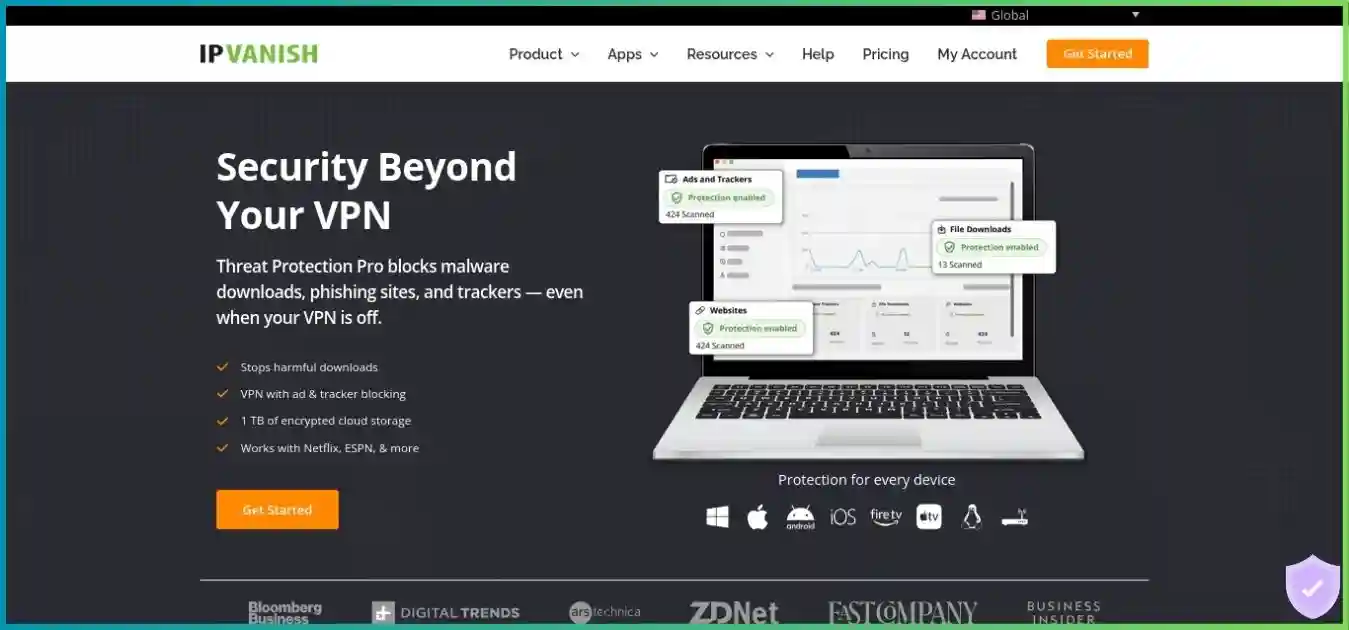
IPVanish
IPVanish is useful when you want a full VPN app on many phones, computers and TVs. Server selection and supported load/latency information help you choose a practical route. Essential includes the actual VPN; Advanced adds endpoint and cloud services rather than a larger network.
Strengths
- Unlimited simultaneous devices
- Standard documented protocol choices
- Independent no-logs assessments under later ownership
- Clear native TV and compatible-router paths
Limitations
- Smaller country footprint than some major rivals
- RAM-only migration is not yet complete
- No App Mode equivalent for parallel countries verified
- Historical logging disclosure under former ownership
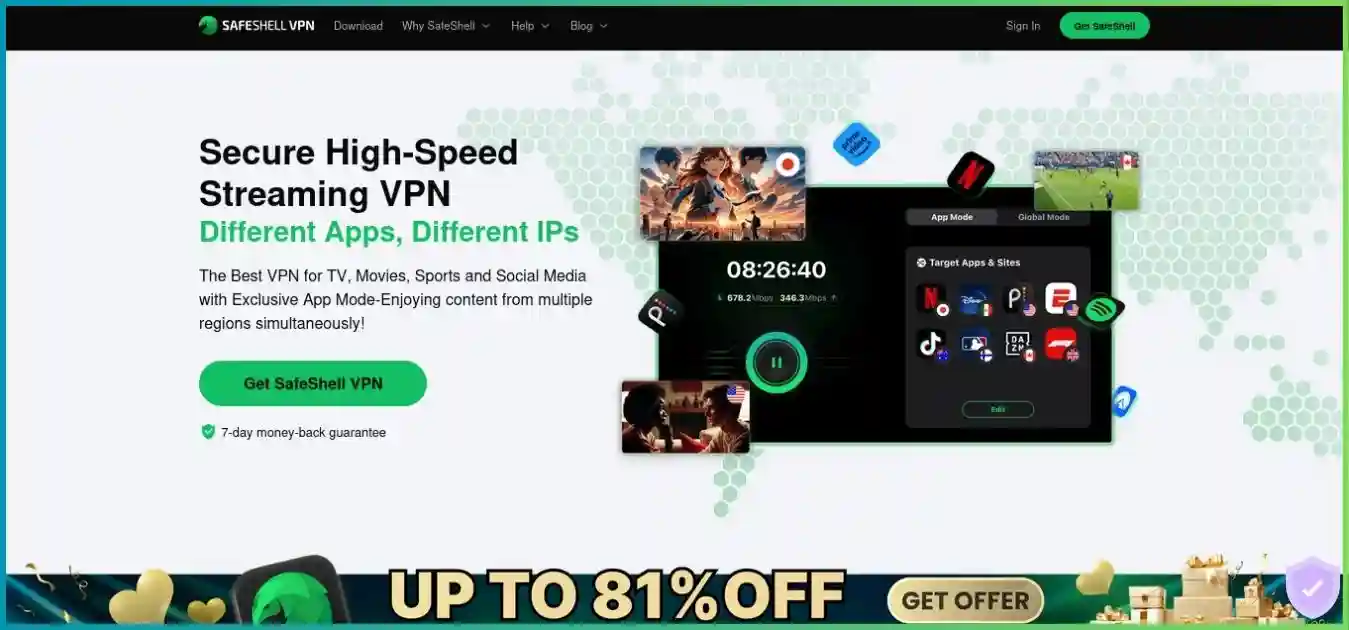
SafeShell VPN
SafeShell stands out when separate apps need different countries at the same time. App Mode and documented mobile custom-domain rules provide that workflow. Game Mode adds supported-device route optimization, while SafeNet filtering has platform and location limits.
Strengths
- App-specific countries without repeated whole-tunnel switching
- Custom-domain assignments on documented mobile builds
- Apple TV and Android/Google TV apps
- Supported mobile Game Mode and Dual Assurance
Limitations
- Five simultaneous devices
- Website and store entitlement/refund rules differ
- No comparable independent no-logs assessment located
- Kill-switch documentation and network totals need more clarity
Homepage screenshots are illustrative. Promotions, prices and app claims displayed inside them may differ from the researched offers or your account's current checkout.
Pricing: separate the plan, term and purchase channel
IPVanish's recorded web offer and SafeShell's US Apple App Store items are different sales channels. The comparison is useful for budgeting only when the term and channel remain visible. SafeShell's dynamic website checkout did not expose one dependable universal USD price in the reviewed material. Do not substitute its store rate and attach the website's refund guarantee to the same purchase.
| Offer / channel | First charge | Coverage / monthly equivalent | Renewal or qualification |
|---|---|---|---|
| IPVanish Essential, web snapshot | $52.56 | 24 months / $2.19 | $89.99 per year on the recorded long offer |
| IPVanish Advanced, web snapshot | $78.96 | 24 months / $3.29 | $109.99 per year on the recorded long offer |
| IPVanish Essential annual snapshot | Approximately $39.99 | 12 months / approximately $3.33 | Confirm annual cart and renewal amount |
| IPVanish Essential monthly snapshot | $12.99 | One month | Monthly plan excluded from ordinary 30-day guarantee |
| SafeShell annual VIP, US Apple App Store | $79.99 listed item | 12 months / approximately $6.67 | Confirm offered item, renewal rate and Apple refund eligibility |
| SafeShell monthly VIP, US Apple App Store | $12.99 listed item | One month | Store auto-renewal terms apply |
| SafeShell weekly, US Apple App Store | $5.99 listed item; another $4.99 item also appears | One week | Eligibility and offered SKU differ; do not assume one universal weekly rate |
| SafeShell direct website | Check live checkout | Selectable terms vary | Eligible first direct purchase may carry seven-day guarantee |
Introductory monthly equivalents
USD; different terms and sales channels, paid upfront. SafeShell's annual store item is not a verified website price or renewal quote.
$52.56 / 24 months, web snapshot
$78.96 / 24 months, web snapshot
$79.99 / 12 months, US App Store
Introductory value and later costs
On the displayed comparison, IPVanish Essential costs less per month despite its longer prepaid term. Its $52.56 initial two-year bill is also lower than the listed $79.99 SafeShell annual store item. Essential's recorded annual renewal is $89.99, approximately $7.50 per month if normalized; it is still an annual bill. SafeShell's annual store product should not be treated as a guaranteed future renewal price without checking the subscription confirmation.
Short weekly offers can be convenient for a brief need but expensive when left renewing. At an unchanged $5.99 rate, 52 weekly charges would total $311.48. That is an illustrative calculation, not a SafeShell annual offer or a prediction of its pricing. Prefer the term you actually need, and confirm whether a trial converts to weekly, monthly or annual billing.
What IPVanish Advanced adds
Essential contains the VPN, unlimited connections and ordinary DNS-level Threat Protection, with an advertised 3 GB eSIM benefit. Advanced adds supported Windows/macOS Threat Protection Pro, Secure Browser, 1 TB of Livedrive storage/backup, business-hours phone support and an advertised 5 GB eSIM benefit. These extras have their own supported-device and activation terms. Advanced does not create a larger VPN network or an App Mode equivalent.
A cloud browser and backup service are different purchases from app-specific VPN country routing. Choose Advanced only if those services fit your needs; otherwise Essential is the fair core-VPN baseline. Check travel-data expiry and eligible countries before counting an eSIM bonus as a saving.
Features: split tunneling, App Mode and Double Hop
The routing distinction is more important than simply counting feature names. IPVanish's supported split tunneling generally decides which traffic uses one VPN tunnel and which bypasses it. SafeShell's App Mode can send different supported apps to different countries concurrently. IPVanish Double Hop adds a second VPN server on selected paths. Those are three different behaviors with different purposes.
One exit country versus app-specific countries
Conceptual routing example, not a test of streaming access or a guarantee of supported app assignments.
IPVanish ordinary connection
App A + App B + browser
One VPN exit country for included traffic
Supported split tunneling can exclude traffic. Double Hop adds a second VPN server to a selected route.
SafeShell App Mode example
Assignments run in parallel. This is separate app routing, not three privacy hops.
| Feature | IPVanish | SafeShell |
|---|---|---|
| Ordinary connection | Selected exit country for included device traffic | Global Mode for ordinary routing |
| Traffic exclusions | Split tunneling on supported apps | Bypass Apps in supported Global Mode workflows |
| Parallel country assignments | No directly equivalent App Mode verified | App Mode for supported apps and documented mobile custom domains |
| Privacy multi-hop | Selected Double Hop routes | No comparable two-VPN-hop function established by App Mode |
| Blocking resistance | OpenVPN Scramble on supported apps | Stealth protocol using QUIC |
| Domain filtering | Ordinary Threat Protection while connected | SafeNet with active VPN, platform/location limitations |
| Desktop malware scanning | Advanced-only Threat Protection Pro | No equivalent independently documented bundle scanner verified |
| Cloud browser / backup | Advanced Secure Browser and Livedrive | No directly equivalent included bundle verified |
How to evaluate App Mode on your device
SafeShell's current guide describes choosing a supported app, assigning a location, saving the rule and connecting. Current iOS/Android help also describes custom-domain assignments. Check whether your app and destination are available, whether they require VIP, and how unassigned traffic behaves in that build. A domain-based service may use several authentication or media hosts; one manually entered domain is not proof that every request takes the intended route.
This workflow can save repeated country changes when you switch between apps. It does not make a streaming title available without the right account or override a service's rules. It also is not a sequence of privacy hops: App A and App B can exit in different places, rather than one app passing through both countries. For conventional browsing, simpler Global Mode may be easier to reason about.
Filtering has limits on both providers
SafeShell's SafeNet FAQ says the filter requires an active VPN, is not on every platform and cannot remove ads embedded within Netflix or Disney+ video. Some advertised ad-free routes are location-specific. IPVanish's ordinary Threat Protection filters domains while connected; it is not a download scanner. Advanced's VIPRE-powered desktop protection can analyze pages/downloads and quarantine files on supported Windows/macOS builds, with Windows-specific incoming-network monitoring.
Neither filtering product should be described as removing all ads or replacing every other security measure. Verify your exact build, distinguish basic domain filtering from desktop scanning, and keep the operating system and browser current.
Protocols, speed and mobile gaming tools
IPVanish offers WireGuard for ordinary fast connections, OpenVPN for compatibility and supported IKEv2 options. SafeShell's own guide identifies ShellGuard as TLS 1.3 based and Stealth as using QUIC. Neither description establishes standard WireGuard/OpenVPN selection inside SafeShell. A modern transport can be useful, but its name alone does not independently prove a VPN's logging practices, speed or resistance to blocking.
| Situation | IPVanish | SafeShell |
|---|---|---|
| Routine browsing and video | Try WireGuard and a nearby server first | Try the supported ordinary ShellGuard workflow |
| Restrictive local network | Supported OpenVPN Scramble/port options | Stealth; QUIC can also be throttled by some networks |
| Mobile game connection | Ordinary tunnel and detailed server choice | Game Mode plus Dual Assurance on supported devices |
| Protocol transparency/interoperability | Established protocol choices and documented manual paths | Provider-developed protocols; conventional manual compatibility not assumed |
| Measured speed winner | Not established by this research | Not established by this research |
What SafeShell Dual Assurance does and does not do
SafeShell describes Dual Assurance in Game Mode as monitoring Wi-Fi and mobile data and choosing the better path on supported devices. Its documentation says it selects a path rather than sending every packet twice. Some Android devices and games are unsuitable. This is a distinct mobile workflow, not a guarantee that a VPN lowers latency or that you can add two connection speeds together.
If traffic moves to mobile data, your mobile allowance remains relevant. The actual benefit depends on whether the alternate path is better, how the game tolerates route changes and where its server is located. A VPN also cannot repair a faulty game server, eliminate every Wi-Fi problem or guarantee open NAT. Treat Game Mode's reductions in ping or packet loss as provider claims to test on your own setup.
A meaningful comparison starts with a baseline
- Measure the same device and connection without a VPN, including sustained throughput and latency.
- Try each provider's ordinary nearby route at similar times using the same destination.
- Test the actual video, app or game session rather than one peak speed result.
- Measure App Mode, Stealth, Double Hop and dual-network Game Mode separately from ordinary routing.
- Check reconnection and disconnect behavior on the exact build, especially if protecting P2P or sensitive traffic.
We did not run those tests for this article, so there is no universal speed-retention percentage or regional Mbps winner here. Advertised 10-Gbps ports and infrastructure upgrades describe capacity or architecture. Our gaming VPN guide explains why route quality and stability matter more than a generic score.
Network coverage: keep countries, regions and nodes separate
IPVanish's provider-published snapshot lists 55 countries, 150 locations and more than 3,400 servers. SafeShell's directory currently displays 61 regions and 2,000-plus servers, while the directory itself labels its update October 21, 2025. Other SafeShell pages advertise 100-plus locations or 10,000-plus nodes in 40-plus countries. These are different provider-defined units and do not combine into one verified fleet total.
| Measurement | IPVanish | SafeShell |
|---|---|---|
| Countries | 55 in the published snapshot | Separate FAQ says 40+ countries; directory labels regions |
| Locations / regions | 150 locations | 61 directory regions; other marketing says 100+ locations |
| Server units | 3,400+ published servers | 2,000+ directory servers; 10,000+ nodes elsewhere is a different measure |
| Capacity | High-capacity infrastructure disclosures; not a user-speed result | Directory advertises up to 10 Gbps in many locations |
| RAM-only deployment | Migration underway; selectable RAM-only filter | Comparable complete fleet architecture not clearly documented |
We do not turn 55 countries and 61 regions into a country-count race or a server-share pie chart. Check the destinations and capabilities you actually need in the app. SafeShell's directory marks P2P, streaming and SafeNet support by region; a visible location does not imply all functions are available there.
IPVanish's RAM-only rollout is useful infrastructure context, but is not yet a verified completed conversion of the whole fleet. A selectable filter can help you choose converted routes. Provider capacity claims, server totals and storage design do not establish a measured performance winner or permanent streaming access.
Streaming, App Mode and TV compatibility
SafeShell has the more distinctive workflow for parallel country assignments; IPVanish has the clearer conventional household setup and no numerical connection cap. Both can be useful on supported televisions and mobile devices, but neither can guarantee every streaming catalog. A successful VPN connection is separate from a service authorizing a particular title or live event.
| Device or need | IPVanish | SafeShell |
|---|---|---|
| Apple TV | Native tvOS app; recent update adds WireGuard/OpenVPN alongside IKEv2 | Native Apple TV app; current Apple listing requires tvOS 17+ |
| Android / Google TV | Native app | Documented TV app path; inspect supported features |
| Fire TV | Clear native app/setup path | Verify exact current installation route and device model |
| Incompatible TV or console | Compatible VPN router or shared connection | Do not assume Linux/router/manual configurations from mobile app availability |
| Several apps, different countries | No comparable single-device App Mode verified | Supported apps/domains can use separate countries concurrently |
| Many independent household devices | Unlimited paid concurrent connections | Five-device limit and store entitlement caveats |
| Standalone Smart DNS | No comparable streaming product verified | No comparable standalone streaming-DNS product verified |
When App Mode is worth paying for
If you frequently switch between supported apps that need different countries, App Mode may save effort and avoid changing a whole-device exit each time. Its advantage is strongest when the supported list, destination availability and subscription entitlement match your usage. A phone's custom-domain feature should not automatically be assumed present in its TV app.
For a family that simply wants each TV and phone connected independently, IPVanish's unlimited allowance can be more useful. One family member can choose their own server without consuming a limited SafeShell slot. A compatible router also helps IPVanish reach devices without apps, although router CPU and firmware affect speed and feature availability.
Streaming services still set their own rules
Netflix's VPN viewing guidance says VPN users may see only globally licensed titles and that its ad-supported experience and live events do not support VPN viewing. A provider's App Mode, streaming label or ad-filter option does not override those rules. Access can vary by exit IP, service, country, account tier and time.
Test your exact app, title, account and TV model during an eligible refund period. Confirm whether an app store rather than the provider handles that purchase's refund before using the window as a trial. Our best VPNs for streaming guide compares wider TV installation options and service limits.
Security, privacy evidence and historical context
IPVanish's documented conventional controls and independent assessments give it the stronger present evidence base in this comparison. SafeShell's privacy marketing and security features deserve evaluation on their own terms, but its reviewed public material does not supply a comparable no-logs assurance report or clearly established system-wide kill-switch behavior on every platform.
| Evidence or control | IPVanish | SafeShell |
|---|---|---|
| Operator / jurisdiction | US service, owned by Ziff Davis | GearUp Portal Pte. Ltd., Singapore |
| No-logs evidence | 2022 Leviathan review; 2025 Schellman assessment | No comparable independent assessment located in reviewed public materials |
| Policy interpretation | Browsing/activity no-logs claim assessed on defined systems | No-activity/connection-log marketing versus broader shared-service collection categories |
| Kill switch | Documented controls on supported apps; OS-specific behavior | Provider references exist, but cross-platform system-wide behavior not verified |
| RAM-only architecture | Rollout in progress; do not assume entire fleet | Comparable detailed fleet-storage evidence not verified |
| Report access | Current detailed report may require an account | Comparable public full no-logs report not located |
What IPVanish's audits establish
The 2025 Schellman assessment examined nine technical areas and reported no logging of customer traffic/activity, traffic metadata, DNS queries or user IPs in the reviewed systems. It followed Leviathan's 2022 review under later ownership. These provide evidence about defined systems and periods, rather than a promise that every future release or optional cloud service has the same data handling. Account, payment and support information remain distinct from browsing logs.
IPVanish also has a material historical failure. Under previous ownership it supplied source/connection information in a 2016 US criminal investigation despite its then-published no-logs position; this became public in 2018. Ziff Davis took control later, and the newer reviews examine later systems. Both the old disclosure and subsequent evidence belong in a reasoned trust decision.
SafeShell's broader policy needs careful reading
SafeShell's April 7, 2025 privacy policy covers a wider set of GearUp-linked services and describes account/payment information alongside approximate location, IP/MAC/device identifiers, ISP, timestamps, diagnostics, performance and usage/preferences. These broad categories are not the same thing as proof that VPN browsing history is retained. However, the reviewed policy does not clearly reconcile every category with the short no-activity/connection-logs marketing summary.
Without a comparable independent report or a clearer VPN-specific scope, we have less evidence to support a strong privacy claim. That uncertainty matters more if you are choosing for sensitive communications than if you are choosing for convenient app routing. A Singapore registration, proprietary encryption or a no-logs slogan is not a substitute for documented controls and a scoped assessment.
Check disconnect behavior and the limits of a VPN
A kill switch should be evaluated on the exact operating system, build and connection-change scenario. An app reconnecting automatically does not prove it blocks traffic while disconnected. For SafeShell, verify the setting and documented behavior before using it for a workflow that depends on fail-closed routing. IPVanish's controls also have OS-specific limitations; do not infer desktop behavior from a TV or phone app.
A VPN protects the path between your device and its server and shifts some trust to the operator. It does not remove cookies, logged-in identity or all browser identifiers. The Electronic Frontier Foundation's VPN selection guidance explains why logging practices, credible claims and your threat model matter. Our VPN, proxy and browser-identity comparison explores those separate layers.
P2P, proxies and inbound connectivity
IPVanish permits P2P, and SafeShell's directory marks support by region. Neither reviewed ordinary subscription establishes VPN-side inbound port forwarding. A P2P checkmark describes permitted traffic, not an open listening port or guaranteed transfer speed. A local router forwarding rule also does not open the VPN provider's server to incoming connections.
We favor IPVanish for conventional P2P privacy because its tunnel choices and supported kill-switch behavior are more clearly documented. SafeShell users should verify the selected region, whether all of the client traffic follows the intended route and what happens during a disconnect. App Mode convenience is not a substitute for fail-closed routing when an application is left running unattended.
If using any separately configured SOCKS5 proxy, remember that SOCKS5 itself does not encrypt application traffic. Confirm current credentials and availability rather than treating an old bundled-proxy reference as a universal feature. A dedicated IP, app-specific routing and port forwarding are different capabilities. For a forwarding-dependent seeding or hosting workflow, compare products that explicitly support it.
Our torrenting VPN guide covers forwarding and client-binding considerations. Use P2P for material you are entitled to download or share.
Apps, connection limits and practical setup
IPVanish's unlimited simultaneous connections make native apps convenient across a large household. SafeShell permits five devices, which can be enough for one person but tight for a family. There is no useful numeric height for “unlimited,” so the visual below presents the two policies directly rather than assigning infinity an invented score.
Unlimited
IPVanish Essential and Advanced connections
5 devices
SafeShell simultaneous subscription limit
| Platform / requirement | IPVanish | SafeShell |
|---|---|---|
| Windows / macOS | Native apps; Advanced protection requires supported builds | Native downloads; feature parity varies |
| iOS / Android | Native apps and platform-specific routing controls | Native apps with documented App Mode/custom-domain workflows |
| Apple TV / Android TV | Native apps | Native apps; exact feature support varies |
| Fire TV | Documented native path | Verify current installation path rather than assuming parity |
| Linux / router | Supported manual/compatible-router workflows; check distribution/firmware | Comparable main-download/manual paths not clearly established |
| Apple Vision Pro | Check exact supported app/build | Listed platform |
| Store entitlement | Confirm purchase channel and account use | Apple/Google purchases independent; transfer is not automatic |
Before a household purchase
List every device you expect to connect at the same time, not just the devices on which you install the app. For SafeShell, include TVs and check the entitlement across your Apple and Android devices before assuming one store purchase covers both ecosystems. Its own subscription terms warn against automatic transfer; a five-device limit and cross-platform entitlement are separate questions.
For IPVanish, confirm whether the exact app has the required kill switch, split tunneling, protocol or RAM-only filter. A compatible router can cover devices without native apps, but its hardware and routing controls affect the experience. Neither subscription should be interpreted as permission to resell accounts or disregard its use terms.
Support, trials, refunds and cancellation
IPVanish documents 24/7 chat and email/ticket support, with business-hours phone support advertised in Advanced. SafeShell publishes in-app/help contact paths, email support and community channels. We did not time responses or verify a consistently staffed 24/7 live-agent service for SafeShell, so no satisfaction percentage or response-time winner is claimed.
Advertised eligible direct-purchase refund windows
IPVanish eligible annual/two-year purchases versus SafeShell eligible first website purchase. This chart does not describe SafeShell App Store purchase rights.
SafeShell's seven days belongs to direct website purchases
SafeShell's provider guarantee covers eligible first-time direct website purchases, excludes renewals and does not cover Apple/Google in-app purchases. Those stores make their own refund decisions. Reseller purchases go through the reseller. SafeShell says direct processing may take up to ten business days; the request deadline and the time for money to return are different things.
IPVanish's ordinary 30-day guarantee applies to eligible annual and two-year plans rather than monthly plans. Store and other purchase-channel terms may differ. Do not assume either guarantee repeats with every renewal or that a trial shown on one platform exists on all devices. SafeShell also advertises limited free App Mode access on selected apps, with changing lists and some VIP-only locations; that is not equivalent to an unrestricted free full-device plan.
Cancellation is separate from a refund request
Keep the receipt and note which company charged you. SafeShell's store subscription terms require turning off renewal at least 24 hours before the current period or trial ends. Disable renewal in the appropriate store/account and request a refund separately while eligible. Canceling a later charge does not itself return the payment already made.
Recommendations: choose by the problem you need to solve
IPVanish is our general-purpose winner for documented conventional controls, independent privacy evidence, unlimited devices and the longer qualifying direct-purchase refund window. SafeShell is the specialist recommendation when App Mode's parallel assignments or supported mobile Game Mode are the feature you specifically need. Neither is a measured speed or guaranteed streaming-access winner.
| Your priority | Recommended fit | Reason |
|---|---|---|
| More than five concurrent household devices | IPVanish | Unlimited paid connections versus SafeShell five-device limit |
| Documented standard tunnel choices | IPVanish | WireGuard/OpenVPN and supported manual configurations |
| Stronger current no-logs evidence | IPVanish | Later independent assessments, with historical incident disclosed |
| Parallel country assignments for supported apps | SafeShell | App Mode and documented mobile domain rules |
| Mobile dual-path gaming workflow | SafeShell, if the device/game supports it | Game Mode with Wi-Fi/mobile path selection; benefit needs testing |
| TVs plus conventional household networking | IPVanish | Clear native Fire TV/Apple TV/Android TV and router paths |
| Cloud browser and backup bundle | IPVanish Advanced | Separate higher-tier extras; verify their own terms |
| Inbound VPN port forwarding | Compare other documented products | Neither ordinary subscription has a verified forwarding workflow |
| Lowest bill for your exact term/channel | Check both live carts | Published offer snapshots are not identical terms or sales channels |
If you need ordinary browsing, travel Wi-Fi protection and native apps on many devices, start with IPVanish Essential. Upgrade only if the desktop/cloud extras are useful. If repeated app-specific country changes are your problem, verify SafeShell's supported apps, country options, entitlement and five-device allowance before paying. App Mode is a concrete advantage when it fits your workflow, rather than a reason to assume superior privacy.
For a wider comparison, our IPVanish vs NordVPN guide explores specialty privacy tools, and IPVanish vs Private Internet Access covers desktop controls and forwarding. Existing related comparisons include CyberGhost vs Surfshark for household and TV tradeoffs, and CyberGhost vs Proton VPN for privacy and P2P differences.
Match the subscription to your devices and routing needs
Review your full first bill, renewal, supported apps and refund channel, then test the actual services you use while eligible.
IPVanish vs SafeShell VPN: frequently asked questions
Methodology and research sources
This article was updated October 2, 2026 using provider disclosures, official app/setup guides, store listings, subscription/refund terms and privacy assessment material. SafeShell's US Apple App Store items, five-device subscription terms, directory, protocol guide, App Mode/custom-domain help, SafeNet limitations and privacy policy were reviewed directly. IPVanish's final public website check was blocked; its recorded offers and network details are labeled snapshots and require checkout confirmation.
The baseline is IPVanish Essential against SafeShell's ordinary subscription. Advanced-only services are separated. Recommendations favor documented protections, device flexibility, clear billing and privacy evidence, while recognizing SafeShell's distinct App Mode and supported mobile gaming workflow. We did not buy subscriptions or perform controlled speed, leak, streaming, gaming or support-response tests.
The column chart uses monthly equivalents from different prepaid terms/channels, the bar chart compares qualified direct-purchase refund windows, and the routing diagram is a conceptual example. We do not chart unrelated market forecasts, survey satisfaction, invented security scores or non-equivalent countries/regions as measured provider results. Independent assessments apply to their own scope and dates.
The contextual external references are the EFF's VPN trust and selection guidance and Netflix's VPN viewing rules. Provider facts draw on the official material described above and IPVanish's Schellman assessment announcement. Commercial plan links use our provider referral routes.
*Refund windows depend on purchase eligibility, plan and channel. SafeShell's seven-day website guarantee does not apply to the Apple App Store items used in the price comparison. Offers, supported apps, network totals and terms can change. A VPN is one privacy tool, not a guarantee of anonymity or catalog access.