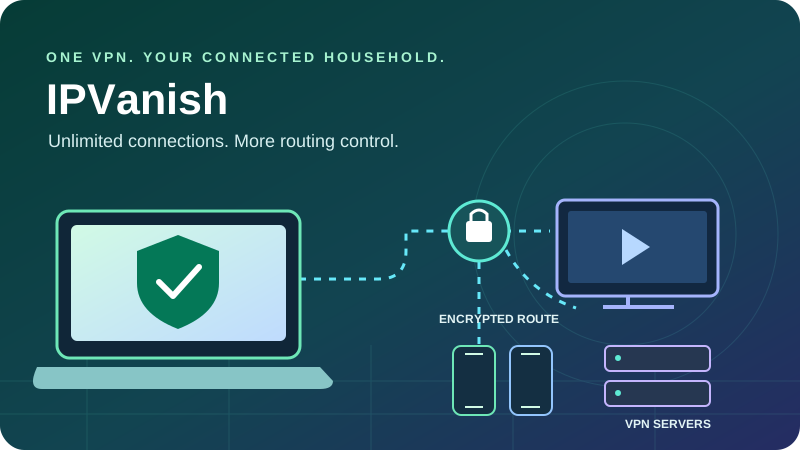
A detailed guide to household coverage, Essential and Advanced, privacy evidence, television apps and the costs that matter after the first term.
Quick verdict: practical household coverage with important privacy context
IPVanish is most appealing if you want one VPN subscription for many personal devices and more control over the route than a single connect button provides. Unlimited simultaneous connections, detailed location selection, WireGuard and native television apps form a useful core service. The Advanced bundle adds other security and backup products, but Essential already contains the ordinary VPN.
Its advantages are concrete: you can connect a busy household without tracking a ten-device allowance, choose a city or supported individual server, and protect compatible TVs through native apps. The main tradeoffs are a smaller country footprint than some alternatives, significant renewal increases, uneven platform controls and no VPN-side port forwarding.
Privacy also needs a balanced assessment. The current no-logs claim has subsequent independent assessments, yet an earlier operator supplied connection information in a 2016 investigation despite the then-published policy. The RAM-only migration remains a process to follow rather than a completed fleet-wide property to assume. Those distinctions make a more useful review than a blanket statement that the service is either completely trustworthy or permanently disqualified.
Our recommendation
Consider Essential for the VPN itself and Advanced only for extras you will use. IPVanish is a strong candidate for multi-device households and TV setups. Check your exact platform, intended locations and renewal terms before choosing a long prepaid subscription.
Check IPVanish’s current offerEvidence and testing boundaries
This assessment combines previously reviewed provider disclosures with refreshed developer release notes, primary audit material and official announcements. Pricing pages were unavailable during this update, so numeric offers are dated examples.
No new controlled speed, leak or streaming-unblocking tests were run. Charts show documented offer arithmetic, published video requirements and an explicitly hypothetical household allocation.
| Area | Reviewed position | Practical implication |
|---|---|---|
| Ownership / jurisdiction | Ziff Davis; US-based service | Evaluate current controls alongside the provider’s history. |
| Connections | Unlimited simultaneous VPN connections | Useful for households; bandwidth and account terms still apply. |
| Network snapshot | 3,400+ servers, 150 locations across 55 countries | Locations and countries are different measures. |
| Core features | WireGuard, selected split routing, kill switch, Scramble and Double Hop | Check platform, protocol and route availability. |
| Privacy evidence | 2022 Leviathan and 2025 Schellman assessments | Point-in-time evidence; detailed reports may require an account. |
| Refund baseline | 30 days on eligible annual / two-year purchases | Do not automatically apply that promise to monthly or store plans. |
Pricing: Essential, Advanced and the shorter renewal term
The USD offers reviewed before this update showed Essential at $52.56 for the first twenty-four months and Advanced at $78.96 for the same period. They are September 30 research snapshots, not newly retrieved checkout quotes. Direct pricing and support pages could not be accessed for a fresh verification, and different purchase routes can show different promotions.
Essential
$2.19 / month equivalent
$52.56 upfront for 24 months initially.
Core VPN, unlimited simultaneous connections, ordinary Threat Protection and a reviewed 3 GB eSIM allowance.
Reviewed renewal: $89.99 for 12 months.
Check Essential termsAdvanced
$3.29 / month equivalent
$78.96 upfront for 24 months initially.
Same core VPN, plus eligible desktop protection, Secure Browser, 1 TB cloud backup/storage, phone support and a reviewed 5 GB eSIM allowance.
Reviewed renewal: $109.99 for 12 months.
Check Advanced terms| Subscription | Initial cost | Renewal / eligibility notes |
|---|---|---|
| Essential · monthly | $12.99 for one month | Do not assume annual-plan refund eligibility. |
| Essential · annual | About $39.99 for twelve months | Introductory example; confirm precise total and renewal. |
| Essential · two years | $52.56 ($2.19/month equivalent) | Reviewed renewal $89.99 every twelve months. |
| Advanced · two years | $78.96 ($3.29/month equivalent) | Reviewed renewal $109.99 every twelve months. |
USD dated offer arithmetic. Renewal equivalents divide the annual renewal by twelve; introductory rates cover twenty-four months.
Essential
Advanced
Common zero-to-$10 scale. These are equivalents, not monthly installments or a fixed future price guarantee.
The practical difference is not just a larger bill. The Essential example starts with two years of cover for $52.56 and then asks $89.99 for one year. A low introductory equivalent can therefore be misleading if you overlook the next billing period. Advanced’s extra initial cost is $26.40 over two years in this example; its reviewed annual renewal is $20 above Essential.
Choose a bundle by the products you need
Essential contains the core VPN with unlimited devices and ordinary domain filtering. Advanced adds supported desktop Threat Protection Pro, Secure Browser, Livedrive backup/storage, phone support and a larger eSIM allowance. Both use the same VPN network. The extra payment should be justified by those products, rather than an assumption that Advanced is a faster or more private ordinary tunnel.
Compare the extras with subscriptions you already own. A desktop scanner has limited value if you mainly use TVs; cloud backup is useful only if your important files are covered and recovery works. Review storage limits, supported platforms and data-handling terms before treating the bundle as a replacement for your existing tools.
Refunds and automatic renewal
The reviewed guarantee covers eligible one- and two-year purchases for thirty days. Do not assume an ordinary monthly plan has that same guarantee. Store purchases and specific offers can follow different processes. Turning off future renewal is a separate action from requesting money back, so retain the receipt and contact the appropriate billing channel within the applicable window.
At checkout, confirm currency, tax, full upfront charge, included term, next renewal date and renewal amount. Also confirm that any eSIM or backup benefit is included in that particular offer. A free-to-download app is not an ongoing free VPN subscription; trial conditions and cancellation deadlines need separate attention.
Compare the available IPVanish plansServer coverage and RAM-only migration: count the right things
The reviewed network disclosure lists more than 3,400 servers and 56,000 IP addresses, with 150 locations across 55 countries. A location can be a city or selectable connection point; it is not automatically a country. Older reviews use substantially different country totals, so this article keeps the categories separate and treats the figures as a dated network snapshot.
| Measure | Snapshot | What it tells you |
|---|---|---|
| Servers | 3,400+ | Fleet scale; not a guarantee of local throughput. |
| Countries | 55 | Geographic exit coverage under the reviewed disclosure. |
| Locations | 150 | More granular selectable routes, often within a country. |
| IP addresses | 56,000+ | Address pool; not an allocation of a private address to every subscriber. |
| RAM-only deployment | In progress | Use the current app filter to identify upgraded locations. |
IPVanish’s granular selection can be useful when comparing nearby city routes or avoiding a congested server. It is particularly relevant for households that care about a convenient local exit more than the largest possible country list. If your requirement is one specific destination, confirm it in the actual location list rather than purchasing from an overall count.
The RAM-only filter is useful; completion should not be assumed
IPVanish is transitioning its network to RAM-only operation and exposes a filter for upgraded locations across its major desktop, mobile and TV apps. The reviewed rollout described roughly a thousand servers across twenty-five locations, with a full-network target in 2027. This review does not present that target as an accomplished result or calculate an exact completion percentage from changing totals.
RAM-only servers reduce reliance on persistent local storage. They do not make memory impossible to inspect, remove every operational risk or independently prove a no-logs policy. Existing servers and upgraded ones should be evaluated through the broader operational evidence. If diskless operation is a requirement, deliberately choose a currently labeled location and confirm the filter after updates.
Capacity and peering matter alongside fleet size
Recent infrastructure disclosures describe higher-capacity ports, direct peering, redundant facilities and software changes. Those improvements can increase headroom or resilience, but a backbone port’s capacity is shared infrastructure, not your individual internet speed. Any provider throughput multiplier is conditional on its test setup and should not be plotted as a new measurement for this review.
Privacy: current evidence, account data and the historical incident
IPVanish’s present no-logs claim has supporting independent work: Leviathan assessed the service in 2022, and Schellman finalized a subsequent assessment on February 21, 2025. The later report examined nine areas, including logging configuration, example sessions and release/change controls. These reviews concern the systems examined under later ownership.
The provider’s Schellman assessment announcement describes the findings and the launch of a Trust Center with transparency reporting. The full report may require an account through the official route. That limits pre-purchase inspection compared with a readily downloadable official report, even though the assessment itself is meaningful evidence.
| Signal | Why it matters | Limit |
|---|---|---|
| 2022 / 2025 no-logs assessments | Support the examined privacy controls | Point-in-time work, not a permanent guarantee. |
| Transparency reports | Describe requests and the provider’s handling | Provider disclosures are distinct from independent audits. |
| RAM-only deployment | Reduces persistent local storage on upgraded routes | Migration is ongoing and architecture alone does not prove policy compliance. |
| US jurisdiction | Defines part of the legal setting | Does not substitute for examining actual retention. |
| Privacy and app disclosures | Explain account, diagnostics and permission categories | VPN browsing logs and app/account information are not identical. |
The earlier logging incident should stay in the picture
Under prior ownership, IPVanish supplied source and connection information during a 2016 US criminal investigation despite its then-published no-logs position. The disclosure became widely known in 2018. Current owner Ziff Davis took control later, and subsequent systems have the two assessments described above.
The incident is a material part of the provider’s history. It should not be omitted, and later audits do not retroactively validate the earlier operator’s promise. Equally, it should not be described as proof that the currently assessed service necessarily retains the same information. The sensible evaluation separates historical conduct, current ownership, documented controls and the evidence’s dates.
A VPN policy is not a promise of zero account data
Subscriptions need account and payment handling, and support exchanges can contain information you provide. The developer’s app disclosures also identify account-related and diagnostic categories. “No VPN activity logs” therefore does not mean the company holds no information of any kind. Review optional diagnostics and privacy preferences, and send only necessary details when asking for help.
The tunnel encrypts the route from your device to the VPN exit and changes the public IP seen by destinations. HTTPS protects appropriate web content beyond that exit. Websites can still recognize signed-in accounts, cookies and browser characteristics. Keep the device maintained, use multifactor authentication and treat a VPN as one part of your privacy routine.
Protocols, Scramble, Double Hop and protection tools
WireGuard is a sensible everyday starting point
IPVanish offers WireGuard, OpenVPN and IKEv2 with platform-dependent options. WireGuard is a useful first choice for ordinary responsiveness and throughput. OpenVPN offers configurable compatibility routes; IKEv2 remains available on supported clients. Choose according to the installed app rather than assuming every operating system has the same menu.
| Tool | Useful role | Tradeoff / limitation |
|---|---|---|
| WireGuard | Ordinary browsing, downloads and streaming | Performance still depends on route and device. |
| OpenVPN UDP / TCP | Supported fallback and configurable connection options | TCP or extra processing can affect latency. |
| IKEv2 | Selected native platform workflows | Availability differs by client. |
| Scramble | Makes supported OpenVPN traffic less recognizable | Not a speed mode or a guarantee against every block. |
| Double Hop | Separates entry and exit through two VPN servers | Supported routes only; can increase latency. |
| Kill switch | Blocks unintended traffic after tunnel failure on supported setups | Test disconnect, reconnect and routing exceptions. |
Scramble is an obfuscation option for supported OpenVPN routes. It can help on networks that recognize or interfere with VPN traffic, but it is not equivalent to making the connection undetectable. It does not add an incoming port or guarantee a particular streaming service. Install and sign in before traveling to a restrictive network and know the documented fallback options.
Double Hop adds a route, not an automatic improvement for every task
Double Hop sends traffic through an entry server and a second exit server. It changes the route and can help separate entry and exit exposure, but it is limited to the combinations offered in the app. Avoid presenting it as a universal “double security” score or a faster default.
- 1Your device
- 2First VPN server
- 3Second VPN exit
- 4Destination
Illustrative route, not measured speed or a promise to defeat every adversary. A normal nearby route is usually the practical first choice for latency-sensitive tasks.
Threat Protection and Pro are different layers
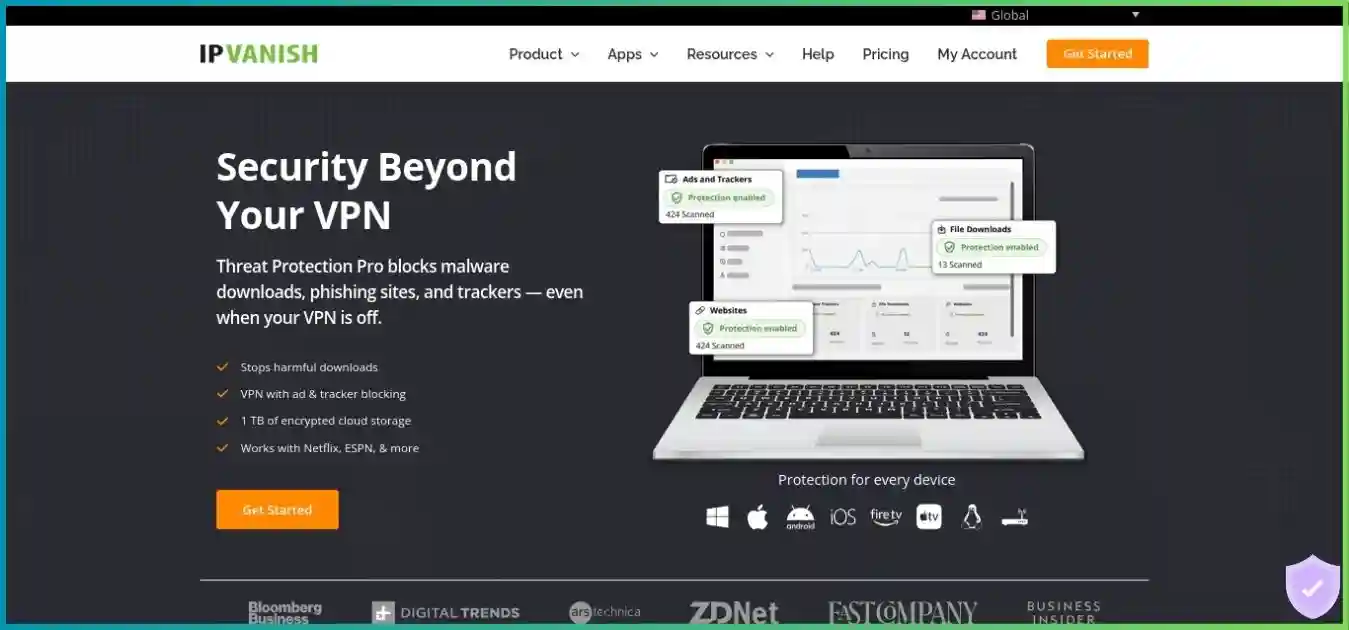
Ordinary Threat Protection is DNS/domain filtering while the VPN is connected. It can block known malicious, advertising or tracking domains, but is not a downloaded-file scanner. Advanced’s desktop Threat Protection Pro adds VIPRE-powered inspection and controls that can work without an active VPN. Newer rollout material also uses Antivirus naming; verify the entitlement and controls in your installed build.
| Area | Threat Protection | Threat Protection Pro / newer Antivirus naming |
|---|---|---|
| Core approach | DNS/domain filtering | Supported page/download inspection and additional device controls |
| Connection | Requires the VPN filtering route | Can operate without the VPN tunnel |
| Plan | Core Essential / Advanced VPN feature | Eligible Advanced entitlement |
| Platform | Supported VPN apps | Windows and macOS; do not assume TV/mobile parity |
| Malicious files | No equivalent file-scanning claim | Inspection and quarantine in supported workflows |
| Windows extras | Domain filtering | Additional incoming-network monitoring capability |
The provider’s desktop protection launch announcement explains its role. Domain blocking, browser isolation, backup and file inspection are different defenses. None guarantees that every malicious page or file will be identified, and an unrelated VIPRE product’s test score should not automatically become an IPVanish detection percentage.
Performance and gaming: test the actual route you need
IPVanish has useful performance ingredients: WireGuard, granular server selection and ongoing network improvements. Recent Windows changes also include OpenVPN Data Channel Offload, which can improve supported workloads. These capabilities should not be confused with measurements taken on your connection. A local Wi-Fi bottleneck or slow router may dominate the result regardless of the provider’s backbone.
No new controlled speed or ping tests were collected for this update. The previous performance charts have been replaced with documented figures and explicit planning examples. A server-by-server Mbps comparison without baseline, protocol, hardware, test endpoint and repeated runs gives a false sense of precision.
For streaming and large downloads
Start with a nearby ordinary server and WireGuard. Compare another city or server if throughput is inconsistent. Check the underlying connection before using a distant exit or enabling Double Hop.
For games and calls
Prioritize stable latency, jitter and packet loss. A VPN can change the route but often adds distance. Use the actual game or call to evaluate behavior after a comparable baseline test.
A repeatable household test
Use one device and the same endpoint to record download, upload and latency without the VPN. Repeat through a nearby VPN exit at a similar time, then test the workload you care about. Run several samples, including a busy evening. A peak download result alone cannot establish reliability across multiple televisions or a long multiplayer session.
For a router setup, compare the native app with the router tunnel. If the app is markedly faster, investigate firmware, supported protocols and CPU capability. Unlimited device entitlement does not increase the home broadband package, and simultaneous streams can consume the same shared connection.
For gaming privacy, a VPN can change the visible address used by some connections, but it does not secure a game account or guarantee immunity from attacks. Public hosting and inbound connectivity need different tools. Do not buy IPVanish primarily to change a restrictive NAT situation unless the exact workflow has been confirmed.
Streaming and TV apps: stronger protocol choice, realistic access expectations
IPVanish offers native apps for popular living-room platforms, including Apple TV, Fire TV and Android TV. Unlimited connections are useful when different household members want separate device tunnels. Native apps normally offer a simpler encrypted route than manual DNS or connection sharing.
The important Apple TV change is broader protocol support. The developer’s current tvOS listing and release history include WireGuard and OpenVPN, correcting older descriptions of an IKEv2-only client. The listing reviewed requires tvOS 18 or later, so verify the device and OS before relying on older setup advice.
| Device | Preferred route | Check before purchase |
|---|---|---|
| Windows / macOS / phone | Native VPN app | Your exact streaming service, subscription and desired region. |
| Apple TV | Current tvOS app | Reviewed requirement: tvOS 18+; update for newer protocols. |
| Fire TV / Android TV | Supported native TV app | Device generation and feature menu differ. |
| Unsupported TV or console | Compatible VPN router or documented shared connection | Firmware, protocol support and actual sharing behavior. |
| Browser-based viewing | Native tunnel or a documented browser workflow | Browser-only protection does not cover a separate TV or native app. |
The newer Apple TV options include OpenVPN UDP/TCP, configurable ports and Scramble alongside WireGuard and IKEv2. WireGuard is the practical first option for ordinary video; Scramble addresses blocking compatibility rather than improving picture quality directly. The right choice depends on the network and available client controls.
Access to Netflix, Prime Video, Disney+ or a regional broadcaster can change with the exit IP, service detection, account region and subscription tier. This article claims no newly verified unblocking results or universal success rate. Evaluate your actual services during the applicable refund window and respect their access terms.
These columns show required connection headroom, not IPVanish speed tests. Common zero-to-15 Mbps scale.
Source: Netflix internet speed recommendations. Several simultaneous streams need additional combined bandwidth.
For buffering, compare another nearby ordinary server and a wired TV connection if possible. For a proxy warning, verify the desired region and try an alternative supported exit rather than assuming every route behaves identically. There is no verified standalone Smart DNS recommendation in this review; investigate the documented native-app or router route for unsupported devices.
Our best VPNs for streaming guide compares more television and router workflows.
Check IPVanish for your TV setupApps and split tunneling: check the control, not just the feature label
IPVanish provides native desktop, mobile and TV clients, with manual setup routes for compatible Linux systems and routers. Manual configuration is a different experience from a native application: feature menus, automatic protection and filtering may not transfer. Confirm the intended OS and supported configuration method before subscribing.
| Platform | Useful capabilities | Important qualification |
|---|---|---|
| Windows | Detailed location selection, supported app routing and kill switch | Pro protection requires Advanced; verify protocol and exception interactions. |
| macOS | Native tunnel, location controls and eligible desktop Pro protection | Routing controls and installation requirements differ from Windows. |
| Android / Fire TV / Android TV | Native apps and supported app bypass workflows | OS blocking controls and TV settings differ. |
| iPhone / iPad | Native tunnel and supported destination-routing controls | Do not equate website exclusions with arbitrary app-level bypass. |
| Apple TV | Native client with updated protocol choices | Check current tvOS requirement and feature availability. |
| Linux / routers | Compatible manual VPN configuration | Do not assume the same GUI features or automatic kill-switch handling. |
App exclusions and domain exclusions are different
Split tunneling can route selected traffic outside the VPN, but the type of rule depends on the platform. Windows and Android-derived clients have app-oriented workflows; Apple-platform destination controls should not be advertised as identical. Check whether the installed build offers apps, domains or other destinations, and whether the rule bypasses or includes traffic.
A website may contact several different domains for video, authentication or downloads. Excluding one name does not necessarily exclude every resource used by that service. Conversely, a broad exclusion can send more traffic outside the tunnel than intended. Keep the initial rule narrow and verify the destination’s visible IP.
Excluded traffic uses the ordinary connection and can reveal its normal public address. Kill-switch behavior and DNS resolution also deserve testing after you create exceptions. If your goal is protecting one specific application, confirm that the platform can express that rule rather than assuming any split-tunneling menu will do.
Kill switches and network changes
Supported native apps provide disconnect-protection controls, but OS integration and protocol behavior vary. Test intentional disconnection, a dropped connection, sleep/wake and moving between Wi-Fi and mobile data. On Android, system-level always-on and blocking settings can change the outcome. A green connected icon alone does not establish every failure case.
P2P and port forwarding: understand incoming reachability
IPVanish supports legitimate P2P use, with WireGuard, city/server choice and unlimited devices as practical advantages. Use a nearby route and ensure the sharing application is inside the tunnel. Appropriate disconnect protection and application-interface binding, where supported, can reduce the chance that unattended traffic falls back to the ordinary connection.
The service does not provide VPN-side inbound port forwarding. You can still establish many outgoing peer connections, but peers may have less ability to initiate a connection to you. That distinction can matter for seeding, self-hosting or specific applications; it does not justify claiming that every torrent will necessarily be slow.
Opening a home-router port does not create an inbound mapping at the VPN exit, and Scramble is unrelated to that function. If port forwarding is a requirement, compare a provider with a documented included workflow before buying. Do not purchase IPVanish based on an older SOCKS5 claim without confirmation in current account and support material.
A proxy is also a different protection model from a full-device encrypted tunnel. Any application-level proxy setup needs its own DNS and failure-behavior checks. For broader context, see our VPNs for torrenting guide.
Unlimited simultaneous connections: useful without a fixed device cap
Unlimited connections are IPVanish’s clearest household advantage. You can protect personal laptops, phones and compatible TVs without deciding which active device should give up a limited slot. The entitlement still operates within subscription and acceptable-use terms; it should not be treated as permission to resell access or run unlimited commercial infrastructure.
Hypothetical allocation, not measured customer usage and not a twelve-device cap. Every device still needs a supported app or network configuration.
Native apps let devices use independent routes, which is useful when one person needs a local exit and another a different region. A router configuration can simplify coverage for unsupported devices, but it also makes the router and chosen tunnel a shared dependency. Changes to that route affect everyone behind it.
Bandwidth planning still matters. Two 4K streams, several calls and background downloads can saturate an ordinary broadband connection even with unlimited VPN entitlement. Test the combined evening workload, and decide whether per-device apps or a central router make troubleshooting easier for your household.
Advanced extras: isolation, backup and travel data have separate roles
Secure Browser
Secure Browser is a separate isolated browsing environment intended to reduce the exposure of the local device to some web threats. It is not the same as installing a VPN tunnel around every application. Check session persistence, downloads, permitted uses and which account information you enter. An isolated browser can still communicate information you submit to websites.
Livedrive backup and storage
The reviewed Advanced bundle includes 1 TB of Livedrive backup/storage with sync and sharing features. Backup can help recover from device loss or ransomware, but only if important files are included and recoverable versions exist. Confirm supported operating systems, retention, exclusions and the actual recovery workflow before replacing an existing backup service.
Keep at least one practical recovery path independent of the device you are protecting. Test restoring a representative file, not just whether an upload completed. A cloud-storage allowance should not be described as unlimited backup or automatic protection for every connected phone and television.
Included eSIM data
The reviewed offer listed 3 GB for Essential and 5 GB for Advanced. Treat this as a limited travel-data benefit, subject to offer eligibility, supported destinations, activation and expiry terms. A compatible carrier-unlocked phone is necessary, and mobile-data connectivity does not itself provide VPN protection.
Confirm whether redemption is included on your term and whether the destination fits the allowance. After consuming the data, additional connectivity can require another purchase. Bundled travel data is useful if it fits an actual trip, but should not inflate the verdict on the underlying VPN network.
Setup and support: establish a simple working connection first
- Choose the correct app and billing route. Check the OS requirement and whether the purchase is direct or through a store.
- Secure the account. Use a unique password and the strongest available account controls; retain a recovery method.
- Start with a nearby ordinary server. Use WireGuard where available and establish normal browsing before adding specialty settings.
- Check the public IP and resolver. Confirm the route, then test network changes and disconnect behavior.
- Set automatic protection deliberately. Review the kill switch, auto-connect and trusted-network settings available in that app.
- Add one advanced feature at a time. Filtering, split routing and Double Hop should solve specific problems and remain understandable.
| Symptom | First checks | Avoid assuming |
|---|---|---|
| Cannot connect | Another appropriate route or protocol; local firewall or network conflict | That Scramble guarantees access everywhere. |
| Browsing stops after disconnect | Kill-switch state and documented reconnection steps | That disconnect protection should be permanently disabled. |
| A page fails to load | Filter level, DNS choice and narrow routing exceptions | That every website failure is low VPN speed. |
| TV buffering | Underlying bandwidth, another nearby server and wired networking | That a distant Double Hop route improves video. |
| Incoming peer connections fail | Whether VPN-side forwarding is required | That a home-router rule supplies it. |
| A feature is missing | OS, app version, protocol, distribution and plan entitlement | That all apps have identical settings. |
IPVanish offers live-chat and email support, with business-hours phone support included in the reviewed Advanced bundle. Do not imply every tier has the same phone entitlement or round-the-clock phone availability. Confirm the supported language, hours and contact route if that is important to your purchase.
Provide the app version, operating system, protocol, location and exact symptom when asking for help. Avoid sending unrelated personal information. A repeated problem description with one changed variable is easier to diagnose than a list of settings changed simultaneously. Old forum instructions can refer to a previous client or a different plan.
Pros and cons: household flexibility is the main selling point
Advantages
- Unlimited simultaneous connections for personal household use.
- Granular city/server selection on supported clients.
- WireGuard and newer Apple TV protocol choices.
- Current no-logs claim supported by subsequent independent assessments.
- RAM-only location filter during the infrastructure migration.
- Optional Advanced security, browser and backup products.
Tradeoffs
- Historical logging incident under a previous owner.
- US jurisdiction and account-gated official audit access may matter to privacy-focused buyers.
- RAM-only transition should not be treated as complete.
- Annual renewal increases the equivalent cost substantially.
- No ordinary VPN-side inbound port forwarding.
- Platform parity, refund eligibility and bundle terms require checking.
The best fit is a household that needs broad device coverage, appreciates detailed server choice and will actively verify the relevant services. A buyer whose primary requirement is a public annual privacy-evidence trail, included forwarding or the widest country footprint has good reasons to compare alternatives.
Alternatives: compare a concrete requirement
| Priority | IPVanish consideration | Related guide |
|---|---|---|
| Unlimited-device value | Compare initial and renewal costs as well as device entitlement | IPVanish versus Surfshark |
| App-specific streaming routes | Split tunneling differs from assigning apps to several countries | IPVanish versus SafeShell |
| Broad everyday feature coverage | Check protocol, specialty and TV workflows | IPVanish versus NordVPN |
| Privacy evidence and a free option | IPVanish has no comparable ongoing free VPN tier | Proton VPN versus IPVanish |
| Desktop control and forwarding | IPVanish lacks VPN-side incoming port mapping | IPVanish versus PIA |
| TV / router simplicity | Verify device-specific setup routes | IPVanish versus ExpressVPN |
Use Essential as the baseline when comparing ordinary VPN subscriptions. Advanced’s storage, browser and desktop tools may be valuable, but they do not make the shared core network a different VPN product. Compare full-term charges and the post-promotion billing period rather than sorting providers by the lowest advertised equivalent alone.
Try the exact service and device combinations you need. A strong laptop experience does not establish that an older television supports the native app or that a console’s networking requirement will work. Document those requirements before choosing a prepaid term.
Frequently asked questions about IPVanish
Is IPVanish worth buying?
IPVanish is worth considering for households that want unlimited simultaneous VPN connections, detailed city/server selection and native TV apps. Essential is the appropriate baseline for the core VPN. Its US jurisdiction, historical logging incident, ongoing infrastructure transition and lack of port forwarding deserve consideration alongside the current privacy assessments.
What is the difference between Essential and Advanced?
Both use the same core VPN network and allow unlimited simultaneous connections. Advanced adds eligible desktop protection, Secure Browser, cloud backup/storage, phone support and a larger reviewed eSIM allowance. Buying the bundle does not automatically produce a faster ordinary VPN tunnel or more successful streaming access.
How much does IPVanish cost?
The previously reviewed USD Essential offer was $52.56 for twenty-four months, equivalent to $2.19 per month, followed by $89.99 annual renewal. Advanced was $78.96 for twenty-four months, then $109.99 annually. The website could not be freshly retrieved for this update, so these are dated offer examples and your live checkout must confirm the actual price.
Is the monthly subscription covered by the guarantee?
The reviewed guarantee applies to eligible annual and two-year purchases. Do not assume that the monthly plan has the same thirty-day refund window. Direct and app-store purchases can have different processes. Turning off automatic renewal is separate from requesting a refund.
Does unlimited devices mean unlimited speed?
No. Unlimited simultaneous connections removes a fixed active-device cap within the service’s account and acceptable-use terms. It does not remove ISP limits, router capacity, server congestion or the bandwidth shared by everyone in a household. Separate devices can still compete for the same home connection.
Does IPVanish really keep no logs?
The current no-logs claim has support from the 2022 Leviathan and 2025 Schellman assessments of the systems examined. Account, payment and support information are different from VPN browsing logs. Under earlier ownership, source and connection information was supplied in a 2016 investigation; current assessments do not erase that history.
Are all IPVanish servers RAM-only?
The reviewed disclosures describe an ongoing transition and provide an in-app filter for deployed RAM-only locations. The cited full-network target was 2027. This review does not treat every server as diskless or plot an unsupported completion percentage. Check the installed app’s current location filter.
Does IPVanish work on Apple TV?
Yes. Current developer release notes add WireGuard and OpenVPN rather than limiting the app to its earlier IKEv2 option. The listing reviewed requires tvOS 18 or later, so older installation advice may be outdated. Verify requirements and update the app before following a protocol guide.
Does IPVanish unblock every streaming service?
No provider can guarantee every service, catalog and device. IPVanish has native TV apps and useful server choices, but access changes with service detection, exit IP, account region and subscription rules. No new controlled unblocking tests were performed for this article.
Does IPVanish support port forwarding?
The ordinary service does not provide VPN-side inbound port forwarding. Legitimate P2P can still work using outbound connections, but incoming reachability may be limited. A home-router port rule or Scramble does not create a forwarded port at the VPN exit.
Is Scramble the same as Double Hop?
No. Scramble makes supported OpenVPN traffic less recognizable on blocking networks. Double Hop routes traffic through two VPN servers. Neither is an automatic speed booster, and neither replaces HTTPS, a kill switch or account-security precautions.
Does Threat Protection replace antivirus?
Ordinary Threat Protection filters known domains while connected and is not a file scanner. Advanced desktop Threat Protection Pro, also appearing under Antivirus naming in newer rollout material, adds VIPRE-powered inspection and other controls on supported Windows/macOS builds. Understand its coverage and permissions instead of assuming every device receives identical protection.
Does IPVanish have a free plan?
It does not have an ongoing free tier comparable to a continuing free VPN service. Free-to-download apps still require an appropriate subscription or eligible trial. Trial terms, billing deadlines and store procedures vary; an included eSIM allowance is separate from VPN access.
Final verdict: a useful unlimited-device VPN, with details to verify
IPVanish is a practical candidate for multi-device households that want native TV coverage, WireGuard and granular location choice. Essential is enough for the core tunnel. Advanced deserves consideration when its desktop protection, isolated browsing, backup or travel-data benefits match something you genuinely need.
The decision should include renewal cost, platform restrictions, the current RAM-only rollout and the provider’s privacy history. Later assessments support the current claim within their scope, while the historical incident remains relevant. Neither the server count nor the bundle size should replace that evaluation.
Best fit
Households with many personal devices and a preference for detailed routing choices. Confirm current checkout terms and your exact apps, then evaluate the intended workloads during the eligible refund period.
Review IPVanish’s current offerResearch notes and visual methodology
Updated October 1, 2026 using previously reviewed provider disclosures and refreshed primary audit material, official announcements and developer release notes. The direct pricing, support and server pages could not be freshly retrieved. Numeric offer and network figures are therefore explicitly dated research snapshots, and the live checkout and installed app remain the final checks for current availability.
The 2025 Schellman report is treated as an assessment of the systems examined, not a future guarantee. Apple’s developer listing supports the tvOS protocol and minimum-OS updates; older marketing text within that listing still contains legacy fleet figures and is not used as current network evidence.
The price bars compare initial and annual-renewal equivalents; video columns use Netflix’s published recommendations; the donut is a hypothetical twelve-device household; the Double Hop diagram illustrates routing. No newly measured speed, latency, leak, malware-detection or streaming-success results are claimed, and no exact RAM-only completion percentage is inferred.
Disclosure: this article contains affiliate links. We may earn a commission if you purchase through them. Recommendations consider documented capabilities, costs and limitations.