Managing multiple online accounts in 2026 means fighting browser fingerprinting — a tracking technique that can uniquely identify over 80% of browser instances (Cao et al., 2017, via peer-reviewed research on ScienceDirect) and powers anti-fraud systems at every major platform. Incogniton is one of the most affordable weapons against it: an anti-detect browser that spins up isolated profiles with unique, real-device fingerprints, starting from a genuinely useful free tier of 10 profiles.
In this review we spent weeks testing Incogniton’s fingerprint isolation, automation, Synchronizer and Cookie Collector against the same checks websites use — and compared it head-to-head with GoLogin, AdsPower and Multilogin. Spoiler: at 2–3× less than Multilogin, it overdelivers — with a few honest caveats we detail below.
Incogniton at a Glance — 2026
Quick Verdict — 4.5/5
Incogniton
Incogniton pairs a solid fingerprint-spoofing engine with productivity tools no rival matches at this price — paste-as-human-typing, the Synchronizer (no-code multi-window automation) and a Cookie Collector that warms up fresh profiles. Its free 10-profile tier is the most generous on-ramp in the industry, and paid tiers cost a fraction of Multilogin. You give up mobile fingerprints, a Linux client, and API access on the cheapest paid plan — acceptable trade-offs for most solo operators and small teams.
What Is Incogniton?
A multi-accounting browser where every profile is a separate digital identity.
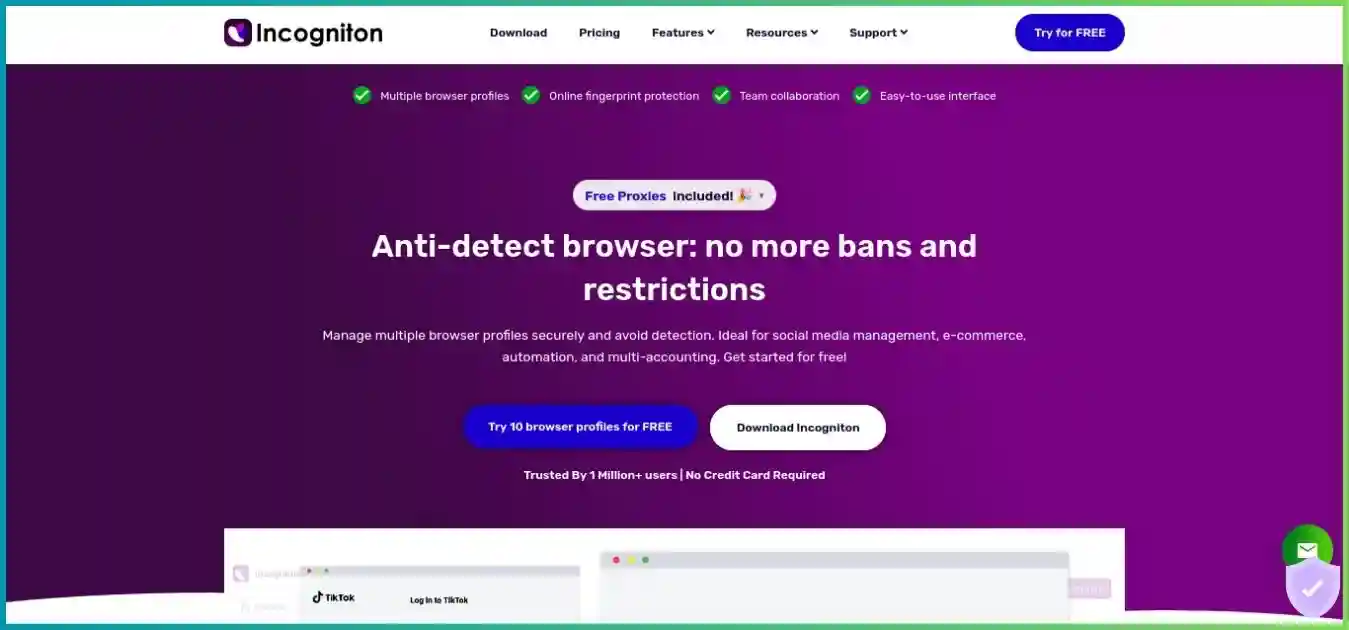
Incogniton is an anti-detect browser built for one job: letting you run many browser profiles that websites cannot link together. Where a normal browser broadcasts a single browser fingerprint — canvas and WebGL hashes, fonts, screen resolution, timezone, WebRTC behavior, user-agent — Incogniton generates a unique, real-device fingerprint for every profile you create, so each account looks like it runs on its own physical machine. W3C’s browser fingerprinting guidance explains how browser characteristics can make users identifiable even when other tracking methods are restricted. Our VPN limitations guide explains why changing the network route does not remove account, cookie or fingerprint tracking.
That matters because modern anti-fraud stacks aggregate dozens of weak signals into a probabilistic identity: fingerprinting techniques like canvas, WebGL and font enumeration can re-identify users even with cookies blocked. Change your IP and nothing changes — the fingerprint still links your accounts. That is exactly why professionals pair isolated profiles with one sticky residential or mobile proxy per profile, a workflow we break down in our anti-detect browser vs VPN vs proxy guide. Our residential versus datacenter proxy guide explains the IP-source tradeoffs separately from browser fingerprint settings.
Incogniton targets marketers, e-commerce sellers, affiliate teams and agencies. It runs on Windows and macOS, supports HTTP/SOCKS5/SSH proxies plus free built-in proxies, and adds workflow tools (Synchronizer, Cookie Collector, paste-as-human-typing, bulk actions, Cas AI assistant) that pricier rivals ship without. If you are new to this category, start with our explainer on anti-detect browsers before diving in.
Key Features We Tested
Everything below was exercised hands-on in our 2026 test cycle, not pulled from a marketing page.
Real-Device Fingerprints
Each profile randomizes canvas/WebGL signatures, audio context, fonts, hardware parameters and screen resolution using patterns cloned from real devices. In our checks against Pixelscan-style consistency tests, profiles passed when geo settings and proxies were aligned — mismatched timezone/language is the #1 self-inflicted leak.
Paste as Human Typing
Instant pastes into login forms are a bot tell-tale. Incogniton re-types your clipboard content with natural rhythm and pauses, so form fields receive text at human speed. No competitor at this price offers an equivalent — it is the single best “only in Incogniton” feature.
Synchronizer (No-Code Automation)
Mirror your clicks and keystrokes from one master window to every open profile in real time. Perfect for repeating the same onboarding flow across 20 accounts without writing a line of Selenium. Available from the Entrepreneur tier.
Cookie Collector (Profile Warming)
A cookie bot pre-loads realistic browsing history into fresh profiles, raising trust signals before you ever log into a sensitive account. Combined with gradual warm-up, it meaningfully reduces new-account challenges on strict platforms.
Selenium / Puppeteer + REST API
From Entrepreneur upward you get full automation hooks: connect standard libraries via debugger URL, script profile creation through the REST API, and run bulk actions from the dashboard. Starter Plus excludes automation — the most important tier gate to know.
Profiles, Proxies & Team Seats
Bulk profile creation with templates, HTTP/SOCKS5/SSH proxy support, free built-in proxies on every plan, Widevine (DRM) playback, cookie export, profile transfer between users, and — on Professional/Custom — team dashboards with roles and permissions for up to 25 seats.
Benchmarks, Pricing Charts & Market Data
Responsive Chart.js visualizations from our 2026 test cycle and published market research.
Free-Tier Profiles — Higher is Better
Profiles you can run without paying. GoLogin & Multilogin offer time-limited trials instead of a real free tier.
Source: Published provider pricing pages, August 2026
Cost per Profile (USD/mo) — Lower is Better
Monthly billing at the 100–150-profile tier: AdsPower 100 @ $36, GoLogin 100 @ $49, Incogniton 150 @ $79.99, Multilogin 100 @ €79 (~$86).
Source: Published provider pricing pages, August 2026
Profile Launch Time (seconds) — Lower is Better
Independent lab comparison of cold profile launch. Incogniton's ~6 s is its weakest benchmark — noticeable at 100+ profile scale.
Source: GoLogin independent anti-fingerprinting comparison, 2026
Anti-Tracking Software Market (USD B), 2023–2030
The category Incogniton belongs to is growing at 13.2% CAGR — from $819M (2023) to a projected $1.95B by 2030.
Source: Industry market research, anti-tracking software market report (2024)
How We Tested Incogniton
We ran Incogniton on Windows 11 and macOS through 30-day windows in 2026, creating 60+ profiles across use cases: social media multi-accounting, e-commerce seller accounts, affiliate campaign tracking and SERP research. Each profile was validated with fingerprint-consistency checkers (Pixelscan-style entropy analysis, WebRTC/DNS leak tests, user-agent consistency) while paired with residential and mobile proxies. Pricing and plan features were re-verified against the official pricing page in August 2026. Use our WebRTC and IPv6 leak guide to check whether the browser exposes an unintended network address.
Incogniton Pricing Breakdown (2026)
Five tiers, term discounts of −30% (6 months) and −40% (yearly), and payments via card, PayPal or crypto.
| Plan | Profiles | Monthly | 6-Mo Billing (−30%) | Standout Inclusions |
|---|---|---|---|---|
| Free Starter | 10 → 3 | $0 | $0 | Full fingerprint engine, free built-in proxies, bulk actions, Cas AI |
| Starter Plus | 10 | $19.99 | $13.99/mo | Everything in free + paste-as-human-typing on paid tiers, Widevine DRM |
| EntrepreneurSweet spot | 50 | $29.99 | $20.99/mo | API, Selenium/Puppeteer, Synchronizer, Cookie Collector, profile transfer |
| Professional | 150 | $79.99 | $55.99/mo | 3 team seats, team dashboard, roles & permissions |
| Custom | 500–5,000 | $149.99+ | $104.99+/mo | 10–25 seats, dedicated manager, SLA & onboarding |
Honest Assessment: Watch the Tier Gates
The $19.99 Starter Plus plan is fingerprinting-only: no REST API, no Selenium/Puppeteer, no Synchronizer, no Cookie Collector. If automation or profile warming matters to you, budget for Entrepreneur ($29.99, or $20.99 on 6-month billing) — it remains 2–3× cheaper than Multilogin’s comparable 100-profile tier (€79 ≈ $86) while adding tools Multilogin doesn’t ship at all.
Pros & Cons
What We Love
- Most generous free tier in the industry: 10 full profiles for 2 months, 3 free forever
- Real-device fingerprints that passed consistency checks when configured correctly
- Unique tools: paste-as-human-typing, Synchronizer, Cookie Collector
- Free built-in proxies on every plan + HTTP/SOCKS5/SSH support
- Full automation (Selenium, Puppeteer, REST API) from just $29.99 tier
- Bulk profile creation, cookie export, profile transfer, Cas AI assistant
- Team seats with roles & permissions on Professional/Custom
- Widevine DRM playback; card, PayPal & crypto payments; −30%/−40% term discounts
- 4.5/5 Trustpilot score across 208 reviews
Where It Falls Short
- API & automation locked behind Entrepreneur tier — not on $19.99 Starter Plus
- No mobile (Android/iOS) fingerprints and no mobile app
- No Linux client (Windows & macOS only)
- ~6 s profile launch is slower than GoLogin (~3.5 s) in independent tests
- Interface feels more technical/dated than GoLogin or AdsPower
- Fingerprint checks can fail with weak proxies or mismatched geo settings
- Browser engine updates can lag slightly behind mainline Chrome releases
Incogniton vs GoLogin, AdsPower & Multilogin
The four names that dominate shortlists in 2026. Full standalone reviews: GoLogin review, AdsPower review, Multilogin review — and our best anti-detect browsers ranking.
| Feature | Incogniton | GoLogin | AdsPower | Multilogin |
|---|---|---|---|---|
| Free tier | 10 profiles (2 mo) | 7-day trial | 2 profiles | None |
| Entry paid price | $19.99 (10) | $49 (100) | $9 (10) | €29 (~$32, 10) |
| ~100-profile tier | $79.99 (150) | $49 (100) | $36 (100) | €79 (~$86, 100) |
| Paste-as-human typing | ||||
| No-code Synchronizer | ||||
| Cookie warming bot | ||||
| Selenium / Puppeteer / API | ||||
| Free built-in proxies | ||||
| Mobile fingerprints | ||||
| Profile launch (indep. test) | ~6 s | ~3.5 s | ~4 s | ~5 s |
The takeaway: AdsPower wins on raw per-profile price at 100 profiles, GoLogin on speed and polish, and Multilogin on enterprise pedigree — but Incogniton is the only one combining a real free tier with human-typing emulation, cookie warming and no-code sync, making it the best all-round value for solo operators and small teams.
Who Is Incogniton For?
Match the tool to the workflow — here is where Incogniton earns its keep.
Social Media Managers & Agencies
Run dozens of client accounts on Facebook, Instagram, TikTok and LinkedIn without cross-account association bans. Synchronizer cuts repetitive onboarding time dramatically.
E-Commerce Sellers
Keep Amazon, eBay, Etsy and Stripe seller accounts cleanly separated with dedicated fingerprints and one sticky IP per profile — the standard defense against linked-account suspensions.
Affiliate & Performance Marketers
Scale Google Ads and Meta ad accounts, track campaigns per geo, and warm fresh accounts with the Cookie Collector before spending budget on them.
Ad Verification & Research Teams
Inspect geo-targeted ads, regional pricing and SERPs exactly as local users see them, and automate collection with Selenium/Puppeteer on the Entrepreneur tier.
Quick Setup: First Profile in 5 Steps
Download & create your free account
Grab the Windows or macOS build, verify your email, and land on the dashboard — no credit card required for the 10-profile, 2-month Starter package.
Create a profile with a real-device fingerprint
Click “+ Create profile”, name it after the account it will host, and let Incogniton generate the fingerprint (or tune canvas, WebGL, fonts, resolution, timezone and language manually).
Attach one sticky proxy that matches the geo
Paste host:port and credentials (HTTP/SOCKS5/SSH supported) and hit “Check”. Align the proxy country with the profile’s timezone and language — mismatches are the most common detection trigger.
Verify before you log in
Run a fingerprint and leak check (Pixelscan-style entropy scan, WebRTC/DNS leak test, user-agent consistency) inside the profile. Fix any red flags before touching a valuable account.
Warm up, then work
Use the Cookie Collector and gradual activity for a few days on Entrepreneur+, and paste credentials with paste-as-human-typing when you onboard the account.
Frequently Asked Questions
Straight answers from our hands-on 2026 test cycle.
Final Verdict: 4.5/5 — Best Value Anti-Detect Browser of 2026
Incogniton delivers real-device fingerprint isolation, unmatched workflow tools and the industry’s most generous free tier — at a fraction of Multilogin’s price. Start with 10 free profiles today; upgrade only when your operation does.
Comparing options first? Read our best anti-detect browsers ranking or the cheapest anti-detect browsers guide.