CyberGhost makes choosing a VPN server unusually approachable. Instead of asking you to guess which country or city will work, its supported apps organize routes around streaming, downloading and gaming. Combine that with inexpensive long-term pricing and a 45-day refund window on eligible longer subscriptions, and it is easy to see the appeal for someone buying their first VPN.
The details deserve a closer look. The lowest advertised price requires an upfront commitment, renewal changes the effective monthly cost, seven devices can feel restrictive, and features differ between platforms. Most significantly for TV users, CyberGhost’s Smart DNS is no longer compatible with streaming services. This review explains those distinctions so you can decide whether the service fits your actual setup.
Disclosure and review approach: We may earn a commission from our CyberGhost links. This is a research-based assessment of official documentation and published privacy evidence. We did not conduct controlled speed, leak or streaming tests for this update; no chart below represents a measured success rate.
Editorial assessment · best for beginners and prepaid value
Our take: A compelling everyday VPN when simple server selection and affordable long-term access matter more than unlimited devices or advanced routing.
Who should consider it?
Individuals and small households using supported desktop, phone and TV apps, particularly those who want time to evaluate a paid plan.
Check CyberGhost’s current offerCheck your checkout total, recurring charge and eligible refund terms.
CyberGhost at a glance
CyberGhost is a Romania-based VPN owned by Kape Technologies. It provides an encrypted tunnel between your device and a VPN server, replacing the public IP seen by destination services with the server’s exit address. That can reduce your ISP’s visibility into your destinations and protect traffic on untrusted local networks, while shifting trust toward the VPN operator.
| Item | Current position | Why it matters |
|---|---|---|
| Network | 100 countries; 125 locations | Country labels can include virtual locations. A country count does not measure speed. |
| Devices | 7 simultaneous connections | App login/device slots may require removing an unused device in your dashboard. |
| Protocols | WireGuard, OpenVPN and IKEv2 | Selection varies by app; use the platform matrix below. |
| Privacy evidence | Third Deloitte Romania engagement; public report | An assessment of specified controls at a particular time. |
| Specialty options | Streaming, downloading and gaming labels; NoSpy | Availability and categories differ by platform and location. |
| Paid extras | Dedicated IP; optional Windows Security Suite | Check separate charges and supported devices before adding them. |
| Support | 24/7 live chat, email and setup guides | Useful for installation and service-specific connection troubleshooting. |
A VPN does not erase cookies, stop an account from identifying you, or make malicious downloads safe. CyberGhost is best judged as a connection privacy and routing tool. If your main goal is protection against phishing or malware, keep browser defenses, software updates and appropriate endpoint security in place.
Pricing, renewal and refunds: read beyond the monthly headline
The observed offer is $51.74 for 26 months, equivalent to $1.99 per month. The six-month and monthly options cost more per month but reduce the initial commitment. USD prices and bonus months can vary with country, currency, promotion and tax.
| Plan | Monthly equivalent | First payment | Recurring billing | Refund window |
|---|---|---|---|---|
| 1 month | $12.99 | $12.99 | $12.99 every month | 14 days |
| 6 months | $6.99 | $41.94 | $41.94 every 6 months | 45 days |
| 2 years + 2 months | $1.99 | $51.74 | $51.74 every year after the initial term | 45 days |
Same VPN subscription; different prepaid commitments. Bar heights start at zero.
Calendar days from the eligible purchase; store/channel exceptions apply.
What changes at renewal?
The observed long offer renews at $51.74 per year after the initial 26 months. Dividing that annual charge by 12 produces roughly $4.31 per month, about 2.17 times the initial monthly equivalent. The invoice can stay the same while buying substantially less time. Record the next billing date and renewal interval, as well as the dollar amount.
On the same observed rates, staying subscribed for 38 months would involve $103.48 in VPN charges: the initial payment plus one annual renewal. Add-ons and taxes increase that total. This calculation assumes the disclosed recurring rate stays unchanged; your account’s billing terms remain the final reference.
Cancellation, refunds and free trials are separate
Disabling recurring billing prevents a future subscription charge. To recover an eligible payment, you must also request a refund through the appropriate channel within its window. Purchases through an app store can have different rules and need to be managed there. Keep the receipt and written confirmation of any refund request.
CyberGhost advertises a card-free 24-hour Windows/macOS trial, a three-day Android trial and a seven-day iOS trial. Mobile trials require payment details and cancellation before conversion if you do not want to be charged. Trial availability and eligibility can differ from an existing paid subscription. The 45-day guarantee is a refund policy on a paid purchase, not 45 days of access without paying.
Buying recommendation: Try the app on your main devices first. Choose the long plan only if your routes, streaming services and household device count work well. Confirm that optional extras have not changed the order total.
Servers and key features: useful labels, meaningful distinctions
The live directory lists 100 countries and 125 locations, with 21 Dedicated IP locations shown separately. Checkout pages have also advertised 9,900+ servers, while the primary directory emphasizes geographic availability. We use its country and location figures rather than treating inconsistent fleet totals as a reliable comparison metric.
Standard, streaming, downloading and gaming servers
Standard locations suit ordinary browsing and remote work. Streaming labels help you identify a service and destination region; downloading labels help you find P2P-friendly routes; gaming labels can simplify discovering a nearby option. These categories improve navigation, but they do not create guaranteed access, higher throughput or lower latency. The available categories differ across apps.
A virtual location gives you an IP associated with one country while the hardware is physically elsewhere. That can be useful where suitable local infrastructure is unavailable, but the physical route still affects latency. Check the directory and app details when proximity or physical server jurisdiction matters.
NoSpy and RAM-only infrastructure
CyberGhost describes its network as RAM-only, with server data cleared on reboot rather than written to persistent session storage. NoSpy adds a separate infrastructure distinction: servers inside its Romanian headquarters are owned and operated internally. Colocated servers elsewhere offer more direct hardware control than a purely rented setup, but should not be confused with the in-house NoSpy site.
NoSpy can appeal to readers concerned about third-party physical access. It is not automatically the fastest route from your home: a long trip to Romania can increase latency. Check whether your selected plan and app expose the option, and use nearby standard servers when responsiveness is the priority.
Dedicated IP: consistency at an extra cost
A Dedicated IP is useful for allowlisting a fixed address at work or reducing the disruption of constantly changing shared exit IPs. Availability, price and term depend on the selected offer; do not assume it is included in the base subscription. It also cannot promise that a bank or streaming platform will accept the address.
CyberGhost uses a token-based allocation process designed to separate the dedicated address from ordinary account association. Save the token securely: losing it can prevent recovery, and the selected location becomes fixed after redemption. A unique address makes activity easier for destinations to correlate than a busy shared IP, and it does not add port forwarding.
Content Blocker, Wi-Fi rules and app automation
Content Blocker filters known domains associated with ads, trackers and malware. It is a useful additional layer, but cannot remove every advertisement or inspect every downloaded file. Windows Smart Rules offer startup behavior, Wi-Fi actions, website exceptions and application triggers. Review each rule carefully: an exception deliberately sends matching traffic outside the VPN.
Android and supported TV apps offer per-app split tunneling. Use that when a local app needs the normal connection, while other apps stay in the tunnel. Do not expect identical exclusion tools on macOS or iOS, and distinguish a Windows app-launch trigger from a rule that actually bypasses encryption.
Speed and reliability: what the documentation can and cannot tell you
WireGuard is the sensible starting point on supported devices because of its efficient design. CyberGhost advertises 10-Gbps infrastructure and unlimited bandwidth, but those are provider capacity and usage-policy statements. A server’s network port is shared infrastructure, not a promise that your phone or router will receive that throughput.
We have no controlled measurements for this update, so we do not assign a fixed speed-loss percentage or publish invented country-by-country download results. Performance depends on your baseline connection, Wi-Fi quality, device CPU, protocol, distance, server load, time of day and the route between the VPN exit and the destination.
| Check | How to compare | What the result tells you |
|---|---|---|
| Baseline download/upload | Run several tests without the VPN, using the same device and endpoint. | Separates ISP or Wi-Fi limits from VPN overhead. |
| Nearby VPN route | Connect with WireGuard and repeat at similar times. | Shows likely everyday browsing and streaming performance. |
| Required distant route | Test the country or service-labeled server you actually need. | Identifies distance and routing costs that a nearby test misses. |
| Latency and jitter | Use your game or call app, not just a throughput number. | Measures responsiveness and consistency under real use. |
| Recovery behavior | Observe Wi-Fi changes, sleep/wake and an interrupted tunnel. | Reveals reconnection delays and any unintended fallback. |
For streaming, stable throughput matters more than a single peak number. For calls and games, latency, jitter and packet loss matter more than a fast download result. Compare at busy evening hours as well as during quieter periods, and repeat before concluding that one location is consistently poor.
If a connection is slow: Try a closer location, test Ethernet or better Wi-Fi, stop background transfers, and compare another supported protocol. If only a distant destination is slow, the route may be the limiting factor. A gaming or NoSpy label cannot overcome every geographic constraint.
Security and privacy: credible evidence, with clear boundaries
Connection safeguards
Modern protocols, automatic kill-switch behavior and DNS/IP leak protection form the core. Check the settings and behavior of your installed app, especially when using exceptions or manual configurations.
Privacy evidence
RAM-only infrastructure, a public assurance report and ongoing transparency disclosures provide more substance than a no-logs slogan alone. Each source has a different scope.
Encryption depends on the protocol
OpenVPN can use AES-256, while WireGuard uses ChaCha20-based encryption. Describing every CyberGhost connection as “AES-256” is inaccurate. Both are established approaches; the practical decision is which supported protocol provides reliable connections on your device and network.
Understand the kill switch before relying on it
The automatic kill switch is intended to block traffic if an established VPN tunnel unexpectedly drops, then restore access when the connection recovers. An intentional disconnect turns that protection off. Do not assume manually closing the VPN leaves all internet traffic blocked. Android’s operating-system always-on and blocking settings may offer additional controls, but availability and interaction depend on the device.
When checking for leaks, look at the public IP and DNS resolvers before and after connection, then observe interruptions and network switches. A manual router or Linux configuration does not inherit every native-app safeguard. Browser proxy extensions also have a narrower scope than a device-wide tunnel.
What the latest Deloitte engagement establishes
CyberGhost’s third Deloitte Romania engagement assessed its no-logs infrastructure and operational systems in late 2025, with an announcement published on February 24, 2026. The described scope includes server configuration and change processes, incident handling, and the token-based Dedicated IP system. Its third no-logs audit announcement and public report let readers inspect the stated scope.
An assurance engagement supports the examined controls at a particular point in time. It is not a promise that future changes are flawless, nor a comprehensive security review of every app. Provider transparency reports serve a different purpose: they disclose requests and the company’s responses, rather than independently testing the infrastructure.
No activity logs does not mean no account data
Running a paid subscription still requires account, billing and support information. Optional diagnostics and analytics can also have separate settings or policy terms. Read those distinctions instead of assuming “no logs” means the company knows nothing about an account. Romania and Kape ownership are relevant context, but infrastructure controls, policies and independent evidence matter more than jurisdiction alone.
A VPN protects the path to its exit server. HTTPS continues to protect eligible traffic onward to the website, while the website can still recognize your logged-in identity. NoSpy, a dedicated address or a private tunnel should not be treated as a guarantee of complete anonymity.
Streaming and TV setup: the app is the main advantage
CyberGhost’s strongest streaming feature is its service-labeled server list. On supported apps, select the streaming category and look for the service and region relevant to your subscription. This is more approachable than trying random locations, but labels describe intended use rather than a permanently successful connection.
| Device | Recommended route | Important limitation |
|---|---|---|
| Windows, Mac, Android or iPhone | Native CyberGhost app; choose a relevant streaming route. | App categories and protocol choices differ. |
| Android TV / compatible Fire TV | Install the supported native TV app. | Check the operating system and store; not every device with a similar name runs the same platform. |
| Apple TV, Roku, Samsung or LG TV without a supported app | Use a compatible VPN router or supported shared VPN connection. | Do not assume a Smart DNS setup provides streaming compatibility. |
| Game console | Route the console through a compatible VPN router or protected shared connection. | The console itself does not gain native app features or guaranteed open NAT. |
Smart DNS update: CyberGhost’s current Smart DNS documentation explicitly says the feature is no longer compatible with streaming services. It remains available for general DNS purposes, does not change your public IP, and does not encrypt traffic. Older TV setup pages can still describe historical use cases.
How much bandwidth do you need?
Netflix recommends stable connections of at least 3 Mbps for 720p, 5 Mbps for 1080p and 15 Mbps for 4K. These are service recommendations, not CyberGhost test results. Your subscription, display and playback settings must also support the selected resolution. See Netflix’s official speed recommendations.
Minimum recommended stable throughput per stream. These bars do not show VPN performance.
Two concurrent 4K Netflix streams would have a combined recommendation of 30 Mbps before other household traffic. Leave headroom for calls, downloads and normal fluctuations. A household can exhaust its internet connection long before it reaches the VPN’s device limit.
What to do when playback fails
Confirm your account can play the title, then select the correct labeled route and restart the streaming app after changing locations. Try another supported server and check that the device is actually using the tunnel. If an ad/tracker filter breaks loading, briefly test without it. Contact support with the service, region, device and error message rather than expecting repeated random changes to fix an account restriction.
Catalogs, live-event rights and VPN detection can change. Test the exact TV and service during your evaluation period. Our best VPNs for streaming comparison explains how other providers handle TV apps, routing and household coverage.
Check CyberGhost’s streaming VPN offerTorrenting, gaming and travel: where the limits show up
P2P downloads: accessible, but no inbound forwarding
Use a download/P2P-labeled location for legitimate peer-to-peer traffic. Keep tunnel protection enabled and, where your client supports it, bind the client to the VPN interface. Check that binding survives app upgrades and adapter changes: selecting an interface by name is only useful while that interface remains correct.
CyberGhost does not provide ordinary VPN-side inbound port forwarding. That can limit incoming peer connectivity or seeding performance in some setups. A Dedicated IP does not solve it, and opening a port on your home router does not automatically create an inbound route through the VPN. If forwarding is central to your workflow, look at an option that explicitly supports it.
Gaming: compare ping, jitter and NAT behavior
A nearby gaming-labeled route is worth trying, but an extra network hop often increases latency. A VPN can help only when its route avoids a worse ISP path or a specific traffic-management problem. Evaluate the actual game server, session stability and voice chat rather than relying on a download-speed chart.
CyberGhost does not guarantee an open NAT type or immunity from DDoS attacks. Hiding your home IP from some peers can reduce exposure, but it does not reverse prior disclosure or prevent attacks on every part of a network. Console protection usually requires router or shared-connection setup, which adds its own performance constraints.
Travel and restrictive networks
Broad country coverage and Wi-Fi automation are useful for ordinary travel. A restrictive hotel network may need a different protocol or a captive-portal login before the VPN connects. Selected app options, such as random ports or domain fronting for API access, address specific blocking problems; they are not a universal stealth tunnel.
CyberGhost lacks a leading cross-platform censorship-resistance protocol, so it is a weaker first choice when functioning behind an aggressive national firewall is essential. Prepare installation files and support instructions before departure, and verify access on the networks you need.
Apps, devices and support: check your platform before buying
Native desktop and mobile apps are the easiest way to get the intended connection behavior. Linux and router installations require more manual work and can have different safeguards. The following protocol choices come from current support documentation; a manual configuration route is distinct from a protocol button in the native app.
| Platform | Documented protocols | Practical considerations |
|---|---|---|
| Windows | WireGuard, OpenVPN, IKEv2 | Broad Smart Rules automation, Wi-Fi rules and exceptions. |
| macOS | WireGuard, IKEv2 in the native app | Manual OpenVPN is a separate setup; do not assume Windows feature parity. |
| Android | WireGuard, OpenVPN | Per-app split tunneling and Android OS connection controls. |
| iOS | WireGuard, IKEv2 | Mobile convenience; fewer advanced routing controls than Windows/Android. |
| Linux | WireGuard/OpenVPN listed in protocol support | Manual/command-line setup dominates; confirm the currently available configuration method for your distribution. |
| Android TV / Fire TV | WireGuard, OpenVPN | TV-focused apps; compatible OS and hardware required. |
| Compatible router | Use supported manual configuration instructions | Cannot assume every native-app protocol or specialty label is available. |
Seven connections can also mean managing device registrations
Seven simultaneous connections cover a modest collection of devices. However, CyberGhost’s login support also describes a seven-device cap that can require deleting an unused device in the account dashboard. If a new device will not log in, check those registrations before assuming an authentication or network fault.
Illustration of the account limit, not a usage survey: two phones, two laptops, one tablet, one TV and one spare device slot.
6 allocated + 1 spare = 7 slots
6 devices in the example setup
1 remaining slot
A second TV or an extra work computer could use that last slot. Count the devices you need before committing, including those you rarely turn on.
Router coverage and browser extensions
A compatible router can route several connected devices through one VPN connection. It is useful for unsupported TVs and consoles, but the router’s CPU, firmware and configuration affect performance. Confirm VPN-client capability, rather than assuming a router with “VPN support” can act as a CyberGhost client. Local printers, casting and devices that should bypass the tunnel may need additional routing rules.
Chrome and Firefox extensions are browser-only proxies with four advertised locations: the US, Germany, Netherlands and Romania. They do not provide the same device-wide protection as the paid VPN app. Other browsers, torrent clients and background apps are outside their scope. Cookie Cleaner is another separate browser tool, not a substitute for an encrypted tunnel.
Support and onboarding
CyberGhost advertises 24/7 live chat alongside email and setup guides. Give support the app version, operating system, protocol, location and exact symptom. For billing, include the purchase channel and order reference. Useful support should explain a reproducible fix or the applicable terms; a friendly response alone does not establish that a route will work on your network.
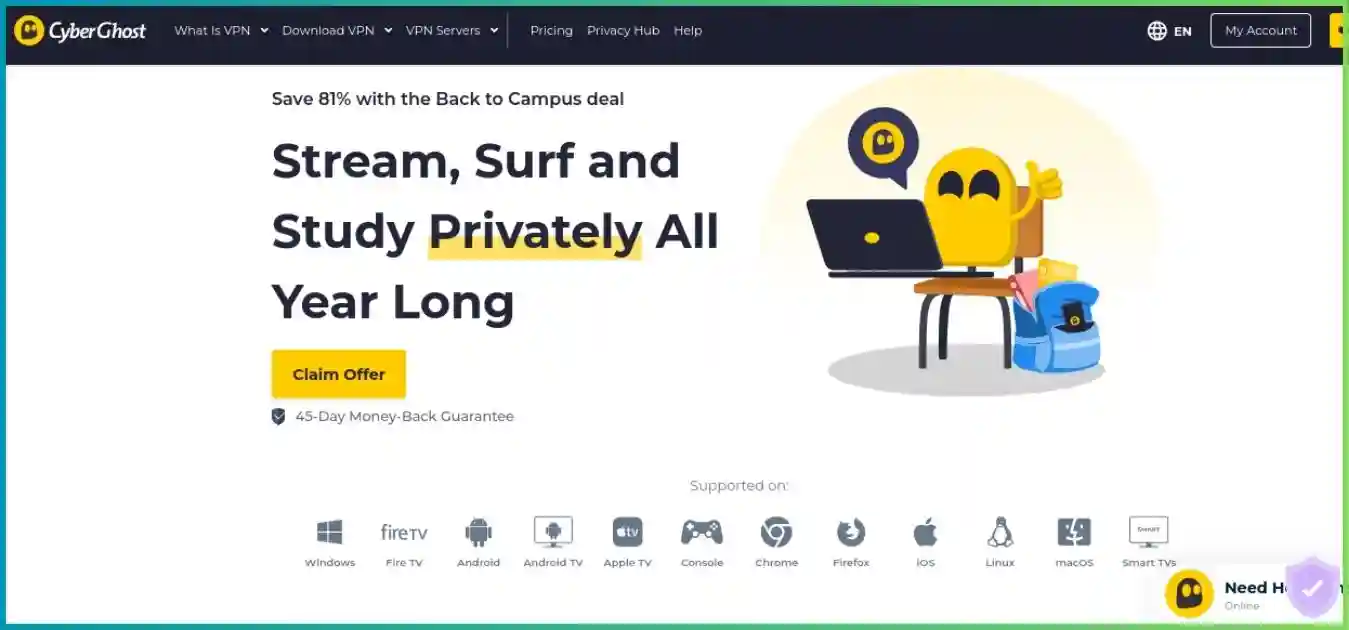
Which alternative fits better? Compare the missing capability
CyberGhost is strongest when your priorities are simple server selection, low initial cost and a long eligible refund period. An alternative becomes more compelling when it fixes a concrete limitation in your setup. The comparisons below use documented capabilities rather than an unsupported universal speed ranking.
| Your priority | Option to investigate | Tradeoff to compare |
|---|---|---|
| Unlimited household connections | CyberGhost vs Surfshark | Surfshark’s paid device policy is more flexible; compare renewal terms and actual TV compatibility. |
| P2P forwarding and privacy transparency | CyberGhost vs Proton VPN | Proton’s paid plans offer supported port forwarding and open-source apps; features differ by platform. |
| Desktop routing and P2P controls | CyberGhost vs Private Internet Access | PIA offers unlimited connections and supported-region forwarding; CyberGhost is more approachable for labeled task selection. |
| Restrictive-network fallbacks | CyberGhost vs NordVPN | Compare documented fallback protocols, devices and renewal cost instead of relying on country counts alone. |
| TV and router workflow | ExpressVPN vs CyberGhost | Compare supported TV hardware, router setup and DNS alternatives with the higher subscription cost. |
Some alternatives share ownership with CyberGhost. ExpressVPN and Private Internet Access are also Kape-owned, so choosing between them is primarily a product and policy comparison rather than a change of parent company. Check platform documentation and current checkout details for each shortlist candidate.
CyberGhost’s main pros and cons
Reasons to choose it
- Low monthly equivalent on the observed prepaid long offer, with a disclosed annual renewal.
- 45-day eligible refund period on terms of six months or longer.
- Service and task labels make supported server lists easier to navigate.
- Public latest Deloitte report, RAM-only infrastructure and NoSpy options.
- Mainstream phone, desktop and compatible TV apps; useful Windows automation.
Reasons to look elsewhere
- Seven connections and device registration management can constrain larger households.
- No ordinary VPN-side inbound port forwarding, including with Dedicated IP.
- Smart DNS is no longer streaming-compatible; unsupported TVs need another route.
- Protocol selection, split tunneling and automation vary significantly by platform.
- Limited appeal for aggressive censorship and advanced Linux/router workflows.
Setup and troubleshooting: a practical evaluation checklist
- Inventory your devices. Count simultaneous use and check the actual TV operating system. Decide whether you need a router before purchasing.
- Record the purchase terms. Save the initial charge, bonus months, renewal amount and interval, refund deadline and channel. Review every extra in the order summary.
- Install from the official source. Use the supported app for your platform and keep the software updated. Start with default protection and WireGuard where available.
- Verify the connection. Check the public IP and DNS behavior, then test an unexpected tunnel interruption and a Wi-Fi change. Verify any exception rules with the app they affect.
- Test real activities. Run your usual video service, work call, game or legitimate P2P session at busy hours. Use the labeled route relevant to the activity, then compare an alternative if needed.
- Evaluate before the deadline. Contact support about unresolved problems early. If the service does not fit, request an eligible refund and handle auto-renewal separately.
| Symptom | What to check first |
|---|---|
| New device cannot log in | Review Manage My Devices and remove an unused registration. |
| No internet after a tunnel failure | The kill switch may be doing its job; reconnect, inspect network reachability and try another supported route. |
| Hotel Wi-Fi will not connect | Finish the captive-portal login, then start the VPN; compare supported protocols if the network blocks one. |
| Bank or work site refuses access | Try another shared IP or an intentional exception; a Dedicated IP may help consistency but cannot guarantee acceptance. |
| TV receives a DNS address but streaming fails | Smart DNS no longer supplies streaming compatibility; use a native app or a router/shared tunnel. |
| Local printer or casting disappears | Review LAN access, split-tunnel and router rules; avoid accidentally excluding traffic you want protected. |
| Connection works but evening video buffers | Compare Wi-Fi and baseline speed, reduce competing transfers, and test another relevant route. |
Frequently asked questions
Is CyberGhost VPN worth it?
It is a strong fit for beginners who want low prepaid pricing, service-labeled streaming servers and a generous eligible refund period. Its seven-device limit, uneven app features and lack of VPN-side port forwarding make it less attractive for large households and advanced torrenting setups. Choose based on the devices and services you actually use.
How much does CyberGhost cost after the introductory term?
The observed 26-month offer costs $51.74 upfront and then renews at $51.74 annually. That renewal is approximately $4.31 per month, rather than the initial $1.99 monthly equivalent. Offers, currencies and taxes can change; confirm the first charge and recurring amount in your own checkout.
Does every CyberGhost subscription have a 45-day refund?
No. The advertised guarantee is 45 days for subscriptions of six months or longer and 14 days for the monthly plan. App-store and other third-party purchases follow the applicable channel rules. Turning off auto-renewal is a separate action from asking for a refund.
Can I use CyberGhost on more than seven devices?
CyberGhost permits seven simultaneous connections, and its app login/device management can also enforce a seven-device cap. Remove an unused device in the account dashboard if a new login fails. A compatible VPN router can cover several attached devices through one tunnel, but router setup and performance differ from the native apps.
Does CyberGhost work with Netflix and other streaming services?
CyberGhost provides streaming-optimized servers labeled for supported services and regions. Availability can change when a streaming service blocks an exit IP, and your account, subscription and device also matter. Test the exact service during your trial or eligible refund period; permanent access is not guaranteed.
Can CyberGhost Smart DNS unblock a smart TV?
CyberGhost’s current help documentation says Smart DNS is no longer compatible with streaming services. It remains available for general DNS purposes, but does not encrypt traffic or change your public IP. Use a supported native VPN app, compatible router or shared VPN connection for encrypted TV traffic.
Does CyberGhost offer port forwarding or a static IP?
There is no ordinary VPN-side inbound port forwarding. An optional Dedicated IP add-on provides a consistent exit address in a supported location, but does not add an inbound forwarded port. Its token-based allocation reduces ordinary account association; keep the token safe and remember that a unique address gives up shared-IP crowd anonymity.
Is CyberGhost’s no-logs policy independently audited?
CyberGhost has completed three Deloitte Romania assurance engagements. The latest assessed its infrastructure and operational controls in late 2025 and was announced in February 2026, with a public report. This supports the assessed no-logs controls at that time; it does not prove that every future app release or server is flawless.
Is CyberGhost free?
The full VPN is a paid service. The advertised trials are 24 hours on Windows/macOS without a card, three days on Android and seven days on iOS; mobile trials require payment details and timely cancellation to avoid a charge. Free Chrome/Firefox proxy extensions are browser-only tools with a small location selection, not the full device VPN.
Is CyberGhost a good choice for China or other heavily restricted networks?
It would not be our first choice when censorship resistance is the deciding requirement. It lacks a leading cross-platform stealth protocol. Selected connection options may help with specific blocks, but they do not guarantee access through a national firewall. Download and configure any required tools before travel and test available fallbacks.
Final verdict: a strong beginner VPN with specific limits
CyberGhost earns our 8.8/10 editorial assessment for the combination of prepaid value, approachable task selection, a long eligible refund period and meaningful public privacy evidence. We recommend it most readily to an individual or smaller household that mainly uses supported native apps and does not need advanced inbound connectivity.
The score is a qualitative judgment, not a measured average or laboratory performance result. Seven devices, missing port forwarding, uneven platform controls and the Smart DNS streaming change materially affect the recommendation. If any of those is central to your use case, investigate the relevant alternative before locking in a long term.
Make the offer work for your setup
Check the prepaid total and renewal, test your required routes and devices, and use the eligible evaluation window to confirm the fit.
View CyberGhost’s current plansResearch notes and chart methodology
Updated October 1, 2026. Research covers CyberGhost’s official checkout and subscription terms, live server directory, NoSpy and Dedicated IP materials, protocol/device guides, Smart Rules and TV settings, kill-switch and P2P documentation, free-trial page, privacy/audit reporting and current Smart DNS help. Contextual source links appear beside the audit, Smart DNS and streaming-speed claims.
Prices are observed USD offers, not a guarantee of the price shown to every visitor. Network totals are live provider disclosures and may include virtual locations. Price columns compare initial monthly equivalents; refund bars compare advertised eligible windows; bandwidth bars show Netflix recommendations; the device donut illustrates a hypothetical six-device setup within seven slots. Text labels and tables provide the underlying values. None of these visuals measures VPN speeds, regional fleet shares or unblocking success.
We distinguish published provider capabilities from our editorial conclusions. Audits are scoped assessments, transparency reports are provider disclosures, and streaming access requires current testing on your own service and device.