Incogniton and AdsPower approach the same problem — defeating browser fingerprinting for multi-accounting — from completely different angles. Incogniton is the workflow specialist: real-device fingerprints paired with unique anti-bot tools (paste-as-human-typing, a no-code Synchronizer, and a Cookie Collector warm-up bot) plus the most generous free tier in the category.
AdsPower, trusted by 9M+ users, is the automation workhorse: dual SunBrowser + FlowerBrowser kernels, a no-code RPA builder that records entire account workflows, and small-scale pricing that undercuts Incogniton 2:1 at 10 profiles. Both solve the same threat — platforms aggregating dozens of weak signals into probabilistic identities that survive IP changes (Cao et al., 2017, peer-reviewed research) — but with different tooling philosophies. We ran both through the same 2026 test cycle; here is exactly where each one wins.
Incogniton vs AdsPower at a Glance — 2026
Quick Verdict — Two Different Champions
Incogniton
- 10 free profiles for 2 months (then 3 forever) — best on-ramp in the category
- Unique tools: paste-as-human-typing, Synchronizer, Cookie Collector
- Free built-in proxies on every plan; no BYO-proxy tax to get started
- 4.7/5 Trustpilot (208 reviews) — strong satisfaction
AdsPower
- No-code RPA builder records account creation/posting flows without scripts
- Dual kernels: SunBrowser (Chromium) + FlowerBrowser (Firefox)
- 9M+ users; 4.8/5 Trustpilot (994 reviews) — top satisfaction in class
- $9/month for 10 profiles — 2× cheaper than Incogniton at entry level
Meet the Contenders
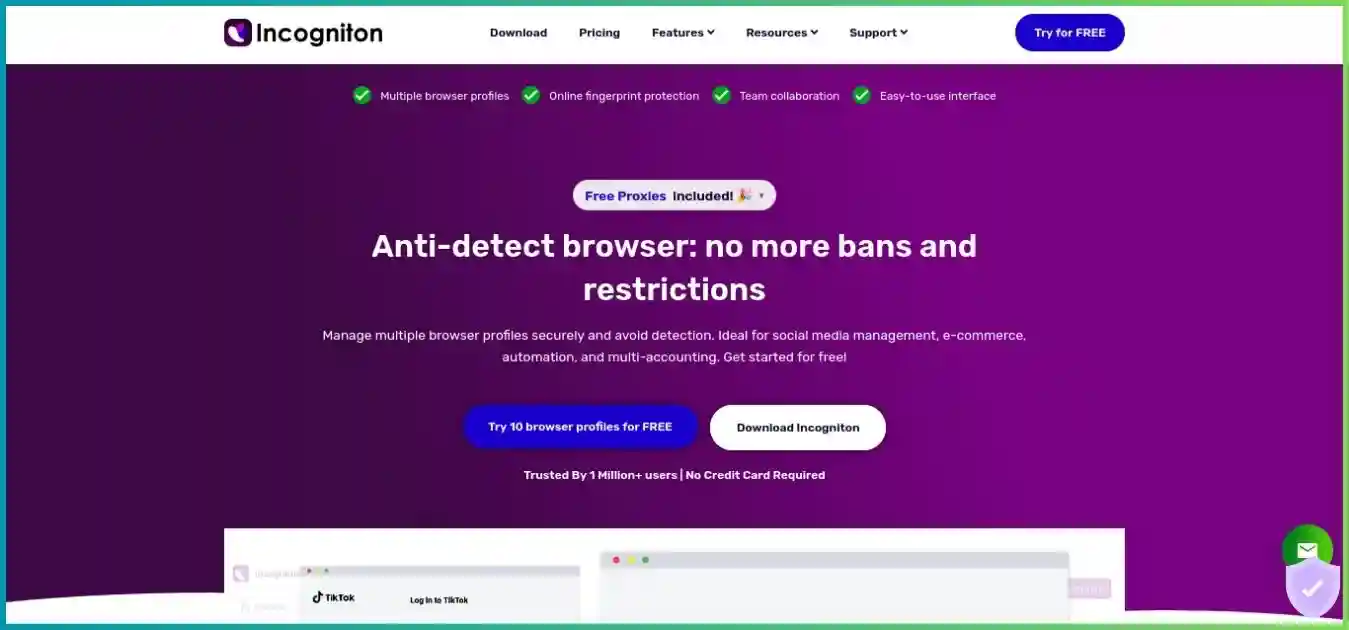
Incogniton — The Workflow Specialist
Incogniton pairs real-device fingerprints with productivity weapons no rival ships: paste-as-human-typing that defeats form-bot detection, a Synchronizer that mirrors one operator’s actions across many profiles in real time, and a Cookie Collector that warms fresh identities with realistic browsing history. Add the best free tier in the category and free built-in proxies on every plan, and it remains the favorite on-ramp for solo operators and small teams. W3C’s browser fingerprinting guidance explains how browser characteristics can make users identifiable even when other tracking methods are restricted.
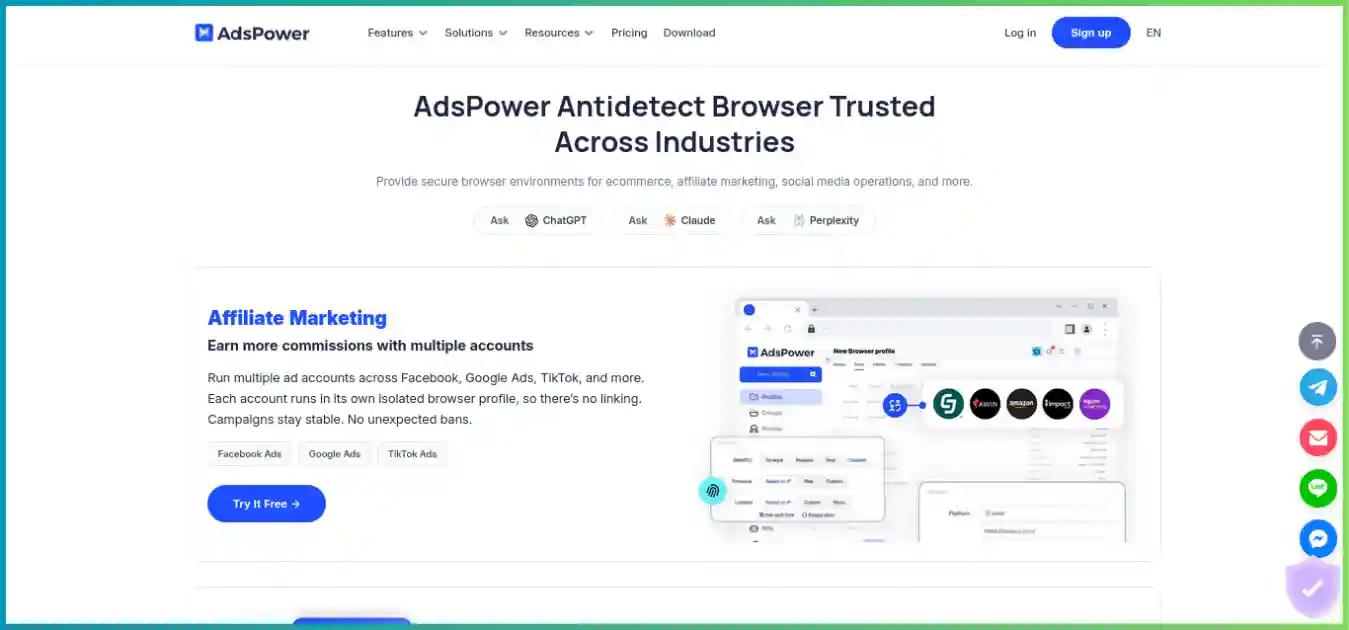
AdsPower — The Automation Workhorse
AdsPower pairs two independent kernels — SunBrowser (Chromium) and FlowerBrowser (Firefox), both synced with official releases to prevent fingerprint drift — with the category’s best no-code RPA builder. Operators record account creation, posting and warm-up flows once and replay them across hundreds of profiles. That automation depth plus aggressive small-scale pricing is why 9M+ users run it daily.
Both tools attack the same threat: platforms aggregating dozens of weak signals — canvas, WebGL, fonts, WebRTC, timezone — into a probabilistic identity that survives IP changes. Proper browser profile isolation beats VPNs or incognito windows for multi-accounting; the difference between these two is the tooling philosophy (behavioral stealth vs no-code automation) and where their pricing curves cross.
Head-to-Head Comparison Table
Verified against official pricing pages and independent lab tests, August 2026.
| Feature | Incogniton | AdsPower |
|---|---|---|
| Free tier | 10 profiles (2 mo) → 3 forever | 2 profiles forever |
| Entry paid price (10 profiles) | $19.99/mo ($13.99 term) | $9/mo (~$5.40 annual) |
| 100-profile tier | $79.99/mo — 150 profiles | $36/mo — 100 profiles |
| Max annual discount | 40% | 40% |
| Browser engines | Proprietary Chromium, real-device data | SunBrowser (Chromium) + FlowerBrowser (Firefox) |
| PixelScan / CreepJS-class checks | ✅ passes with aligned proxies | ✅ comparable bypass rates |
| Paste-as-human-typing | ||
| No-code Synchronizer | ||
| Cookie warm-up bot | ||
| No-code RPA builder | ||
| Selenium / Puppeteer | Entrepreneur tier ($29.99+) | From $9/mo tier |
| Built-in proxies | BYO only | |
| Mobile / iOS fingerprints | ||
| Desktop platforms | Windows + macOS | Windows + macOS + Linux |
| User base | Smaller niche | 9M+ users |
| Trustpilot (Aug 2026) | 4.7/5 (208 reviews) | 4.8/5 (994 reviews) |
Fingerprint Security & Detection Tests
Comparable bypass rates, different engineering philosophies.
Both tools achieve comparable bypass rates on standard checkers such as Pixelscan and CreepJS-class tests in 2026. Incogniton passes Pixelscan, BrowserLeaks, and BrowserScan when paired with geo-consistent residential or mobile proxies; its engine uses real-device data to build coherent fingerprint stories across 55+ parameters. AdsPower’s defense is kernel consistency: SunBrowser and FlowerBrowser sync with official Chromium and Firefox releases to prevent the “fingerprint drift” that gets stale engines flagged — and the Firefox option matters on platforms that expect Firefox entropy patterns.
The honest caveat: independent labs have flagged Incogniton when profiles are run with mismatched proxies or timezone/language settings, and AdsPower’s fingerprint quality can lag in edge cases on the strictest platforms. As we explain in can websites detect anti-detect browsers? — detectors punish physically impossible combinations, so whichever tool you pick, pair each profile with one sticky residential or mobile proxy and verify with a fingerprint check before logging into valuable accounts.
Performance & Benchmarks
Responsive Chart.js visualizations from verified 2026 pricing and Trustpilot data.
Free-Tier Profiles — Higher is Better
Incogniton's 10 free profiles (2 months) is the most generous on-ramp in the category; AdsPower offers 2 free forever.
Source: Official pricing pages, verified August 2026
100-Profile Tier Price (USD/mo) — Lower is Better
AdsPower $36 monthly ($21.60 annual) for 100 profiles vs Incogniton $79.99 for 150 profiles.
Source: Official pricing pages, verified August 2026
Trustpilot Satisfaction (/5) — Higher is Better
AdsPower 4.8/5 from 994 reviews vs Incogniton 4.7/5 from 208 — both strong, AdsPower has far more sample size.
Source: Trustpilot, August 2026
Anti-Tracking Software Market (USD B), 2023–2030
The category both tools compete in is forecast to grow from $819M (2023) to $1.95B by 2030 at 13.2% CAGR.
Source: Industry market research, anti-tracking software market report (2024)
How We Tested Both
We ran Incogniton and AdsPower side-by-side on Windows and macOS through 30-day windows in 2026: 40+ profiles per tool across social multi-accounting, e-commerce and SERP research. We validated fingerprints with Pixelscan-style entropy checks, WebRTC/DNS leak tests and user-agent consistency scans, exercised AdsPower’s RPA builder against Incogniton’s Synchronizer + paste-as-human-typing, and re-verified every price against official pages in August 2026.
Pricing Face-Off
AdsPower wins at small scale; Incogniton wins on tooling depth. See our cheapest anti-detect browsers guide for the full market context.
| Tier | Incogniton | AdsPower |
|---|---|---|
| Free | $0 — 10 profiles (2 mo) → 3 forever | $0 — 2 profiles forever |
| Entry paid (10) | $19.99/mo ($13.99 term) | $9/mo (~$5.40 annual) |
| Mid (50) | $29.99/mo ($20.99 term) | ~$18/mo annual-equivalent |
| High (100–150) | $79.99/mo — 150 profiles | $36/mo — 100 profiles ($21.60 annual) |
| Scale (500+) | $149.99+/mo — 500–5,000 | ~$236/mo — 1,000 profiles |
Honest Assessment: Hidden Cost Centers
AdsPower’s sticker price is cheaper, but its proxies are BYO — you must budget separately for quality residential or mobile IPs. Incogniton includes free built-in proxies on every plan, making its total cost of ownership closer than the sticker suggests, especially for users without an existing proxy budget. Factor proxies in before deciding on price alone.
Automation, Proxies & Team Tools
Behavioral stealth vs no-code RPA — two automation philosophies.
Incogniton
- Paste-as-human-typing defeats copy-paste bot detection on forms
- Synchronizer mirrors one operator’s actions across many profiles (no-code)
- Cookie Collector pre-warms profiles with realistic browsing history
- Free built-in proxies on every plan + HTTP/SOCKS5/SSH external support
- Selenium/Puppeteer + REST API from Entrepreneur ($29.99) tier
AdsPower
- No-code RPA builder records click/typing flows, replay across profiles
- RPA templates for account creation, posting, liking on major platforms
- Local + cloud API; Selenium/Puppeteer from the $9 tier
- Bulk profile creation with fingerprint templates; group management
- Team roles & permissions; BYO proxy integrations
Pros & Cons
Incogniton
Pros
- Best free tier: 10 profiles for 2 months, 3 forever
- Unique behavioral tools: human typing, Synchronizer, Cookie Collector
- Free built-in proxies on every plan; crypto/card/PayPal payments
- 4.7/5 Trustpilot (208 reviews) — strong satisfaction
- Real-device fingerprints pass checkers when configured correctly
Cons
- Expensive per profile at 10+ ($19.99 vs AdsPower $9)
- API/automation gated behind $29.99 Entrepreneur tier
- No mobile fingerprints, no Linux support
- ~6 s launches — slowest in its peer group
- Interface feels more technical than AdsPower’s
AdsPower
Pros
- Best no-code RPA automation in the category
- Dual kernels (SunBrowser + FlowerBrowser) synced with official releases
- 9M+ users; 4.8/5 Trustpilot — strongest satisfaction in class
- Great small-scale value ($9/10 profiles, 40% annual discount)
- Linux support + mobile/iOS fingerprint options
Cons
- Free plan only 2 profiles (vs Incogniton’s 10)
- No bundled proxies — BYO adds real cost
- Fingerprint quality can lag in edge cases on strictest platforms
- Feature-dense UI has a steeper learning curve
- Heavier client; slower launches than GoLogin
Who Should Choose Which?
Match the tool to the workflow — both are excellent in their lane.
Choose Incogniton if…
- You want the biggest free runway (10 profiles) to learn safely
- Form-heavy onboarding makes human-typing emulation valuable
- You warm accounts carefully and want a built-in Cookie Collector
- You repeat the same flows across profiles (Synchronizer)
- You have no existing proxy budget and want built-in ones
Choose AdsPower if…
- Your workflows are repetitive and non-technical (RPA recording)
- You operate under ~30 profiles where AdsPower is best value
- You need Firefox-based fingerprints (FlowerBrowser)
- Customer-support quality and community size weigh heavily
- You want Linux support with a desktop-first automation stack
More Head-to-Head Comparisons
Still weighing the wider field? These matchups complete the picture.
GoLogin vs Incogniton
Cloud-first pricing vs the best free tier & workflow tools.
GoLogin vs AdsPower
Speed & cloud vs RPA automation at small scale.
Incogniton vs Multilogin
Budget workflow tools vs enterprise fingerprint pedigree.
Multilogin vs AdsPower
Real cloud phones vs cheapest 100-profile scaling.
GoLogin vs Multilogin
Budget cloud-first vs premium fingerprint gold standard.
Cheapest Anti-Detect Browsers
Every budget option ranked, updated for 2026.
Frequently Asked Questions
Straight answers from our side-by-side 2026 test cycle.
The Verdict: Test Both Free — Then Scale on the Winner
Incogniton’s 10 free profiles and AdsPower’s 2 free profiles let you run identical fingerprint and automation tests this week at zero cost. Let your target platforms — not marketing pages — decide your stack.
Keep comparing? GoLogin vs Incogniton · GoLogin vs AdsPower