Webshare is the stronger starting point for inexpensive, self-service proxy infrastructure. Bright Data is the broader option for businesses that need raw proxies alongside managed unlocking, remote browsers and data products. The right choice depends on whether you want to operate a scraper yourself, how much traffic you actually consume, and whether your intended targets and account qualify for the selected network.
This Webshare Proxy vs Bright Data Proxy comparison covers rotating residential, static ISP and datacenter services separately. A cheap datacenter IP, a residential GB and a successful managed request are different purchases. Comparing their headline numbers in one price chart hides the costs that determine a useful outcome.
The comparison uses official public pricing, documentation and policy information checked on October 5, 2026. We did not purchase subscriptions or run a controlled target-by-target benchmark. Published network claims are attributed, calculated charts show their assumptions, and there are no invented speed ratings or success scores.
Affiliate disclosure: we may earn a commission when you purchase through our links. Product fit and limitations are discussed for both providers.
The buying decision in one minute
Choose Webshare when you already have the parser, browser automation and queue, and want to keep proxy costs low. Choose Bright Data when managed retrieval or browser infrastructure can save engineering effort. For new Bright Data residential zones, check company verification eligibility before planning your launch; managed tools and raw residential access have different onboarding paths.
Webshare vs Bright Data: Quick Comparison
Both offer the main proxy categories used for public web data collection. The clearest differences are the entry cost, management scope and access requirements, rather than a proven universal winner on speed.
| Decision point | Webshare | Bright Data |
|---|---|---|
| Best starting fit | Budget-conscious developers, small teams and existing scraping stacks | Business teams combining proxy infrastructure with managed web access and data tools |
| Free entry | 10 datacenter IPs with 1 GB/month; no card required | Web Unlocker free tier: 5,000 requests/month; Browser API has separate credits/traffic terms |
| Shared datacenter entry | 100 IPs: $2.99/month | 10 IPs: $14/month; 100 IPs: $100/month |
| Standard/shared static ISP entry | 20 IPs: $6/month; 100 IPs: $30/month | 10 IPs: $18/month; 100 IPs: $145/month |
| Rotating residential entry | 1 GB: $3.50/month, currently discounted | $4/GB promotional PAYG with RESIGB50; account funding and eligibility separate |
| Residential targeting | Country/city; US state or ZIP; ASN alternative in Endpoint Generator | Country/city/ASN; US state and ZIP in residential configuration |
| Published residential footprint | 80M+ IPs across 195 countries | 400M+ monthly IPs across 195 countries; counting window differs |
| Managed retrieval / browser | Core comparison is raw proxy infrastructure; bring your own extraction stack | Web Unlocker, Browser API and target-specific scraping/data products, separately billed |
| New raw residential access | Self-service tools; restrictions and product-specific checks still apply | Registered company, corporate email and human-reviewed KYC for new zones after July 7, 2026 |
| Mobile product | No standalone mobile plan established in the documented catalog | Legacy mobile references remain; a current new-customer standalone offer and price were not verified |
All prices are USD public selections, excluding taxes and configuration changes. Free managed requests are not free raw residential bandwidth. Network counts are vendor claims, not simultaneous available exits or measured throughput.
Provider Overview and Homepage Images
Webshare’s main appeal is a direct route from choosing a proxy plan to exporting credentials. Bright Data separates accounts into network or product configurations, called zones, and offers more ways to move from proxy routing to managed web retrieval. The following cards summarize those different buying paths.
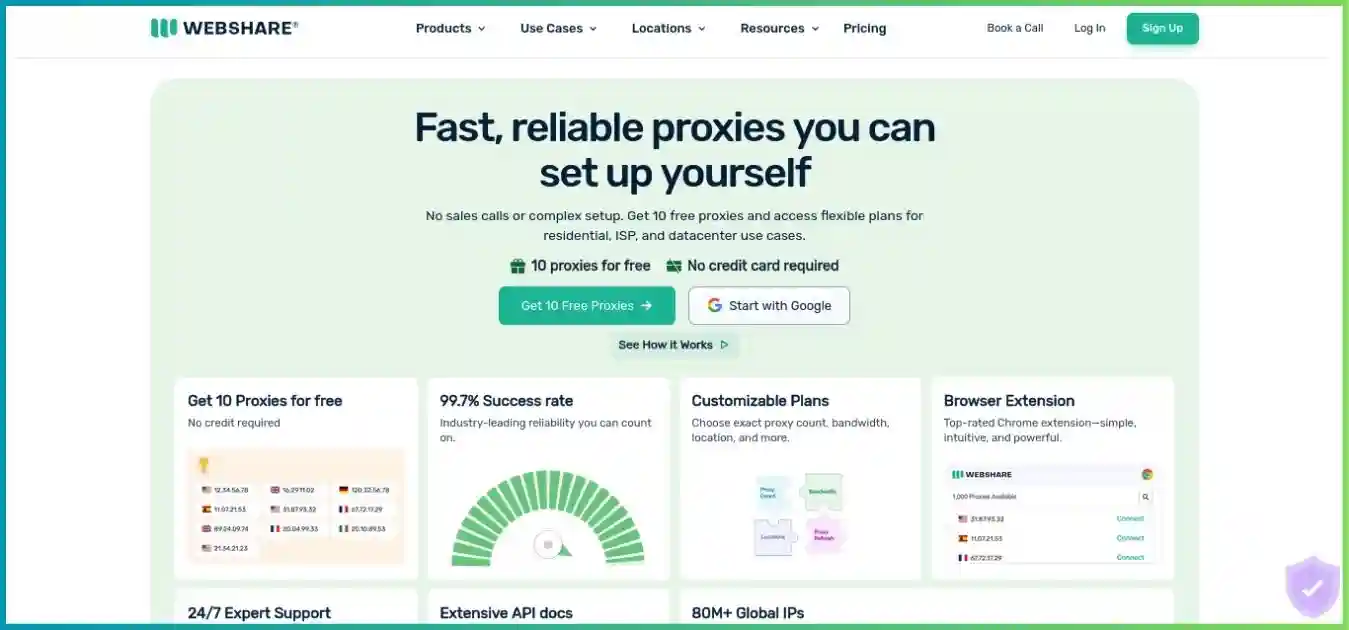
Webshare
Flexible proxy infrastructure for your own scraping stack
Webshare sells datacenter, server-hosted static residential/ISP and rotating residential proxies. Its low-cost shared plans and free datacenter allowance make it approachable for development and budget-controlled pilots. More advanced residential targeting is now documented, so the old country-only description is incomplete.
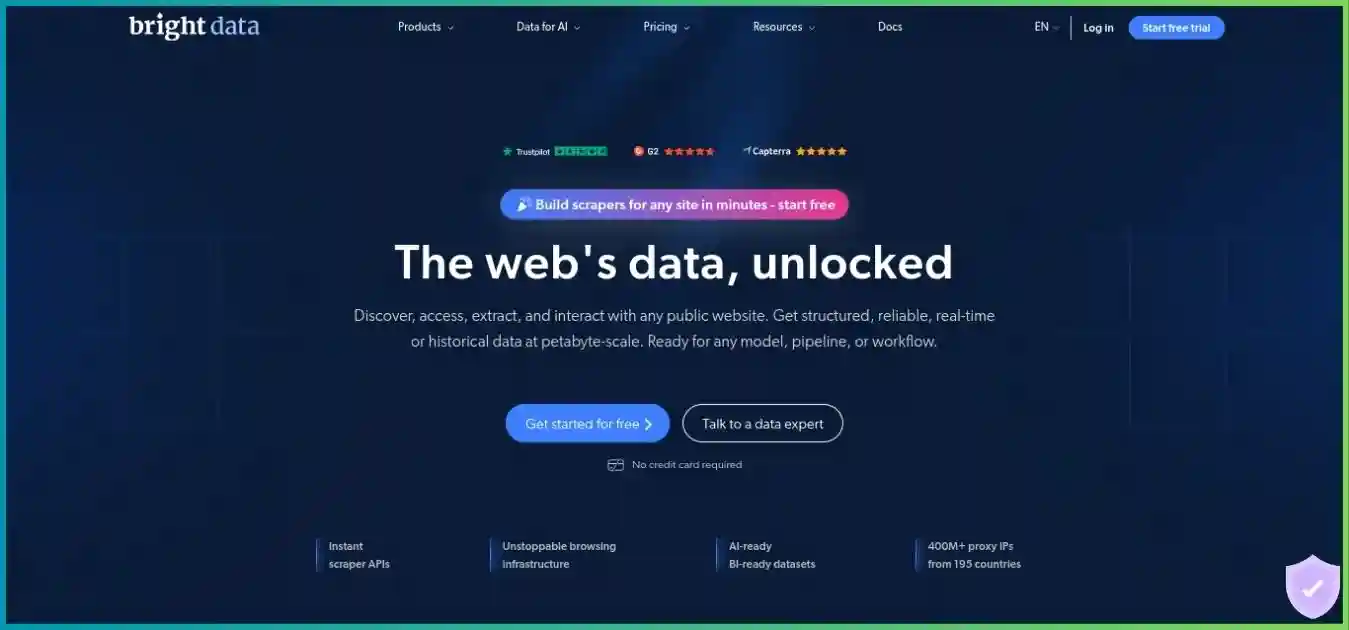
Bright Data
Raw proxy networks plus managed web access and data products
Bright Data offers shared and dedicated datacenter and ISP options, a large advertised rotating residential footprint, and managed products that handle parts of retrieval and browser operations. These tools expand its scope, but each product has its own unit of billing and setup. New residential access requires a verified business and human review.
Pros
- Raw proxies and managed web access in one product ecosystem
- Residential geo filters and session controls
- PAYG options can suit intermittent workloads
- Separate managed request and remote browser routes
Cons
- New raw residential zones require company verification and funding
- Public unit labels do not always match exact package arithmetic
- Premium domains and custom retrieval settings can change billing
- More products and zones create more configuration decisions
For product-specific detail, read our Webshare proxy review and Bright Data proxy review. Those guides are useful when you have already narrowed the choice to one provider and need its setup or billing details.
Datacenter, Static ISP and Rotating Residential Proxies
Start with the least expensive proxy category that meets the target’s requirements. Moving directly to residential traffic can waste money if the target works reliably through a datacenter exit. Conversely, many inexpensive datacenter IPs do not solve a target that requires a particular location or rejects hosting-network addresses.
Datacenter
Hosting-network addresses suited to accessible public pages, testing and high-volume jobs that tolerate these exits. Compare sharing level, location inventory, IP count and traffic allowance together.
Static residential / ISP
ISP-issued addresses hosted on servers. Useful for consistent exits and longer sessions. They are not necessarily household devices, and “residential” does not automatically mean dedicated.
Rotating residential
A peer network with routing and session controls, usually billed by traffic. Suitable when the target or regional workflow needs these exits. Peer availability can change during a session.
Shared, private and dedicated are allocation terms
Webshare’s standard static ISP plan is shared. Its Private tier limits sharing, while Dedicated is exclusive among Webshare customers while allocated. Private wording varies across product help pages, so confirm the exact product’s sharing rule instead of promising a universal maximum. Dedicated allocation does not erase an address’s previous reputation or guarantee acceptance by a website.
Bright Data’s shared and dedicated per-IP choices also need to be matched to the selected network. A dedicated datacenter exit remains a datacenter exit. Paying more for exclusivity can be worthwhile for stability and attribution, but it is not a substitute for a location, parser or browser requirement.
Avoid treating mobile availability as established
Webshare’s documented catalog in this comparison does not establish a standalone mobile proxy plan. Bright Data’s older mobile pages redirect to general network pages while some FAQ text still mentions mobile. We could not verify a current new-customer standalone mobile offer or price. If cellular exits are essential, obtain confirmation of the actual product, region, onboarding and billing before making either provider your dependency.
Targeting, Rotation, Sticky Sessions and Features
Granular targeting is now available from both residential offerings. The practical issue is whether the chosen filter combination is valid and has enough peers for your workload. A long list of country options does not establish that a specific city, postal code or ASN is available at your desired concurrency.
| Feature | Webshare | Bright Data |
|---|---|---|
| Residential location | Country only, country + city, US + state, or US + ZIP | Country, city and ASN; US-only state/ZIP under current residential configuration |
| Filter combinations | Choose one of city/state/ZIP; ASN is an alternative and cannot combine with country in the generator | Use the network-specific generated username; do not assume every combination works |
| Rotation | Residential per-request rotation or timed sticky sessions | Residential session controls; configuration depends on the chosen zone/network |
| Sticky duration | Dashboard timer: 1 minute to 24 hours; peers can still disconnect | Session controls documented; do not assume permanent peer availability |
| HTTP / SOCKS5 | Both documented; use product-specific connection details | HTTP(S) and SOCKS5 documentation; some pricing pages describe SOCKS5 through Proxy Manager |
| Authentication | Username/password, sub-users and authorized source IP options | Zone-specific credentials and generated username settings; API tokens for managed REST calls |
| Management | Dashboard, API, proxy exports, CLI/SDKs and account MCP | Dashboard zones, management APIs and Proxy Manager |
| Rendering and CAPTCHA handling | Implement within your application or other tools when using raw proxies | Managed products can handle parts of retrieval, separately from raw proxy pricing |
What changed in Webshare targeting?
The rotating residential Endpoint Generator supports city, US state/ZIP and ASN selection. It combines country with only one of city, state or ZIP; selecting another replaces the first. ASN is an alternative route rather than an extra filter to stack with a country. Copy the regenerated endpoint into your application, because changing dashboard selections does not update credentials already stored in your client.
Choose rotation around your workflow
Use per-request rotation for independent public-page fetches when session continuity is unnecessary. Use a sticky session when several requests must share an exit, such as a multi-step regional QA workflow. Keep cookies, headers and the exit consistent where appropriate, and detect session failures. A session identifier expresses a routing preference; it cannot guarantee that a residential device stays online.
For stable long-running workflows, compare allocated static ISP addresses with residential sticky sessions instead of assuming they behave identically. Narrow targeting can reduce available peers, so pilot the real filter rather than testing a worldwide route and extrapolating the result.
Pricing and Plans: Compare Matching Units
Webshare has much lower listed shared datacenter and standard ISP totals at the quantities below. That establishes a purchasing-cost difference, not an equivalent bandwidth allowance, address reputation or successful extraction rate. Residential packages and PAYG traffic require a second comparison because unused monthly capacity changes their effective cost.
Datacenter and static ISP monthly selections
| Product / quantity | Webshare monthly total | Bright Data monthly total |
|---|---|---|
| Shared datacenter: 100 IPs | $2.99 | $100 |
| Shared datacenter: 1,000 IPs | $26.91 | $900 |
| Dedicated datacenter: 100 IPs | $119 | $170 |
| Standard/shared ISP: 100 IPs | $30 | $145 |
| Standard/shared ISP: 1,000 IPs | $270 | $1,300 |
| Dedicated ISP: 100 IPs | Select dedicated ISP configuration; no matching total quoted here | $275 |
The cheapest plans above are shared plans. Webshare’s 100-IP dedicated datacenter selection is a different purchase from its $2.99 shared selection. Webshare also offers private datacenter configurations; the reviewed 100-IP monthly card lists $66.30. Do not transfer that limited-sharing price to dedicated ISP traffic.
Monthly totals for 100 allocated IPs
USD; all columns use a $0–$200 scale. DC = datacenter. Bandwidth configuration, allocation policies and fair use differ.
Rotating residential packages versus PAYG
| Traffic | Webshare monthly package | Webshare included-GB rate | Bright Data PAYG usage at $4/GB |
|---|---|---|---|
| 1 GB | $3.50 | $3.50/GB | $4.00 |
| 10 GB | $27.50 | $2.75/GB | $40.00 |
| 25 GB | $65.00 | $2.60/GB | $100.00 |
| 50 GB | $122.50 | $2.45/GB | $200.00 |
| 100 GB | $225.00 | $2.25/GB | $400.00 |
At 100 GB consumed, the listed Webshare package costs $225 and Bright Data promotional PAYG usage costs $400. The difference is $175, or 43.75% less for the Webshare package in this full-utilization scenario. This calculation excludes taxes, funding requirements, free allowances, other products and engineering time. It does not establish the same number of valid extracted records.
Residential rates at selected purchase sizes
USD per GB; common $0–$4 scale. Green: Webshare monthly package at full utilization. Blue: eligible Bright Data promotional PAYG. Different terms; no performance comparison.
1 GB usage / package
10 GB usage / package
50 GB usage / package
100 GB usage / package
Larger Webshare packages
| Included traffic | Monthly package total | Calculated included-GB rate |
|---|---|---|
| 250 GB | $500 | $2.00/GB |
| 500 GB | $875 | $1.75/GB |
| 1,000 GB | $1,500 | $1.50/GB |
| 3,000 GB | $4,200 | $1.40/GB |
These are monthly displayed discounted offers. They do not establish renewal pricing, an annual upfront invoice or the price of every configuration. Choose the smallest plan that covers expected traffic with reasonable headroom; a lower included-GB rate only helps when you use the allowance.
Bright Data residential monthly commitments
| Monthly commitment | Listed included traffic | Calculated included-GB rate |
|---|---|---|
| $499 | 141 GB | $3.54/GB |
| $999 | 332 GB | $3.01/GB |
| $1,999 | 798 GB | $2.51/GB |
Bright Data’s public promotional cards use rounded unit labels that do not exactly equal total divided by allowance. The calculated $3.54, $3.01 and $2.51 figures above describe included traffic at full utilization; they are not verified overage rates. Confirm the account’s excess-traffic pricing, coupon eligibility and promotion duration before committing.
A commitment is worthwhile only at the right usage
The $499 monthly residential commitment equals $4/GB PAYG usage at 124.75 GB. Below that usage, promotional PAYG would have a lower usage charge in this limited comparison. At 141 GB, $499 is lower than $564 of PAYG usage. Beyond the included allowance, compare the actual overage terms rather than extending the calculated package rate.
Separate Bright Data bandwidth offers
Bright Data also lists datacenter bandwidth PAYG at $0.60/GB and ISP bandwidth PAYG at $8/GB. These are alternative billing configurations to the per-IP tables, not an automatic additional fee to add to every IP subscription. Check which arrangement the zone actually uses, including any minimum funding, target limits and account-specific pricing.
Bandwidth, Fair Use and Unused Traffic
Proxy bandwidth is transferred traffic, not just the text you keep after parsing. Pages can contain large responses, headers, repeated downloads and retries. Bright Data describes metering request and response headers and data; estimate from actual provider usage counters rather than assuming the size of your final CSV is the billable volume.
Estimate traffic before choosing a plan
For a decimal planning example, 50,000 requests averaging 200 KB each are approximately 10 GB before extra traffic. The same request count averaging 1 MB is approximately 50 GB. If another 20% of equal-sized requests are retries, those examples become roughly 12 GB and 60 GB. Browser assets and target behavior can change the average substantially; measure a representative sample.
| Issue | Webshare | Bright Data |
|---|---|---|
| Monthly allowance | Shared across the entire plan; resets monthly and does not roll over | Commitments restart with billing periods; unused commitment does not roll over for a fully active month |
| Capped-plan exhaustion | Proxies stop functioning when the allowance is exceeded | Depends on balance, zone limits and auto-recharge configuration |
| Unlimited eligibility | Selected datacenter / ISP configurations; eligibility varies by sharing tier and IP count | Per-IP datacenter / ISP pricing has a stated pooled fair-use allowance |
| Fair use | Eligible unlimited plans have a minimum 10 TB threshold and spend-based guarantees; substantial excess can throttle | 100 GB per IP per month, pooled; additional charges may apply beyond it |
| Rotating residential | Traffic-based packages; unlimited datacenter/ISP policy does not apply | PAYG or commitments; per-IP datacenter/ISP allowance does not apply |
For example, Bright Data’s 10-IP per-IP configuration has a stated 1,000 GB pooled allowance for a full month’s allocation. That is a fair-use rule, not permission for unrestricted transfer. Webshare’s unlimited eligibility starts at different IP counts for shared, private and dedicated plans; eligibility does not mean that unlimited bandwidth is included in every quoted base price.
Webshare’s unlimited fair-use formula guarantees at least 10 TB, adds 1 TB per $10 for the first $1,000 of plan spend and 1 TB per $20 above it. The policy gives $1,500 as a 125 TB example. This applies to eligible unlimited datacenter/static plans, can change, and is not extra traffic for a capped residential package.
A fixed 100 GB package versus promotional PAYG
Hypothetical monthly consumption, 0–100 GB. Webshare fixed 100 GB package: $225. Bright Data eligible PAYG: $4 × GB used. USD before taxes, account funding or other products.
| Consumed GB | Webshare fixed package | Bright Data usage charge |
|---|---|---|
| 0 | $225 | $0 |
| 25 | $225 | $100 |
| 50 | $225 | $200 |
| 75 | $225 | $300 |
| 100 | $225 | $400 |
Unused capacity changes the effective price
Illustration only: a 100 GB Webshare monthly package with 25 GB consumed and 75 GB unused. This is not measured customer usage.
Used: 25 GB (green). Unused: 75 GB (gray).
$225 ÷ 25 GB = $9 per consumed GB, rather than the $2.25 full-utilization rate.
Bright Data promotional PAYG usage for 25 GB would be $100. Webshare’s smaller 25 GB package is listed at $65; right-sizing may be better than purchasing spare capacity.
Set limits in both the dashboard and your client
Keep a monthly budget, a per-job request ceiling and a retry ceiling. Bright Data’s zone spend-limit FAQ says enforcement can lag by 15 minutes, so a dashboard limit is not a precise real-time invoice cap. Your application should stop scheduling expensive work when its own threshold is reached, even if a provider counter has not caught up.
Raw Proxies Versus Managed Scraping and Browser Tools
This is the main reason to consider Bright Data beyond a raw proxy price comparison. Webshare supplies connectivity for your application. Bright Data also sells products that take on parts of proxy selection, browser operation, retries or target-specific extraction. A team can use either provider successfully, but the distribution of engineering work is different.
| Purchase | Included role | Work left to your team |
|---|---|---|
| Raw proxies from either provider | Network routing, credentials and product-specific targeting/session options | Crawler, browser if needed, parsing, pagination, queue, validation, storage and retry policy |
| Bright Data Web Unlocker | Managed retrieval and unlocking; standard PAYG $1.50/1,000 successful requests | Define permitted URLs, parse or validate output, handle job scheduling and downstream storage |
| Bright Data Browser API | Remote browser with proxy/unlocking infrastructure; PAYG listed at $8/GB | Automation steps, extraction rules, timeouts, browser-session limits and record validation |
| Bright Data target-specific Scraper APIs / datasets | Product-specific structured outputs or pre-collected data | Verify fields, freshness, coverage, permitted use, delivery method and exact billing unit |
Web Unlocker is not an interactive browser session
Web Unlocker is suited to managed page retrieval. Browser API is the route to evaluate when your workflow needs interactive navigation through Playwright, Puppeteer or Selenium. Raw proxies can also be used with your own browser, but you operate that runtime and its resource costs. Rendering a page and returning usable structured business records are separate steps.
The Web Unlocker public free tier lists 5,000 requests per month. Browser API separately lists a free tier with 5,000 credits and 1 GB included monthly. Do not equate credits to requests or these managed allowances to raw residential access. Check the relevant free-tier product and account terms before basing a production workload on them.
Successful-request billing has exceptions
Web Unlocker premium domains can carry higher prices. Enabling custom features such as manual headers/cookies or manual expected elements changes billing to all requests, including failures. This concerns retrieval customization, not the API authorization header. Confirm the zone’s mode and target classification instead of assuming the standard PAYG definition applies to every request.
Account MCP is different from web extraction
Webshare’s documented MCP integration manages the account: inspecting proxies and plans, exporting connection information and, with approved write access, making account changes. That is useful developer tooling, but it does not itself provide a managed browser or a complete parsed-data pipeline. Review permissions carefully, particularly when an assistant can replace proxies or modify authorizations.
Compare total cost per accepted record
A raw-proxy design costing $30 in infrastructure plus six engineering hours at $25/hour totals $180. A managed design costing $100 plus one hour totals $125. These are hypothetical budgets, not measured provider outcomes, and assume equal accepted output. Reverse the labor assumptions and the winner can change.
Calculate (proxy or API spend + compute + storage + engineering time) ÷ accepted records. A successful HTTP response can still contain a challenge page, duplicate record or missing field. Define acceptance criteria before comparing cost so that inexpensive invalid responses do not appear efficient.
For another comparison involving a different budget and product mix, see Bright Data vs ProxyShare. Keep the same distinction between raw traffic and managed results when comparing alternatives.
Performance and Reliability: Run a Fair Pilot
There is no defensible universal speed winner from the evidence used here. Target site, client location, network type, peer availability, browser rendering, filters and request rate all affect results. A provider’s advertised uptime or success percentage is not a same-condition benchmark against the other provider, and infrastructure uptime is not the probability of obtaining a complete record.
Network size is context, not a score
Webshare advertises 80M+ residential IPs and 195 countries. Bright Data advertises 400M+ monthly residential IPs and 195 countries. The word “monthly” matters: we have not established identical counting windows or how many matching peers are concurrently available. Dividing the numbers does not tell you which route will be faster, less blocked or more reliable for a particular city.
Use the same workload and record schema
- Choose representative, permitted targets. Include ordinary pages and the regional or rendered pages your production job actually needs. Verify provider access policies first.
- Separate experiments. Compare raw residential to raw residential, and raw datacenter to raw datacenter. Evaluate managed retrieval as a separate total-cost option.
- Fix the client variables. Use the same region, time windows, parsing rules, timeouts, concurrency and retry budget. A stronger retry loop should not masquerade as a stronger network.
- Validate output. Check fields, geography, freshness and uniqueness. Count blocked or incomplete bodies even when the HTTP status is 200.
- Record usage and failures. Keep transferred bytes, billable units, accepted records and latency percentiles, plus authentication, access-policy and target failures separately.
- Repeat across conditions. Test at different times and with the real location filter. Compare the actual dashboard charges to your estimates before expanding the workload.
| Metric | What to record | Why it matters |
|---|---|---|
| Accepted-output rate | Valid unique records ÷ attempted records | Measures your outcome rather than merely receiving a response |
| Cost per 1,000 accepted records | All job costs ÷ accepted records × 1,000 | Includes waste, rendering, retries and labor |
| Latency distribution | Median and p95 by target and product | Shows tail delays hidden by one average |
| Traffic per accepted record | Metered traffic ÷ accepted output | Connects browser assets and retry policy to GB spend |
| Session continuity | Exit changes / interruptions in a multi-step workflow | Tests whether sticky or static routing fits your job |
| Failure classes | Authentication, policy denial, timeout, rate limit and parsing errors | Points to the fix instead of escalating every issue to more proxies |
As MDN’s HTTP 429 reference explains, rate limiting may apply to a user or application as well as an IP, and a response can include a Retry-After header. Reduce request rate and respect the wait signal; rotating exits is not a complete remedy for an overloaded target.
Which Provider Fits Your Workload?
| Workload | Starting choice | Decision test |
|---|---|---|
| Existing scraper for accessible public pages | Webshare shared datacenter | Can the target accept DC exits within your request rate and traffic budget? |
| Consistent regional QA or long sessions | Compare static ISP options from both | Do you need exclusivity, a fixed exit or only temporary sticky routing? |
| Budget-sensitive rotating residential collection | Webshare monthly residential | Will you use the package before monthly reset, and does the exact filter have enough peers? |
| Intermittent business residential usage | Compare Bright Data PAYG with right-sized Webshare packages | Are you eligible for residential access and the promotion? What are funding terms? |
| High-maintenance unlocking or remote browser jobs | Evaluate Bright Data managed tools | Does saved engineering work justify the actual target/product billing? |
| Personal or hobby raw residential project | Evaluate Webshare access and target eligibility | Bright Data’s current B2B residential policy excludes personal projects |
| Structured records or pre-collected data | Evaluate a target-specific managed data product | Are the fields, freshness, output units and permitted uses a match? |
SEO monitoring, public prices and regional QA
For public-page SEO checks, compare the actual targets before buying a large residential package. For e-commerce research, validate currency, stock state and locale rather than treating any product page as correct. Regional QA may need fewer stable ISP exits instead of many rotating peers. The required output determines the useful network, not the topic label alone.
Social platforms and logged-in workflows
A proxy does not remove platform account rules, API requirements or provider acceptable-use restrictions. Confirm that the specific workflow is supported, including authentication, HTTP methods and data access. Do not build a long-session design on an assumed permanent residential peer or expect a new IP to repair account-level restrictions.
Broader alternatives
If neither purchase fits your workload, our best proxy providers guide helps compare different entry packages and traffic-validity models. The Oxylabs vs Webshare comparison is relevant when you want to evaluate another enterprise-oriented option alongside Webshare’s self-service approach.
Pros, Cons and Practical Trade-Offs
Why choose Webshare?
It offers a low-cost way to supply an existing application with proxies. The free datacenter plan helps check connectivity, and its API, exports and newer developer tools reduce administration work.
The trade-off: you retain responsibility for browser automation, validation and operational reliability. Large monthly allowances can become expensive per consumed GB when demand is uncertain, and targeting does not guarantee matching peer supply.
Why choose Bright Data?
It offers more routes from proxy infrastructure to managed retrieval, interactive browser automation and data products. PAYG can fit some irregular workloads, and zones help separate product configuration and usage.
The trade-off: access review, product-specific costs and more configuration decisions add friction. Managed request definitions can change under premium targets or custom settings, and a larger advertised pool is not proof of better accepted output.
Webshare’s value is strongest when your team can operate the extraction stack efficiently and consume a suitable package. Bright Data’s value is strongest when its tools replace enough engineering or operational work to offset their cost. Neither judgment should be converted into an unsupported numerical rating.
Setup, Developer Tools and Support
Getting started with Webshare
- Pick a network and sharing tier. Start with the free datacenter plan to check basic connectivity, while remembering that it does not test residential behavior.
- Confirm traffic and locations. Select the IP count or residential package, sharing rule and bandwidth configuration needed for your job.
- Generate a fresh connection. Export the allocated proxy list for static products or use the residential Endpoint Generator. Copy the generated username, host and port rather than mixing settings from older examples.
- Authenticate securely. Choose credentials, a scoped sub-user or authorized source IP as supported. Store passwords and API keys outside source code.
- Test and monitor. Confirm the exit and output on a small permitted request set, then track actual traffic, expiry and accepted records before scaling.
Webshare documents CLI and SDK routes for Node.js, Python and Go. These help retrieve or export proxies, inspect statistics and manage authorizations, plans and sub-users. SDK credentials and proxy-routing credentials serve different roles. Connecting a management API is not the same as directing a browser’s traffic through a proxy.
Getting started with Bright Data
- Choose raw routing or managed retrieval. A raw residential zone, an ISP zone and a Web Unlocker API zone are different configurations and purchases.
- Check access before scheduling work. New residential zones require the registered-business verification process. Confirm the intended targets and methods are within the approved use case.
- Generate product-specific credentials. Use the dashboard’s current username parameters, host, port and certificate instructions. A managed REST API token is separate from native proxy authentication.
- Set billing controls. Confirm PAYG versus commitment, premium target status, custom mode, funds and auto-recharge. Add client-side limits as well as zone limits.
- Validate a small job. Check geography, schema, billable units and session behavior. Expand only after the dashboard usage aligns with the expected request path.
Check current TLS configuration when migrating
Bright Data’s current native proxy certificate instructions use port 44445 with brightdata_root_ca_44445.crt. The old certificates for ports 22225 and 33335 expired on September 25, 2026. If a previously working connection fails, inspect the dashboard’s current port and CA requirements. Install the appropriate trust configuration; disabling TLS verification is not a sound fix. Managed REST endpoints have their own setup.
Evaluate support with a concrete problem
Both provide documentation and support channels, but this research did not measure response times. For a pilot, ask a specific question about your target category, location filter, sharing tier or billing mode. If enterprise support, SSO or an SLA matters, verify that it is included in the actual contract; the presence of an enterprise option does not give every entry plan those terms.
A useful support report includes a sanitized request identifier, product/zone, timestamp, region, failure category and approximate usage. Remove passwords, tokens, authorization headers and personal data before sharing logs. This gives support enough context while preserving your credentials.
Access Requirements, Security and Responsible Use
Bright Data residential onboarding has changed
New residential zones created after July 7, 2026 require a registered company, corporate email domain, account funding and human-reviewed KYC. Personal-email and personal-project routes do not qualify under the current policy. Zones created on or before that cutoff continue as documented, and previously verified customers retain access. Approval is not automatic; existing datacenter/ISP access is separate.
Approved residential access is scoped to the reviewed use case. Policy-denied categories or methods require a compliance review; retries do not resolve an access restriction. Datacenter, ISP and Web Unlocker are documented alternatives that do not require residential KYC, although their own use policies still apply. Confirm funding and refund implications before paying for a review-dependent plan.
Webshare target restrictions still matter
Webshare’s rotating residential guidance lists restricted categories including entertainment/streaming, banking, government, ticketing and mailing. Some exceptions may depend on verification. A self-service dashboard does not establish that every website or activity is supported. Check your exact target and use case before choosing a package, especially if the job cannot tolerate an access denial.
Proxy protocols are not a device-wide privacy guarantee
HTTP and SOCKS5 support describe how a client routes traffic. They do not automatically encrypt every application on your device. Keep HTTPS and certificate verification enabled, ensure the application actually uses the intended proxy, and understand what the provider processes. Do not infer a no-logs guarantee or independent sourcing audit from the presence of a security badge.
Use separate credentials or sub-users for separate jobs where possible. Keep secrets out of repositories and client-side bundles, restrict account-management permissions, rotate exposed credentials and avoid broad trust changes on unrelated devices. Provider ethics and sourcing statements are claims to review; this article does not independently audit either network’s peer consent or logging practices.
Plan permitted collection and retention
Follow target terms, provider policies and applicable privacy requirements. The IETF’s Robots Exclusion Protocol, RFC 9309 standardizes robots.txt rules for crawlers and explicitly distinguishes them from access authorization. Use the protocol as part of responsible crawling, alongside authorization, rate limits and careful handling of collected data.
Free Plans, Trials, Refunds and Recurring Billing
Use a free allowance to test the product it actually covers. Webshare’s free datacenter proxies do not represent its residential pool. Bright Data’s managed free tiers do not establish free raw residential access. Generic “start free trial” buttons are not enough to promise an unrestricted residential trial, especially under current verification requirements.
| Term | Webshare | Bright Data |
|---|---|---|
| Free entry | 10 datacenter proxies and 1 GB/month; no card or fixed trial duration listed | Web Unlocker: 5,000 requests/month; Browser API has separate monthly credits/traffic |
| Residential entry | Paid monthly package; confirm target and verification conditions | New zones: funded registered-business account and human-reviewed KYC |
| Renewal / funding | Subscription auto-renews by default | Commitment, account balance and optional auto-recharge differ by setup |
| Unused monthly allowance | Does not roll over | Fully active monthly commitments do not roll over; do not confuse them with PAYG |
| Refund expectation | Conditional two-day policy with low-usage thresholds | No universal money-back guarantee established; check the specific account and offer terms |
Webshare’s refund conditions are narrow
The reviewed FAQ requires cancellation within two days of the original payment, active usage below 1 GB for proxy server/static residential or below 0.1 GB for rotating residential, and fewer than 1,000 proxies used. Contact support and check the complete conditions. This is not an unconditional satisfaction guarantee, and a production-sized pilot can exceed those thresholds quickly.
Separate Bright Data commitments from account balance
A prepaid balance, a monthly commitment and PAYG usage are different accounting concepts. Check how your account handles recharge, cancellation, credits and refunds. Do not treat a calculated $40 traffic charge as the verified amount required to open or fund an account. Avoid assuming that suspending an account preserves allocated IPs or that every unused credit follows the same expiry rule.
Keep a purchase checklist
- Exact network, IP-sharing tier, location inventory and authentication route.
- Monthly total or PAYG rate, allowance, overage and coupon duration.
- Traffic validity, recurring renewal, account funding and auto-recharge behavior.
- Target eligibility, residential verification and approved-use scope.
- Refund thresholds and whether the pilot can remain within them.
- Managed-product premium targets, custom mode and definition of a billable result.
Frequently Asked Questions
Verdict: Choose the Service That Fits Your Work
Start with Webshare if your main requirement is economical raw proxy access for an existing scraper or browser stack. Its low shared datacenter and standard ISP prices, free connection-testing plan and current residential filters make it a sensible option to pilot. Right-size the monthly package and verify target access so that unused capacity or restrictions do not erase the price advantage.
Evaluate Bright Data if your business needs its combination of raw networks and managed retrieval or browser tools. Treat business verification as part of the raw residential deployment plan, separate managed-product units from proxy GB, and compare total cost after validation and engineering work. PAYG can help with irregular demand when the promotion and account terms actually apply.
The decisive next step is a small, representative pilot with a fixed schema, controlled retries and a written budget. Compare the charge per accepted result and the time needed to maintain the workflow. That produces a useful decision for your project without relying on an unsupported overall provider score.
Ready to Choose Your Proxy Setup?
Compare the exact network, bandwidth and access terms, then test a small workload before committing to scale.
Sources and Research Notes
Information checked on October 5, 2026 against official public pricing, product documentation and help-center policies. Webshare materials include its monthly pricing, residential Endpoint Generator, bandwidth and fair-use policies, proxy connection/API guides, CLI/SDK and MCP documentation, restricted-target guidance and refund FAQ. Bright Data materials include residential, datacenter and ISP pricing, residential access policy, network configuration, Web Unlocker features and pricing, Browser API pricing, and current SSL certificate guidance.
Provider homepage images are saved illustrations, not evidence of current pricing or independently verified performance. Published IP counts have different measurement definitions and are not compared as a performance ratio. No paid signup, authenticated checkout, controlled performance test, sourcing audit or support-response test was conducted.
Monthly plan totals and PAYG usage are kept separate. Package rates equal price divided by included GB and do not establish overage prices. Residential rate bars use a common $0–$4 scale; the 100-IP column chart uses $0–$200. The line chart compares one fixed 100 GB package with $4/GB promotional consumption, not the cheapest available plan at every point. The utilization donut is a hypothetical 25 GB used and 75 GB unused scenario.
Displayed discounts, eligibility, renewal rates and tax treatment can change. Public rounded unit labels sometimes differ from exact package arithmetic; the comparison uses the stated totals and allowances and identifies those differences. Verify the selected account configuration before paying.