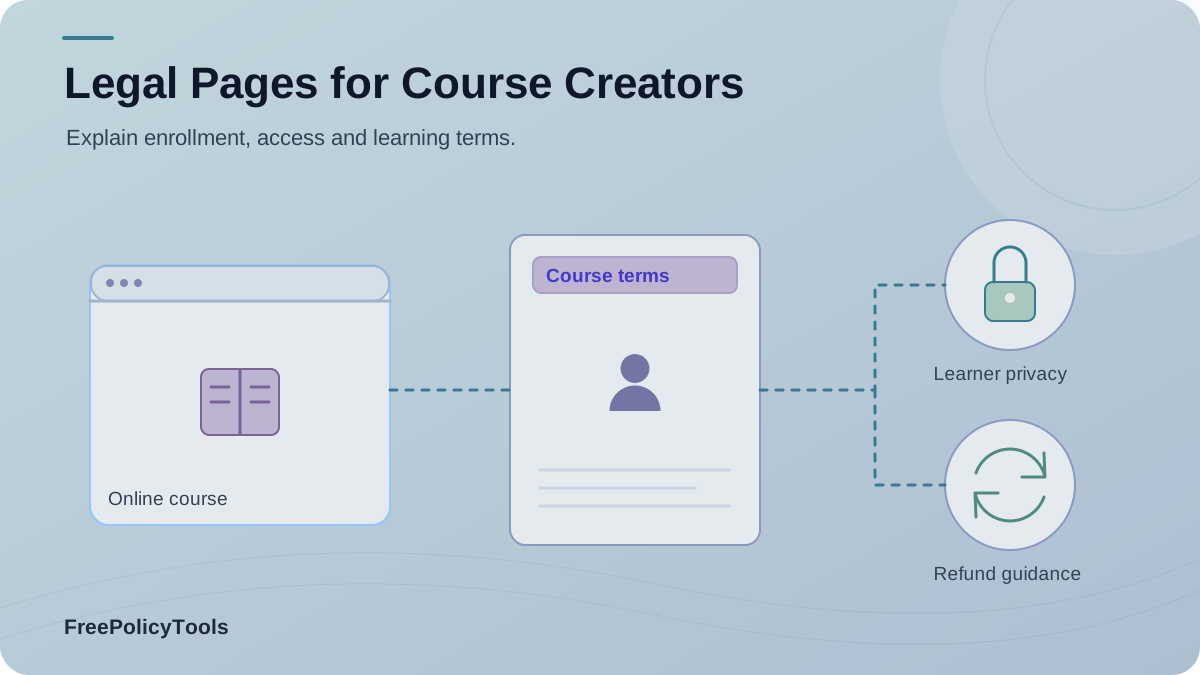
An online course is a purchase, a learning experience, and an ongoing relationship with a student. Its legal pages should explain access, payments, refunds, student data, course materials, accessibility help, and any paid recommendations before those questions become disputes.
The nine items below are a planning map, not a claim that every course needs nine separate public pages. Some can live inside terms; a data processing agreement is usually a vendor contract. The right wording depends on your actual course and the rules that apply to it.
What course legal pages need to solve
A course can involve a one-time purchase or a subscription, live sessions or recordings, graded work, private groups, downloads, certificates, and coaching. Each feature creates expectations that should be stated where students can see them.
Before purchase
Show the course scope, access period, price, renewal terms, refund rules, and important limitations.
During learning
Explain account use, materials, support, community conduct, and accessible alternatives.
After enrollment
Clarify cancellations, continued access, certificates, data retention, and later marketing.
Nine documents and notices at a glance
Treat this as a checklist. Decide whether each item belongs on its own page, inside another document, at a point of sale, or in a vendor file.
| Document or notice | Typical home | Main question it answers |
|---|---|---|
| Terms and conditions | Public | Enrollment, access duration, accounts, conduct, and dispute process |
| Privacy policy | Public | Student data, purposes, vendors, retention, and privacy requests |
| Refund and cancellation policy | Public | Eligibility, request method, subscriptions, and timing |
| Course disclaimer | Public or in terms | Course scope, qualifications, limits, and outcome claims |
| Intellectual property notice | Public or in terms | License to use lessons, downloads, recordings, and submissions |
| Affiliate disclosure | Where relevant | Paid recommendations and material relationships near the endorsement |
| Accessibility statement | Public | Accessibility work, known barriers, alternatives, and contact route |
| Cookie and tracking notice | Where relevant | Analytics, marketing pixels, platform storage, and visitor choices |
| Data processing agreement | Vendor contract | Processor instructions and safeguards where required; usually not a student page |
A data processing agreement governs a relationship with a provider that processes data for you where the applicable law requires it. It is not a substitute for the student-facing privacy policy.
Terms, access, and intellectual property
Course terms should say exactly what a student buys: the included lessons, delivery format, access period, live-session schedule, support level, prerequisites, and account rules. Explain what happens if a platform changes, a course closes, or a student breaches community rules. Avoid promising permanent or “lifetime” access unless you can define and support it.
Access terms
- When access begins and ends.
- Whether recordings, updates, and downloads are included.
- Whether accounts may be shared or transferred.
- What support and community access include.
Content license
- What students may download, copy, or adapt.
- Whether templates may be used commercially.
- Who owns student submissions and feedback.
- How suspected infringement is reported.
Start with the Terms and Conditions Generator. If your course has a separate support or delivery promise, compare it with our service policy vs terms of use guide.
Refunds, subscriptions, and course claims
State the refund conditions before checkout: eligibility, request method, deadline if one applies, how subscriptions renew or cancel, and what happens when access has already begun. Rules vary by jurisdiction and product type, so check the laws that apply to your sales. Make the sales page, checkout, receipt, and policy agree with one another.
| Topic | Disclose clearly |
|---|---|
| Price | Total charge, installment structure, taxes or fees where applicable, and currency. |
| Subscription | Renewal frequency, next charge basis, cancellation method, and access after cancellation. |
| Refund | Eligibility, exceptions, request route, review process, and payment return method. |
| Outcome claims | What evidence supports a promised result and what the course actually teaches. |
A disclaimer does not fix a misleading promise
The FTC’s advertising guidance for small businesses explains that objective advertising claims need support. If your course sales page promises income, qualifications, or specific results, substantiate the claim rather than relying on a generic disclaimer.
Draft accurate rules with the Return and Refund Policy Generator and use the Disclaimer Generator for genuine scope limits.
Student privacy and tracking
A student journey can touch enrollment forms, payment processors, learning platforms, progress tracking, discussion spaces, email tools, analytics, and support software. Inventory each service before drafting a privacy policy or cookie notice. Describe what you collect, why, who receives it, retention, and how students can ask questions or exercise rights.
Enroll
Account details and course choice
Pay
Orders, invoices, and payment providers
Learn
Progress, assignments, and community activity
Follow up
Support, analytics, and marketing choices
This bar chart is an illustrative 12-touchpoint course inventory, not a survey or industry benchmark. Use the same categories to examine your own platform.
Text equivalent: The example has 3 enrollment, 2 payment, 4 learning-tool, and 3 marketing touchpoints.
Tracking needs its own review
A privacy policy explains data practices; a cookie or tracking notice explains device technologies and relevant choices. Check whether analytics, advertising, or embedded course content requires a consent mechanism where your students are located.
Use the Privacy Policy Generator and Cookie Policy Generator for separate drafts. Our cookie policy guide explains the difference in more detail. Check vendor contracts with the Data Processing Agreement tool where a DPA is needed.
Accessible lessons and a useful support path
Make lessons usable for people who cannot hear the audio, see important visuals, use a mouse, or read dense on-screen text. Plan accessible slides and documents, keyboard-friendly navigation, captions, and alternatives for information shown only visually. Then write an accessibility statement that reflects your actual progress and gives students a working way to request help.
Video lessons
Check captions, visual information, controls, and playback on different devices.
Audio lessons
Offer a useful text alternative and a way to navigate key sections.
Worksheets and quizzes
Use real headings, labels, keyboard access, and readable contrast.
Student support
Provide a contact route for barriers and an accessible alternative where possible.
The W3C’s audio and video accessibility guide covers captions, transcripts, descriptions, and accessible players. Use our Accessibility Statement Generator to document your verified approach.
Affiliate and sponsorship disclosures in course materials
If resource lists, bonus lessons, email sequences, or software recommendations earn a commission, disclose the relationship where the recommendation appears. A separate affiliate disclosure page can give more detail, but it should not be the only notice students encounter. Update the statement when sponsorships or compensation arrangements change.
Example wording
“I may earn a commission if you buy the tools linked in this lesson.”
Draft a plain-language notice with the Affiliate Disclosure Generator.
Where students should see each page
Place information at the point where a student needs it. A footer provides a stable home for full documents; checkout and course interfaces need direct links to the terms that affect a decision or task.
| Moment | Link or notice to surface | Why |
|---|---|---|
| Sales page | Scope, outcomes, disclaimer, affiliate relationships | Sets expectations before purchase. |
| Checkout | Terms, refund and subscription rules, privacy notice | Supports an informed buying decision. |
| Course dashboard | Access rules, support, accessibility, content license | Helps students use the course. |
| Community | Conduct, moderation, privacy, content rules | Explains participation and submissions. |
| Footer | Stable links to all public legal pages | Makes the full documents easy to find. |
For implementation patterns, read where to display legal policies. Our guide to privacy policy obligations and risks adds context for data collection.
A practical publishing audit
Check every document against your live offer and platform before you publish it. The chart shows an illustrative review of the nine items above: five verified, three needing revision, and one not yet checked. It is a workflow example, not research data.
Text equivalent: Five of nine example items are verified, three need revision, and one remains unchecked.
Inventory
List course features, payments, vendors, materials, and public claims.
Draft
Write rules and notices from the actual student journey.
Place
Link the right information at sales, checkout, learning, and support points.
Recheck
Test links and review after meaningful business or platform changes.
Frequently asked questions
Do course creators need nine separate public pages?
No. The right set depends on the course, platform, audience, and applicable law. Some notices can be combined, while a data processing agreement is typically a contract with a service provider rather than a public student page.
Can I put the refund policy only in my terms?
You can include the rules in terms, but students should be able to find the key refund and cancellation conditions before purchase. A separate linked page can make those conditions easier to locate.
Can a disclaimer protect an unsupported income claim?
No. Course sales claims should be truthful and supported by evidence. A general disclaimer does not fix a misleading headline, testimonial, or earnings promise.
Is an accessibility statement enough for course videos?
No. The lessons themselves need accessible features appropriate to the content, such as captions and usable alternatives for important visual information. The statement explains your work and how students can request help.
When should the documents be reviewed?
Review them when pricing, access duration, lessons, platform tools, support, refunds, data practices, or affiliate relationships change. Record a review date only after a real review.
Make the student journey clear
Start with accurate terms, privacy, and refund information; add the other notices that fit your course. Use the Privacy Policy Generator and review every draft against your live offer.